
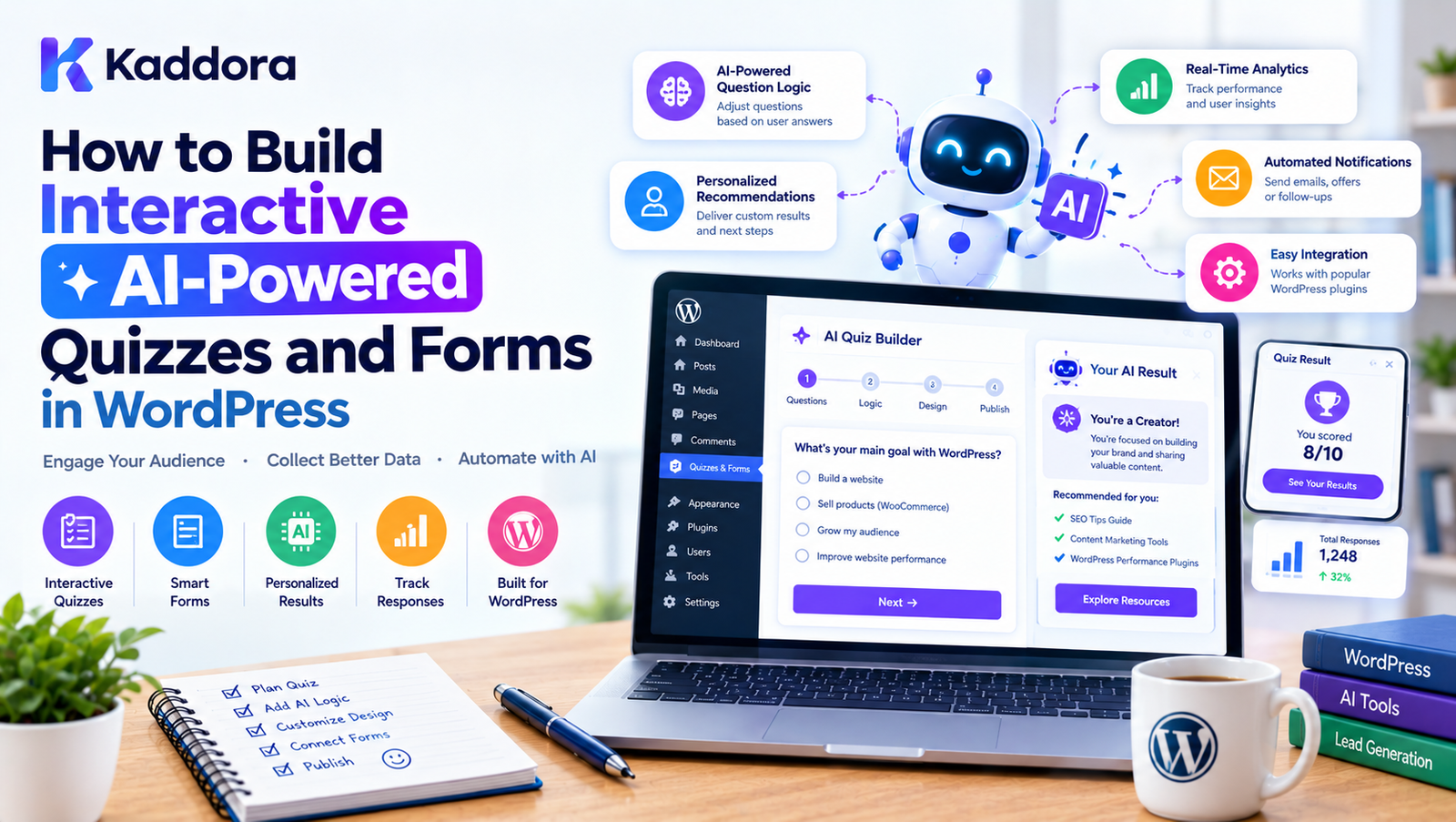
How to Build Interactive AI-Powered Quizzes and Forms in WordPress
Introduction
Forms and quizzes are some of the most useful interactive elements on a WordPress website.
A traditional form might ask visitors for:
Name
Phone number
Message
A traditional quiz might display a fixed set of questions and calculate a predefined result.
Artificial intelligence can make these experiences more interactive and personalized.
With AI, WordPress quizzes and forms can potentially:
Adapt questions based on previous answers
Categorize responses
Generate personalized recommendations
Summarize submissions
Score assessments
Qualify leads
Recommend products
Generate follow-up content
Analyze survey responses
Automate repetitive administrative tasks
Instead of treating a form as simply a data collection interface, businesses can use AI to turn it into an interactive decision-making workflow.
A basic architecture can look like this:
Visitor ↓ Interactive Form or Quiz ↓ User Responses ↓ WordPress Processing ↓ AI Analysis ↓ Personalized Result ↓ Action / Recommendation / Follow-Up
The important part is that AI should support the experience rather than make the interaction unnecessarily complicated.
What Are AI-Powered Quizzes and Forms?
AI-powered quizzes and forms combine traditional WordPress form functionality with artificial intelligence.
A normal form might collect information and store it.
An AI-powered form can additionally analyze that information and produce a useful result.
For example:
User Answers ↓ AI Analysis ↓ Category ↓ Recommendation ↓ Personalized Result
An AI-powered quiz can similarly move beyond a simple score.
For example, a WooCommerce store could ask:
What type of product are you looking for?
What is your preferred budget?
How frequently will you use it?
AI could analyze those responses and produce a product recommendation.
Why Use AI-Powered Forms in WordPress?
Traditional forms are excellent for collecting structured information.
AI-powered forms can add another layer: interpretation.
For example, consider a lead-generation form.
A traditional form collects:
Name Email Company Budget Message
An AI-enhanced workflow could additionally identify:
Lead Category Potential Requirement Product Interest Priority Suggested Follow-Up
This can reduce manual processing for teams handling large numbers of submissions.
AI Quizzes vs Traditional Quizzes
A traditional quiz generally follows a predefined structure:
Question 1 ↓ Question 2 ↓ Question 3 ↓ Score
An AI-powered quiz can introduce more flexibility:
Question 1 ↓ Analyze Answer ↓ Select Next Question ↓ Analyze Response ↓ Generate Result
This makes it possible to create more personalized experiences.
However, adaptive logic does not always require AI. Simple conditional logic may be more predictable and efficient for straightforward workflows.
AI becomes more useful when responses require interpretation rather than just selecting a predefined branch.
Common Uses of AI-Powered WordPress Quizzes
AI quizzes can be used for:
Product recommendations
Educational assessments
Customer discovery
Lead qualification
Personality-style experiences
Website onboarding
Service recommendations
Course assessments
Marketing segmentation
Interactive surveys
The appropriate implementation depends on the business objective.
AI Product Recommendation Quizzes
One of the most practical use cases is product discovery.
Imagine a WooCommerce website selling skincare products.
A quiz could ask:
What is your skin type? ↓ What is your primary concern? ↓ What type of product do you prefer? ↓ What is your budget? ↓ AI Recommendation
The system can then use the answers to identify suitable products.
The recommendation logic should be based on actual product attributes rather than unsupported AI assumptions.
AI Lead Qualification Forms
AI can also help businesses qualify incoming leads.
A form might collect:
Business type
Company size
Required service
Budget range
Project timeline
Description
AI can analyze the submission and categorize it.
For example:
Form Submission ↓ AI Analysis ↓ Service Category ↓ Lead Priority ↓ CRM / Email / Dashboard
The resulting classification can help a sales team organize follow-up work.
AI Forms for Customer Support
A support form can collect a customer's issue and use AI to categorize it.
For example:
Customer Message ↓ AI Classification ↓ Billing Technical Account Product ↓ Support Queue
The AI does not necessarily need to answer the customer directly.
It can simply help route the request to the appropriate team.
AI Survey Analysis
Surveys often generate large amounts of text.
Reading hundreds of responses manually can take time.
AI can assist with:
Topic classification
Sentiment summaries
Frequently mentioned issues
Feature requests
Common complaints
Suggested categories
For example:
500 Survey Responses ↓ AI Analysis ↓ Common Themes ↓ Human Review ↓ Business Insights
AI-generated summaries should be treated as analysis aids rather than unquestionable conclusions.
AI-Powered Assessment Forms
Educational websites can use AI-assisted forms for assessments.
For example:
Questions ↓ Answers ↓ Scoring ↓ AI Explanation ↓ Personalized Feedback
AI can generate explanations based on predefined knowledge and verified answer keys.
For high-stakes educational or professional assessments, deterministic scoring and human review may be preferable to relying entirely on AI.
Build Interactive Forms With Conditional Logic
Before introducing AI, WordPress developers should understand conditional logic.
For example:
Do you sell online? | Yes | No | WooCommerce | How many products? | 1–50 | 50–500 | 500+
This logic can be handled without AI.
AI becomes useful when the user's response contains free-form information that needs interpretation.
Combine Conditional Logic With AI
A powerful architecture combines both approaches.
Structured Answers ↓ Conditional Logic ↓ Free-Text Response ↓ AI Analysis ↓ Result
This approach can make the system more predictable while still benefiting from AI.
Design the User Experience First
Before building an AI form, determine:
What information must be collected?
What should happen after submission?
What result should the visitor receive?
What should the business do with the result?
Which parts require AI?
Which parts can use normal WordPress logic?
A useful planning model is:
User Goal ↓ Business Goal ↓ Questions ↓ Processing ↓ Result ↓ Next Action
AI should be added where it provides meaningful value.
Keep Forms Short
Long forms can discourage completion.
Instead of asking every possible question, identify the minimum information required.
For example:
Poor Workflow: 20 Questions ↓ User Abandons Better Workflow: 5 Important Questions ↓ AI Analysis ↓ Personalized Result
The exact number depends on the use case.
Use Progressive Questions
AI or conditional logic can reveal additional questions only when necessary.
For example:
Are you using WooCommerce? ↓ Yes ↓ How many products do you manage? ↓ 100+ ↓ Do you need inventory automation?
This keeps the initial interface simple.
Build a Conversational Form Experience
Some WordPress forms can use a conversational interface.
Instead of displaying twenty fields simultaneously, the system can present one question at a time.
Assistant: What type of website do you manage? User: WooCommerce store. Assistant: How many products do you have?
The conversational interface can make certain workflows feel more natural.
However, traditional forms may still be better when users need to scan and complete many structured fields quickly.
AI Form Data Processing
Once a form is submitted, the data can move through a processing pipeline.
Submission ↓ Validation ↓ Sanitization ↓ Business Logic ↓ AI Processing ↓ Validated AI Result ↓ Storage / Action
Validation and sanitization should happen before data is used by application logic.
Protect User Input
Form submissions are untrusted data.
WordPress developers should consider:
Nonces
Capability checks
Sanitization
Validation
Escaping
Rate limiting
Secure storage
Access controls
AI does not replace standard WordPress security practices.
Do Not Send Unnecessary Data to AI
If a form collects:
Name Email Phone Company Message
the AI system may only need:
Message Company Type Project Requirements
Sending unnecessary personal information to an external AI service can increase privacy risk and unnecessary data transmission.
A good architecture minimizes the data sent to external services.
AI Form Privacy Considerations
Before integrating an external AI provider, understand:
What information is transmitted
Where processing occurs
How data is retained
Applicable provider policies
Your site's privacy requirements
Whether user disclosure or consent is required
Privacy should be considered during architecture design rather than added afterward.
AI-Powered Form Results
The output can take different forms.
For example:
Recommendation
Based on your answers, these products may be relevant.
Classification
Your request has been categorized as a technical support issue.
Summary
Your project requires WooCommerce development and payment integration.
Next Step
Schedule a consultation.
The output should be useful and easy to understand.
AI Product Recommendations in WooCommerce
AI can help interpret quiz responses and match them with product attributes.
A simplified architecture is:
Quiz Answers ↓ Customer Preferences ↓ Product Attributes ↓ Matching Logic ↓ AI Assistance ↓ Recommended Products
The AI should not invent product features or availability.
Product information should come from the store's actual catalog.
AI-Powered Service Recommendation
A service business can use a quiz to determine which service may be appropriate.
For example:
Business Size ↓ Current Problem ↓ Technology Used ↓ Budget ↓ Recommended Service
This can help visitors understand which service category may fit their stated requirements.
The recommendation should remain informational rather than presenting assumptions as facts.
AI for Website Onboarding
AI-powered onboarding forms can ask new customers about their goals.
For example:
Business Type ↓ Website Type ↓ Primary Goal ↓ Current Tools ↓ AI-Assisted Setup Suggestions
This can make onboarding more personalized.
AI Form Summaries for Administrators
A WordPress admin dashboard can display AI-generated summaries.
For example:
Submission #1042 Customer: ABC Store Requirement: WooCommerce automation Priority: Review Required Summary: Customer is looking for inventory and order workflow automation.
This can help administrators quickly understand long submissions.
AI Email Routing
AI can classify submissions and trigger different workflows.
For example:
Form Submission ↓ AI Classification ↓ Technical → Support Team Sales → Sales Team Billing → Finance Team
This can be combined with normal WordPress hooks and email systems.
AI CRM Integration
A form can send structured information to a CRM.
For example:
WordPress Form ↓ Validation ↓ AI Classification ↓ Lead Data ↓ CRM
AI can enrich or categorize the information before it reaches the CRM.
Any external integration should follow its API and privacy requirements.
AI-Powered Form Automation
A complete automation workflow might look like:
Visitor ↓ Form ↓ Validation ↓ AI Analysis ↓ Classification ↓ CRM ↓ Email ↓ Dashboard
This can reduce repetitive administrative work.
Build an AI Quiz Plugin for WordPress
Developers can create a dedicated AI quiz plugin or add AI capabilities to an existing form plugin.
A possible architecture is:
WordPress Admin ↓ Quiz Builder ↓ Question Engine ↓ Submission Handler ↓ AI Service ↓ Result Engine ↓ Frontend Result
The plugin can include:
Quiz builder
Question management
Conditional logic
AI analysis
Result templates
Submission storage
Analytics
Email integration
Separate AI Logic From Form Logic
A scalable plugin should keep AI communication separate from the form system.
For example:
Form Module ↓ Submission Service ↓ AI Service ↓ AI API Client
This separation makes it easier to change providers or disable AI without rewriting the entire form system.
AI Service Layer
The AI service can be responsible for:
Preparing prompts
Sending requests
Handling API responses
Validating output
Handling errors
Logging appropriate technical information
Managing caching
The form system should not contain provider-specific API code everywhere.
Use Structured AI Responses
Instead of requesting an unrestricted paragraph, an AI form workflow can request structured information.
For example:
{ "category": "sales", "priority": "medium", "summary": "...", "recommended_action": "..." }
The application can then validate each field before using it.
Structured responses can make AI integrations easier to control.
Validate AI Output
Never assume an AI response is valid.
A plugin should check:
Required fields
Data types
Allowed categories
Maximum lengths
Empty values
Unexpected content
For example, if the only allowed categories are:
sales support billing general
the application should reject an unexpected category rather than blindly storing it.
Cache Repeated AI Requests
If the same quiz answers repeatedly produce similar analysis, caching may reduce API usage.
A possible approach:
Answers ↓ Normalize Data ↓ Generate Cache Key ↓ Check Cache ↓ Existing Result → Return ↓ No Result → AI Request
Caching should be designed carefully when results depend on changing data.
Handle AI API Failures
AI providers can experience:
Timeouts
Rate limits
Authentication errors
Network problems
Invalid responses
Temporary service outages
The form should still provide a usable fallback.
For example:
AI Available ↓ Personalized Result AI Unavailable ↓ Standard Result
This prevents a third-party AI service from becoming a single point of failure.
Add a Non-AI Fallback
Not every interaction needs AI.
For example, a quiz can have predefined recommendations:
Score 0–30 → Product Group A Score 31–70 → Product Group B Score 71–100 → Product Group C
AI can then provide an explanation or summary.
This hybrid approach can improve predictability.
AI-Powered Quiz Analytics
A WordPress admin dashboard can track:
Quiz starts
Quiz completions
Drop-off points
Popular answers
Recommended products
Form submissions
Lead categories
AI can optionally summarize trends.
For example:
1,000 Quiz Starts ↓ 720 Completed ↓ Most Common Need: Inventory Automation
Analytics should be based on actual collected data rather than AI-generated assumptions.
Improve Conversion With Interactive Experiences
Interactive tools can give visitors a reason to engage.
Examples include:
Product finder
Service finder
Website assessment
SEO audit form
Business calculator
Project estimator
Course recommendation quiz
The goal should be to solve a user problem rather than simply add an interactive element.
AI Website Assessment Forms
A website agency can create an assessment form that asks:
Website Type Traffic Level Current SEO Performance Conversion Goal
AI can summarize the responses and produce a structured assessment.
The result might include:
Current Situation Potential Issues Recommended Areas Next Steps
Any technical findings should be verified rather than inferred solely from questionnaire responses.
AI SEO Audit Forms
A WordPress website can use a form to collect information about a business.
For example:
Website URL
Industry
Target audience
Primary goal
Current SEO tools
AI can organize the responses into an initial SEO brief.
For actual technical auditing, the system should use real website data rather than relying only on user-provided information.
AI Form Builder Features
A modern AI-assisted form builder could offer:
AI Question Generation
Generate initial questions from a topic.
AI Field Suggestions
Recommend fields based on a defined workflow.
AI Conditional Logic
Suggest potential question branches.
AI Submission Analysis
Summarize responses.
AI Classification
Categorize submissions.
AI Recommendations
Generate result suggestions from approved data.
Example: AI-Powered WooCommerce Product Finder
Imagine a store selling laptops.
The quiz asks:
What will you use the laptop for?
What is your preferred budget?
Do you need portability?
Do you need dedicated graphics?
What screen size do you prefer?
The workflow becomes:
Customer Answers ↓ Product Attributes ↓ Filter Products ↓ AI Explanation ↓ Recommended Products
The actual product filtering can be deterministic, while AI explains why the selected products may fit the answers.
This reduces the risk of AI inventing products or specifications.
Example: AI-Powered Lead Form
A business consulting website could collect:
Business Type Company Size Main Challenge Budget Timeline Additional Information
The AI system could produce:
Category: Business Automation Summary: Customer is exploring workflow automation. Suggested Team: Sales Follow-Up: Schedule discovery call
The business can then review the classification before taking action.
Example: AI-Powered Educational Quiz
An educational website could provide:
Question ↓ Answer ↓ Score ↓ AI Explanation ↓ Recommended Learning Topic
The scoring system can remain deterministic, while AI provides explanations and personalized learning suggestions.
Common Mistakes With AI Forms and Quizzes
Adding AI Without a Purpose
AI should solve a real workflow problem.
Asking Too Many Questions
Long forms can increase abandonment.
Sending Excessive Data to AI
Only necessary information should be processed.
Trusting AI Classifications Completely
AI classifications can be wrong and should be reviewed where important.
Allowing AI to Invent Product Information
Recommendations should use verified catalog data.
No Fallback
A form should remain usable if an AI service fails.
Exposing API Credentials
Never place sensitive API credentials in publicly accessible frontend code.
Ignoring Privacy
External AI processing can involve data-transmission considerations.
Best Practices for AI-Powered WordPress Forms
1. Define the Objective
Know exactly what the form is supposed to accomplish.
2. Collect Only Necessary Data
Avoid unnecessary questions and unnecessary AI processing.
3. Combine Rules With AI
Use deterministic logic where it works better.
4. Validate Input
Treat all submissions as untrusted data.
5. Validate AI Output
Never blindly trust generated responses.
6. Provide Fallbacks
Keep the form functional if AI is unavailable.
7. Protect Credentials
Secure API keys and administrative settings.
8. Review Sensitive Results
Use human review for important decisions.
9. Optimize the User Experience
Keep interactions clear and concise.
10. Monitor Performance
Track completion rates, errors, and useful outcomes.
AI-Powered WordPress Form Security
Security should be part of the architecture.
A WordPress implementation may need:
Nonces
Capability checks
Input sanitization
Input validation
Output escaping
Secure API credentials
Rate limiting
Access controls
Safe database operations
For example:
Form Request ↓ Nonce Verification ↓ Permission Check ↓ Sanitize Input ↓ Validate Input ↓ Business Logic ↓ AI Processing
AI Forms and WordPress Database Design
Depending on the application, submissions may need to store:
Form ID
Submission ID
User ID when appropriate
Structured answers
Processing status
AI classification
AI summary
Timestamp
Avoid storing unnecessary personal information.
For large-scale systems, a dedicated data model may be more appropriate than putting everything into a single serialized field.
AI Forms and Asynchronous Processing
AI requests can take longer than normal WordPress operations.
For larger workflows, asynchronous processing can be useful:
Form Submitted ↓ Save Submission ↓ Queue AI Task ↓ AI Processing ↓ Save Result ↓ Notify / Display
This can reduce delays during form submission.
AI Forms and User Experience
A user should know what is happening.
For example:
Analyzing your answers...
Then:
Your personalized recommendation is ready.
Clear feedback is especially important when an AI request takes several seconds.
Measure Quiz and Form Performance
Useful metrics include:
Form views
Form starts
Form completion rate
Drop-off rate
Submission volume
AI processing failures
Average processing time
Result clicks
Leads generated
Product recommendation clicks
These measurements help determine whether the interactive experience is actually useful.
Future of AI-Powered Forms in WordPress
AI-powered forms are likely to become more flexible as AI capabilities improve.
Potential applications include:
Conversational forms
Adaptive assessments
Personalized product discovery
AI-assisted customer onboarding
Intelligent lead qualification
Automated submission summaries
Multilingual form experiences
AI-assisted support routing
The most useful systems will likely combine AI with predictable rules, structured data, privacy controls, and human oversight.
Why Choose Kaddora?
Kaddora focuses on WordPress and WooCommerce solutions that combine practical website functionality with automation and AI.
Interactive AI-powered forms can support businesses with workflows such as:
Lead generation
Product recommendations
Customer onboarding
Form automation
AI-assisted content
WooCommerce workflows
Customer support routing
Business assessments
Interactive quizzes
Kaddora's WordPress-focused approach can help businesses bring these capabilities closer to their existing website workflows.
The objective is not to add AI simply because it is available.
The objective is to use automation and AI where they can make forms more useful, reduce repetitive work, and create better user experiences.
Conclusion
AI-powered quizzes and forms can transform traditional WordPress interactions into more intelligent and personalized workflows.
Instead of simply collecting information, an interactive system can:
Understand responses
Categorize submissions
Generate summaries
Recommend products
Qualify leads
Personalize results
Route requests
Support business automation
A strong architecture combines:
WordPress + Form Logic + Structured Data + AI + Security + Human Review
AI should not replace predictable business logic when traditional rules are sufficient.
For example, product filtering, quiz scoring, and eligibility checks may often be better handled through deterministic rules. AI can then be used where interpretation, summarization, or natural-language interaction adds value.
When thoughtfully implemented, AI-powered quizzes and forms can help WordPress websites create more engaging experiences while making internal workflows more efficient.
The best starting point is simple: identify one real user or business problem, design the interaction around that problem, and introduce AI only where it provides meaningful value.
Frequently Asked Questions
What are AI-powered forms in WordPress?
AI-powered forms combine standard WordPress form functionality with AI capabilities such as response analysis, classification, summarization, recommendations, and personalized results.
What are AI-powered quizzes?
AI-powered quizzes use artificial intelligence to analyze quiz responses, adapt interactions, generate explanations, or provide personalized recommendations.
Can I build an AI quiz in WordPress?
Yes. An AI quiz can be built using a WordPress plugin, an existing form system with AI integration, or a custom WordPress plugin.
Can AI create quiz questions?
AI can generate draft questions based on a topic, audience, or learning objective. Questions should be reviewed before publication.
Can AI create adaptive quizzes?
Yes. AI can help determine what question or content to show next based on previous responses. Traditional conditional logic can also handle many adaptive workflows without AI.
Should AI choose products completely by itself?
For reliable product recommendations, it is generally useful to combine AI with actual product data and deterministic filtering or matching rules so the system does not invent product characteristics.
Can AI qualify leads from WordPress forms?
Yes. AI can classify submissions, summarize requirements, and suggest categories or follow-up actions based on the submitted information.
Can AI forms send automated emails?
Yes. AI can classify or summarize a submission before WordPress triggers an email workflow.
Can AI improve customer onboarding?
Yes. An AI-assisted onboarding form can collect customer requirements and produce a structured summary or personalized setup guidance.
Can AI forms be used for education?
Yes. They can support quizzes, assessments, personalized explanations, learning recommendations, and feedback workflows. High-stakes assessments should use appropriate deterministic scoring and human oversight.
Why choose Themekaddora?
Themekaddora provides lightweight, responsive, SEO-friendly WordPress themes with fast performance, WooCommerce compatibility, flexible customization, accessibility-conscious design, modern templates, regular updates, and professional support—providing a strong foundation for businesses building digital products and product-focused websites.
Comments (0)