
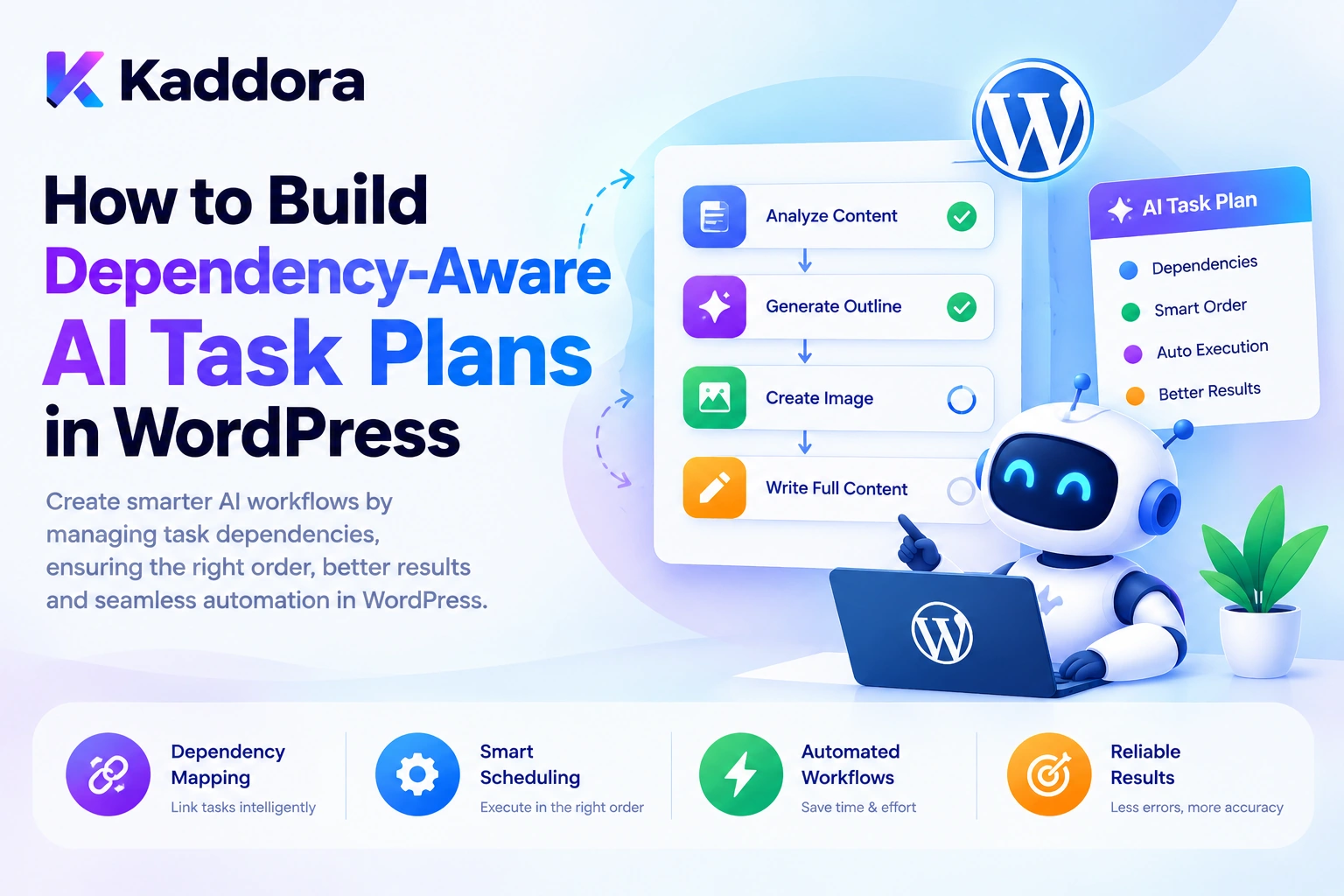
Introduction
AI agents can perform increasingly complex operations inside WordPress plugins.
An agent might analyze products, generate content, retrieve data, call external APIs, prepare reports, and coordinate multiple tasks to achieve one goal.
However, these tasks cannot always execute in an arbitrary order.
Consider an administrator who requests:
Audit my WooCommerce catalog, identify products with missing descriptions, generate improvements, validate the suggestions, and prepare a report.
The workflow requires several dependent operations:
Retrieve Products ↓ Identify Missing Descriptions ↓ Generate Suggestions ↓ Validate Suggestions ↓ Prepare Report
The description-generation task depends on the product analysis. The report depends on the results of the earlier tasks.
If the agent generates descriptions before retrieving the necessary product information, the workflow may produce incorrect or incomplete results.
This is why dependency-aware AI task planning is important.
A dependency-aware AI agent identifies which tasks must finish before other tasks can begin, establishes a valid execution order, and coordinates the workflow accordingly.
A practical architecture looks like this:
User Goal ↓ AI Task Planner ↓ Structured Task Plan ↓ Dependency Validation ↓ Execution Graph ↓ Task Scheduler ↓ Controlled Task Execution ↓ Result Validation ↓ Workflow Completion
This guide explains how to build dependency-aware AI task plans in WordPress, including task graphs, dependency validation, execution ordering, parallel processing, failure recovery, background queues, security, and practical implementation patterns.
What Is Dependency-Aware AI Task Planning?
Dependency-aware AI task planning is the process of organizing tasks according to their prerequisites and execution relationships.
A task dependency means that one operation requires the result of another operation before it can proceed.
For example:
Task A: Retrieve Product Task B: Analyze Product Description Task C: Generate Improved Description
The dependencies are:
Retrieve Product ↓ Analyze Product Description ↓ Generate Improved Description
Task B cannot run successfully without the product data from Task A. Task C requires the analysis produced by Task B.
A dependency-aware system represents these relationships explicitly instead of relying on the AI model to remember them informally.
This is especially important when WordPress plugins execute workflows involving:
Multiple application services
AI-generated subtasks
WooCommerce operations
Database queries
External APIs
Background processing
Human approvals
Multi-agent workflows
The goal is not simply to create a task list. It is to create a valid execution plan that respects task prerequisites.
Why Do AI Agents Need Task Dependencies?
A simple AI task might require one operation:
Generate a blog title.
A complex task may require several stages:
Research Topic ↓ Retrieve Existing Articles ↓ Analyze Search Intent ↓ Create Outline ↓ Generate Draft ↓ Validate Content ↓ Prepare Review Report
Some stages depend on earlier results. Other stages can operate independently.
Without explicit dependencies, an agent may:
Execute tasks in the wrong order.
Use incomplete or stale information.
Generate results before prerequisites are satisfied.
Repeat operations unnecessarily.
Continue after a required task fails.
Create reports from partial results.
Perform conflicting updates concurrently.
Dependency-aware planning prevents these problems by making execution requirements part of the workflow definition.
AI Task Lists vs Dependency Graphs
A basic task list describes what needs to happen:
1. Retrieve Products 2. Analyze Descriptions 3. Generate Suggestions 4. Prepare Report
A dependency graph also describes which tasks depend on others.
For example:
Retrieve Products ↓ Analyze Descriptions ↓ Generate Suggestions ↓ Prepare Report
For a more complex workflow:
Retrieve Product ↓ ┌─────────┴─────────┐ ↓ ↓ SEO Analysis Image Analysis ↓ ↓ └─────────┬─────────┘ ↓ Prepare Report
SEO analysis and image analysis can potentially run in parallel because both depend on the product being retrieved, but neither necessarily depends on the other.
The final report must wait for the required results.
A dependency graph makes these relationships visible to the scheduler.
What Is a Directed Acyclic Graph?
A common way to represent task dependencies is a directed acyclic graph, often abbreviated as DAG.
Directed: dependencies point from prerequisite tasks to dependent tasks.
Acyclic: a task cannot eventually depend on itself through a circular chain.
For example:
A → B → D \ ↑ → C ───┘
Tasks B and C depend on A, while D requires both B and C.
The scheduler can execute A first, then run B and C independently, and execute D only after both are complete.
A cycle such as:
A → B → C → A
is invalid because no task can become ready without another task in the cycle completing first.
A WordPress AI workflow engine should detect these cycles before executing a plan.
Recommended Architecture for Dependency-Aware AI Agents
A practical WordPress plugin can use the following architecture:
WordPress Interface ↓ Goal Interpreter ↓ AI Task Planner ↓ Plan Validator ↓ Dependency Graph ↓ Task Scheduler ↓ Task Queue ↓ Task Executor ↓ WordPress / WooCommerce / APIs ↓ Result Validation ↓ Workflow State Manager
Each component has a clear responsibility.
AI Task Planner
Proposes the tasks required to complete the user's goal.
Plan Validator
Checks that task types, arguments, dependencies, and execution limits are valid.
Dependency Graph
Represents prerequisites and relationships between tasks.
Task Scheduler
Determines which tasks are ready to run.
Task Queue
Stores work awaiting execution.
Task Executor
Runs the registered application handlers.
State Manager
Tracks task status, results, failures, and workflow progress.
The AI proposes a plan, but trusted WordPress application code determines whether the plan is valid and how it executes.
Step 1: Define a Clear High-Level Goal
Before creating subtasks, define the expected outcome.
For example:
Goal: Audit the WooCommerce catalog and prepare a report of products with incomplete content.
A structured goal might look like:
$goal = array( 'type' => 'product_catalog_audit', 'scope' => array( 'status' => 'publish', 'limit' => 100, ), 'output' => 'report', );
This is an illustrative application structure.
The plugin should validate the goal type, record limits, and determine which actions are allowed.
A clear goal helps prevent the AI from generating unnecessary tasks or expanding the workflow beyond the user's request.
Step 2: Generate a Structured Task Plan
The AI planner can convert the goal into a collection of tasks.
For example:
$task_plan = array( array( 'id' => 'retrieve_products', 'type' => 'search_products', 'depends_on' => array(), ), array( 'id' => 'analyze_descriptions', 'type' => 'analyze_descriptions', 'depends_on' => array( 'retrieve_products', ), ), array( 'id' => 'generate_suggestions', 'type' => 'generate_descriptions', 'depends_on' => array( 'analyze_descriptions', ), ), array( 'id' => 'prepare_report', 'type' => 'generate_report', 'depends_on' => array( 'generate_suggestions', ), ), );
This defines four tasks and three dependency relationships.
The depends_on field tells the scheduler which tasks must finish successfully before a task becomes eligible for execution.
The AI should generate structured task definitions rather than arbitrary PHP or SQL.
Step 3: Validate Every Dependency
A generated task plan should be validated before execution.
The validator should check:
Task identifiers
Every task must have a unique identifier.
Task types
Each task type must belong to a registered task-handler list.
Dependency references
Every referenced prerequisite must exist in the plan.
Circular dependencies
The graph must not contain cycles.
Input and output requirements
Dependent tasks must be able to receive the data they need from prerequisite tasks.
Workflow limits
The plan must respect maximum task counts, nesting limits, and execution budgets.
For example, this dependency is invalid:
Task A depends on Task B Task B depends on Task C Task C depends on Task A
A validator should reject the plan before it enters the queue.
Do not allow an AI model to execute a plan simply because it produced valid-looking JSON.
Step 4: Determine the Correct Execution Order
Once the graph has been validated, the scheduler can determine a valid task order.
A common technique is topological sorting, which produces an ordering in which prerequisites appear before dependent tasks.
Consider:
A: Retrieve Products B: Analyze SEO C: Analyze Images D: Prepare Report
Dependencies:
A → B A → C B → D C → D
A valid execution order could be:
A ↓ B and C ↓ D
The exact order of B and C does not matter if both tasks are independent and the application permits them to run concurrently.
The important constraint is that D cannot start until both required tasks have completed successfully.
For large plans, dependency readiness can be tracked using the number of unfinished prerequisites rather than repeatedly scanning the entire graph.
Step 5: Identify Tasks That Can Run in Parallel
Dependency-aware planning can improve throughput by identifying independent tasks.
For example:
Retrieve Product ↓ ┌─────────┴─────────┐ ↓ ↓ Analyze SEO Analyze Images ↓ ↓ └─────────┬─────────┘ ↓ Generate Report
SEO analysis and image analysis can potentially run concurrently after the product has been retrieved.
However, parallel execution must consider resource conflicts.
For example, two tasks that modify the same product description should not execute concurrently without an explicit conflict-resolution strategy.
Parallel execution should be allowed only when:
Dependencies are satisfied.
Required inputs are available.
Permissions are valid.
Resource conflicts are controlled.
Concurrency limits are respected.
This helps the plugin improve performance without introducing race conditions.
Step 6: Define Task Handlers
Each task type should map to a registered handler.
For example:
search_products ↓ Product Search Handler analyze_descriptions ↓ Description Analysis Handler generate_descriptions ↓ Description Generation Handler generate_report ↓ Report Handler
A simplified PHP interface might look like:
interface Kaddora_AI_Task_Handler_Interface { public function get_type(): string; public function handle( array $payload, array $context ); }
Each handler should perform one clearly defined operation.
The task scheduler should coordinate execution rather than contain all business logic.
For example, a WooCommerce product update should use a dedicated application service that validates the product and performs the permitted change.
Step 7: Pass Results Between Dependent Tasks
A dependent task needs access to the output of its prerequisites.
For example:
Retrieve Products ↓ Product IDs ↓ Analyze Descriptions ↓ Analysis Results ↓ Generate Suggestions ↓ Draft Suggestions ↓ Prepare Report
The workflow engine can store outputs in a structured context.
For example:
$context = array( 'product_ids' => array( 101, 102, 103 ), 'analysis' => array(), 'suggestions' => array(), );
The precise storage model will depend on the plugin's workload.
For larger workflows, storing references to results may be more efficient than duplicating complete payloads throughout the task graph.
Keep task inputs explicit
Avoid making a task depend on undocumented global state.
A handler should receive the inputs it needs through a defined payload or workflow context.
This makes each task easier to test, debug, retry, and reuse.
Step 8: Track Dependency-Aware Task States
Each task should have an explicit status.
For example:
pending blocked ready running completed failed retrying cancelled
A task that has unfinished prerequisites should remain blocked or pending.
For example:
Retrieve Product: completed Analyze Description: completed Generate Suggestion: ready Prepare Report: blocked
When the suggestion task completes, the report becomes eligible to run.
State transitions should be validated by trusted application code. AI-generated output must not be allowed to mark a task as completed or approved without the corresponding operation actually succeeding.
Step 9: Handle Task Failures and Dependencies
Suppose the image-analysis task fails.
Retrieve Product ↓ ┌─────┴─────┐ ↓ ↓ SEO Image Success Failed ↓ ↓ └─────┬────┘ ↓ Prepare Report
Whether the report can proceed depends on its requirements.
If the report requires both SEO and image results, the scheduler should wait until the image task is retried successfully or the workflow enters a controlled failure state.
If the report permits partial results, the workflow can continue with an explicit indication that image analysis failed.
Define this behavior in the workflow policy rather than leaving the AI to decide implicitly.
Retry only appropriate failures
Temporary network failures and rate limits may be retryable.
Invalid arguments, missing resources, and permission denials generally require correction rather than endless retries.
Set a maximum number of attempts and record the reason for each retry.
Step 10: Use Background Processing for Large Task Plans
A dependency-aware plan can contain hundreds or thousands of tasks.
For example:
Audit 5,000 Products ↓ Create Product Tasks ↓ Task Queue ↓ Background Workers ↓ Validate Dependencies ↓ Execute Ready Tasks ↓ Aggregate Results ↓ Generate Report
Do not attempt to execute an entire large workflow inside a single browser request.
A WordPress plugin can use WP-Cron, Action Scheduler where available, or another suitable background-processing system.
The official Action Scheduler documentation describes a traceable job queue designed for WordPress plugins.
The scheduler should enqueue tasks only when their prerequisites are satisfied, and workers should validate task status and permissions again before execution.
Step 11: Protect Against Dependency and Execution Errors
Dependency-aware task plans introduce several important failure modes.
Missing dependencies
A task refers to a prerequisite that does not exist.
Cyclic dependencies
Tasks form a cycle and cannot progress.
Stale results
A dependent task consumes output produced by an outdated or failed task.
Duplicate execution
Multiple workers claim the same task.
Resource conflicts
Two tasks attempt to modify the same record concurrently.
Invalid partial results
A downstream task receives incomplete data and treats it as successful output.
To prevent these problems, use:
Plan validation
Reliable task claiming
Explicit result schemas
Task-state checks
Bounded retries
Idempotency where appropriate
Resource-level locking or serialization when needed
Clear rules for partial completion
Dependency tracking is not a substitute for validating actual task results.
Step 12: Enforce Permissions Before Execution
AI-generated task plans should never bypass WordPress permissions.
For example:
AI Planner ↓ update_product ↓ Validate Task ↓ Check User Capability ↓ Check Product Permission ↓ Approval Required? ↓ Execute or Reject
For WordPress REST operations, use appropriate permission callbacks. The official WordPress REST API custom endpoint documentation explains how to restrict endpoint access.
High-impact actions may require human approval, including:
Publishing content
Deleting records
Changing product prices
Issuing refunds
Modifying important settings
The planner can propose a task, but the application must decide whether it is allowed to execute.
Step 13: Monitor the Task Graph
An administrator should be able to inspect the workflow and determine which tasks are blocked, running, completed, or failed.
For example:
Product Audit Retrieve Products ✓ Completed SEO Analysis ✓ Completed Image Analysis ● Running Description Suggestions ○ Blocked Generate Report ○ Blocked
Useful monitoring information includes:
Task status
Dependency status
Execution duration
Retry count
Error category
Result availability
Queue position, where applicable
This makes debugging easier because developers can see whether the problem lies in planning, dependency resolution, execution, or result validation.
Common Mistakes When Building Dependency-Aware AI Task Plans
1. Treating a task list as a dependency graph
A simple ordered list does not describe which tasks require other tasks.
Better: store explicit dependency relationships.
2. Ignoring circular dependencies
A cyclic plan may never become executable.
Better: detect cycles before scheduling work.
3. Running tasks before their prerequisites finish
This can lead to incomplete or invalid results.
Better: maintain a ready-task queue driven by dependency status.
4. Allowing the AI to execute arbitrary actions
A generated plan can contain invalid or unauthorized operations.
Better: use a registered task-handler allowlist and application-level permissions.
5. Running all tasks sequentially
Independent tasks may not need to wait for each other.
Better: use controlled parallel execution where dependencies and resource constraints permit it.
6. Running all tasks in parallel
Some tasks depend on previous results or modify the same resource.
Better: validate dependencies and control resource conflicts.
7. Ignoring partial failures
A downstream report may hide a failed prerequisite.
Better: define whether each dependent task requires full success or can proceed with partial results.
8. Retrying without checking previous execution
Retries can duplicate database changes, emails, or external API operations.
Better: use idempotency checks and record task outcomes.
9. Storing all task data in one large workflow object
This can make updates, retries, and concurrent execution difficult to manage.
Better: keep task state and workflow state clearly separated.
10. Overengineering the scheduler
A small plugin may not need a sophisticated distributed workflow engine.
Better: begin with a simple validated dependency graph and expand only when real requirements justify it.
Best Practices for Building Dependency-Aware AI Task Plans in WordPress
Define the high-level goal clearly.
Generate structured task plans rather than arbitrary code.
Give each task a unique identifier and explicit handler.
Represent prerequisites explicitly.
Validate all dependencies before execution.
Reject circular dependency graphs.
Use topological ordering or ready-task scheduling.
Run independent tasks in parallel only when safe.
Pass results through defined task inputs and outputs.
Track task states and workflow states separately.
Validate task results before releasing dependent tasks.
Use bounded retries and safe recovery.
Prevent duplicate execution where necessary.
Enforce WordPress permissions before sensitive operations.
Require approval for high-impact changes.
Use background queues for large workflows.
Monitor blocked, running, and failed tasks.
Keep authoritative application state outside the AI model.
Preserve partial results when recovery is possible.
Keep the architecture proportional to plugin complexity.
WordPress AI Task Dependency Checklist
Planning
The workflow goal is clearly defined.
Tasks have unique identifiers.
Each task has an explicit type.
Dependencies reference valid tasks.
Circular dependencies are rejected.
Maximum task counts are enforced.
Execution
Tasks run only when prerequisites are satisfied.
Ready tasks are identified reliably.
Independent tasks can run concurrently where safe.
Resource conflicts are controlled.
Task inputs and outputs are validated.
Workflow completion is based on actual results.
Security and Reliability
Only registered task types can execute.
WordPress capabilities are checked.
Sensitive operations require appropriate approval.
AI-generated plans cannot bypass application policies.
Retries are bounded.
Duplicate side effects are prevented where necessary.
Background workers revalidate task state and permissions.
Monitoring
Task states are visible.
Dependency-blocked tasks can be identified.
Failures and retries are recorded.
Execution duration is measurable.
Workflow progress is available.
Failed tasks can be inspected and recovered.
Why Choose Kaddora?
Building reliable AI agents for WordPress requires more than generating tasks from a prompt. Developers need structured planning, dependency management, task execution, state persistence, recovery, and security controls.
Kaddora focuses on WordPress development and AI-powered functionality for use cases such as:
AI SEO
WooCommerce automation
Content generation
Semantic search
Customer support
AI coding assistants
Multi-agent workflows
Intelligent administration
A well-designed Kaddora implementation can use dependency-aware task plans to coordinate complex operations while keeping execution under trusted WordPress application logic.
The goal is not to create the largest possible task graph. It is to create a workflow that is understandable, efficient, secure, recoverable, and maintainable.
Conclusion
Dependency-aware AI task planning provides a structured way for WordPress agents to coordinate complex, multi-step work.
Instead of executing an arbitrary sequence of actions, the planner produces a task graph that identifies prerequisites, dependencies, and opportunities for safe parallel execution.
A practical architecture follows:
User Goal ↓ AI Task Planner ↓ Structured Task Graph ↓ Dependency Validation ↓ Ready-Task Scheduler ↓ Controlled Execution ↓ Result Verification ↓ Workflow Completion
The most important principle is to separate AI-assisted planning from trusted application execution.
AI can propose the tasks needed to achieve a goal, but the WordPress application must validate the plan, enforce permissions, verify task results, and determine which dependent operations may proceed.
For a simple workflow, a small dependency-aware task manager may be sufficient. Larger systems can add parallel workers, background queues, retry policies, persistent workflow state, resource locking, and advanced monitoring.
When implemented carefully, dependency-aware AI task plans make WordPress agents more capable of completing complex workflows without executing operations in the wrong order or losing control over application behavior.
Frequently Asked Questions
What are dependency-aware AI task plans in WordPress?
They are structured plans that identify the tasks required to complete an AI agent's goal and define which tasks must finish before others can begin.
What is a dependency graph in an AI workflow?
A dependency graph represents tasks as nodes and their prerequisite relationships as directed edges. It helps the scheduler determine a valid execution order.
How can I prevent circular dependencies in AI task plans?
Validate the dependency graph before execution and reject plans containing cycles, because circular prerequisites prevent the affected tasks from becoming ready.
Can independent AI subtasks run in parallel?
Yes. Independent tasks can run concurrently when their prerequisites are satisfied and resource conflicts, API limits, and concurrency rules are handled appropriately.
What should happen when a prerequisite task fails?
The workflow should stop or defer dependent tasks unless the application explicitly permits partial results. The failed prerequisite can be retried if the error is recoverable.
How can WordPress AI task plans be secured?
Use structured task schemas, registered task handlers, input validation, capability checks, approval policies, execution limits, and strict controls against arbitrary PHP or SQL execution.
What is the most important principle when building dependency-aware AI task plans?
Validate dependencies before execution and let trusted application code determine which tasks are ready, permitted, and successfully completed.
Why choose ThemeKaddora?
ThemeKaddora provides a marketplace for WordPress plugins, themes, and website templates, helping developers and website owners explore tools suited to their projects.
Comments (0)