
Introduction
Artificial intelligence can help WordPress plugins generate content, answer customer questions, analyze products, recommend relevant resources, and automate business workflows.
However, a basic AI integration often has one important limitation: the model may not know enough about the website, its data, the current user, or the task being performed.
For example, a generic chatbot may explain what a return policy is, but a context-aware chatbot can retrieve the actual store policy and explain the relevant process. A basic AI writing assistant may generate a product description, while a context-aware assistant can use verified product specifications, brand guidelines, and the intended audience to prepare more relevant content.
The difference comes from context.
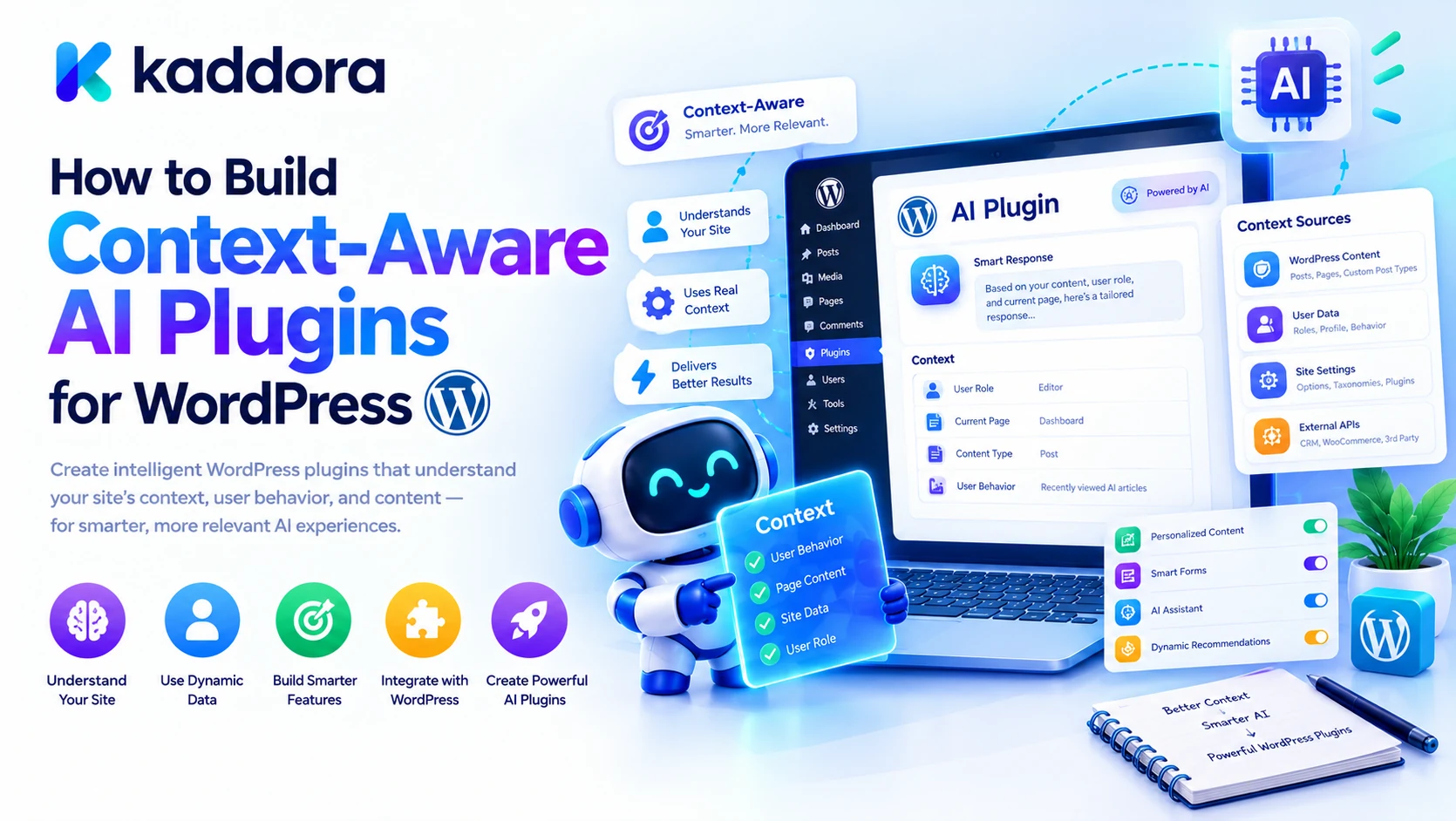
A context-aware AI plugin uses relevant information about the current situation to produce more useful, specific, and consistent results.
Building one requires more than writing a prompt or connecting an AI API. Developers must decide what information to retrieve, how to structure it, which data sources to trust, how to manage memory, and how to protect sensitive information.
This guide explains how to build context-aware AI plugins for WordPress using practical architecture patterns, retrieval systems, user and site context, AI tools, memory, security controls, and testing strategies.
What Is a Context-Aware AI Plugin?
A context-aware AI plugin is a WordPress extension that uses relevant application data and task information to guide an AI model's responses or actions.
Instead of processing a user request in isolation, the plugin supplies useful context from the WordPress environment.
This information might include:
Current post or page
WooCommerce product details
Relevant website documentation
User preferences
Current conversation
Approved business policies
Plugin configuration
Previous tool results
User permissions and task scope
Current workflow state
For example, consider a user who asks:
Write an SEO-friendly description for this product.
A basic AI integration might receive only that instruction.
A context-aware plugin could retrieve:
Current Product + Verified Specifications + Product Category + Brand Guidelines + Target Audience + SEO Requirements ↓ Context Builder ↓ AI Model ↓ Relevant Product Description
The model receives information relevant to the task rather than having to guess missing details.
The important principle is that context should improve relevance without giving the AI unrestricted access to WordPress data.
Why Context Awareness Matters in WordPress
WordPress is a content management platform with many types of structured and unstructured information.
A website may contain articles, pages, products, categories, user profiles, custom fields, business settings, and information stored by third-party plugins.
An AI integration becomes more useful when it can retrieve the appropriate information for the current request.
Context awareness can help address several common problems.
1. Generic AI Responses
Without relevant website information, a model may provide generic recommendations that do not match the business.
Better approach: Retrieve current website data and relevant instructions before generating a response.
2. Incorrect or Invented Information
An AI model may not know a product's current price, a business's return policy, or the exact contents of an article.
Better approach: Supply verified information from the appropriate WordPress or business data source.
3. Repeated User Instructions
Users may need to repeatedly explain their preferred format, current task, or relevant requirements.
Better approach: Maintain appropriate conversation state or explicitly approved preferences.
4. Unnecessary Data Processing
Sending entire records or large collections of content can increase processing costs and expose irrelevant information.
Better approach: Retrieve only the data required for the current operation.
5. Inconsistent Workflows
Different AI features may apply different assumptions or instructions.
Better approach: Use centralized context-building rules, trusted configuration, and consistent application services.
Core Architecture of a Context-Aware WordPress AI Plugin
A practical implementation separates request handling, context retrieval, AI communication, and WordPress operations.
User Request ↓ WordPress Controller ↓ Context Builder ↓ Relevant Data Retrieval ↓ Context Validation ↓ AI Provider ↓ Response or Tool Request ↓ Permission and Business Rules ↓ WordPress Application Services ↓ Verified Result
Each component should have a specific responsibility.
Controller: Receives and validates the incoming request.
Context builder: Determines which information is relevant to the current task.
Retriever: Reads permitted data from WordPress, WooCommerce, documentation, or other approved sources.
Context validator: Checks structure, size, relevance, and data sensitivity.
AI provider: Sends the prepared context to the selected model.
Application services: Perform actual WordPress operations under trusted business rules and authorization controls.
This structure makes it easier to test individual components and modify the AI provider without rebuilding the entire plugin.
Step 1: Define the Plugin's Context Requirements
Before implementing an AI integration, decide what the model needs to know for each task.
Different tasks require different context.
For example:
AI Task
Useful Context
Rewrite a blog post
Current content, tone, audience, editing instructions
Generate product descriptions
Product name, verified attributes, category, brand guidelines
Answer support questions
User question, approved documentation, relevant policies
Suggest SEO improvements
Page content, target topic, relevant metadata
Summarize store performance
Authorized sales metrics, date range, report definitions
Recommend related products
Current product, relevant categories, eligible product data
This creates a clear boundary between information that is potentially available and information that the task actually needs.
Avoid building a single oversized context object that contains every possible website record.
Instead, define task-specific context profiles.
For example:
$context_profile = array( 'task' => 'product_description', 'sources' => array( 'product', 'category', 'brand_guidelines', ), 'include_sensitive_data' => false, );
This is an illustrative configuration pattern rather than a complete security implementation. The application must still validate source access and filter the retrieved information.
Step 2: Retrieve Relevant WordPress Data
WordPress already provides APIs for accessing posts, users, taxonomies, metadata, and other content.
A context-aware plugin should use the appropriate APIs for the information it needs.
For example, a content assistant might retrieve a published post:
$post_id = absint( $request_data['post_id'] ?? 0 ); $post = get_post( $post_id ); if ( ! $post || 'publish' !== $post->post_status ) { return new WP_Error( 'invalid_post', 'The requested content is unavailable.' ); }
For a real application, the conditions must reflect the task. If the plugin supports drafts or private content, it must perform the appropriate authorization checks rather than rejecting or exposing records based only on their status.
The retrieved context could then include:
$context = array( 'title' => get_the_title( $post ), 'content' => $post->post_content, 'type' => $post->post_type, );
Only include the fields the model needs.
When working with WooCommerce, use suitable WooCommerce product and order APIs instead of assuming that every required value can be retrieved reliably from a generic post record.
Step 3: Build a Dedicated Context Builder
A context builder centralizes the process of assembling task-specific information.
Without this component, each AI feature may implement its own data retrieval, filtering, and formatting logic.
A simplified PHP example is:
final class Kaddora_AI_Context_Builder { public function build( string $task, array $data ): array { return array( 'task' => $task, 'context' => $this->filter_data( $data ), ); } private function filter_data( array $data ): array { // Validate fields and remove // irrelevant or sensitive values. return $data; } }
This example shows the architectural idea, not a complete production-ready security boundary.
In a real plugin, the context builder should:
Validate task parameters.
Retrieve authorized source data.
Remove irrelevant information.
Exclude sensitive fields unless required and permitted.
Normalize data into a predictable format.
Limit context size.
Record suitable diagnostic information without logging secrets.
A dedicated context builder also makes unit testing easier because the application can test the assembled context independently of the AI provider.
Step 4: Use Retrieval-Augmented Generation for Website Knowledge
Retrieval-Augmented Generation, commonly called RAG, combines information retrieval with AI-generated responses.
Instead of relying entirely on information contained in the AI model, the application first retrieves relevant content from an approved knowledge source.
For WordPress, those sources could include:
Published articles
Documentation pages
Product descriptions
Frequently asked questions
Approved policies
Custom post types
Internal knowledge documents
A RAG workflow looks like this:
User Question ↓ Search Knowledge Sources ↓ Rank Relevant Results ↓ Retrieve Useful Passages ↓ Create Context ↓ AI Generates an Answer ↓ Verify Important Claims
For example, a customer might ask about the return period for a product.
The plugin retrieves the relevant return policy and supplies the appropriate passage to the model. The model can then explain the policy using the available information.
A useful RAG system should retrieve current, relevant information and make it possible to identify the sources that support an answer.
However, retrieval does not guarantee correctness. Search quality, outdated documents, conflicting information, and ambiguous questions can still produce unreliable responses.
Step 5: Select the Right Retrieval Method
Not every WordPress AI plugin needs a vector database or an advanced search architecture.
The appropriate retrieval method depends on the size and structure of the knowledge source.
WordPress Search and Queries
For a small website, native WordPress search and targeted queries may be sufficient.
This approach is relatively straightforward when the knowledge base contains a manageable number of posts and pages.
Metadata and Taxonomy Filtering
Structured filters can narrow results using post types, categories, product attributes, and other relevant fields.
For example, a product assistant can limit retrieval to products within the appropriate category.
Full-Text Search
A larger documentation system may need a dedicated text-search layer to retrieve relevant passages more efficiently.
Vector Search
Semantic or vector search can help retrieve content based on meaning rather than relying exclusively on exact word matches.
This can be useful when users phrase questions differently from the wording used in the original documentation.
Vector search introduces additional requirements, including embedding generation, indexing, update handling, storage, and query evaluation.
Use the simplest retrieval architecture that meets the plugin's actual requirements.
Step 6: Structure Context Before Sending It to the AI
The way information is organized can affect how effectively a model uses it.
Instead of providing an unstructured collection of database values, represent the context using clear sections.
For example:
Task: Answer a question about a product. Verified Product Information: Name: Wireless Headphones Stock Status: In stock Category: Audio Accessories Relevant Store Policy: Returns are subject to the published return policy. User Question: Can I return this product?
This makes it easier to distinguish the task, verified data, business policy, and user request.
For larger context payloads, structured JSON may be appropriate. For natural-language retrieval, clear labels and source identifiers may be more convenient.
The best representation depends on the model API, task complexity, and type of retrieved data.
Step 7: Separate Trusted Instructions From Untrusted Content
Context-aware plugins often retrieve content written by users, customers, contributors, or external sources.
That content may contain instructions intended to manipulate the AI.
For example, a product description might include text telling the assistant to ignore its normal rules and reveal confidential information.
The application must treat retrieved content as data, not as trusted system instructions.
A useful structure separates:
Trusted Application Instructions + User Request + Untrusted Retrieved Content + Tool Execution Results
The model should be instructed to treat retrieved documents as reference material. More importantly, the WordPress application must enforce its own authorization and validation regardless of the model's interpretation.
Never allow retrieved content to grant permissions, modify the tool registry, reveal secrets, or override security policy.
Step 8: Add User and Conversation Context
A context-aware assistant may need to understand the ongoing conversation.
For example, a user might first ask for a product comparison and then say:
Now summarize the differences.
The second request depends on the earlier interaction.
A plugin can maintain short-term conversation state such as:
Recent user messages
Current task
Selected product or post
Previous tool results
Pending workflow steps
Relevant user preferences
However, it is rarely necessary to send the entire conversation history on every request.
Use concise summaries when older messages remain relevant, and retrieve current WordPress data when the answer depends on facts that may change.
Long-term memory should be explicitly designed with access controls, retention rules, and deletion options. Do not assume that every detail mentioned in a conversation should be retained permanently.
Step 9: Connect Context to AI Tools and Functions
Context-aware AI plugins often benefit from controlled tool calling.
For example, a WooCommerce assistant may have tools such as:
search_products get_product check_stock get_order_status search_documentation
The context builder can provide information about which tools are available and what the current task requires.
The model may then request a tool when it needs additional information.
A safe execution flow is:
AI Requests a Tool ↓ Validate Tool Name and Arguments ↓ Check User Permissions ↓ Execute Approved Application Service ↓ Return Minimal Structured Result ↓ Continue the AI Workflow
Tool outputs should be concise and predictable.
For example, returning a product's ID, name, price, and verified stock status may be sufficient for a product question. Returning the entire underlying object could expose unrelated information.
The application—not the AI model—must decide which operations are permitted.
Step 10: Control Context Size and API Costs
Large context payloads can increase processing costs and response times.
They can also make it harder for the model to identify the most relevant details.
Useful optimization techniques include:
Removing duplicate passages
Limiting retrieval results
Returning concise tool outputs
Summarizing older conversation history
Caching suitable retrieval results
Applying context size limits
Avoiding repeated instructions
Retrieving additional information only when needed
WordPress provides HTTP API functions such as wp_remote_post() for communicating with external services. Its developer documentation also describes response handling and caching with Transients API: WordPress Plugin Handbook — HTTP API.
Use suitable timeouts, handle WP_Error responses, and avoid logging API credentials or unnecessary personal information.
Caching should also account for freshness. Product prices, stock status, user-specific information, and changing policies should not be served from stale context when current information is required.
Step 11: Secure Context-Aware AI Endpoints
A context-aware plugin may expose a REST API endpoint for its frontend or integrations.
The endpoint should validate the incoming request and enforce the required permissions before retrieving private information or executing actions.
For example, WordPress REST routes support a permission_callback that can use capability checks such as current_user_can() to determine whether the authenticated user is allowed to perform an operation. See the WordPress REST API documentation for custom endpoints.
Important security measures include:
Validate request parameters.
Sanitize or normalize inputs appropriately.
Enforce capability and resource-level permissions.
Restrict which fields may be included in context.
Keep API credentials server-side.
Apply rate limits where appropriate.
Protect sensitive state-changing actions.
Minimize personal data sent to external services.
Avoid exposing internal errors or secrets.
A context-aware system should not automatically receive access to every record simply because the current user can access the AI interface.
Step 12: Add Monitoring and Context Debugging
When an AI response is incorrect, developers need to determine whether the problem came from the model, the prompt, retrieval, data freshness, or context assembly.
A useful monitoring system can record suitable metadata such as:
Request ID Task Type Retrieval Sources Number of Retrieved Records Context Size AI Provider Status Tool Calls Execution Duration Final Status
Avoid storing entire prompts or context payloads by default if they may contain private information.
Where possible, use redacted diagnostic data to investigate failures.
For example, if a chatbot gives an outdated answer, the developer can inspect which source records were retrieved and whether they were stale.
If the model receives incorrect data, improving the context builder or retrieval process may be more effective than repeatedly changing the prompt.
Step 13: Test Context Quality and Reliability
Context-aware AI plugins should be evaluated across representative scenarios.
Useful test cases include:
Correct Context
Does the plugin retrieve the information required to answer the question?
Missing Information
Does the assistant acknowledge when the answer cannot be supported by available data?
Conflicting Sources
Does the application prioritize the correct authoritative source?
Outdated Context
Does the plugin refresh information when current data is necessary?
Prompt Injection
Can malicious text inside a post, product description, or document manipulate the workflow?
Permission Boundaries
Can the model retrieve a private record the current user is not allowed to access?
Performance
Does context retrieval remain efficient when the website contains large numbers of records?
Cost and Reliability
Does the context size remain within configured limits, and does the plugin handle provider failures gracefully?
Testing should cover both the isolated context builder and the complete AI workflow.
Practical Use Cases for Context-Aware WordPress AI Plugins
WooCommerce Product Assistants
Use current product data, verified attributes, category information, and relevant customer questions to prepare useful product responses.
AI SEO Assistants
Retrieve the current article, related content, target topic, and approved editorial guidelines to produce relevant optimization suggestions.
Customer Support Chatbots
Use approved documentation, current policies, and authorized customer information to answer questions with relevant context.
Content Generation Tools
Combine the current post, writing guidelines, audience, tone, and trustworthy reference information to support content creation.
AI Reporting Assistants
Retrieve the authorized metrics and selected reporting period before summarizing business performance.
Automated WordPress Workflows
Use task state, approved tools, relevant records, and deterministic business rules to coordinate multi-step operations.
Each use case should have its own context profile rather than relying on one generic context payload for every feature.
Best Practices for Building Context-Aware AI Plugins
Define the information required by each AI task.
Use a dedicated context builder.
Prefer authoritative WordPress and application data.
Retrieve only relevant records.
Use RAG when a knowledge base requires it.
Keep context structured and concise.
Manage conversation memory deliberately.
Treat retrieved content as untrusted input.
Filter sensitive information before sending it to the model.
Use controlled tools rather than unrestricted application access.
Keep authorization in trusted WordPress code.
Handle external API errors and timeouts.
Apply context size and usage limits.
Cache only when the data's freshness requirements allow it.
Monitor retrieval quality and context size.
Test missing, outdated, conflicting, and malicious information.
Validate important results before presenting them as facts.
Keep the architecture proportional to the plugin's complexity.
Common Mistakes to Avoid
Sending Too Much Context
Large, irrelevant payloads can increase cost and reduce clarity.
Better approach: Retrieve only information relevant to the current task.
Treating Every Source as Equally Trusted
User-generated content and external documents can contain inaccurate or malicious information.
Better approach: Establish source authority and treat retrieved content as untrusted data.
Relying on Prompts for Security
Instructions cannot replace application-level authorization.
Better approach: Validate every tool request and enforce permissions in WordPress.
Using Stale Data
Cached product prices, stock levels, or policies can produce incorrect answers.
Better approach: Define freshness requirements and refresh data when necessary.
Saving Unlimited Conversation History
Long histories can become expensive and contain information that is no longer relevant.
Better approach: Summarize relevant context and apply appropriate retention rules.
Skipping Evaluation
A workflow that works for one question may fail on another.
Better approach: Test realistic requests, edge cases, privacy boundaries, and failure scenarios.
Who Can Benefit From Context-Aware AI Plugins?
This architecture can benefit:
WordPress plugin developers
WooCommerce store owners
AI chatbot developers
AI SEO plugin creators
Marketing automation platforms
Customer support systems
AI content assistants
Reporting and analytics tools
Membership and educational platforms
Agencies building intelligent WordPress solutions
It becomes especially useful when AI must work with changing website data, structured business information, multiple knowledge sources, or application tools.
Why Choose Kaddora?
Kaddora focuses on practical WordPress products, AI-powered functionality, WooCommerce solutions, and digital workflow automation.
Context-aware architecture can help these products deliver more relevant results by connecting AI models to verified website information, structured tool outputs, approved business policies, and current task data.
For developers, separating context retrieval from AI communication and application execution creates a more maintainable architecture. It also helps reduce unnecessary data exposure and makes troubleshooting easier.
The goal is not to give AI unrestricted access to WordPress. It is to make AI features more useful by providing the right information within reliable application boundaries.
Conclusion
Building context-aware AI plugins for WordPress requires careful management of information, retrieval, memory, tools, security, and application state.
A reliable architecture follows this process:
User Request ↓ Identify Task ↓ Retrieve Relevant Data ↓ Build and Validate Context ↓ AI Processing ↓ Validate Response or Tool Request ↓ Authorized Application Execution ↓ Verify the Result
The most important principles are to retrieve only relevant information, prioritize authoritative sources, preserve data freshness, separate trusted instructions from untrusted content, and enforce security outside the AI model.
For a simple AI feature, context awareness may require only a small collection of verified fields. More advanced plugins may benefit from RAG, conversation summaries, semantic search, tool calling, structured memory, and context monitoring.
Start with one clearly defined use case, build a focused context pipeline, test its accuracy, and expand the architecture as genuine requirements emerge.
A well-designed context layer can help WordPress AI plugins become more relevant, reliable, secure, and useful without adding unnecessary complexity.
Frequently Asked Questions
What is a context-aware AI plugin for WordPress?
It is a WordPress plugin that supplies an AI model with relevant website data, task information, user context, or approved knowledge so that it can respond or perform tasks more appropriately.
How is a context-aware plugin different from a basic chatbot?
A basic chatbot may primarily generate responses from a user message. A context-aware chatbot can retrieve relevant WordPress content, current product information, approved policies, and conversation state before responding.
What is context engineering in WordPress AI development?
Context engineering is the process of selecting, structuring, validating, and delivering information to an AI model so that it can perform a specific task effectively.
What is RAG, and why is it useful for WordPress?
Retrieval-Augmented Generation retrieves relevant information from sources such as posts, pages, products, or documentation and supplies it to the AI model to support more grounded responses.
Does every WordPress AI plugin need a vector database?
No. Simple plugins may work well with WordPress search, targeted database queries, or metadata filtering. Vector search becomes useful when semantic retrieval provides a meaningful advantage.
How can a context-aware plugin use WooCommerce data?
It can retrieve authorized product details, stock information, categories, pricing, or other relevant records and include the necessary fields in the AI context.
How should conversation memory be managed?
Store only relevant information, summarize older history when appropriate, refresh facts that may change, and apply access controls and retention rules.
How can context-aware AI plugins prevent prompt injection?
Treat retrieved content as untrusted data, separate it from trusted application instructions, validate tool arguments, and enforce authorization through application code.
How can developers reduce AI context costs?
Limit retrieval results, remove duplicate content, return concise structured data, summarize relevant history, cache suitable results, and avoid sending unnecessary information.
How can context-aware AI responses be tested?
Evaluate retrieval accuracy, data freshness, response correctness, missing information, conflicting sources, prompt injection, access boundaries, processing time, and usage costs.
Can context-aware AI plugins perform actions in WordPress?
Yes. They can use controlled tools to request application operations, but every operation should pass through validation, authorization, and applicable business rules.
Why choose ThemeKaddora?
ThemeKaddora provides a marketplace for WordPress plugins, themes, and website templates. Developers and website owners can explore its catalog to find tools that fit their technical and project requirements.
Comments (0)