
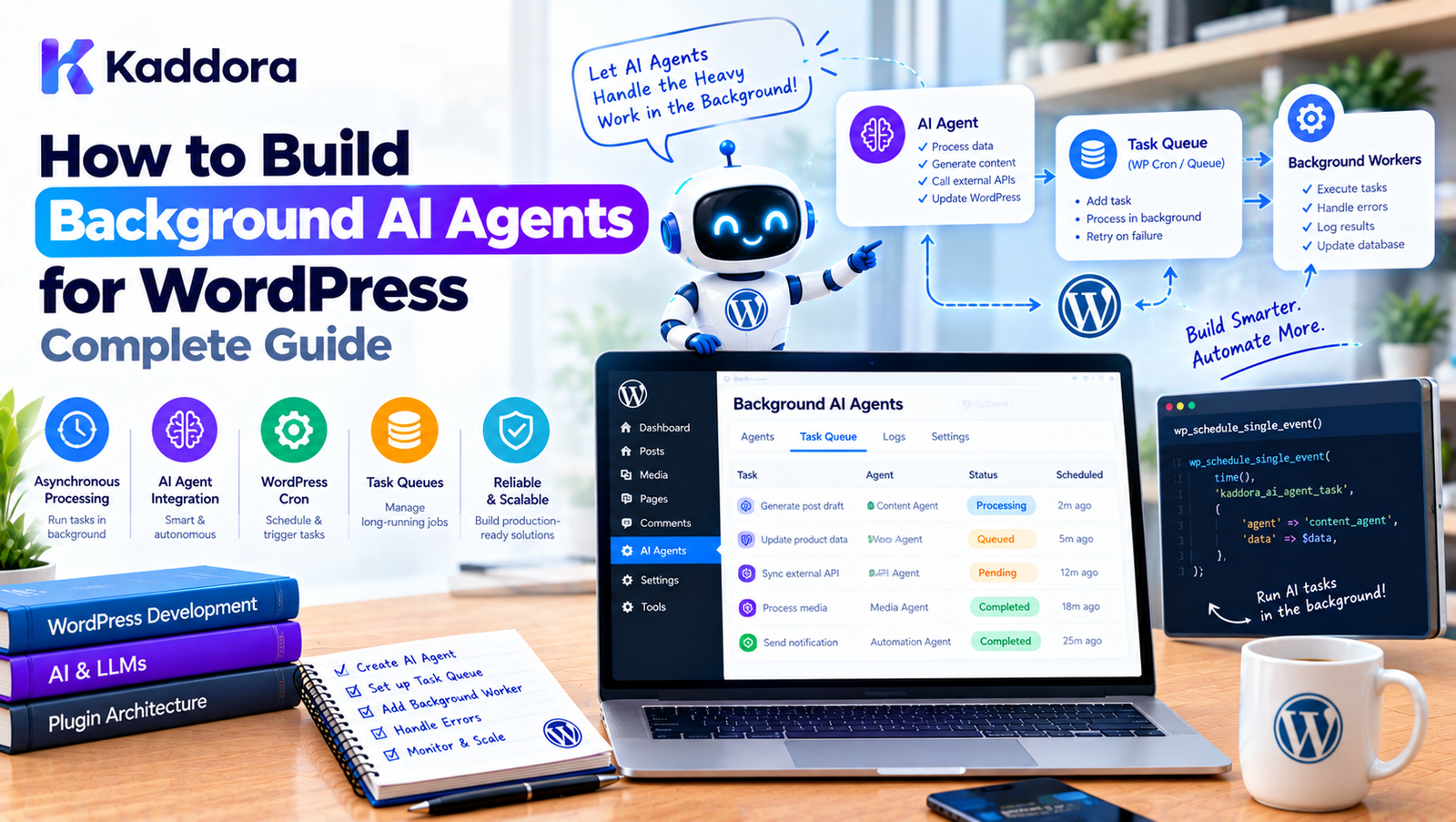
How to Build Background AI Agents for WordPress: Complete Guide
Introduction
AI agents can do much more than answer questions.
Inside WordPress, an AI agent can analyze content, process WooCommerce products, generate metadata, review customer feedback, classify documents, optimize images, monitor website data, and perform multi-step workflows.
However, many of these operations cannot be completed reliably during a normal page request.
Consider a WooCommerce store with 5,000 products.
An administrator clicks:
Generate AI SEO Metadata
Processing every product immediately could result in:
Admin Request ↓ 5,000 AI Operations ↓ Long PHP Request ↓ Timeout
A better architecture is to use a background AI agent.
Administrator ↓ Create AI Workflow ↓ Task Queue ↓ Background AI Agent ↓ Process Tasks ↓ Save Results ↓ Report Progress
This allows the AI workload to continue after the original browser request has finished.
This guide explains how to build background AI agents for WordPress, including workers, queues, scheduling, task execution, retries, security, monitoring, scalability, and practical plugin architecture.
What Is a Background AI Agent?
A background AI agent is an AI-powered process that performs tasks asynchronously instead of waiting for a user's browser request.
A normal AI interaction may look like:
User ↓ Question ↓ AI ↓ Answer
A background agent looks more like:
User ↓ Start Workflow ↓ Queue Tasks ↓ Return Immediately Background Worker ↓ AI Agent ↓ Execute Tasks ↓ Store Results
The user does not need to keep the browser open while every operation is being processed.
Why Use Background AI Agents in WordPress?
Background processing is particularly useful for workloads such as:
Bulk SEO optimization
WooCommerce product analysis
Image alt text generation
Content auditing
Review analysis
Document processing
AI recommendations
Internal linking analysis
Content classification
Scheduled reporting
Website monitoring
Large-scale content generation
For example:
10,000 images ↓ AI Alt Text Agent ↓ Background Processing
is much more practical than processing all 10,000 images in one request.
Synchronous AI vs Background AI
Synchronous AI
A synchronous request waits for the AI operation to finish.
Browser ↓ WordPress ↓ AI API ↓ Response ↓ Browser
This is useful for:
Chat
Short rewrites
Small content generation
Interactive editing
Background AI
A background workflow separates task creation from task execution.
Browser ↓ WordPress ↓ Create Job ↓ Return Response Worker ↓ AI API ↓ Process ↓ Save Result
This is useful for larger workloads.
Background AI Agent Architecture
A scalable WordPress implementation can look like:
WordPress | v AI Agent Manager | v Task Dispatcher | v Task Queue | +----------+----------+ | | v v Worker A Worker B | | +----------+----------+ | v AI Service | v WordPress Data Layer
Each component should have a specific responsibility.
Background Agent Components
A typical system contains:
Agent
Determines what tasks need to be performed.
Task Queue
Stores pending work.
Worker
Claims and executes tasks.
AI Client
Communicates with the AI provider.
Repository
Reads and writes WordPress data.
Scheduler
Starts workers or creates recurring tasks.
Monitor
Tracks progress and failures.
Background AI Agent vs Task Queue
These concepts should not be confused.
The task queue stores work.
The background agent performs intelligent operations around that work.
For example:
AI Agent "Optimize this product." ↓ Creates: Analyze Product Generate Description Generate SEO Metadata ↓ Task Queue
The queue handles execution.
The agent handles the workflow.
Example: AI Product Optimization Agent
Imagine a WooCommerce plugin with an AI optimization agent.
The administrator clicks:
Optimize Product Catalog
The system creates a workflow:
Product 1 Product 2 Product 3 ... Product 5000
Each product becomes a task.
Task Queue ├── Product 1 ├── Product 2 ├── Product 3 └── ...
Workers process them gradually.
Step 1: Define the Background Workflow
Before implementing the agent, define what it should do.
For example:
Find Products ↓ Analyze Product ↓ Generate Description ↓ Generate SEO Metadata ↓ Validate Output ↓ Save Result
Avoid creating a background agent without clearly defining its workflow.
Step 2: Define Task Types
Use explicit task types.
For example:
analyze_product generate_description generate_seo_title generate_meta_description generate_alt_text
This makes task handling predictable.
A worker can select the appropriate handler:
Task Type ↓ Handler Registry ↓ Task Handler
Step 3: Create a Task Queue
A basic queue may store:
ID Task Type Payload Status Priority Attempts Scheduled Time Created Time Updated Time
For example:
Task #1250 Type: generate_alt_text Payload: attachment_id = 842 Status: pending
Step 4: Create a Background Worker
The worker retrieves available tasks.
Conceptually:
$task = $queue->claim_next(); if ( ! $task ) { return; } $handler = $registry->get( $task->type ); $handler->handle( $task->payload );
The worker should also handle:
Errors
Retries
Timeouts
Locks
Logging
Completion
Step 5: Claim Tasks Safely
A worker must claim a task before executing it.
Otherwise:
Worker A → Task 100 Worker B → Task 100
could result in duplicate execution.
The queue should provide an atomic or otherwise reliable claiming mechanism.
A claimed task can contain:
locked_at locked_by
This helps identify active work.
Step 6: Execute the AI Operation
Once a worker claims a task:
Task ↓ Validate ↓ Retrieve WordPress Data ↓ Build AI Request ↓ Call AI Service ↓ Validate Response ↓ Save Result
Do not assume the AI response is automatically safe or correct.
Step 7: Validate AI Output
AI output should be treated as generated data.
For example, if the agent generates an SEO title:
Generated Title ↓ Length Validation ↓ Character Validation ↓ Duplicate Check ↓ Save
If the output fails validation, the task should not blindly save it.
Step 8: Save Results
Once the response passes validation:
AI Response ↓ Application Validation ↓ WordPress Data
For WooCommerce:
update_post_meta( $product_id, '_kaddora_ai_description', $description );
The exact storage strategy depends on whether the generated data is intended to replace existing content or remain as a draft or suggestion.
Step 9: Add Retry Handling
Background AI agents will encounter temporary errors.
Examples include:
API timeout
Rate limit
Network error
Temporary provider failure
A worker can retry these tasks.
Failed ↓ Wait ↓ Retry ↓ Success
Use maximum retry limits.
Step 10: Use Exponential Backoff
Avoid immediately retrying a failed AI request repeatedly.
A strategy could be:
Attempt 1 → wait 30 seconds Attempt 2 → wait 2 minutes Attempt 3 → wait 10 minutes Attempt 4 → wait 30 minutes
The exact values should be based on the provider and workload.
Step 11: Schedule Background Work
A background agent needs a mechanism that causes workers to execute.
Possible approaches include:
WordPress Cron
Scheduled actions
Server-level cron
Queue workers
External job systems
For many WordPress plugins, WordPress scheduling can be sufficient for moderate workloads.
WordPress Cron for AI Workers
A plugin can register a scheduled hook:
add_action( 'kaddora_ai_worker', array( $worker, 'process', ) );
The worker processes a limited number of tasks during each execution.
For example:
Worker Run ↓ Process 10 Tasks ↓ Exit
The next scheduled run continues the queue.
Why Not Process Everything in WP-Cron?
Avoid:
Cron ↓ Process 5,000 products ↓ Generate 5,000 AI requests
This can create:
Long execution times
Memory problems
API rate-limit errors
Server load
Failed requests
Use small batches instead.
Server-Level Cron
For higher-volume workloads, server-level cron can trigger queue processing more predictably.
For example:
Linux Cron ↓ WordPress CLI / Worker ↓ AI Queue
This can be useful for commercial WordPress applications with substantial background processing requirements.
WP-CLI Workers
A plugin can provide a WP-CLI command such as:
wp kaddora ai worker
The command can process pending tasks.
For example:
wp kaddora ai worker --limit=20
This can be useful for:
Large imports
Bulk AI processing
Server cron
Manual queue recovery
Deployment workflows
Keep Browser Requests Short
The admin interface should start the workflow rather than perform the entire workload.
Instead of:
Click Button ↓ Wait 15 minutes
use:
Click Button ↓ Create 5,000 Tasks ↓ Return
Then display:
Processing: 1,245 / 5,000
Building an AI Agent Dashboard
A useful admin interface can display:
AI Background Agent Status: Running Progress: 1,245 / 5,000 Completed: 1,180 Failed: 12 Pending: 3,808 Estimated Remaining: ...
The exact progress estimation depends on the workload.
Progress Tracking
A workflow can store:
total_tasks completed_tasks failed_tasks pending_tasks
For example:
Total: 5,000 Completed: 3,250 Failed: 25 Remaining: 1,725
Progress percentage:
65%
This gives administrators visibility into long-running workflows.
Real-Time Progress Updates
The dashboard can periodically request status:
Browser ↓ REST API ↓ Workflow Status
For example:
setInterval( function() { // Request workflow progress. }, 5000 );
The frontend should not continuously poll too aggressively.
Background Agent Notifications
A plugin can notify administrators when a workflow completes.
For example:
AI Product Optimization Complete 4,982 products processed 18 products require review
Notifications can be shown through:
Admin notices
Dashboard widgets
Plugin notifications
Handling Failed Items
Do not allow a few failed tasks to hide the entire workflow result.
For example:
5,000 Products Completed: 4,940 Failed: 60
The workflow can still be marked as completed with exceptions or completed-with-errors, depending on the application's state model.
Retry Failed Items
An admin interface can provide:
Failed Tasks: 60 [Retry Failed] [Download Report]
Only failed tasks are requeued.
This avoids repeating successful work.
Background Agent Cancellation
Users may need to stop a workflow.
For example:
AI SEO Optimization Running... [Pause] [Cancel]
Cancellation should generally prevent pending tasks from executing.
Already-running tasks may finish depending on the worker architecture.
Pause and Resume
A workflow can have:
active paused cancelled completed failed
When paused:
Pending tasks remain pending.
Workers skip tasks associated with paused workflows.
AI Agent Concurrency
A background agent can use multiple workers:
Queue ├── Worker 1 ├── Worker 2 └── Worker 3
This improves throughput but also increases:
API usage
Server load
Database activity
Concurrency should be configurable and controlled.
AI Provider Limits
If an AI provider allows only a limited number of requests or tokens per time period, the worker must respect those limits.
A centralized rate limiter can manage this:
Worker ↓ Rate Limiter ↓ Allowed? ├── Yes → AI API └── No → Delay
This is especially important when multiple workers run simultaneously.
AI Cost Management
Background processing can consume substantial API credits.
For example:
5,000 products × Multiple AI requests = Large API workload
Add controls such as:
Maximum tasks per day
Maximum tokens per task
Maximum retries
Per-user quotas
Workflow budgets
Cost estimates
Workflow Budget
Before starting a large workflow, the application can estimate workload.
For example:
Products: 5,000 Estimated AI calls: 10,000 Estimated usage: ... [Start Workflow]
This allows administrators to understand the expected workload before launching it.
Prevent Duplicate Workflows
An administrator might click:
Optimize Products
twice.
Without protection:
Workflow A → 5,000 tasks Workflow B → 5,000 tasks
This doubles the workload.
The plugin can detect an existing active workflow and prevent duplicate processing.
Workflow Idempotency
Tasks should be designed so retries do not cause harmful duplication.
For example:
Generate SEO Metadata
can update the same metadata record.
But operations such as:
Create New Customer
need stronger duplicate protection.
Background Agent Permissions
The fact that a task runs in the background does not mean it should have unlimited permissions.
Before execution, verify:
Agent ↓ Task Type ↓ Target Resource ↓ Authorization ↓ Execution
For administrative operations, use appropriate WordPress capabilities and application-level authorization.
User Permission Changes
Suppose an editor starts a workflow.
Later:
Editor permission removed
The worker should not automatically assume the previous authorization remains valid.
Depending on the plugin's design, the workflow can either:
preserve an explicitly authorized system-level operation, or
stop execution when the initiating authorization is no longer valid.
The policy should be intentional and documented.
AI Agents Should Not Control Authorization
An AI model should not decide:
"This user is an administrator."
The application should determine authorization.
WordPress ↓ Capability Check ↓ AI Operation
The AI can propose an action, but the application remains the authority.
Background Agent Sandboxing
For powerful agents, sandbox operations.
For example:
Allowed: Read product Update product metadata Blocked: Delete users Modify payment settings Execute arbitrary PHP
The worker should enforce these restrictions independently of AI instructions.
Background Agent Tool Restrictions
Tools can be assigned permissions.
For example:
Product Reader READ_PRODUCT SEO Writer READ_PRODUCT WRITE_SEO_META Admin Agent Additional approved capabilities
The queue worker validates whether the task is permitted before execution.
Background Agent Audit Trail
Store important events:
Workflow Created Task Created Task Started AI Request Sent Task Completed Task Failed Task Retried Task Cancelled Workflow Completed
This makes troubleshooting easier.
Recovering From Worker Crashes
A worker can fail unexpectedly.
For example:
Task: processing Worker: terminated
The task should eventually become available again.
A lock timeout can help:
locked_at + timeout ↓ Expired lock ↓ Requeue
Handling WordPress Updates
Background agents should also consider plugin and WordPress updates.
A task created by an older plugin version may execute after an update.
Use version-aware task handlers where necessary.
For example:
Task Schema Version: 2
The worker can migrate or reject unsupported task payloads.
Background Agent Configuration
A settings screen might include:
AI Background Processing Enabled: Yes Batch Size: 10 Concurrency: 2 Max Retries: 5 Task Timeout: 60 sec Daily Limit: 5,000
All settings should be validated and protected using normal WordPress security practices.
Background Processing and Multisite
For multisite installations, decide whether queues are:
Per Site
or:
Network-Wide
For example:
Site A → Queue A Site B → Queue B Site C → Queue C
or:
Network Queue ↓ Site A Site B Site C
The correct architecture depends on the plugin's functionality.
Background AI Agents and WooCommerce
WooCommerce is particularly suitable for background AI processing.
A product agent could:
Find products ↓ Analyze descriptions ↓ Generate SEO metadata ↓ Generate alt text ↓ Generate recommendations ↓ Save suggestions
For large catalogs, these operations should be queued.
Background AI Agents for SEO
An SEO agent can periodically scan:
Posts Pages Products Categories
and identify:
Missing metadata
Duplicate titles
Thin content
Missing image descriptions
Internal-link opportunities
Each finding can become a background task.
Background AI Content Agent
A content agent could:
Topic ↓ Research ↓ Outline ↓ Draft ↓ SEO Analysis ↓ Human Review
Long-running content workflows are better suited to background execution than one massive request.
Background AI Image Agent
An image optimization agent can process:
Image ↓ Analyze ↓ Generate Alt Text ↓ Generate Caption Suggestion ↓ Validate ↓ Save
For thousands of images, task queues prevent the admin interface from becoming blocked.
Background AI Review Agent
A WooCommerce review agent could:
New Review ↓ Queue Task ↓ Analyze Sentiment ↓ Classify Topic ↓ Identify Risk ↓ Store Result
This can happen automatically after a review is submitted.
Background AI Monitoring Agent
An AI monitoring agent could periodically analyze:
Website Metrics Traffic Orders Errors Content Reviews
and generate reports.
Scheduled background processing makes this practical.
Testing Background AI Agents
Background systems require more than normal unit tests.
Test:
Task Creation
Workflow → Tasks
Worker Execution
Task → Handler
Retry
Failure → Retry
Crash Recovery
Locked Task → Requeue
Rate Limiting
Too Many Requests → Delay
Cancellation
Workflow → Cancelled
Permission Changes
Authorized → Permission Revoked → Execution Blocked
Duplicate Workflow Protection
Workflow A Active Workflow B Requested → Prevent Duplicate
Example Background Agent Service
A simplified service might look like:
final class Background_AI_Agent { public function __construct( private Task_Queue $queue, private Task_Registry $registry ) {} public function dispatch( string $workflow, array $items ): void { foreach ( $items as $item_id ) { $this->queue->enqueue( $workflow, array( 'item_id' => absint( $item_id ), ) ); } } public function process(): void { $task = $this->queue->claim_next(); if ( ! $task ) { return; } $handler = $this->registry->get( $task->type ); $handler->handle( $task->payload ); } }
A production implementation should add:
Validation
Locks
Retries
Error handling
Authorization
Logging
Rate limiting
Idempotency
Recommended Plugin Architecture
A scalable WordPress AI plugin could use:
AI Plugin │ ├── Agent │ ├── Planner │ ├── Tool Registry │ └── Policy Manager │ ├── Queue │ ├── Task │ ├── Dispatcher │ ├── Worker │ └── Scheduler │ ├── Application │ ├── Workflows │ └── Services │ ├── Infrastructure │ ├── AI Client │ ├── Database │ └── WordPress APIs │ ├── Monitoring │ ├── Logs │ └── Metrics │ └── Admin ├── Queue Dashboard └── Settings
This structure keeps background processing separate from the user interface and AI provider implementation.
Common Mistakes When Building Background AI Agents
1. Processing Large Workloads Synchronously
This can cause timeouts.
Better: queue the work.
2. Using Unlimited Concurrency
This can overwhelm the server or AI provider.
Better: control worker concurrency.
3. No Retry Policy
Temporary failures become permanent.
Better: implement controlled retries.
4. Infinite Retries
Permanent errors can loop forever.
Better: set maximum attempts.
5. No Task Locking
Multiple workers may execute the same task.
Better: implement safe task claiming.
6. Trusting AI Output
Generated content may be incorrect.
Better: validate outputs before saving or executing them.
7. Giving Agents Unlimited Permissions
AI should not automatically gain administrator capabilities.
Better: enforce application-level permissions and tool policies.
8. No Progress Dashboard
Users cannot determine whether the process is working.
Better: expose workflow progress.
9. Creating Duplicate Workflows
Repeated clicks can create thousands of unnecessary tasks.
Better: use workflow locking and idempotency.
10. No Recovery Mechanism
Worker crashes can leave tasks stuck.
Better: detect stale locks and requeue safely.
Best Practices for Background AI Agents in WordPress
Use background processing for long-running AI workloads.
Separate agent planning from task execution.
Store tasks in a reliable queue.
Use explicit task types.
Keep payloads small.
Protect secrets.
Validate tasks before execution.
Revalidate permissions at execution time.
Implement retries.
Use exponential backoff where appropriate.
Limit maximum attempts.
Control worker concurrency.
Respect AI provider limits.
Track progress.
Support cancellation.
Recover stale tasks.
Design operations for idempotency.
Prevent duplicate workflows.
Log important events.
Monitor queue health.
Validate AI-generated output.
Use sandbox policies for powerful agents.
Keep business logic outside queue infrastructure.
Use WP-Cron, WP-CLI, or server-level workers according to workload requirements.
Keep the architecture proportional to the plugin's complexity.
Background AI Agent Checklist
Architecture
Agent workflow is clearly defined.
Task queue is separate from the agent.
Workers have focused responsibilities.
Task handlers are modular.
AI provider communication is isolated.
Reliability
Tasks have statuses.
Tasks are safely claimed.
Duplicate execution is controlled.
Retries are supported.
Maximum attempts are enforced.
Stuck tasks can be recovered.
Security
Agent permissions are defined.
WordPress capabilities are checked.
Task payloads do not contain secrets.
Sensitive operations require approval where appropriate.
AI output is validated.
Tool access is restricted.
Performance
Work is processed in batches.
Worker concurrency is controlled.
API rate limits are respected.
Memory usage is controlled.
Large workflows do not run in one request.
Monitoring
Workflow progress is visible.
Failed tasks are visible.
Retry counts are tracked.
Queue backlog is monitored.
Important lifecycle events are logged.
Administrators can retry failed tasks.
Why Choose Kaddora?
Building advanced AI functionality for WordPress requires more than connecting an AI API to a button.
Once an AI feature starts processing thousands of products, images, posts, reviews, or documents, background execution becomes an important architectural concern.
Kaddora's practical WordPress approach can use background AI agents for:
AI SEO automation
WooCommerce optimization
Product content generation
Image alt text processing
Content analysis
AI recommendations
Review analysis
Automated reporting
Document processing
Intelligent website workflows
The goal is not to make every AI feature autonomous.
The goal is to build controlled background workflows that can process substantial workloads without blocking administrators or visitors.
A well-designed background AI agent should be:
Controlled Observable Recoverable Secure Scalable
Conclusion
Background AI agents provide a practical way to bring advanced AI automation into WordPress without forcing long-running operations into normal browser requests.
Instead of:
User ↓ Long AI Request ↓ Wait
the architecture becomes:
User ↓ Start Workflow ↓ Task Queue ↓ Background Worker ↓ AI Agent ↓ Result
This approach is particularly valuable for large-scale operations such as WooCommerce catalog processing, SEO optimization, image analysis, content auditing, review processing, and scheduled AI workflows.
The most important components are:
Task queues
Background workers
Scheduling
Retry handling
Rate limiting
Progress tracking
Authorization
Output validation
Failure recovery
Monitoring
A background AI agent should never be treated as an unrestricted autonomous process. The application should define what the agent can do, which tools it can use, what resources it can access, and how its work is executed.
The key principle is:
Move long-running AI work out of the user's request while keeping execution controlled by the WordPress application.
With a carefully designed queue and worker architecture, WordPress plugins can support sophisticated AI automation while maintaining a responsive user experience and predictable resource usage.
Frequently Asked Questions
What is a background AI agent in WordPress?
A background AI agent is an AI-powered workflow that performs tasks asynchronously outside the user's immediate WordPress request.
Why should AI agents run in the background?
Background execution is useful for long-running or large workloads because it prevents browser requests from waiting for every AI operation to finish.
Can background AI agents process WooCommerce products?
Yes. They can process product descriptions, SEO metadata, images, reviews, recommendations, attributes, and other catalog data in controlled batches.
Can WordPress Cron run background AI agents?
Yes. WP-Cron can trigger workers for moderate workloads. Larger systems may benefit from server-level cron, WP-CLI, or dedicated worker processes.
What is the difference between an AI agent and a worker?
The agent handles intelligent workflow decisions, while the worker executes queued tasks.
Should every AI feature use background processing?
No. Short interactive operations can remain synchronous. Background processing is most useful for long-running, scheduled, bulk, or multi-step operations.
How do I prevent duplicate AI workflows?
Use workflow identifiers, active-workflow checks, idempotency controls, and task uniqueness rules.
How should failed AI tasks be retried?
Retry temporary failures with controlled delays and stop after a defined maximum number of attempts. Permanent failures should not be retried indefinitely.
How can I monitor background AI processing?
Provide workflow and queue metrics such as total tasks, completed tasks, failed tasks, pending tasks, retry counts, and processing duration.
Can background AI agents be paused?
Yes. A workflow can maintain a paused state that prevents pending tasks from being processed until the workflow is resumed.
Can background AI agents be cancelled?
Yes. Pending tasks can generally be cancelled. Tasks already executing may require cooperative cancellation or may finish before the cancellation takes effect.
How do background AI agents handle API rate limits?
Workers can use centralized rate limiting, concurrency controls, delayed retries, and provider-specific usage limits.
Are background AI agents secure?
They can be designed securely, but background execution does not automatically provide security. Tasks should still be validated, authorized, sandboxed where necessary, and monitored.
Should AI agents have administrator permissions?
Not automatically. AI tools and workflows should have only the permissions required for their intended operations.
Can AI-generated output be saved automatically?
It can, but generated output should be validated first. For higher-risk content or actions, a human approval workflow may be appropriate.
Why choose Themekaddora?
Themekaddora provides lightweight, responsive, SEO-friendly WordPress themes with fast performance, WooCommerce compatibility, flexible customization, accessibility-conscious design, modern templates, regular updates, and professional support—providing a strong foundation for businesses building digital products and product-focused websites.
Comments (0)