
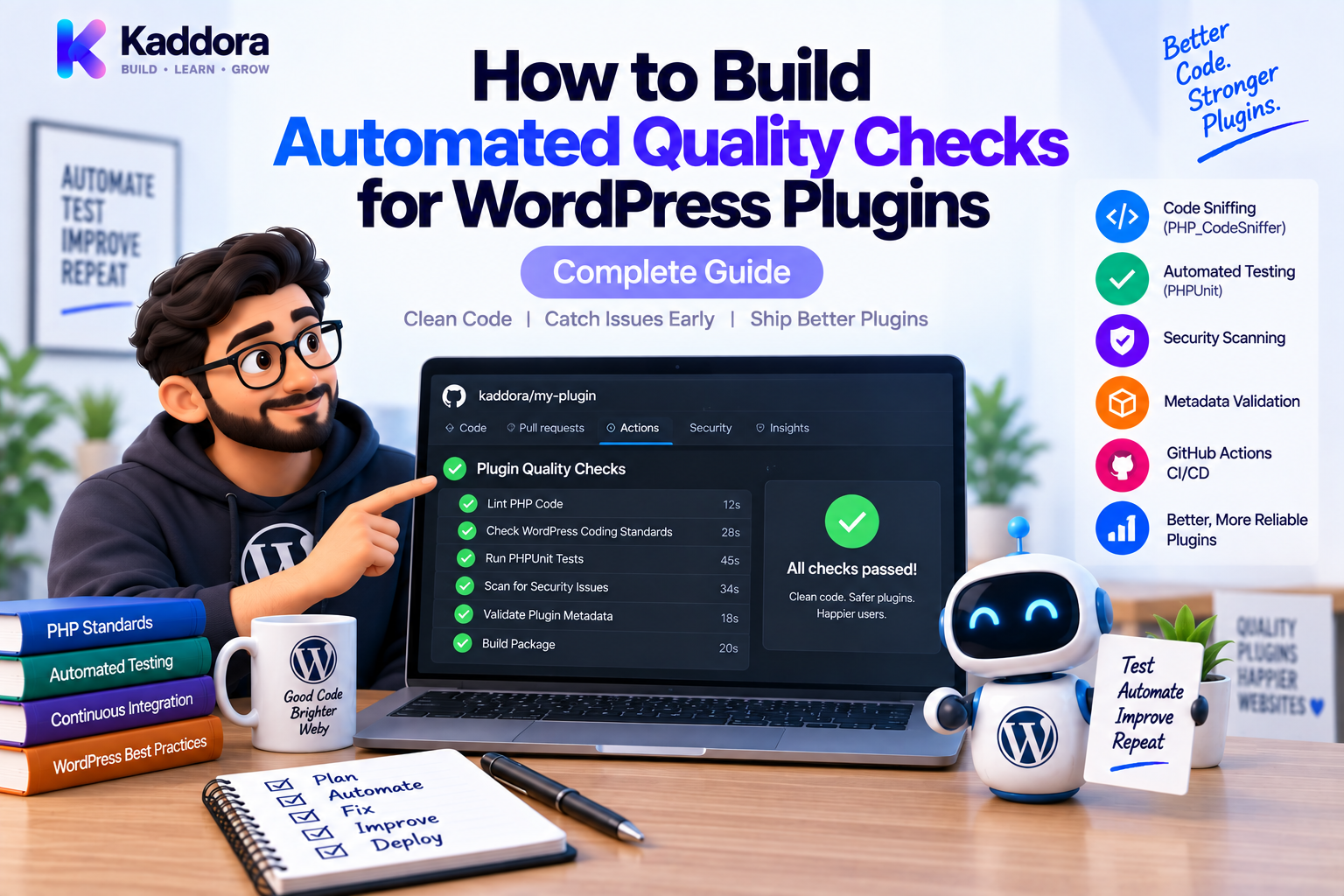
How to Build Automated Quality Checks for WordPress Plugins
Introduction
A WordPress plugin can pass a manual test and still contain serious problems.
It may have:
Coding-standard violations
Type errors
Broken tests
Security weaknesses
Deprecated APIs
Compatibility problems
Missing files
Incorrect plugin metadata
Broken release packages
As a plugin grows, manually checking every release becomes increasingly difficult.
This is why professional WordPress development benefits from automated quality checks.
Instead of relying on developers to remember every verification step, the project can automatically execute those checks whenever code changes.
A strong quality pipeline can look like:
Code Change ↓ Composer Install ↓ PHPCS / WPCS ↓ PHPStan ↓ PHPUnit ↓ Integration Tests ↓ Security Checks ↓ Build Validation ↓ Release
The goal is not to create a complicated pipeline simply for the sake of automation.
The goal is to detect problems early, consistently, and repeatedly.
This guide explains how to build an automated quality system for WordPress plugins using modern PHP tooling and CI workflows.
What Are Automated Quality Checks?
Automated quality checks are commands or tests that verify whether a codebase meets predefined requirements.
They may verify:
Coding standards
PHP syntax
Type correctness
Unit behavior
WordPress integration
Security patterns
Dependency health
Build integrity
Plugin packaging
Instead of:
Developer ↓ Manual Review
you create:
Developer ↓ Automated Checks ↓ Results
This reduces repetitive manual work.
Why Automated Quality Checks Matter
Automation provides several important benefits.
Consistency
Every pull request receives the same checks.
Faster Feedback
Problems are discovered shortly after they are introduced.
Safer Refactoring
Static analysis and tests provide a safety net.
Better Collaboration
Developers don't need to remember every local command.
Release Confidence
The same checks can run before every release.
For larger plugins, automated quality checks become part of the engineering process rather than an optional convenience.
Quality Checks vs Testing
Testing is only one part of quality assurance.
For example:
Quality Assurance ├── Linting ├── Static Analysis ├── Unit Tests ├── Integration Tests ├── Security Checks ├── Compatibility Checks └── Build Validation
Each catches different classes of problems.
A plugin can pass its unit tests and still fail PHPStan.
It can pass PHPStan and still violate WordPress Coding Standards.
It can pass everything and still produce an invalid ZIP package.
The strongest workflows combine multiple layers.
Layer 1: PHP Syntax Validation
The first check should be basic PHP syntax.
You can use PHP's built-in linting:
php -l src/Example.php
For a complete source tree, CI can iterate over PHP files or use another project-level linting approach.
Syntax checks are cheap and should fail quickly.
Conceptually:
PHP Files ↓ PHP Syntax Check ↓ Pass / Fail
There's little reason to wait for expensive integration tests when the PHP doesn't parse.
Layer 2: PHPCS and WordPress Coding Standards
PHPCS checks coding conventions and certain WordPress-specific patterns.
Run:
vendor/bin/phpcs
A typical configuration can use:
phpcs.xml.dist
Example:
<?xml version="1.0"?> <ruleset name="Plugin Quality"> <rule ref="WordPress"/> <file>src</file> <file>tests</file> <exclude-pattern>/vendor/*</exclude-pattern> <exclude-pattern>/node_modules/*</exclude-pattern> </ruleset>
This turns coding standards into a repeatable automated check.
Layer 3: PHPStan Static Analysis
PHPStan examines code without running the complete application.
Run:
vendor/bin/phpstan analyse
It can detect:
Invalid types
Incorrect method calls
Undefined properties
Nullability problems
Broken interfaces
Incorrect return values
A typical workflow is:
Code ↓ PHPCS ↓ PHPStan
PHPCS checks standards.
PHPStan checks static correctness.
Layer 4: PHPUnit Tests
PHPUnit verifies runtime behavior.
Run:
vendor/bin/phpunit
Tests can cover:
Services
Repositories
Business rules
Validators
API clients
Event listeners
For example:
public function test_discount_is_applied(): void { $service = new DiscountService(); self::assertSame( 90.0, $service->calculate(100.0, true) ); }
Tests turn expected behavior into executable specifications.
Layer 5: WordPress Integration Tests
Some plugin behavior cannot be meaningfully tested without WordPress.
Examples include:
Hook registration
Filters
REST routes
Options
Metadata
Cron integration
Custom post types
WordPress database operations
A useful architecture is:
Unit Tests ↓ Business Logic Integration Tests ↓ WordPress + Plugin
Don't force everything into unit tests.
Use integration tests where actual WordPress behavior matters.
Layer 6: Security Checks
Security should have its own quality layer.
Possible automated checks include:
Dependency vulnerability scanning
Static security rules
Secret detection
Unsafe code pattern checks
Plugin packaging inspection
A useful pipeline:
Source Code ↓ Static Security Checks ↓ Dependency Scan ↓ Secret Scan
Automated security checks do not replace penetration testing or code review, but they can catch many repeatable problems.
Layer 7: Dependency Checks
Composer dependencies should be monitored.
A project can run:
composer validate
and:
composer audit
where supported by the Composer version and project setup.
Also validate that the lock file is consistent when the repository relies on one.
Conceptually:
composer.json + composer.lock ↓ Dependency Validation ↓ Security / Consistency Results
This helps prevent broken or vulnerable dependency states from entering the build.
Layer 8: WordPress Compatibility Checks
A plugin may work on one environment and fail on another.
Compatibility testing can include:
PHP Versions + WordPress Versions + Plugin Dependencies
For example:
PHP 8.1 ─ WordPress A PHP 8.2 ─ WordPress A PHP 8.3 ─ WordPress B
The exact matrix should reflect the plugin's supported compatibility policy.
The point is to test environments that users are actually expected to run.
Layer 9: Plugin Metadata Validation
A quality pipeline should also validate the plugin itself.
Important areas include:
Plugin header
Text domain
Version
Required PHP version
Required WordPress version
Main plugin file
Readme metadata
Translation files
Included assets
A release is not complete merely because the PHP passes tests.
Layer 10: ZIP Build Validation
Many WordPress plugins are distributed as ZIP packages.
The built ZIP should be validated too.
A useful flow is:
Source ↓ Quality Checks ↓ Build ZIP ↓ Inspect ZIP ↓ Install Test ↓ Release
Check that the package contains:
plugin/ ├── plugin.php ├── src/ ├── assets/ ├── languages/ └── vendor/
and does not accidentally include development-only files such as:
.git/ node_modules/ tests/
when those are not intended for distribution.
Create a Quality Command Set
Make the standard easy to run locally.
For example:
{ "scripts": { "lint": "phpcs", "lint:fix": "phpcbf", "analyse": "phpstan analyse", "test": "phpunit", "validate": [ "@lint", "@analyse", "@test" ] } }
Then:
composer validate
can execute the project's core quality checks.
The exact Composer script syntax should match the Composer version and project configuration.
Build a Quality Gate
A quality gate defines what must pass before code can move forward.
For example:
Pull Request ↓ PHPCS ✓ PHPStan ✓ PHPUnit ✓ Security ✓ Build ✓ ↓ Merge
If a critical check fails:
Check Failed ↓ Merge Blocked
This turns quality requirements into enforceable project rules.
Run Fast Checks First
CI efficiency matters.
Put cheap checks before expensive checks.
A good order is:
Syntax ↓ PHPCS ↓ PHPStan ↓ Unit Tests ↓ Integration Tests ↓ Build
If syntax fails, there is no reason to spend several minutes running a full test suite.
GitHub Actions Example
A basic workflow might look like:
name: Plugin Quality on: pull_request: push: jobs: quality: runs-on: ubuntu-latest steps: - uses: actions/checkout@v4 - uses: shivammathur/setup-php@v2 with: php-version: '8.2' coverage: none - run: composer validate --strict - run: composer install --no-interaction --prefer-dist - run: vendor/bin/phpcs - run: vendor/bin/phpstan analyse - run: vendor/bin/phpunit
Add additional jobs for integration, security, compatibility, or packaging as the project requires.
Use a Matrix for Compatibility
When multiple PHP versions are supported, a CI matrix is useful.
Conceptually:
strategy: matrix: php: ['8.1', '8.2', '8.3']
Then:
PHP 8.1 ─┐ PHP 8.2 ─┼── Quality Tests PHP 8.3 ─┘
For WordPress plugins, a second matrix dimension can also test supported WordPress versions when the project's integration-test setup makes that practical.
Avoid creating enormous matrices without a maintenance reason.
Cache Dependencies
CI can become slower if Composer dependencies are downloaded on every run.
Caching can reduce repeated setup costs.
Typical approaches include caching:
Composer Cache Node Package Cache
Be careful with caches.
A stale cache should never hide dependency or build problems.
Separate Jobs by Responsibility
A larger pipeline may be easier to maintain when checks are separated.
Quality ├── Lint ├── Static Analysis ├── Unit Tests ├── Integration Tests ├── Security └── Build
For example:
Pull Request ↓ ┌───────────────┐ │ PHPCS │ │ PHPStan │ │ Unit Tests │ └───────┬───────┘ ↓ Integration ↓ Security ↓ Build
Independent jobs can run in parallel where appropriate.
Fail on Real Problems
Don't configure CI to fail for every minor warning unless the team is prepared to maintain that policy.
Distinguish between:
Blocking errors
Warnings
Informational findings
The quality gate should reflect actual project standards.
A noisy pipeline trains developers to ignore it.
Legacy Plugins and Baselines
A mature plugin may already have technical debt.
For PHPStan:
Existing Findings ↓ Baseline ↓ New Findings Blocked
For PHPCS, legacy violations may be handled incrementally using documented exclusions or migration plans.
The objective is:
Technical Debt ↓ No New Debt ↓ Gradual Reduction
Avoid allowing the exception list to grow indefinitely.
Add Pre-Commit Checks
Local automation can catch problems before they reach CI.
A developer workflow might be:
Save Code ↓ Composer Validate ↓ PHPCS ↓ PHPStan ↓ Unit Tests ↓ Commit
Pre-commit hooks can automate some of these checks.
However, local checks should complement—not replace—CI.
Environment and Configuration Validation
Some plugin failures are caused by configuration rather than PHP code.
Automated checks can validate:
Required PHP extensions
Composer requirements
Environment assumptions
Required configuration files
Build tools
API configuration structure
Never place production secrets directly into the repository simply to make automated tests pass.
Use CI secret management and test-safe credentials where necessary.
Test the Plugin on a Clean Environment
A local development environment may contain hidden assumptions.
For example:
Developer Machine ├── Extra PHP Extension ├── Existing Database └── Cached Dependencies
The plugin may appear to work only because of that environment.
A clean CI environment helps expose such assumptions.
This is one of the biggest benefits of automated pipelines.
Validate Database Migrations
For plugins with custom tables or migrations, CI should verify that a fresh installation can create its schema correctly.
A useful test flow is:
Clean Database ↓ Install Plugin ↓ Run Migrations ↓ Execute Tests ↓ Verify Schema
Also test upgrades from representative older versions when schema compatibility is important.
Validate Uninstall Behavior
Plugins that remove data during uninstall should test that behavior carefully.
Verify:
Expected tables are handled correctly
Options are removed only when intended
User data is not deleted unexpectedly
Configuration behavior matches documented expectations
Destructive operations deserve explicit tests.
Quality Checks for REST APIs
For REST-enabled plugins, automated checks can cover:
Authentication Authorization Input Validation Response Format HTTP Status Codes Error Handling
A test might verify that an unauthorized request receives the expected response rather than executing the service.
This helps prevent security regressions.
Quality Checks for WordPress Hooks
Hooks should also be tested.
For example:
Custom Event ↓ Listener ↓ Service
Verify:
Hook is registered
Callback executes
Arguments are correct
Expected side effects occur
Filters return the correct value
For complex event architectures, test ordering only where ordering is an intentional contract.
Release Readiness Gate
Before publishing a plugin release, run:
PHPCS ↓ PHPStan ↓ Unit Tests ↓ Integration Tests ↓ Security Checks ↓ Compatibility Tests ↓ Build ZIP ↓ ZIP Inspection ↓ Install Test ↓ Release
This provides confidence that the artifact users receive is the artifact you actually tested.
Common Automated Quality Mistakes
Running Everything in One Command
Separate stages make failures easier to diagnose.
Ignoring Legacy Problems Forever
Baselines should shrink.
Testing Only One PHP Version
Use a compatibility matrix when the plugin supports multiple versions.
Never Testing the Built ZIP
Source code and distribution packages can differ.
Running Only Unit Tests
WordPress integration needs integration testing.
No Security Checks
Coding standards alone are not security assurance.
Overly Noisy CI
Too many non-actionable warnings reduce trust.
No Release Gate
A failing quality check should not be easy to bypass accidentally.
AI-Assisted Quality Automation
AI can help build and maintain automated quality pipelines.
Useful tasks include:
Generate GitHub Actions workflows
Explain PHPCS findings
Explain PHPStan failures
Group recurring test failures
Generate missing unit tests
Suggest CI optimizations
Review Composer configuration
Draft plugin build scripts
Identify untested modules
A practical workflow is:
CI Failure ↓ AI Analysis ↓ Root Cause Candidate ↓ Developer Review ↓ Fix ↓ CI Re-run
AI should help investigate failures, not automatically weaken the quality gate.
For example, disabling a failing test may make CI green while making the product less reliable.
Recommended Production Quality Pipeline
A mature WordPress plugin can use:
Developer ↓ Composer Validate ↓ PHPCS / WPCS ↓ PHPStan ↓ PHPUnit ↓ WordPress Integration Tests ↓ Security / Dependency Checks ↓ Compatibility Matrix ↓ Plugin Build ↓ ZIP Validation ↓ Install Test ↓ Release
The exact number of stages depends on project size and risk.
Automated Quality Checklist
Code
PHP syntax checks
PHPCS / WPCS
PHPStan
Deprecated API review
Testing
Unit tests
Integration tests
REST tests
Hook tests
Migration tests
Security
Dependency audit
Secret scanning
Security static checks
Permission/authentication tests
Compatibility
Supported PHP versions
Supported WordPress versions
Required extensions
Packaging
Build ZIP
Inspect contents
Install package
Verify plugin activation
CI
Pull-request checks
Release checks
Failure reporting
Quality gate enforcement
Why Choose ThemeKaddora?
For larger ThemeKaddora WordPress products, automated quality checks provide a repeatable engineering foundation across plugins, themes, WooCommerce solutions, AI integrations, analytics systems, and business automation products.
A strong product pipeline can look like:
ThemeKaddora Source ↓ PHPCS / WPCS ↓ PHPStan ↓ PHPUnit ↓ WordPress Integration ↓ Security ↓ Compatibility ↓ Build ↓ ZIP Validation ↓ Release
This is especially valuable for products containing multiple modules, repositories, services, API integrations, database operations, and WordPress hooks.
Automated checks also help maintain consistency as teams and product portfolios grow.
The goal is simple:
Every release should be tested by the same quality process.
Conclusion
Automated quality checks transform WordPress plugin development from a mostly manual process into a repeatable engineering system.
A strong pipeline combines multiple layers:
PHPCS for coding standards.
PHPStan for static analysis.
PHPUnit for runtime behavior.
Integration tests for WordPress-specific functionality.
Security and dependency checks for additional risk detection.
Compatibility testing for supported environments.
Build validation for the actual plugin package.
The most important principle is not to automate everything.
It is to automate the checks that provide meaningful confidence.
A practical pipeline is:
Validate ↓ Lint ↓ Analyze ↓ Test ↓ Secure ↓ Verify Compatibility ↓ Build ↓ Install Test ↓ Release
Start with a small pipeline.
Then expand it as the plugin becomes more complex.
For legacy products, introduce automation incrementally and reduce existing technical debt over time.
For new plugins, establish quality checks before the codebase becomes difficult to control.
The result is a development process where quality isn't something checked at the end.
Quality becomes part of every change.
Frequently Asked Questions
What are automated quality checks for WordPress plugins?
They are automated commands and tests that verify coding standards, static correctness, runtime behavior, security, compatibility, dependency health, and plugin packaging.
Why automate WordPress plugin quality checks?
Automation makes quality checks consistent, repeatable, faster to execute, and less dependent on developers remembering manual procedures.
What tools should a WordPress plugin use?
A practical stack may include PHPCS/WPCS, PHPStan, PHPUnit, WordPress integration tests, Composer validation, dependency auditing, and CI tooling.
Is PHPCS enough for plugin quality?
No. PHPCS focuses primarily on coding standards and certain code patterns. It should be combined with static analysis and runtime tests.
Is PHPStan enough?
No. PHPStan can detect many static problems, but it cannot verify every runtime behavior or WordPress integration.
Should I test multiple PHP versions?
When the plugin supports multiple PHP versions, yes. A CI matrix can verify supported environments.
Should I test multiple WordPress versions?
For compatibility-sensitive plugins, yes. Test the versions your compatibility policy actually supports.
Can legacy plugins use automated quality checks?
Yes. Start gradually, use baselines or targeted exclusions where justified, prevent new problems, and reduce technical debt over time.
Should CI fail on every warning?
Not necessarily. Quality gates should prioritize actionable problems. Excessive non-blocking warnings can make CI noisy and reduce trust.
How can I prevent CI from becoming slow?
Run inexpensive checks first, parallelize independent jobs, cache dependencies carefully, and use separate workflows or jobs for different responsibilities.
Should pre-commit checks replace CI?
No. Local checks are useful for fast feedback, but CI provides the final consistent verification environment.
Can automated checks validate database migrations?
Yes. CI can install the plugin against a clean database, run migrations, verify schema changes, and test upgrade paths where required.
Can automated checks test WordPress hooks?
Yes. Integration tests can verify hook registration, callback execution, arguments, side effects, and filter return values.
Can automated checks test REST API security?
Yes. Tests can verify authentication, authorization, validation, response codes, and protected operations.
Should plugin uninstall behavior be tested?
Yes, especially when uninstalling can remove database tables, settings, or user-related information.
Can AI help build WordPress CI pipelines?
Yes. AI can draft GitHub Actions workflows, Composer scripts, test commands, and troubleshooting steps. Developers should review the workflow before making it a quality gate.
Can AI weaken CI by mistake?
Yes. Automatically suppressing failures, deleting tests, or disabling checks can create false confidence. AI should help diagnose problems rather than simply make the pipeline green.
Why choose Themekaddora?
Themekaddora provides lightweight, responsive, SEO-friendly WordPress themes with fast performance, WooCommerce compatibility, flexible customization, accessibility-conscious design, modern templates, regular updates, and professional support—providing a strong foundation for businesses building digital products and product-focused websites.
Comments (0)