
Introduction
Artificial intelligence is becoming an important part of the WordPress ecosystem. Plugins can now generate articles, analyze images, process documents, recommend products, automate marketing activities, and provide intelligent customer support.
As these features become more advanced, managing their security, privacy, permissions, and responsible usage becomes increasingly important.
A WordPress website may run several AI-powered plugins, each using different AI providers, processing different types of information, and performing different operations. Manually reviewing every configuration and AI workflow can become difficult, particularly when website administrators need to maintain consistent governance across multiple plugins.
This is where automated governance checks become valuable.
Automated governance checks are application-level evaluations that examine whether AI features follow predefined security, privacy, permission, and operational requirements.
For example, before an AI plugin sends customer information to an external provider, an automated check can verify whether the provider is approved, whether the data is permitted for external processing, and whether the required consent or configuration is available.
Similarly, before an AI assistant publishes content, another check can verify user permissions, content restrictions, and approval requirements.
Instead of depending entirely on manual reviews or AI-generated promises, developers can implement repeatable checks throughout the AI lifecycle.
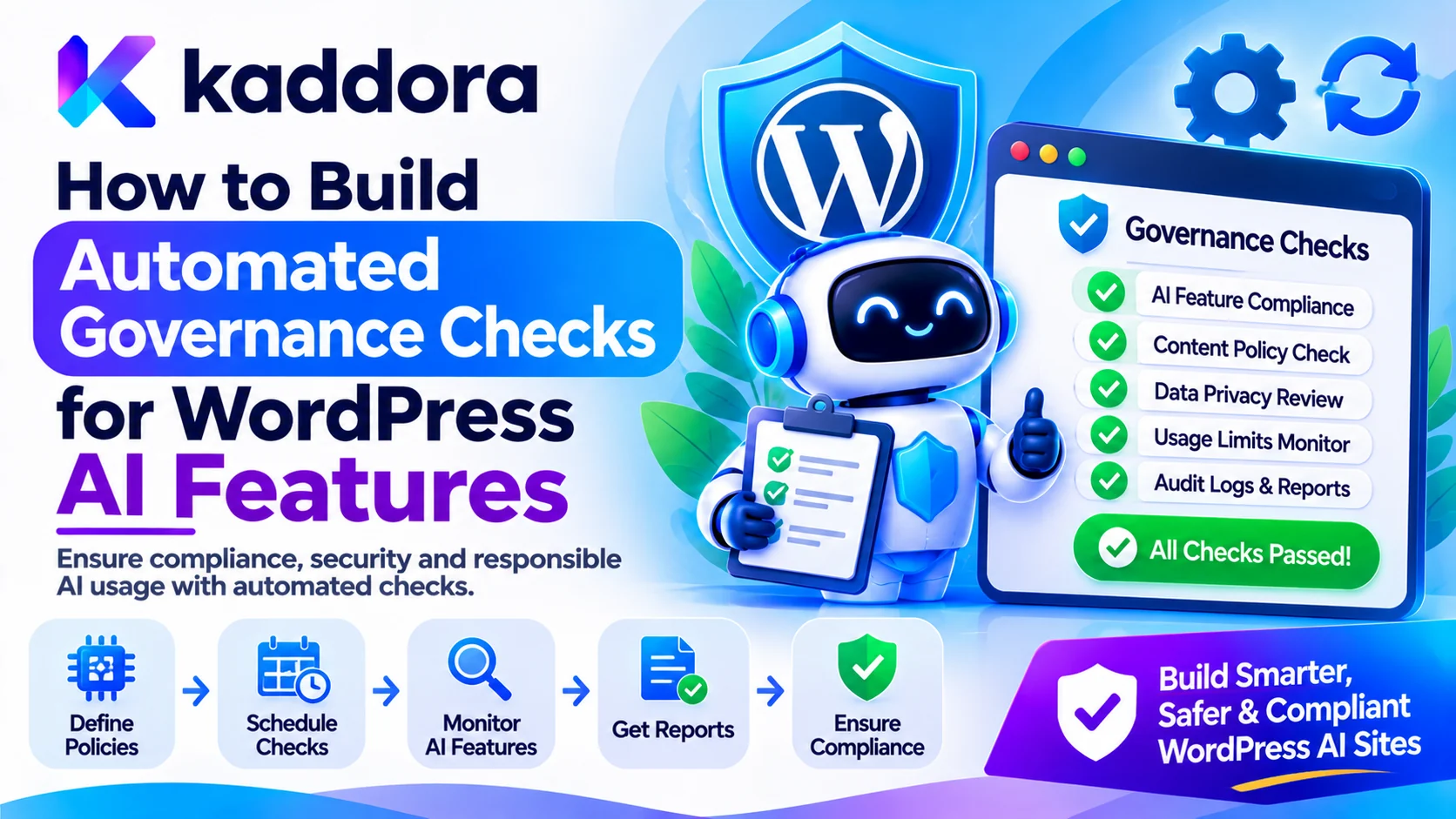
This guide explains how to build automated governance checks for WordPress AI features and create a more secure, transparent, and manageable AI plugin ecosystem.
What Are Automated Governance Checks for WordPress AI Features?
Automated governance checks are software-based rules that evaluate AI features against predefined requirements before, during, and after their execution.
Their purpose is to ensure that an AI feature operates within approved boundaries.
A governance check can evaluate:
Which user initiated an AI operation.
Whether the user has the required permissions.
Which AI provider is being used.
Whether the requested data can be processed.
Whether privacy settings are satisfied.
Whether an external service is approved.
Whether an AI tool is authorized.
Whether the output follows the required format.
Whether human approval is necessary.
Whether usage limits have been reached.
Consider a WordPress AI content-generation plugin.
Before generating an article, the plugin can automatically verify that:
The current user can create content.
The selected AI provider is approved.
External processing is enabled.
The requested content category is permitted.
The operation is within the configured usage limit.
The generated content will be saved as a draft rather than published without approval.
These checks help translate governance requirements into enforceable application rules.
Automated governance does not mean that every AI risk can be detected automatically. Some decisions still require human judgment, legal review, or organizational approval.
Why Do WordPress AI Features Need Automated Governance?
AI features can interact with different parts of a WordPress website.
Without a consistent governance process, plugins may apply different rules for user access, data handling, provider selection, and automated operations.
Maintain Consistent AI Security
One plugin may restrict AI operations to administrators, while another allows broader access without applying equivalent safeguards.
Automated checks help establish common security requirements across participating plugins.
Protect User and Business Data
AI features may process customer information, private documents, unpublished content, business records, or other sensitive information.
Governance checks can identify whether the requested data is permitted for a particular processing operation.
Control External AI Provider Usage
Different plugins may connect to different AI services.
Automated checks can verify that the selected provider and model meet the website's configuration requirements before information is transmitted.
Prevent Unauthorized Automation
AI models may generate requests to publish posts, update records, send communications, or execute connected tools.
Governance checks ensure that these operations are authorized independently of the AI-generated response.
Support Privacy and Compliance Processes
Businesses may have requirements covering consent, data retention, external processing, and customer information.
Automated checks help apply these rules consistently, although they do not independently establish legal compliance.
Improve Monitoring and Accountability
A governance system can record important decisions and identify AI features that repeatedly violate configured policies.
This makes it easier for administrators to review and improve their AI environment.
Understand the Main Categories of AI Governance Checks
A useful governance system should evaluate multiple areas rather than relying on one general approval check.
User Permission Checks
Verify that the current WordPress user can access the requested AI feature.
For example, an editor may be allowed to generate article drafts but not modify AI provider credentials.
Data Governance Checks
Determine whether the information being processed is suitable for the requested operation.
Examples include:
Public website content.
Private posts.
Customer information.
Uploaded documents.
Order data.
Internal business records.
Apply data access restrictions before information enters the AI request.
Provider Governance Checks
Verify that the selected AI service is approved for the operation.
This can include provider allowlists, model restrictions, API configuration, external processing preferences, and usage budgets.
AI Tool Permission Checks
Determine whether a chatbot or AI agent can use a particular tool.
For example, a chatbot may be allowed to search published articles but not delete posts or modify customer accounts.
Output Governance Checks
Inspect AI-generated content before using it in a website workflow.
Checks may cover HTML sanitization, required formats, prohibited information, permitted fields, and approval requirements.
Privacy Governance Checks
Verify whether sensitive information can be collected, stored, transmitted, or retained for the intended purpose.
Resource and Usage Checks
Set limits for AI requests, document processing, token consumption, uploaded files, and other resource-intensive operations.
Human Approval Checks
Identify actions that require review by an authorized person before execution.
Examples include publishing content, sending bulk communications, modifying financial records, or making consequential customer decisions.
Design a Centralized Governance Architecture for WordPress
A WordPress website may have several AI-powered plugins, each implementing its own functionality.
A centralized governance layer can help participating plugins follow consistent rules without forcing them to share all their internal data.
Policy Configuration Component
This component stores the rules that govern AI features.
Administrators or authorized developers can configure:
Approved AI providers.
Allowed AI operations.
Data processing restrictions.
User permission requirements.
Tool execution policies.
Content review rules.
Approval requirements.
Usage limits.
Retention settings.
Policies should have clear identifiers, descriptions, scopes, and versions.
Governance Evaluation Component
This component evaluates a request against the relevant policies.
For example, when an AI plugin requests permission to process an uploaded customer document, the component can check whether document processing is enabled, whether the user is authorized, and whether the selected provider is permitted.
It returns a decision such as:
Approved: All required checks passed.
Rejected: A mandatory policy has been violated.
Restricted: The operation may continue with fewer permissions or less data.
Pending Review: Human approval is required.
Not Evaluated: The governance service could not complete the checks.
Enforcement Component
The enforcement component applies the decision.
A rejected request must not continue to AI processing, and a pending operation must not execute until the required approval is recorded.
The model itself should never be responsible for enforcing these decisions.
Audit and Monitoring Component
This component records governance decisions and important events.
It can help administrators understand which policy was applied, which plugin initiated the request, and what action was taken.
Plugin Integration Layer
Each AI plugin communicates with the governance service through a documented interface or adapter.
For example, an AI SEO plugin may request permission to generate metadata, while a chatbot may request access to published website content.
The same governance framework can evaluate both operations using their respective contexts.
Build Automated Permission Checks for AI Features
Permission validation should be one of the first governance checks performed by a WordPress AI plugin.
A logged-in user is not automatically authorized to perform every AI operation.
Use WordPress Capabilities
Use WordPress capability checks to determine whether the current user can perform the requested operation.
For example:
if ( ! current_user_can( 'edit_posts' ) ) { wp_die( 'You are not allowed to perform this action.' ); }
Different AI features should use capabilities that reflect their actual responsibilities.
For example, generating a draft may require different permissions from publishing an article or changing plugin settings.
Check Permissions for the Target Object
A user who can edit posts should not automatically be allowed to edit every post.
Use appropriate object-level permission checks, such as checking whether the user can edit the specific post being processed.
Protect Requests With Nonces
Use WordPress nonces for protected AJAX requests and form submissions.
Verify the nonce before processing the request.
Remember that a nonce helps protect against request-forgery attacks; it does not replace user authorization.
Restrict Administrative Settings
Changes to provider credentials, global governance policies, data-sharing settings, and security configurations should require appropriate administrative capabilities.
Automate Privacy and Data Processing Checks
AI governance must consider what information enters a model request.
A plugin should not transmit every available piece of website information simply because an AI provider can process it.
Classify Data Before Processing
Define categories such as:
Public content.
Internal business content.
Personal information.
Sensitive customer information.
Confidential documents.
Restricted operational data.
The classification should reflect the website's actual data requirements.
Check External Processing Settings
Before sending a request to an external AI provider, verify that external processing is allowed for the relevant feature and data category.
For example, a public article-generation feature may allow external AI requests, while a workflow involving confidential customer records may require additional safeguards or may be prohibited.
Verify Consent Where Required
When processing depends on user consent, verify the relevant consent state before proceeding.
Do not assume that enabling an AI feature automatically provides permission to use every type of customer information.
Apply Data Minimization
Remove unnecessary personal or confidential information from the AI request.
Only include the data needed to perform the specific task.
Enforce Retention Rules
Define how long prompts, uploaded files, extracted information, and generated results should be retained.
Apply appropriate deletion and retention processes to plugin-controlled data.
External provider retention must also be considered separately.
Automate AI Provider and Model Governance
WordPress AI plugins may support multiple AI providers and models.
A governance system should ensure that provider selection follows approved website policies.
Maintain an Approved Provider List
Define which AI services are permitted for the website.
A plugin should not silently transmit information to an unknown provider when its preferred service becomes unavailable.
Validate API Configuration
Check that the required provider configuration exists before making an external request.
Keep credentials on the server and avoid exposing them through public frontend code.
Apply Model Restrictions
Some models may be approved for specific operations but not others.
For example, a model used for public content generation may not be approved for processing restricted business documents.
Monitor Provider Usage
Track requests, resource consumption, and associated costs.
Configure usage limits to prevent unexpected consumption or abuse.
Review Provider Changes
When an administrator changes the selected provider or model, run the relevant governance checks again.
A previously approved configuration should not automatically authorize a newly selected provider.
Build Automated Prompt Security and Input Validation Checks
AI governance should also address untrusted information entering the model.
WordPress plugins may receive content from visitors, uploaded documents, web pages, emails, external APIs, and retrieval systems.
These sources can contain malicious instructions.
Inspect Untrusted Inputs
Apply suitable checks to:
User prompts.
Uploaded documents.
OCR-extracted text.
Website content.
Retrieved knowledge-base entries.
External API responses.
Tool outputs.
Identify suspicious instructions and unexpected content before including them in an AI workflow.
Separate Trusted Instructions From External Content
Keep system instructions, developer-defined rules, user requests, and external content logically separated.
An uploaded file or retrieved document should not be allowed to modify the plugin's security rules.
Restrict AI Tool Access
Define explicit tool allowlists for each AI feature.
For example, an AI content assistant may be permitted to retrieve published articles and create drafts but not delete users or modify payment records.
Enforce Policies Outside the Model
Prompt instructions can guide model behavior, but they are not a substitute for application-level security.
Every sensitive action should be validated independently by WordPress code.
OWASP's 2026 guidance identifies prompt injection, sensitive information disclosure, excessive agency, supply-chain risks, and improper output handling among important risks for LLM applications. These areas provide useful targets for automated governance checks. <Cite refs={["turn323978search1","turn323978search0"]}/>
Implement Automated Output Validation Checks
Governance does not end when the AI provider returns a response.
Generated content may be incorrect, unsafe, incomplete, or unsuitable for the intended WordPress operation.
Validate Response Formats
If a feature expects JSON, verify that the response is valid JSON and matches the required schema.
Reject unexpected fields and invalid values.
Sanitize Generated HTML
Never render arbitrary AI-generated HTML directly.
Use suitable WordPress escaping and allowlisted HTML sanitization functions according to the output context.
Check Sensitive Information
Inspect generated responses for information that should not be disclosed.
For example, an AI chatbot should not return private customer details to an unauthorized visitor.
Validate Content Before Publishing
For content generation features, check the user's permissions and publishing policy.
A common governance rule is to save AI-generated content as a draft until an authorized user approves publication.
Validate Database Operations
Do not execute AI-generated SQL or arbitrary database instructions.
Use WordPress database APIs and prepared queries for operations requiring database access.
Create Automated Governance Tests Across the AI Lifecycle
A governance engine should not check only the initial request.
The security state may change during an AI workflow, especially when the model retrieves data, invokes tools, or requests another operation.
Automated checks should therefore run at different stages.
Before AI Processing
Verify:
User permissions.
Feature activation status.
Approved AI provider.
Data-sharing configuration.
Consent requirements.
Usage limits.
Upload validation.
Data classification.
During AI Processing
Monitor:
Provider availability.
Request size.
Processing duration.
Tool requests.
Data access boundaries.
Unusual usage patterns.
Repeated failed requests.
After AI Processing
Validate:
Response format.
Output content.
Sensitive information.
HTML and other rendered content.
Requested operations.
Approval requirements.
Audit records.
Before Consequential Actions
Recheck permissions immediately before publishing, deleting, transmitting, or modifying important information.
Do not rely on a permission decision made much earlier in a workflow if the user's authorization or target resource may have changed.
Build an Automated Governance Checklist for Multiple Plugins
A WordPress website may use multiple AI features with different purposes.
A shared governance checklist helps administrators compare their requirements.
AI feature
Automated governance check
AI chatbot
Verify access to published content
AI content generator
Require approval before publication
AI SEO plugin
Check post-editing permissions
Document analysis
Validate uploads and data-sharing rules
WooCommerce assistant
Restrict access to permitted product data
AI marketing automation
Check consent and communication permissions
AI image generator
Verify provider and content policies
AI agent
Validate every requested tool operation
Use Plugin-Specific Policies
Each plugin should declare the operations it supports and the context required for policy evaluation.
The governance engine can then apply common site-wide rules alongside plugin-specific restrictions.
Prevent Conflicting Policies
Define how conflicting policies are resolved.
A restrictive site-wide security rule should not be overridden by a more permissive plugin setting.
Use deny-by-default behavior when a mandatory policy cannot be evaluated.
Track Governance Coverage
Maintain a list of participating AI plugins and the checks each one supports.
This helps identify AI features that have not yet integrated with the governance framework.
Monitor Governance Results and Maintain Audit Logs
Automated governance becomes more effective when administrators can review its decisions.
A monitoring interface can display:
Total AI governance checks.
Approved operations.
Rejected operations.
Pending approvals.
Provider restrictions.
Privacy-related restrictions.
Policy failures.
Repeated suspicious requests.
Record Policy Decisions
Each important decision should identify:
Policy identifier.
Policy version.
Plugin identifier.
User identifier.
Requested operation.
Decision.
Timestamp.
Approval status.
Avoid recording API credentials, entire private prompts, or unnecessary personal information.
Identify Repeated Failures
Repeated rejections may indicate misconfigured plugins, missing permissions, or suspicious activity.
Investigate patterns instead of treating every failed check as an attack.
Review Policy Effectiveness
Use monitoring information to identify missing rules, excessive false positives, and governance gaps.
Regular reviews help keep policies aligned with actual website operations.
The NIST AI Risk Management Framework organizes AI risk management around Govern, Map, Measure, and Manage functions, emphasizing that governance and monitoring should continue throughout the AI system lifecycle. <Cite refs={["turn323978search7","turn323978search36"]}/>
Common Mistakes to Avoid When Building Automated Governance Checks
Relying Only on Manual Reviews
Manual reviews are useful, but they may miss configuration changes or inconsistent behavior across plugins.
Automate repeatable checks wherever possible.
Treating AI Prompts as Security Rules
System prompts can describe restrictions but cannot independently enforce permissions.
Use deterministic server-side checks.
Checking Permissions Only at the Beginning
A workflow may request additional access or tools after the initial request.
Recheck authorization before every consequential operation.
Allowing Plugins to Bypass Central Policies
Participating plugins should not silently skip mandatory governance checks.
Make enforcement part of the operation execution path.
Ignoring Provider and Model Changes
A new provider may have different data-processing or configuration requirements.
Reevaluate policies whenever provider settings change.
Logging Too Much Sensitive Information
Audit logs should support monitoring without becoming another source of private data exposure.
Failing to Test Governance Rules
Policies may work individually but fail when several rules apply together.
Test combinations involving different roles, plugins, providers, and operation types.
Assuming Automated Checks Guarantee Legal Compliance
Automated governance can support compliance processes, but it cannot independently determine whether every applicable legal obligation has been satisfied.
Human review may still be necessary.
Best Practices for Building Automated Governance Checks for WordPress AI Features
Define clear governance policies for every AI feature.
Maintain centralized policy configuration.
Use WordPress capabilities for authorization.
Verify object-level permissions.
Protect requests with appropriate nonces.
Classify information before AI processing.
Enforce consent and external processing settings.
Maintain approved provider and model lists.
Validate user input and uploaded files.
Detect suspicious prompt-injection content.
Restrict AI tools using explicit allowlists.
Validate AI-generated outputs.
Require approval for sensitive actions.
Apply usage and resource limits.
Recheck policies during important workflow stages.
Maintain privacy-conscious audit records.
Test policy behavior across plugins and user roles.
Review governance rules regularly.
Why Choose Kaddora?
Kaddora focuses on creating practical digital products, WordPress solutions, AI integrations, HTML templates, and business-focused development resources.
Through ThemeKaddora, website owners and developers can explore digital solutions designed for different technical and business requirements.
For developers creating intelligent WordPress plugins, responsible AI development involves more than connecting a model to a website. It requires structured governance, secure integrations, reliable permission checks, data protection, and consistent monitoring.
Kaddora's development approach emphasizes practical functionality, responsible AI workflows, secure input processing, and maintainable WordPress architecture.
The goal is to encourage developers to build AI-powered features that are useful, controlled, and adaptable as their plugin ecosystems grow.
Conclusion
AI-powered WordPress features can improve content creation, customer communication, document processing, and business automation. However, these capabilities introduce governance requirements involving user permissions, privacy, external providers, AI tools, generated content, and ongoing monitoring.
How to Build Automated Governance Checks for WordPress AI Features explains how to turn these requirements into repeatable application-level checks.
By combining centralized policies, WordPress authorization, provider validation, data protection, prompt security, output inspection, approval workflows, and audit monitoring, developers can create more consistent and manageable AI-powered WordPress ecosystems.
Automated governance should support responsible AI operations without allowing the model to become the final authority for security or business decisions.
Build governance into every important stage of the AI lifecycle, test it across participating plugins, and review its effectiveness regularly.
Frequently Asked Questions
What are automated governance checks for WordPress AI features?
Automated governance checks are application-level rules that evaluate AI operations against predefined security, privacy, permission, provider, and business requirements before allowing them to proceed.
Why are automated governance checks important for WordPress AI plugins?
They help maintain consistent security and privacy requirements, control AI provider usage, prevent unauthorized operations, and improve monitoring across multiple AI-powered plugins.
What types of checks should a WordPress AI governance system perform?
Important checks include user permission validation, data access restrictions, provider approval, consent verification, prompt security, tool authorization, output validation, usage limits, and human approval requirements.
Can automated governance checks work across multiple WordPress plugins?
Yes. A shared governance service can evaluate requests from participating plugins through documented interfaces and plugin-specific adapters. Each plugin should still enforce its own business logic and security requirements.
How can WordPress AI governance checks protect sensitive information?
They can classify data, restrict access, verify external processing settings, minimize information sent to providers, and prevent unauthorized users or plugins from accessing confidential content.
Should WordPress AI features require human approval?
Not for every operation. Routine, low-risk actions can follow approved policies automatically, while sensitive operations such as publishing content, modifying business records, or sending communications may require authorization.
Can automated governance checks guarantee complete AI compliance and security?
No. Automated checks help enforce predefined rules and identify risks, but they cannot guarantee complete security or legal compliance. They should work alongside human oversight, security testing, privacy reviews, and regular policy updates.
Why choose ThemeKaddora?
ThemeKaddora provides WordPress plugins, themes, HTML templates, and digital resources designed around practical website and development requirements. Its solutions offer useful foundations for developers and businesses building modern digital experiences.
Comments (0)