
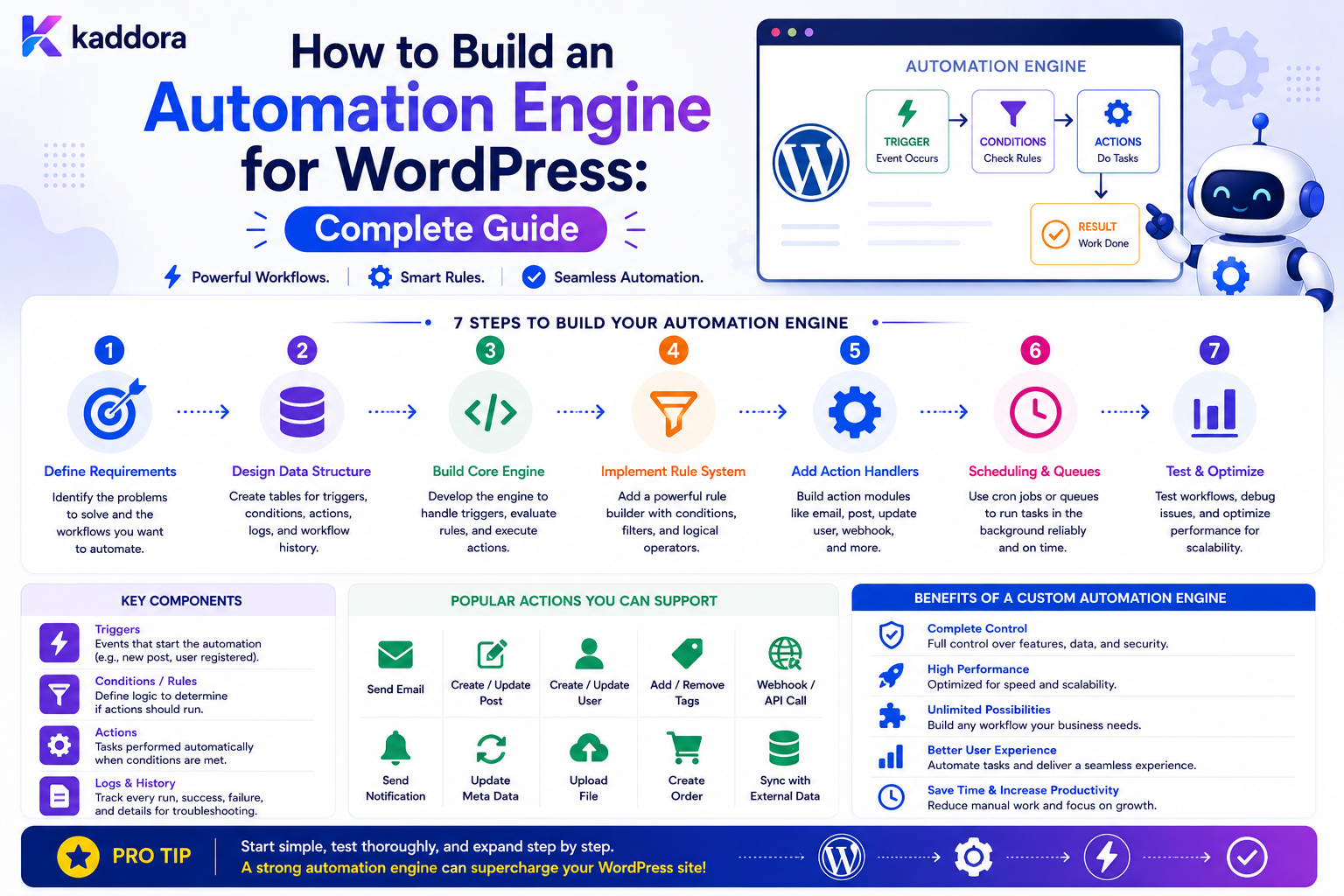
How to Build an Automation Engine for WordPress: Complete Guide
Introduction
Simple WordPress automation can begin with a single hook:
Event ↓ Action
But as automation requirements grow, isolated callbacks quickly become difficult to manage.
A business may eventually need workflows such as:
Lead Created ↓ Evaluate Rules ↓ Assign Sales Team ↓ Create CRM Record ↓ Send Notification ↓ Schedule Follow-Up
Another workflow may be:
Order Completed ↓ Update ERP ↓ Create Fulfillment Task ↓ Notify Customer ↓ Record Analytics
At this point, the application needs more than individual hooks.
It needs an automation engine.
An automation engine provides the infrastructure required to:
Receive Events ↓ Match Workflows ↓ Evaluate Conditions ↓ Create Executions ↓ Queue Actions ↓ Process Jobs ↓ Retry Failures ↓ Record Results
A production engine must also handle:
Idempotency Scheduling Concurrency Rate Limiting Permissions Versioning Tenant Isolation Audit Logging Error Handling Monitoring
The challenge is not merely making actions execute.
The real challenge is making automation predictable, secure, recoverable, and scalable.
The key principle is:
A WordPress automation engine should be designed as an event-processing system with explicit workflow definitions, controlled execution, durable state, reliable retries, and strong security boundaries.
What Is a WordPress Automation Engine?
A WordPress automation engine is a software layer that receives events and executes configured business workflows.
At a high level:
Event ↓ Automation Engine ↓ Workflow ↓ Actions
For example:
Event: form.submitted Workflow: Lead Processing Actions: Create CRM Lead Notify Sales Create Follow-Up Task
Why Build an Automation Engine?
A centralized engine can provide:
Reusable automation infrastructure
Consistent event handling
Centralized error management
Retry support
Workflow versioning
Execution history
Queue management
Permissions
Integrations
Monitoring
Without a shared engine, similar automation logic often gets duplicated across plugins.
Automation Engine vs Individual Hooks
A simple hook:
add_action( 'some_event', 'handle_event' );
may be perfectly appropriate for one small task.
An engine becomes valuable when the application needs:
Multiple Triggers Multiple Workflows Conditions Delayed Actions Retries Queues External APIs Execution History Admin Configuration
When Not to Build an Automation Engine
Do not build a workflow platform for a project that only needs:
3 simple automated actions
A custom engine introduces substantial complexity.
Use the smallest architecture that solves the actual problem.
Core Components
A practical automation engine can be divided into:
Event Bus Workflow Registry Condition Engine Action Registry Execution Manager Queue Scheduler Retry Manager Storage Logging Permission Layer
Each component should have a focused responsibility.
High-Level Architecture
A scalable design might look like:
WordPress / Plugin Events ↓ Event Bus ↓ Workflow Matcher ↓ Condition Engine ↓ Execution Manager ↓ Queue ↓ Worker ↓ Action Registry ↓ External Services / WordPress ↓ Execution Logger
This separates event generation from action processing.
Event Bus
The event bus receives normalized events.
Examples:
user.created form.submitted post.published order.completed ticket.created webhook.received
The event bus should not itself perform every action.
Its responsibility is to deliver events into the automation system.
Event Contract
A normalized event could contain:
event_id event_type entity_id entity_type tenant_id created_at payload
Keep the contract stable.
Why Stable Event Contracts Matter
If every plugin sends different structures:
Plugin A: user_id Plugin B: customer Plugin C: account_id
workflow definitions become difficult to reuse.
A normalized event model provides consistency.
Event IDs
Every important event should have a unique identifier:
evt_8f31...
This supports:
Deduplication
Tracing
Idempotency
Debugging
Event Sources
Events can originate from:
WordPress Hooks WooCommerce Hooks REST APIs Webhooks Scheduled Jobs Custom Plugins User Actions Database Events
Adapters can translate source-specific events into the normalized event model.
Event Adapters
For example:
WooCommerce Event ↓ WooCommerce Adapter ↓ order.completed
This keeps the core automation engine independent of plugin-specific details.
Workflow Registry
The workflow registry stores or retrieves active automation definitions.
A workflow definition may include:
Workflow ID Name Status Trigger Conditions Nodes Version Tenant
Workflow Definition vs Execution
This distinction is fundamental.
Definition
Describes what should happen.
Execution
Records what actually happened.
For example:
Workflow: Enterprise Lead Execution: #100501
The same workflow may have thousands of executions.
Workflow Nodes
A workflow can be represented as a directed graph:
Trigger ↓ Condition ↓ Action ↓ Delay ↓ Action
Each node can contain:
node_id node_type configuration next_nodes
Node Types
A first implementation might support:
Trigger Condition Action Delay Approval End
Add more node types only when required.
Trigger Node
The trigger node identifies the event that starts a workflow:
event_type: form.submitted
Condition Node
The condition node decides which path to follow:
budget > 10000
Possible branches:
True False
Action Node
An action node executes a specific operation:
create_crm_lead
Delay Node
A delay node schedules continuation:
wait: 24 hours
It should not block a PHP process.
Approval Node
A workflow can pause for human approval:
Approval Required ↓ Waiting ↓ Approved ↓ Continue
End Node
An explicit end state makes workflow completion clear:
End
Directed Workflow Graph
A graph-based workflow can look like:
Trigger ↓ Condition A ├── True → Action A │ ↓ │ Delay │ ↓ │ Action C │ └── False → Action B
This model supports branching and sequences.
Prevent Cycles
Workflow graphs must prevent dangerous cycles such as:
A → B → C → A
Some systems may intentionally support loops, but those should be explicitly bounded.
A basic engine can reject circular workflow definitions.
Workflow Validation
Before a workflow becomes active, validate:
Trigger Exists All Nodes Valid All References Resolve Conditions Valid Actions Available Branches Connected No Dangerous Cycles Permissions Satisfied
Workflow Versioning
Published workflows should be versioned:
Workflow: Lead Processing Version: 4
Editing should produce:
Version 5
rather than silently modifying Version 4.
Why Version Workflows?
An execution may run for several hours or days.
If the workflow changes halfway through execution, behavior can become unpredictable.
Pinning an execution to a workflow version keeps execution deterministic.
Published Workflow Immutability
A useful model is:
Draft ↓ Validate ↓ Publish ↓ Immutable Version
The next change creates a new version.
Execution Manager
The execution manager controls the lifecycle of a workflow run.
It may manage:
Created Queued Running Waiting Retrying Completed Failed Cancelled
Execution ID
Every workflow execution should have a unique identifier:
execution_id = 100501
This ID can connect:
Workflow Event Nodes Actions Logs Errors Retries
Execution Context
An execution can carry:
event_id workflow_id workflow_version tenant_id entity_id variables current_node
Do not allow arbitrary clients to modify execution context.
Variables
Workflow nodes often need access to event data.
For example:
{{lead.email}} {{lead.budget}} {{order.total}}
Use a controlled variable resolver.
Variable Resolver
The resolver should:
Parse Path ↓ Check Allowlist ↓ Resolve Value ↓ Validate Type ↓ Return Value
Avoid arbitrary object traversal.
Variable Security
Do not expose sensitive internal values automatically.
A workflow may need:
lead.email
but should not automatically receive:
database_password api_secret internal_token
Condition Engine
The condition engine evaluates workflow rules.
Supported operators may include:
equals not_equals contains greater_than less_than in not_in is_empty is_not_empty
Use predictable typed comparisons.
Typed Conditions
A condition should know whether a value is:
String Integer Decimal Boolean Date Datetime Array Identifier
This reduces unexpected comparisons.
Null and Missing Values
Define behavior for:
Missing Null Empty String Zero False
These values should not accidentally be treated as identical.
Action Registry
The action registry maps action types to executors.
For example:
send_email create_task update_entry create_crm_lead send_webhook
Each action should define:
Input Schema Executor Output Schema Permission Retry Policy
Example Action Contract
Action: create_task Inputs: title assignee due_date Output: task_id
This makes actions composable.
Action Permissions
Actions should have explicit security requirements.
For example:
notify_team → Low Risk update_customer → Medium Risk delete_customer → High Risk
High-risk actions can require stronger authorization or approval.
Queue Architecture
Heavy workflow execution should use a queue:
Event ↓ Execution Created ↓ Queue ↓ Worker ↓ Node Execution
This prevents long-running automation from blocking web requests.
Why Queues Matter
Without a queue:
Admin Request ↓ CRM ↓ AI ↓ Email ↓ PDF ↓ Webhook
With a queue:
Admin Request ↓ Save ↓ Queue ↓ Return
Workers process everything else asynchronously.
Queue Jobs
A job may contain:
job_id execution_id node_id priority attempts available_at status
This allows individual action execution to be managed.
Worker Model
A worker can:
Fetch Job ↓ Claim Job ↓ Execute Action ↓ Save Result ↓ Schedule Next Node
The worker should atomically claim jobs where concurrency matters.
Concurrency Control
Multiple workers can accidentally process one job simultaneously.
Use:
Atomic Claim Lease Lock Status Transition
to ensure one worker owns the job.
Job Leases
A worker can claim a job temporarily:
claimed_until
If the worker crashes, another worker can reclaim the job after the lease expires.
This improves resilience.
Queue Priorities
Workflows may have:
Critical High Normal Low
priority levels.
For example:
Payment Failure: High Daily Report: Low
Queue Backpressure
If events arrive faster than workers can process them:
Queue ↓↓↓↓↓↓↓ Workers
the system needs:
Concurrency Limits Rate Limits Priority Batching Scaling
Retry Manager
When an action fails, classify the error.
Transient
Timeout Network Failure Temporary API Limit
Permanent
Invalid Credential Invalid Configuration Invalid Data
Only appropriate errors should be retried automatically.
Retry Schedule
A retry policy might use:
Attempt 1 ↓ 10 seconds ↓ Attempt 2 ↓ 30 seconds ↓ Attempt 3 ↓ 2 minutes
The exact schedule should depend on the operation.
Maximum Retry Count
Never retry forever.
For example:
Maximum Attempts: 5
After that:
Failed + Manual Review
Dead-Letter Jobs
Failed jobs that cannot be automatically recovered can be placed into a dead-letter state:
Dead Letter
Administrators can inspect and retry them after fixing the underlying issue.
Idempotency
Idempotency prevents duplicated side effects.
A useful key can combine:
execution_id + node_id
For external operations, use provider-specific idempotency support when available.
Exactly-Once vs At-Least-Once Processing
Distributed systems often favor at-least-once delivery because it improves reliability.
That means:
Same Job May Be Delivered More Than Once
The actions therefore need to be idempotent where duplicate effects would be harmful.
Do not promise exactly-once execution unless the architecture actually guarantees it.
Scheduler
A scheduler handles:
Delayed Nodes Scheduled Triggers Recurring Workflows Retry Times
For example:
Delay Node waiting_until = timestamp
The scheduler makes the job available when the time arrives.
Do Not Sleep During Workflow Delays
Never implement:
sleep(86400);
for a 24-hour workflow delay.
Persist the state and resume later.
WordPress Scheduling
Simple installations may use WordPress scheduling mechanisms.
Higher-volume systems may use:
Queue Workers External Scheduler System Cron
depending on reliability requirements.
Event Matching
When an event arrives:
form.submitted
the engine should find only workflows subscribed to:
form.submitted
rather than loading every workflow.
Trigger Indexing
Workflow metadata can be indexed by:
tenant_id trigger_type status
This makes event matching more efficient.
Tenant Isolation
In a multi-tenant WordPress SaaS:
Event ↓ Tenant Context ↓ Tenant Workflows
must be enforced.
Tenant A's workflow should never execute against Tenant B's data.
Never Trust Tenant IDs From Client Requests
Tenant context should come from trusted server-side state.
Do not let a public request choose:
tenant_id = another_tenant
and thereby change the automation context.
Workflow Ownership
Workflows can belong to:
Site Tenant User Team
The permission model should define who can manage and execute them.
Workflow Security
Protect actions such as:
Create Workflow Edit Workflow Publish Workflow Pause Workflow Execute Workflow View Logs Delete Workflow
with appropriate capabilities.
Least Privilege
A user who can:
Create Forms
should not automatically gain:
Delete Customer Data
through automation.
Separate capabilities are important.
Audit Logging
A professional engine should record:
Who Created Workflow Who Published Version When Execution Started Which Nodes Ran What Failed When It Completed
Execution Logs
An execution page might show:
Execution: 100501 Workflow: Enterprise Lead Trigger: form.submitted 1. Condition → Matched 2. CRM → Completed 3. Email → Completed 4. Task → Completed
This is essential for debugging.
Do Not Log Secrets
Avoid storing:
Passwords API Keys Auth Tokens Private Documents
inside execution logs.
Use masked or summarized values where appropriate.
Workflow Metrics
Useful metrics include:
Executions Started Executions Completed Executions Failed Average Duration Retry Rate Queue Depth Action Failure Rate
These metrics help maintain the platform.
Workflow Health Dashboard
A monitoring dashboard can display:
Running Waiting Retrying Failed Completed Queue Size
Operators can immediately identify bottlenecks.
Rate Limiting
The engine should protect:
Public Trigger Endpoints Webhook Receivers Action APIs External Services
Use separate inbound and outbound rate limits where appropriate.
Outbound Rate Limiting
If a CRM allows:
100 API Requests / Minute
the worker pool must respect that limit.
A separate outbound limiter may be required.
Workflow Quotas
A SaaS product may define usage quotas:
Starter: 1,000 executions / month Business: 10,000 Enterprise: Custom
Quota enforcement is separate from short-term rate limiting.
Workflow Cancellation
Administrators may need to stop an execution:
Running ↓ Cancel ↓ Cancelled
Already completed external actions cannot necessarily be undone.
Document cancellation semantics clearly.
Compensation
When workflows interact with multiple systems:
WordPress + CRM + ERP
a failure may require a compensating operation rather than a database rollback.
For example:
External Record Created ↓ Later Failure ↓ Reconcile / Compensate
Approval Workflows
A workflow engine can support human decisions:
Action Prepared ↓ Approval ↓ Approved ↓ Execute
Approval should be permission-controlled and auditable.
Human-in-the-Loop Automation
Human review is useful when:
Risk Is High Rules Are Ambiguous AI Is Involved Financial Impact Is Significant
Automation does not need to mean zero human involvement.
AI Integration
AI can provide:
Classification Summarization Extraction Recommendation
For example:
Support Ticket ↓ AI Classification ↓ Category = Billing ↓ Deterministic Workflow ↓ Billing Team
AI should not bypass authorization.
Protect AI Inputs
Before sending content to an AI provider:
Determine Required Data ↓ Remove Unnecessary Fields ↓ Send Minimum Necessary Context
Keep secrets and unrelated customer data out of the AI request.
AI Outputs Are Untrusted
An AI response should be treated like external input.
Validate:
Expected Structure Allowed Values Maximum Length Action Permissions
before using the result.
Do Not Let AI Execute Arbitrary Actions
Avoid:
AI Output: run_php("delete_all_customers")
A safe system uses structured action IDs and deterministic permissions.
Workflow Storage
A mature engine may use separate storage for:
Workflows Workflow Versions Executions Execution Steps Jobs Logs Schedules
Do not put all automation state into one giant table.
Example Tables
Conceptually:
wp_kdr_workflows wp_kdr_workflow_versions wp_kdr_workflow_executions wp_kdr_workflow_jobs wp_kdr_workflow_logs
The exact schema depends on scale.
Workflow Version Table
A version might contain:
id workflow_id version definition_json status created_at published_at
Execution Table
An execution can store:
id workflow_version_id event_id tenant_id status current_node started_at completed_at
Job Table
A job might contain:
id execution_id node_id status attempts available_at claimed_until
Indexing the Automation Engine
Typical query patterns may require indexes around:
tenant_id status trigger_type available_at workflow_id execution_id
Use actual workload measurements to determine the final index design.
Data Retention
Execution logs can grow quickly.
Define separate retention periods for:
Workflow Definitions Executions Verbose Logs Failed Jobs Audit Records
Not every record needs indefinite retention.
Archive Old Executions
A large installation may archive old execution history while retaining summary metrics.
For example:
Active: 90 Days Archived: Longer Retention Delete: After Approved Period
These are examples only.
Do Not Delete Active Workflow State
Cleanup must preserve:
Waiting Executions Scheduled Jobs Retrying Jobs
before deleting historical data.
Workflow Export and Import
A workflow can be exported as structured configuration.
For example:
{ "name": "Lead Processing", "trigger": "form.submitted", "nodes": [ { "type": "condition" }, { "type": "action", "action": "create_crm_lead" } ] }
Imported workflows should be validated against the current action registry.
Never Export Secrets
API keys, passwords, webhook secrets, and private credentials should be stored separately.
Use credential references in workflow definitions.
Workflow Builder
A visual builder can represent:
[Form Submitted] ↓ [Budget > 10000?] ↙ ↘ [Yes] [No] ↓ ↓ [CRM Lead] [Standard Task]
The builder should produce a structured workflow graph.
Builder Validation
Before publishing, detect:
Missing Trigger Broken Node References Unreachable Nodes Invalid Actions Missing Inputs Cycles Permission Problems
Simulation
Administrators should be able to test:
Sample Event ↓ Engine ↓ Show Predicted Path
without executing destructive actions.
Dry Run for Bulk Automation
For actions affecting many records:
Would Match: 4,250 Records Would Execute: 2,100 Actions
This lets an administrator inspect scope before activating the workflow.
Testing the Engine
Test the engine itself, not just individual workflows.
Core tests include:
Event Matching Condition Evaluation Action Execution Retries Scheduling Concurrency Idempotency Cancellation Versioning Tenant Isolation
Failure Testing
Simulate:
Worker Crash Database Failure Network Timeout API Rate Limit Invalid Credentials Duplicate Event
The system should fail predictably.
Concurrency Testing
Run multiple workers against the same job and verify:
Only One Worker Executes The Action
unless parallel processing is intentionally supported.
Load Testing
At scale, test:
Event Bursts Large Queues Many Tenants Many Workflows Long-Running Jobs
Measure:
Latency Throughput Memory Database Load Queue Growth
Common WordPress Automation Engine Mistakes
Putting All Automation in Hooks
Becomes difficult to maintain and monitor.
No Durable Execution State
Crashes can lose workflow progress.
No Idempotency
Retries create duplicate actions.
No Queue
Slow integrations block web requests.
No Workflow Versioning
Active executions change unexpectedly.
No Concurrency Controls
Multiple workers process the same job.
No Tenant Scope
Customer boundaries break.
No Execution Logs
Failures cannot be diagnosed.
No Rate Limits
External systems can be overwhelmed.
Arbitrary Code Execution
The engine becomes a serious security risk.
WordPress Automation Engine Checklist
- [ ] Define normalized events - [ ] Create event contracts - [ ] Add unique event IDs - [ ] Build workflow registry - [ ] Separate workflow definitions from executions - [ ] Support workflow versions - [ ] Build condition engine - [ ] Build action registry - [ ] Define action contracts - [ ] Implement queue - [ ] Implement workers - [ ] Add job claiming - [ ] Add retries - [ ] Add backoff - [ ] Add dead-letter handling - [ ] Add scheduler - [ ] Add idempotency - [ ] Add concurrency controls - [ ] Add rate limits - [ ] Add permissions - [ ] Add tenant isolation - [ ] Add execution logs - [ ] Add monitoring - [ ] Test failure recovery
Best Practices for Building a WordPress Automation Engine
A professional automation engine should:
Use normalized, versioned event contracts.
Separate workflow definitions from runtime executions.
Represent workflows as validated, structured graphs or equivalent state machines.
Keep published workflow versions stable for active executions.
Use a registry for triggers and actions.
Define typed contracts for condition values and action inputs.
Store durable execution state so work can recover after failures.
Process slow operations through queues and workers.
Claim jobs atomically to prevent concurrent duplicate execution.
Use bounded retries and exponential backoff for transient failures.
Provide dead-letter handling for permanently failed jobs.
Make important actions idempotent.
Support delayed execution through scheduling rather than blocking processes.
Enforce least-privilege permissions for workflow management and sensitive actions.
Maintain tenant isolation throughout event matching, execution, storage, and integrations.
Provide execution logs and operational metrics.
Support simulation and dry-run workflows before activation.
Keep credentials separate from portable workflow definitions.
Define retention policies for execution history and logs.
Test concurrency, worker failures, duplicate events, and external API failures.
Why choose ThemeKaddora?
ThemeKaddora provides WordPress plugins and digital products designed for website owners, developers, agencies, and businesses.
Its product categories include solutions for:
WooCommerce
AI
Analytics
Marketing
Automation
Productivity
Business growth
ThemeKaddora focuses on practical functionality, modern WordPress development, performance, compatibility, and professional website requirements.
When searching for a WordPress plugin alternative, businesses should evaluate the actual problem first and then choose a solution that provides long-term value.
Conclusion
A WordPress automation engine is the infrastructure behind reliable workflow automation.
A simple automation may look like:
Event ↓ Action
A production engine becomes:
Event ↓ Matching ↓ Workflow Version ↓ Condition ↓ Execution ↓ Queue ↓ Worker ↓ Action ↓ Retry / Result ↓ Audit
The first principle is normalize events.
Different plugins and applications should not force every workflow to understand different event formats.
The second principle is separate definitions from executions.
A workflow describes intended behavior.
An execution records actual behavior.
The third principle is make execution durable.
If a worker crashes halfway through a workflow, the system should know exactly where execution stopped.
The fourth principle is design for retries.
Distributed systems experience timeouts, duplicate deliveries, temporary failures, and restarts.
The fifth principle is make important actions idempotent.
At-least-once delivery is common, so the same logical action may be attempted more than once.
The sixth principle is use queues and workers.
Slow operations should not hold browser requests open.
The seventh principle is protect concurrency.
Two workers must not unknowingly execute the same job simultaneously.
The eighth principle is version published workflows.
Changing live configuration should not unpredictably alter executions already in progress.
The ninth principle is make the system observable.
Operators need to know:
What Happened? Where Did It Fail? Why? What Is Retrying? What Is Waiting?
The tenth principle is keep powerful actions controlled.
Permissions, tenant scope, credential isolation, rate limits, and approval processes are essential for business-critical automation.
For ThemeKaddora, an automation engine can become the foundation for:
Lead Processing Customer Onboarding Support WooCommerce CRM ERP Forms AI Workflows Business Automation
The most important principle is:
Build the automation engine as reliable infrastructure for event processing—not as a collection of callbacks—so workflows have durable state, controlled execution, safe retries, strong security, and clear operational visibility.
A professional WordPress automation engine should be:
Event-Driven
→ Durable
→ Idempotent
→ Queue-Based
→ Concurrent-Safe
→ Secure
→ Versioned
→ Observable
→ Tenant-Aware
→ Scalable
When these principles are applied, an automation engine becomes a reusable platform layer capable of powering complex WordPress business processes without turning the application into an unmaintainable collection of custom scripts.
Frequently Asked Questions
What is a WordPress automation engine?
It is a reusable system that receives application events, matches them to configured workflows, evaluates conditions, executes actions, handles failures, and records execution state.
What is the difference between an automation engine and a workflow?
A workflow defines what should happen. The automation engine provides the infrastructure that evaluates and executes that workflow reliably.
Do small WordPress sites need an automation engine?
Usually not. A full engine makes sense when there are many automations, configurable workflows, external integrations, scheduling, queues, or execution monitoring requirements.
Why does an automation engine need a queue?
Queues allow slow or expensive work to execute outside the original browser request and provide a foundation for retries, prioritization, and worker-based processing.
What is workflow idempotency?
It is the ability to repeat a logical operation without producing unintended duplicate side effects.
Why are workflow versions important?
They keep active executions associated with a known definition even when administrators publish newer workflow versions.
How should an automation engine handle failed actions?
Classify errors, retry transient failures with bounded backoff, and move permanently failed jobs into a reviewable failed or dead-letter state.
How do I prevent multiple workers from executing the same job?
Use atomic job claiming, leases, locks, or transactional state transitions appropriate to the storage architecture.
Can a WordPress automation engine use webhooks?
Yes. Webhooks can generate events and trigger workflows, provided authentication, validation, rate limiting, replay protection, and error handling are implemented.
Can the engine integrate with CRM and ERP platforms?
Yes. External systems can be implemented as registered actions with secure credentials, timeouts, retries, rate limits, and idempotency.
Should an automation engine allow arbitrary PHP?
Generally no. Structured workflow definitions are safer and easier to validate than dynamically executing arbitrary code.
How should automation work in a multi-tenant WordPress SaaS?
Every event, workflow, execution, job, action, variable, and database query must respect the correct tenant boundary.
Can AI be part of an automation engine?
Yes. AI can classify, summarize, extract, and recommend. Its outputs should be validated and should not bypass deterministic authorization for sensitive actions.
Why choose Themekaddora?
Themekaddora provides lightweight, responsive, SEO-friendly WordPress themes with fast performance, WooCommerce compatibility, flexible customization, accessibility-conscious design, modern templates, regular updates, and professional support—providing a strong foundation for businesses building digital products and product-focused websites.
Comments (0)