
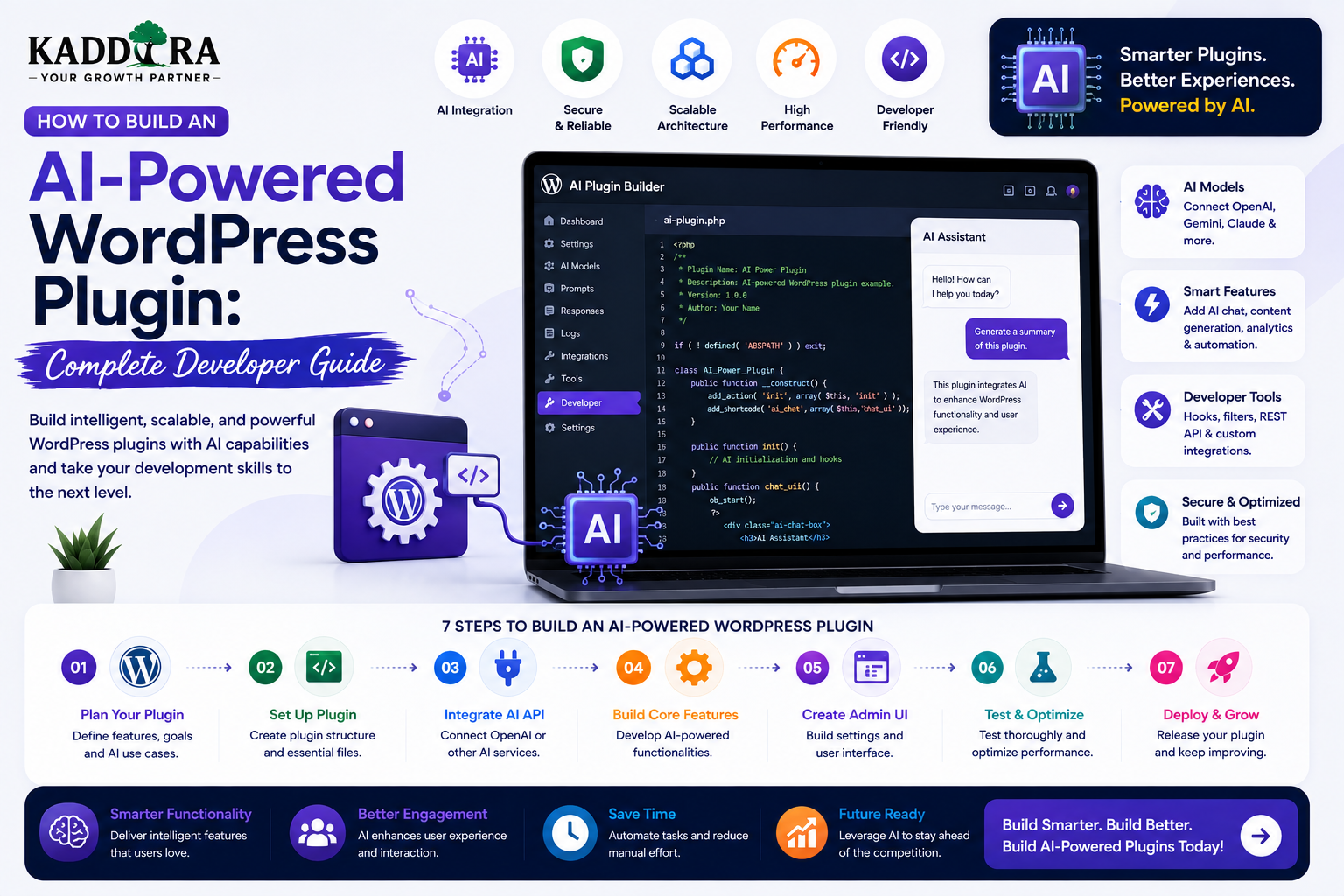
How to Build an AI-Powered WordPress Plugin: Complete Developer Guide
Introduction
Artificial Intelligence is becoming an important part of modern WordPress development.
Instead of using WordPress plugins only for traditional functionality, developers can now build plugins that use AI to understand text, generate content, classify information, recommend products, answer questions, analyze documents, automate workflows, and personalize user experiences.
An AI-powered WordPress plugin can provide features such as:
AI content generation
AI writing assistance
AI-powered search
Product recommendations
Content summaries
Lead qualification
Customer support
Translation assistance
Semantic categorization
Image analysis
Document analysis
AI automation
A simplified architecture looks like:
WordPress ↓ AI Plugin ↓ Secure API Layer ↓ AI Provider ↓ Validated Response ↓ WordPress Feature
However, building an AI plugin is very different from simply adding an API request to a WordPress admin page.
A production-ready plugin must consider:
WordPress architecture
Authentication
Authorization
API security
Prompt design
Input validation
Output validation
Usage limits
Cost control
Caching
Error handling
Privacy
Internationalization
Performance
Logging
Plugin compatibility
In this guide, you'll learn how to build an AI-powered WordPress plugin from the ground up, plan its architecture, connect an AI provider, create secure settings, build REST endpoints, design prompts, validate responses, manage usage, protect user data, support multiple AI providers, test the plugin, and prepare it for production.
What Is an AI-Powered WordPress Plugin?
An AI-powered WordPress plugin is a WordPress extension that uses artificial intelligence to perform tasks that normally require manual analysis, generation, classification, or decision support.
For example:
WordPress Content ↓ AI Plugin ↓ Analyze ↓ Generate Summary ↓ Display Result
Another example:
Customer Question ↓ AI Plugin ↓ Search Documentation ↓ Generate Answer ↓ Support Interface
The plugin becomes the bridge between WordPress and AI services.
Why Build AI Into a WordPress Plugin?
A plugin is useful when the AI feature needs to integrate directly with WordPress functionality.
For example, an AI plugin can access:
Posts
Pages
Products
Users
Taxonomies
Metadata
WooCommerce data
Forms
Comments
Custom post types
This makes AI more useful than a standalone chatbot that has no connection to the website's actual data.
Examples of AI WordPress Plugins
Possible plugin categories include:
AI Content Assistant
Generate:
Titles
Outlines
Summaries
Drafts
FAQs
AI SEO Assistant
Generate or suggest:
Meta titles
Meta descriptions
Search-intent topics
Internal links
Content improvements
AI Support Assistant
Answer questions using:
Documentation
FAQs
Knowledge base
Product information
AI Product Recommendation Plugin
Recommend WooCommerce products according to user needs.
AI Lead Assistant
Classify and summarize leads.
AI Search Plugin
Provide semantic or natural-language search.
Start With a Specific AI Use Case
The first development mistake is often trying to build an AI plugin that does everything.
Instead, define one problem.
For example:
Problem: Customers struggle to find documentation. Solution: AI-powered documentation search.
Or:
Problem: Editors spend too much time creating article summaries. Solution: AI summary generator.
A focused first version is easier to build, test, secure, and maintain.
Define the Plugin Architecture Before Coding
A scalable plugin can be organized into layers.
For example:
AI Plugin │ ├── Admin ├── REST API ├── AI Service ├── Prompt Layer ├── Data Layer ├── Security ├── Usage Tracking └── Integrations
Each layer should have a clear responsibility.
Keep AI Logic Out of the Theme
AI functionality should normally live in a plugin rather than a theme.
Why?
Because a theme controls presentation.
A plugin controls functionality.
This allows the AI feature to continue working when the website design changes.
Use a Unique Plugin Namespace
A professional AI plugin should use a unique namespace or prefix.
For example:
Kaddora_AI
or another appropriately unique namespace.
This reduces collisions with other WordPress plugins.
Avoid generic function names such as:
generate_content()
Use namespaced classes or uniquely prefixed functions instead.
Suggested Plugin Structure
A medium-sized AI plugin might use:
my-ai-plugin/ ├── my-ai-plugin.php ├── includes/ │ ├── Admin/ │ ├── API/ │ ├── AI/ │ ├── Security/ │ ├── Services/ │ └── Integrations/ ├── assets/ │ ├── css/ │ └── js/ ├── templates/ ├── languages/ └── readme.txt
The exact structure can vary.
The goal is maintainability rather than following one universal folder layout.
Create a Main Plugin Bootstrap File
The main file should mainly:
Define plugin constants
Load dependencies
Register initialization
Start required services
Avoid putting hundreds of lines of business logic in the main file.
Separate Service Classes
For example:
AIProvider PromptManager UsageManager SecurityManager CacheManager
This makes testing and maintenance easier.
Create an AI Provider Abstraction
Don't scatter provider-specific HTTP requests throughout the plugin.
Instead:
AI Service ↓ Provider Adapter ├── Provider A ├── Provider B └── Self-Hosted Model
This lets the plugin support multiple providers more easily.
Why Provider Abstraction Matters
AI providers can differ in:
API format
Authentication
Models
Response structures
Token pricing
Rate limits
Available features
A provider adapter isolates these differences from the rest of the plugin.
Example Provider Interface
Conceptually:
interface AI_Provider_Interface { public function generate( string $prompt, array $options = array() ); public function supports( string $feature ): bool; }
Different providers can implement the same contract.
Store API Credentials Securely
Never expose AI keys through:
JavaScript HTML Public REST Responses Frontend Configuration
The browser should communicate with your WordPress server.
The server communicates with the AI provider.
Browser ↓ WordPress ↓ AI API Key ↓ AI Provider
Use Server-Side Secret Management
Depending on the hosting environment, secrets can be stored through appropriate:
Environment variables
Server configuration
Secret managers
Restricted configuration mechanisms
Do not commit credentials to source control.
Build an Admin Settings Page
An AI plugin may need settings for:
AI provider
API credential
Default model
Temperature or equivalent generation controls
Maximum output
Usage limits
Logging
Cache duration
Keep settings organized.
For example:
AI Settings ├── Provider ├── Credentials ├── Models ├── Usage ├── Privacy └── Advanced
Use the WordPress Settings API
For standard plugin configuration, use WordPress's established settings mechanisms.
This provides:
Structured settings
Validation
Sanitization
Admin integration
Don't invent a custom configuration system unless the project genuinely requires one.
Protect the Admin Settings
Only authorized administrators should be able to change:
API credentials
AI provider
Global usage limits
Plugin behavior
Use capability checks before displaying or saving sensitive settings.
Enqueue Assets Properly
Load CSS and JavaScript only where needed.
For example:
Admin AI Screen ↓ Load AI Admin Assets Other Admin Pages ↓ Do Not Load Them
This reduces unnecessary overhead and helps avoid plugin conflicts.
Don't Put Large Inline Scripts Everywhere
For production WordPress plugins, register and enqueue JavaScript properly rather than inserting large inline scripts across pages.
Pass necessary configuration through appropriate WordPress mechanisms.
Build a REST API for AI Features
For interactive interfaces, REST endpoints can provide a clean architecture.
For example:
/wp-json/my-ai/v1/generate /wp-json/my-ai/v1/summarize /wp-json/my-ai/v1/search /wp-json/my-ai/v1/recommend
Each endpoint should have a clear responsibility.
Secure REST Endpoints
Every endpoint should determine:
Is the request authenticated?
Does the user have permission?
Is the input valid?
Is the request within usage limits?
Is the requested data authorized?
A public AI endpoint can still be abused, so rate limiting and request controls remain important.
Example REST Endpoint
Conceptually:
register_rest_route( 'my-ai/v1', '/summarize', array( 'methods' => 'POST', 'callback' => 'my_ai_summarize', 'permission_callback' => function() { return current_user_can( 'edit_posts' ); }, ) );
The callback must still validate the submitted content and apply additional business rules.
Validate Every AI Request
Before sending data to an AI provider, validate:
Required fields
Data type
Input length
Allowed values
Permissions
Usage limits
For example:
Request ↓ Permission Check ↓ Input Validation ↓ Usage Check ↓ AI Request
Limit Prompt Length
Large prompts can increase:
Cost
Latency
Failure risk
Set sensible limits.
For example:
Maximum Input 50,000 Characters
The exact limit depends on the feature and AI provider.
Prompt Injection Protection
If user-generated content is included in an AI prompt, treat it as untrusted data.
For example:
User Content ↓ Retrieved Document ↓ System Instructions
The retrieved content should not be allowed to override system-level instructions.
Use clear prompt boundaries and separate trusted instructions from untrusted data.
Never Put Secrets Inside Prompts
Do not send:
API credentials
Passwords
Private tokens
Internal secrets
Unnecessary personal information
The AI model should never become a credential storage mechanism.
Design Reusable Prompt Templates
Instead of building prompts directly inside UI files, create a prompt layer.
For example:
Prompt Template ↓ Task ↓ Context ↓ Output Requirements
This makes prompts easier to update and test.
Version Your Prompts
Prompt changes can affect output quality.
Maintain versions:
Summary Prompt v1 Summary Prompt v2 Summary Prompt v3
This makes it easier to compare behavior and roll back changes.
Use Structured Output Where Possible
For machine-readable AI tasks, define an expected structure.
For example:
{ "summary": "...", "category": "wordpress", "priority": "high" }
The actual response format depends on the provider.
Always validate the returned structure before using it.
Never Trust AI Output as Business Logic
AI output is not automatically authoritative.
For example, don't let an AI response directly:
Delete User Refund Payment Publish Plugin Change Pricing
without a deterministic validation and authorization layer.
A safer architecture is:
AI Suggestion ↓ Validation ↓ Business Rules ↓ Authorization ↓ Action
Build an AI Content Assistant
A WordPress editor plugin could offer:
Select Text ↓ AI Assistant ├── Improve ├── Summarize ├── Expand ├── Rewrite └── Explain
The editor remains in control.
AI output becomes a draft that the user can review before applying.
Build an AI SEO Assistant
The plugin could analyze a post and provide:
Title Suggestions Meta Description Heading Suggestions FAQ Ideas Internal Link Suggestions
The plugin should not automatically make large-scale SEO changes without review.
Build an AI Product Assistant
For WooCommerce products:
Product Information ↓ AI Assistant ↓ Description Features FAQ Short Description
All generated information should be grounded in actual product data.
Build an AI Support Assistant
A support plugin can use:
Knowledge Base FAQs Documentation Product Data
Then:
Customer Question ↓ Retrieve Relevant Content ↓ AI Answer ↓ Source Links
This approach is much safer than asking a generic AI model to answer unsupported questions.
Build AI-Powered Search
A plugin can provide semantic search across:
Posts
Pages
Products
Documentation
FAQs
A basic architecture is:
Content ↓ Embeddings ↓ Vector Index ↓ User Query ↓ Similarity Search ↓ Results
The complexity depends on the size of the content library.
Embeddings and Vector Search
Embeddings represent text as numerical vectors that can be compared for semantic similarity.
This allows:
"How can I reset my login?"
to find:
"Password Reset Instructions"
even though the exact words don't match.
For larger systems, use a suitable vector database or search infrastructure instead of trying to store large vector datasets in ordinary WordPress options.
Build AI Recommendations
A plugin can recommend:
Products
Articles
Courses
Services
Documentation
Example:
Current Product ↓ User Intent ↓ Related Products ↓ Recommendation
The recommendation engine should consider actual inventory, access, pricing, and business rules.
Build AI Document Analysis
Businesses may want users to upload:
PDFs
Documents
Reports
Contracts
A possible flow is:
Upload ↓ Validate ↓ Extract Text ↓ AI Analysis ↓ Structured Result
Uploads need strong validation and access control.
Secure Document Processing
Uploaded files can contain confidential information.
Consider:
File-type validation
Size limits
Malware scanning
Private storage
Access control
Retention policies
Send only the necessary extracted content to the AI provider.
Build AI Lead Classification
A lead-generation plugin can classify submissions:
Lead ↓ AI Classification ↓ Category ↓ CRM
For example:
Service: WooCommerce Development Priority: High Industry: Retail
AI should not invent missing fields.
Build AI Review Moderation
The plugin can screen reviews for:
Spam
Abusive language
Suspicious patterns
Duplicate text
A safer process is:
Review ↓ AI Screening ↓ Flag ↓ Human Review
Avoid automatically deleting legitimate criticism based solely on AI classification.
Add AI Translation
A plugin can assist with multilingual WordPress content:
Original Post ↓ AI Translation ↓ Review ↓ Translated Draft
Terminology dictionaries can help maintain consistency for specialized products.
Build AI Automation Workflows
A more advanced plugin can connect AI to WordPress events.
For example:
New Support Ticket ↓ AI Summary ↓ Priority Classification ↓ Assign Team
Or:
New Product ↓ AI Description ↓ Draft ↓ Editor Review
Automation should have clear boundaries and failure handling.
Don't Let AI Trigger Sensitive Actions Automatically
Actions involving:
Payments
User deletion
Account suspension
Refunds
Security changes
Financial decisions
should normally require deterministic business rules and appropriate human authorization.
AI is better used as an assistant than as an unrestricted administrator.
Add Usage Limits
AI services can be expensive.
Your plugin can define:
Free User → 10 Requests / Day Pro User → 500 Requests / Month
The server must enforce these limits.
Track AI Usage
Store appropriate usage information such as:
User Feature Request Time Model Usage Status
Avoid storing full prompts and responses when they contain sensitive personal data unless there is a clear reason to retain them.
AI Cost Controls
Use:
Request limits
Maximum output lengths
Caching
Appropriate model selection
Batch processing
Background workers
Usage quotas
For example:
Simple Summary → Lower-cost Model Complex Document Analysis → More Capable Model
Provider pricing and model capabilities can change, so keep provider-specific configuration flexible.
Cache AI Responses
Public, repeatable requests may be cached.
For example:
Question ↓ Cache ├── Hit → Return └── Miss → AI
Do not share cached personalized responses between users.
Use appropriate cache keys and privacy boundaries.
Background Processing
AI tasks can be slow.
For large operations such as:
Embedding thousands of posts
Analyzing many products
Generating summaries in bulk
use background jobs where practical.
For example:
Task Created ↓ Queue ↓ Worker ↓ AI ↓ Save Result
This prevents long-running work from blocking normal page requests.
AI Error Handling
AI calls can fail because of:
Timeout
Network issue
Provider outage
Rate limit
Invalid request
Quota exhaustion
Your plugin should return a useful error state:
AI Unavailable Please try again later.
Don't expose raw provider errors, API keys, stack traces, or internal implementation details to normal users.
Provider Failure Fallback
For critical features, provide a fallback:
AI Service ↓ Unavailable ↓ Traditional Search / Manual Workflow
The website should remain functional where practical.
AI Logging
Logging can help diagnose:
Provider errors
Failed jobs
Latency
Rate limits
Usage spikes
Logs should avoid sensitive information.
Never log API keys or passwords.
AI Admin Dashboard
A useful admin dashboard could display:
AI Requests Cost / Usage Errors Top Features Top Users Cache Hit Rate Provider Status
This allows administrators to monitor the system.
AI Provider Switching
A professional plugin should avoid locking every feature to one provider.
For example:
AI Service ├── Provider A ├── Provider B └── Self-Hosted
The user can choose a provider where the architecture supports it.
Local or Self-Hosted AI
Some organizations may require more control over data processing.
A possible setup is:
WordPress ↓ Internal AI Service ↓ Self-Hosted Model
Advantages can include more infrastructure control.
Challenges can include:
Hardware
Model serving
Updates
Scaling
Monitoring
Security
Operational complexity
Don't choose self-hosting simply because it sounds more private.
Evaluate the actual requirements.
AI Plugin Internationalization
If the plugin will be distributed publicly, prepare user-facing strings for translation.
This includes:
Admin labels
Error messages
Buttons
Descriptions
Notifications
Don't leave human-readable strings hardcoded in ways that prevent localization.
WordPress Coding Standards
An AI plugin still needs to follow normal WordPress development practices.
Consider:
Coding standards
Escaping
Sanitization
Nonces
Capability checks
Internationalization
REST API conventions
Database best practices
Privacy documentation
Compatibility
AI functionality does not remove standard WordPress security requirements.
Security Checks
Every feature should ask:
Who can use it? What data can they access? What can they change? What does the AI receive? What does the AI return?
This keeps security part of the architecture rather than an afterthought.
Testing an AI WordPress Plugin
Testing should include both normal software behavior and AI-specific behavior.
Functional Testing
Test:
Activation
Settings
AI requests
API endpoints
Editor integration
Output display
Security Testing
Test:
Unauthorized requests
Invalid nonces
Missing capabilities
Rate limits
ID manipulation
API credential exposure
AI Testing
Test:
Incorrect prompts
Long input
Empty input
Malicious input
Unexpected AI output
Provider failure
Rate-limit response
Test Prompt Injection
Include adversarial content in test inputs.
For example, test whether user-provided text can cause the AI to ignore the plugin's intended instructions.
The goal is not to assume the AI will behave correctly.
The goal is to verify the surrounding application remains secure even when the model output is unreliable.
Test AI Output Validation
Return malformed results deliberately during testing.
For example:
{ "category": 123, "priority": null }
The plugin should reject or safely handle invalid output instead of breaking business logic.
Test Provider Outages
Simulate:
Timeout 500 Error 429 Rate Limit Invalid Credential
Ensure the plugin displays a useful fallback and does not crash the WordPress site.
Test Usage Limits
Attempt:
Request 1 Request 2 ... Request 501
when the account limit is 500.
The server should block request 501 according to the defined policy.
Test Concurrent Requests
Concurrency can expose bugs in usage tracking.
For example:
Two Requests ↓ Same User ↓ Limit = 1
The system must prevent a race condition that allows both requests to exceed the limit.
Test With Large WordPress Sites
Test performance with:
Thousands of posts
Large product catalogs
Many users
Large knowledge bases
A plugin that works on a small development website may behave differently on a production site.
AI Plugin Performance
Avoid AI calls during every page request.
Bad:
Page Load ↓ AI Call ↓ Render Page
Better:
Page Load ↓ Normal Content ↓ Optional AI Request
Use asynchronous requests where practical.
AI and WordPress Cron
Scheduled tasks can process:
Summaries
Embeddings
Content indexing
Analytics
Cleanup
For very high-volume jobs, a dedicated queue and worker system may be more reliable.
AI Plugin Database Design
Depending on the use case, separate entities may include:
ai_requests ai_usage ai_jobs ai_cache ai_embeddings ai_provider_events
Don't put thousands of AI records into a single WordPress options record.
Custom Database Tables
For high-volume transactional AI data, custom tables may provide better control than post meta or options.
Use them when the data volume and query requirements justify the additional complexity.
AI Plugin Data Retention
Decide what data should be retained.
For example:
Prompts Responses Usage Errors Logs Embeddings
You may not need to retain everything permanently.
Data minimization can reduce:
Storage cost
Privacy risk
Security exposure
AI and Privacy Documentation
If your plugin sends data to external AI providers, users should be able to understand:
What data is sent
Why it is sent
Which provider receives it
How data is used
What is retained
How users can disable the feature
This documentation is especially important for plugins distributed publicly.
External AI Services Documentation
A production WordPress plugin should document its external services when relevant.
For example:
AI Provider Purpose: Generate summaries Data Sent: Selected post content User Control: AI feature can be disabled
Be transparent.
AI Plugin Licensing
A commercial AI plugin might use:
Free Pro Business Enterprise
Premium plans may include:
More AI requests
More models
Higher usage limits
Advanced features
Priority support
License and usage state should be securely enforced.
AI Core Plugin vs Separate AI Plugins
A central AI core can provide:
Provider management
API clients
Usage tracking
Prompt infrastructure
Logging
Specialized plugins provide:
SEO features
WooCommerce features
Support features
This can reduce duplication but introduces dependency management.
Use shared infrastructure only when the ecosystem genuinely benefits from it.
WordPress AI Plugin Monetization
Possible business models include:
Freemium
Free → Limited AI Requests Pro → Higher Limits
Subscription
Monthly Annual
Usage-Based
Pay for AI Credits
Hybrid
Subscription + Usage
Pricing should reflect the actual AI costs and the value provided.
Prevent Unexpected AI Costs
Use:
Per-user quotas
Per-site quotas
Monthly limits
Request size limits
Usage dashboards
Provider-level budget controls where available
Caching
Don't allow an anonymous visitor to make unlimited expensive AI requests.
AI Plugin Documentation
A production plugin should document:
Installation Configuration AI Provider Setup Privacy Usage Limits Features Troubleshooting API FAQ
For AI plugins, provider configuration and privacy information are especially important.
Why choose ThemeKaddora?
ThemeKaddora provides WordPress plugins and digital products designed for website owners, developers, agencies, and businesses.
Its product categories include solutions for:
WooCommerce
AI
Analytics
Marketing
Automation
Productivity
Business growth
ThemeKaddora focuses on practical functionality, modern WordPress development, performance, compatibility, and professional website requirements.
When searching for a WordPress plugin alternative, businesses should evaluate the actual problem first and then choose a solution that provides long-term value.
Conclusion
Building an AI-powered WordPress plugin is not simply a matter of sending a prompt to an AI API.
A professional plugin combines:
WordPress Architecture
→ Secure API Integration
→ AI Provider Layer
→ Prompt Management
→ Input Validation
→ Output Validation
→ Usage Controls
→ Privacy
→ Performance
→ Monitoring
The AI model is only one part of the system.
The surrounding application determines whether the plugin is:
Secure
Reliable
Affordable
Maintainable
Compatible
Useful
For ThemeKaddora, an AI plugin architecture can become a reusable foundation for SEO tools, WooCommerce assistants, support systems, intelligent search, analytics, automation, and other AI-powered WordPress products.
The strongest AI plugins do not try to make every decision automatically.
They combine:
AI Intelligence
Deterministic Business Rules
Human Oversight Where Needed
That combination creates a more reliable product than treating the AI model as an unrestricted source of truth.
Frequently Asked Questions
What is an AI-powered WordPress plugin?
An AI-powered WordPress plugin is a plugin that connects WordPress functionality with artificial intelligence to provide features such as generation, search, recommendations, classification, automation, or assistance.
Can I build an AI plugin from scratch?
Yes. A custom plugin can connect WordPress to one or more AI providers through server-side APIs.
Can an AI WordPress plugin use multiple AI providers?
Yes. A provider-abstraction layer can make it easier to support multiple services.
Where should AI API keys be stored?
Keep them server-side through secure configuration or secret-management mechanisms. Never expose them in frontend code.
Should AI requests be made directly from JavaScript?
For protected AI credentials and sensitive workflows, generally no. The browser should communicate with the WordPress backend, which then communicates with the AI provider.
How do I protect an AI plugin from excessive usage?
Use authentication where appropriate, rate limits, request limits, user or site quotas, output limits, caching, and usage monitoring.
Can an AI plugin analyze WordPress posts?
Yes. It can summarize, categorize, rewrite, translate, or analyze posts when the user has appropriate permissions.
Can an AI plugin work with WooCommerce?
Yes. An AI plugin can assist with product recommendations, descriptions, customer support, search, reviews, and analytics while WooCommerce remains authoritative for commerce data.
Can AI-generated content be published automatically?
Technically, it can be automated, but a review workflow is safer for important or customer-facing content. AI output should be validated and reviewed according to the use case.
How do I prevent AI prompt injection?
Treat user-provided and retrieved content as untrusted data, keep system instructions separate, limit tool permissions, validate outputs, and never expose secrets through prompts.
Can AI outputs be used directly in business logic?
They should not be trusted automatically for sensitive actions. Validate outputs against deterministic application rules and require appropriate authorization.
How can I control AI API costs?
Use quotas, rate limits, caching, request-size limits, model selection, background processing, and usage dashboards.
Why choose Themekaddora?
Themekaddora provides lightweight, responsive, SEO-friendly WordPress themes with fast performance, WooCommerce compatibility, flexible customization, accessibility-conscious design, modern templates, regular updates, and professional support—providing a strong foundation for businesses building digital products and product-focused websites.
Comments (0)