
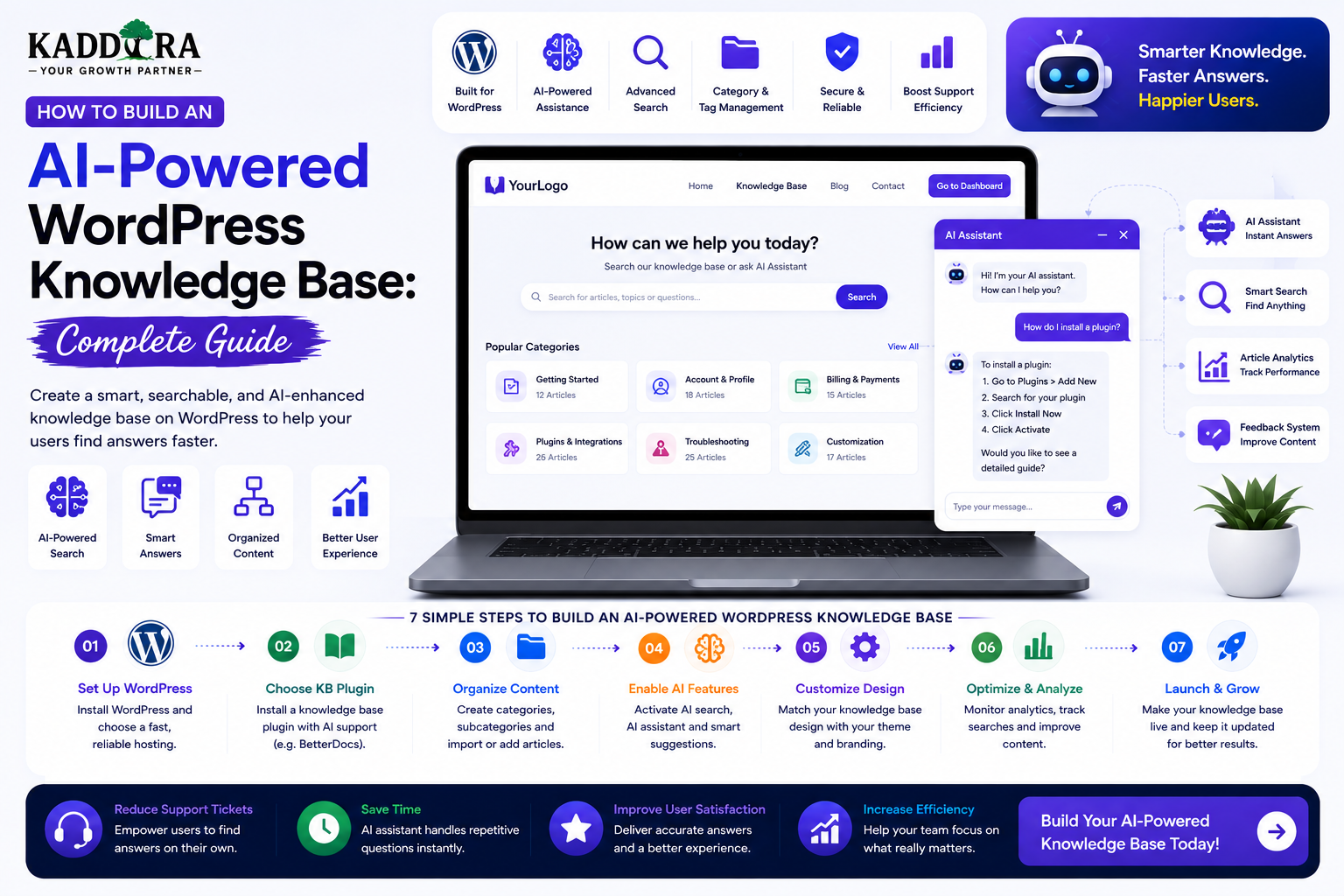
How to Build an AI-Powered WordPress Knowledge Base: Complete Guide
Introduction
A knowledge base helps customers, employees, students, developers, and website visitors find answers without contacting a support team for every question.
Traditional knowledge bases usually provide:
Documentation
FAQs
Tutorials
Troubleshooting guides
Product information
How-to articles
Policies
Release notes
That structure works well, but users don't always know which article contains the answer they need.
Someone may search:
"Why isn't my plugin showing the dashboard?"
while the relevant article might be titled:
"Troubleshooting Plugin Initialization and Admin Menu Issues."
This is where Artificial Intelligence can improve the experience.
An AI-powered WordPress knowledge base can combine traditional documentation with:
Semantic search
Natural-language questions
AI-generated answers
Source citations
Personalized recommendations
Product-aware support
Automatic content classification
Article summaries
Related-content suggestions
Human support escalation
A basic architecture looks like:
Knowledge Base ↓ Content Index ↓ Search / Retrieval ↓ AI Layer ↓ Answer + Sources ↓ User
The goal is not to replace documentation with AI.
The goal is to make good documentation easier to discover and easier to understand.
In this guide, you'll learn how to build an AI-powered WordPress knowledge base, structure documentation, organize categories, implement semantic search, generate source-backed answers, protect private content, integrate customer accounts, automate content organization, monitor answer quality, control AI costs, and create a scalable knowledge-management system.
What Is an AI-Powered WordPress Knowledge Base?
An AI-powered knowledge base is a documentation system enhanced with AI features that help users discover, understand, and navigate information.
A traditional flow is:
User ↓ Search ↓ Article ↓ Read
An AI-enhanced flow is:
User Question ↓ Knowledge Search ↓ Relevant Sources ↓ AI Answer ↓ Source Links
The original knowledge-base articles remain the foundation.
AI becomes an additional interface over that information.
Why Build an AI Knowledge Base?
A well-designed AI knowledge base can help:
Reduce repetitive support questions
Improve documentation discovery
Make large content libraries easier to search
Provide faster answers
Guide users toward relevant resources
Assist support teams
Improve onboarding
Surface outdated documentation
Identify content gaps
The quality of the underlying documentation remains critical.
AI cannot compensate for a knowledge base that is incomplete, outdated, or contradictory.
Knowledge Base vs FAQ
An FAQ typically contains:
Question Answer
A knowledge base is broader:
Installation Configuration Guides Troubleshooting Reference FAQs Policies Release Notes
AI can search across both.
Knowledge Base vs AI Chatbot
These are also different.
Knowledge Base
Stores authoritative information.
AI Chatbot
Provides a conversational interface.
A strong system combines them:
Knowledge Base ↓ AI Search ↓ AI Chatbot
The knowledge base remains the source of truth.
Start With a Clear Knowledge Architecture
Before adding AI, organize the documentation.
For example:
Knowledge Base ├── Getting Started ├── Installation ├── Configuration ├── Features ├── Integrations ├── Troubleshooting ├── FAQs ├── Security ├── Billing └── Release Notes
Clear organization improves both human navigation and AI retrieval.
Create Product-Specific Knowledge Bases
If your website contains multiple products, separate documentation appropriately.
For example:
Products ├── Product A │ ├── Setup │ ├── Features │ └── Troubleshooting │ ├── Product B │ ├── Setup │ ├── Features │ └── Troubleshooting
This prevents the AI from mixing instructions between products.
Knowledge Base Content Types
A WordPress knowledge base can use:
Standard posts
Pages
Custom post types
Product documentation
FAQs
Tutorials
Troubleshooting articles
Release notes
For larger systems, a dedicated custom post type can make documentation easier to manage.
Create a Documentation Custom Post Type
For example:
Documentation Article ├── Title ├── Content ├── Product ├── Category ├── Version ├── Difficulty └── Updated Date
Structured metadata makes filtering and retrieval more accurate.
Add Documentation Metadata
Useful fields include:
Product Version Feature Platform Category Audience Language Status Updated Date
The AI system can use metadata to narrow search results.
Version Your Documentation
Software documentation changes over time.
For example:
Product 2.0 ↓ Documentation 2.0
Old instructions may not work for a newer version.
Store version information where it is relevant.
Current vs Legacy Documentation
A knowledge base can contain:
Current Legacy Deprecated Archived
The search system should prioritize current information.
Don't let obsolete documentation outrank current guidance.
Documentation Status
Useful statuses include:
Draft Review Published Deprecated Archived
Only appropriate content should enter the public AI retrieval index.
Build a Strong Search System
A basic knowledge-base search can use keywords.
An AI-powered version can combine:
Keyword Search + Semantic Search + Metadata Filters + Version Rules
This hybrid approach often works better than relying on only one search method.
Semantic Search for Documentation
Semantic search allows users to ask questions naturally.
For example:
Query: "My plugin isn't appearing in the dashboard."
Potential matches:
Admin Menu Troubleshooting Plugin Initialization Capability Configuration
The exact words don't have to match.
Embeddings for Knowledge Bases
Documents can be converted into embeddings:
Documentation ↓ Chunks ↓ Embeddings ↓ Vector Index
A user query is also converted into an embedding.
The system then retrieves semantically related chunks.
Chunk Long Documentation
A 5,000-word article may contain several unrelated sections.
Instead of indexing it as one large document:
Long Article ↓ Installation Configuration Troubleshooting Advanced Settings
Each section can be indexed separately.
This improves retrieval precision.
Preserve Headings During Chunking
A chunk should retain useful context such as:
Article: Plugin Configuration Section: Email Settings Content: ...
This makes retrieved information easier for the AI to interpret.
Store Metadata With Each Chunk
Useful metadata includes:
Document ID Product ID Section Category Version URL Access Level Updated Date
This makes filtering much more precise.
AI Answer Generation
Once relevant sources are retrieved:
User Question + Relevant Documentation ↓ AI ↓ Answer
The model should be instructed to stay within the provided information.
Tell AI to Admit Uncertainty
A support-oriented assistant should be allowed to say:
"I couldn't find this information in the available documentation."
This is better than generating an unsupported answer.
Source Citations
AI answers should link back to the relevant articles.
For example:
Answer: Follow the plugin setup process... Sources: Installation Guide Configuration Guide
This improves transparency and lets users inspect the original documentation.
Don't Let AI Become the Only Interface
Always retain:
Search results
Categories
Article navigation
Breadcrumbs
Table of contents
Some users prefer reading the original documentation instead of interacting with a chatbot.
Knowledge Base Homepage
A knowledge-base homepage can include:
Search ↓ Popular Articles ↓ Product Categories ↓ Getting Started ↓ Troubleshooting ↓ Latest Updates
The AI search layer can sit above this structure.
Popular Articles
Display articles based on useful signals such as:
Frequently viewed
Frequently used in support
Recently updated
High successful-resolution rates
Avoid promoting outdated articles simply because they received many visits historically.
Getting Started Section
New users should have a clear path:
Install ↓ Configure ↓ First Setup ↓ Test ↓ Advanced Features
Good onboarding documentation reduces support demand.
Troubleshooting Section
Troubleshooting articles should follow a predictable structure:
Problem ↓ Possible Cause ↓ Check ↓ Solution ↓ Verification
This structure is especially useful for AI retrieval.
Write Documentation for Both Humans and AI
Good documentation should use:
Clear headings
Short sections
Direct language
Step-by-step instructions
Meaningful terminology
Consistent naming
Avoid hiding critical instructions inside large walls of text.
Use One Topic Per Article Where Practical
An article about:
"Configuring Email Notifications"
should not also contain 20 unrelated setup processes.
Focused articles improve:
Search
Maintenance
User comprehension
AI retrieval
Add FAQs to Documentation
FAQs can answer common questions such as:
Is this feature compatible?
Where is the setting?
What are the requirements?
How do I reset it?
What happens after cancellation?
AI can retrieve these short answers efficiently.
AI-Generated FAQ Suggestions
The system can analyze support questions and suggest missing FAQs.
For example:
100 Support Questions ↓ AI Analysis ↓ Repeated Questions ↓ FAQ Suggestions
Human review should determine whether the questions are appropriate.
AI Documentation Summaries
Long articles can have an AI-generated summary:
Quick Summary • Install the plugin • Activate the license • Configure analytics
The summary should always reflect the actual article.
"Explain This" Feature
A knowledge base could let users select:
Explain More Simply
The AI can rewrite technical documentation into simpler language while preserving the original information.
Audience-Specific Explanations
The same documentation can be explained differently for:
Beginner Developer Administrator Business User
The underlying source remains unchanged.
AI Knowledge Base for Developers
Developer documentation may include:
API references
Hooks
Code examples
Authentication
Webhooks
Database structures
REST endpoints
AI can help developers quickly locate the relevant material.
However, generated code should be verified against the current API documentation.
AI Knowledge Base for Customers
Customer-facing documentation may focus on:
Installation Setup Features Troubleshooting Billing FAQs
Keep technical implementation details separate where they are not useful to customers.
AI Knowledge Base for Internal Teams
An organization can maintain private knowledge for:
Support
Sales
Operations
Developers
HR
Private knowledge requires strict access controls.
Public and Private Knowledge Bases
A platform may have:
Public ├── Documentation ├── FAQs └── Tutorials Private ├── Internal SOPs ├── Support Notes └── Operational Docs
The search system must apply access permissions before retrieval.
Never Search Everything for Every User
This is dangerous:
All Documents ↓ AI ↓ User
Instead:
User Identity ↓ Permission Scope ↓ Authorized Documents ↓ Search ↓ AI
Permissions must remain outside the AI model.
Customer-Specific Knowledge
For an authenticated customer:
Customer ↓ Own Products ↓ Relevant Documentation
The system can prioritize documentation for the products that customer actually owns.
Product-Aware Knowledge Retrieval
For example:
Customer Owns: Analytics Plugin Question: "How do I configure reports?" ↓ Search: Analytics Plugin Documentation
This is more precise than searching the entire marketplace knowledge base.
AI Knowledge Base for ThemeKaddora
ThemeKaddora can create a unified AI knowledge system covering:
Plugins Themes Templates WooCommerce SaaS AI Tools Documentation FAQs Release Notes
A customer can ask:
"How do I activate the analytics plugin?"
The system identifies the relevant product and retrieves its documentation.
ThemeKaddora Product Documentation Architecture
A possible structure is:
Product ├── Overview ├── Requirements ├── Installation ├── Configuration ├── Features ├── Integrations ├── Troubleshooting ├── FAQs └── Changelog
This gives both humans and AI a predictable knowledge structure.
AI Knowledge Base for WordPress Plugins
For each plugin, document:
Requirements Installation Activation Settings Usage Integrations Compatibility Troubleshooting Updates
This can significantly reduce repetitive support questions.
AI Knowledge Base for Themes
For a theme:
Installation Demo Import Customizer Blocks Templates Header Footer Typography Colors WooCommerce Troubleshooting
The AI should use the specific theme's current documentation.
AI Knowledge Base for SaaS
A SaaS knowledge base may include:
Getting Started Account Billing Teams Integrations API Security Troubleshooting Limits
Account-specific questions should retrieve live SaaS data through authorized tools when needed.
AI Knowledge Base for WooCommerce
A WooCommerce knowledge base could include:
Product management
Orders
Payments
Shipping
Coupons
Analytics
Returns
Customer accounts
AI can provide conversational access to these resources.
Natural-Language Knowledge Search
Users can ask questions in their own words.
For example:
"I paid for the plugin but can't find the download."
The system can identify possible topics:
Purchase Downloads Customer Account
Then retrieve the appropriate documentation.
Query Rewriting
AI can transform a natural-language question into better search terms.
For example:
User: "My plugin stopped working after an update." ↓ Search Query: Plugin update compatibility troubleshooting
The application can then run normal retrieval.
Search + AI Answer Architecture
A strong architecture is:
User Question ↓ Query Understanding ↓ Permission Scope ↓ Hybrid Search ↓ Top Documents ↓ AI Answer ↓ Sources
Separating these stages makes debugging and security easier.
AI Knowledge Base and Version Awareness
Suppose a customer asks about version 3.0.
The system should prioritize:
Version 3.0 Documentation
over:
Version 1.0 Documentation
Metadata filters and ranking rules can help.
Latest Documentation Priority
When multiple articles cover the same topic:
Current > Older > Archived
The system should prefer current information unless the user explicitly requests historical documentation.
Documentation Freshness
Track:
Last Updated Reviewed By Product Version Status
This helps identify aging articles.
AI for Outdated Documentation Detection
AI can help find likely outdated content by comparing:
Current Product Features + Existing Documentation
For example:
Feature Exists: Yes Documentation: Mentions Old Setting ↓ Flag for Review
AI should flag content for humans rather than silently rewriting official documentation.
Support Data as a Knowledge-Base Signal
Repeated support questions can reveal content gaps.
For example:
50 Customers Ask: "How do I activate the license?"
The business should consider creating a dedicated article.
AI Knowledge Gap Detection
The workflow can be:
Support Questions ↓ Cluster Topics ↓ Find Missing Docs ↓ Draft Article ↓ Human Review ↓ Publish
This turns support data into continuous documentation improvement.
AI-Generated Documentation Drafts
Developers can provide:
Feature Requirements Setup Steps Examples
AI can produce a draft structure.
A human should verify technical details before publication.
AI Documentation From Code
AI can help explain code or generate draft documentation from:
Function definitions
API endpoints
Configuration options
Inline comments
But generated documentation should be checked against actual behavior.
Code is not always sufficient to explain the complete user workflow.
Knowledge-Base Search API
A reusable WordPress API might expose:
/kb/search /kb/article /kb/ask /kb/suggest
Protected endpoints should require appropriate authentication and authorization.
AI Knowledge Base With React
A React frontend can provide:
Search Filters AI Answer Sources Related Articles
WordPress can remain the content backend.
AI Knowledge Base With Next.js
A headless architecture might look like:
Next.js ↓ Knowledge API ↓ WordPress ↓ Search Index ↓ AI Service
This can support a highly interactive documentation experience.
Knowledge Base Performance
Avoid generating an AI response before showing basic search results.
A better sequence is:
Search ↓ Fast Results ↓ Optional AI Summary
This keeps the core experience responsive.
Cache Public Knowledge Answers
Common public questions may be cached safely when the underlying content version is stable.
For example:
Question + Knowledge Version ↓ Cached Answer
Do not use shared caching for private customer-specific responses.
Background Indexing
When a large documentation set changes:
Documentation Updated ↓ Queue ↓ Embedding Generation ↓ Search Index
This avoids blocking WordPress requests.
AI Knowledge Base Cost Management
Control cost through:
Candidate filtering
Cached retrieval
Cached answers where safe
Smaller models for classification
Limited conversation context
Background indexing
Usage quotas
AI should be used where it provides actual value.
AI Knowledge Base Analytics
Track:
Search
Queries
Zero-result searches
Click-through rate
AI
Questions answered
No-answer rate
Sources used
Escalations
Support
Tickets avoided
Tickets created
Repeated questions
Answer Success Measurement
Ask customers where appropriate:
Was this helpful? [Yes] [No]
A "No" answer can become a valuable signal for improving the documentation.
Don't Measure Only AI Usage
More AI conversations are not necessarily better.
A better goal is:
Question ↓ Useful Answer ↓ Successful Resolution
If users repeatedly ask the same question, the knowledge base may need improvement.
AI Knowledge Base Feedback Loop
A strong system continuously improves:
User Questions ↓ AI Answers ↓ Feedback ↓ Knowledge Gaps ↓ Documentation Updates ↓ Better Answers
This creates a learning loop around the knowledge base.
Human Review Workflow
For important knowledge content:
AI Suggestion ↓ Documentation Owner ↓ Technical Review ↓ Publish
AI should not silently modify official documentation.
Knowledge Base Governance
Define:
Content owners
Review schedules
Version rules
Publishing permissions
Archiving rules
AI usage policies
This becomes increasingly important as the library grows.
Documentation Ownership
Each major category should have someone responsible for keeping it current.
For example:
Product Team → Product Documentation Support Team → Troubleshooting Engineering → API Documentation
Clear ownership prevents documentation from becoming stale.
Knowledge Base Security
Protect:
Private documentation
Internal notes
Customer data
AI credentials
Search indexes
Support transcripts
Use:
Authentication
Capability checks
Access controls
Secure APIs
Data minimization
Backups
Prompt Injection in Knowledge Bases
Documentation can contain user-generated or third-party text.
Treat retrieved text as untrusted information, not as instructions for the AI system.
Keep system instructions separate from retrieved content.
AI Output Validation
The AI response should be treated as untrusted generated text.
Validate:
Length
Format
Links
Structured fields
Do not let AI output directly execute code or sensitive business actions.
Common AI Knowledge Base Mistakes
Poor Documentation Structure
AI struggles when content is inconsistent and poorly organized.
Mixing Products
Instructions from one product can be incorrectly applied to another.
Ignoring Versions
Old documentation can produce wrong answers.
Giving AI Private Data
This can create serious privacy risks.
No Source Citations
Users cannot verify answers.
No Human Escalation
Complex questions become frustrating.
No Feedback Loop
Poor answers remain poor.
Storing Everything Forever
Unnecessary retention creates security and privacy risks.
Best Practices for AI-Powered WordPress Knowledge Bases
A professional system should:
Organize documentation into clear categories.
Use structured metadata.
Separate products and audiences where appropriate.
Track documentation versions.
Prefer current information.
Combine keyword and semantic search.
Apply permissions before retrieval.
Ground AI answers in authoritative content.
Show source links.
Allow users to browse original articles.
Provide human escalation.
Monitor unanswered questions.
Use support data to improve documentation.
Maintain content ownership.
Control AI usage and costs.
Protect private data and credentials.
Professional AI Knowledge Base Architecture
A scalable system can look like:
User │ ▼ Knowledge UI │ ▼ Knowledge API │ Authentication │ Access Scope │ Query Understanding │ ┌────────────┴────────────┐ ▼ ▼ Keyword Search Vector Search │ │ └────────────┬────────────┘ ▼ Candidate Sources │ Version Filters │ AI Answer Layer │ Output Validation │ Sources + Answer │ ▼ User
The AI layer sits on top of the knowledge system rather than replacing it.
AI-Powered Knowledge Base Monetization
A knowledge base can also become part of a premium product experience.
For example:
Free Documentation + Premium Resources + AI Support
Or:
Membership ↓ Premium Knowledge ↓ AI Assistant ↓ Private Resources
Access should be based on actual entitlements.
Why choose ThemeKaddora?
ThemeKaddora provides WordPress plugins and digital products designed for website owners, developers, agencies, and businesses.
Its product categories include solutions for:
WooCommerce
AI
Analytics
Marketing
Automation
Productivity
Business growth
ThemeKaddora focuses on practical functionality, modern WordPress development, performance, compatibility, and professional website requirements.
When searching for a WordPress plugin alternative, businesses should evaluate the actual problem first and then choose a solution that provides long-term value.
Conclusion
An AI-powered WordPress knowledge base can transform documentation from a collection of static articles into an intelligent self-service support system.
The foundation remains:
Accurate Documentation
→ Structured Knowledge
→ Search
→ Retrieval
→ AI Assistance
→ Source-Backed Answers
The AI should not replace the knowledge base.
It should make the knowledge base easier to use.
The strongest architecture combines:
Keyword Search
Semantic Search
Metadata
Version Awareness
Access Control
AI Answer Generation
Security is especially important when the knowledge base includes customer-specific or internal information.
The application—not the AI model—must control what each user is allowed to access.
For ThemeKaddora, an AI-powered knowledge base can provide a unified support experience across plugins, themes, WooCommerce products, SaaS products, AI tools, templates, licenses, downloads, and documentation.
The long-term benefit goes beyond answering questions.
Every unanswered support question can become a signal for improving the documentation.
That creates a continuous cycle:
Question
→ Answer
→ Feedback
→ Documentation Improvement
→ Better Future Answers
The goal is simple:
Make the right knowledge easier to find, easier to understand, and easier to trust.
Frequently Asked Questions
What is an AI-powered WordPress knowledge base?
It is a WordPress documentation system enhanced with AI-powered search, question answering, recommendations, summaries, and other intelligent features.
Can I build a knowledge base with WordPress?
Yes. WordPress can manage documentation using posts, pages, custom post types, taxonomies, plugins, APIs, and custom development.
What is the difference between an AI chatbot and a knowledge base?
A knowledge base stores structured information, while a chatbot provides a conversational interface. An AI chatbot becomes much more reliable when it uses a knowledge base as its source.
Can AI answer questions from WordPress documentation?
Yes. A retrieval-based system can find relevant documentation and use it to generate an answer with source links.
What is semantic search?
Semantic search retrieves information based on meaning and context rather than only exact keyword matches.
Do I need a vector database?
Not always. Smaller systems can use other search approaches, but larger semantic-search systems often benefit from vector-capable infrastructure.
Can a knowledge base support multiple WordPress products?
Yes. Products can be separated using metadata, categories, custom post types, version information, and access rules.
Can the AI knowledge base distinguish different product versions?
Yes. Version metadata and retrieval filters can prioritize documentation for the user's current product version.
Can customers search private documentation?
Yes, when they are authenticated and explicitly authorized to access it. Permission checks should happen before private content is retrieved.
Can an AI knowledge base use customer account data?
Yes, but only when the application confirms the customer's identity and authorization. Customer data should not be exposed to the AI unnecessarily.
Can the knowledge base show source links?
Yes. Showing source articles helps users verify AI-generated answers and continue reading.
What happens when the AI can't find an answer?
The system should clearly communicate that it couldn't find reliable information and offer alternatives such as documentation search or human support.
Can AI create new knowledge-base articles?
AI can draft articles from support questions, product information, or developer notes, but a human should review important technical documentation before publication.
Can AI detect outdated documentation?
It can help identify possible inconsistencies between product changes and documentation, but final updates should normally be reviewed by the appropriate content or technical owner.
Can AI knowledge bases reduce support workload?
Yes. They can reduce repetitive questions, improve documentation discovery, and help support agents find information faster.
How can I measure knowledge-base performance?
Track search queries, zero-result searches, article usage, AI questions, source clicks, helpfulness feedback, escalations, and successfully resolved issues.
Can ThemeKaddora use an AI-powered knowledge base?
Yes. ThemeKaddora can create a unified knowledge system for plugins, themes, WooCommerce products, SaaS, AI tools, templates, documentation, licenses, downloads, and marketplace support.
What is the best AI knowledge-base architecture?
Use WordPress as the authoritative content source, combine structured metadata with keyword and semantic search, enforce permissions before retrieval, generate source-backed answers, provide human escalation, and continuously improve documentation from real support questions.
Comments (0)