
Introduction
AI-powered WordPress plugins are increasingly offering features such as content generation, chatbots, SEO analysis, product recommendations, image generation, and business automation. These features can make websites more productive, but they also introduce new operational requirements.
Plugin administrators need to understand how frequently AI features are used, how many requests are processed, how much token consumption is generated, which models are being used, and whether requests are completing successfully.
For example, an AI plugin might offer a blog generator, chatbot, SEO assistant, and WooCommerce recommendation engine. Without a centralized analytics system, administrators may know that the plugin is working but have little visibility into which features receive the most requests or consume the most resources.
AI usage analytics provides a structured way to collect, organize, and analyze usage information across the different AI features of a WordPress plugin.
It helps administrators monitor activity, identify expensive operations, investigate failures, understand usage patterns, and make better decisions about feature limits and resource allocation.
This guide explains how to build an AI usage analytics system using WordPress, PHP, custom database tables, token tracking, cost calculations, reporting queries, and an administrator dashboard.
What Is AI Usage Analytics?
AI usage analytics is the process of collecting and analyzing information about AI-powered operations inside a plugin.
A usage analytics system can track:
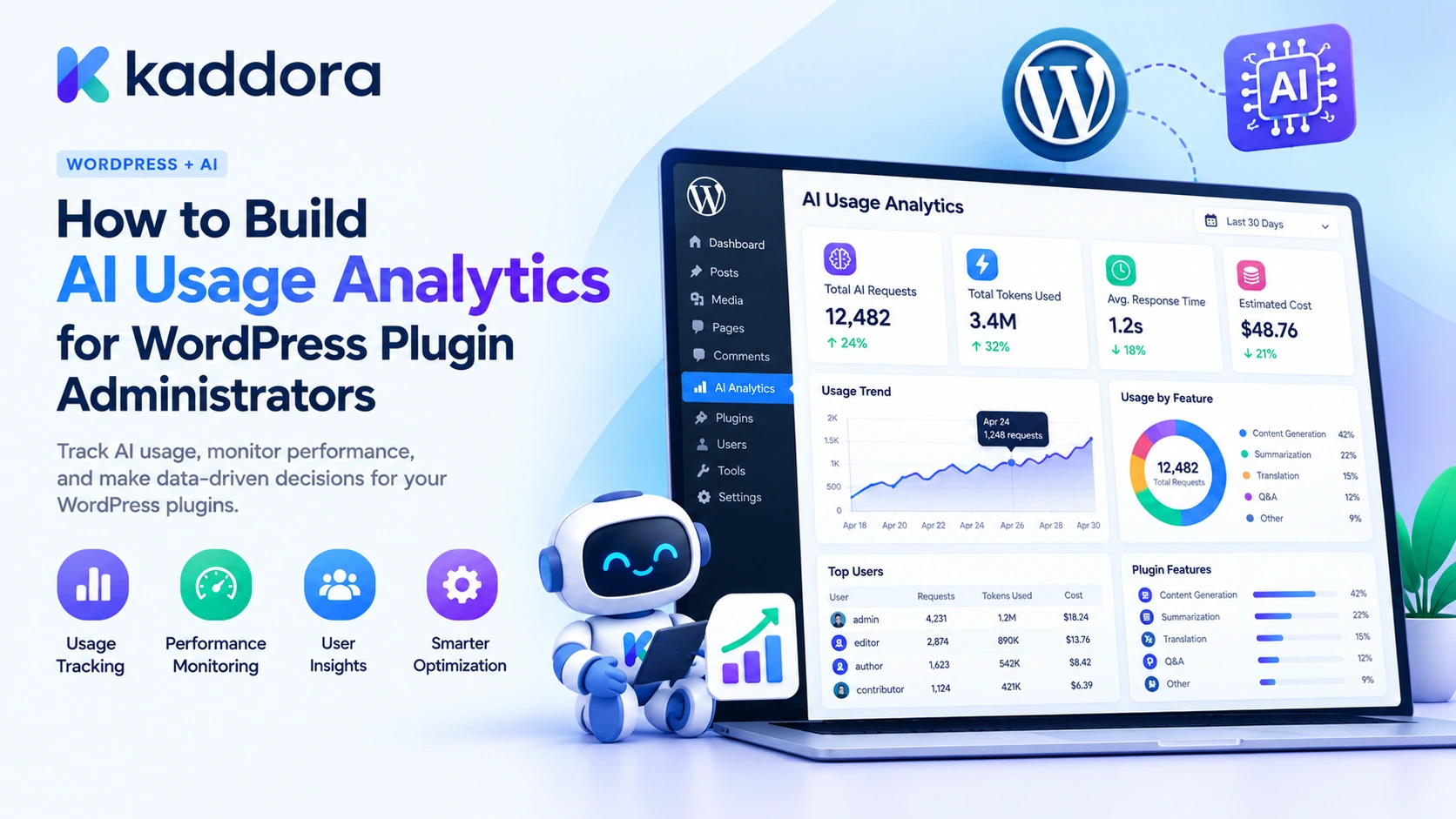
Total AI requests.
Successful and failed requests.
Input and output token consumption.
Cached token usage where supported.
Estimated API processing costs.
Usage by plugin feature.
Usage by AI provider and model.
Average request duration.
Daily, weekly, and monthly activity.
Usage by WordPress user or website, where appropriate.
For example, a plugin administrator might discover that its AI chatbot generates 5,000 requests per month, while its article generator creates only 200 requests but consumes significantly more tokens per operation.
Both features need monitoring, but their usage patterns are different.
Usage analytics versus basic request logging
Basic request logging
AI usage analytics
Records individual events
Aggregates and analyzes events
Primarily helps investigate errors
Helps monitor operational performance
May store raw technical information
Focuses on structured usage metrics
Usually provides limited reporting
Supports filters, comparisons, and trends
Often requires manual inspection
Provides administrator-friendly dashboards
Usage analytics should use structured information rather than storing complete prompts and conversations. The purpose is to understand how the plugin operates without unnecessarily collecting private content.
Why WordPress Plugin Administrators Need AI Usage Analytics
As AI features grow, administrators need visibility beyond whether an API connection is active.
Feature monitoring: Identify which plugin features receive the most requests.
Cost management: Understand how individual features contribute to estimated AI processing expenses.
Performance analysis: Monitor response times and identify slow operations.
Failure investigation: Detect provider errors, invalid responses, and recurring request failures.
Capacity planning: Understand usage growth and prepare for increased AI activity.
Product decisions: Determine which features need optimization, different usage limits, or improved workflows.
User management: Review usage patterns by user or site when this is necessary and appropriate.
For plugin developers distributing products through different marketplaces, these analytics can also help improve product reliability and make resource usage easier to manage.
1. Identify the Metrics Your Analytics System Should Track
Before building the dashboard, decide which metrics are useful for administrators.
Avoid collecting every possible value. Start with information that helps answer practical operational questions.
Metric
What it measures
Total requests
Number of AI operations initiated
Successful requests
Operations that completed successfully
Failed requests
Operations that returned errors
Input tokens
Tokens sent to AI models
Output tokens
Tokens returned by AI models
Estimated cost
Calculated AI processing expense
Average latency
Average processing time
Feature usage
Activity across individual plugin features
Model usage
Requests and consumption by model
Daily activity
Changes in usage over time
You can also calculate derived metrics.
Success rate:
[
\text{Success Rate} =
\frac{\text{Successful Requests}}
{\text{Total Requests}} \times 100
]
Average cost per successful request:
[
\text{Average Cost} =
\frac{\text{Estimated Cost}}
{\text{Successful Requests}}
]
Average token usage:
[
\text{Average Tokens} =
\frac{\text{Total Input and Output Tokens}}
{\text{Total Requests}}
]
These calculations should be interpreted carefully. A failed request can still consume provider resources, and some provider responses may not include complete usage information.
Also distinguish a missing usage measurement from zero token consumption.
2. Identify AI Features and Assign Stable Tracking IDs
Every AI operation should have an identifiable feature name.
For example:
AI feature
Tracking identifier
Blog Generator
blog_generator
AI Chatbot
ai_chatbot
SEO Assistant
seo_assistant
Product Recommendations
product_recommendations
Content Summarizer
content_summarizer
Email Generator
email_generator
Image Generator
image_generator
Use stable machine-readable identifiers instead of dashboard labels.
A feature's display name might change during a plugin redesign, but its tracking identifier should remain consistent so that historical reports continue to work.
You can also record individual operations within a feature.
For example, an AI chatbot might perform:
answer_generation
conversation_summary
document_retrieval
This creates more detailed analytics without mixing different operations into one broad category.
3. Create a Dedicated AI Usage Database Table
For a plugin with multiple AI features, a dedicated database table provides a practical foundation for usage reporting.
The table can store one record for each completed or failed AI request.
The following example uses WordPress's dbDelta() function.
<?php /** * Create the AI usage analytics database table. */ function kaddora_ai_create_analytics_table() { global $wpdb; $kaddora_ai_table = $wpdb->prefix . 'kaddora_ai_analytics'; $kaddora_ai_charset = $wpdb->get_charset_collate(); $kaddora_ai_sql = "CREATE TABLE $kaddora_ai_table ( id bigint(20) unsigned NOT NULL AUTO_INCREMENT, event_id char(36) NOT NULL, provider_request_id varchar(191) NOT NULL DEFAULT '', feature varchar(80) NOT NULL, operation varchar(80) NOT NULL DEFAULT '', provider varchar(80) NOT NULL, model varchar(120) NOT NULL, status varchar(20) NOT NULL, input_tokens bigint(20) unsigned NOT NULL DEFAULT 0, output_tokens bigint(20) unsigned NOT NULL DEFAULT 0, estimated_cost decimal(18,8) NOT NULL DEFAULT 0, currency char(3) NOT NULL DEFAULT 'USD', usage_known tinyint(1) NOT NULL DEFAULT 0, duration_ms bigint(20) unsigned NOT NULL DEFAULT 0, user_id bigint(20) unsigned NOT NULL DEFAULT 0, created_at datetime NOT NULL, PRIMARY KEY (id), UNIQUE KEY event_id (event_id), KEY feature (feature), KEY provider (provider), KEY model (model), KEY status (status), KEY created_at (created_at), KEY feature_date (feature,created_at) ) $kaddora_ai_charset;"; require_once ABSPATH . 'wp-admin/includes/upgrade.php'; dbDelta( $kaddora_ai_sql ); }
Register the table creation function in the main plugin file:
register_activation_hook( __FILE__, 'kaddora_ai_create_analytics_table' );
For existing installations, use a database version check and upgrade routine instead of relying only on the activation hook.
Understanding the table structure
Field
Purpose
event_id
Unique identifier for the local analytics event
provider_request_id
Connects the event to the provider request
feature
Identifies the AI-powered feature
operation
Identifies the specific operation
provider
Records the AI service
model
Records the model identifier
status
Records whether the request succeeded or failed
input_tokens
Stores reported input usage
output_tokens
Stores reported output usage
estimated_cost
Stores calculated processing cost
currency
Identifies the cost currency
usage_known
Distinguishes reported usage from unknown usage
duration_ms
Records request processing duration
user_id
Optionally identifies the associated WordPress user
created_at
Stores the event timestamp
This schema is a starting point. A larger implementation may also require cached token usage, pricing versions, tenant identifiers, allocation records, and more detailed provider-specific usage information.
4. Build a Reusable Usage-Recording Function
Every AI feature should use the same usage-recording function.
This prevents the chatbot, blog generator, SEO assistant, and other features from developing separate analytics implementations.
The following function records one normalized event.
<?php /** * Record an AI usage event. * * Call internally after processing the provider response. * * @param array $kaddora_ai_usage Usage details. * @return bool|WP_Error */ function kaddora_ai_record_analytics( $kaddora_ai_usage ) { global $wpdb; if ( ! is_array( $kaddora_ai_usage ) ) { return new WP_Error( 'kaddora_ai_invalid_usage', 'The AI usage information is invalid.' ); } $kaddora_ai_feature = isset( $kaddora_ai_usage['feature'] ) ? sanitize_key( $kaddora_ai_usage['feature'] ) : ''; $kaddora_ai_provider = isset( $kaddora_ai_usage['provider'] ) ? sanitize_key( $kaddora_ai_usage['provider'] ) : ''; $kaddora_ai_model = isset( $kaddora_ai_usage['model'] ) ? sanitize_text_field( $kaddora_ai_usage['model'] ) : ''; $kaddora_ai_status = isset( $kaddora_ai_usage['status'] ) ? sanitize_key( $kaddora_ai_usage['status'] ) : ''; if ( '' === $kaddora_ai_feature || '' === $kaddora_ai_provider || '' === $kaddora_ai_model || ! in_array( $kaddora_ai_status, array( 'completed', 'failed' ), true ) ) { return new WP_Error( 'kaddora_ai_missing_analytics_fields', 'Required usage fields are missing.' ); } $kaddora_ai_cost = isset( $kaddora_ai_usage['estimated_cost'] ) ? (float) $kaddora_ai_usage['estimated_cost'] : 0; if ( ! is_finite( $kaddora_ai_cost ) || $kaddora_ai_cost < 0 ) { return new WP_Error( 'kaddora_ai_invalid_cost', 'The estimated cost is invalid.' ); } $kaddora_ai_currency = isset( $kaddora_ai_usage['currency'] ) ? strtoupper( sanitize_text_field( $kaddora_ai_usage['currency'] ) ) : 'USD'; if ( ! preg_match( '/^[A-Z]{3}$/', $kaddora_ai_currency ) ) { return new WP_Error( 'kaddora_ai_invalid_currency', 'The currency code is invalid.' ); } $kaddora_ai_table = $wpdb->prefix . 'kaddora_ai_analytics'; $kaddora_ai_event_id = wp_generate_uuid4(); $kaddora_ai_record = $wpdb->insert( $kaddora_ai_table, array( 'event_id' => $kaddora_ai_event_id, 'provider_request_id' => sanitize_text_field( $kaddora_ai_usage['provider_request_id'] ?? '' ), 'feature' => $kaddora_ai_feature, 'operation' => sanitize_key( $kaddora_ai_usage['operation'] ?? '' ), 'provider' => $kaddora_ai_provider, 'model' => $kaddora_ai_model, 'status' => $kaddora_ai_status, 'input_tokens' => absint( $kaddora_ai_usage['input_tokens'] ?? 0 ), 'output_tokens' => absint( $kaddora_ai_usage['output_tokens'] ?? 0 ), 'estimated_cost' => number_format( $kaddora_ai_cost, 8, '.', '' ), 'currency' => $kaddora_ai_currency, 'usage_known' => ! empty( $kaddora_ai_usage['usage_known'] ) ? 1 : 0, 'duration_ms' => absint( $kaddora_ai_usage['duration_ms'] ?? 0 ), 'user_id' => absint( $kaddora_ai_usage['user_id'] ?? 0 ), 'created_at' => current_time( 'mysql', true ), ), array( '%s', '%s', '%s', '%s', '%s', '%s', '%s', '%d', '%d', '%s', '%s', '%d', '%d', '%d', '%s', ) ); if ( false === $kaddora_ai_record ) { return new WP_Error( 'kaddora_ai_analytics_save_failed', 'The analytics record could not be saved.' ); } return true; }
The function expects normalized values from an internal provider adapter. Do not accept arbitrary frontend-submitted token counts or estimated costs as authoritative usage information.
The usage_known field helps distinguish between an actual zero-usage record and a request for which the provider did not return usage information.
5. Capture AI Usage From Provider Responses
Different providers may return different token-usage formats.
One might use fields such as prompt_tokens and completion_tokens, while another may use input_tokens and output_tokens.
Your plugin should normalize these provider-specific fields before sending them to the analytics recorder.
For example:
$kaddora_ai_normalized_usage = array( 'feature' => 'blog_generator', 'operation' => 'article_generation', 'provider' => 'example-provider', 'model' => 'example-model', 'status' => 'completed', 'input_tokens' => 6500, 'output_tokens' => 1800, 'estimated_cost' => 0.025, 'currency' => 'USD', 'usage_known' => true, 'duration_ms' => 4200, 'user_id' => get_current_user_id(), );
These are illustrative values.
A provider adapter should map the actual response fields into the normalized structure and preserve any additional billing categories the provider reports.
Track usage even when a request fails
An unsuccessful operation may still consume resources.
For example, the AI provider might process the prompt but return an error during a later stage. A timeout might also occur after the provider has started processing the request.
Therefore:
Record the failed request status.
Save reported usage when available.
Use zero token values only when appropriate.
Set usage_known to false when actual usage is unavailable.
Reconcile uncertain requests when reliable provider usage information becomes available.
This prevents the analytics dashboard from incorrectly reporting that every failed operation had zero cost.
6. Calculate AI Costs for Administrator Reports
Token counts provide useful usage information, but administrators may also need estimated financial costs.
A cost calculator should use the applicable provider and model pricing configuration.
For a simple token-based model:
[
\text{Estimated Cost} =
\frac{
(\text{Input Tokens}\times R_i)
+
(\text{Output Tokens}\times R_o)
}{
1,000,000
}
]
Where:
(R_i) is the input price per million tokens.
(R_o) is the output price per million tokens.
For example, assume an illustrative model has an input rate of $1 per million tokens and an output rate of $5 per million tokens.
A request using 10,000 input tokens and 2,000 output tokens would have:
[
\frac{(10,000\times1)+(2,000\times5)}
{1,000,000}
= $0.02
]
This is an example calculation, not a current provider price.
Actual pricing may include different rates for cached input, output categories, image processing, audio processing, or other provider-specific usage. Make the calculator reflect the model's billing structure.
Preserve historical pricing information
Do not calculate all historical costs using the latest pricing rate.
Store the rate or pricing-version identifier used when the request was recorded. This makes older reports more consistent when provider prices change.
Also distinguish estimated API processing costs from actual provider invoices, which may include credits, billing adjustments, negotiated rates, and other charges.
7. Build an Admin Report for Usage by Feature
Once individual request records are stored, administrators can view aggregated usage by feature.
For example, the dashboard might display:
Feature
Requests
Successful
Failed
Input Tokens
Output Tokens
Blog Generator
120
115
5
650,000
180,000
AI Chatbot
2,400
2,350
50
520,000
290,000
SEO Assistant
350
340
10
760,000
115,000
Product Recommendations
800
790
10
210,000
75,000
These figures are illustrative.
A useful report should allow filtering by feature, provider, model, status, and date range.
Retrieve feature-level summaries using SQL
The following example aggregates usage over a specified date range.
<?php /** * Retrieve AI usage grouped by feature and currency. * * @param string $kaddora_ai_start Start datetime in UTC. * @param string $kaddora_ai_end End datetime in UTC. * @return array */ function kaddora_ai_get_feature_usage_report( $kaddora_ai_start, $kaddora_ai_end ) { global $wpdb; $kaddora_ai_table = $wpdb->prefix . 'kaddora_ai_analytics'; $kaddora_ai_query = " SELECT feature, currency, COUNT(*) AS total_requests, SUM( CASE WHEN status = 'completed' THEN 1 ELSE 0 END ) AS successful_requests, SUM( CASE WHEN status = 'failed' THEN 1 ELSE 0 END ) AS failed_requests, SUM(input_tokens) AS total_input_tokens, SUM(output_tokens) AS total_output_tokens, SUM(estimated_cost) AS total_estimated_cost, AVG(duration_ms) AS average_duration FROM {$kaddora_ai_table} WHERE created_at >= %s AND created_at < %s GROUP BY feature, currency ORDER BY total_estimated_cost DESC "; return $wpdb->get_results( $wpdb->prepare( $kaddora_ai_query, $kaddora_ai_start, $kaddora_ai_end ), ARRAY_A ); }
The date inputs should be validated as proper UTC datetimes before calling this function.
Grouping by currency is important. Do not add USD and INR amounts together as though they were the same unit.
The database query calculates request totals, success and failure counts, token usage, estimated cost, and average duration.
For larger installations, indexes and query performance should be reviewed using real usage patterns. Date-range reports can become expensive when the analytics table grows significantly.
8. Add Time-Based Analytics and Usage Trends
Feature-level totals explain where AI activity occurs, but time-based reports reveal how it changes.
Useful time-based views include:
Requests per day.
Daily token consumption.
Daily estimated cost.
Weekly success rates.
Monthly usage by model.
Feature growth over time.
Error frequency by date.
For example, a chatbot may experience a sudden increase in requests after a website campaign. An administrator can compare the activity trend with the corresponding token consumption and cost.
A daily analytics report can group records by date:
SELECT DATE(created_at) AS usage_date, feature, currency, COUNT(*) AS total_requests, SUM(input_tokens) AS input_tokens, SUM(output_tokens) AS output_tokens, SUM(estimated_cost) AS estimated_cost FROM wp_kaddora_ai_analytics WHERE created_at >= '2026-10-01 00:00:00' AND created_at < '2026-11-01 00:00:00' GROUP BY DATE(created_at), feature, currency ORDER BY usage_date ASC;
The table prefix and dates are examples. In a plugin, build the table name from $wpdb->prefix and use $wpdb->prepare() for dynamic date values rather than hardcoding query parameters.
Daily trends can be displayed in a line chart, while feature comparisons may be better represented with bar charts.
Choose visualizations that help administrators identify useful patterns rather than filling the dashboard with unnecessary graphs.
9. Monitor Success Rates, Errors, and Request Performance
AI usage analytics should not focus only on spending.
A feature that costs very little but frequently fails may create a poor user experience. A feature that generates expensive requests may still be valuable if it consistently delivers an important result.
Track performance metrics alongside financial information.
Success rate
Calculate how many requests completed successfully compared with the total requests.
A rising failure rate may indicate a provider outage, authentication problem, incorrect prompt structure, rate limit, or application error.
Average response duration
Measure request duration using a monotonic timer such as PHP's hrtime() where available.
$kaddora_ai_started_at = hrtime( true ); // Execute the AI provider request here. $kaddora_ai_duration_ms = (int) round( ( hrtime( true ) - $kaddora_ai_started_at ) / 1000000 );
The example measures elapsed execution time in milliseconds. Use a suitable fallback when the target PHP environment does not support hrtime().
Average cost per successful request
This metric helps compare features with different request volumes.
Failure categories
Where useful, record normalized error categories such as:
Authentication failure.
Provider timeout.
Rate limit.
Invalid response.
Output validation failure.
Network error.
Avoid storing sensitive provider payloads or complete customer prompts in the error records.
These metrics help administrators understand not only how much AI is being used but also how effectively the plugin uses those resources.
10. Build an AI Usage Analytics Dashboard
A well-organized administrator dashboard can make usage information easier to understand.
Start with a small group of summary cards:
<text>For example, the dashboard can show the following indicators:</text>
Total AI requests during the selected period.
Successful requests and failure rate.
Combined input and output token usage.
Estimated cost by currency.
Average processing duration.
Below the summary, add feature-level reports and usage trends.
A practical dashboard layout might look like this:
AI USAGE ANALYTICS ------------------------------------------------ Date Range: Last 30 Days [Total Requests] [Success Rate] [Token Usage] [Estimated Cost] [Average Duration] ------------------------------------------------ FEATURE USAGE Blog Generator 120 Requests AI Chatbot 2,400 Requests SEO Assistant 350 Requests Product Suggestions 800 Requests ------------------------------------------------ USAGE TREND Daily Requests and Estimated Cost ------------------------------------------------ PROVIDER PERFORMANCE Provider | Model | Requests | Failures | Cost ------------------------------------------------ RECENT ACTIVITY Feature | Status | Usage | Duration | Date
Important dashboard controls
Administrators should be able to:
Select a date range.
Filter by feature.
Filter by provider or model.
Compare successful and failed requests.
View token usage and estimated costs.
Inspect recent operational events.
Export appropriate reports.
Use server-side aggregation for summary cards instead of retrieving every event and calculating totals in JavaScript.
Restrict the dashboard using appropriate capabilities, typically an administrator-only capability such as manage_options when the data is intended only for site administrators.
Escape displayed values and protect any administrative actions with nonces and capability checks.
11. Protect Usage Analytics Data
Usage records can reveal operational information, customer activity patterns, and details about the plugin's AI architecture.
A responsible analytics implementation should minimize the data it stores.
Consider these safeguards:
Avoid storing complete prompts: Token counts and request metadata are usually enough for usage reporting.
Limit user identifiers: Store a WordPress user ID only when user-level reporting is genuinely needed.
Restrict access: Ensure that only authorized administrators can access sensitive analytics.
Use prepared SQL: Use $wpdb->prepare() for dynamic query values.
Escape dashboard output: Never assume stored database values are safe for HTML output.
Prevent duplicate records: Use unique event identifiers and appropriate idempotency handling.
Define retention periods: Decide how long individual usage events remain available.
Protect exports: Ensure downloadable reports do not accidentally contain private prompts, customer messages, or API credentials.
Include backups: Account for custom analytics tables in backup and restoration procedures.
Usage analytics should measure operations, not become an unnecessary archive of private AI conversations.
12. Use Analytics to Improve AI Resource Management
Once administrators understand usage patterns, they can use the information to improve the plugin.
For example:
Route simple operations to less expensive models when quality testing supports the change.
Reduce repeated instructions in prompts.
Remove unnecessary source material from large context windows.
Cache appropriate reusable results.
Limit repeated generation attempts.
Apply feature-specific usage quotas.
Investigate unusually high token consumption.
Schedule resource-intensive jobs appropriately.
A cost dashboard can also support pricing decisions by showing the average estimated processing cost for each feature.
However, optimization should balance cost, quality, latency, and privacy. The lowest-cost model is not always suitable for every task.
Test changes against representative examples before applying them across the plugin.
Common Mistakes to Avoid
Tracking AI requests in separate systems for each feature.
Collecting full prompts when usage metrics are sufficient.
Treating unknown token usage as zero usage.
Combining costs from different currencies.
Using current model prices to silently recalculate historical costs.
Ignoring provider failures and request duration.
Counting duplicated usage events more than once.
Displaying raw analytics records without aggregation.
Giving regular users access to administrator-level reports.
Forgetting to include custom tables in backups.
Treating estimated API costs as exact provider invoices.
Building charts without defining the metrics they represent.
Best Practices Checklist
Identify every AI-powered feature and operation.
Use stable feature and provider identifiers.
Centralize usage recording in a shared service.
Normalize provider-specific token usage.
Record successful and failed requests.
Distinguish unknown usage from zero usage.
Calculate costs with versioned pricing configurations.
Store one unique record per usage event.
Track request duration and failure categories.
Build feature-level and time-based aggregation reports.
Separate financial reporting by currency.
Restrict dashboard access with WordPress capabilities.
Minimize sensitive information in analytics records.
Define data retention and backup procedures.
Use analytics to guide tested resource optimizations.
Why Choose Kaddora?
Kaddora focuses on WordPress-oriented digital products and development solutions for website functionality, AI integration, and business automation.
As WordPress plugins become more AI-powered, developers need practical tools to monitor usage, understand operational performance, and manage processing expenses across individual features.
Kaddora's WordPress development focus aligns with building maintainable solutions that combine automation, structured data management, and meaningful reporting.
Whether you are developing an AI chatbot, content generator, SEO assistant, or WooCommerce automation plugin, usage analytics can help administrators understand how features perform and where resources are being consumed.
Conclusion
AI usage analytics helps WordPress plugin administrators understand how AI-powered features are being used and how effectively they consume resources.
A practical implementation combines structured usage records, provider-specific token normalization, cost calculations, performance measurements, feature-level reporting, and secure administrative dashboards.
The most important architectural decision is to centralize usage tracking. Every AI feature should report through the same analytics layer so that requests, tokens, processing costs, and failures are measured consistently.
Start with a dedicated database table and a reusable usage-recording function. Add feature reports, time-based trends, performance indicators, and budget monitoring as the plugin grows.
With a well-designed analytics system, WordPress developers can make better operational decisions, identify expensive workflows, improve AI feature reliability, and build more sustainable AI-powered plugins.
Frequently Asked Questions
What is AI usage analytics in WordPress plugins?
AI usage analytics is the process of collecting and analyzing information about AI requests, token consumption, estimated costs, processing duration, and feature activity inside a WordPress plugin.
Which metrics should a WordPress AI analytics dashboard track?
Useful metrics include total requests, successful and failed operations, input and output tokens, estimated costs, feature-level activity, model usage, and average request duration.
Why should AI usage be tracked by plugin feature?
Different features have different request volumes and processing requirements. Feature-level analytics helps administrators identify resource-intensive functionality and make better optimization and pricing decisions.
How can I store AI usage information in WordPress?
For a growing plugin, a dedicated custom database table is useful for storing individual usage events. It allows administrators to aggregate records and generate reports by feature, provider, model, and date.
Should AI usage analytics store complete prompts and responses?
Not normally. Usage analytics can usually operate with token counts, request identifiers, feature names, model information, estimated costs, and processing metadata. Avoid storing private prompts and responses unless a specific feature requires them.
How can WordPress plugin administrators monitor AI costs?
They can calculate estimated costs from provider-reported token usage and the applicable pricing rates, then aggregate the results by feature, provider, model, and reporting period. Actual provider invoices should be reviewed separately.
How can AI usage analytics improve WordPress plugin performance?
Analytics can reveal expensive requests, high failure rates, slow operations, unnecessary token consumption, and frequently repeated tasks. Developers can use those findings to improve prompts, retrieval, model selection, caching, and request handling.
Why choose ThemeKaddora?
ThemeKaddora brings together WordPress plugins, themes, and templates for developers, agencies, and website owners who want practical digital resources for building and improving their online projects.
Comments (0)