
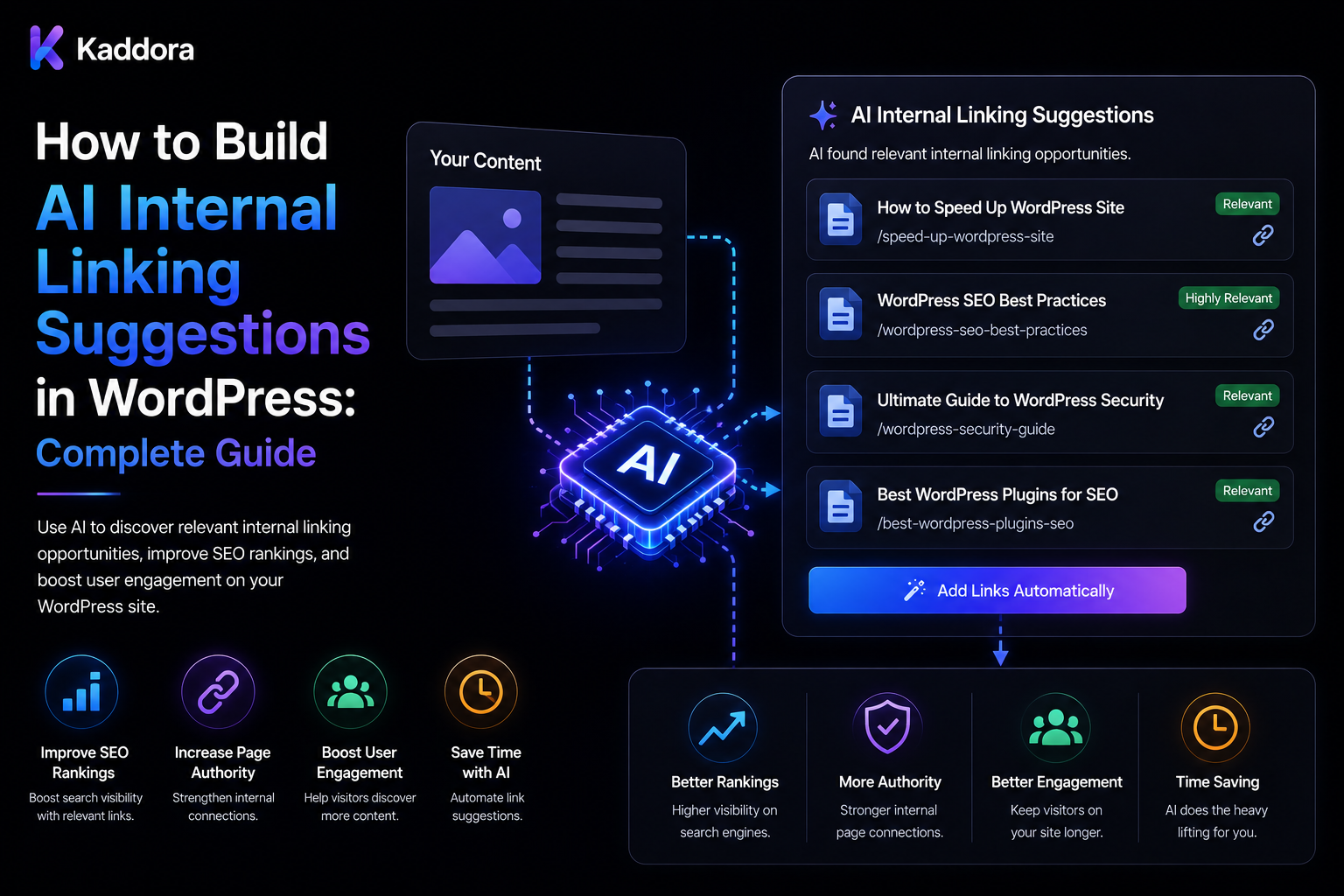
How to Build AI Internal Linking Suggestions in WordPress: Complete Guide
Introduction
Internal linking is one of the most useful ways to connect related content across a WordPress website.
A well-planned internal linking structure can help users discover relevant pages while making the relationships between content easier for search systems to understand.
But maintaining internal links becomes difficult as a website grows.
Imagine a website with:
100 Posts 1,000 Posts 10,000 Posts 50,000 Products
Manually reviewing every article to identify:
Which page should link to which? Which anchor text is relevant? Which pages are important? Which links are outdated? Which pages have too few internal links?
can become a major editorial task.
AI can assist by analyzing content and suggesting relevant internal links:
WordPress Content ↓ Content Analysis ↓ Related Content Discovery ↓ AI Relevance Evaluation ↓ Anchor Text Suggestion ↓ Validation ↓ Editor Review ↓ Apply Link
A mature AI internal-linking system can additionally support:
Semantic Similarity Topic Clusters Search Intent Pillar Pages Content Relationships Orphan Detection Anchor Suggestions Broken Link Detection Link Limits Queues Caching Versioning Quotas Credits Audit Logs
The key principle is:
Use AI to recommend meaningful relationships between existing pieces of content, but validate targets, permissions, URLs, anchor text, and source versions before applying any internal link automatically.
What Is AI Internal Linking?
AI internal linking uses Artificial Intelligence to identify relevant relationships between pages and suggest where internal links can be added.
For example:
Article A: "WordPress Performance Optimization" Related Page: "WordPress Database Optimization"
The system may recommend:
Anchor: database optimization Target: /wordpress-database-optimization/
The editor can then:
Accept Edit Anchor Change Target Reject
Why Internal Linking Matters
Internal links can help:
Connect related content
Improve site navigation
Help users discover supporting information
Reinforce topic relationships
Distribute internal link equity
Surface important pages
Reduce orphaned content
Internal linking should support users first rather than becoming a mechanical SEO exercise.
Why Use AI for Internal Linking?
AI can help analyze:
Topic Similarity Context Search Intent Content Relationships Anchor Relevance Topic Coverage
This can be particularly useful for large content libraries.
AI Suggestions vs Automatic Linking
There are two main approaches.
Suggestion Mode
AI ↓ Link Suggestion ↓ Human Review ↓ Apply
Automatic Mode
AI ↓ Validation ↓ Strict Rules ↓ Automatic Link
Suggestion mode is easier to control and generally safer for important editorial workflows.
Define the Linking Policy
Before implementation, decide:
Which Content Types? Which Links? How Many Per Page? Which Pages Can Be Targets? Which Anchors Are Allowed? Should Existing Links Be Preserved? Who Approves Changes?
Content Types
A WordPress linking system can support:
Posts Pages Products Custom Post Types Taxonomy Pages Documentation Case Studies
Source Content vs Target Content
Every suggestion has two sides:
Source ↓ Target
For example:
Source: AI SEO Guide Target: AI Content Review
Candidate Discovery
Do not ask AI to compare every page against every other page.
For:
10,000 Pages
a naive pairwise system creates an enormous number of comparisons.
Instead:
Source ↓ Candidate Retrieval ↓ Top Relevant Pages ↓ AI Ranking
Candidate Retrieval
Candidates can be retrieved using:
Categories Tags Taxonomies Keywords Embeddings Search Topic Clusters Content Types
The exact combination depends on the site.
Semantic Similarity
Embeddings can help identify content with related meaning.
Conceptually:
Source Vector vs Target Vector
then rank candidate targets by similarity.
Embeddings Are Not Enough
Two pages can be semantically similar but still be poor internal-link targets.
For example:
Page A: What Is WordPress? Page B: What Is WordPress?
may be highly similar but offer little value as a link relationship.
Use:
Similarity + Intent + Context + Editorial Rules
Search Intent Matching
A useful suggestion can match intent.
For example:
Informational Page → Detailed Guide
can be a useful relationship.
Topic Clusters
Internal links can reinforce content clusters:
AI ├── AI SEO ├── AI Content Review ├── AI Metadata ├── AI Summaries └── AI Internal Linking
A linking engine can use the topic hierarchy to suggest supporting connections.
Pillar Pages
A pillar page can receive links from related supporting content.
For example:
Pillar: WordPress AI Supporting: AI SEO AI Metadata AI Drafts AI Summaries
Supporting Pages
Supporting pages can link back to:
Pillar Page
where that relationship is useful.
Orphan Content
An orphan page has few or no meaningful internal links from other relevant pages.
An AI linking system can help identify:
Potential Orphan ↓ Find Related Sources ↓ Suggest Links
Internal Link Opportunity Detection
A source page may contain a phrase that relates strongly to another page.
For example:
Source: "Learn more about WordPress caching."
Possible target:
WordPress Database Optimization
The system should judge relevance rather than link every keyword occurrence.
Anchor Text Suggestions
AI can suggest descriptive anchor text.
For example:
Target: WordPress Database Optimization Anchor: WordPress database optimization
Avoid Repetitive Anchors
If dozens of pages use exactly:
WordPress database optimization
the linking system may create monotonous anchor patterns.
Anchor choices should remain natural and contextually appropriate.
Exact Match vs Natural Anchor
Don't force exact-match keywords into every link.
Natural phrases can be better:
learn more about database performance
instead of always repeating:
WordPress database optimization
Anchor Validation
Check that the suggested anchor:
Exists in Source
when the workflow requires an existing phrase.
Alternatively, the system may suggest where new wording can be inserted.
Link Insertion Strategies
A plugin can:
Suggest Existing Sentence
Add link around existing text
Suggest New Sentence
Insert: "See our guide to WordPress database optimization."
Suggest Paragraph Location
Recommended insertion: Section 4
Human review can select the preferred approach.
Do Not Automatically Insert Links Everywhere
Too many internal links can make content harder to read.
Define:
Maximum Suggestions / Page
and:
Maximum New Links / Update
Existing Links
Before suggesting a link, check whether:
Source → Target
already exists.
If it does:
Don't Suggest Duplicate
unless there is a deliberate reason.
Duplicate Link Detection
A source page should not unnecessarily contain multiple links to the same target.
Define a policy such as:
One Strong Contextual Link
where appropriate.
Self-Link Prevention
Avoid:
Page A → Page A
unless the use case explicitly requires self-referencing links.
Link to Drafts?
Normally, target candidates should be published or otherwise intentionally accessible content.
Avoid creating public links to inaccessible drafts.
Link to Noindex Pages?
Whether noindex pages should receive internal links depends on the purpose of the page.
The linking engine should be aware of relevant indexing and content policies.
Redirect Target Detection
Before applying a target:
Check URL ↓ Redirect? ↓ Broken?
Prefer the canonical usable destination according to the site's policy.
Broken Link Detection
The system can flag:
404 Invalid URL Unavailable Target
but URL validation should use deterministic systems where possible.
Canonical Target Validation
If the target has a canonical URL different from its current URL, the linking system should account for that.
Target Status
A target candidate can be checked for:
Published Private Draft Trash Password Protected
according to the site's requirements.
Target Permissions
The suggestion engine must not reveal inaccessible target content to unauthorized users.
Tenant Isolation
For WordPress SaaS:
Tenant A Source → Tenant A Target
must remain within the permitted tenant scope unless cross-tenant content is explicitly supported.
Never Trust Client Tenant IDs
The backend should resolve the tenant from authenticated context rather than allowing:
tenant_id=other
to determine candidate content.
Source Versioning
Suppose:
Source Version: 10
was analyzed.
Then the content changes:
Source Version: 11
old link suggestions may become stale.
Stale Link Suggestions
Store:
Source Version Target Version Prompt Version Policy Version
where needed.
Revalidate Before Applying
Before writing a link:
Source Still Current? Target Still Valid? Suggestion Still Relevant? Reviewer Still Authorized?
Link Suggestion Record
A record may contain:
Suggestion ID Source ID Target ID Source Version Target Version Suggested Anchor Insertion Context Relevance Score Risk Status Model Created At
Suggestion Status
Use states such as:
suggested review_required approved applied rejected stale expired
Approval Workflow
A safe workflow is:
AI Suggestion ↓ Validation ↓ Human Review ↓ Approve ↓ Version Check ↓ Apply
Human Review
Reviewers can:
Accept Edit Anchor Change Target Reject
AI Relevance Score
AI can provide:
Relevance: 92
but the score should be treated as a recommendation signal.
Deterministic Link Rules
Application code can enforce:
No Self-Link No Duplicate Target No Draft Target No Broken URL Maximum Links
These rules do not need AI.
Combining AI and Rules
A strong architecture is:
Candidate Retrieval ↓ AI Relevance ↓ Deterministic Validation ↓ Human Review
Context-Aware Suggestions
The target must be relevant to the specific sentence or paragraph, not just the overall article.
For example:
Article: WordPress Performance Paragraph: Database queries affect performance.
Target:
WordPress Database Optimization
may be more useful than a generic WordPress page.
Paragraph-Level Analysis
Analyze:
Paragraph + Section + Target Summary
rather than only whole-document embeddings.
Section-Level Linking
A system can suggest:
Section: Database Performance Target: WordPress Database Optimization
This creates more precise editorial recommendations.
Internal Link Relevance
A relevance score can consider:
Topic Similarity Context Similarity Search Intent Authority Freshness Target Quality
Target Quality
Not every related page should automatically become a link target.
Consider:
Content Quality Completeness Status Freshness Importance
according to the site's own policies.
Important Pages
Administrators may mark:
Pillar Important Commercial Conversion
pages as high-priority targets.
Link Equity Planning
An advanced system can help identify pages that receive too few internal links.
For example:
Important Page: 5 Internal Links Related Pages: 50
This may indicate an opportunity.
Don't Optimize Only for Link Counts
More links do not automatically mean better internal linking.
Prioritize useful contextual relationships.
Link Distribution
Report:
Links In Links Out Unique Referrers Important Targets
Orphan Detection
Find pages with:
0 Meaningful Internal Inbound Links
Then suggest relevant sources.
Excessive Outbound Linking
Flag pages with unusually high internal-link counts for review.
Anchor Diversity
Analyze:
Anchor Distribution
to identify repetitive patterns.
Internal Link Graph
A site can be represented as:
Page A ├── Page B ├── Page C └── Page D
AI suggestions can improve graph connectivity.
Graph-Based Analysis
Combine:
Content Similarity + Link Graph
to identify missing relationships.
Topic Cluster Coverage
Find:
Cluster ↓ Missing Connections
and recommend contextual links.
Internal Search Data
Where available, search queries can provide additional context about what users are looking for.
This data should be used responsibly and according to the site's analytics/privacy policies.
Analytics-Informed Linking
Potentially useful signals include:
Popular Pages High-Value Pages High Exit Pages
The purpose is to make navigation more useful, not simply to manipulate metrics.
Link Suggestions for WooCommerce
Product pages can link to:
Related Products Buying Guides Category Pages How-To Articles Comparison Pages
Product-to-Content Links
For example:
Product: WordPress SEO Plugin Article: How to Improve WordPress SEO
Content-to-Product Links
Relevant editorial content can link to appropriate product pages where context genuinely supports it.
Avoid inserting promotional links into unrelated paragraphs.
Documentation Linking
Technical documentation can connect:
Overview ↓ Installation ↓ Configuration ↓ Troubleshooting
AI can identify missing navigation paths.
FAQ Linking
An FAQ answer can link to:
Detailed Guide
when additional context would help users.
Landing Page Linking
Supporting educational pages can link to:
Relevant Landing Page
where the relationship is useful and natural.
Internal Linking and SEO Metadata
Link suggestions can be combined with:
Content Clusters Metadata Topic Classification
for a broader SEO workflow.
AI Internal Linking and RAG
A retrieval system can provide:
Relevant Target Candidates
from a large content collection.
This avoids placing the entire website into the model context.
Embedding-Based Candidate Retrieval
A vector index can store:
Post ID Chunk Embedding Content Type Tenant Version
The system can retrieve the most relevant chunks.
Chunk-Level Embeddings
For internal linking, paragraph or section embeddings may provide better contextual candidates than one embedding for the entire article.
Embedding Versioning
Store:
Embedding Model Embedding Version Source Version
so candidates can be refreshed when the source changes.
Don't Re-Embed Unchanged Content
Use a content hash to identify whether reprocessing is necessary.
Linking Cache
Suggestions can be cached using:
Tenant Source Version Target Version Task Prompt Version Policy Version Model
Cache Invalidation
Invalidate when:
Source Changes Target Changes Prompt Changes Policy Changes Model Changes
Queue-Based Link Analysis
Large websites should process links asynchronously:
Content ↓ Link Analysis Job ↓ Queue ↓ Worker ↓ Suggestions
Batch Internal Linking
For:
10,000 Posts
use:
Batch ↓ Chunks ↓ Workers
Progressive Processing
Don't necessarily analyze the entire site in one request.
Process:
500 → 500 → 500
or another appropriate batch size.
Quotas
AI internal linking can consume significant resources.
Apply:
Monthly Quota User Quota Tenant Quota Feature Quota
where needed.
Credits
A product can define:
Single Page Analysis: 2 Credits Full Site Analysis: 100 Credits
The exact cost depends on workload and product economics.
Credit Reservation
For large jobs:
Estimate ↓ Reserve Credits ↓ Process ↓ Finalize
according to the application's accounting model.
Usage Tracking
Track:
User Tenant Feature Source Targets Model Provider Tokens Credits Cost
Cost Analysis
Measure:
Cost / Page Cost / Suggestion Cost / Accepted Link
Accepted-Link Cost
A useful metric is:
Total AI Cost ÷ Accepted Suggestions
This can help evaluate the value of the system.
Human Acceptance Rate
Measure:
Accepted Suggestions ÷ Reviewed Suggestions
according to a consistent definition.
Rejection Rate
A high rejection rate may indicate:
Poor Candidate Retrieval Weak Prompt Poor Target Quality
Edit Rate
Track how often reviewers modify:
Anchor Target Insertion Location
before accepting a suggestion.
Link Quality Dataset
Maintain examples of:
Good Links Bad Links Irrelevant Links Duplicate Links Misleading Anchors
for model and prompt testing.
Model Evaluation
Compare models using:
Relevance Acceptance Cost Latency Duplicate Rate
Prompt Evaluation
Compare prompt versions on the same representative content.
Internal Linking and Content Freshness
A target page may become outdated.
Include:
Freshness
where content freshness is a relevant editorial factor.
Remove or Reconsider Stale Targets
If a target is obsolete:
Flag Update Replace
rather than automatically linking to it.
Redirect-Aware Linking
If:
Old Target → 301 → New Target
the system can suggest the current destination.
Broken Internal Links
A deterministic crawler can detect:
404 500 Redirect Chains
and the AI layer can help suggest relevant replacements.
Broken Link Replacement
For example:
Broken Target ↓ Find Relevant Alternative ↓ AI Suggestion ↓ Human Review
Internal Linking and Accessibility
Link text should remain understandable in context.
Avoid:
Click here
when a more descriptive phrase is available.
Link Text Clarity
Use anchors that help users understand the destination.
Avoid Keyword Stuffing in Anchors
Internal linking should not turn every relevant phrase into an exact-match SEO anchor.
Don't Link Every Occurrence
If a keyword appears 20 times, that does not mean it needs 20 links.
Maximum Links per Page
Set configurable limits:
Suggestions: Maximum 10 Automatic Application: Maximum 5
The values should reflect the site's editorial strategy.
Automatic Link Placement Rules
If automatic linking is allowed, require:
High Relevance Valid Target No Duplicate No Self-Link Correct Version Within Limits
Auto-Link Approval Threshold
For example:
Relevance ≥ 95 + All Rules Pass
could qualify for automatic application.
This threshold should be validated against real-world review data.
Safer Suggestion Mode
For most content systems:
AI ↓ Suggestion ↓ Human
provides stronger control.
Link Suggestion UI
An editor can see:
Source: Current Paragraph Target: WordPress Database Optimization Anchor: database optimization Relevance: 94 Reason: Provides detailed information on database performance.
Why Explain Suggestions?
A short explanation helps the editor judge whether the link is genuinely useful.
AI Reason Fields
The AI can return:
why_this_target why_this_anchor
but these explanations are advisory.
Validate AI Reasoning
Do not assume the explanation itself proves relevance.
The editor can use it as supporting context.
Suggestion Review Actions
Allow:
Accept Edit Reject Ignore
Apply the Suggestion
After approval:
Validate ↓ Version Check ↓ Insert Link ↓ Save ↓ Audit
Safe Link Application
Before modifying content:
Check Source Permission Check Current Version Check Target Status Check Target URL Check Duplicate
Content Save Concurrency
Another editor may change the page between suggestion generation and approval.
Version checks help prevent stale updates.
Optimistic Concurrency
Store:
Source Version
and reject or rebase the suggestion if the source changed.
Link Application Failure
If saving the post fails:
Do not regenerate AI
Retry the safe application step where possible.
Audit Log
Record:
Suggestion ID Reviewer Source Target Anchor Source Version Decision Timestamp
Link History
Track:
Suggested Accepted Applied Removed
for important editorial workflows.
Link Removal
Editors may later remove an internal link.
A future analysis should not necessarily re-suggest the same link immediately without understanding why it was removed.
Rejected Suggestion Memory
Optionally store:
Rejected: Source Target Reason
to reduce repeated suggestions.
Avoid Repeated Bad Suggestions
A rejected target can be suppressed for:
Source + Target + Policy Version
for an appropriate period.
AI Internal Linking Dashboard
Show:
Suggestions Accepted Rejected Applied Stale Broken Orphan Pages
Link Opportunity Dashboard
Show:
Pages With Few Inbound Links Pages With Few Outbound Links High-Value Pages Unlinked Topic Clusters
Internal Link Graph Visualization
A graph can show:
Pillar ↓ Supporting Pages ↓ Related Pages
This helps identify disconnected content.
Don't Optimize Solely for Graph Density
A denser graph is not automatically better.
Useful semantic relationships matter more than link quantity.
SEO Outcome Measurement
Where analytics are available, monitor:
Organic Traffic Engagement Conversions Navigation
after meaningful linking changes.
Do not attribute all SEO changes to internal linking alone.
Click Tracking
Track clicks on newly added internal links where appropriate.
This can reveal whether recommendations are actually useful to visitors.
Link Click-Through Rate
A useful metric:
Internal Link Clicks ÷ Link Impressions
if the implementation can reliably measure both.
Common AI Internal Linking Mistakes
Linking Every Keyword
This creates unnatural content.
Using Only Semantic Similarity
Similar topics are not always useful link relationships.
Ignoring Search Intent
A highly similar page may serve a completely different purpose.
Suggesting Duplicate Links
Existing relationships should be detected first.
Allowing Self-Links
Usually avoid linking a page to itself.
Linking to Drafts
Private targets should not become public links.
Ignoring Redirects
Prefer valid current destinations.
Ignoring Broken Links
The target should be checked before applying.
No Versioning
Stale suggestions can modify changed content.
No Human Review
Important editorial changes may be applied incorrectly.
Trusting AI Scores
A high score does not guarantee a useful link.
No Anchor Diversity
Repeated anchors can make content unnatural.
Excessive Link Density
More links do not automatically improve a page.
No Tenant Isolation
SaaS systems can leak private content.
No Quotas
Large site analysis can create unexpected AI cost.
No Caching
Unchanged content is repeatedly analyzed.
No Deduplication
Identical analyses create unnecessary provider calls.
No Audit Logs
Editors cannot trace why links were added.
No Rejection Memory
The same poor suggestion may repeatedly return.
No Save Concurrency Control
An approved suggestion can overwrite another editor's changes.
AI Internal Linking Checklist
- [ ] Define content types - [ ] Define source rules - [ ] Define target rules - [ ] Define link limits - [ ] Define anchor rules - [ ] Define content ownership - [ ] Add candidate retrieval - [ ] Add semantic search - [ ] Add embeddings - [ ] Add topic clusters - [ ] Add search intent - [ ] Add pillar-page support - [ ] Add orphan detection - [ ] Add duplicate-link detection - [ ] Add self-link prevention - [ ] Add draft-target prevention - [ ] Add redirect detection - [ ] Add broken-link checks - [ ] Add canonical checks - [ ] Add target quality checks - [ ] Add structured AI output - [ ] Add relevance scoring - [ ] Add anchor suggestions - [ ] Add source versioning - [ ] Add target versioning - [ ] Add prompt versioning - [ ] Add policy versioning - [ ] Add suggestion states - [ ] Add human review - [ ] Add approval workflow - [ ] Add version revalidation - [ ] Add queue - [ ] Add workers - [ ] Add caching - [ ] Add cache invalidation - [ ] Add deduplication - [ ] Add quotas - [ ] Add credits - [ ] Add rate limits - [ ] Add concurrency controls - [ ] Add usage tracking - [ ] Add cost tracking - [ ] Add analytics - [ ] Add rejection memory - [ ] Add audit logs - [ ] Add link history - [ ] Add tenant isolation - [ ] Add permissions - [ ] Add export controls - [ ] Test stale suggestions - [ ] Test duplicate links - [ ] Test concurrent edits - [ ] Test cross-tenant access
Best Practices for Building AI Internal Linking Suggestions in WordPress
A professional AI internal-linking system should:
Treat AI-generated links as recommendations rather than automatically trusted SEO actions.
Define separate policies for posts, pages, products, documentation, taxonomies, and other content types.
Retrieve a limited set of candidate targets before asking AI to rank or explain them.
Combine semantic similarity with search intent, context, topic relationships, content quality, and editorial importance.
Use paragraph- or section-level context where it produces more accurate link recommendations.
Use embeddings for large content collections but do not treat semantic similarity alone as proof of a useful link.
Build support for topic clusters and pillar pages when those structures are part of the site's editorial strategy.
Detect orphaned pages and identify meaningful sources that can link to them.
Check whether a source-target relationship already exists before creating a new suggestion.
Prevent self-links unless explicitly required.
Avoid suggesting private, draft, trashed, or otherwise inaccessible target pages unless the workflow intentionally supports them.
Validate target status, URL, redirects, canonical destination, and availability before applying links.
Suggest anchor text that accurately describes the destination and fits naturally in the surrounding content.
Avoid forcing exact-match keywords or linking every keyword occurrence.
Apply configurable limits for suggestions and automatically inserted links.
Preserve existing links unless the user explicitly chooses to modify them.
Store source and target versions so stale suggestions can be detected.
Revalidate source version, target status, permissions, and link uniqueness immediately before application.
Use structured AI output for target IDs, anchor suggestions, relevance signals, and explanations.
Treat AI relevance scores and explanations as advisory rather than authoritative.
Use deterministic rules for self-links, duplicate targets, invalid URLs, maximum link counts, permissions, and content state.
Keep link suggestions separate from authoritative content until they are accepted.
Allow reviewers to edit anchors, change targets, reject suggestions, or apply individual recommendations.
Use atomic or version-checked updates to prevent approved suggestions from overwriting concurrent editor changes.
Preserve audit records showing source, target, anchor, reviewer, decision, versions, and timestamp.
Track rejected suggestions when useful to avoid repeatedly proposing the same poor relationship.
Use queues and background workers for site-wide and large-scale link analysis.
Chunk large site scans and use progressive enqueueing rather than loading or processing an entire site in one request.
Apply user, tenant, feature, batch, and plan quotas to control AI usage.
Reserve credits before expensive bulk link analysis when required by the accounting model.
Use caching for unchanged source/target combinations and invalidate suggestions when relevant content or policy changes.
Avoid cache stampedes through locks or request coalescing.
Deduplicate equivalent analysis jobs.
Track tokens, credits, cost, retries, provider, model, feature, source, and target usage.
Measure acceptance rate, rejection rate, edit rate, duplicate rate, orphan resolution, and accepted-link cost.
Build representative datasets containing useful, irrelevant, duplicate, misleading, and edge-case linking examples.
Evaluate model and prompt changes using relevance, acceptance, cost, latency, and false-positive rates.
Measure whether internal-link changes actually improve navigation or engagement rather than assuming more links produce better SEO.
Consider link click-through data where it can be measured reliably.
Maintain tenant isolation across sources, targets, embeddings, caches, jobs, suggestions, reports, and APIs.
Resolve tenant and object ownership server-side rather than trusting client-provided identifiers.
Minimize retention of private source content in AI logs and store only the information required for link analysis and auditing.
Integrate with existing SEO and content systems through clear ownership rules so multiple plugins do not overwrite one another unexpectedly.
Test stale content, concurrent edits, duplicate suggestions, broken targets, redirects, unauthorized access, quota races, cache invalidation, and cross-tenant isolation.
Why choose ThemeKaddora?
ThemeKaddora provides WordPress plugins and digital products designed for website owners, developers, agencies, and businesses.
Its product categories include solutions for:
WooCommerce
AI
Analytics
Marketing
Automation
Productivity
Business growth
ThemeKaddora focuses on practical functionality, modern WordPress development, performance, compatibility, and professional website requirements.
When searching for a WordPress plugin alternative, businesses should evaluate the actual problem first and then choose a solution that provides long-term value.
Conclusion
AI can make internal linking much easier for large WordPress websites, but the goal should not be:
Find Similar Keyword ↓ Insert Link
A stronger architecture is:
Source Content ↓ Candidate Retrieval ↓ Semantic / Context Analysis ↓ AI Relevance Ranking ↓ Deterministic Validation ↓ Suggestion ↓ Human Review ↓ Version Check ↓ Apply Link ↓ Audit
The first principle is recommend relevance, not keyword frequency.
A page should receive an internal link because it adds useful context for the reader.
The second principle is combine AI with retrieval and rules.
AI does not need to compare every page with every other page. Candidate retrieval can narrow the problem before AI ranking.
The third principle is use context, not only document similarity.
Paragraph-level and section-level relationships can produce better suggestions than whole-page similarity alone.
The fourth principle is make targets safe.
Validate target status, URLs, redirects, canonical destinations, permissions, and content quality before applying a link.
The fifth principle is protect editorial control.
AI should suggest the relationship; editors should be able to accept, modify, or reject it.
The sixth principle is make suggestions version-aware.
A recommendation generated against an older article version should not overwrite a newer version.
The seventh principle is control link density.
An effective internal-linking strategy is about meaningful relationships, not maximizing the number of links.
The eighth principle is support topic architecture.
Pillar pages, supporting pages, clusters, and orphan detection can make the system much more strategically useful.
The ninth principle is measure real outcomes.
Acceptance, editing, click behavior, orphan resolution, and navigation improvements provide better evidence than raw suggestion counts.
The tenth principle is design for scale.
Queues, embeddings, caching, deduplication, quotas, and tenant-aware processing allow large WordPress sites to analyze thousands of pages without turning internal linking into an uncontrolled AI workload.
For ThemeKaddora, a complete AI internal-linking platform can support:
Semantic Candidate Retrieval Topic Clusters Pillar Pages Orphan Detection Anchor Suggestions Internal Link Suggestions Broken Link Replacement Redirect Awareness WooCommerce Linking Documentation Linking SEO Content Linking Bulk Link Analysis Human Review AI Credits Quotas Queues Caching Usage Tracking Cost Reporting Link Graph Analytics Multi-Tenant Internal Linking
The most important principle is:
Use AI to identify meaningful internal-link opportunities between existing WordPress content, but keep target validation, permissions, version integrity, link limits, and final content changes under deterministic application controls and authorized editorial review.
A professional WordPress AI internal-linking system should be:
Context-Aware
→ Semantically Relevant
→ Retrieval-Assisted
→ Version-Aware
→ Rule-Validated
→ Human-Assisted
→ SEO-Aware
→ Quota-Controlled
→ Tenant-Safe
→ Auditable
When these principles are followed, AI can transform internal linking from a slow manual task into a scalable editorial workflow that helps users discover useful content, strengthens content relationships, identifies orphaned pages, and gives WordPress teams a practical way to manage large internal-link networks without sacrificing quality or control.
Frequently Asked Questions
What are AI internal linking suggestions?
They are AI-generated recommendations identifying relevant relationships between one WordPress page and another, including suggested target pages and contextual anchor text.
Why use AI for internal linking?
AI can analyze large content collections and identify semantic, topical, and contextual relationships that would be difficult to find manually at scale.
Does AI automatically add internal links?
It can, but suggestion mode with human review is generally easier to control and validate.
Should every keyword become an internal link?
No. Internal links should add meaningful context rather than simply target keyword occurrences.
What makes a good internal link?
A good internal link is relevant to the surrounding context and helps the user access useful supporting information.
Is semantic similarity enough to recommend a link?
No. Two pages can be semantically similar but still be poor link relationships. Consider context, intent, content quality, and editorial strategy.
What is candidate retrieval?
Candidate retrieval finds a limited set of potentially relevant target pages before AI performs deeper relevance evaluation.
Can embeddings help with internal linking?
Yes. Embeddings can help retrieve semantically related content from large WordPress collections.
Are embeddings alone sufficient?
No. Semantic similarity should be combined with context, intent, target quality, and deterministic rules.
Why choose Themekaddora?
Themekaddora provides lightweight, responsive, SEO-friendly WordPress themes with fast performance, WooCommerce compatibility, flexible customization, accessibility-conscious design, modern templates, regular updates, and professional support—providing a strong foundation for businesses building digital products and product-focused websites.
Comments (0)