
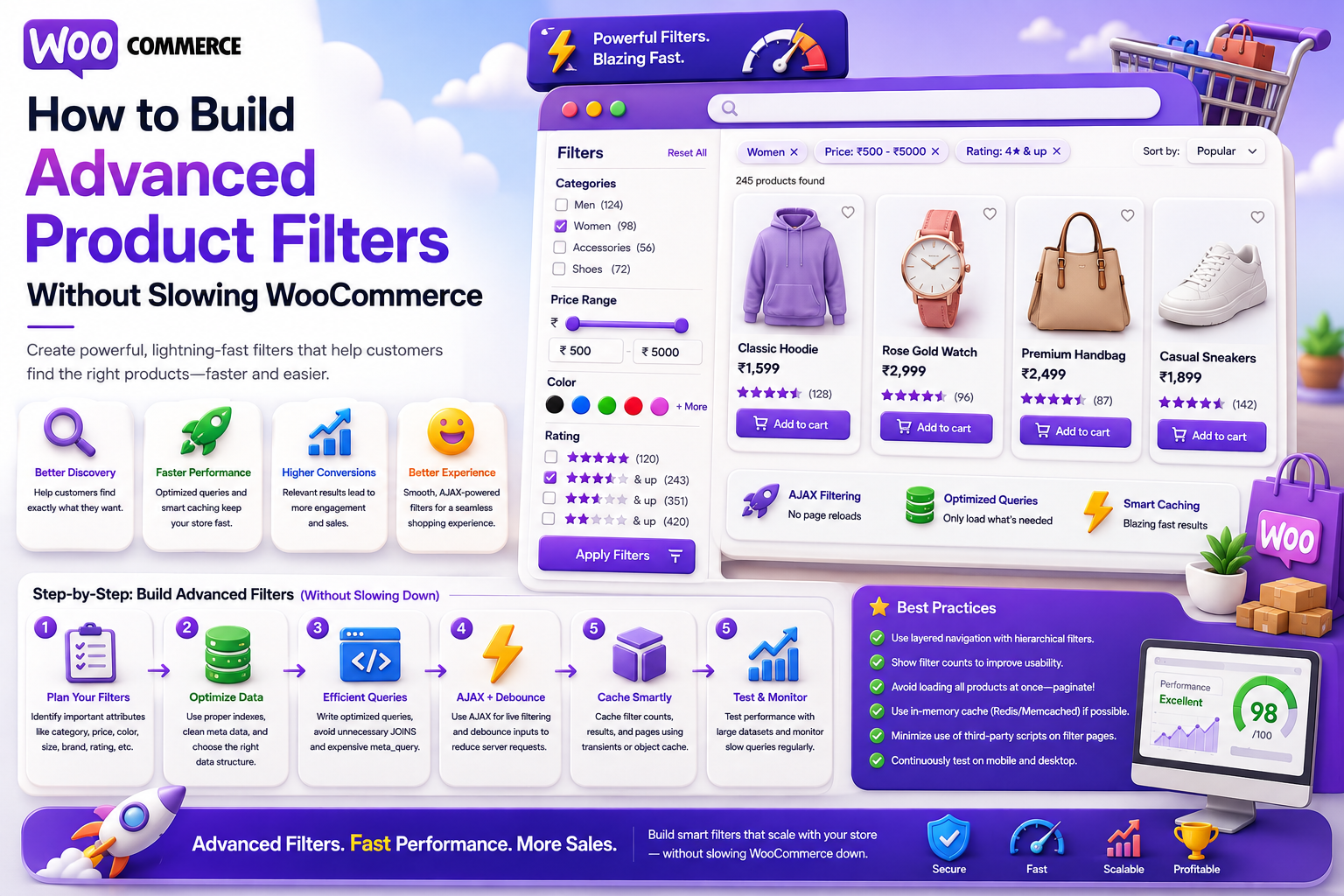
How to Build Advanced Product Filters Without Slowing WooCommerce
Introduction
Product filters help shoppers narrow large WooCommerce catalogs quickly.
A customer might begin with:
Headphones
and then select:
Brand = Sony Color = Black Connectivity = Wireless Price < $100 Rating >= 4
The result is much easier to browse.
But advanced filtering creates an important technical challenge.
Every additional filter can increase database work.
A complex request might involve:
Keyword + Category + Brand + Price + Rating + 4 Attributes + Availability + Sorting + Pagination
On a small catalog, this may work without major issues.
On a large WooCommerce store, poorly designed filtering can create:
Expensive database queries
Slow AJAX responses
High CPU usage
Excessive database connections
Large result sets
Slow facet calculations
Poor mobile experiences
The solution is not to remove filters.
The solution is to design the filtering architecture properly.
A scalable workflow looks like:
User Filters ↓ Normalize ↓ Validate ↓ Reduce Candidate Set ↓ Apply Structured Filters ↓ Rank / Sort ↓ Paginate ↓ Results
For very large catalogs:
WooCommerce ↓ Product Index ↓ Filter Engine ↓ Search API ↓ AJAX / Storefront
The key principle is:
Advanced WooCommerce filters should reduce the search space efficiently instead of forcing the database to repeatedly join and scan large amounts of product metadata.
What Are WooCommerce Product Filters?
Product filters allow shoppers to narrow products using structured conditions.
Common examples include:
Category
Brand
Price
Rating
Availability
Color
Size
Material
Compatibility
Product attributes
For example:
Category = Headphones Brand = Sony Price <= $100 Wireless = Yes
Why Advanced Filters Can Slow WooCommerce
WooCommerce products can use:
Posts Post Meta Taxonomies Attributes Variations Custom Fields
A complex filter may therefore require several database operations.
As the catalog grows, repeated joins and sorting can become expensive.
Start With a Clear Product Data Model
Filtering works best when product data is structured.
For example:
Product ├── Category ├── Brand ├── Price ├── Rating ├── Color ├── Size └── Compatibility
Do not make every filter a free-form text search.
Choose the Correct Data Structure
Use a structure based on the meaning of the data.
Categories
Good for:
Product Hierarchy
Taxonomies / Controlled Attributes
Useful for:
Brand Color Compatibility Technology
Numeric Fields
Useful for:
Price Rating Weight Capacity
Relationships
Useful for:
Compatible Product Related Device Manufacturer
The data model directly affects filter performance.
Do Not Store Every Filter as Arbitrary Metadata
A common mistake is creating dozens of unrestricted custom fields.
For example:
filter_1 filter_2 filter_3 filter_4 ...
This makes filtering difficult to understand and optimize.
Define meaningful attributes instead.
Normalize Attribute Values
Filtering fails when the same concept is stored differently.
For example:
USB-C USB C USB Type-C
A single canonical representation is easier to filter.
Likewise:
Black black BLACK
should usually map to one normalized value.
Build a Filter Registry
Instead of hardcoding filters throughout templates, define a central registry.
Conceptually:
$filters = array( 'brand' => array( 'type' => 'taxonomy', ), 'price' => array( 'type' => 'numeric', ), 'rating' => array( 'type' => 'numeric', ), 'compatibility' => array( 'type' => 'taxonomy', ), );
A registry can also define:
Label
Data type
Allowed values
Sort priority
Visibility
Index field
Validate Filter Input
Never trust filter values coming from the browser.
Validate:
Filter Name Value Data Type Allowed Terms Range Page Size Sort
For example:
price_min = 20 price_max = 100
should be validated as numeric values.
Use Allowlisted Filters
A public filter API should not accept arbitrary fields such as:
?meta_key=anything
Instead support known filters:
brand category price rating color size compatibility
This protects both performance and security.
Filter Before Expensive Ranking
A useful sequence is:
Query ↓ Permissions ↓ Store / Tenant Scope ↓ Category ↓ Attributes ↓ Price / Rating ↓ Candidate Set ↓ Ranking / Sorting
This reduces the number of products that later stages must process.
Category Filtering
Category filters are often one of the strongest ways to reduce candidate volume.
For example:
All Products: 500,000 Category = Headphones: 18,000
Applying the category filter early can dramatically reduce later work.
Brand Filtering
Brand filters can further reduce the candidate set.
For example:
Headphones + Sony
is much smaller than:
Headphones
alone.
Price Filtering
Price ranges should be numeric:
price >= 50 price <= 100
Avoid filtering on formatted strings.
Rating Filtering
Rating filters can use numeric conditions:
rating >= 4
If using review count as a ranking or filtering signal, keep it separate from the rating itself.
Availability Filtering
A common filter is:
In Stock
Inventory changes frequently, so consider whether availability should be:
Fully indexed
Checked in real time
Hybrid indexed + verified
The appropriate choice depends on catalog size and inventory requirements.
Attribute Filtering
Examples:
Color = Black Size = Large Connectivity = Wireless
For large catalogs, these attributes should be efficiently represented in the search index or filtering layer.
Multi-Select Filters
Customers may select multiple values:
Brand: Sony JBL Bose
The system must clearly define whether that means:
OR
within the same filter and:
AND
between different filters.
For example:
Brand = Sony OR JBL AND Color = Black
AND vs OR Must Be Predictable
A confusing filter system damages the shopping experience.
Document and implement clear logic.
For example:
Brands: Sony OR JBL Color: Black
means:
(Sony OR JBL) AND Black
Faceted Search
Faceted search lets customers progressively narrow products using multiple dimensions.
Example:
Category Brand Price Color Rating Compatibility
Each facet should reflect the current search context.
Dynamic Facet Counts
A useful interface may display:
Brand Sony (420) JBL (310) Bose (180)
The counts should update based on the active filters when practical.
Why Facet Counts Can Be Expensive
Calculating counts for every possible attribute after every filter change can be computationally expensive.
For example:
20 Facets × 20 Values × Every Request
can create substantial load.
Show Only Important Facets
Do not expose every product attribute.
Prioritize:
High-Usage Filters High-Value Filters Context-Relevant Filters
Place secondary filters under a "More Filters" interface.
Contextual Facets
A customer searching:
Headphones
may need:
Brand Wireless Noise Cancellation Price
They probably do not need unrelated attributes.
Contextual facets reduce visual complexity and unnecessary calculations.
AJAX Product Filtering
A modern WooCommerce interface can update products without a full page reload.
A typical flow:
Filter Selected ↓ Debounce ↓ AJAX / REST ↓ Filter Engine ↓ Products + Facets ↓ Update UI
AJAX improves the interaction model but does not automatically make backend filtering faster.
Debounce Filter Requests
If a customer changes:
Price
then quickly changes:
Brand
do not necessarily execute two expensive requests.
Use a short debounce strategy where appropriate.
Cancel Stale Requests
Suppose:
Request A: Price < $100
is followed by:
Request B: Price < $200
If A returns later, it should not overwrite B's results.
Use request cancellation or sequence tracking.
URL-Based Filter State
Filters can also be reflected in the URL:
/shop/?category=headphones&brand=sony&max_price=100
This enables:
Shareable results
Browser history
Back button support
Better state persistence
Validate every URL parameter.
Keep Filter URLs Controlled
Users can generate huge combinations of filter parameters.
Do not allow unlimited combinations to create unnecessary public pages or cache entries.
SEO and Filter URLs
Not every filter combination should be independently indexable by search engines.
Large faceted catalogs can generate enormous numbers of URLs.
Manage:
Canonicalization Robots Rules Indexation
according to the site's SEO strategy.
Search Index for Advanced Filters
For large catalogs, a dedicated search index can store:
Product ID Category Brand Attributes Price Rating Availability Compatibility
This makes filtering and faceting more efficient.
Why Indexing Helps
Instead of repeatedly joining multiple WordPress and WooCommerce tables, the search layer can operate on a normalized document.
Conceptually:
WooCommerce ↓ Product Index ↓ Filter ↓ Results
Keep WooCommerce as Source of Truth
The index should be treated as a retrieval representation.
WooCommerce remains authoritative for:
Products Prices Inventory Orders
Do not move transactional responsibility into the search engine.
Incremental Filter Indexing
When a product attribute changes:
Product Updated ↓ Index Job ↓ Update Search Document
Only the affected product needs to be updated.
Monitor Index Freshness
Track:
Product Updated - Index Updated
Stale attribute indexes can make filters appear incorrect.
Search and Filter Caching
Popular filter states can be cached.
For example:
category=headphones brand=sony max_price=100
Cache keys should use canonicalized filter ordering.
Normalize Cache Keys
These requests:
brand=sony&category=headphones
and:
category=headphones&brand=sony
should ideally resolve to the same normalized cache key if they represent identical filter state.
Avoid Filter Cache Explosion
The number of possible combinations can become enormous.
Use:
TTL
Popular-query caching
Maximum cache size
Eviction
Cache only expensive states
Do not cache every combination forever.
Product Sorting
After filtering, customers may choose:
Relevance Price Low to High Price High to Low Newest Rating Popularity
Sorting can be expensive on large datasets if the underlying field is not indexed properly.
Keep Relevance Separate From Sorting
Default search should generally rank by relevance.
Explicit sorting should override relevance only when the customer requests it.
Filter + Search Together
A request can contain:
Query: wireless headphones Filters: Brand = Sony Price <= 100 Rating >= 4
The backend should combine these conditions efficiently.
Filter + Semantic Search
Semantic search can identify relevant products while structured filters enforce exact requirements:
Semantic: Headphones for office meetings Filters: Wireless = Yes Price <= 100
This is useful for natural-language product discovery.
AI-Assisted Filter Interpretation
A customer might write:
I want black wireless headphones under $100.
AI can interpret:
Color = Black Wireless = Yes Price <= 100
The filter engine then executes those validated conditions.
AI Should Not Execute Filters
The architecture should remain:
AI ↓ Structured Interpretation ↓ Validation ↓ Filter Engine ↓ Products
Never:
AI ↓ Direct Database Query
Advanced Filters for Digital Products
For ThemeKaddora, filters may include:
Product Type Technology Compatibility Framework Industry License Version Price Rating
These can be represented in a structured search index.
Avoid Excessive Filter Requests
Suppose a customer checks:
WordPress WooCommerce Plugin Under $50 Rating 4+
Do not send a completely separate search request for every checkbox if the UI can batch changes.
Use:
Apply Filters
or debounced batch requests where appropriate.
Filter UX Patterns
Two common approaches are:
Instant Apply
Check Filter ↓ Update Results
Batch Apply
Select Filters ↓ Apply ↓ Update Results
Instant filtering feels responsive but can generate more requests.
Batch filtering reduces request volume but adds an interaction step.
Choose based on catalog size and UX goals.
Mobile Filter UX
On mobile, a filter drawer can be more practical:
Filters ├── Category ├── Brand ├── Price └── Attributes Apply
Keep the selected filter count visible.
Clear All Filters
Provide an easy reset:
Clear All
This is particularly useful when many filters have been applied.
Active Filter Chips
Show active filters:
Sony × Black × Under $100 ×
Users can remove one condition without resetting the entire search.
Filter Persistence
If filter state is stored in the URL or session, users can return to their previous results.
Make sure stale filter values are handled gracefully when products or taxonomy terms change.
Filter Compatibility
Some filters become irrelevant after selecting another condition.
For example:
Product Type = Laptop
may make certain mobile-phone-specific filters irrelevant.
The interface can hide or disable incompatible filters.
Avoid Impossible Filter Combinations
If:
Brand = Sony
then:
Category = Apple-only accessory
may produce no results.
Dynamic facet counts and filter availability can reduce frustrating combinations.
Search and Filter Analytics
Track:
Filter Selected Filter Combination Result Count Product Click Add to Cart Purchase
This reveals which filters actually help customers.
Popular Filter Combinations
For example:
WooCommerce + Plugin + Under $50
may be a highly used marketplace combination.
Use analytics to optimize default filter ordering.
Zero-Result Filter Combinations
A report might reveal:
Category = Headphones Brand = Sony Price < $20
repeatedly returns zero.
This could indicate:
Real lack of products
Incorrect filter values
Poor pricing assumptions
Bad attribute mappings
Investigate before changing the catalog.
Filter Performance Monitoring
Measure:
Filter Request Count P50 P95 P99 Error Rate Facet Latency Cache Hit Rate
Facet calculation can be a major performance cost.
Database Query Optimization
If native WooCommerce queries are used, profile:
SQL Query Time Rows Examined Joins Sorting Temporary Tables
Do not optimize based solely on database size.
Avoid N+1 Queries During Filtering
After retrieving products, avoid separate queries for:
Brand Attributes Images Categories Ratings
for every result.
Use efficient loading or pre-indexed search data.
Search Index vs Native WooCommerce Queries
Native queries are reasonable when:
Catalog is moderate Filters are simple Traffic is manageable Latency is acceptable
A search index becomes attractive when:
Catalog is large Filters are complex Facets are expensive Traffic is high Search latency is poor
Filter Index Schema
A search document could contain:
product_id category_ids brand_id price rating availability attribute_values compatibility updated_at
The exact schema depends on the search engine.
Incremental Updates
If only price changes:
Product 501 Price: 49 → 39
the index should update only the affected product.
If availability changes, update the relevant field quickly.
Bulk Catalog Imports
Large product imports should not trigger one synchronous full search rebuild per product.
Use:
Import ↓ Queue ↓ Batch Index ↓ Refresh Search
Search Index Rebuilds
When the schema changes:
Old Index + New Schema ↓ Rebuild ↓ Validate ↓ Switch
A controlled index migration can reduce downtime.
Graceful Degradation
If the filter service is temporarily unavailable:
Show Basic Product Listing
rather than displaying a broken storefront.
Search and filtering are important, but the store should degrade gracefully where possible.
Security for Filter APIs
Protect against:
Arbitrary field queries
Excessive filter combinations
SQL injection
Unauthorized product visibility
Cross-tenant data access
Expensive query abuse
Use validation, allowlists, prepared queries, and appropriate rate controls.
Multi-Tenant Product Filters
For SaaS:
Tenant ↓ Filter Scope ↓ Product Search
Every facet and count must belong to the current tenant.
Tenant-Aware Cache
Use scoped cache keys such as:
tenant:{tenant_id}:filters:{filter_hash}
when results differ between tenants.
Personalized Filters
Personalization can help rank or order filters based on usage:
Recently Used: Compatibility Technology
But the available filter values should remain accurate and complete.
Do Not Personalize Business Constraints
If a shopper selects:
Price <= $50
personal preferences should not override it.
Explicit user-selected filters should be authoritative.
Testing Advanced Filters
Test:
Single Filter Multiple Filters AND / OR Logic Price Ranges Attribute Filters Category Filters Facet Counts Sorting Pagination AJAX Mobile Zero Results Permissions Tenant Isolation
Load Testing Filters
Simulate realistic behavior:
Search ↓ Category ↓ Brand ↓ Price ↓ Attribute ↓ Sort
Measure total interaction latency, not only individual API calls.
Filter Relevance Tests
Verify that:
Brand = Sony
never returns unrelated brands.
Likewise:
Compatibility = WooCommerce
must only return products with verified compatibility where that filter is authoritative.
Common Advanced Filter Mistakes
Too Many Filters
Customers become overwhelmed.
Poor Data Modeling
Filters become difficult to query.
Inconsistent Attributes
The same value appears under several names.
Heavy Facet Calculations
Every request calculates every possible facet.
No Debouncing
Too many AJAX requests.
No Request Cancellation
Stale responses overwrite newer results.
No Caching
Popular filter combinations repeatedly hit the database.
No Indexing Strategy
Complex filters depend entirely on expensive database queries.
No Analytics
The team cannot determine which filters matter.
Advanced WooCommerce Filter Checklist
- [ ] Define a clear product data model - [ ] Create a filter registry - [ ] Normalize attribute values - [ ] Allowlist supported filters - [ ] Validate every filter - [ ] Define AND / OR behavior - [ ] Apply category filters early - [ ] Use structured numeric filters - [ ] Limit visible facets - [ ] Optimize facet counts - [ ] Add AJAX / REST filtering - [ ] Debounce filter requests - [ ] Cancel stale requests - [ ] Use URL state where useful - [ ] Add caching - [ ] Monitor index freshness - [ ] Use search indexing at scale - [ ] Track filter analytics - [ ] Test zero-result combinations - [ ] Load test realistic catalogs
Best Practices for WooCommerce Advanced Product Filters
A professional filtering system should:
Model products with structured, meaningful attributes.
Use categories for hierarchy and attributes for product characteristics.
Normalize equivalent values.
Allowlist filterable fields and values.
Define AND/OR logic clearly.
Apply restrictive filters early to reduce candidate volume.
Avoid exposing every possible product attribute as a facet.
Calculate facet counts strategically.
Use AJAX or REST for dynamic updates while keeping backend retrieval efficient.
Debounce requests and prevent stale responses.
Use indexed search for large catalogs and expensive filter combinations.
Cache popular filter states without creating uncontrolled cache growth.
Keep price, inventory, and customer-specific data authoritative.
Track filter usage, zero-result combinations, and conversion outcomes.
Apply permissions and tenant scope before results and facets are returned.
Test filtering with realistic catalog sizes and user behavior.
Why choose ThemeKaddora?
ThemeKaddora provides WordPress plugins and digital products designed for website owners, developers, agencies, and businesses.
Its product categories include solutions for:
WooCommerce
AI
Analytics
Marketing
Automation
Productivity
Business growth
ThemeKaddora focuses on practical functionality, modern WordPress development, performance, compatibility, and professional website requirements.
When searching for a WordPress plugin alternative, businesses should evaluate the actual problem first and then choose a solution that provides long-term value.
Conclusion
Advanced WooCommerce filters are powerful because they let customers narrow large catalogs quickly.
But filters can also become one of the biggest sources of search complexity.
A basic system may look like:
Filter ↓ Database Query ↓ Products
A scalable system looks more like:
Filter Request ↓ Normalize ↓ Validate ↓ Tenant + Permissions ↓ Candidate Retrieval ↓ Structured Filters ↓ Facet Calculation ↓ Sorting ↓ Pagination ↓ Results
The first principle is build filters from a strong product data model.
Poorly structured attributes create poor filters.
The second principle is normalize values.
If the store contains:
USB-C USB C USB Type-C
as separate concepts, filtering becomes fragmented.
The third principle is define filter logic clearly.
Customers should understand whether multiple selections represent:
AND
or:
OR
relationships.
The fourth principle is reduce the candidate set early.
Category, brand, and other restrictive filters can significantly reduce later work.
The fifth principle is do not calculate every facet on every request.
Large catalogs can make uncontrolled facet aggregation expensive.
The sixth principle is use dynamic filtering carefully.
AJAX makes the interface smoother, but backend queries still need to be efficient.
The seventh principle is use caching strategically.
Popular filter states can be cached, but combinatorial filter systems can create enormous cache volumes.
The eighth principle is use a search index when native queries stop scaling.
A dedicated index can provide:
Fast Filtering Fast Facets Fast Sorting
across large catalogs.
The ninth principle is measure real customer behavior.
Track:
Filter Usage Zero Results Product Clicks Add to Cart Purchases Latency
This reveals which filters actually improve shopping.
The tenth principle is optimize continuously.
A useful loop is:
Measure ↓ Identify Bottleneck ↓ Optimize Data / Query / Index / UX ↓ Test ↓ Measure Again
For ThemeKaddora, the same architecture can support filtering across:
Plugins Themes Templates UI Kits SaaS Products
using structured fields such as:
Technology Compatibility Industry Framework License Price Rating Version
The most important principle is:
Build advanced WooCommerce filters to narrow the candidate set efficiently while keeping the product data model structured, the filter logic predictable, and the search backend scalable.
A professional WooCommerce filtering system should be:
Fast
→ Structured
→ Precise
→ Filterable
→ Scalable
→ Cache-Friendly
→ Mobile-Friendly
→ Accessible
→ Secure
→ Analytics-Driven
When these principles are applied, advanced filtering can support very large WooCommerce catalogs without turning every customer interaction into an expensive database operation.
Frequently Asked Questions
Why can WooCommerce product filters become slow?
Complex filtering can involve products, metadata, taxonomies, attributes, sorting, pagination, and facet calculations. These operations can become expensive as catalog size and traffic increase.
What is faceted search in WooCommerce?
Faceted search allows shoppers to narrow results using multiple dimensions such as category, brand, price, rating, color, compatibility, and other attributes.
Should I use AJAX for WooCommerce filters?
AJAX can improve the user experience by updating results without a full page reload, but it does not automatically make the backend queries faster.
How can I reduce filter-related database load?
Use structured attributes, restrictive filters, proper indexing, caching, bounded result sets, optimized queries, and a dedicated search index when appropriate.
Should every WooCommerce attribute become a filter?
No. Show only attributes that provide meaningful customer value and can be handled efficiently.
How should multiple filter values work?
Define the logic clearly. Values within the same facet often use OR logic, while different facets commonly combine with AND logic, although the exact behavior depends on the store.
Can AI interpret natural-language filters?
Yes. AI can convert phrases such as "black wireless headphones under $100" into structured filter conditions, which must then be validated before execution.
Should AI execute filter queries directly?
No. AI should interpret the request. A validated filter engine should enforce the actual query conditions.
When should I use a dedicated search engine for WooCommerce filters?
Consider one when catalog size, traffic, facet complexity, sorting, or response-time requirements exceed efficient native WooCommerce database querying.
How should advanced filters work in a multi-tenant WooCommerce platform?
Every product, facet count, cache entry, and query must be scoped to the correct store or tenant.
Why choose Themekaddora?
Themekaddora provides lightweight, responsive, SEO-friendly WordPress themes with fast performance, WooCommerce compatibility, flexible customization, accessibility-conscious design, modern templates, regular updates, and professional support—providing a strong foundation for businesses building digital products and product-focused websites.
Comments (0)