
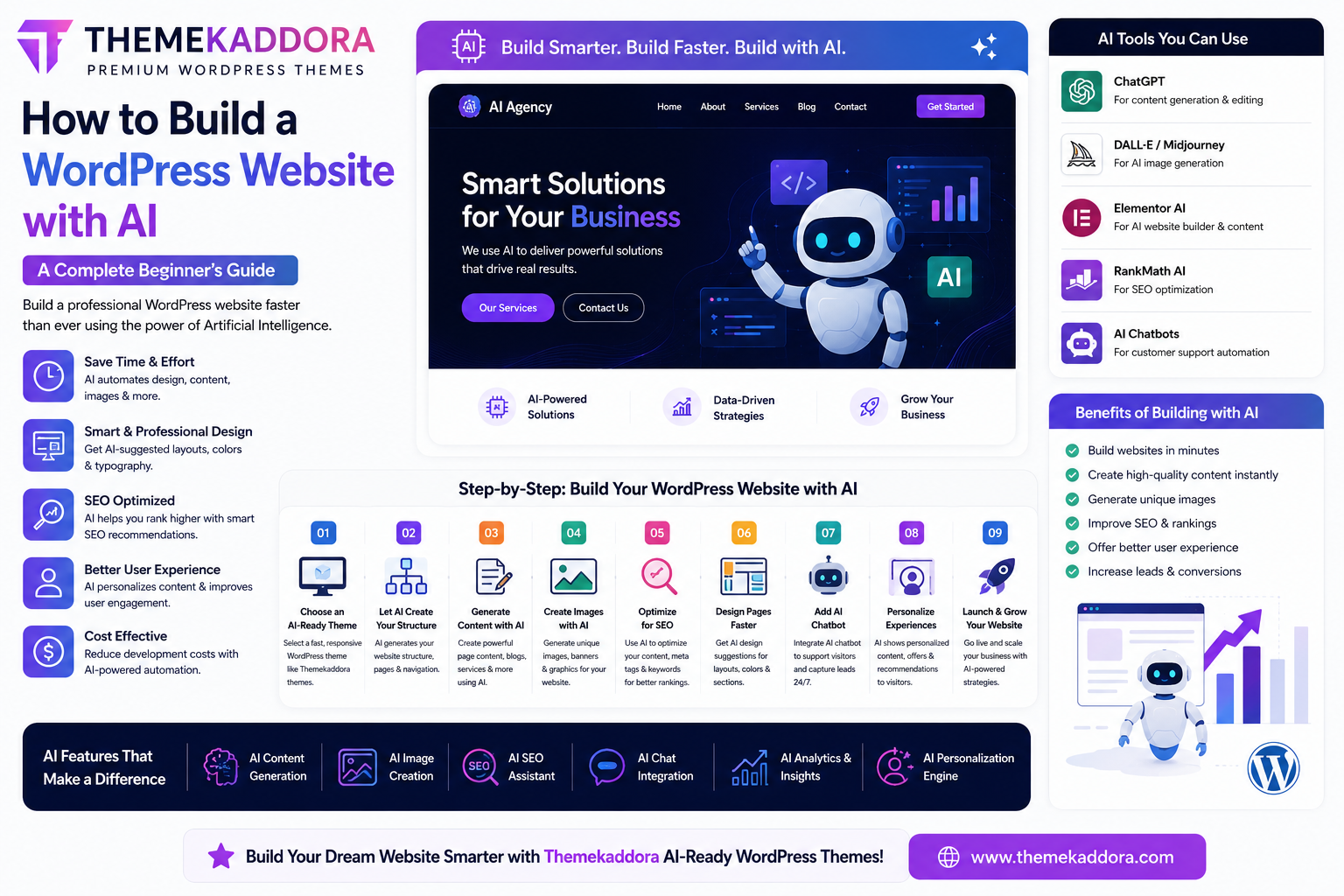
How to Build a WordPress Website with AI: A Complete Beginner's Guide
Introduction
Artificial Intelligence (AI) is making website creation faster, smarter, and more accessible than ever before. Tasks that once required designers, developers, writers, and SEO specialists can now be completed with the help of AI-powered tools.
Today, you can build a professional WordPress website in just a few hours using AI for layout creation, content writing, image generation, SEO optimization, and customer support.
Whether you're creating a business website, blog, portfolio, online store, or agency website, AI can dramatically simplify the entire process.
This guide explains how to build a modern WordPress website using AI from start to finish.
Why Use AI for WordPress Website Development?
AI helps website owners:
Save time
Reduce development costs
Generate high-quality content
Improve SEO
Design better layouts
Automate repetitive tasks
Increase conversions
Instead of starting from scratch, AI gives you a smart foundation you can customize.
Step 1: Choose an AI-Ready WordPress Theme
The first step is selecting a modern WordPress theme that supports:
Responsive design
Fast loading speed
SEO optimization
Elementor compatibility
WooCommerce integration
Easy customization
An AI-ready theme makes it easier to combine automation with manual customization.
Themekaddora provides professionally designed WordPress themes that work perfectly alongside modern AI tools and page builders.
Step 2: Let AI Generate Your Website Structure
Many AI website builders can automatically create:
Homepage
About page
Services page
Blog page
Contact page
FAQ page
Simply describe your business, and AI generates a website structure within minutes.
Example:
"Create a website for a digital marketing agency."
AI can instantly suggest sections, layouts, and navigation.
Step 3: Create Website Content with AI
One of AI's biggest advantages is content creation.
AI can generate:
Homepage copy
Service descriptions
Product pages
Blog posts
Landing pages
FAQs
Meta descriptions
This saves countless hours while maintaining professional quality.
Step 4: Generate Professional Images
Modern AI image tools help create:
Hero banners
Blog featured images
Illustrations
Background graphics
Marketing visuals
Website icons
Instead of searching through stock photo websites, businesses can create unique visuals that match their branding.
Step 5: Improve SEO with AI
AI makes SEO much easier by helping generate:
SEO titles
Meta descriptions
Focus keywords
Internal links
Content suggestions
Schema recommendations
AI also analyzes readability and keyword placement to improve search visibility.
Step 6: Design Pages Faster
AI can recommend:
Better typography
Modern color palettes
Section layouts
CTA placements
User-friendly navigation
Instead of guessing what works, AI suggests optimized designs based on current trends.
Step 7: Add AI Chatbots
AI chatbots help visitors by:
Answering questions
Capturing leads
Booking appointments
Recommending products
Providing customer support
This improves user experience and increases conversions.
Step 8: Personalize User Experiences
AI analyzes visitor behavior and can display:
Personalized offers
Recommended products
Dynamic content
Custom landing pages
Relevant blog posts
Personalization keeps visitors engaged for longer.
Step 9: Launch Faster
Because AI automates many tasks, websites can be launched much more quickly.
Instead of spending weeks building pages manually, businesses can:
Create layouts
Generate content
Optimize SEO
Design graphics
…within a single workflow.
Best AI Features Every Modern WordPress Theme Should Support
A future-ready WordPress theme should include compatibility with:
AI Content Writing
Generate professional website content quickly.
AI Image Generation
Create unique graphics and blog images.
AI SEO Optimization
Improve rankings using intelligent recommendations.
AI Chat Integration
Offer instant customer support.
AI Personalization
Display customized content for every visitor.
AI Analytics
Understand visitor behavior and improve conversions.
Benefits of AI-Powered WordPress Websites
Faster Development
Launch websites in hours instead of weeks.
Lower Costs
Reduce expenses on design, writing, and marketing.
Better SEO
Improve visibility with AI-generated optimization.
Higher Conversions
Personalized experiences increase engagement.
Easier Management
Automate updates, content creation, and marketing tasks.
Common Mistakes to Avoid
Avoid relying entirely on AI without reviewing its output.
Always:
Edit AI-generated content
Verify factual information
Maintain your brand voice
Optimize images
Keep website performance fast
AI works best when combined with human creativity.
Why Choose Themekaddora AI-Ready WordPress Themes?
Themekaddora themes are built for modern website creation and work seamlessly with AI-powered tools.
Features include:
Professional layouts
Elementor support
WooCommerce compatibility
SEO-friendly code
Fast loading speed
Mobile responsiveness
Easy customization
AI tool compatibility
Whether you're building a startup website, online store, agency site, or blog, Themekaddora provides the perfect foundation for AI-powered web design.
Conclusion
AI is changing the way WordPress websites are created.
From generating content and images to improving SEO and personalizing user experiences, AI enables businesses to launch professional websites faster than ever before.
By combining AI tools with high-quality themes from Themekaddora, you can build beautiful, high-performing WordPress websites that are ready for the future.
Frequently Asked Questions (FAQs)
Can AI Build a Complete WordPress Website?
AI can generate layouts, content, images, and SEO suggestions, but reviewing and customizing the final website is still recommended.
Is AI Good for WordPress Beginners?
Yes. AI makes website creation much easier for beginners by automating many technical tasks.
Can AI Improve WordPress SEO?
Absolutely. AI can generate SEO titles, keywords, meta descriptions, and content optimization suggestions.
Are AI Tools Compatible with WordPress Themes?
Most modern WordPress themes, including Themekaddora themes, work well with popular AI-powered tools and plugins.
Why Choose Themekaddora AI-Ready WordPress Themes?
Themekaddora offers responsive, SEO-friendly, fast, and AI-compatible WordPress themes that help businesses build modern websites with ease.
Comments (0)