
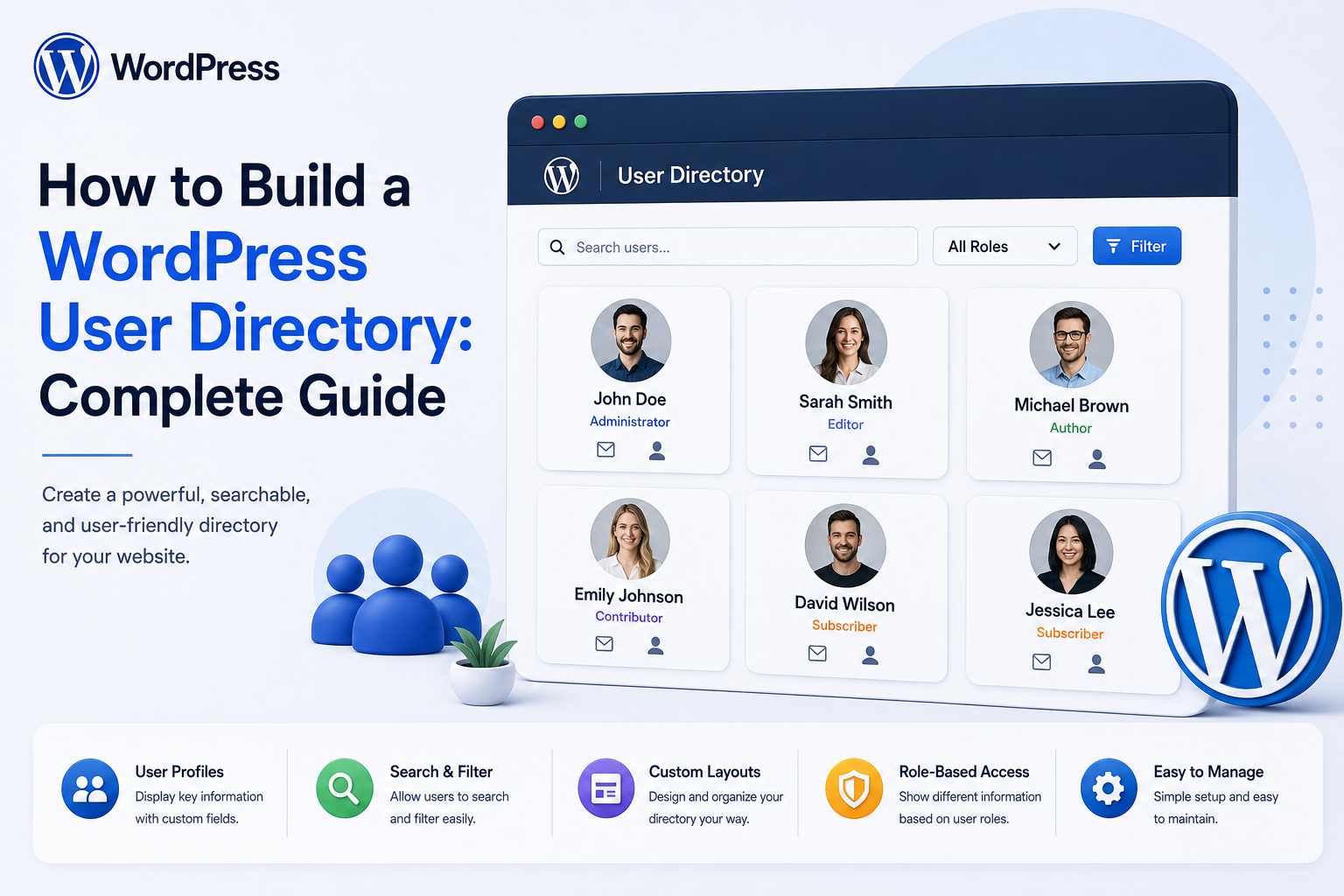
How to Build a WordPress User Directory: Complete Guide
Introduction
A WordPress user directory allows authorized visitors to discover and view information about selected users.
Instead of displaying users only inside the WordPress administration area, a custom directory can provide a frontend experience such as:
Team Directory ↓ Search ↓ Departments ↓ Members ↓ Profile
A company website might show:
Employees ├── Management ├── Sales ├── Marketing ├── Engineering └── Support
A membership website might display:
Members ├── Name ├── Photo ├── Location ├── Interests └── Profile
A SaaS platform could provide:
Workspace ├── Team Members ├── Roles ├── Departments └── Member Profiles
However, building a user directory is not simply a matter of querying all WordPress users and printing their names.
A production directory must consider:
Privacy Authorization Profile Visibility Search Filtering Pagination Performance User Meta Roles Departments Tenant Isolation REST APIs Caching Accessibility Security
A good architecture should answer:
Who is allowed to discover which users, which fields can be displayed, and which profiles or actions are available?
The key principle is:
A WordPress user directory should expose only intentionally public or authorized profile information, with filtering, search, pagination, and access controls enforced server-side.
What Is a WordPress User Directory?
A WordPress user directory is a searchable interface that displays selected information about users stored in WordPress.
Typical directory data may include:
Name Avatar Job Title Department Company Location Short Bio
The directory can be:
Public Members-Only Team-Only Tenant-Scoped Administrator-Only
The visibility model should be defined before the directory is built.
Why Build a User Directory?
A directory can help:
Introduce team members
Help members discover one another
Support internal collaboration
Improve community navigation
Provide customer or partner listings
Support employee portals
Organize large teams
Make user profiles easier to discover
User Directory vs User Management
These are different systems.
User Directory
Focuses on:
Discovery Search Profiles Visibility Navigation
User Management
Focuses on:
Create Users Edit Users Delete Users Roles Permissions Security
A directory should not automatically expose management functionality.
Define the Directory Audience
First decide who can access the directory.
Examples:
Public Visitors Registered Members Company Employees Workspace Members Administrators
This affects almost every other architectural decision.
Public Directory
A public directory might display:
Name Photo Job Title Company
But sensitive information should remain private.
Members-Only Directory
A membership website may require:
User Login ↓ Directory Access
This can provide more information than a public directory while still enforcing privacy rules.
Team Directory
An internal company directory can display:
Name Department Role Manager Location Contact Method
The company should define which fields are appropriate for internal visibility.
Tenant-Scoped Directory
A SaaS application may have:
Tenant A ├── User 1 ├── User 2 └── User 3 Tenant B ├── User 4 └── User 5
Tenant A users must not discover Tenant B users.
Directory Data Model
Before coding, define:
User Profile Visibility Organization Department Role Directory Status
Not every field needs to come directly from the WordPress user record.
WordPress User Data
Basic WordPress user data includes concepts such as:
Username Email Display Name First Name Last Name Website Description
The directory should expose only fields explicitly approved for display.
Do Not Automatically Display User Meta
User metadata can contain data from many plugins.
Blindly exposing:
All User Meta
can reveal:
Private Data Internal IDs CRM Information Security Metadata Internal Notes
Create an explicit directory-field schema instead.
Directory Field Schema
A directory field can define:
Key Label Source Visibility Format Searchable Filterable Sortable
For example:
company Label: Company Public: Yes Searchable: Yes
Public vs Private Profile Fields
A useful model is:
Public ├── Name ├── Avatar └── Job Title Private ├── Email ├── Phone └── Security
This keeps the directory intentionally narrow.
Field-Level Visibility
For each field, define who can see it:
Public Members Team Manager Administrator
The backend should enforce this policy.
Don't Hide Private Fields With CSS
If the server sends:
email phone internal_note
and JavaScript merely hides them, those values are still exposed.
Do not send data the viewer is not authorized to receive.
Directory Profile Visibility
A user may be allowed to control whether their profile appears:
Directory Visibility: Visible Hidden
The application should decide whether users can fully control this setting or whether administrators can override it.
Opt-Out Policies
A community directory may allow:
[ ] Show my profile in directory
A company directory may instead require all employees to appear.
The policy depends on the environment.
Profile Approval
For public directories, it may be useful to require:
Profile ↓ Review ↓ Published
This reduces accidental or inappropriate public profile exposure.
Directory Entry Status
A directory can use states such as:
Draft Visible Hidden Suspended Archived
The public query should return only appropriate records.
Search
A useful directory often needs search:
Search: "John"
Possible searchable fields:
Name Company Job Title Department Location Skills
Do not make every stored field searchable automatically.
Search Query Validation
Search input is untrusted.
Validate:
Length Encoding Allowed Query Format
and use safe parameterized database queries.
Search by Name
A common directory feature is:
Search: John Smith
The backend should define whether this matches:
First Name Last Name Display Name
Search by Company
Business directories may allow:
Company: ThemeKaddora
This can be useful when users belong to different organizations.
Search by Department
An internal directory can provide:
Department: Engineering
The department should come from trusted organizational data rather than arbitrary profile text when it controls permissions.
Search by Skills
A community or professional directory may support:
Skills: PHP WordPress Laravel
Skills can be stored as structured relationships rather than a single large text blob if advanced filtering is required.
Filters
Directories can offer filters such as:
Department Role Location Company Availability Skill Membership Level
Filters should be validated against allowed options.
Don't Trust Filter IDs
A request may contain:
department_id=20
The server must determine whether:
Department 20
is valid and visible to the current viewer.
Sorting
Common sorting options include:
Name A–Z Name Z–A Newest Recently Updated Department
Do not allow arbitrary SQL column names from the browser.
Use a controlled mapping:
"name" → approved database expression "created" → approved database expression
Pagination
Never load thousands of profiles into one page.
Use:
Page Limit Offset
or another scalable pagination strategy.
Set Maximum Page Size
Do not allow:
?limit=100000
to force the server to return an enormous dataset.
Apply a maximum allowed page size.
Cursor-Based Pagination
For large directories, cursor-based pagination may be more stable than large offsets.
Conceptually:
Page 1 ↓ Cursor ↓ Page 2 ↓ Next Cursor
This can perform better for some large datasets.
Directory Profile Page
A profile page could show:
[Photo] John Smith Senior Developer Department: Engineering Skills: WordPress PHP API Development
Only fields authorized for the current viewer should be rendered.
Profile URL Design
Possible routes:
/directory/john-smith/ /members/john-smith/
A slug should not be treated as an access-control mechanism.
User ID vs Slug
A directory may use:
/directory/501/
or:
/directory/john-smith/
Either way, the server must still verify that the profile is visible.
Don't Assume Profile Slugs Are Secret
A slug can be guessed, indexed, or shared.
If a profile is private, access control must exist independently of the URL.
Directory and User Privacy
A directory may reveal personal information.
Before exposing fields, consider:
Purpose Audience Need Privacy Retention User Preference
Email Addresses in Directories
Email can be especially sensitive.
Instead of:
john@example.com
a directory may provide:
Contact
that opens a controlled contact method.
The correct approach depends on the site's purpose.
Phone Numbers
Phone numbers should generally be exposed only when there is a clear business reason and appropriate visibility policy.
Private Contact Forms
Instead of displaying email addresses:
[Contact John]
can route a message without exposing the email address directly.
Directory and Spam
Public email and phone exposure can attract:
Spam Scraping Phishing Harassment
Limit publicly exposed contact details where appropriate.
Prevent Directory Scraping
No single method completely prevents scraping, but you can reduce abuse with:
Rate Limiting Pagination Limits Authenticated Access Search Controls Bot Protection Field Minimization
Search Rate Limiting
A public directory could be abused through:
Thousands of Search Requests
Rate-limit excessive requests where needed.
Avoid Returning Entire User Collections
An API such as:
GET /users
should not automatically return every user field.
Use pagination and explicit response schemas.
Directory REST API
A custom API might look like:
GET /wp-json/kdr/v1/directory GET /wp-json/kdr/v1/directory/{id}
Responses should contain only permitted profile information.
REST API Authorization
Every endpoint should enforce:
Authentication Visibility Tenant Scope Field Policy
where applicable.
Don't Treat Public Endpoint as "Safe by Default"
Even if a directory is public, the endpoint should still intentionally select public fields.
AJAX Directory Search
AJAX can provide:
Search ↓ Results
The server must apply the same visibility and rate-limit rules as the normal page.
Directory Blocks
A WordPress plugin can provide blocks for:
Directory Search Filters User Card Profile
This makes the directory easier to place into pages.
Shortcodes
A shortcode can provide a simple interface:
[user_directory]
But business logic should remain in services rather than being tightly coupled to shortcode rendering.
Template Architecture
A maintainable plugin can separate:
Query Service ↓ Authorization ↓ Directory Data ↓ Template
This prevents private-data rules from being hidden inside HTML templates.
Directory Query Service
A service can handle:
Search Filter Sort Pagination Visibility Tenant Scope
This allows the same logic to be reused by:
HTML REST AJAX Blocks
Directory Data Transformer
Before returning a user record:
Raw User ↓ Visibility Policy ↓ Field Transformer ↓ Public Directory Record
This is a useful security boundary.
Field Transformer
For example:
Raw: email = john@example.com Public: contact_url = /contact/john/
Sensitive data can be replaced with controlled interactions.
Directory Caching
Directories are often read frequently.
Caching can help:
Directory Query ↓ Cache ↓ Results
But cache keys must respect:
Tenant Viewer Role Visibility Filters
Avoid Cross-Viewer Cache Leakage
If one viewer sees:
Private Team Field
another viewer must not receive that same cached response.
Cache public data separately from personalized or authorization-sensitive data.
Public vs Private Cache
Public Directory
Can often use stronger shared caching.
Private Directory
Requires careful viewer-scoped caching or no shared caching.
Directory Performance
Large directories can involve:
Thousands of Users Many Meta Fields Search Filters Sorting Pagination
Avoid expensive queries on every request.
User Meta and Directory Queries
WordPress user metadata can become difficult to query efficiently when filtering by many custom fields.
For large directories, consider whether commonly searched or filtered attributes should have a more structured data model.
Structured Directory Profile Data
For example:
directory_profiles ├── user_id ├── department_id ├── location_id ├── visibility └── profile_status
This can make large-scale directory queries easier to optimize.
Avoid N+1 Queries
A directory showing 50 users should not necessarily perform dozens of additional queries per user.
Batch-load related information where appropriate.
Avatar Performance
User avatars can create many image requests.
Use:
Appropriate Sizes Lazy Loading Image Optimization
where suitable.
Directory Search Indexing
For very large directories, search may need a dedicated indexing strategy.
Options can include:
Database Indexes Normalized Search Fields External Search Engine
The correct choice depends on dataset size and query complexity.
Search by Multiple Fields
For example:
"john engineering"
may search across:
Name Department Skills
The search engine should define how terms are matched.
Exact vs Partial Matching
Directory search may support:
Exact: Engineering Partial: Engineer Engineering Team
Avoid overly expensive wildcard queries on large datasets without suitable indexing.
Search Normalization
Normalize data consistently:
Case Whitespace Unicode
so search results are predictable.
Department Filtering
A company directory may use:
Engineering Sales Marketing HR Support
These should ideally come from structured organizational data.
Role Filtering
A directory might allow:
Manager Developer Designer Consultant
Be careful not to expose internal security roles directly if they have sensitive meaning.
Business Role vs WordPress Role
An application-level role such as:
Product Manager
is not necessarily the same as:
WordPress Editor
Keep business job roles separate from technical authorization roles.
Team Membership
A user may belong to:
Team A Team B
The directory should decide whether both memberships are visible.
Department and Team Relationships
For complex organizations, model relationships explicitly:
Organization ↓ Department ↓ Team ↓ User
This supports better filtering and reporting.
Directory Approval
A public professional directory may allow users to submit profile information for review:
Profile Submitted ↓ Review ↓ Published
This prevents accidental public publication of inappropriate information.
Moderation
Moderators can review:
Name Bio Photo Links Skills
before approving a public profile.
User-Owned vs Admin-Owned Profile Fields
Users may edit:
Bio Photo Skills
while administrators control:
Department Employment Status Directory Visibility
This distinction should be enforced server-side.
Directory Status
Possible states:
Pending Published Hidden Suspended Archived
Only eligible states should appear in directory queries.
Suspended Profiles
If an account is suspended:
User: Suspended Directory: Hidden
unless the business explicitly requires another behavior.
Archived Employees
Employee directories may need historical records.
An employee can become:
Archived
without being deleted from the underlying WordPress account.
Whether archived employees remain discoverable is a separate directory policy.
Directory and User Deletion
Deleting a WordPress user may affect directory relationships.
Before removing a user, define what happens to:
Profile Department Team Posts Comments Directory Entry
Directory Import
Large organizations may import:
Employee Directory Data
from an HR system.
The directory should use explicit source-to-destination mappings and avoid treating imported job data as security privileges.
Directory Sync
A recurring HR synchronization could be:
HR System ↓ User Sync ↓ Directory
Use stable external IDs and field ownership rules.
Directory and CRM
A customer directory might consume CRM information:
CRM ↓ Customer Profile ↓ Directory
Share only the fields intended for directory visibility.
Directory and ERP
ERP data should not automatically become public profile information.
Only intentionally mapped business fields should be exposed.
Directory and AI
AI can assist with:
Profile Categorization Skill Extraction Bio Summarization Search Suggestions
But AI-generated content should still follow moderation, privacy, and output-validation rules.
AI-Generated Profile Summaries
An AI system might produce:
"WordPress developer specializing in APIs and SaaS integrations."
The application should define whether such summaries are:
Draft Approved Public
and prevent AI from exposing private information.
Directory Notifications
A user may be notified when:
Profile Published Profile Updated Directory Visibility Changed
Security-sensitive notifications should remain separate from marketing preferences.
User Profile Change Audit
For important directory information:
Department Changed Directory Visibility Changed Profile Published Profile Suspended
can be recorded in an audit trail.
Directory Security Testing
Test:
Anonymous Access Member Access Admin Access Cross-User Profile Access Cross-Tenant Access Hidden Profile Access Private Field Leakage Search Abuse API Bypass Cache Leakage
IDOR Testing
Attempt:
User A ↓ Request User B Profile ID
The result should depend on the directory's visibility rules.
Cross-Tenant Testing
Attempt:
Tenant A User ↓ Search Tenant B
The backend must restrict the results.
API Data Leakage Testing
Check REST and AJAX responses for:
Email Phone Private Metadata Security Fields Internal IDs
that the viewer is not authorized to receive.
Directory Load Testing
Test:
1,000 Users 10,000 Users 100,000 Users
with realistic:
Search Filters Sorting Pagination
Monitor query time and database load.
Directory Monitoring
Useful metrics include:
Search Requests Profile Views API Requests Cache Hit Rate Average Query Time Error Rate
For private directories, be careful not to expose unnecessary user-level analytics.
Common WordPress User Directory Mistakes
Displaying All User Meta
This can expose private or internal plugin data.
Publicly Displaying Emails
This can increase spam and scraping.
Using User IDs as Authorization
A profile ID does not prove access.
No Tenant Filtering
One customer can see another customer's users.
No Pagination
Large directories become slow.
Uncontrolled Search Queries
Attackers can cause expensive queries.
Shared Cache Leakage
A private profile can appear for another user.
Exposing Technical Roles
WordPress roles may reveal internal security architecture.
No Profile Visibility Controls
Users cannot manage intended privacy boundaries.
Trusting AI-Generated Profiles
AI output can contain inaccurate or inappropriate information.
WordPress User Directory Checklist
- [ ] Define directory audience - [ ] Define profile visibility - [ ] Define public fields - [ ] Define private fields - [ ] Define field-level permissions - [ ] Define search fields - [ ] Define filters - [ ] Define sorting - [ ] Add pagination - [ ] Add server-side authorization - [ ] Enforce tenant scope - [ ] Add profile visibility state - [ ] Protect private contact data - [ ] Protect REST / AJAX endpoints - [ ] Add cache controls - [ ] Avoid N+1 queries - [ ] Optimize large directory queries - [ ] Add moderation where needed - [ ] Add audit history - [ ] Test IDOR - [ ] Test cross-tenant access - [ ] Test field leakage - [ ] Test scraping and rate limits
Best Practices for Building a WordPress User Directory
A professional directory should:
Define exactly who can discover users and why.
Create an explicit directory schema rather than exposing arbitrary WordPress user metadata.
Apply field-level visibility rules on the server.
Keep private fields out of API responses entirely when the viewer is not authorized to see them.
Separate business roles, job titles, and departments from WordPress security roles.
Support user-controlled visibility where the business model allows it.
Enforce tenant and workspace boundaries throughout search, filtering, profile pages, APIs, and caches.
Use pagination and controlled page sizes for large directories.
Use efficient, indexed queries for frequently searched and filtered attributes.
Avoid N+1 query patterns when loading profile information.
Protect public directories from unnecessary scraping with rate limits, minimized fields, and appropriate access controls.
Use authenticated contact mechanisms when exposing email addresses would create unnecessary privacy or spam risk.
Treat directory profile URLs as navigational identifiers, not security boundaries.
Apply safe cache strategies that cannot mix data between users, roles, or tenants.
Moderate public profiles where inappropriate content or impersonation is a concern.
Keep profile updates and visibility changes auditable where business requirements justify it.
Test IDOR, field leakage, cross-tenant access, API bypasses, private-cache leakage, and search abuse.
Why choose ThemeKaddora?
ThemeKaddora provides WordPress plugins and digital products designed for website owners, developers, agencies, and businesses.
Its product categories include solutions for:
WooCommerce
AI
Analytics
Marketing
Automation
Productivity
Business growth
ThemeKaddora focuses on practical functionality, modern WordPress development, performance, compatibility, and professional website requirements.
When searching for a WordPress plugin alternative, businesses should evaluate the actual problem first and then choose a solution that provides long-term value.
Conclusion
A WordPress user directory can transform a collection of user accounts into a useful discovery and collaboration system.
A simple directory might display:
Name Photo Role
A mature directory can provide:
Search Filters Departments Teams Profiles Visibility Contact
The first principle is define who the directory is for.
A public directory, employee directory, membership directory, and SaaS team directory have very different privacy and authorization requirements.
The second principle is expose only approved fields.
Never dump all user metadata into a public profile.
The third principle is treat visibility as an authorization problem.
Whether a profile is public, member-only, team-only, or tenant-only must be enforced by the server.
The fourth principle is separate discovery from management.
A directory helps users find people. It should not automatically provide administrative controls.
The fifth principle is keep business roles separate from security roles.
"Manager" or "Developer" may describe an organization role without implying WordPress administrative privileges.
The sixth principle is protect contact information.
Email and phone data can become targets for spam and scraping.
The seventh principle is design search and filtering for scale.
Large directories need controlled queries, pagination, appropriate indexing, and efficient data loading.
The eighth principle is protect private caches and APIs.
A directory that is secure in HTML can still leak information through REST, AJAX, or caching layers.
The ninth principle is respect user privacy.
Users should understand which information is public, internal, or private where the business model allows choice.
The tenth principle is test discovery boundaries.
The most important security tests are:
Can User A See User B? Can Tenant A See Tenant B? Can the API Return Hidden Fields? Can Search Reveal Private Users?
For ThemeKaddora, user directories can support:
Employees Members Customers Partners Vendors SaaS Teams Communities Organizations
The most important principle is:
A user directory should be a controlled discovery layer over WordPress accounts, exposing only intentionally visible profile information while enforcing authorization, privacy, tenant boundaries, and performance constraints on the server.
A professional WordPress user directory should be:
Discoverable
→ Privacy-Conscious
→ Field-Scoped
→ Searchable
→ Permission-Aware
→ Tenant-Aware
→ Performant
→ Accessible
→ Auditable
→ Maintainable
When these principles are applied, WordPress can support public team pages, private member directories, employee portals, customer communities, partner networks, and SaaS workspaces without unnecessarily exposing sensitive account information.
Frequently Asked Questions
What is a WordPress user directory?
A WordPress user directory is a frontend interface that allows authorized visitors to search for and view selected information about users.
Can a WordPress user directory be public?
Yes. A directory can be public, but only profile fields intentionally designated for public visibility should be returned.
Can I create a members-only directory?
Yes. The directory can require authentication and apply member-specific visibility rules.
Should a directory display user email addresses?
Not necessarily. Public email addresses can increase spam and scraping risk. A controlled contact form may be a better option.
Can users hide themselves from a WordPress directory?
Yes, when the site's policy allows it. A visibility setting can control whether a profile appears in directory results.
Can I search WordPress users by department?
Yes. Departments can be searchable if they are represented by appropriate structured data and the viewer is authorized to see them.
How should user directories work in a multi-tenant SaaS?
Every search, profile request, API response, and cache must enforce the current user's tenant or workspace scope.
Should WordPress roles be displayed publicly?
Usually not unless there is a clear business reason. Technical WordPress roles can reveal internal security architecture and are often different from job roles.
Can a user directory use REST APIs?
Yes. REST APIs can power modern directories, but they must return only fields the current viewer is authorized to receive.
How can I make a large directory faster?
Use pagination, efficient queries, appropriate indexes, structured searchable fields, caching where safe, and avoid N+1 database queries.
How can I protect a public directory from scraping?
Minimize exposed fields, use rate limiting, avoid unnecessary contact information, use appropriate bot controls, and consider whether authentication should be required.
Can AI help build a user directory?
Yes. AI can assist with profile summaries, skill categorization, search suggestions, or profile classification, but generated content should be validated and governed by privacy rules.
Why choose Themekaddora?
Themekaddora provides lightweight, responsive, SEO-friendly WordPress themes with fast performance, WooCommerce compatibility, flexible customization, accessibility-conscious design, modern templates, regular updates, and professional support—providing a strong foundation for businesses building digital products and product-focused websites.
Comments (0)