
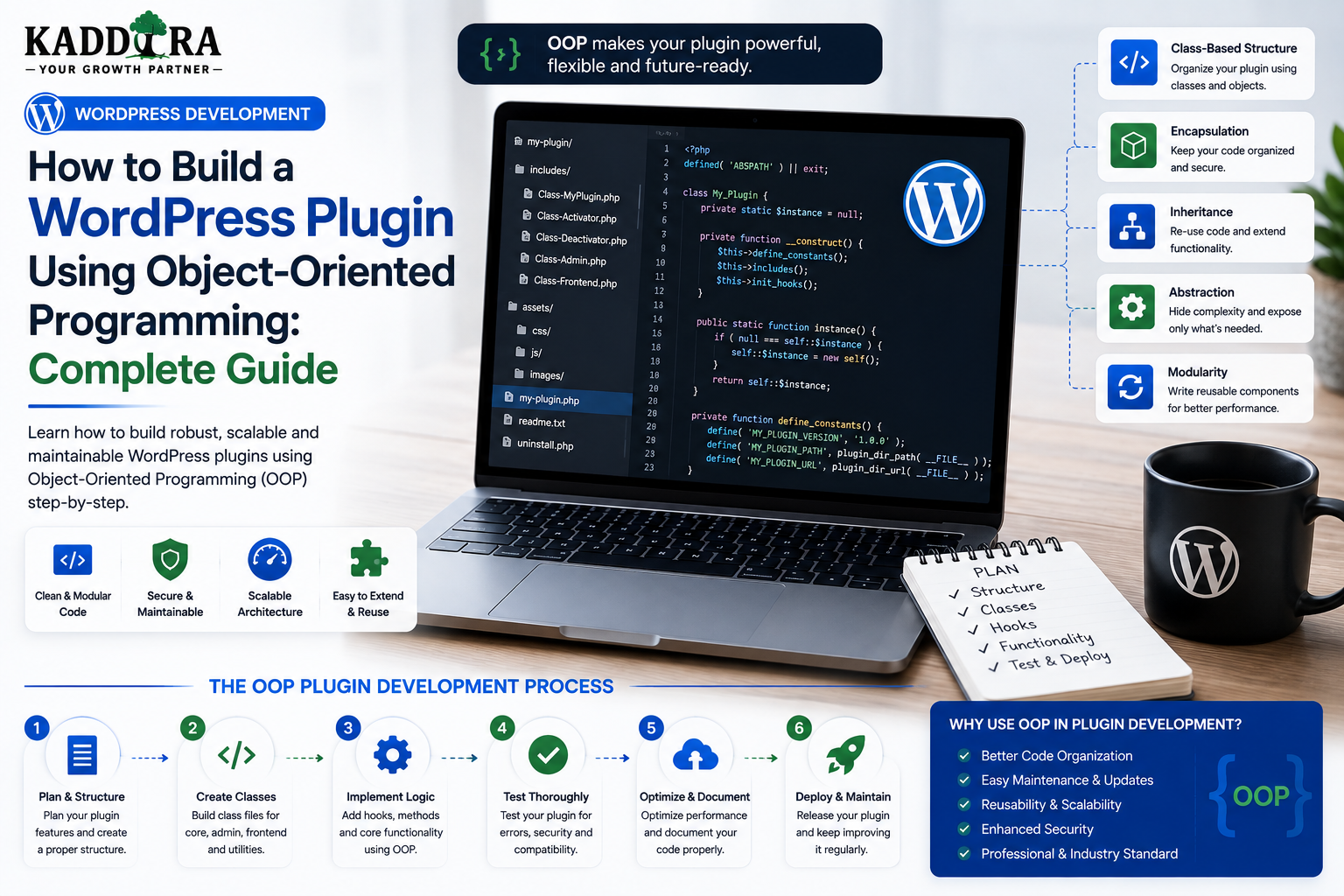
How to Build a WordPress Plugin Using Object-Oriented Programming: Complete Guide
Introduction
A WordPress plugin can be written using simple procedural PHP.
For small plugins, that approach can be perfectly reasonable.
But as a plugin grows, developers often need to manage:
Multiple features
Admin interfaces
REST APIs
Database access
External integrations
WooCommerce functionality
Background jobs
Licensing
Analytics
Developer extension points
When everything is implemented as a collection of global functions, the codebase can become difficult to maintain.
Object-Oriented Programming (OOP) provides another approach.
Instead of organizing everything around functions, OOP organizes code around:
Classes
Objects
Methods
Properties
Interfaces
Inheritance
Composition
A simplified structure looks like:
WordPress ↓ Plugin Bootstrap ↓ Services ├── Admin ├── API ├── Database ├── Integrations └── Features
OOP does not automatically make a plugin better.
Poorly designed classes can be just as difficult to maintain as poorly organized procedural code.
The real advantage comes from using OOP to create clear responsibilities and controlled dependencies.
In this guide, you'll learn how object-oriented programming works in WordPress plugin development, how to create classes, use namespaces, register hooks, separate services, use interfaces, apply dependency injection, structure database repositories, build admin and REST layers, test classes, avoid common OOP mistakes, and create maintainable WordPress plugins.
What Is Object-Oriented Programming?
Object-oriented programming is a programming approach that organizes software around objects and classes.
A class defines behavior and structure.
For example:
class ProductService { public function get_product() { // Product logic. } }
An object is an instance of that class:
$service = new ProductService();
The object can then be used by other parts of the application.
Why Use OOP in WordPress Plugins?
OOP can help large plugins with:
Code organization
Namespace management
Dependency management
Testability
Reusability
Separation of responsibilities
Long-term maintenance
It can also make large teams more productive because responsibilities are easier to identify.
OOP Is Not Required for Every Plugin
A tiny plugin such as:
Add one shortcode
may not need a large class hierarchy.
For example:
function kdr_example_shortcode() { return 'Hello WordPress'; }
can be completely reasonable.
Don't introduce OOP merely because it sounds more professional.
Use it when the plugin's complexity benefits from it.
Classes and Responsibilities
A professional plugin should avoid giant classes.
Instead of:
PluginManager → 5,000 lines
prefer focused responsibilities:
Plugin Admin Settings Analytics Repository API Logger
Each class should have a clear purpose.
The Single Responsibility Principle
A class should have one primary responsibility.
For example:
AnalyticsRepository → Database access AnalyticsService → Business logic AnalyticsController → Request handling AnalyticsAdminPage → Admin presentation
This is easier to test than putting all four responsibilities into one class.
Basic WordPress OOP Plugin Structure
A simple structure could be:
kdr-example/ ├── kdr-example.php ├── src/ │ ├── Plugin.php │ ├── Admin/ │ ├── Services/ │ ├── Database/ │ └── API/ ├── assets/ └── tests/
The exact structure can vary based on the product.
The Main Plugin Class
The main class can coordinate initialization:
namespace KDR\Example; class Plugin { public function boot() { // Register plugin services and hooks. } }
The main class should coordinate rather than contain the entire plugin.
Bootstrap the Plugin
The main file can remain small:
defined( 'ABSPATH' ) || exit; require_once __DIR__ . '/vendor/autoload.php'; $plugin = new KDR\Example\Plugin(); $plugin->boot();
This provides a clear entry point.
Use Namespaces
Namespaces help avoid collisions.
For example:
namespace KDR\Commerce;
Then classes can be:
KDR\Commerce\Admin\Dashboard KDR\Commerce\Services\Analytics KDR\Commerce\Database\Repository
This is especially useful when multiple plugins coexist.
Why Namespaces Matter in WordPress
WordPress may run thousands of classes and functions from:
Core
Themes
Plugins
Libraries
Global names such as:
Manager Service Helper API Logger
can easily collide.
Namespaces reduce that risk.
Composer Autoloading
For larger OOP plugins, Composer can automatically load classes.
A common mapping looks conceptually like:
KDR\Example\ ↓ src/
Then:
KDR\Example\Services\Analytics
can be loaded from the appropriate class file automatically.
Avoid Manual require_once Everywhere
This:
require_once 'class-admin.php'; require_once 'class-api.php'; require_once 'class-settings.php';
can become difficult to manage as a project grows.
Autoloading can provide a cleaner dependency structure.
OOP and WordPress Hooks
WordPress hooks work naturally with class methods.
For example:
class Admin { public function register_menu() { // Register admin menu. } }
Then:
add_action( 'admin_menu', array( $admin, 'register_menu' ) );
The class owns the admin behavior.
Register Hooks Inside Classes
A class can register its own hooks:
class Settings { public function register_hooks() { add_action( 'admin_init', array( $this, 'register_settings' ) ); } public function register_settings() { // Settings registration. } }
This can keep responsibilities localized.
Central Hook Registration
Another approach is to centralize registrations:
Plugin Bootstrap ↓ Hook Registry ↓ Admin Services API Cron
Both approaches can work.
Choose one consistently rather than mixing patterns randomly.
Constructor Hook Registration
Some classes register hooks inside constructors:
class Frontend { public function __construct() { add_action( 'wp_enqueue_scripts', array( $this, 'enqueue_assets' ) ); } public function enqueue_assets() { // Load assets. } }
This is convenient but can make object construction perform side effects.
For larger systems, an explicit register_hooks() method can sometimes make lifecycle behavior easier to understand and test.
Don't Put Heavy Work in Constructors
Avoid:
class Analytics { public function __construct() { // Large database query. // Remote API request. // Expensive calculation. } }
Object construction should generally be lightweight.
Perform actual work when the relevant operation runs.
Encapsulation
OOP allows internal state to be protected.
For example:
class License { private string $status; public function is_active(): bool { return 'active' === $this->status; } }
Other parts of the plugin don't need to manipulate internal state directly.
Public, Protected, and Private
Use visibility intentionally.
Public
Part of the class's usable interface.
Protected
Available to the class and subclasses.
Private
Internal implementation details.
Don't make everything public simply because it is easier.
Immutable Values Where Appropriate
Some objects represent values that should not change after creation.
For example:
License ID Product ID Currency
Keeping these values stable can reduce unexpected state changes.
The exact implementation depends on the PHP version and plugin requirements.
Composition Over Inheritance
A common OOP mistake is creating deep inheritance trees.
For example:
BasePlugin ↓ AdvancedPlugin ↓ CommercePlugin ↓ AnalyticsCommercePlugin
This can become difficult to understand.
Often, composition is clearer:
AnalyticsService + CommerceService + ReportService
One class can use other objects without inheriting from them.
Interfaces
Interfaces define contracts.
For example:
interface LoggerInterface { public function log( string $message ): void; }
Different logging implementations can follow the same interface.
Why Interfaces Matter
Suppose your plugin supports:
Database Logger File Logger External Logger
All can implement:
LoggerInterface
The rest of the application doesn't need to know which implementation is being used.
Dependency Injection
Dependency injection means giving a class the objects it needs instead of having it create everything internally.
For example:
class ReportService { public function __construct( private AnalyticsRepository $repository ) {} }
The service receives its repository.
Why Dependency Injection Helps
Without dependency injection:
ReportService ↓ new Repository ↓ new Database Connection
The class controls everything.
With dependency injection:
Application ↓ Repository ↓ ReportService
Dependencies become easier to replace and test.
Constructor Injection
Constructor injection is often the clearest form:
class ReportService { public function __construct( private ReportRepository $repository ) {} }
The object cannot be created without the required dependency.
Avoid Service Locator Abuse
A service locator can become:
Get Everything From Container
inside every class.
This hides dependencies.
Prefer explicit dependencies where practical.
Example Service Architecture
Imagine a WooCommerce analytics plugin:
AnalyticsController ↓ AnalyticsService ↓ AnalyticsRepository ↓ Database
This gives each layer a clear role.
Repository Responsibilities
A repository handles data access.
For example:
find_sales() get_product_metrics() save_event()
It should not decide what the business means by "successful campaign."
That belongs in a service or domain layer.
Service Responsibilities
A service handles business behavior.
For example:
calculate_conversion_rate() generate_report() process_recommendation()
It can combine multiple repositories and external services.
Controller Responsibilities
A controller handles the incoming request.
For example:
Receive REST Request ↓ Validate ↓ Authorize ↓ Call Service ↓ Return Response
It should avoid becoming a second business-logic layer.
Admin Controller
The same concept works for WordPress admin screens.
Admin Request ↓ Capability Check ↓ Validate ↓ Service ↓ Render
API Controller
For REST APIs:
REST Request ↓ Permission ↓ Validation ↓ Service ↓ Response
This structure supports reuse because the same service can be called by:
Admin
REST API
Cron
CLI
Other integrations
OOP and WordPress Settings
A settings class can encapsulate:
Register Settings Validate Save Retrieve Default Values
For example:
Settings ↓ Options API
This prevents settings logic from being scattered across the plugin.
OOP and Database Migrations
A migration manager can track:
Schema Version ↓ Pending Migrations ↓ Run ↓ Verify ↓ Update Version
For larger plugins, each migration can be a separate class.
Example Migration Classes
Migrations/ ├── Migration001CreateEvents.php ├── Migration002AddStatus.php └── Migration003AddIndexes.php
This makes schema history easier to understand.
OOP and External API Integrations
An API client can encapsulate:
Authentication HTTP Requests Timeouts Response Parsing Error Handling
For example:
CRMClient AIClient EmailClient PaymentClient
Provider Interfaces
For multiple providers:
AIProviderInterface ├── OpenAIProvider ├── ProviderB └── ProviderC
The application can work against the interface instead of one vendor.
OOP and AI Plugins
An AI plugin can be structured as:
AI/ ├── Provider/ ├── Prompt/ ├── Usage/ ├── Response/ └── Jobs/
For example:
ContentAssistant ↓ AIService ↓ AIProviderInterface ↓ Provider Adapter
This makes provider changes easier.
OOP and WooCommerce Plugins
A WooCommerce plugin may organize:
Commerce/ ├── Products/ ├── Orders/ ├── Customers/ ├── Analytics/ └── Recommendations/
Each area can have specialized services rather than one giant WooCommerce class.
OOP and REST APIs
A REST controller can be:
class ReportController { public function get_report( \WP_REST_Request $request ) { // Validate and call service. } }
Its dependencies can be injected.
OOP and AJAX
AJAX handlers can follow the same pattern:
AJAX Handler ↓ Permission ↓ Validation ↓ Service
Don't duplicate business logic between REST and AJAX endpoints.
OOP and Cron Jobs
A cron job can be represented by a class:
class AnalyticsAggregationJob { public function run(): void { // Process aggregation. } }
Then the WordPress cron callback simply delegates to the job.
OOP and Queues
For large workflows:
Queue ↓ Job Handler ↓ Service
A job class can encapsulate retryable background work.
OOP and Logging
A logger service can expose:
info() warning() error() debug()
The rest of the application doesn't need to know whether logs go to:
PHP logs
WordPress logging
A custom table
Another service
OOP and Security
Security can remain layered.
For example:
Controller ↓ Authorization ↓ Validation ↓ Service ↓ Repository
Don't rely on class visibility for web authorization.
Private PHP methods don't replace WordPress capabilities.
OOP and Capability Checks
A service may require an authorized caller.
For example:
Admin Controller ↓ Capability Check ↓ Report Service
The service can also enforce important business invariants, but authorization should be explicit at the application boundary.
OOP and Data Validation
Validation classes can encapsulate complex rules.
For example:
LicenseValidator ProductValidator ReportValidator
This is useful when the same validation rules are used by:
REST
Admin
CLI
Cron
OOP and DTOs
For complex data flows, Data Transfer Objects can provide structured data.
For example:
final class ReportRequest { public function __construct( public readonly string $from, public readonly string $to ) {} }
DTOs can reduce the use of loosely structured arrays.
Don't Create DTOs for Everything
For simple WordPress values, a DTO may add unnecessary complexity.
Use them where structured data crosses important boundaries.
Value Objects
A value object can represent a concept such as:
Money Email LicenseKey SiteIdentifier Version
This can centralize validation and normalization.
OOP and Testing
OOP can make isolated testing easier.
For example:
ReportCalculator ↓ Test With Known Inputs ↓ Expected Result
No full WordPress website is necessary if the calculation is independent from WordPress.
Mock Dependencies
With dependency injection, tests can replace real services.
For example:
ReportService ↓ Mock Repository
This makes tests fast and predictable.
Unit Test Example Concept
Input: Revenue = 1000 Orders = 20 Expected: Average Order Value = 50
The calculation can be tested independently.
Integration Testing
WordPress-specific components still need integration tests.
For example:
Plugin + WordPress Database + REST API
OOP doesn't eliminate integration testing.
It makes parts of the system easier to isolate.
Avoid Static Everything
Static methods can be convenient:
SomeClass::do_something()
But excessive static design can make dependencies difficult to replace and test.
Prefer objects where state or dependencies matter.
Singleton Pattern: Use Carefully
Singletons are common in older WordPress plugins:
Plugin::instance()
They can provide global access but also create hidden state and testing difficulties.
Don't use a singleton automatically just because it is familiar.
Global Variables
One advantage of structured OOP is reducing reliance on global state.
Instead of:
global $kdr_settings;
a settings service can provide controlled access.
OOP and WordPress Globals
WordPress still uses global APIs such as:
$wpdb $current_user
That's fine.
OOP doesn't mean eliminating WordPress's architecture.
It means wrapping responsibilities in a structure that remains understandable.
OOP and WordPress Coding Standards
Follow the coding conventions appropriate to the plugin's target environment.
Use:
Clear naming
Consistent formatting
Safe SQL
Proper escaping
Localization
Documentation
Appropriate visibility
OOP should improve maintainability rather than make code harder to read.
Naming Classes
Prefer names that describe responsibility.
Good:
AnalyticsService LicenseRepository ReportController WooCommerceClient
Less useful:
Manager Helper Utility Common General
The more specific the responsibility, the easier the class is to understand.
Avoid "Helper" Classes That Do Everything
A class named:
Helper
often becomes a dumping ground for unrelated functions.
Instead, identify the actual responsibility.
For example:
UrlNormalizer PriceFormatter LicenseValidator
Avoid Giant Manager Classes
Another common problem is:
PluginManager
containing:
Settings
API
Database
Reports
Admin
Cron
Break responsibilities into focused services.
Class Size Is Not the Main Goal
A class with 20 lines is not automatically better than one with 200 lines.
The real question is:
Does this class have a coherent responsibility?
Design around cohesion rather than arbitrary line limits.
When Not to Use OOP
OOP may be unnecessary when:
The plugin is tiny
There is very little state
The feature is isolated
The code is easy to understand procedurally
For example:
Simple shortcode plugin
does not need a 30-class architecture.
When OOP Becomes Valuable
OOP becomes more attractive when a plugin has:
Many features
Multiple developers
Long-term maintenance
External integrations
Complex business logic
Extensive testing
Multiple interfaces
Large datasets
Background processing
Migrating a Procedural Plugin to OOP
Don't rewrite everything at once.
A gradual migration might be:
Legacy Function ↓ Extract Class ↓ Add Tests ↓ Move Data Access ↓ Move Business Logic ↓ Update Hook Registration
Repeat feature by feature.
Example Refactoring Path
Start with:
kdr_generate_report()
Then introduce:
ReportService
Next:
ReportRepository
Then:
ReportController
The plugin gradually gains clear boundaries.
OOP Code Review Checklist
Review:
Does each class have a clear responsibility? Are dependencies explicit? Are namespaces consistent? Are public methods truly public APIs? Are hooks registered predictably? Is business logic separated from presentation? Are database operations isolated? Can important logic be unit tested?
Common WordPress OOP Mistakes
Giant Classes
One class owns everything.
Excessive Inheritance
Deep class hierarchies become difficult to maintain.
Overuse of Static Methods
Dependencies become hidden.
Singleton Everywhere
Global state becomes harder to test.
Helper Classes
Unrelated functionality accumulates.
No Dependency Injection
Classes construct everything internally.
OOP Without Boundaries
Classes exist, but responsibilities are still mixed.
Over-Engineering
A simple plugin becomes unnecessarily complicated.
Best Practices for WordPress Plugin OOP
A professional OOP plugin should:
Keep classes focused.
Use namespaces consistently.
Use autoloading for larger codebases.
Prefer composition when appropriate.
Inject meaningful dependencies.
Separate business logic from presentation.
Isolate data access.
Isolate external integrations.
Keep hook callbacks thin.
Use interfaces where multiple implementations are realistic.
Avoid unnecessary singleton patterns.
Avoid giant manager or helper classes.
Write unit tests for important business logic.
Preserve WordPress security patterns.
Professional WordPress OOP Architecture
A scalable plugin can look like:
WordPress │ ▼ Bootstrap │ ┌─────────────┼─────────────┐ ▼ ▼ ▼ Admin REST Frontend │ │ │ └─────────────┼─────────────┘ ▼ Application Services │ ┌──────────┼──────────┐ ▼ ▼ ▼ Repositories Integrations Jobs │ │ │ ▼ ▼ ▼ Database External APIs Queue
This is not the only correct architecture, but it illustrates clear separation.
Why choose ThemeKaddora?
ThemeKaddora provides WordPress plugins and digital products designed for website owners, developers, agencies, and businesses.
Its product categories include solutions for:
WooCommerce
AI
Analytics
Marketing
Automation
Productivity
Business growth
ThemeKaddora focuses on practical functionality, modern WordPress development, performance, compatibility, and professional website requirements.
When searching for a WordPress plugin alternative, businesses should evaluate the actual problem first and then choose a solution that provides long-term value.
Conclusion
Object-oriented programming can provide a strong foundation for professional WordPress plugin development when it is applied thoughtfully.
The goal is not to convert every function into a class.
The goal is to create clear software boundaries:
Bootstrap
→ Services
→ Repositories
→ Integrations
→ APIs
→ Admin
→ Jobs
When those responsibilities are separated, a plugin becomes easier to:
Understand
Test
Secure
Extend
Maintain
Refactor
For ThemeKaddora, OOP can be particularly useful for complex products involving:
WooCommerce
AI
Analytics
Licensing
Updates
SaaS
Automation
Support
A well-designed OOP architecture can allow these systems to grow without turning the plugin into one giant collection of interconnected functions.
But simplicity still matters.
A tiny plugin should not be transformed into an elaborate framework simply to say it uses OOP.
The best architecture is the smallest structure that gives the project clear responsibilities, manageable dependencies, strong testability, and room to grow.
The real question isn't:
"Does this plugin use OOP?"
It is:
"Does the architecture make this plugin safer and easier to change?"
When the answer is yes, OOP becomes a valuable engineering tool rather than just a coding style.
Frequently Asked Questions
What is OOP in WordPress plugin development?
OOP is an approach to organizing plugin code around classes and objects, allowing developers to separate responsibilities and manage complex dependencies more clearly.
Does every WordPress plugin need OOP?
No. Small plugins can remain procedural. OOP becomes more useful as complexity, integrations, team size, and maintenance requirements increase.
What are the benefits of OOP for WordPress plugins?
OOP can improve organization, namespace safety, reusability, dependency management, testability, and long-term maintainability.
Should I use classes for every function?
No. Avoid unnecessary abstraction. Classes should represent meaningful responsibilities rather than exist only for the sake of using OOP.
What is a namespace?
A namespace groups PHP classes and reduces naming conflicts with other plugins, themes, libraries, and WordPress code.
What is dependency injection?
Dependency injection means providing a class with the objects or services it needs rather than having the class construct every dependency internally.
Should WordPress plugin classes use constructors for hooks?
They can, but avoid putting heavy processing into constructors. For larger systems, explicit hook registration can make lifecycle behavior easier to understand and test.
Should I use interfaces in WordPress plugins?
Interfaces are useful when multiple implementations share a common contract, such as different API providers, logging systems, or storage adapters. They are unnecessary when there is only one implementation and no realistic need for substitution.
Is a singleton pattern recommended for WordPress plugins?
Not automatically. Singletons can simplify global access but may introduce hidden state and make testing more difficult.
Why choose Themekaddora?
Themekaddora provides lightweight, responsive, SEO-friendly WordPress themes with fast performance, WooCommerce compatibility, flexible customization, accessibility-conscious design, modern templates, regular updates, and professional support—providing a strong foundation for businesses building digital products and product-focused websites.
Comments (0)