
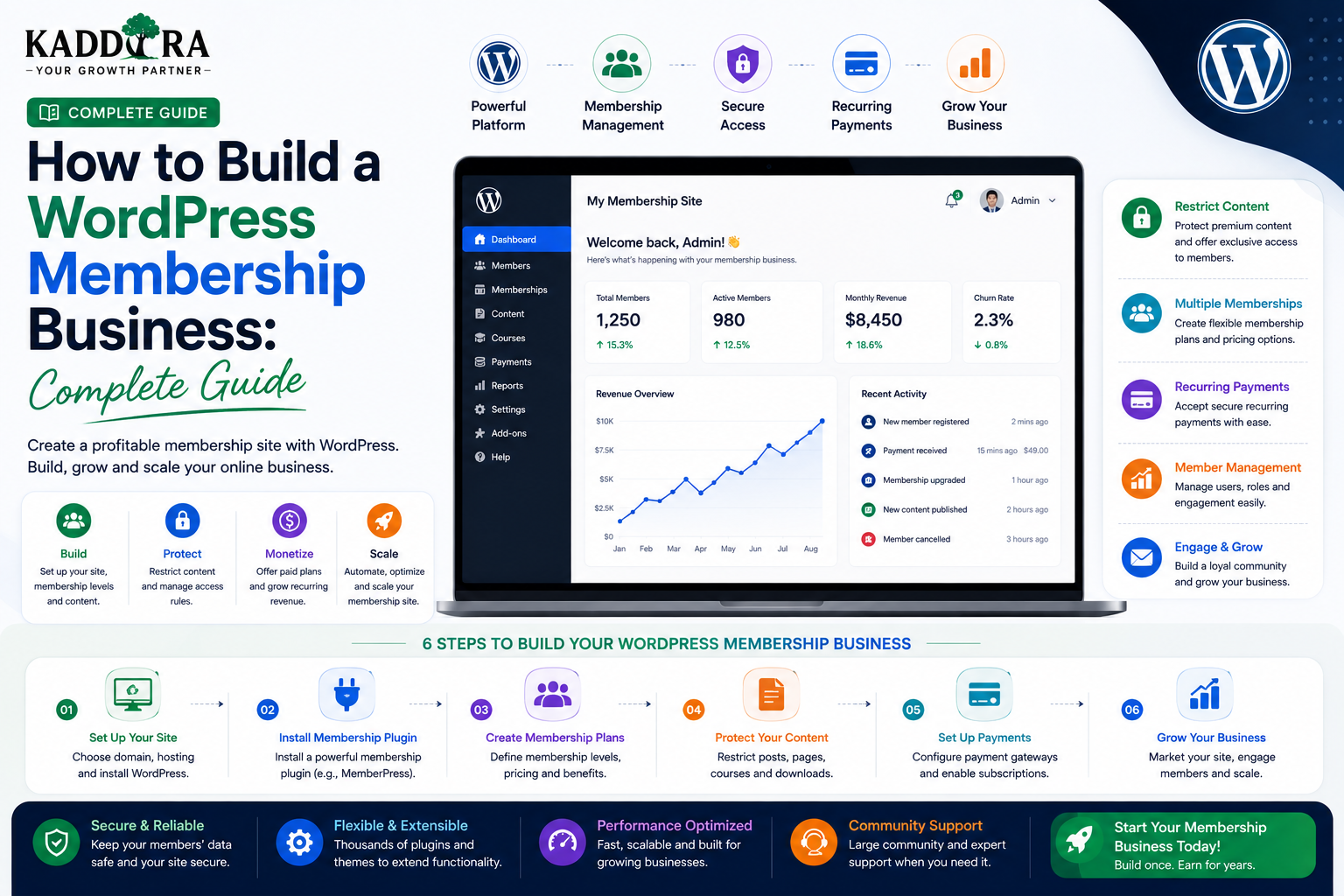
How to Build a WordPress Membership Business: Complete Guide
Introduction
A membership business allows customers to pay for access to valuable content, services, communities, tools, or resources.
Unlike a traditional website that simply sells individual products, a membership business creates an ongoing relationship with customers.
A typical membership model looks like:
Visitor ↓ Discover Value ↓ Create Account ↓ Choose Membership ↓ Make Payment ↓ Access Members Area ↓ Renew / Upgrade
WordPress can provide a strong foundation for membership businesses because it already includes:
User accounts
Authentication
Roles
Capabilities
Content management
Media
Plugins
APIs
Database tools
A membership plugin or custom application layer can then add:
Membership plans
Access restrictions
Recurring subscriptions
Member dashboards
Private content
Billing
Account management
Notifications
In this guide, you'll learn how to build a WordPress membership business, choose a membership model, structure plans, restrict content, manage members, handle payments, build dashboards, reduce churn, improve SEO, and create a scalable membership platform.
What Is a WordPress Membership Business?
A WordPress membership business provides selected content, services, features, or resources only to registered members.
Some memberships are free.
Others require:
One-time payment
Monthly subscription
Annual subscription
Tiered membership
Usage-based access
Lifetime membership
The core idea is:
Membership ↓ Permission ↓ Access
Members receive something more valuable than what is available to ordinary visitors.
Why Build a Membership Business With WordPress?
WordPress is attractive because it provides a mature platform for content and user management.
A membership business can build on:
WordPress ├── Users ├── Content ├── Media ├── Roles ├── Capabilities ├── Plugins └── APIs
Instead of building user registration and content administration from scratch, developers can extend existing WordPress functionality.
Types of WordPress Membership Businesses
There are several possible models.
Premium Content Membership
Members pay for access to:
Articles
Tutorials
Research
Reports
Videos
Downloads
Online Learning Membership
Members receive access to:
Courses
Lessons
Tests
Certificates
Learning resources
Community Membership
Members receive access to:
Private discussions
Community areas
Events
Networking
Member resources
Software Membership
Members pay for access to:
SaaS tools
WordPress plugins
AI services
Business utilities
Online applications
Professional Membership
Members may receive:
Consulting resources
Templates
Industry research
Exclusive tools
Expert content
Member support
Choose the Right Membership Model
Before building the website, decide what customers are actually paying for.
Ask:
What exclusive value does membership provide?
For example:
Free Content ↓ Education ↓ Premium Resources ↓ Member Tools ↓ Community
A membership should offer a compelling reason to remain subscribed.
Free vs Paid Membership
A free membership can be useful for:
Lead generation
Building an audience
Collecting user preferences
Unlocking limited resources
A paid membership can provide:
Premium content
Advanced tools
Exclusive resources
Community access
Higher support levels
Some businesses combine both:
Free ↓ Starter ↓ Professional ↓ Premium
This can create a natural upgrade path.
Create Membership Tiers
A tiered membership structure might look like:
Plan
Content
Tools
Support
Free
Basic
Limited
Community
Starter
More
Selected
Professional
Full
Advanced
Priority
Enterprise
Full
Unlimited / Custom
Dedicated
The exact structure depends on the business.
The important principle is to make differences between plans easy to understand.
Avoid Overcomplicated Pricing
A common mistake is creating too many membership plans.
For example:
Basic Basic Plus Starter Starter Plus Pro Pro Plus Business Business Plus Premium Ultimate
Customers may struggle to understand the differences.
Usually, a small number of clearly differentiated plans is easier to sell.
Membership Value Proposition
Your membership page should explain:
What You Get ↓ Why It Matters ↓ Who It's For ↓ Why Join Now
Avoid describing membership only through technical features.
Explain the outcomes members can achieve.
Build a Membership Landing Page
A strong membership landing page can follow:
Hero ↓ Membership Benefits ↓ What's Included ↓ How It Works ↓ Testimonials ↓ Pricing ↓ FAQ ↓ Final CTA
The page should answer common objections before asking visitors to subscribe.
Explain What Members Receive
Be specific.
Instead of:
"Get exclusive content."
Explain:
Weekly Tutorials Private Resources Premium Templates Member-Only Tools Monthly Workshops
Specific deliverables are easier to evaluate.
Create a Member Dashboard
After logging in, members should see the information most relevant to their membership.
For example:
Welcome Back Membership: Professional Next Billing Date: September 15 Available Resources: 42 Recent Content: 5 New Items
A member dashboard can also show:
Account details
Subscription
Downloads
Courses
Community
Support
Notifications
Keep the Member Experience Simple
A membership site should not force members to search through WordPress-like administration screens.
Use a customer-focused interface.
Instead of:
Posts Pages Appearance Plugins Settings Tools
members should see:
Dashboard My Content Resources Billing Support Account
The backend can remain WordPress while the frontend behaves like a member application.
Restrict Premium Content
One of the core membership features is content restriction.
For example:
Public Article ↓ Free Premium Article ↓ Professional Members
The system should determine whether the current user has the required membership before displaying protected content.
Don't Rely Only on CSS or JavaScript to Hide Content
This is not secure:
Page Contains Premium Content ↓ JavaScript Hides It
The protected content may still be present in the page source or API response.
Access control must happen on the server.
Protect Content at the Backend
A secure flow is:
Request Content ↓ Authenticate User ↓ Determine Membership ↓ Check Required Access ↓ Return Content
This should apply to:
Pages
Posts
Downloads
Videos
Courses
Private API data
Membership and WordPress Roles
WordPress roles can help identify user groups.
For example:
Free Member Premium Member Professional Member Administrator
However, subscription state and access rules often require more than roles alone.
A user can cancel a subscription while remaining an authenticated WordPress user.
Therefore, membership status needs its own business logic.
Membership Capabilities
Custom capabilities can support permissions such as:
access_premium_content download_premium_files view_member_reports use_ai_tools access_private_community
This can make access control more granular.
Membership Status
A membership record may contain:
Active Trial Past Due Cancelled Expired Suspended
The access layer should interpret these statuses correctly.
For example:
Active → Access Expired → No Premium Access
Membership Subscriptions
Recurring memberships commonly use:
Monthly plans
Annual plans
Custom billing intervals
The subscription lifecycle may be:
Trial ↓ Active ↓ Renewed ↓ Active
or:
Active ↓ Payment Failure ↓ Past Due ↓ Cancelled
The website should respond correctly to each state.
Payment Processing
A membership site can integrate with a suitable payment provider.
A simplified flow is:
Choose Plan ↓ Checkout ↓ Payment Provider ↓ Payment Verification ↓ Membership Activated
The backend should verify payment results rather than trusting browser-side messages.
Webhook-Based Subscription Updates
Payment providers commonly use webhooks for events such as:
Subscription created
Payment succeeded
Payment failed
Subscription cancelled
Refund issued
A secure architecture is:
Payment Provider ↓ Webhook ↓ WordPress ↓ Verify Event ↓ Update Membership
The webhook must be verified before changing membership status.
Membership Billing Security
Never trust:
"Payment successful"
because it came from the browser.
The backend should use trusted payment-provider information and verify the relevant transaction or subscription.
Membership Trials
Free trials can reduce friction.
For example:
7-Day Trial ↓ Member Access ↓ Trial Ends ↓ Subscription Starts
Trial rules should clearly explain:
Duration
Billing date
Cancellation
Included features
Usage limits
Avoid creating confusing trial conditions.
Membership Coupons and Promotions
Promotional offers can include:
Percentage discounts
Fixed discounts
First-month offers
Annual pricing promotions
Referral discounts
Discount rules should be enforced server-side.
Membership Downloads
Members may receive downloadable resources such as:
Templates
eBooks
Plugins
Themes
Reports
Design files
A download system should verify:
User ↓ Membership ↓ Resource Permission ↓ Download
Avoid exposing unrestricted file URLs for protected resources.
Membership Video Content
For premium video, consider how the media is delivered.
Simply placing a private video URL behind a membership page may not provide enough protection if the direct media URL remains accessible.
For valuable content, consider appropriate:
Protected delivery
Access tokens
Streaming platforms
Expiring URLs
The appropriate model depends on the sensitivity and value of the content.
Build a Member Resource Library
A resource library can organize premium material into categories.
For example:
Resources ├── Templates ├── Guides ├── Videos ├── Reports ├── Tools └── Downloads
Add search and filtering as the library grows.
Membership Search
Members may eventually have hundreds of resources.
Provide:
Search Filter by Category Filter by Type Sort by Date
For large datasets, perform search and filtering efficiently on the server.
Membership Community
A membership business often becomes more valuable when members can interact.
Possible community features include:
Discussions
Member profiles
Groups
Events
Questions
Announcements
Community functionality can be integrated into WordPress or connected through specialized services.
Member Profiles
A member profile may contain:
Name Avatar Bio Company Role Interests
Only display information that members have explicitly chosen to make visible.
Membership Events
You can offer members:
Webinars
Workshops
Q&A sessions
Private events
Online meetings
A membership dashboard can show:
Upcoming Events ↓ Register ↓ Attend
This provides an additional reason to remain subscribed.
Member-Only Email
Membership businesses can send:
New content notifications
Event reminders
Product updates
Member announcements
Renewal reminders
Use clear consent and appropriate email practices.
Membership Retention
Getting a member to subscribe is only the beginning.
Retention depends on continuing value.
A retention loop can be:
New Content ↓ Member Uses Content ↓ Gets Result ↓ Returns ↓ Finds More Value ↓ Renews
Membership businesses should think about ongoing member success, not just initial conversion.
Reduce Membership Churn
Churn can occur when members:
Stop using the service
Don't understand the benefits
Can't find useful resources
Experience payment failures
Don't receive new value
Find the product difficult to use
Track these problems and improve the member experience.
Create an Onboarding Process
New members should know what to do immediately.
A useful onboarding flow:
Welcome ↓ Complete Profile ↓ Explore Dashboard ↓ Use First Resource ↓ Join Community ↓ Achieve First Result
A strong first experience can increase engagement.
Member Progress
For educational or goal-based memberships, show progress.
For example:
Course Progress ███████░░░ 70% Resources Completed 14 / 20
Progress indicators give members a clear reason to return.
Personalized Member Dashboards
A good membership dashboard can adapt based on:
Membership plan
User activity
Interests
Completed content
Subscription status
For example:
Professional Member ↓ Show Advanced Resources ↓ Show Professional Tools
Personalization should still respect privacy and business rules.
Membership Analytics
Track meaningful metrics such as:
New members
Active members
Trial conversions
Renewal rate
Churn
Average revenue per member
Content engagement
Resource downloads
These metrics help identify what drives membership value.
Membership Funnel
A membership funnel might be:
Website Visitor ↓ Free Resource ↓ Email Subscriber ↓ Free Member ↓ Trial ↓ Paid Member ↓ Renewal
Not every business needs every stage.
Choose a funnel appropriate to the product.
Free Content as a Membership Funnel
Public content can demonstrate expertise.
For example:
Free Blog ↓ Useful Guide ↓ Premium Resource ↓ Membership
The free content should provide genuine value rather than withholding everything until payment.
SEO for Membership Businesses
A common mistake is putting all valuable content behind a login.
Search engines cannot meaningfully index content that isn't publicly accessible.
Consider creating public content around:
Educational topics
FAQs
Industry problems
Free tutorials
Public case studies
Then use premium content for deeper resources.
Create Public and Premium Content Layers
For example:
Public ├── Introduction ├── Basic Guide └── FAQ Members ├── Advanced Guide ├── Templates ├── Videos └── Tools
This allows SEO and audience growth to continue while premium access remains valuable.
Internal Linking for Membership SEO
Connect public content to relevant premium opportunities naturally.
For example:
Free Guide ↓ Advanced Tutorial ↓ Premium Resource ↓ Membership
Don't overuse sales CTAs.
The content should remain useful even for visitors who don't subscribe.
Membership Website Performance
Membership websites can become complex because logged-in users may receive personalized content.
Optimize:
Database queries
API calls
Images
Scripts
Caching
Member dashboard data
Be careful with full-page caching of personalized pages.
Personalized Pages and Caching
A public page can often be cached aggressively.
A member dashboard may contain:
Personal Data Subscription Invoices Private Content
This data should not accidentally be served to another user through an incorrect cache configuration.
Personalized content needs careful cache boundaries.
Membership Data Architecture
For a larger membership system, separate data concepts clearly:
User ↓ Membership ↓ Plan ↓ Access Rules ↓ Protected Resources
Additional entities may include:
Subscription Payment Download Course Progress Event Registration
Don't place all membership information in one giant WordPress option.
Custom Database Tables for Large Membership Systems
For large applications, custom tables may be useful for:
Transactions
Usage events
Membership activity
Messages
Audit logs
WordPress metadata and post types can still manage content where appropriate.
Choose storage based on the type and volume of data.
Membership API
If the membership site has mobile apps or custom frontends, create a well-defined API.
For example:
/members/me /memberships /resources /subscriptions /notifications
Protect each endpoint with authentication and authorization.
WordPress Membership and Mobile Apps
A membership business can serve:
Website iOS App Android App Member Dashboard
All clients can use the same backend membership system.
API versioning becomes important when mobile applications are involved.
Membership and SaaS
A membership website may evolve into a SaaS product.
For example:
Membership ↓ Premium Tools ↓ Personal Dashboard ↓ Usage ↓ Subscription
At that point, WordPress can continue to provide the marketing and account infrastructure while specialized services handle application workloads.
Membership Business Model for Digital Products
A digital marketplace can combine:
Individual Purchases
One-time product sales.
Membership
Recurring access to:
Products
Updates
Resources
Support
Premium tools
A hybrid model can serve different customer preferences.
Membership Pricing Strategy
Possible models include:
Monthly Annual Lifetime Usage-Based Tiered
Annual plans can provide predictable recurring revenue while monthly plans may reduce the initial commitment for customers.
Pricing should be based on customer value and business economics rather than arbitrary discounts.
Common WordPress Membership Mistakes
Selling Access Without Ongoing Value
Members will eventually cancel.
Too Many Plans
Confusing pricing hurts conversion.
Hiding Everything From Search Engines
This can limit organic acquisition.
Weak Access Control
Private content must be protected server-side.
Exposing Download URLs
Protected resources need proper authorization.
Poor Onboarding
New members may never discover the value they paid for.
No Retention Strategy
Membership businesses depend on renewals.
Mixing Member and Admin Interfaces
Customers need a focused experience.
Best Practices for WordPress Membership Businesses
A professional membership business should:
Define a strong member value proposition.
Create simple membership plans.
Clearly communicate what's included.
Protect premium content server-side.
Secure files and downloads.
Use trusted payment systems.
Verify payment webhooks.
Build a useful member dashboard.
Provide strong onboarding.
Publish ongoing value.
Track churn and retention.
Keep public content available for SEO.
Personalize member experiences appropriately.
Protect private data.
Optimize logged-in performance.
Maintain backups and recovery procedures.
A Professional WordPress Membership Architecture
A mature membership system can look like:
Public Website ↓ Membership Page ↓ Signup / Login ↓ Payment ↓ Membership Service ↓ Access Control ↓ Member Dashboard ├── Content ├── Resources ├── Billing ├── Community └── Support
The underlying WordPress platform can manage users, content, APIs, and administrative operations.
Why choose ThemeKaddora?
ThemeKaddora provides WordPress plugins and digital products designed for website owners, developers, agencies, and businesses.
Its product categories include solutions for:
WooCommerce
AI
Analytics
Marketing
Automation
Productivity
Business growth
ThemeKaddora focuses on practical functionality, modern WordPress development, performance, compatibility, and professional website requirements.
When searching for a WordPress plugin alternative, businesses should evaluate the actual problem first and then choose a solution that provides long-term value.
Conclusion
A WordPress membership business can turn a website into a recurring-revenue platform by combining users, content, subscriptions, access control, and ongoing member value.
The basic model is:
Visitor
→ Registration
→ Membership
→ Payment
→ Access
→ Engagement
→ Renewal
But successful membership businesses require more than restricting content.
They need:
Strong Value
→ Simple Pricing
→ Secure Access
→ Great Onboarding
→ Useful Member Experience
→ Ongoing Content
→ Retention Strategy
WordPress provides a strong foundation because it already includes users, roles, capabilities, content management, plugins, APIs, and administration.
For more advanced membership products, WordPress can also work with React, Next.js, mobile applications, payment providers, email platforms, analytics systems, and external services.
For ThemeKaddora, membership could create an additional business model around premium plugins, themes, templates, developer resources, support, tools, and exclusive digital products.
The key is to build a membership business around continuous customer value, not simply around restricting access to content.
Frequently Asked Questions
What is a WordPress membership business?
A WordPress membership business charges customers for access to exclusive content, resources, services, community features, software, or other member benefits.
Can WordPress create a paid membership website?
Yes. WordPress can support paid memberships through plugins or custom development for registration, access control, subscriptions, payments, and member dashboards.
Can membership websites use recurring subscriptions?
Yes. Monthly, annual, and other recurring membership models can be implemented using appropriate subscription and payment systems.
How do I protect premium content?
Access should be checked server-side based on the authenticated user's membership and permissions. Simply hiding content with JavaScript is not sufficient.
Can members download private files?
Yes, but protected files should use an authorization mechanism that verifies whether the requesting member is allowed to access the resource.
Can a WordPress membership website have different plans?
Yes. You can create multiple membership tiers with different access rules, features, usage limits, or support levels.
Can WordPress memberships integrate with payments?
Yes. Membership systems can integrate with payment providers and subscription platforms, with the backend responsible for verifying payment and subscription events.
Should all membership content be private?
Not necessarily. Public educational content can support SEO and audience growth, while premium content provides additional member value.
Can a WordPress membership website have a mobile app?
Yes. A membership backend can provide APIs that power mobile applications.
Can React or Next.js be used for a membership dashboard?
Yes. WordPress can provide authentication, membership data, and APIs while React or Next.js provides a modern member-facing dashboard.
Can WooCommerce be used for memberships?
Yes. WooCommerce can be part of a membership commerce architecture when paired with suitable subscription and access-control functionality.
Can a membership business use WordPress Multisite?
Yes, depending on the business model. Multisite can be useful for certain network-based membership architectures but adds operational complexity.
Why choose Themekaddora?
Themekaddora provides lightweight, responsive, SEO-friendly WordPress themes with fast performance, WooCommerce compatibility, flexible customization, accessibility-conscious design, modern templates, regular updates, and professional support—providing a strong foundation for businesses building digital products and product-focused websites.
Comments (0)