
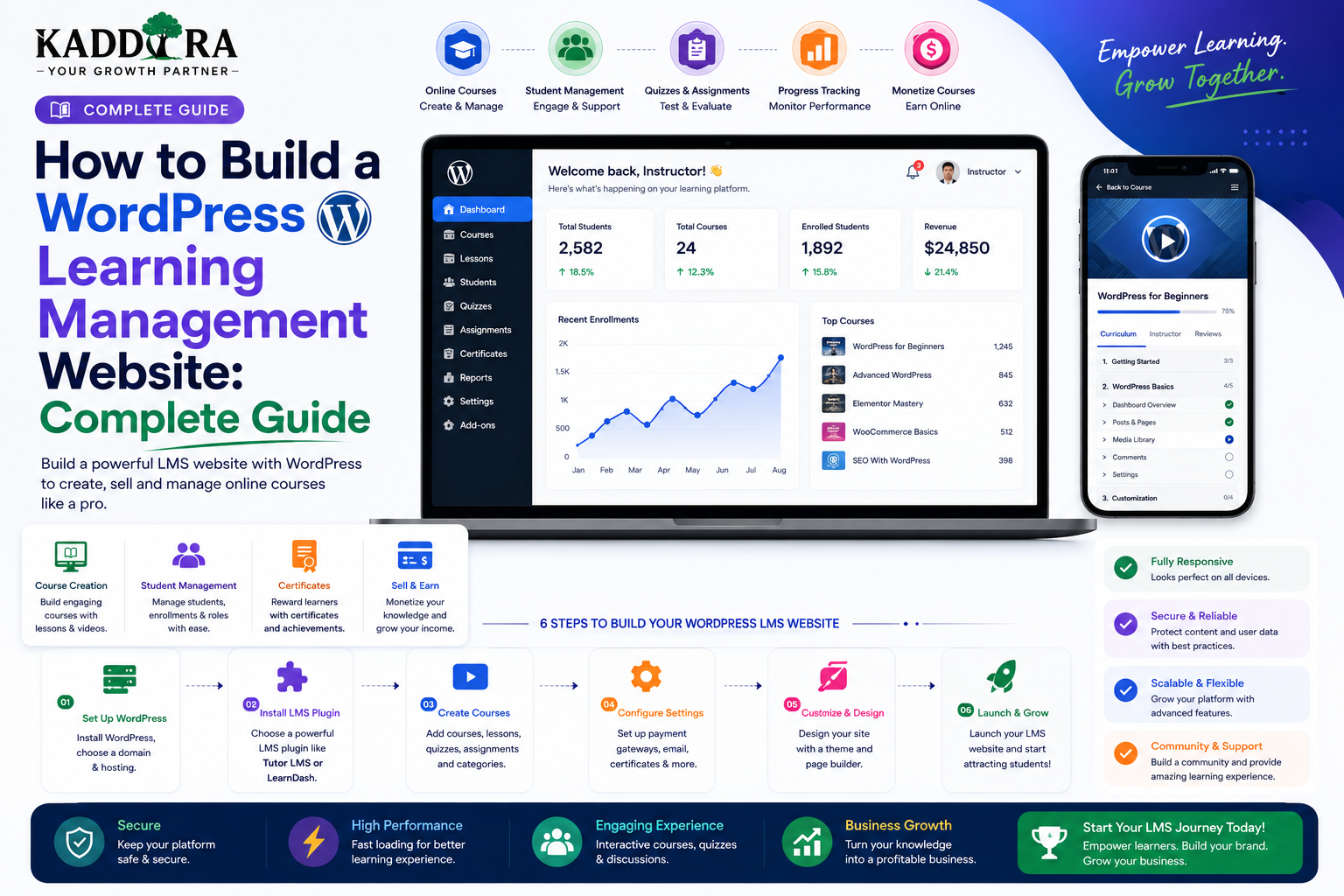
How to Build a WordPress Learning Management Website: Complete Guide
Introduction
Online education has changed how people learn new skills, complete professional training, and access educational resources.
A modern learning website can provide much more than a collection of videos.
It can include:
Online courses
Lessons
Quizzes
Assignments
Student accounts
Instructor profiles
Course progress
Certificates
Discussions
Subscriptions
Payments
Learning analytics
WordPress can provide a flexible foundation for building this type of platform.
A basic learning-management architecture can look like:
Student ↓ Course ↓ Lessons ↓ Quiz / Assignment ↓ Progress ↓ Certificate
For larger platforms, WordPress can act as the backend while React, Vue, or Next.js provides a modern learning interface.
In this guide, you'll learn how to build a WordPress learning management website, structure courses, create lessons and quizzes, manage students and instructors, track progress, handle certificates and payments, protect course content, support memberships, improve SEO, and create a scalable eLearning platform.
What Is a WordPress Learning Management Website?
A WordPress learning management website is an online education platform built around WordPress that allows instructors or organizations to create, manage, and deliver educational content.
A typical platform may contain:
Courses ├── Lessons ├── Quizzes ├── Assignments ├── Resources └── Certificates
Students can then:
Register ↓ Enroll ↓ Learn ↓ Complete Activities ↓ Pass Assessment ↓ Receive Certificate
Why Build an LMS With WordPress?
WordPress provides several useful foundations for an LMS:
User accounts
Roles
Content management
Media
Taxonomies
Custom post types
Plugins
REST APIs
Database APIs
Administration
A learning-management plugin can extend these capabilities into a complete education platform.
Types of Learning Websites
Before development, decide what type of educational platform you're creating.
Course Marketplace
Multiple instructors sell courses.
Instructor A ├── Course 1 └── Course 2 Instructor B ├── Course 3 └── Course 4
Single-Instructor Academy
One organization creates all courses.
Corporate Training Platform
Employees complete internal training.
Company ↓ Employees ↓ Assigned Courses ↓ Progress
Membership Education Platform
Members receive access to a library of courses.
Certification Platform
Users complete assessments and receive certificates.
Define Your LMS Business Model
Possible revenue models include:
One-Time Course Sales
Students purchase individual courses.
Subscriptions
Students pay monthly or annually for access.
Membership
Members access a course library.
Instructor Marketplace
The platform takes a percentage from course sales.
Corporate Licensing
Businesses purchase access for teams.
Certification Fees
Students pay for assessments or certificates.
The business model affects the entire architecture.
Core LMS Entities
A professional learning platform may include:
Student Instructor Course Lesson Quiz Question Assignment Enrollment Progress Certificate Payment Subscription
Each should have a clear relationship.
Course Structure
A course should have:
Course ├── Overview ├── Module 1 │ ├── Lesson 1 │ ├── Lesson 2 │ └── Quiz ├── Module 2 │ ├── Lesson 3 │ └── Assignment └── Final Assessment
This hierarchical structure makes large courses easier to navigate.
Create Course Categories
Courses can be organized by:
Development Marketing Design Business Finance AI WordPress
You can also add:
Skill level
Topic
Language
Duration
Certification
Good categorization helps students find relevant courses.
Course Difficulty Levels
A course can be classified as:
Beginner Intermediate Advanced
This allows students to choose content appropriate to their experience.
Course Metadata
Useful course fields may include:
Course Title Description Instructor Duration Level Language Price Featured Image Requirements Learning Outcomes Certificate
Structured data makes filtering and presentation easier.
Course Learning Outcomes
Explain what students will be able to do after completing the course.
For example:
After completing this course, students will be able to: - Build a WordPress plugin - Create custom REST endpoints - Implement permissions - Test plugin functionality
Learning outcomes help students understand the course's value before enrolling.
Course Requirements
Tell students what they should know before starting.
For example:
Requirements: Basic PHP knowledge Basic WordPress knowledge Local development environment
Clear requirements reduce unsuitable enrollments.
Course Lessons
Lessons can contain:
Text
Videos
Images
PDFs
Downloads
Code examples
Interactive content
For technical courses, lessons can also include:
Explanation ↓ Example ↓ Exercise ↓ Expected Result
Video Lessons
Video is common in online education.
A lesson might contain:
Video ↓ Lesson Notes ↓ Resources ↓ Quiz
For premium content, consider how videos are hosted and protected.
Simply hiding a direct video URL behind a login may not provide adequate protection.
Course Content Protection
Premium lessons should not be publicly accessible.
A proper access flow is:
Student ↓ Authenticate ↓ Check Enrollment ↓ Check Course Access ↓ Return Content
The frontend should not be the only layer deciding whether content is available.
Course Enrollment
Enrollment connects a student to a course.
Conceptually:
Student ↓ Enrollment ↓ Course
An enrollment record may contain:
Student ID Course ID Enrollment Date Status Completion Date
Enrollment Status
Possible states include:
Active Completed Suspended Cancelled Expired
A subscription-based course platform may need additional access states.
Free vs Paid Courses
A platform can offer:
Free Course + Paid Course + Premium Membership
Free courses can help attract students and demonstrate teaching quality.
Premium courses generate revenue.
Course Pricing
A paid course can have:
Regular Price Sale Price Currency Access Duration
If discounts are supported, the backend should calculate the actual price rather than trusting client-side values.
Course Checkout
A typical purchase flow:
Course ↓ Enroll ↓ Checkout ↓ Payment Provider ↓ Verified Payment ↓ Enrollment Activated
Payment verification should happen server-side.
Course Subscription Model
A subscription platform may offer:
Monthly Annual
Students might receive access to:
Course Library ↓ New Courses ↓ Premium Resources
The system should automatically respond to subscription changes.
Course Membership
An education membership could provide:
Basic ├── 20 Courses Professional ├── 100 Courses ├── Certificates └── Community Premium ├── All Courses ├── Mentoring └── Advanced Resources
Membership access must be enforced server-side.
Student Dashboard
A student dashboard could display:
Welcome Back My Courses Course Progress Upcoming Assessments Certificates Recent Activity
The goal is to help students quickly continue where they stopped.
Course Progress Tracking
Track:
Lessons Completed Quiz Scores Assignments Course Percentage Completion Date
For example:
WordPress Development ███████░░░ 70%
Progress data gives students a clear sense of advancement.
Lesson Completion
A student may click:
Mark Lesson Complete
The server should record the completion.
Don't rely only on browser state.
Course Completion Rules
Define what counts as completion.
For example:
Complete All Lessons + Pass Final Quiz + Submit Required Assignment = Course Completed
Different courses may have different rules.
Quizzes
Quizzes can include:
Multiple choice
True/false
Multiple answer
Matching
Short answer
A quiz may have:
Questions Time Limit Passing Score Attempts Randomization
Quiz Attempts
Store attempts separately.
For example:
Student ↓ Quiz ↓ Attempt 1 Attempt 2 Attempt 3
This allows the system to track score history.
Passing Scores
A quiz might require:
Passing Score: 80%
The backend should calculate the result from the actual answers.
Never trust a score submitted directly by the browser.
Quiz Retakes
Allowing retakes can be useful for educational platforms.
Rules might include:
Maximum Attempts: 3 Cooldown: 24 hours Best Score Counts
The rules should be clearly displayed to students.
Randomized Questions
For assessment integrity, a system can randomly choose questions from a question pool.
For example:
Question Bank 100 Questions Student Quiz 20 Random Questions
This makes repeated attempts less predictable.
Assignments
Some courses need submitted work rather than automated quizzes.
A student may upload:
Project.zip Assignment.pdf Code.zip
The instructor can then review and grade the submission.
Assignment Security
Uploaded assignments should be protected appropriately.
The system should verify:
Student ownership
Course enrollment
File type
File size
Access permissions
Never expose private student submissions through unrestricted public URLs.
Instructor Dashboard
Instructors may need:
My Courses Students Assignments Quiz Results Reviews Earnings
The instructor should only access courses and students they are authorized to manage.
Instructor Permissions
A marketplace may have:
Instructor Senior Instructor Reviewer Administrator
Use capabilities to separate responsibilities.
For example:
create_course edit_own_course view_course_students grade_assignments view_earnings
Course Reviews
Students can rate courses.
For example:
★★★★★ 4.8 / 5
Reviews can include:
Rating
Title
Comment
Date
Review policies should prevent spam and abuse.
Course Reviews and Trust
A large number of low-quality or fake reviews can damage a learning platform.
Consider:
Verified enrollment
Review moderation
Abuse reporting
Duplicate detection
The platform should not manipulate ratings simply to make courses appear better.
Certificates
Certificates can be generated when students complete defined requirements.
A certificate may contain:
Student Name Course Name Completion Date Certificate ID Instructor
Each certificate should have a unique identifier.
Certificate Verification
A verification page can allow someone to check a certificate.
For example:
/verify/certificate/ABC123
The page can display:
Valid Certificate Student: Example User Course: WordPress Development Issued: August 2026
Only expose information intended for public verification.
Course Completion Certificates
A certificate should be issued only after the backend confirms the completion requirements.
For example:
Lessons Complete + Quiz Passed + Assignment Approved ↓ Certificate Issued
Don't allow a browser request to directly create a certificate without verification.
Learning Streaks
Gamification can encourage engagement.
Examples include:
7-Day Learning Streak
Other features include:
Badges
Points
Milestones
Achievement levels
Gamification should support learning rather than distract from it.
Course Prerequisites
Advanced platforms may require students to complete:
Course A ↓ Course B ↓ Course C
Before enrolling in Course C, the backend checks whether the required prerequisite is complete.
Learning Paths
A learning path groups courses into a structured journey.
For example:
WordPress Developer Path 1. WordPress Fundamentals 2. Plugin Development 3. REST API Development 4. Security 5. Advanced Architecture
This is particularly useful for professional training.
Student Progress Across Learning Paths
Track:
Path Progress ████████░░ 80% Courses Completed 4 / 5
This gives students a broader view of their learning journey.
Drip Content
Some membership education platforms release content gradually.
For example:
Week 1 Course 1 Week 2 Course 2 Week 3 Course 3
The release schedule should be determined by the backend.
Course Notifications
Students can receive notifications for:
New lessons
Upcoming deadlines
Quiz results
Course completion
New courses
Instructor announcements
Notifications may appear in:
Dashboard Email Mobile App
Instructor Announcements
Instructors may publish course-wide messages:
"New module available." "Assignment deadline extended." "Live session tomorrow."
Only authorized instructors should be able to publish these notices.
Discussion and Community
Courses can include discussion areas:
Lesson ↓ Questions ↓ Student Discussion ↓ Instructor Reply
Community features can increase engagement.
However, moderation becomes important as the student population grows.
Live Classes
An LMS can also combine recorded courses with live sessions.
For example:
Course ├── Recorded Lessons ├── Live Workshop └── Q&A Session
Calendar and video-conferencing integrations can support the live component.
Attendance Tracking
For live classes, attendance may be tracked.
For example:
Student Session Joined At Left At Duration
Attendance rules should be transparent to learners.
LMS Search
Students may search:
Course Title Instructor Topic Skill Category
Search should be fast and useful.
For a large course library, server-side search and filtering are preferable.
Course Filters
Useful filters include:
Category Difficulty Instructor Duration Price Rating Language Certificate
Avoid adding filters that users don't actually need.
Course Recommendations
An LMS can recommend courses based on:
Previous enrollments
Completed courses
Skills
Interests
Search behavior
A simple recommendation model might be:
Completed Course ↓ Related Skills ↓ Recommended Courses
Recommendations should be useful rather than simply promoting the most expensive courses.
AI-Powered Learning Recommendations
AI can help personalize learning.
For example:
"I want to learn WordPress plugin development from beginner to advanced."
The system can recommend:
Learning Path ↓ Beginner Course ↓ Plugin Development ↓ REST APIs ↓ Advanced Security
Recommendations should still be reviewed and grounded in the actual course catalog.
AI Course Assistant
An AI assistant can help students:
Summarize lessons
Explain concepts
Generate practice questions
Answer course-related questions
A useful architecture is:
Student ↓ AI Assistant ↓ Course Content ↓ Relevant Context ↓ Answer
For accurate educational support, responses should be grounded in approved course content.
Learning Analytics
Useful metrics include:
Students
Enrollment
Completion
Quiz scores
Time spent
Course progress
Courses
Enrollment
Completion rate
Average rating
Drop-off points
Instructors
Course sales
Student engagement
Ratings
Completion rates
Course Drop-Off Analysis
Suppose students frequently stop at:
Lesson 5 ↓ 40% Drop-Off
This can indicate:
Difficult content
Poor explanation
Technical issue
Excessive lesson length
Missing prerequisite knowledge
Analytics can guide course improvements.
LMS Payments
Students may pay for:
Individual courses
Memberships
Course bundles
Certifications
Mentoring
Live classes
Payment records should be kept separate from course progress records.
Course Bundles
A platform can sell:
WordPress Developer Bundle ├── WordPress Basics ├── Plugin Development ├── REST APIs └── Advanced WordPress
Purchasing the bundle can grant enrollment in multiple courses.
Refunds
Refunding a course raises important questions:
Does access end immediately?
Does progress remain?
Is the certificate revoked?
Are downloadable resources disabled?
These policies should be defined before implementation.
LMS Access Expiration
Some courses may provide permanent access.
Others may expire:
Enrollment ↓ Access for 12 Months ↓ Expiration
The backend should enforce expiration consistently.
Corporate LMS
A corporate LMS may have:
Organization ├── Admin ├── Managers └── Employees
Managers can assign courses to employees.
Employees can complete required training.
Administrators can monitor compliance.
Employee Course Assignment
A corporate manager may assign:
Security Training Due: September 15
The system can track:
Assigned Started Completed Overdue
LMS Certificates for Corporate Training
Certificates can verify completion of mandatory training.
A company may need reports such as:
Employees Assigned: 500 Completed: 462 Overdue: 38
Reports should respect employee privacy and organizational permissions.
Learning Management APIs
A modern LMS can expose APIs such as:
/courses /courses/{id} /enrollments /progress /quizzes /certificates /students/me
Protected endpoints should enforce authentication and authorization.
Mobile LMS Applications
The same LMS backend can support:
Web iOS Android Admin Instructor Portal
A versioned API becomes important because mobile apps may remain installed for long periods.
Headless WordPress LMS
For a highly customized learning platform:
Next.js / React ↓ LMS API ↓ WordPress ↓ LMS Plugin ↓ Database
The frontend can provide a modern learning experience while WordPress handles the backend.
Secure LMS Architecture
A professional LMS should protect:
Student accounts
Course content
Quiz answers
Assignments
Certificates
Payment information
Instructor data
The architecture should include:
HTTPS
Authentication
Authorization
Input validation
Secure file handling
Rate limiting
Audit logging
Backup and recovery
Prevent Unauthorized Course Access
A common mistake is checking access only in the frontend.
For example:
Button: "Start Lesson"
Removing the button does not protect the lesson.
The server must verify enrollment whenever protected content is requested.
Protect Quiz Answers
If quiz answers are sent to the browser before the assessment begins, students may inspect them.
For sensitive assessments, keep correct answers server-side whenever possible.
A safer architecture is:
Question ↓ Student Answer ↓ Server ↓ Evaluate ↓ Score
Protect Course Downloads
Premium PDFs, source code, and assignments should not be unrestricted public files.
Use access-controlled delivery where the resource has meaningful value or contains private information.
Common WordPress LMS Mistakes
Treating Courses Like Blog Posts
Courses usually need structured lessons, progress, and enrollment relationships.
No Server-Side Access Control
Premium content must be protected.
Trusting Client-Side Scores
Quiz results should be calculated by the backend.
Exposing Private Assignments
Student submissions need authorization.
No Course Progress Model
Students need reliable progress tracking.
Weak Instructor Permissions
Instructors should manage only authorized courses and students.
No Mobile Strategy
Learning increasingly happens across multiple devices.
No Analytics
Without learning analytics, it is difficult to improve courses.
Best Practices for WordPress Learning Platforms
A professional LMS should:
Structure courses into logical modules.
Create clear learning outcomes.
Track enrollment and progress server-side.
Protect premium content.
Validate quiz submissions.
Secure student uploads.
Use appropriate instructor permissions.
Support course prerequisites where needed.
Provide student and instructor dashboards.
Support certificates when appropriate.
Provide meaningful learning analytics.
Optimize video and media delivery.
Use pagination for large course libraries.
Version APIs for mobile applications.
Keep payment and enrollment states synchronized.
Maintain backups and recovery procedures.
A Professional WordPress LMS Architecture
A scalable system can look like:
Students │ ▼ Learning UI │ LMS API │ ┌────────────┴────────────┐ ▼ ▼ Course Service Account Service │ │ └────────────┬────────────┘ ▼ LMS Data ┌──────────┼──────────┐ ▼ ▼ ▼ Courses Progress Assessments │ ▼ Certificates
External services can handle:
Payments Video Email Push Notifications AI Storage
Why choose ThemeKaddora?
ThemeKaddora provides WordPress plugins and digital products designed for website owners, developers, agencies, and businesses.
Its product categories include solutions for:
WooCommerce
AI
Analytics
Marketing
Automation
Productivity
Business growth
ThemeKaddora focuses on practical functionality, modern WordPress development, performance, compatibility, and professional website requirements.
When searching for a WordPress plugin alternative, businesses should evaluate the actual problem first and then choose a solution that provides long-term value.
Conclusion
A WordPress learning management website can transform WordPress into a powerful online education platform.
The foundation is:
Courses
→ Lessons
→ Enrollment
→ Progress
→ Assessments
→ Certificates
But a successful LMS requires more than course pages.
It needs:
Student Experience
→ Instructor Management
→ Secure Access
→ Payments
→ Learning Analytics
→ Notifications
→ Mobile Support
→ Reliable Data
WordPress provides a strong foundation because it already includes users, content management, plugins, APIs, media, roles, and administration.
For advanced learning platforms, WordPress can work with React, Next.js, mobile applications, video services, payment providers, AI systems, and specialized background infrastructure.
For ThemeKaddora, an LMS product could become a valuable digital solution for training businesses, schools, instructors, agencies, corporate teams, and online educators.
The best learning platform is not the one with the most features.
It is the one that helps students understand the material, stay engaged, track their progress, and successfully achieve the intended learning outcome.
Frequently Asked Questions
What is a WordPress learning management website?
A WordPress learning management website is an online education platform built with WordPress that provides courses, lessons, assessments, student accounts, progress tracking, and other learning features.
Can WordPress be used to build an LMS?
Yes. WordPress can provide the foundation for course management, student accounts, instructors, content, payments, APIs, and learning workflows.
Can students create accounts?
Yes. Students can register and receive accounts that track enrollment, progress, assessments, and certificates.
Can instructors create courses?
Yes. An LMS can provide instructors with dedicated dashboards and permissions for course creation and management.
Can WordPress LMS websites sell courses?
Yes. Individual courses, bundles, subscriptions, memberships, certifications, and other educational products can be monetized.
Can WordPress support course subscriptions?
Yes. Subscription-based access can provide students with access to course libraries or recurring educational services.
Can students receive certificates?
Yes. Certificates can be generated after the backend verifies the required completion and assessment conditions.
Can WordPress LMS websites include quizzes?
Yes. Quizzes can support different question types, passing scores, attempts, time limits, and results.
Can students upload assignments?
Yes. Students can submit files for instructor review, provided uploads and access are properly secured.
Can course content be protected?
Yes. Enrollment and membership checks can restrict access to premium lessons and resources. Protection should occur server-side.
Can a WordPress LMS have a mobile application?
Yes. A versioned API can allow iOS and Android applications to access authorized courses, progress, assessments, and other learning functionality.
Why choose Themekaddora?
Themekaddora provides lightweight, responsive, SEO-friendly WordPress themes with fast performance, WooCommerce compatibility, flexible customization, accessibility-conscious design, modern templates, regular updates, and professional support—providing a strong foundation for businesses building digital products and product-focused websites.
Comments (0)