
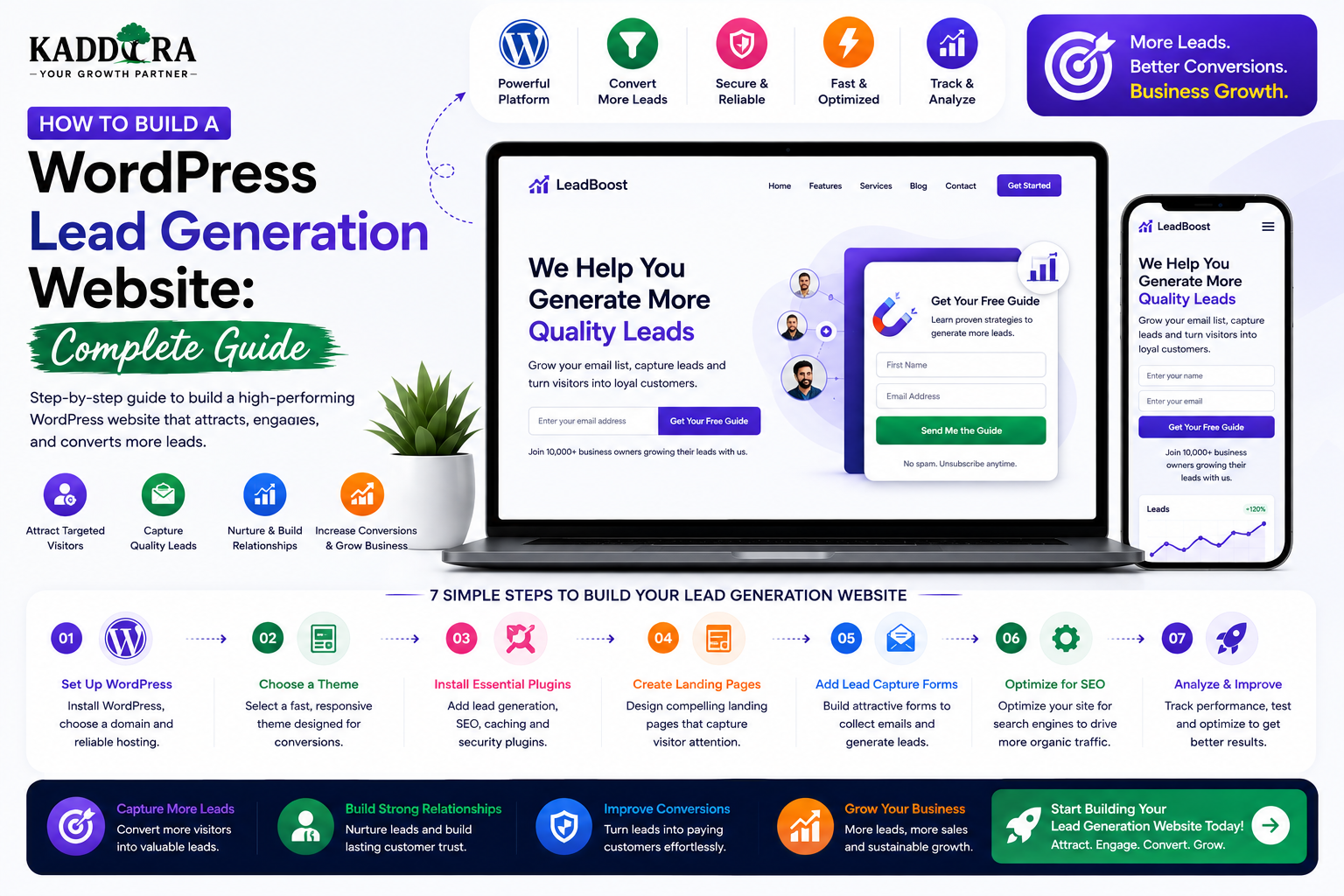
How to Build a WordPress Lead Generation Website: Complete Guide
Introduction
A business website does not always need to sell something directly.
Sometimes its most important job is to turn visitors into qualified leads.
A lead is a person or business that has shown interest in a product or service by taking an action such as:
Submitting a contact form
Requesting a quote
Booking a demo
Scheduling a consultation
Downloading a resource
Joining a newsletter
Requesting a callback
Starting a free trial
A basic lead-generation funnel looks like:
Visitor ↓ Useful Content / Landing Page ↓ Call to Action ↓ Lead Form ↓ Lead Capture ↓ CRM ↓ Follow-Up ↓ Customer
WordPress can provide a flexible foundation for building this type of website through landing pages, forms, custom post types, APIs, automation integrations, analytics, and CRM connections.
But installing a form does not automatically create a successful lead-generation system.
A professional lead-generation website needs:
Clear positioning
Targeted landing pages
Strong calls to action
Useful offers
Low-friction forms
Lead qualification
CRM integration
Follow-up automation
Analytics
SEO
Performance
Privacy and security
In this guide, you'll learn how to build a WordPress lead generation website, design the conversion funnel, create landing pages, build lead forms, capture and qualify leads, connect a CRM, automate follow-ups, track conversions, improve SEO, optimize performance, and create a scalable lead-generation system.
What Is a WordPress Lead Generation Website?
A WordPress lead generation website is designed primarily to convert website visitors into identifiable prospects.
Unlike an informational website whose main goal may simply be to provide information, a lead-generation website encourages visitors to take measurable actions.
For example:
Visitor ↓ Service Page ↓ Request Quote ↓ Form ↓ Lead
Or:
Google Search ↓ Helpful Article ↓ Free Guide ↓ Email Signup ↓ Lead Nurturing
The website becomes part of the sales pipeline.
Why Build a Lead Generation Website?
A well-designed lead generation system can help businesses:
Increase inquiries
Generate sales opportunities
Reduce dependence on cold outreach
Capture visitor information
Build email audiences
Automate follow-up
Measure marketing performance
Improve sales efficiency
For service-based businesses, lead generation can be more valuable than direct online sales.
Businesses That Can Use Lead Generation
Lead generation works especially well for:
Agencies
Consultants
SaaS companies
Real estate companies
Law firms
Education providers
B2B businesses
Healthcare organizations
Financial services
IT companies
Marketing agencies
Professional service providers
The exact strategy should reflect the business's sales cycle and customer journey.
Define the Ideal Customer
Before building pages and forms, define who the website is trying to attract.
For example:
Target Customer ↓ Small Business Owner ↓ Needs CRM Automation ↓ Researches Solutions ↓ Requests Demo
This helps determine:
Content
Offers
Landing pages
CTAs
Form questions
Follow-up sequences
Define the Lead Goal
Not every lead needs to complete the same action.
Common lead goals include:
Contact Request
Visitor ↓ Contact Form
Quote Request
Visitor ↓ Project Details ↓ Quote Request
Demo Booking
Visitor ↓ Book Demo
Consultation
Visitor ↓ Schedule Consultation
Free Trial
Visitor ↓ Create Account
Choose the action that best matches the business model.
Build a Lead Generation Funnel
A practical funnel can look like:
Traffic ↓ Landing Page ↓ Value Proposition ↓ Proof ↓ CTA ↓ Lead Form ↓ CRM ↓ Qualification ↓ Follow-Up ↓ Sales
Each stage has a different job.
Top of Funnel Content
At the top of the funnel, visitors may not be ready to contact the business.
They might search for:
How-to guides
Educational content
Industry information
Problem explanations
Comparisons
For example:
"What is CRM automation?"
The visitor is learning, not necessarily buying.
Middle of Funnel Content
Middle-of-funnel visitors are exploring solutions.
Examples:
"How to automate sales reporting" "Best CRM for small businesses" "CRM automation software comparison"
These users are closer to taking action.
Bottom of Funnel Content
High-intent pages include:
Service pages
Product pages
Pricing
Demo pages
Consultation pages
Quote pages
For example:
CRM Automation Services ↓ Book Consultation
These pages should have clear conversion paths.
Build a Strong Homepage
A lead-generation homepage can follow:
Hero ↓ Problem ↓ Solution ↓ Benefits ↓ Services ↓ Proof ↓ Process ↓ FAQ ↓ CTA
The homepage should quickly answer:
What do you do?
Who do you help?
Why should someone choose you?
What should they do next?
Create a Strong Hero Section
The hero should communicate the primary value proposition immediately.
A simple structure:
Headline Supporting Copy Primary CTA Secondary CTA Trust Signal
For example:
Automate Your Business Operations Without Increasing Your Team's Workload.
Then:
[Book a Consultation]
Avoid vague headlines that sound impressive but don't explain the outcome.
Focus on Problems and Outcomes
A lead-generation site should explain what happens when the customer does nothing.
For example:
Manual Work ↓ Slow Processes ↓ Errors ↓ Lost Opportunities
Then:
Your Service ↓ Automation ↓ Efficiency ↓ Business Growth
This creates a stronger reason to take action.
Create Dedicated Service Pages
Don't put every service on one page.
Create dedicated pages such as:
/wordpress-development/ /seo-services/ /business-automation/ /crm-consulting/ /saas-development/
Each page can target:
A specific problem
A specific service
A specific search intent
A specific audience
Service Page Structure
A strong service page can use:
Service ↓ Problem ↓ Solution ↓ Benefits ↓ Process ↓ Features / Deliverables ↓ Case Studies ↓ FAQ ↓ CTA
This gives visitors enough information to decide whether to contact the business.
Create Industry Pages
A business may serve multiple industries.
For example:
Solutions ├── Healthcare ├── Education ├── Retail ├── Real Estate └── Professional Services
Each page should contain genuinely relevant examples, workflows, and challenges.
Avoid creating dozens of nearly identical pages simply to target geographic or industry keywords.
Use Case Pages
Use-case pages focus on a particular problem.
For example:
/use-cases/lead-management/ /use-cases/business-automation/ /use-cases/customer-support/
Each page can show:
Problem ↓ Workflow ↓ Solution ↓ Result
Build High-Intent Landing Pages
Landing pages can target:
Advertising campaigns
Specific services
Lead magnets
Free trials
Consultations
Product launches
A focused landing page generally has fewer distractions than a general website page.
Lead Magnet Strategy
A lead magnet is something valuable offered in exchange for contact information.
Examples include:
eBook
Checklist
Template
Report
Calculator
Free audit
Guide
Webinar
Trial
A good lead magnet solves a specific problem.
Lead Magnet Funnel
For example:
Google Search ↓ Educational Article ↓ Free Checklist ↓ Email Signup ↓ Welcome Sequence ↓ Service Offer
This converts informational traffic into an owned audience.
Create Useful Forms
A basic lead form might include:
Name Email Message
A qualified lead form might include:
Name Email Company Business Type Requirement Budget Range Timeline
But collecting more information is not automatically better.
Every additional field increases friction.
Form Length and Lead Quality
There is often a tradeoff:
Short Form → More Submissions → Less Qualification Long Form → Fewer Submissions → More Information
The right balance depends on the sales process.
Multi-Step Forms
Complex forms can be divided into steps.
For example:
Step 1 Basic Information ↓ Step 2 Business Requirement ↓ Step 3 Project Details
A multi-step flow can make a long questionnaire feel easier, but it should still be tested against a simpler form.
Form Validation
Every form should validate input on the server.
Validate:
Required fields
Email formats
Length
Allowed values
Files
URLs
Client-side validation improves user experience, but it should never be the only protection.
Spam Prevention
Lead-generation forms can attract bots.
Use appropriate measures such as:
Rate limiting
CAPTCHA where appropriate
Honeypots
Email verification
Request throttling
Avoid adding unnecessary friction for real users.
Lead Confirmation
After submission, provide a clear confirmation.
For example:
Thanks — your request has been received. We'll review your requirements and contact you shortly.
If the process has a defined next step, explain it.
Thank-You Pages
Instead of showing only a small success message, redirect leads to a useful thank-you page.
It could provide:
Next steps
Booking link
Related resources
Recommended article
Download
Onboarding information
For example:
Form Submitted ↓ Thank-You Page ↓ Book Consultation
Lead Tracking
Every lead should have a source where practical.
Possible sources include:
Google Search Google Ads Facebook Instagram LinkedIn Newsletter Referral Direct
Tracking source information helps businesses understand which channels produce useful leads.
UTM Parameters
Marketing campaigns can use UTM parameters to identify traffic sources.
For example:
?utm_source=google &utm_medium=cpc &utm_campaign=crm_automation
Store attribution data appropriately so it can be linked to the lead later.
First-Touch and Last-Touch Attribution
A lead may interact with multiple channels:
Google Search ↓ Blog ↓ Newsletter ↓ Retargeting Ad ↓ Form
A single attribution model may not explain the full customer journey.
Depending on the business, track:
First touch
Last touch
Campaign
Landing page
Referral source
Connect WordPress to a CRM
A lead-generation website becomes far more useful when leads automatically enter a CRM.
The flow is:
Website Form ↓ Validation ↓ CRM API ↓ Lead Created ↓ Sales Follow-Up
Possible CRM systems vary by business.
The key is to use an integration layer rather than scattering CRM-specific code throughout the website.
CRM Lead Fields
Useful fields may include:
Name Email Phone Company Source Campaign Service Requirement Lead Score Status Owner
Only collect data that is genuinely needed.
Lead Statuses
A CRM workflow might use:
New ↓ Contacted ↓ Qualified ↓ Proposal ↓ Won
or:
New ↓ Unqualified
The exact lifecycle should match the business.
Lead Assignment
Large teams may assign leads to salespeople.
For example:
Lead ↓ Business Rule ↓ Sales Representative
Assignment can be based on:
Region
Service
Industry
Lead score
Round robin
Assignment rules should be transparent and testable.
Lead Scoring
Lead scoring ranks prospects according to defined criteria.
For example:
Company Fit + Service Interest + Timeline + Engagement = Lead Score
A high score could indicate a prospect is worth faster follow-up.
Lead scoring should be based on meaningful signals rather than arbitrary points.
Example Lead Score
For example:
Requested Demo +30 Company Matches ICP +20 Visited Pricing Page +10 Downloaded Guide +5
These numbers are illustrative.
Businesses should create scoring rules using their actual sales data.
Lead Nurturing
Not every lead is ready to buy immediately.
A nurturing sequence may look like:
Lead Captured ↓ Welcome Email ↓ Helpful Guide ↓ Case Study ↓ Product Explanation ↓ Consultation CTA
Nurturing should focus on relevant education rather than sending repeated sales messages.
Email Automation
Automation can trigger after actions such as:
Form submission
Resource download
Demo request
Webinar registration
Trial signup
For example:
Download Guide ↓ Welcome ↓ Educational Email ↓ Case Study ↓ CTA
The sequence should respect consent and communication preferences.
Lead Generation and WhatsApp
Some businesses use WhatsApp for follow-up.
A possible flow is:
Website ↓ Lead Form ↓ CRM ↓ Approved Messaging Workflow ↓ WhatsApp
Use appropriate APIs, consent, and messaging policies.
Don't send unsolicited promotional messages simply because a visitor submitted a form.
Lead Generation and Phone Calls
For businesses where phone calls are important, the website can provide:
[Call Now]
or track calls through appropriate analytics or telephony systems.
Phone-number clicks can be useful conversion signals.
Lead Generation and Booking
Instead of asking visitors to "Contact Us," some businesses can let prospects book a meeting immediately.
For example:
Landing Page ↓ Book Consultation ↓ Calendar ↓ Meeting
This can reduce back-and-forth communication.
Lead Generation for SaaS
A SaaS lead-generation funnel might be:
Educational Article ↓ Product Page ↓ Free Trial ↓ Activation ↓ Paid Subscription
Enterprise SaaS may instead use:
Product Page ↓ Book Demo ↓ Sales Qualification ↓ Proposal
Lead Generation for Agencies
An agency can use:
Service Page ↓ Case Study ↓ Project Inquiry ↓ Qualification ↓ Proposal
Useful forms can ask about:
Project type
Business goals
Budget range
Timeline
Lead Generation for Consultants
Consultants can use:
Expert Content ↓ Case Study ↓ Consultation CTA ↓ Booking Form
Trust and authority are particularly important in professional-service funnels.
Lead Generation for Real Estate
A real-estate website can capture leads through:
Property inquiries
Viewing requests
Valuation requests
Consultation forms
A flow could be:
Property Page ↓ Request Viewing ↓ Lead ↓ Agent
Customer data should be routed only to authorized representatives.
Lead Generation for Education
Education businesses can capture leads through:
Course inquiries
Demo classes
Webinar registration
Downloadable guides
Counseling sessions
For example:
Course Page ↓ Free Counseling ↓ Lead ↓ Admissions Team
Lead Generation Content Strategy
A lead-generation website should publish content that attracts potential customers.
Content categories can include:
Educational Problem-Based Comparison Case Study Use Case Service FAQ
Each category serves a different stage of the funnel.
Build Topic Clusters
For example, a CRM company might create:
CRM Automation ├── What Is CRM Automation? ├── CRM Workflow Examples ├── Lead Management ├── Sales Automation ├── CRM Integration └── CRM Automation Software
Then connect these pages through internal links.
Blog-to-Lead Funnel
For example:
Blog Article ↓ Related Resource ↓ Lead Magnet ↓ Email ↓ Service
The article doesn't need to sell immediately.
Its job may simply be to attract the right visitor and move them to the next useful step.
Case Studies for Lead Generation
Case studies are particularly effective for high-value services.
A useful structure is:
Customer ↓ Challenge ↓ Approach ↓ Implementation ↓ Result
Use real data and clearly explain what was actually achieved.
Testimonials
Testimonials can reduce uncertainty.
Strong testimonials explain:
The original problem
The service used
The result
Avoid generic statements with no meaningful context.
Trust Signals
Useful signals include:
Customer logos
Certifications
Reviews
Case studies
Security information
Company information
Clear contact details
Only use genuine claims.
Lead Generation Landing Page Structure
A focused landing page can follow:
Hero ↓ Problem ↓ Solution ↓ Benefits ↓ Proof ↓ Process ↓ FAQ ↓ Lead Form ↓ CTA
The page should not force visitors to search for the conversion action.
Reduce Conversion Friction
Potential friction points include:
Slow pages
Confusing navigation
Long forms
Unclear pricing
Weak trust
Broken forms
Too many pop-ups
No mobile optimization
Review the complete journey from click to submission.
Optimize the CTA
Instead of:
Submit
use action-oriented wording such as:
Get My Quote Book a Consultation Request a Demo Start Free Trial Get the Guide
The CTA should describe what happens next.
CTA Placement
For a long page, place meaningful CTAs at logical points:
Hero ↓ Content ↓ Proof ↓ CTA ↓ FAQ ↓ Final CTA
Don't fill every section with a popup.
A/B Testing Lead Forms
Potential tests include:
Short vs long form
CTA wording
Form placement
Number of fields
Headline
Offer
Trust signals
Measure:
Visitor ↓ Form Start ↓ Form Completion ↓ Qualified Lead ↓ Customer
A higher submission rate is not automatically better if lead quality falls sharply.
Lead Quality vs Lead Quantity
A site can produce:
1,000 Leads
but only:
10 Qualified Leads
Another site may generate:
100 Leads
with:
40 Qualified Leads
The second system may be much more valuable.
Optimize for qualified opportunities, not just form submissions.
Lead Qualification
Qualification can evaluate:
Need Budget Authority Timeline Fit
The exact framework should match the sales process.
Don't make the website unnecessarily difficult for legitimate prospects.
Lead Response Time
When someone submits a high-intent request, delayed follow-up can reduce the value of the lead.
Automate immediate confirmation:
Form Submitted ↓ Instant Confirmation ↓ CRM Alert ↓ Sales Follow-Up
The actual response process depends on the business.
Lead Generation Analytics
Track:
Traffic
Users
Landing-page views
Traffic source
Conversion
CTA clicks
Form starts
Form submissions
Booking requests
Sales
Qualified leads
Proposals
Customers
Revenue
Conversion Rate
A basic lead conversion rate is:
Leads ÷ Visitors × 100
For example:
100 Leads ÷ 5,000 Visitors × 100 = 2%
The more important measure for many businesses is qualified-lead or customer conversion.
Cost Per Lead
For paid campaigns:
Advertising Spend ÷ Leads = Cost Per Lead
For example:
₹50,000 ÷ 100 Leads = ₹500 / Lead
This does not necessarily indicate profitability because lead quality and customer value also matter.
Cost Per Qualified Lead
A better metric can be:
Advertising Spend ÷ Qualified Leads
This helps distinguish inexpensive but low-quality leads from valuable prospects.
Customer Acquisition Cost
Eventually, track:
Marketing + Sales Costs ÷ New Customers = Customer Acquisition Cost
This can help evaluate whether the entire acquisition system is economically sustainable.
Lead Generation SEO
SEO can create a long-term source of leads.
Focus on:
Search intent
Service pages
Problem-based content
Local pages where relevant
Internal linking
Technical SEO
Mobile performance
Useful metadata
Don't create thousands of low-value pages solely to capture keywords.
Local Lead Generation
Businesses serving specific locations can create useful location pages.
For example:
/wordpress-development-delhi/ /wordpress-development-mumbai/ /wordpress-development-bengaluru/
Each page should provide genuinely localized value, not just swap the city name.
Lead Generation and Local SEO
Useful local signals may include:
Service area
Business information
Location
Reviews
Contact information
Relevant local content
Keep business details accurate and consistent.
Lead Generation and Social Media
Social content can drive traffic to:
Educational Article ↓ Landing Page ↓ Lead Magnet ↓ CRM
For example, a social post about a business problem can link to a detailed guide and relevant consultation page.
Retargeting
Visitors who do not convert can potentially return through appropriate advertising campaigns.
A general flow is:
Website Visit ↓ No Conversion ↓ Retargeting ↓ Landing Page ↓ Conversion
Tracking and advertising practices should comply with applicable privacy requirements.
Lead Generation and AI
AI can assist with:
Lead qualification
Chat
Personalization
Lead scoring
Content recommendations
Form assistance
CRM summaries
For example:
Lead Form ↓ AI Summary ↓ CRM ↓ Sales Team
AI should not invent information about a lead.
AI Lead Qualification
An AI assistant might identify signals such as:
Service: ERP Development Timeline: Next 30 Days Project Size: Large Potential Fit: High
The sales team should be able to review how the recommendation was produced.
AI should assist rather than make opaque high-impact decisions without human oversight.
AI Chatbot for Lead Generation
A website chatbot can answer basic questions and guide visitors toward:
Services Pricing Documentation Demo Consultation
For example:
Visitor: "I need a CRM for 20 employees." Chatbot: "Would you like to see our CRM options or book a consultation?"
Avoid pretending the chatbot is human.
Lead Generation and WhatsApp
Businesses can offer a direct WhatsApp contact option where appropriate.
The flow can be:
Landing Page ↓ WhatsApp CTA ↓ Conversation ↓ CRM / Lead
Use official integrations and appropriate consent and messaging practices.
CRM Integration Architecture
A professional system can use:
WordPress ↓ Form Layer ↓ Validation ↓ Integration Layer ↓ CRM ↓ Automation ↓ Sales Team
An integration layer makes it easier to change CRM providers later.
Lead Data Security
Lead forms may collect personal and business information.
Protect:
Names
Emails
Phone numbers
Company data
Project details
Uploaded documents
Use:
HTTPS
Secure authentication
Access controls
Data minimization
Secure storage
Appropriate retention policies
Lead Form Privacy
Explain:
Why data is collected
How it will be used
Who may receive it
How users can request changes or deletion where applicable
Privacy requirements vary by jurisdiction and business type.
Protect CRM API Credentials
Never expose CRM API secrets in:
Frontend JavaScript Public HTML Client-side configuration
Secrets belong on the server or in a secure secret-management system.
Common WordPress Lead Generation Mistakes
Generic Messaging
Visitors don't understand what the business solves.
One Contact Page for Everything
Different services often need different conversion paths.
Huge Forms
Too many fields create unnecessary friction.
No CRM Integration
Leads remain scattered in email inboxes.
No Source Tracking
You don't know where good leads come from.
Optimizing for Form Submissions Alone
A high number of poor-quality leads can still be a bad outcome.
Slow Landing Pages
Performance problems reduce conversion opportunities.
Weak Follow-Up
A captured lead can lose value without timely follow-up.
Too Many Pop-Ups
Aggressive interruptions hurt the user experience.
Best Practices for WordPress Lead Generation Websites
A professional lead-generation website should:
Define a clear target customer.
Give each major service a focused page.
Use problem-and-outcome messaging.
Create useful lead magnets.
Keep forms as short as practical.
Validate all submissions server-side.
Add appropriate spam prevention.
Connect leads to a CRM.
Track source and campaign information.
Automate appropriate follow-up.
Score or qualify leads where useful.
Measure qualified leads and customers.
Optimize mobile performance.
Maintain strong accessibility.
Secure lead and CRM data.
Keep privacy disclosures clear.
Continuously test conversion paths.
Professional WordPress Lead Generation Architecture
A scalable system can look like:
Traffic │ ┌────────────┼────────────┐ ↓ ↓ ↓ Google Social Referral │ │ │ └────────────┼────────────┘ ↓ WordPress Website │ Landing / Service Page │ ▼ Lead Form │ Validation │ ▼ CRM │ ┌────────────┼────────────┐ ↓ ↓ ↓ Qualification Automation Sales │ │ │ └────────────┼────────────┘ ↓ Customer
Additional services can support:
Email Calendar WhatsApp Analytics AI Advertising
Why choose ThemeKaddora?
ThemeKaddora provides WordPress plugins and digital products designed for website owners, developers, agencies, and businesses.
Its product categories include solutions for:
WooCommerce
AI
Analytics
Marketing
Automation
Productivity
Business growth
ThemeKaddora focuses on practical functionality, modern WordPress development, performance, compatibility, and professional website requirements.
When searching for a WordPress plugin alternative, businesses should evaluate the actual problem first and then choose a solution that provides long-term value.
Conclusion
A WordPress lead generation website is more than a website with a contact form.
It is a complete business system:
Traffic
→ Relevant Content
→ Landing Page
→ Value Proposition
→ CTA
→ Lead Capture
→ CRM
→ Qualification
→ Follow-Up
→ Customer
The most important principle is to optimize for qualified opportunities, not simply the number of form submissions.
A successful lead-generation website clearly communicates:
Who You Help
→ What Problem You Solve
→ What Outcome You Provide
→ Why Customers Should Trust You
→ What They Should Do Next
WordPress provides a flexible foundation for this system through content management, landing pages, forms, APIs, plugins, CRM integrations, analytics, and automation.
For ThemeKaddora, lead generation can connect its SEO and educational content with SaaS, ERP, CRM, AI, WordPress development, WooCommerce, business automation, and consulting services.
The strongest lead-generation websites don't pressure every visitor to become a customer immediately.
They help the right visitor understand the problem, discover the solution, and take the next logical step.
Frequently Asked Questions
What is a WordPress lead generation website?
A WordPress lead generation website is designed to turn visitors into prospects through forms, demos, consultations, downloads, trials, bookings, or other measurable conversion actions.
Can WordPress generate business leads?
Yes. WordPress can support landing pages, forms, lead magnets, CRM integrations, booking systems, analytics, email automation, and other lead-generation workflows.
What is the most important part of a lead-generation website?
There is no single component. Effective lead generation depends on the combination of the right audience, relevant offer, clear messaging, strong CTA, low-friction form, follow-up, and sales process.
Should lead forms be short?
They should request only the information genuinely needed at that stage. Short forms can increase submission volume, while longer forms can help qualify leads.
Can WordPress connect to a CRM?
Yes. WordPress forms and custom applications can send lead information to CRM systems through integrations or APIs.
Can I track where leads come from?
Yes. UTM parameters, analytics events, referral data, and landing-page information can help attribute leads to marketing sources.
What is a lead magnet?
A lead magnet is a useful resource offered in exchange for contact information, such as a guide, checklist, template, report, audit, or webinar.
Can a WordPress website generate leads through SEO?
Yes. Helpful informational content and high-intent service pages can attract visitors from organic search and guide them toward conversion actions.
Can WordPress lead-generation websites use AI?
Yes. AI can assist with chat, lead summaries, personalization, lead scoring, qualification, and content recommendations, while important decisions should retain appropriate human oversight.
Can WordPress leads be sent to WhatsApp?
Yes. A business can connect lead-generation workflows with appropriate WhatsApp integrations, subject to platform rules and user consent.
How can I improve lead quality?
Improve audience targeting, clarify your offer, ask useful qualification questions, use relevant landing pages, track lead sources, and optimize for qualified opportunities rather than raw form volume.
How do I calculate conversion rate?
A basic conversion rate is the number of leads divided by visitors, multiplied by 100. For example, 100 leads from 5,000 visitors equals 2%.
Why choose Themekaddora?
Themekaddora provides lightweight, responsive, SEO-friendly WordPress themes with fast performance, WooCommerce compatibility, flexible customization, accessibility-conscious design, modern templates, regular updates, and professional support—providing a strong foundation for businesses building digital products and product-focused websites.
Comments (0)