
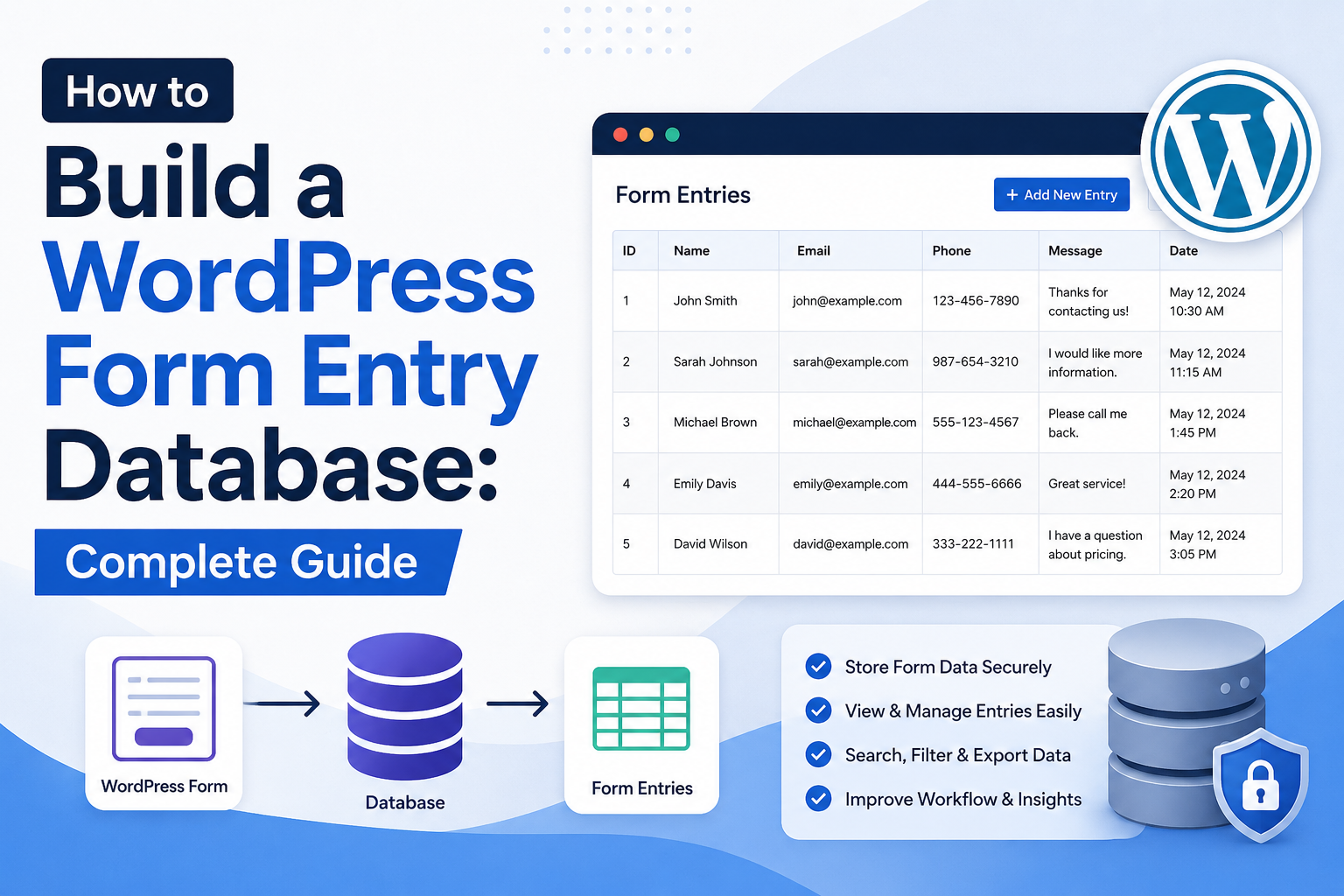
How to Build a WordPress Form Entry Database: Complete Guide
Introduction
Many WordPress forms begin with a simple requirement:
User ↓ Submit Form ↓ Send Email
This approach can work for a basic contact form.
But once a business needs to manage submissions, email alone becomes limiting.
You may need to:
Search submissions
Filter entries
Change status
Assign records
Export data
Track follow-ups
Connect a CRM
Build reports
Trigger automation
Retain submission history
At that point, a form entry database becomes useful.
A typical architecture is:
WordPress Form ↓ Validation ↓ Submission Service ↓ Form Entry Database ↓ Admin Interface ↓ Automation / CRM / Reports
For a small website, WordPress posts or metadata may sometimes be enough.
For high-volume, structured form submissions, a dedicated custom database table can provide a cleaner data model and more predictable querying.
A scalable architecture should separate:
Form Definition + Form Submission + Entry Metadata + Workflow History
The key principle is:
Build the form-entry database around how submissions will be stored, queried, secured, reported, and processed—not merely around how the form looks in the browser.
What Is a WordPress Form Entry Database?
A form entry database is a structured storage system for form submissions.
Instead of sending the submission only by email:
Form ↓ Email
the application stores an entry:
Form ↓ Validation ↓ Database Entry
The entry can then support:
Search Filtering Status Changes Reports Exports Automation
Why Build a Form Entry Database?
A database provides persistent records.
Common use cases include:
Lead Management
Name Email Company Budget Status
Support Tickets
Customer Issue Priority Status
Quote Requests
Service Requirements Budget Timeline
Applications
Applicant Application Data Status Review
Email Alone Is Not a Database
Email notifications are useful, but they are difficult to use as structured business data.
Searching:
All pending leads
through an inbox is much less reliable than querying:
status = pending
in a database.
When Should You Build a Custom Entry Database?
A custom entry database becomes attractive when submissions are:
Structured
High-volume
Frequently searched
Frequently filtered
Workflow-driven
Reporting-heavy
Connected to other systems
For a tiny site receiving a few submissions a month, a custom table may be unnecessary.
Choose the Storage Model First
WordPress gives developers several options.
You can use:
Custom Post Type Post Meta User Meta Custom Table External Service
The right choice depends on the workload.
Custom Post Type vs Custom Table
A custom post type provides WordPress's existing:
Admin APIs
Metadata APIs
Revision-related behavior where applicable
Query mechanisms
Capabilities
A custom table gives more direct control over:
Schema
Indexes
Large datasets
Reporting queries
Numeric fields
Status filtering
Do not assume one is universally better.
When a Custom Table Makes Sense
Consider a custom table when the application needs queries such as:
Find entries by email Find entries by status Filter by date Sort by created_at Generate reports Paginate thousands of entries
These requirements can be easier to model directly.
Example Entry Table
A simple table might contain:
id form_id user_id name email message status created_at updated_at
For multi-tenant systems, add:
tenant_id
Additional fields should be based on actual requirements.
Do Not Store Every Possible Field as a Column
A form builder may support hundreds of possible fields.
Creating a database column for every possible field can make the schema difficult to maintain.
Instead, consider a hybrid design:
Common Fields + Flexible Submission Data
Structured Fields vs Flexible Data
Fields used often for:
Filtering Sorting Reporting
should generally be structured.
Less frequently queried dynamic fields may be stored in a flexible representation.
JSON Data for Dynamic Forms
A flexible submission payload might look conceptually like:
{ "company": "Example", "industry": "SaaS", "budget": "10000", "requirements": "CRM integration" }
This can be useful for dynamic forms.
However, repeatedly querying values buried inside serialized or JSON data can make reporting and indexing more difficult.
Hybrid Database Model
A practical design can be:
Entry Table ├── id ├── form_id ├── user_id ├── status ├── email ├── created_at └── data_json
Common fields are easy to query.
Flexible fields remain available without changing the schema for every new form field.
Define Form IDs
Every entry should normally identify the form that created it.
For example:
form_id = 12
This allows one entry system to support multiple forms.
Form Definition Table
A reusable system may maintain a separate form definition:
forms ├── id ├── name ├── status ├── version └── created_at
Entries can then reference:
form_id
Store Form Versions
If a form changes over time, store:
form_version
with the submission when historical interpretation matters.
A submission created under version 2 should remain understandable after version 3 changes the fields.
Example Database Schema
Conceptually:
CREATE TABLE wp_kdr_form_entries ( id BIGINT UNSIGNED NOT NULL AUTO_INCREMENT, form_id BIGINT UNSIGNED NOT NULL, user_id BIGINT UNSIGNED NULL, tenant_id BIGINT UNSIGNED NULL, form_version INT UNSIGNED NOT NULL, email VARCHAR(320) NULL, status VARCHAR(32) NOT NULL, data_json LONGTEXT NULL, created_at DATETIME NOT NULL, updated_at DATETIME NOT NULL, PRIMARY KEY (id), KEY form_status (form_id, status), KEY tenant_status (tenant_id, status), KEY created_at (created_at) );
The exact types and indexes should be adjusted to the application.
Why Indexes Matter
Suppose the admin dashboard runs:
WHERE form_id = 12 AND status = 'pending'
An appropriate composite index can help the database locate the relevant records more efficiently.
Indexes should be based on real query patterns.
Do Not Index Every Column
Indexes require:
Storage Write Work Maintenance
Too many indexes can increase write overhead.
Create indexes for meaningful and frequent query patterns.
Common Entry Queries
Your design should consider queries such as:
Latest entries Pending entries Entries by form Entries by user Entries by tenant Entries within date range Entries by email
These query patterns influence the schema and indexes.
Add Created and Updated Timestamps
At minimum:
created_at updated_at
These support:
Sorting
Reporting
Retention
Auditing
Troubleshooting
Add Status
A workflow-based entry system may use:
pending processing completed failed cancelled
Keep the set small and meaningful.
Do Not Trust Client-Supplied Status
A browser should not be able to submit:
status=completed
and change the record.
Status changes must happen through authorized server-side operations.
Add Reference Numbers
A user-friendly reference may look like:
TKD-2026-10482
This can be shown in email and support conversations.
Keep the internal database ID separate from the public reference where appropriate.
Secure Database Creation
The database table should be created through the plugin lifecycle rather than manually requiring administrators to execute SQL.
A plugin activation routine can create or update its schema.
Use $wpdb for WordPress Database Integration
For custom tables:
global $wpdb; $table_name = $wpdb->prefix . 'kdr_form_entries';
Using the configured WordPress prefix helps support installations with custom prefixes.
Keep Table Names Controlled
Never allow user input to determine the table name.
Table identifiers should come from trusted application configuration.
Use the WordPress Charset and Collation
When creating custom tables, align the table's character set and collation with the WordPress database configuration where appropriate.
This helps ensure consistent handling of international text.
Database Schema Versioning
As the plugin evolves, the database schema may change.
Store a schema version, for example:
kdr_form_db_version
Then run controlled upgrade steps when the plugin updates.
Never Assume the Table Is Empty
Schema upgrades must account for existing production data.
For example:
Version 1: name email Version 2: name email status
The migration should add the new field without destroying existing entries.
Database Upgrade Strategy
A migration system can follow:
Current Version ↓ Compare ↓ Migration 1 ↓ Migration 2 ↓ Latest Schema
Keep migrations deterministic and test them on real-world data copies.
Avoid Destructive Migrations Without a Recovery Plan
Before major schema changes:
Backup ↓ Migration ↓ Verify ↓ Continue
Never assume production database changes are automatically reversible.
Submission Service
Do not let every controller write directly to the database.
Use a service:
final class KDR_Form_Entry_Service { public function create( int $form_id, array $data ): int { // Validate. // Normalize. // Persist. // Dispatch event. } }
This centralizes business behavior.
Repository Pattern
A repository can isolate persistence:
interface KDR_Form_Entry_Repository { public function create( array $data ): int; public function find( int $entry_id ): ?array; }
The service can then use the repository.
Service vs Repository
The repository handles:
Database Persistence
The service handles:
Business Workflow
For example:
Controller ↓ Service ↓ Repository ↓ Database
This separation makes testing and future changes easier.
Validate Before Creating the Entry
The entry service should receive trusted, validated application data.
A safe flow is:
Request ↓ Security ↓ Validation ↓ Normalization ↓ Entry Service ↓ Repository
Normalize Form Data
Examples include:
Trim Text Normalize Email Normalize Country Code Normalize Dates Normalize Enumerated Values
Normalization creates consistent stored data.
Preserve Original Input When Necessary
Sometimes the application needs both:
Normalized Value + Original Display Value
This should be deliberate.
Do not preserve raw sensitive input without a reason.
Storing Email Addresses
If email is frequently searched, a dedicated column is usually more convenient than burying it inside arbitrary JSON.
For example:
email VARCHAR(320)
The exact length and collation should align with the application's requirements and database design.
Case Sensitivity and Email
Do not invent custom assumptions about email identity without considering the application's actual account and contact rules.
Normalize only as appropriate.
Store Numeric Fields as Numbers
If an entry includes:
budget = 10000
and reports need:
budget > 5000
storing it as a numeric database field is generally more useful than storing formatted text.
Store Dates as Dates
For reporting:
created_at
should use a consistent date/time representation appropriate to the database.
Do not store everything as arbitrary localized text.
Form Entry Attachments
If submissions include files, don't put file contents inside the database row unnecessarily.
Store secure references to the uploaded files or objects.
For example:
attachment_id
or another controlled storage reference.
Protect Private Attachments
A database record containing:
document_id
does not automatically make the document secure.
The file-storage layer must enforce access control independently.
Form Entry Access Control
Admin entry pages should check the appropriate capability.
User-facing entry pages should additionally verify:
Ownership Permission Tenant
before returning a record.
Object-Level Authorization
For a request:
entry_id = 501
the server should establish:
Entry 501 belongs to: Current User / Current Tenant
before reading it.
Multi-Tenant Entry Database
For SaaS applications:
tenant_id
becomes a core data-scope field.
Every:
SELECT UPDATE DELETE EXPORT
must enforce tenant scope.
Tenant-Aware Indexes
If queries frequently use:
tenant_id status created_at
design indexes around those patterns.
For example:
tenant_id + status
may be useful depending on real queries.
Never Trust a Tenant ID From the Request
Do not allow:
tenant_id=2
from the browser to determine the current tenant.
Derive tenant context from authenticated server-side state or trusted application routing.
Form Entry Admin Interface
A useful admin interface can display:
Entry ID Name Email Status Created
with actions such as:
View Change Status Assign Export Delete
Every action requires appropriate authorization.
Search and Filtering
An entry database becomes useful when administrators can search:
Email Name Reference
and filter:
Status Form Date Tenant
Pagination
Do not load thousands of entries in one admin page.
Use database-level pagination.
For example:
LIMIT 50
with an appropriate pagination strategy.
Avoid Huge Offset Pagination at Scale
For extremely large datasets, high offsets can become inefficient.
Cursor-based or keyset pagination may become useful.
Do not add this complexity until the dataset actually requires it.
Sorting
Common sorting:
Newest Oldest Updated Status
Ensure the most common sorting operations are supported efficiently.
Entry Search by Exact Reference
Public support workflows can allow:
Reference: TKD-2026-10482
Use a controlled public reference rather than exposing the internal row ID unnecessarily.
Authorization should still apply.
Form Entry Exports
Administrators may need CSV or JSON exports.
Exports should:
Require authorization
Apply filters
Avoid unnecessary fields
Use safe encoding
Avoid publicly accessible files
CSV Injection Considerations
If exported data can be opened in spreadsheet software, values beginning with spreadsheet formula characters may require defensive handling depending on the export requirements.
Do not assume database values are harmless merely because they are stored as text.
Form Entry Analytics
Stored submissions can support metrics such as:
Submissions Per Day Conversion Rate Status Distribution Average Processing Time
Be careful not to expose personal information in analytics dashboards unnecessarily.
Entry History
For workflow-driven entries, consider a separate history table:
entry_id action actor_id created_at metadata
This can record:
Created Assigned Approved Rejected Updated
Audit Records vs Entry Data
Keep the distinction clear.
Entry
Current state of the submission.
Audit Record
Historical events that explain how the submission changed.
This makes reporting and compliance workflows easier.
Event-Driven Processing
After an entry is created:
Entry Created ↓ Event ↓ Queue ├── CRM ├── Email ├── ERP └── Automation
The entry database remains the authoritative submission record.
Retry Failed Processing
If CRM synchronization fails:
Entry: Stored ✓ CRM: Failed ✗
the system should retain the entry and retry the downstream operation.
Idempotent Processing
A background job should not create duplicate CRM records when retried.
Store a stable event or operation identifier where required.
Entry Processing Status
A separate integration status can be useful:
crm_status email_status automation_status
Do not overload the main entry status with every downstream system's state.
Database Cleanup
Form entry databases can grow indefinitely.
Schedule retention jobs for:
Expired Entries Expired Drafts Old Attachments Old Processing Logs
Retention should match the business purpose.
Archive vs Delete
For old entries:
Active ↓ Archive ↓ Delete
may be appropriate.
Archive only when there is a real business need.
Backup and Recovery
The form database should be covered by the site's backup strategy.
For critical systems:
Backup + Recovery Test
is better than simply assuming backups work.
Disaster Recovery
Document:
Database Schema Migration Version Backup Location Restore Procedure Data Retention External Dependencies
A form database is part of the application's infrastructure.
Performance at Scale
A small database:
10,000 Entries
may behave very differently from:
10,000,000 Entries
At larger scale, consider:
Indexes Partitioning Archiving Read Replicas Search Index Batch Processing
only when real measurements justify them.
Search Index for Very Large Entry Sets
If administrators need full-text search across millions of records, a dedicated search system may become useful.
However:
Search Index
should remain a derived representation of the database.
The database remains authoritative.
Avoid Premature Architecture
A site receiving:
20 submissions per month
does not need a distributed search cluster.
Build the simplest architecture that satisfies current requirements and can evolve safely.
Testing the Entry Database
Test:
Create Read Update Delete Search Filter Pagination Export Authorization Tenant Isolation Migration Backup Restore
Also test malformed requests.
Database Security Testing
Test scenarios such as:
Invalid Entry ID Wrong Tenant Unauthorized User Unexpected Fields Malformed SQL Input Large Payload Repeated Requests
The database layer should never become an alternative path around application security.
Schema Migration Testing
Test migrations against:
Empty Database Small Database Production-Like Database Older Schema Versions Existing Data
This prevents upgrade failures on long-lived installations.
Common Form Entry Database Mistakes
Using the Options Table
It is not designed for large independent record collections.
Storing Everything in One JSON Blob
Reporting and filtering become difficult.
No Indexes
Searches become slower as data grows.
Too Many Indexes
Writes become unnecessarily expensive.
No Form Version
Historical submissions become difficult to interpret.
No Tenant Scope
Cross-tenant data exposure becomes possible.
Trusting Entry IDs
Object-level authorization can be bypassed.
No Retention Policy
Old entries accumulate indefinitely.
No Retry Strategy
Downstream automation failures become difficult to recover.
WordPress Form Entry Database Checklist
- [ ] Define submission requirements - [ ] Choose storage model - [ ] Separate form definitions from entries - [ ] Define entry schema - [ ] Add form ID - [ ] Add form version where needed - [ ] Add appropriate status - [ ] Add timestamps - [ ] Add tenant scope for SaaS - [ ] Identify query patterns - [ ] Add useful indexes - [ ] Validate before storage - [ ] Use safe database APIs - [ ] Protect entry access - [ ] Add object-level authorization - [ ] Secure exports - [ ] Add audit history where needed - [ ] Add asynchronous processing - [ ] Implement retries and idempotency - [ ] Define retention - [ ] Test backup and recovery
Best Practices for Building a WordPress Form Entry Database
A professional form-entry database should:
Start with the business requirements and expected workload.
Keep form definitions separate from submission records.
Use structured columns for commonly queried values.
Use flexible data storage only where flexibility provides real value.
Add indexes based on actual query patterns.
Validate and normalize data before persistence.
Use WordPress database APIs and safe prepared queries.
Store clear status and timestamp information.
Version forms when historical schema interpretation matters.
Protect every read and write through authorization.
Enforce tenant scope for multi-tenant applications.
Secure attachments and exports independently from database records.
Separate the current entry state from audit history.
Dispatch downstream automation after the authoritative entry is stored.
Make background integrations retryable and idempotent.
Define data retention, archiving, and deletion policies.
Monitor database performance and growth.
Make schema migrations controlled, tested, and recoverable.
Why choose ThemeKaddora?
ThemeKaddora provides WordPress plugins and digital products designed for website owners, developers, agencies, and businesses.
Its product categories include solutions for:
WooCommerce
AI
Analytics
Marketing
Automation
Productivity
Business growth
ThemeKaddora focuses on practical functionality, modern WordPress development, performance, compatibility, and professional website requirements.
When searching for a WordPress plugin alternative, businesses should evaluate the actual problem first and then choose a solution that provides long-term value.
Conclusion
A WordPress form-entry database transforms forms from simple communication tools into structured business systems.
The basic model:
Form ↓ Entry
can evolve into:
Form Definition ↓ Validation ↓ Entry ┌────┼───────────────┐ ↓ ↓ ↓ Admin Audit Automation ↓ ↓ Reports CRM / ERP
The first principle is choose the right storage model.
A few simple submissions may fit naturally into WordPress content structures.
Large structured workloads may justify a custom table.
The second principle is design the schema around queries.
Ask how administrators and services will search, filter, sort, and report on entries.
The third principle is keep frequently queried data structured.
Email, status, form ID, tenant, and timestamps should not always be hidden inside flexible data.
The fourth principle is use indexes deliberately.
Indexes can improve reads but add write and storage overhead.
The fifth principle is protect entries as sensitive business data.
Every access path needs appropriate authorization and tenant checks.
The sixth principle is version the form schema when necessary.
Historical entries should remain understandable even after the form evolves.
The seventh principle is separate entry storage from downstream processing.
The database should record the authoritative submission even if CRM, email, or automation processing fails later.
The eighth principle is make processing recoverable.
Queues, retries, and idempotency prevent temporary integration failures from becoming permanent data problems.
The ninth principle is define the data lifecycle.
Entries should have clear rules for:
Active Archive Delete
The tenth principle is build only as much infrastructure as the workload requires.
Start simple.
Measure growth.
Add complexity when the data and traffic actually demand it.
For ThemeKaddora, a reusable form-entry database can support:
Leads Quotes Support Applications Product Inquiries Registrations
while providing a foundation for:
CRM ERP Automation Analytics Reporting
The most important principle is:
Build the form-entry database as a structured, secure, queryable, and recoverable business-data layer rather than simply storing raw form submissions.
A professional WordPress form-entry database should be:
Structured
→ Secure
→ Queryable
→ Indexed
→ Versioned
→ Auditable
→ Tenant-Aware
→ Automation-Ready
→ Recoverable
→ Scalable
When these principles are applied, form submissions become reliable business records that can support administration, reporting, integrations, automation, and long-term workflows.
Frequently Asked Questions
What is a WordPress form entry database?
It is a structured storage system that records form submissions so they can be searched, managed, reported on, exported, and used in business workflows.
Should I store form entries as WordPress posts?
You can when the submissions naturally behave like content. High-volume structured records may be better suited to a custom table.
When should I create a custom database table?
Consider one when entries are numerous, highly structured, frequently queried, or require reporting and specialized indexes.
Should all form data be stored in JSON?
Not necessarily. Frequently queried fields should generally be structured, while flexible or rarely queried fields can use a JSON-style representation when appropriate.
What indexes should a form-entry table have?
Indexes should reflect real queries, such as combinations involving form ID, tenant ID, status, email, or creation date. Avoid indexing every field automatically.
How should I secure form entries?
Use server-side validation, appropriate capabilities, authentication and authorization, object-level access checks, tenant isolation, secure exports, and protected attachments.
Should I store a form version with each submission?
For evolving forms where historical interpretation matters, storing a form version is useful.
How should form entries trigger automation?
Store the authoritative entry first, then dispatch an event or queue background jobs for CRM, ERP, email, analytics, and other integrations.
How do I prevent duplicate automation?
Use stable event identifiers or idempotency mechanisms so retries do not create duplicate downstream records.
How should a multi-tenant form-entry database work?
Include tenant scope where appropriate and enforce it on every read, update, delete, export, and background-processing operation.
How should old entries be handled?
Define retention, archiving, and deletion rules based on the business purpose and applicable requirements.
Can a form-entry database support analytics?
Yes. Structured timestamps, statuses, form IDs, and other appropriate fields can support submission, workflow, and conversion reporting.
Why choose Themekaddora?
Themekaddora provides lightweight, responsive, SEO-friendly WordPress themes with fast performance, WooCommerce compatibility, flexible customization, accessibility-conscious design, modern templates, regular updates, and professional support—providing a strong foundation for businesses building digital products and product-focused websites.
Comments (0)