
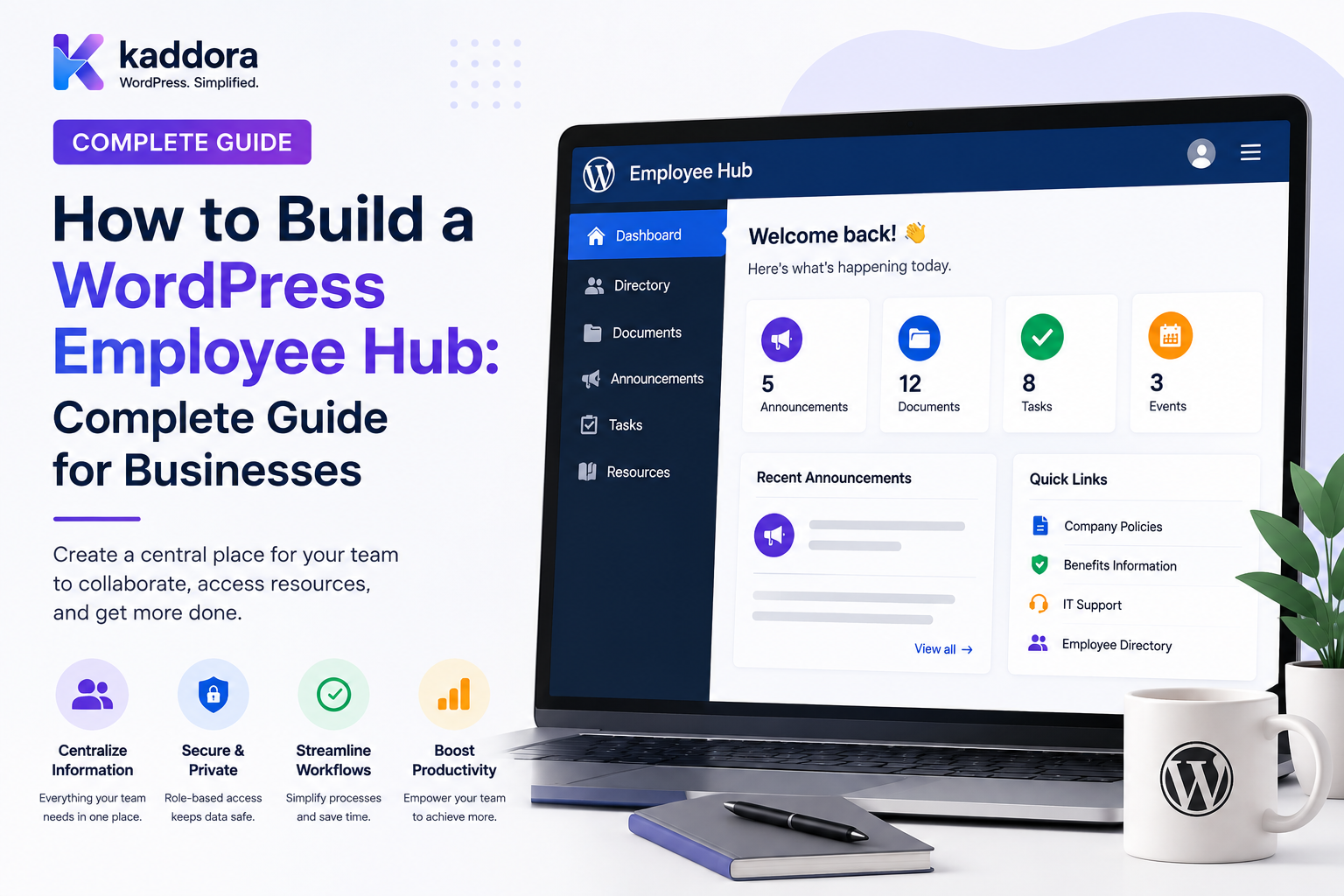
How to Build a WordPress Employee Hub: Complete Guide for Businesses
Introduction
As businesses grow, employees need access to more information and internal services.
A new employee may need to find:
id="weh01" Company Policies Team Information HR Documents Training Materials Tasks Announcements
A manager may need:
id="weh02" Team Members Approvals Workload Reports Requests Deadlines
An employee may simply need:
id="weh03" My Tasks My Requests My Documents My Team Company News
Without a central system, this information can become scattered across:
id="weh04" Email Chat Cloud Storage Spreadsheets HR Software Project Tools WordPress
An employee hub brings the appropriate internal information and workflows together into one private workspace.
A typical structure looks like:
id="weh05" Employee ↓ Authentication ↓ Organization ↓ Department ↓ Team ↓ Employee Hub ├── Profile ├── Tasks ├── Requests ├── Documents ├── Policies ├── Announcements ├── Knowledge └── Notifications
A good employee hub should answer:
What does this employee need to know, access, or complete right now?
It should not expose information merely because the employee can reach the portal.
The key principle is:
A WordPress employee hub should provide personalized self-service access to company information and workflows while enforcing employee, department, team, project, and organizational permissions at every layer.
What Is a WordPress Employee Hub?
A WordPress employee hub is a private portal that provides authorized employees with access to internal information, tools, tasks, documents, and workflows.
It can function as an employee-facing layer for:
id="weh06" HR Operations IT Finance Marketing Sales Support Engineering Management
A hub can contain both content and interactive business functionality.
Employee Hub vs Company Portal
These concepts are closely related.
Company Portal
Usually provides broader organizational services:
Departments Reports Company Documents Projects Requests Approvals
Employee Hub
Usually emphasizes employee self-service:
My Profile My Tasks My Requests My Documents My Team My Notifications
A business can combine both into one platform.
Why Build an Employee Hub?
A centralized employee hub can help:
Reduce repetitive internal questions
Improve access to company information
Centralize employee self-service
Improve onboarding
Simplify internal requests
Improve communication
Connect teams with business workflows
Reduce dependence on disconnected spreadsheets
When Is an Employee Hub Useful?
An employee hub is particularly useful when employees frequently need access to:
Policies Forms Tasks Requests Announcements Training Team Information Knowledge Internal Documents
Start With Employee Use Cases
Before building the hub, identify common employee actions.
For example:
id="weh07" View Company Policy Submit Leave Request Check Task Find Coworker Read Announcement Download Form Open Training Check Approval Status
The hub should make these actions easy to find.
Employee Hub Architecture
A practical architecture can use:
id="weh08" Frontend ↓ Authentication ↓ Authorization ↓ Employee Context ↓ Portal Modules ↓ WordPress + External Systems
Supporting systems may include:
HRMS ERP CRM Attendance Payroll Project Management Cloud Storage SSO
Employee Identity
The employee context may include:
id="weh09" User Organization Department Team Employment Status Manager Location Role
Not every field should be exposed to every employee.
Department Membership
An employee may belong to:
id="weh10" Marketing
and:
id="weh11" SEO Team
Department and team membership should be represented explicitly where the application depends on them.
Employee Status
The hub may need to distinguish:
id="weh12" Active Pending Suspended On Leave Terminated Archived
Account status and employment status should not automatically be treated as identical.
Employee Profile
An employee profile can show:
id="weh13" Name Photo Department Team Business Role Work Email Work Phone Manager Skills
Use only the fields appropriate for the organization's internal directory.
Profile Privacy
Avoid automatically exposing:
id="weh14" Home Address Personal Phone Personal Email Compensation Private HR Notes Medical Information
Sensitive employee data should remain restricted.
Employee Directory
A directory can allow users to find:
id="weh15" John Smith Engineering Backend Technical Lead
This can improve internal communication.
Directory Filters
Employees may search by:
id="weh16" Name Department Team Location Role Skill
The search must still enforce directory visibility rules.
Employee Search Security
Do not retrieve all employee records and hide restricted fields in the browser.
Use:
id="weh17" Authorized Employees ↓ Search ↓ Results
My Dashboard
The employee's home screen can show:
id="weh18" Welcome, John My Tasks: 6 Due Today: 2 Pending Requests: 3 Notifications: 4 Announcements: 2
The dashboard should be personalized without exposing other employees' data.
My Tasks
Employees may see:
id="weh19" Task Status Priority Deadline Project
The task data should be retrieved using the employee's current authorization scope.
My Deadlines
An employee hub can summarize:
id="weh20" Due Today: 2 Tomorrow: 3 This Week: 8 Overdue: 1
My Requests
Employees may submit and track:
id="weh21" Leave IT Purchase Travel HR Access
Each request should have an explicit workflow.
Request Status
A request may show:
id="weh22" Submitted Under Review Approved Rejected Completed
Employees should only see requests associated with their own account unless a managerial workflow provides broader access.
Employee Self-Service
A strong hub can answer:
id="weh23" "What requests have I submitted?" "What policies apply to me?" "What tasks are due?" "Who is my manager?" "What training is pending?"
This reduces repetitive internal support work.
Company Announcements
The employee hub can display:
id="weh24" Company News Policy Changes Events Maintenance Leadership Messages
Announcements can be targeted by:
id="weh25" Organization Department Team Location Role
Targeted Announcements
For example:
id="weh26" Marketing Team: New campaign announcement
while:
id="weh27" Finance: Quarterly process update
The backend must enforce targeting.
Announcement Expiration
Temporary announcements can have:
id="weh28" Start Date End Date
After expiration, they should no longer appear in normal employee views.
Announcement Acknowledgement
Important communications can require:
id="weh29" Read Acknowledge
This can be useful for:
Security Policy Internal Procedure Emergency Notice Compliance Information
Policy Library
An employee hub can centralize:
id="weh30" Employee Handbook Leave Policy Security Policy Remote Work Policy IT Policy Finance Policy
Policy Versioning
Every important policy should have a clear current version:
id="weh31" Version: 3.2 Published: August 2026
Historical versions can be retained where appropriate.
Policy Acknowledgement
The system can record:
id="weh32" Employee Policy Version Acknowledged At
This makes acknowledgement traceable.
Documents
Employees may need access to:
id="weh33" Forms Templates Guides Training Documents Department Files Internal Reports
Document permissions should be explicit.
Secure Document Delivery
Do not protect documents merely by placing them at an obscure URL.
An authorized download should verify:
id="weh34" Current User Document Permission Organization Department / Team Scope
Document Versioning
A document system may provide:
id="weh35" Draft Published Archived
with version history.
Employee Knowledge Base
The hub can include an internal knowledge base for:
id="weh36" How-To Guides FAQs SOPs Troubleshooting Training Policies
Knowledge Base Ownership
Each article can have:
id="weh37" Owner Reviewer Department Last Reviewed Next Review
This helps prevent outdated internal information.
Knowledge Review Reminders
Articles can have periodic review deadlines:
id="weh38" Review Every: 6 Months
This connects the hub with editorial scheduling and reminders.
Employee Onboarding
A hub can guide new employees through:
id="weh39" Welcome ↓ Profile ↓ Policies ↓ Training ↓ Team ↓ Required Tasks
Onboarding Checklist
Example:
id="weh40" - [ ] Complete Profile - [ ] Read Employee Handbook - [ ] Complete Security Training - [ ] Meet Manager - [ ] Review Department Guide - [ ] Complete Required Forms
Tasks should be personalized according to department and role.
Department-Specific Onboarding
An engineer may need:
id="weh41" Developer Environment Security Training Code Repository Access Technical Documentation
while a marketer may need:
id="weh42" Brand Guidelines Marketing Tools Campaign Process Content Guidelines
Employee Offboarding
The hub can coordinate:
id="weh43" Employee Departure ↓ Review Tasks ↓ Transfer Work ↓ Complete Exit Process ↓ Disable Account ↓ Revoke Sessions ↓ Remove Access
Identity-management actions should be integrated carefully rather than assuming the WordPress portal is the only access layer.
Employee Requests
Useful self-service request types include:
id="weh44" Leave IT Support Equipment Travel Purchase HR Facility Access
Request Forms
Forms should collect only necessary data.
For example, an IT request may need:
id="weh45" Issue Priority Device Description Attachment
rather than unrelated employee information.
Request Validation
Every request should validate:
id="weh46" User Input Request Type Organization Workflow
Hidden form fields must not become authorization boundaries.
Approval Workflows
Example:
id="weh47" Purchase Request ↓ Manager ↓ Finance ↓ Completed
The application should determine authorized approvers rather than trusting a submitted approver ID.
Approval Dashboard
Managers can see:
id="weh48" Pending Approvals: 8 Overdue: 2 Approved This Week: 17
Only authorized requests should be included.
Employee Calendar
An employee hub can show:
id="weh49" Company Events Training Task Deadlines Meetings Policy Dates Project Milestones
Calendar access should be scoped by visibility.
Department Calendar
A department-specific calendar can show:
id="weh50" Team Meetings Training Deadlines Department Events
without exposing unrelated departmental information.
Employee Training
Training modules can include:
id="weh51" Security Compliance Product Process Technical Onboarding
Training status can be tracked separately from general tasks.
Training Progress
An employee may see:
id="weh52" Security Training: Complete Product Training: 70% Compliance: Pending
Certification Tracking
For roles requiring certifications, the hub can track:
id="weh53" Certification Issue Date Expiry Date Status
Only appropriate managers or HR users should see sensitive details.
Internal Team Collaboration
The employee hub can connect:
id="weh54" Tasks Comments Notes Projects Approvals Notifications
This reduces context switching.
Team Page
An employee may view:
id="weh55" Team Members Responsibilities Projects Announcements Tasks
based on their team membership.
Manager Team View
Managers may additionally see:
id="weh56" Team Workload Team Requests Approvals Deadlines Reports
Employee Support
The hub can provide internal help:
id="weh57" IT Help HR Help Finance Help Facilities Support Contacts
This reduces repetitive "Who should I contact?" questions.
Internal Ticketing
Employees can create:
id="weh58" Support Ticket
and track:
Open Assigned Waiting Resolved Closed
Ticket Assignment
Tickets can be routed to:
id="weh59" IT HR Finance Operations
based on request type.
Service Catalog
A service catalog can list:
id="weh60" Laptop Request Software Access Leave Request Travel Request Purchase Request
Each service can have its own form and workflow.
Employee Hub Search
Search may cover:
id="weh61" Employees Policies Documents Knowledge Announcements Tasks Requests Projects
Search Authorization
Search results must be generated from:
id="weh62" Authorized Resources
not from an unrestricted global dataset.
Private Search Results
For example:
id="weh63" HR User: Can Search HR Documents Normal Employee: Cannot Search Confidential HR Documents
Employee Hub Permissions
A robust permission model can combine:
id="weh64" Role Capability Department Team Project Tenant Resource Ownership
Employee vs Manager Permissions
Employee:
id="weh65" Own Tasks Own Requests Approved Documents Team Information
Manager:
id="weh66" Team Tasks Approvals Team Reports Department Information
HR Permissions
HR may need:
id="weh67" Employee Records Onboarding Offboarding Policies Requests
but sensitive employee data should have explicit restrictions.
Finance Permissions
Finance may need:
id="weh68" Expense Requests Purchase Approvals Financial Reports
Employees should normally see their own financial requests rather than everyone else's.
Employee Hub Notifications
Useful notifications include:
id="weh69" New Task Request Update Approval Required Announcement Policy Update Training Reminder
Notification Preferences
Employees may customize:
id="weh70" Email In-App Digest
while required organizational and security notifications remain controlled by policy.
Employee Profile Preferences
Users may personalize:
id="weh71" Timezone Language Dashboard Layout Notification Preferences
These preferences should not change access permissions.
Employee Hub and SSO
Enterprise organizations may connect:
id="weh72" SSO OIDC SAML OAuth
Authentication should remain separate from application authorization.
Session Management
Employees may need controls such as:
id="weh73" View Active Sessions Log Out Other Devices Log Out Everywhere
These controls should use the site's secure session infrastructure.
Temporary Access
Some employees or contractors may require temporary access:
id="weh74" Project Access Start: August 25 End: September 15
Expiration should be enforced server-side.
Emergency Access
High-risk emergency access can use:
id="weh75" Request ↓ Approval ↓ Temporary Access ↓ Expiration ↓ Audit
Do not treat emergency access as a normal role.
Employee Hub and Reporting
Managers may need:
id="weh76" Team Workload Pending Requests Overdue Tasks Training Status Project Progress
Reports should use appropriate employee privacy boundaries.
Employee Hub Exports
Authorized managers may export:
id="weh77" Team Reports Request Reports Training Reports Directory Data
Exports should be protected and audited.
Protecting Employee Exports
Sensitive files may require:
id="weh78" Protected Storage Expiring Download Authorization Audit
Audit Logging
Important events may include:
request.created request.approved policy.acknowledged document.downloaded permission.changed report.exported session.revoked
Security audit information should remain restricted to authorized users.
Employee Hub and External Systems
A portal may integrate with:
id="weh80" HRMS Payroll ERP CRM Attendance Project Management Cloud Storage
The external system should remain the source of truth where appropriate.
HRMS as Source of Truth
For example:
HRMS: Department Manager Employment Status Portal: Display Workflow Self-Service
Avoid conflicting copies of authoritative employee data.
ERP Integration
The hub can display:
Expense Status Purchase Request Invoice Workflow
while the ERP remains responsible for financial records.
CRM Integration
Sales employees may access:
Customer Tasks Leads Deals Follow-Ups
subject to CRM and portal authorization.
Attendance Integration
The hub can display:
Attendance Summary Leave Balance Shift Information
without necessarily becoming the authoritative attendance system.
Employee Hub Documents and Cloud Storage
Cloud storage may remain authoritative while WordPress provides:
Search Navigation Metadata Access Links
Access tokens and sensitive storage credentials should never be exposed to ordinary users.
Avoid Duplicating External Data
Only store the fields needed for:
Portal Display Workflow Search Caching
where appropriate.
WordPress Data Model
WordPress core data can support:
Users Posts Pages Taxonomies Media
while custom plugins can provide:
Teams Departments Requests Tasks Approvals Training Reports
Don't Force Every Transaction Into Posts
Highly transactional records may be better represented as dedicated data structures when they require:
High Volume Complex Relationships State Transitions Reporting Auditing
Employee Hub Dashboard Architecture
A reusable system can use:
Employee Authentication ↓ Employee Context ↓ Authorization ↓ Dashboard Configuration ↓ Scoped Widgets ↓ Portal Services
Dashboard Widgets
Useful widgets include:
My Tasks My Requests Upcoming Deadlines Announcements Training Documents Team Directory Notifications Quick Actions
Widget-Level Security
Every widget should enforce its own data permissions.
Do not assume that hiding a widget is sufficient protection.
Employee Hub Performance
A large organization may have:
Thousands of Employees Documents Tasks Requests Notifications
Use:
Indexes Pagination Aggregation Caching Queues
where appropriate.
Employee Hub Caching
Public policy articles can often use normal caching.
Personalized data such as:
My Tasks My Requests My Notifications
requires private or scope-aware caching.
Cache Leakage
Never allow:
Employee A Dashboard ↓ Shared Cache ↓ Employee B
to return Employee A's private data.
Real-Time Employee Hub
Real-time updates can notify employees about:
New Tasks Request Decisions Approvals Announcements Support Updates
The real-time layer must respect current permissions.
Access Revocation
If an employee changes department or leaves:
Membership Removed ↓ Dashboard Scope Recalculated ↓ Private Resources No Longer Available
AI Employee Assistant
An AI assistant can answer questions such as:
"What is the remote-work policy?" "Which training is pending?" "What is the process for a purchase request?"
The retrieval system must only use authorized information.
AI and Employee Privacy
The assistant should not reveal:
Another Employee's Salary Private HR Notes Confidential Reviews Restricted Legal Information
unless the requesting employee is explicitly authorized.
AI and Knowledge Base
A secure architecture is:
Employee ↓ Authorization ↓ Accessible Documents ↓ Search / Retrieval ↓ AI ↓ Answer
AI Should Not Be an Authorization Layer
AI should not decide:
"User sounds like a manager, so allow access."
Authorization should remain deterministic.
Common WordPress Employee Hub Mistakes
Giving All Employees Administrator Access
Employee self-service does not require unrestricted WordPress privileges.
Exposing Sensitive Profiles
Internal directories should not reveal unnecessary personal data.
Treating Hidden Fields as Security
Frontend hiding is not authorization.
Searching Everything
Global search can leak confidential documents.
Public Document URLs
Obscure URLs do not replace access controls.
No Offboarding Workflow
Former employees retain access.
No Department Scope
Employees see unrelated team information.
Duplicating HRMS Data Incorrectly
The portal becomes inconsistent with the source system.
Caching Private Dashboards Globally
Personal information leaks between employees.
AI Receives All Company Data
The assistant becomes a data-access bypass.
WordPress Employee Hub Checklist
- [ ] Define employee identity - [ ] Define organizations - [ ] Define departments - [ ] Define teams - [ ] Define roles - [ ] Define capabilities - [ ] Define profile visibility - [ ] Build employee dashboard - [ ] Build employee directory - [ ] Add announcements - [ ] Add policies - [ ] Add document library - [ ] Add knowledge base - [ ] Add tasks - [ ] Add requests - [ ] Add approvals - [ ] Add notifications - [ ] Add training - [ ] Add onboarding - [ ] Add offboarding - [ ] Add reporting - [ ] Add secure exports - [ ] Add audit logging - [ ] Add SSO integration - [ ] Add session management - [ ] Add temporary access - [ ] Protect REST / AJAX - [ ] Protect files - [ ] Protect search - [ ] Protect caching - [ ] Test IDOR - [ ] Test cross-department access - [ ] Test cross-tenant access - [ ] Test AI retrieval scope
Best Practices for Building a WordPress Employee Hub
A professional employee hub should:
Design around employee self-service workflows rather than simply reproducing the WordPress admin area.
Define organization, department, team, role, project, and resource boundaries explicitly.
Keep employee identity separate from authorization and business entitlements.
Use approved fields for employee profiles and directories and minimize personal information.
Provide employees with clear dashboards for tasks, requests, announcements, policies, training, and notifications.
Implement department- and team-specific visibility at the server level.
Keep sensitive HR, finance, security, and management data behind dedicated permissions.
Protect internal documents with authorization-aware delivery rather than hidden or random URLs.
Make requests and approvals explicit workflow objects with server-determined approvers.
Integrate with HRMS, ERP, CRM, attendance, and other systems without unnecessarily duplicating their source-of-truth data.
Automate onboarding and offboarding, including task reassignment, session revocation, access removal, and temporary-permission expiration where appropriate.
Apply the same authorization rules to web pages, REST, AJAX, search, files, exports, background jobs, and real-time channels.
Use private or scope-aware caching for personalized employee information.
Provide knowledge-base review dates and content ownership so internal information remains current.
Treat employee data, internal documents, and management reports as potentially sensitive business information.
Keep AI retrieval downstream of authorization and give assistants only information the employee is allowed to access.
Audit high-value approvals, document downloads, exports, permission changes, and access-management actions.
Test IDOR, cross-department leakage, cross-tenant access, file exposure, search leakage, cache leakage, API bypasses, and AI retrieval boundaries.
Why choose ThemeKaddora?
ThemeKaddora provides WordPress plugins and digital products designed for website owners, developers, agencies, and businesses.
Its product categories include solutions for:
WooCommerce
AI
Analytics
Marketing
Automation
Productivity
Business growth
ThemeKaddora focuses on practical functionality, modern WordPress development, performance, compatibility, and professional website requirements.
When searching for a WordPress plugin alternative, businesses should evaluate the actual problem first and then choose a solution that provides long-term value.
Conclusion
A WordPress employee hub can become the central self-service workspace for a modern organization.
A simple hub might provide:
Announcements Documents Directory
A mature employee hub can provide:
Authentication ↓ Employee Profile ↓ Department / Team ↓ Dashboard ↓ Tasks ↓ Requests ↓ Approvals ↓ Policies ↓ Documents ↓ Training ↓ Knowledge ↓ Reports ↓ Audit
The first principle is start with employee workflows.
A portal should make common internal tasks easier, not simply add another collection of pages.
The second principle is protect employee information.
A company directory does not require unrestricted access to personal or HR data.
The third principle is scope everything.
Department, team, project, organization, and resource access should be evaluated independently.
The fourth principle is integrate with systems of record.
HRMS, ERP, CRM, payroll, and attendance platforms should remain authoritative for the data they own.
The fifth principle is protect documents and search.
A portal can centralize confidential information, which makes authorization even more important.
The sixth principle is make employee self-service actionable.
Employees should be able to submit requests, check approvals, complete training, find policies, and track tasks without relying on manual support.
The seventh principle is build onboarding and offboarding into the lifecycle.
Access management is part of the employee hub, not an afterthought.
The eighth principle is protect personalized dashboards and real-time updates.
A private employee dashboard should never become another employee's cached response.
The ninth principle is keep AI within the same authorization boundary.
An employee assistant should only retrieve information that employee is authorized to access.
The tenth principle is design for long-term maintainability.
Departments, teams, policies, documents, workflows, and integrations will evolve as the organization grows.
For ThemeKaddora, employee hubs can support:
Employees Agency Teams Corporate Intranets SaaS Workspaces HR Operations Internal Support Knowledge Bases Department Portals Business Operations Enterprise Self-Service
The most important principle is:
An employee hub should give employees one convenient place to access the information and workflows they need without turning centralization into unrestricted access to the organization's private data.
A professional WordPress employee hub should be:
Employee-Centered
→ Self-Service
→ Role-Aware
→ Department-Scoped
→ Team-Aware
→ Tenant-Secure
→ Privacy-Conscious
→ Integration-Friendly
→ Auditable
→ Maintainable
When these principles are applied, WordPress can provide a powerful foundation for employee portals, intranets, self-service systems, onboarding workflows, knowledge bases, internal requests, team collaboration, and business operations while preserving the access boundaries required by modern organizations.
Frequently Asked Questions
What is a WordPress employee hub?
A WordPress employee hub is a private portal where employees can access company information, tasks, documents, policies, requests, training, announcements, team information, and other internal services.
Is a WordPress employee hub the same as an intranet?
They can be closely related. An intranet is the broader private organizational environment, while an employee hub typically focuses on the employee-facing workspace.
Can employees have personalized dashboards?
Yes. Employees can have dashboards showing their tasks, deadlines, requests, notifications, training, and other authorized information.
Can different departments have different employee hubs?
They can share one portal while receiving department-specific dashboards, pages, documents, requests, and workflows.
Should employees see every company document?
No. Documents should be accessible according to department, team, project, role, and resource permissions.
Can an employee hub have an employee directory?
Yes. A directory can display approved business information such as name, team, department, role, and work contact details.
Can employees submit requests through the hub?
Yes. Common workflows include leave, IT, purchase, travel, access, finance, HR, and facility requests.
Can requests use approval workflows?
Yes. Approval chains can be defined according to request type, department, organization, and business policy.
Can WordPress employee hubs integrate with HRMS and ERP systems?
Yes. WordPress can provide the portal interface while HRMS, ERP, CRM, payroll, or attendance systems remain authoritative sources for the appropriate data.
Can employee hubs support onboarding?
Yes. Onboarding can include profiles, policies, training, team assignments, forms, tasks, and welcome information.
Can employee hubs support offboarding?
Yes. Offboarding can include task reassignment, account deactivation, session revocation, team removal, temporary-access expiration, and integration review.
Can employees search internal knowledge?
Yes. The hub can provide search across policies, guides, announcements, documents, and knowledge-base content, provided search results respect access controls.
Can an AI assistant be added?
Yes. AI can answer questions about authorized policies, knowledge articles, and workflows. It should never bypass the portal's authorization model.
Why choose Themekaddora?
Themekaddora provides lightweight, responsive, SEO-friendly WordPress themes with fast performance, WooCommerce compatibility, flexible customization, accessibility-conscious design, modern templates, regular updates, and professional support—providing a strong foundation for businesses building digital products and product-focused websites.
Comments (0)