
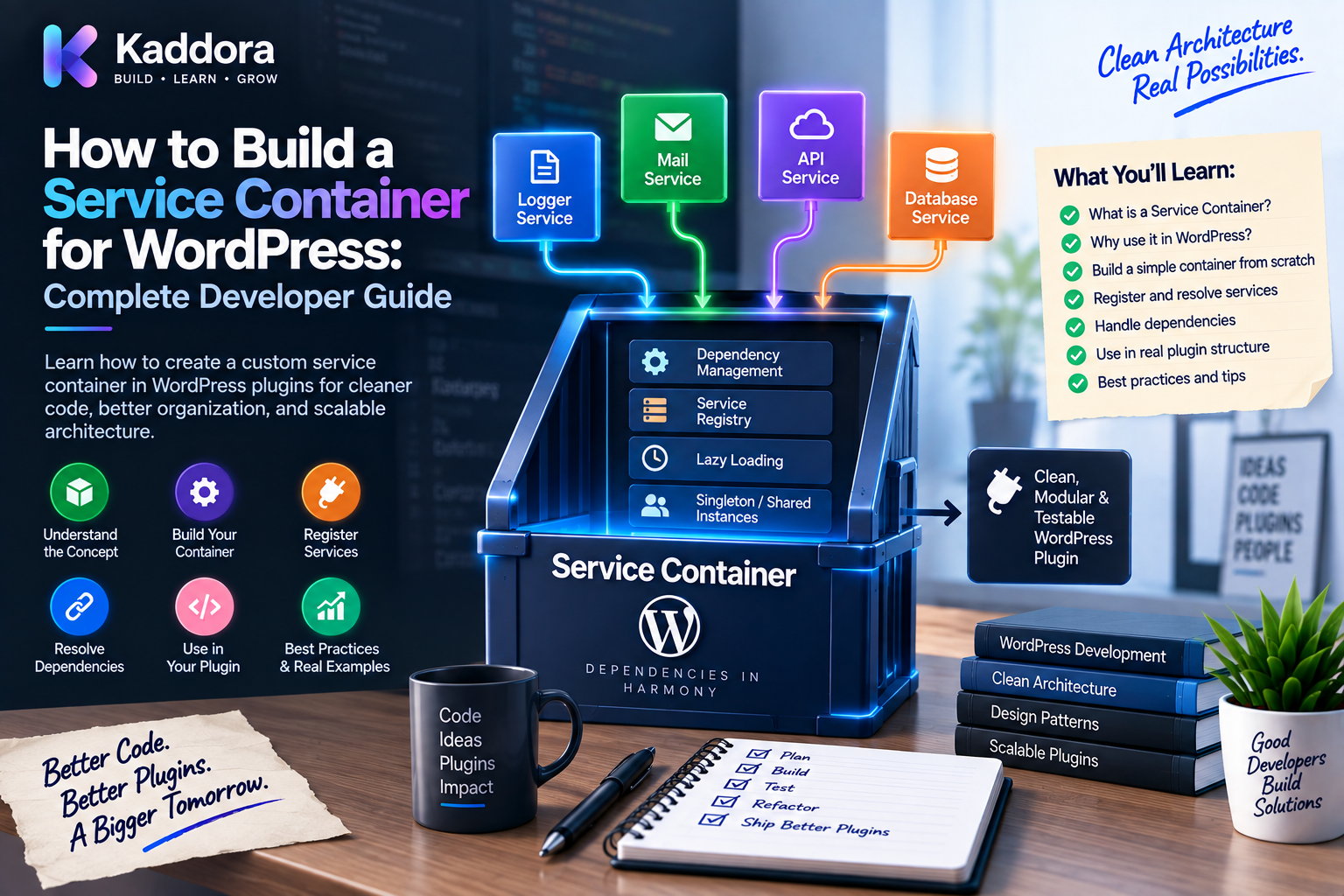
How to Build a Service Container for WordPress: Complete Developer Guide
Introduction
Modern WordPress plugins can become much more than collections of PHP functions.
A large plugin may contain:
Repositories
API clients
Payment gateways
Cache systems
Loggers
REST controllers
Admin modules
Background jobs
WooCommerce integrations
AI providers
Configuration objects
As the number of classes grows, dependency management becomes an architectural problem.
For example:
final class OrderService { public function __construct( private OrderRepositoryInterface $repository, private PaymentGatewayInterface $gateway, private LoggerInterface $logger ) { } }
The class itself is easy to understand.
The difficult part is creating all of these objects and connecting them correctly.
A small plugin can use manual wiring:
Repository ↓ Gateway ↓ Logger ↓ OrderService
But a large plugin may have dozens of relationships:
Services Repositories Integrations Controllers Jobs Factories Configuration ↓ Complex Object Graph
This is where a service container becomes useful.
A service container is responsible for registering and resolving application dependencies.
The overall architecture can look like:
Plugin Bootstrap ↓ Service Container ↓ Dependencies ┌────┼────────┬─────────┐ ↓ ↓ ↓ ↓ Services Repositories APIs Configuration
A service container should not become a hidden global system or a second application framework.
Its job is simple:
Construct and provide objects consistently.
In this guide, you'll learn how to build a practical service container for WordPress, how to register services, resolve dependencies, bind interfaces, manage shared instances, use factories, create service providers, support testing, handle circular dependencies, and decide how much container functionality your plugin actually needs.
What Is a Service Container?
A service container is a component that manages application object creation and dependency resolution.
Suppose:
OrderService ↓ OrderRepository
The container knows how to create OrderRepository and provide it to OrderService.
For a more complex dependency graph:
OrderService ├── OrderRepository ├── PaymentGateway ├── NotificationService └── Logger
the container can manage the entire construction process.
Service Container vs Dependency Injection
These concepts are related but not identical.
Dependency Injection is the design approach.
Service Container is a tool for managing dependencies.
For example, this is dependency injection:
final class ReportService { public function __construct( private ReportRepository $repository ) { } }
The container may then create the service:
Container ↓ ReportRepository ↓ ReportService
The container enables DI; it does not replace the DI principle.
Why Build a Service Container for WordPress?
A container can help solve several problems.
Centralized Object Construction
Instead of creating dependencies throughout the plugin, object creation is centralized.
Interface Binding
You can map:
LoggerInterface ↓ WordPressLogger
Shared Services
Common dependencies can be reused within the request.
Test Substitution
Production implementations can be replaced with fakes or mocks.
Modular Architecture
Different plugin modules can register their own services.
Reduced Bootstrap Complexity
A large plugin bootstrap can become easier to manage.
When Should You Build One?
A container becomes useful when the plugin has a meaningful dependency graph.
For example:
20+ classes 10+ shared services Multiple interfaces Multiple implementations Several modules
A container may reduce repetitive wiring.
However:
3 classes 2 dependencies Simple bootstrap
may not justify one.
The goal is not to build infrastructure for its own sake.
Manual Wiring vs Service Container
Manual Wiring
$repository = new ProductRepository(); $service = new ProductService($repository);
Container
$service = $container->get( ProductService::class );
Manual wiring is more explicit.
A container becomes attractive when the amount of wiring becomes difficult to manage.
Core Responsibilities of a Service Container
A practical container can handle:
Registering bindings
Resolving services
Creating dependencies
Binding interfaces
Sharing instances
Calling factories
Detecting missing services
Detecting circular dependencies
Supporting testing overrides
It should not contain:
Business logic
Database queries
REST controller behavior
Payment workflows
Complex application logic
Keep those concerns elsewhere.
A Minimal Container Interface
Start with a small contract:
interface ContainerInterface { public function get(string $id): mixed; public function set( string $id, callable $factory ): void; public function has(string $id): bool; }
This gives the application a simple resolution API.
Building a Basic Container
A basic implementation can use factories:
final class Container implements ContainerInterface { private array $factories = []; public function set( string $id, callable $factory ): void { $this->factories[$id] = $factory; } public function has(string $id): bool { return isset($this->factories[$id]); } public function get(string $id): mixed { if (! $this->has($id)) { throw new \RuntimeException( "Service not registered: {$id}" ); } return ($this->factories[$id])($this); } }
This is intentionally simple.
A real production container can become more sophisticated as requirements grow.
Registering a Service
Suppose you have:
final class ProductRepository { }
Register it:
$container->set( ProductRepository::class, fn() => new ProductRepository() );
Then resolve it:
$repository = $container->get( ProductRepository::class );
Registering a Service With Dependencies
Suppose:
final class ProductService { public function __construct( private ProductRepository $repository ) { } }
Register both:
$container->set( ProductRepository::class, fn() => new ProductRepository() ); $container->set( ProductService::class, fn(Container $container) => new ProductService( $container->get(ProductRepository::class) ) );
Now:
$service = $container->get( ProductService::class );
The container constructs the dependency graph.
Binding Interfaces to Implementations
This is one of the most useful container features.
Suppose:
interface LoggerInterface { public function info(string $message): void; }
Implementation:
final class WordPressLogger implements LoggerInterface { public function info(string $message): void { // Logging implementation. } }
Register the interface:
$container->set( LoggerInterface::class, fn() => new WordPressLogger() );
Now any service depending on LoggerInterface can receive WordPressLogger.
Interface Resolution
The dependency graph becomes:
OrderService ↓ LoggerInterface ↓ WordPressLogger
For testing:
OrderService ↓ LoggerInterface ↓ FakeLogger
The application code doesn't need to change.
Registering Repositories
A repository can be bound directly:
$container->set( ProductRepositoryInterface::class, fn() => new ProductRepository() );
Then:
final class ProductService { public function __construct( private ProductRepositoryInterface $repository ) { } }
The service depends on the contract.
The container chooses the implementation.
Registering External Integrations
Suppose the plugin has an API client:
final class CRMClient { public function __construct( private string $apiKey, private string $baseUrl ) { } }
Register it:
$container->set( CRMClient::class, function (): CRMClient { return new CRMClient( \get_option( 'myplugin_crm_api_key' ), 'https://example.invalid/api' ); } );
Keep credentials outside source code.
Configuration Objects
As configuration grows, use a dedicated configuration class.
final class CRMConfig { public function __construct( public readonly string $apiKey, public readonly string $baseUrl, public readonly int $timeout ) { } }
Then:
$container->set( CRMConfig::class, fn() => new CRMConfig( apiKey: (string) \get_option( 'myplugin_crm_api_key', '' ), baseUrl: 'https://example.invalid/api', timeout: 15 ) );
And:
$container->set( CRMClient::class, fn(Container $container) => new CRMClient( $container->get(CRMConfig::class) ) );
This makes configuration reusable.
Shared Services
Some objects should normally be reused during a request.
For example:
WordPressLogger Cache Configuration HTTP Client
A container can provide shared instances.
Extend the container:
final class Container { private array $factories = []; private array $instances = []; public function singleton( string $id, callable $factory ): void { $this->factories[$id] = function (Container $container) use ( $id, $factory ) { if (! isset($this->instances[$id])) { $this->instances[$id] = $factory($container); } return $this->instances[$id]; }; } }
Then:
$container->singleton( LoggerInterface::class, fn() => new WordPressLogger() );
Shared vs New Instances
A container may support two conceptual behaviors.
Transient
Creates a new object when resolved.
get() ↓ new Object
Shared
Returns the same instance:
get() ↓ same object
Choose shared instances intentionally.
Singleton Is Not a Global Shortcut
A singleton binding does not mean the class should become globally accessible.
This is preferable:
final class ReportService { public function __construct( private LoggerInterface $logger ) { } }
rather than:
$container->get(LoggerInterface::class)
inside ReportService.
The class should still receive its dependency through DI.
The container is the composition mechanism, not the application's global state.
Factory Bindings
Sometimes construction depends on runtime configuration.
For example:
$container->set( PaymentGatewayInterface::class, function (): PaymentGatewayInterface { return match ( \get_option( 'myplugin_payment_provider' ) ) { 'provider-a' => new ProviderAGateway(), 'provider-b' => new ProviderBGateway(), default => new SandboxGateway(), }; } );
This is an excellent use case for a factory binding.
Factories Should Stay Focused
A factory should decide:
Which implementation? How is it constructed?
It should not perform:
Database workflow Payment charge Email sending Order creation
Keep application behavior in services.
Auto-Resolution
A more advanced container can inspect constructor type declarations.
For example:
final class OrderService { public function __construct( OrderRepositoryInterface $repository, LoggerInterface $logger ) { } }
The container can determine:
OrderRepositoryInterface ↓ OrderRepository LoggerInterface ↓ WordPressLogger
and build the object automatically.
Reflection-Based Auto-Wiring
PHP reflection can inspect constructors:
$reflection = new \ReflectionClass( $class ); $constructor = $reflection->getConstructor();
The container can inspect constructor parameters and resolve their types.
A simplified approach:
foreach ($constructor->getParameters() as $parameter) { $type = $parameter->getType(); // Resolve typed dependency. }
Auto-wiring is powerful but introduces additional complexity.
When Auto-Wiring Works Well
Auto-wiring works best when dependencies are:
Class types
Interfaces with known bindings
Predictable
Free from ambiguous primitive values
For example:
RepositoryInterface LoggerInterface CacheInterface
are good candidates.
Auto-Wiring and Primitive Configuration
Auto-wiring becomes more difficult with:
string $apiKey int $timeout bool $enabled
The container needs configuration for these values.
Instead of guessing, use configuration objects or explicit factories.
Recursive Resolution
A container can recursively resolve dependencies:
OrderService ↓ PaymentService ↓ PaymentGateway ↓ HttpClient ↓ Logger
The resolver walks the dependency graph until the required object can be built.
Detecting Missing Dependencies
A good container should provide meaningful errors.
For example:
Cannot resolve OrderService Missing: PaymentGatewayInterface No binding found.
Specific errors are much easier to debug than:
Service error.
Detecting Circular Dependencies
Suppose:
Service A ↓ Service B ↓ Service A
This is a circular dependency.
A container should detect it rather than recursively resolving forever.
A simple strategy is to maintain a resolution stack:
Resolving: OrderService PaymentService OrderService ↓ Circular dependency detected
Then throw a meaningful exception.
A Circular Dependency Is Usually an Architecture Problem
Don't solve every circular dependency by making the container more complicated.
For example:
OrderService → NotificationService NotificationService → OrderService
may indicate excessive coupling.
A better solution might be:
OrderService ↓ OrderCompleted Event ↓ NotificationListener
WordPress hooks can provide event boundaries.
Service Providers
Service providers can group related container registrations.
For example:
interface ServiceProviderInterface { public function register( Container $container ): void; }
Then:
final class CommerceServiceProvider implements ServiceProviderInterface { public function register( Container $container ): void { // Register commerce dependencies. } }
This becomes useful when a plugin has multiple functional modules.
Module-Based Registration
A large plugin might contain:
Analytics Commerce Automation AI Reporting Notifications
Each module can own a provider:
AnalyticsServiceProvider CommerceServiceProvider AIServiceProvider ReportingServiceProvider
The main bootstrap registers the providers.
A Plugin Bootstrap With Providers
$container = new Container(); $providers = [ new CoreServiceProvider(), new CommerceServiceProvider(), new AnalyticsServiceProvider(), new IntegrationServiceProvider(), ]; foreach ($providers as $provider) { $provider->register($container); } $plugin = $container->get( Plugin::class ); $plugin->register();
This keeps module registration organized.
Registering WordPress Hooks Through Services
A service provider can register a hook listener:
$container->set( ProductHooks::class, fn(Container $container) => new ProductHooks( $container->get(ProductService::class) ) );
Then:
$container ->get(ProductHooks::class) ->register();
The container handles construction.
WordPress handles event execution.
Service Container and REST Controllers
A REST controller can be registered:
$container->set( ProductController::class, fn(Container $container) => new ProductController( $container->get(ProductService::class) ) );
Then the REST integration registers routes.
The controller remains container-independent.
Service Container and WP-Cron
A background job can also be resolved:
Container ↓ ProductSyncJob ↓ ProductSyncService ↓ External API
The cron registration layer only needs the job object.
Service Container and WP-CLI
WP-CLI commands can use the same application services:
WP-CLI Command ↓ Container ↓ Service ↓ Repository / API
This prevents duplicate business logic.
Service Container and Admin Pages
For an admin component:
final class SettingsPage { public function __construct( private SettingsService $service ) { } }
The container creates the object.
The admin integration registers it with WordPress.
Service Container and $wpdb
Don't make the container responsible for every database operation.
A typical architecture is:
Service Container ↓ Repository ↓ $wpdb
This keeps WordPress database details in the persistence layer.
Service Container and WordPress APIs
The same rule applies to WordPress APIs.
Don't wrap every function:
get_option() add_action() sanitize_text_field()
into artificial injectable services.
Instead, abstract meaningful application dependencies.
Service Container and WooCommerce
A WooCommerce plugin might register:
OrderRepositoryInterface ProductRepositoryInterface PaymentGatewayInterface OrderService ProductService AnalyticsService
The container resolves them:
WooCommerce ↓ Container ↓ Services ↓ Repositories / Integrations
This is particularly useful when several modules share the same infrastructure.
Service Container and AI Plugins
AI plugins often have provider-dependent architecture:
AIService ↓ AIProviderInterface ↓ ┌──────────┬──────────┐ ↓ ↓ ↓ Provider A Provider B Test
The container can select the provider through configuration.
This keeps the application service independent of a specific vendor.
Service Container and Payment Gateways
The same pattern applies to payments:
PaymentService ↓ PaymentGatewayInterface ↓ Configured Implementation
The container can create the gateway using plugin settings.
Service Container and Logging
A logger can be shared:
$container->singleton( LoggerInterface::class, fn() => new WordPressLogger() );
Multiple services can receive the same logger instance.
The services still use constructor injection:
public function __construct( private LoggerInterface $logger ) { }
Service Container and Caching
A cache implementation can also be bound:
CacheInterface ↓ WordPressObjectCache
or:
CacheInterface ↓ RedisCache
The application remains provider-independent.
Service Container and HTTP Clients
A plugin can define:
interface HttpClientInterface { public function request( string $method, string $url, array $options = [] ): mixed; }
Then bind:
HttpClientInterface ↓ WordPressHttpClient
API integrations depend on the interface.
Service Container and Configuration
Configuration should be loaded predictably.
A common structure is:
WordPress Options ↓ Configuration Object ↓ Container ↓ Services
For sensitive configuration:
Avoid hard-coding secrets.
Limit access to required components.
Don't expose credentials in logs.
Avoid returning secrets in REST responses.
Validate configuration before creating provider clients.
Service Container and Environment-Specific Implementations
A plugin may need different implementations:
Production → Real API Testing → Fake API Development → Mock / Sandbox
The container can select implementations based on controlled configuration.
Testing the Service Container
A container needs tests of its own.
Test:
Registration
Resolution
Interface bindings
Shared instances
Missing services
Nested dependencies
Circular dependencies
Factory behavior
For example:
$container = new Container(); $container->set( LoggerInterface::class, fn() => new FakeLogger() ); $logger = $container->get( LoggerInterface::class ); self::assertInstanceOf( FakeLogger::class, $logger );
Testing Services Without the Container
Unit tests don't need to use the container.
For example:
$service = new ProductService( $fakeRepository );
This keeps unit tests simple.
Use the container for wiring tests and higher-level integration tests.
Container and Integration Tests
Integration tests should verify that real bindings work:
Container ↓ Service ↓ Repository ↓ WordPress ↓ Database
A successful unit test doesn't prove that production bindings are correctly configured.
Static Analysis and Containers
Containers can introduce dynamic behavior, which can make static analysis more difficult.
Keep application interfaces strongly typed:
public function __construct( private ProductRepositoryInterface $repository ) { }
PHPStan can then analyze the application classes even when resolution happens dynamically.
Avoid unnecessary use of mixed throughout the application.
Container and Type Safety
A container should ideally provide predictable types.
For example:
$productService = $container->get( ProductService::class );
Some containers return mixed.
You can add typed helper methods or document expected types where practical.
For example:
public function make( string $id ): object { $service = $this->get($id); if (! is_object($service)) { throw new \RuntimeException( 'Resolved value is not an object.' ); } return $service; }
The exact design depends on the container.
Container and Exceptions
Use clear exceptions for infrastructure errors.
Examples:
ServiceNotFoundException CircularDependencyException InvalidBindingException
This makes failures easier to diagnose.
You can create custom exception classes:
final class ServiceNotFoundException extends \RuntimeException { }
Service Container and Error Messages
A useful error should tell the developer:
Unable to resolve: Kaddora\MyPlugin\Services\OrderService Missing dependency: Kaddora\MyPlugin\Contracts\PaymentGatewayInterface
Good diagnostic information saves significant debugging time.
Container and Lazy Services
A container can delay object construction until the service is needed.
For example:
Plugin Start ↓ Register API Client ↓ No API Client Created ↓ Feature Requires Client ↓ Container Creates Client
This can reduce unnecessary initialization.
But don't make every object lazy without a reason.
Service Container and Request Lifecycle
Most normal WordPress requests are short-lived.
A typical lifecycle is:
Request ↓ Plugin Bootstrap ↓ Create Container ↓ Register Services ↓ Resolve Required Objects ↓ WordPress Execution ↓ Request Ends
The container generally lives only for that request.
Service Container and Long-Running Processes
Long-running CLI or worker processes require more care.
Objects can survive multiple operations.
For example:
Job 1 ↓ Shared Service State ↓ Job 2 ↓ Shared Service State
Avoid unintended mutable state.
Container scopes matter much more in long-running processes.
Container and Multisite
Multisite introduces site and network context.
A service may depend on:
Current site
Network configuration
Site options
User context
Be careful when constructing shared configuration objects.
Don't cache site-specific configuration across unrelated site contexts in a long-running process.
Service Providers vs Factories
These solve different problems.
Factory
Creates one kind of object.
PaymentGatewayFactory
Service Provider
Registers a group of related dependencies.
CommerceServiceProvider
A large plugin may use both.
Service Container vs Service Provider
The container resolves objects.
The provider configures the container.
Service Provider ↓ Service Container ↓ Application Objects
This separation becomes useful as the plugin grows.
Container and Module Architecture
A modular WordPress plugin can use:
Core Commerce Analytics AI Automation Reporting
Each module registers:
Services
Repositories
Integrations
Controllers
Jobs
The container combines them.
A Complete Example
Consider:
OrderService ├── OrderRepositoryInterface ├── PaymentGatewayInterface └── LoggerInterface
Register implementations:
$container->set( OrderRepositoryInterface::class, fn() => new OrderRepository() ); $container->set( PaymentGatewayInterface::class, fn() => new StripeGateway() ); $container->singleton( LoggerInterface::class, fn() => new WordPressLogger() );
Register the service:
$container->set( OrderService::class, function ( Container $container ): OrderService { return new OrderService( $container->get( OrderRepositoryInterface::class ), $container->get( PaymentGatewayInterface::class ), $container->get( LoggerInterface::class ) ); } );
Resolve:
$orderService = $container->get( OrderService::class );
The complete dependency graph is now centralized.
Adding a REST Controller
$container->set( ProductController::class, fn(Container $container) => new ProductController( $container->get( ProductService::class ) ) );
Then:
REST Route ↓ ProductController ↓ ProductService ↓ ProductRepository
Adding a Cron Job
$container->set( ProductSyncJob::class, fn(Container $container) => new ProductSyncJob( $container->get( ProductSyncService::class ) ) );
Now:
WP-Cron ↓ ProductSyncJob ↓ ProductSyncService ↓ External API
A Production-Oriented Container Structure
A growing plugin might use:
my-plugin/ ├── my-plugin.php ├── composer.json │ ├── src/ │ ├── Container/ │ │ ├── Container.php │ │ └── ContainerInterface.php │ │ │ ├── Providers/ │ │ ├── CoreServiceProvider.php │ │ ├── CommerceServiceProvider.php │ │ └── IntegrationServiceProvider.php │ │ │ ├── Contracts/ │ ├── Services/ │ ├── Repositories/ │ ├── Integrations/ │ ├── Admin/ │ ├── Rest/ │ └── Jobs/ │ └── tests/ ├── Unit/ └── Integration/
The structure is only justified when the plugin is complex enough to need it.
How to Build a Service Container Step by Step
Step 1: Identify Real Dependencies
Document which classes depend on which components.
Step 2: Start With Constructor Injection
Remove internal new calls where appropriate.
Step 3: Create a Small Container
Support only:
set()
get()
has()
Step 4: Add Interface Bindings
Map contracts to implementations.
Step 5: Add Shared Instances
Introduce shared bindings for appropriate services.
Step 6: Add Configuration
Use configuration objects for complex settings.
Step 7: Add Factories
Use factories for configuration-driven implementations.
Step 8: Add Service Providers
Use providers when module registration becomes large.
Step 9: Add Auto-Wiring
Only when explicit registration becomes cumbersome.
Step 10: Add Circular Dependency Detection
Provide useful diagnostics.
Step 11: Add Container Tests
Test the infrastructure independently.
Step 12: Integrate With CI
Run:
composer validate composer dump-autoload -o vendor/bin/phpstan analyse vendor/bin/phpcs vendor/bin/phpunit
Step 13: Test in WordPress
Verify hooks, REST APIs, cron jobs, admin pages, WooCommerce behavior, and integrations.
How to Refactor an Existing WordPress Plugin
A legacy plugin might have:
Admin Function ↓ new Repository() REST Function ↓ new Repository() Cron Function ↓ new Repository()
First centralize construction:
Composition Root ↓ Repository ↓ Services
Then introduce the container:
Composition Root ↓ Container ↓ Shared Object Graph
Do this incrementally.
Do Not Move Everything Into the Container
The container should know:
How to construct dependencies
It should not know:
How to process orders How to calculate reports How to validate users How to render admin screens
Those responsibilities belong elsewhere.
Keep the Container Small
A good container should be boring.
Developers should be able to understand:
What is registered? What resolves to what? Which services are shared? Where are modules registered?
Avoid making the container a framework containing every application feature.
Container Security Considerations
A container does not provide security by itself.
Still, container design can affect security.
Be careful with:
Secret configuration
API credentials
Privileged services
Admin-only services
External integrations
Logging of sensitive information
Never assume that hiding a dependency behind a container protects it.
Container Performance Considerations
A service container can add resolution overhead, especially with reflection-heavy auto-wiring.
In normal WordPress requests, this may be negligible compared with slow database queries or external API calls, but application architecture should still avoid unnecessary work.
Good practices include:
Keep container setup efficient
Use explicit bindings for critical services
Avoid resolving unused services
Use optimized Composer autoloading
Profile real requests
Don't optimize the container before identifying a real bottleneck.
Common Service Container Mistakes
Building One Too Early
Small plugins may not need one.
Service Locator Abuse
Classes retrieve their own dependencies.
Too Much Magic
Developers cannot understand how objects are created.
Registering Everything
Every function becomes an artificial service.
Giant Providers
One provider registers the entire world.
No Tests
Container failures appear only in production.
Hidden Configuration
Implementations depend on undocumented settings.
Circular Dependencies
Architecture becomes tightly coupled.
Excessive Singleton Usage
Shared mutable state becomes difficult to reason about.
Business Logic in the Container
Infrastructure becomes application logic.
Service Container Checklist
Core
set()
get()
has()
Meaningful exceptions
Dependency Management
Constructor injection
Interface bindings
Shared instances where justified
Factories where useful
Architecture
Clear composition root
Service providers for modules
No business logic in container
No container calls inside application classes
Testing
Binding tests
Resolution tests
Circular dependency tests
Missing dependency tests
Integration wiring tests
Security
Secrets handled securely
Credentials not logged
Privileged services protected
Performance
Unused services not eagerly created
Composer autoload optimized
Real workloads profiled
When Should You Use Auto-Wiring?
Use auto-wiring when:
Many Classes + Predictable Constructors + Strong Type Declarations
Avoid it when:
Many Primitive Config Values + Dynamic Construction Rules + Ambiguous Implementations
In those cases, explicit factories may be clearer.
Manual Binding vs Auto-Wiring
Approach
Best For
Advantages
Trade-Offs
Manual Binding
Small to medium plugins
Explicit and predictable
More configuration
Auto-Wiring
Large structured plugins
Less repetitive wiring
More magic
Hybrid
Most complex plugins
Flexibility
More concepts to document
A hybrid approach is often practical:
Simple Classes → Auto-Wire Interfaces → Explicit Bindings Configuration → Factories Special Cases → Explicit Providers
Service Container and AI-Assisted Architecture
AI can help inspect a plugin's dependency graph:
Classes ↓ Constructor Dependencies ↓ Dependency Graph ↓ Candidate Bindings ↓ Service Provider Suggestions ↓ Developer Review
AI can identify:
Repeated new statements
Shared dependencies
Interface candidates
Circular dependencies
Large providers
Overloaded constructors
It can also generate container boilerplate.
However, developers should review generated bindings carefully.
Automated changes can accidentally alter:
Initialization order
Hook registration
Public constructors
Configuration behavior
Backward compatibility
Security boundaries
AI should accelerate the engineering work, not replace architectural judgment.
Why Choose ThemeKaddora?
ThemeKaddora develops WordPress themes, plugins, WooCommerce solutions, AI products, HTML templates, UI kits, SaaS-oriented products, and business-focused digital solutions.
For small ThemeKaddora plugins, straightforward constructor injection may be enough:
Bootstrap ↓ Manual Wiring ↓ Services
As products become more complex, a service container can provide a structured composition layer:
Composition Root ↓ Service Container ↓ Providers ↓ Services ↓ Repositories / Integrations
This can support:
Modular plugin architecture
WooCommerce services
AI provider switching
Payment gateway abstraction
API integrations
Shared infrastructure
Background jobs
REST controllers
Automated testing
Static analysis
CI/CD
A consistent approach across ThemeKaddora products can make development easier to scale while still allowing each product to use the appropriate level of abstraction.
The most important rule is simple:
Keep the container responsible for composition, not business behavior.
Recommended WordPress Service Container Architecture
WordPress │ ┌───────────────┼───────────────┐ ↓ ↓ ↓ REST Admin Hooks │ │ │ └───────────────┼───────────────┘ ↓ Application Services ↓ Interfaces / Contracts ┌─────┴─────┐ ↓ ↓ Repositories Integrations ↓ ↓ Database External APIs ↑ │ Service Container ↑ │ Composition Root
This architecture keeps the container below the composition layer and outside the business logic.
Final Thoughts
A service container can be a powerful addition to a complex WordPress plugin.
But it should be introduced at the right time.
The natural progression is:
Procedural Code ↓ Focused Classes ↓ Constructor Injection ↓ Manual Wiring ↓ Service Container ↓ Providers / Auto-Wiring
A small plugin may stop at manual wiring.
A large application may continue to a container with:
Interface bindings
Shared services
Factories
Service providers
Auto-wiring
Circular dependency detection
Configuration management
Container tests
The most important architectural principle is:
The container constructs objects. It does not run the business.
Keep application logic in:
Services Repositories Domain Objects Integrations Controllers Jobs
Let the container manage:
Construction Bindings Resolution Lifetimes
For WordPress plugins, the container should also respect the platform rather than trying to replace WordPress's architecture.
WordPress hooks should still handle events.
WordPress APIs should still be used where appropriate.
REST controllers should still handle HTTP concerns.
Repositories should still manage persistence.
Services should still coordinate business operations.
The container simply connects these components.
A practical implementation strategy is:
Start simple.
Use constructor injection first.
Centralize object wiring.
Add a container when manual wiring becomes difficult.
Use interfaces where they create real flexibility.
Use factories for configuration-driven implementations.
Use providers when modules become large.
Use auto-wiring only when it actually improves maintainability.
Test the container and the resulting object graph.
Keep business logic out of the container.
When combined with namespaces, Composer, PSR-4, service classes, repositories, dependency injection, PHPUnit, PHPStan, PHPCS, and CI/CD, a service container can provide a strong composition foundation for large WordPress plugins.
The goal isn't to create a sophisticated framework inside WordPress.
The goal is to make complex plugin dependencies predictable, testable, and maintainable.
Frequently Asked Questions
What is a service container in WordPress?
A WordPress service container is a component that registers and resolves application dependencies such as services, repositories, API clients, loggers, caches, and configuration objects.
Is a service container the same as dependency injection?
No. Dependency injection is the design principle of providing dependencies externally. A service container is a tool that can automate and centralize that dependency construction.
Does every WordPress plugin need a service container?
No. Small plugins are often better served by straightforward constructor injection and manual wiring.
When should I build a service container?
Build one when the plugin has enough dependencies, modules, interfaces, and repeated construction logic that manual wiring becomes difficult to maintain.
Can a container bind interfaces?
Yes. For example:
$container->set( LoggerInterface::class, fn() => new WordPressLogger() );
What is auto-wiring?
Auto-wiring uses type declarations and reflection to determine and construct a class's dependencies automatically.
Is auto-wiring necessary?
No. Explicit bindings may be clearer, especially when configuration values or multiple implementations are involved.
Can auto-wiring work with interfaces?
Yes, provided the container knows which concrete implementation corresponds to each interface.
What happens when a dependency is missing?
A well-designed container should throw a clear exception identifying the unresolved service and, ideally, the missing dependency.
What is a circular dependency?
A circular dependency occurs when services depend on each other directly or indirectly:
A → B → A
How should I fix circular dependencies?
Usually by changing the architecture: introduce an interface, event, smaller component, or higher-level coordinator instead of making the container handle the cycle.
Should application classes call the container directly?
Generally no. Application classes should receive dependencies through constructors or other explicit injection mechanisms.
Is calling the container inside a service a service locator?
Yes, when classes retrieve their own dependencies from the container. This hides dependencies and reduces the benefits of dependency injection.
Can a service container use $wpdb?
Yes, but it is often cleaner to isolate $wpdb in repositories or infrastructure components rather than exposing it throughout the application.
Should every WordPress function be registered in the container?
No. Functions such as get_option(), add_action(), and sanitize_text_field() do not automatically need injectable wrappers.
Can AI WordPress plugins use a service container?
Yes. AI applications can use containers to manage provider interfaces, API clients, prompt services, logging, caching, and usage repositories.
Does a service container improve WordPress performance?
Not automatically. Its main purpose is dependency management. Performance depends on queries, caching, API requests, hooks, object creation, and other implementation details.
Should I optimize the container?
Only when profiling identifies container resolution as a meaningful bottleneck. Avoid premature optimization.
Can a service container work with Composer?
Yes. Composer handles dependencies and autoloading while the service container handles application object composition.
Can a service container work with PSR-4?
Yes. PSR-4 provides predictable class autoloading, while the container provides object resolution.
Do containers replace Composer?
No. They solve different problems.
How should I test a service container?
Test registrations, interface bindings, nested resolution, shared services, missing dependencies, factories, and circular dependency handling.
Can a service container support modular plugins?
Yes. Service providers can allow modules such as analytics, commerce, AI, automation, and reporting to register their own dependencies.
What is a service provider?
A service provider is a component responsible for registering a group of related bindings into a service container.
What's the difference between a factory and a service provider?
A factory creates a particular object or selects an implementation. A service provider registers a group of dependencies.
Can a service container handle configuration?
Yes. Configuration can be represented through dedicated objects or factories that the container provides to application services.
Is a service container secure?
A container is not a security mechanism. Authentication, authorization, capability checks, nonce validation, input validation, output escaping, and secure secret handling remain necessary.
Can AI help build a WordPress service container?
Yes. AI can analyze dependencies, identify repeated construction, suggest bindings, generate provider classes, and create tests. Developers should review the result carefully.
Should I build my own service container?
A small custom container can be appropriate for learning or a tightly controlled application. For production, consider whether an existing mature implementation provides value without adding excessive complexity.
What is the ideal WordPress service container architecture?
A practical architecture is:
WordPress ↓ REST / Admin / Hooks / Cron ↓ Services ↓ Repositories / Integrations ↓ Infrastructure Composition Root ↓ Service Container ↓ Constructs the above components
Why choose ThemeKaddora?
ThemeKaddora develops WordPress themes, plugins, WooCommerce solutions, AI products, HTML templates, UI kits, SaaS-oriented solutions, and business-focused digital products using modular architecture, modern PHP practices, API integrations, testing, performance considerations, and scalable engineering workflows.
Comments (0)