
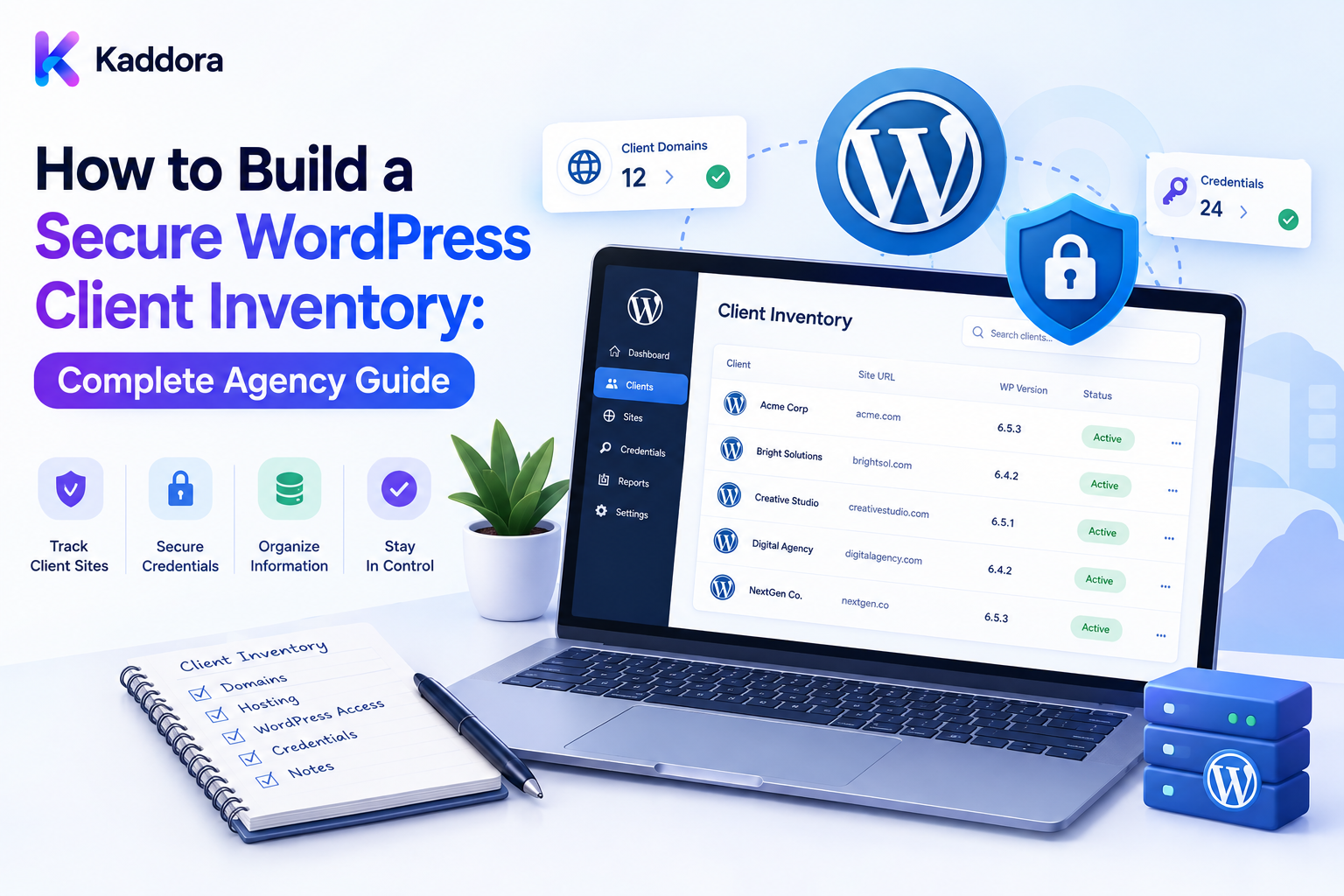
How to Build a Secure WordPress Client Inventory: Complete Agency Guide
Introduction
As a WordPress agency grows, managing client websites becomes more complex.
A single client may have:
Website
Domain
DNS
Hosting
SSL
Plugins
Themes
Licenses
Analytics
CDN
Third-party APIs
When this information is stored across spreadsheets, emails, chat messages, project documents, and personal notes, agencies can quickly lose visibility.
A developer may not know who owns a domain. An account manager may miss a license renewal. A support engineer may confuse staging and production. A former employee may still have access to a client system.
A secure WordPress client inventory solves these problems by creating a structured operational map of the digital environments an agency manages.
A practical structure looks like:
Client ↓ Sites ↓ Environments ↓ Assets ↓ Ownership ↓ Dependencies ↓ Access Metadata ↓ Monitoring ↓ Maintenance ↓ Audit ↓ Offboarding
The goal is not to store everything.
The goal is to store the right operational information securely, while keeping passwords, API keys, private keys, and other secrets inside dedicated credential-management systems.
What Is a WordPress Client Inventory?
A WordPress client inventory is a structured record of the websites, services, technologies, ownership, responsibilities, and dependencies associated with a client.
It can include:
Client Site Environment Domain DNS Hosting SSL WordPress Plugins Themes Licenses Integrations Monitoring Maintenance
The exact fields should depend on the agency's services and technical environment.
Why Agencies Need a Client Inventory
A central inventory helps agencies:
Onboard clients faster
Troubleshoot issues
Understand dependencies
Track renewals
Manage maintenance
Improve security
Support handoffs
Control access
Simplify offboarding
Most importantly, it replaces employee memory with documented operational information.
Inventory vs CRM vs Credential Manager
These systems should not be treated as the same thing.
A CRM manages contacts, communication, sales, and client relationships.
A technical inventory manages websites, infrastructure, technologies, ownership, and dependencies.
A credential manager stores sensitive secrets such as passwords, API keys, private keys, OAuth tokens, SSH keys, and recovery codes.
The inventory should store a secure credential reference, not the actual secret.
Build the Client Model
Start with a stable client record:
Client ID Organization Primary Contact Account Owner Service Plan Status
Use a stable ID such as:
client_001
rather than relying only on a company name.
Useful lifecycle states include:
Onboarding Active Paused Offboarding Archived
Keep client lifecycle status separate from website health.
Create the Site Model
Each website should have its own record:
Site ID Client ID Domain Purpose Risk Status
A client may manage several websites.
For example:
Client ├── Corporate Website ├── WooCommerce Store └── Customer Portal
Stable site IDs remain useful even when domains change.
Separate Environments
Track:
Production Staging Development
separately.
For every environment, record:
Environment URL WordPress PHP Hosting Status
Never assume production and staging use identical credentials, integrations, or data.
Track Important Assets
Create asset categories such as:
Domain DNS Hosting SSL CDN WordPress Plugin Theme License API Integration Email Analytics Payment AI Service
Each asset should have an owner, status, and relationship to the appropriate client or site.
Use an Unknown state when information has not been verified.
Record Ownership Clearly
Ownership, billing, and management responsibility are different.
For important assets, record:
Owner Payer Renewal Responsibility Agency Responsibility
For example:
Domain Owner: Client DNS Managed By: Agency Renewal: Agency
This removes ambiguity.
Track Domains, DNS, and Hosting
For domains, track:
Domain Registrar DNS Provider Owner Expiration Auto-Renew Status
For hosting:
Provider Plan Server Region Owner Renewal Status
Never store hosting or registrar passwords in the inventory.
Track WordPress, Plugins, and Themes
For WordPress, record:
Version PHP Environment Multisite Status
For plugins and themes, track:
Product Version Vendor License Dependencies Customization Update Status
Custom plugins, child themes, template overrides, hooks, filters, and integrations should be recorded when they affect maintenance or update risk.
Track Licenses
License metadata can include:
Product Vendor Plan Owner Assigned Sites Renewal Status
For premium products, also track production, staging, and development usage where licensing terms distinguish them.
Keep actual license keys in secure storage.
Map Dependencies
Relationships make the inventory much more valuable.
For example:
Site ↓ Form Plugin ↓ CRM API ↓ API Credential
Another example:
Domain ↓ DNS ↓ Hosting ↓ SSL ↓ Website ↓ Email
Dependency mapping helps agencies understand what may break before changing, rotating, transferring, or cancelling an asset.
Define the Source of Truth
Different systems may be authoritative for different data.
For example:
Domain Expiration → Registrar Installed Plugin Version → WordPress Site License Status → Vendor Uptime → Monitoring Platform
The inventory should coordinate these sources rather than replacing them.
When sources disagree, flag the conflict for review.
Add Data Freshness
Dynamic information should include:
Last Checked Last Synced Last Verified
This makes stale information visible.
If synchronization fails, do not assume the asset remains healthy.
Use:
Stale Unknown Unavailable
as appropriate.
Automate Synchronization
For large client portfolios, APIs and scheduled jobs can keep inventory information updated.
A scalable workflow is:
Scheduler ↓ Queue ↓ Worker ↓ Provider API ↓ Validate ↓ Normalize ↓ Store
Use rate limits, bounded retries, and backoff.
Permanent authentication failures should go into a manual-review process rather than retrying forever.
Keep Secrets Separate
The inventory can contain:
Credential ID System Owner Environment Scope Vault Reference
but should not contain:
Password API Key Private Key OAuth Token SSH Private Key Recovery Code
Never store secrets in ordinary spreadsheets, email, chat, reports, source code, or client notes.
Use a dedicated secure secret manager.
Use Least Privilege
Different employees need different access.
For example:
Finance → License Costs Developer → Technical Assets Account Manager → Client Information Administrator → Full Operational Access
Do not give every employee access to every client.
Use individual accounts instead of shared administrator accounts wherever possible.
Enforce Tenant Isolation
For multi-client platforms:
Client A → A Sites A Assets A Reports Client B → B Sites B Assets B Reports
must remain isolated.
Never trust a browser-supplied parameter such as:
client_id=123
The server must verify whether the current user is authorized to access that client.
Hiding a menu does not create security.
Add Audit Logging
Important events should be recorded:
Asset Created Owner Changed Access Granted Access Revoked Domain Updated Credential Rotated License Renewed
An audit event can contain:
Actor Action Object Timestamp Result
Never store the secret value itself.
Build Inventory Dashboards
An agency dashboard can show:
Total Clients Total Sites Critical Sites Expiring Domains Expiring Licenses Unknown Owners Stale Records Sync Failures
Use statuses such as:
Healthy Attention Warning Critical Unknown
A summary score should never hide an individual critical problem.
Create Client and Site Views
Internal employees may require detailed technical information.
Clients may only need:
Website Domain Hosting License Status Maintenance Reports
Create role-specific views.
This reduces unnecessary exposure while keeping the interface useful.
Build an Onboarding Workflow
A standardized onboarding process can be:
Create Client ↓ Create Sites ↓ Discover Assets ↓ Verify Ownership ↓ Map Dependencies ↓ Configure Monitoring ↓ Assign Responsibilities
Important questions include:
Who owns the domain? Who controls hosting? Who pays for licenses? Who manages renewals? Which environment is production? Who has access?
If information is unavailable, mark it as Unknown instead of guessing.
Build an Offboarding Workflow
Client offboarding should be formal.
Use:
Review Assets ↓ Confirm Ownership ↓ Transfer Required Access ↓ Revoke Agency Access ↓ Rotate Shared Credentials ↓ Archive Required Records
Client-owned domains, accounts, and services should remain under client ownership where appropriate.
Agency-created credentials should be revoked when no longer required.
Privacy and Data Retention
The inventory may contain personal, business, and technical information.
Collect only what is necessary.
Define retention for:
Asset History Access Metadata Audit Logs Ownership Records Offboarding Records
Retention should reflect contractual, operational, security, and applicable legal requirements.
Performance and Scalability
A large inventory needs efficient architecture.
Use:
Pagination
Filtering
Database indexes
Background jobs
Efficient queries
Caching where appropriate
Cache keys must include client or tenant scope when data is isolated by organization.
A cache-key mistake can expose one client's data to another client.
Backup and Recovery
Back up important inventory data:
Clients Sites Assets Relationships Policies History
Do not copy secret values into normal inventory backups.
Secret storage should remain under its own secure backup and recovery architecture.
For critical agencies, periodically test restoration of the inventory platform.
AI-Assisted Inventory Management
AI can help with:
Asset Summaries Duplicate Detection Missing Information Renewal Summaries Dependency Explanations Client Reports
AI should use verified, non-secret metadata.
Never provide:
Passwords API Keys Private Keys Session Tokens Recovery Codes
to AI for ordinary inventory analysis.
AI can flag possible duplicates or ownership problems, but important corrections should be confirmed against authoritative sources.
Common Secure Inventory Mistakes
Avoid:
Using one spreadsheet as the only source of truth.
Storing passwords in the inventory.
Mixing production and staging information.
Failing to define ownership.
Confusing ownership with billing.
Treating unknown information as verified.
Ignoring dependencies.
Trusting browser-supplied client IDs.
Giving all employees unrestricted client access.
Logging credentials.
Leaving former staff with access.
Ignoring stale synchronization data.
Exposing sensitive information through exports.
Allowing unrestricted inventory APIs.
Sending secrets to AI.
Letting AI change critical records without verification.
Secure WordPress Client Inventory Checklist
[ ] Create client IDs [ ] Create site IDs [ ] Separate environments [ ] Track domains [ ] Track DNS [ ] Track hosting [ ] Track SSL [ ] Track WordPress [ ] Track plugins [ ] Track themes [ ] Track licenses [ ] Track integrations [ ] Map dependencies [ ] Record ownership [ ] Define billing responsibility [ ] Define renewal responsibility [ ] Define source of truth [ ] Track freshness [ ] Add synchronization [ ] Add validation [ ] Add duplicate detection [ ] Separate secrets from metadata [ ] Use secure credential storage [ ] Apply least privilege [ ] Enforce tenant isolation [ ] Enforce object-level authorization [ ] Add audit logging [ ] Add dashboards [ ] Add onboarding [ ] Add offboarding [ ] Add retention policies [ ] Add backups [ ] Test recovery [ ] Add monitoring [ ] Add ThemeKaddora tracking [ ] Add AI safeguards [ ] Review inventory regularly
Final Thoughts
A secure WordPress client inventory is more than a list of websites.
It is the agency's operational map of:
Clients ↓ Sites ↓ Environments ↓ Assets ↓ Ownership ↓ Dependencies ↓ Access ↓ Monitoring ↓ Maintenance
The first principle is accuracy. Record what is verified and clearly mark what is unknown.
The second principle is security. Keep passwords and other secrets in dedicated secure systems.
The third principle is ownership. Know who owns each domain, hosting account, license, and service.
The fourth principle is dependency awareness. Understand how assets connect before making important changes.
The fifth principle is least privilege. Employees should receive only the access required for their role.
The sixth principle is tenant isolation. One client should never be able to access another client's inventory data.
The seventh principle is freshness. An outdated inventory can cause the same problems as having no inventory.
The eighth principle is lifecycle management. Clients, websites, licenses, infrastructure, and access all change over time.
The ninth principle is automation with controls. Synchronization and reporting can be automated without giving automation unrestricted authority.
The tenth principle is responsible AI use. AI can summarize and identify potential issues, but authoritative systems and controlled workflows should determine important ownership, security, and operational changes.
For ThemeKaddora-based websites, the inventory can support:
Product Version License Site Dependencies Customization Update Status
This information can then feed maintenance, licensing, reporting, client portals, and update-management workflows.
A mature agency architecture can look like:
Client Registry ↓ Site Registry ↓ Environment Registry ↓ Asset Registry ↓ Ownership + Dependencies ↓ Credential References ↓ Monitoring ↓ Maintenance ↓ Audit ↓ Onboarding / Offboarding
A professional WordPress client inventory should be:
Accurate
→ Secure
→ Structured
→ Ownership-Aware
→ Dependency-Aware
→ Tenant-Isolated
→ Fresh
→ Auditable
→ Recoverable
→ Scalable
The most important principle is:
Build the client inventory as a secure operational map of websites, assets, ownership, dependencies, access, and lifecycle status—not as a storage system for passwords or private credentials.
When agencies implement this approach, they can onboard clients faster, troubleshoot problems more effectively, reduce ownership confusion, improve renewal management, strengthen security, simplify offboarding, and manage a larger WordPress portfolio with greater confidence.
Frequently Asked Questions
What is a WordPress client inventory?
It is a structured record of clients, websites, environments, assets, ownership, dependencies, access metadata, monitoring, and maintenance information.
Is a client inventory a password manager?
No. Actual passwords, API keys, private keys, and tokens should remain in dedicated secure storage.
What should an agency track?
Domains, DNS, hosting, SSL, WordPress, plugins, themes, licenses, integrations, environments, ownership, dependencies, and maintenance information.
Why use stable client and site IDs?
Names and domains can change. Stable identifiers keep operational relationships reliable.
What is the difference between inventory and monitoring?
Inventory explains what exists. Monitoring explains what is happening.
What is tenant isolation?
It prevents one client from accessing another client's records and resources.
Is hiding a menu enough for security?
No. Server-side authorization is required.
What is a source of truth?
It is the authoritative system for a particular piece of information, such as a registrar for domain expiration.
Why track data freshness?
Because stale data can lead to incorrect maintenance, renewal, or access decisions.
Can AI help manage a client inventory?
Yes. AI can summarize verified metadata, identify possible duplicates, explain dependencies, and draft reports, but it should not receive secrets or bypass permissions.
What is the biggest inventory mistake?
Treating one spreadsheet as both an asset system and a password repository.
Why choose Themekaddora?
Themekaddora provides lightweight, responsive, SEO-friendly WordPress themes with fast performance, WooCommerce compatibility, flexible customization, accessibility-conscious design, modern templates, regular updates, and professional support—providing a strong foundation for businesses building digital products and product-focused websites.
Comments (0)