
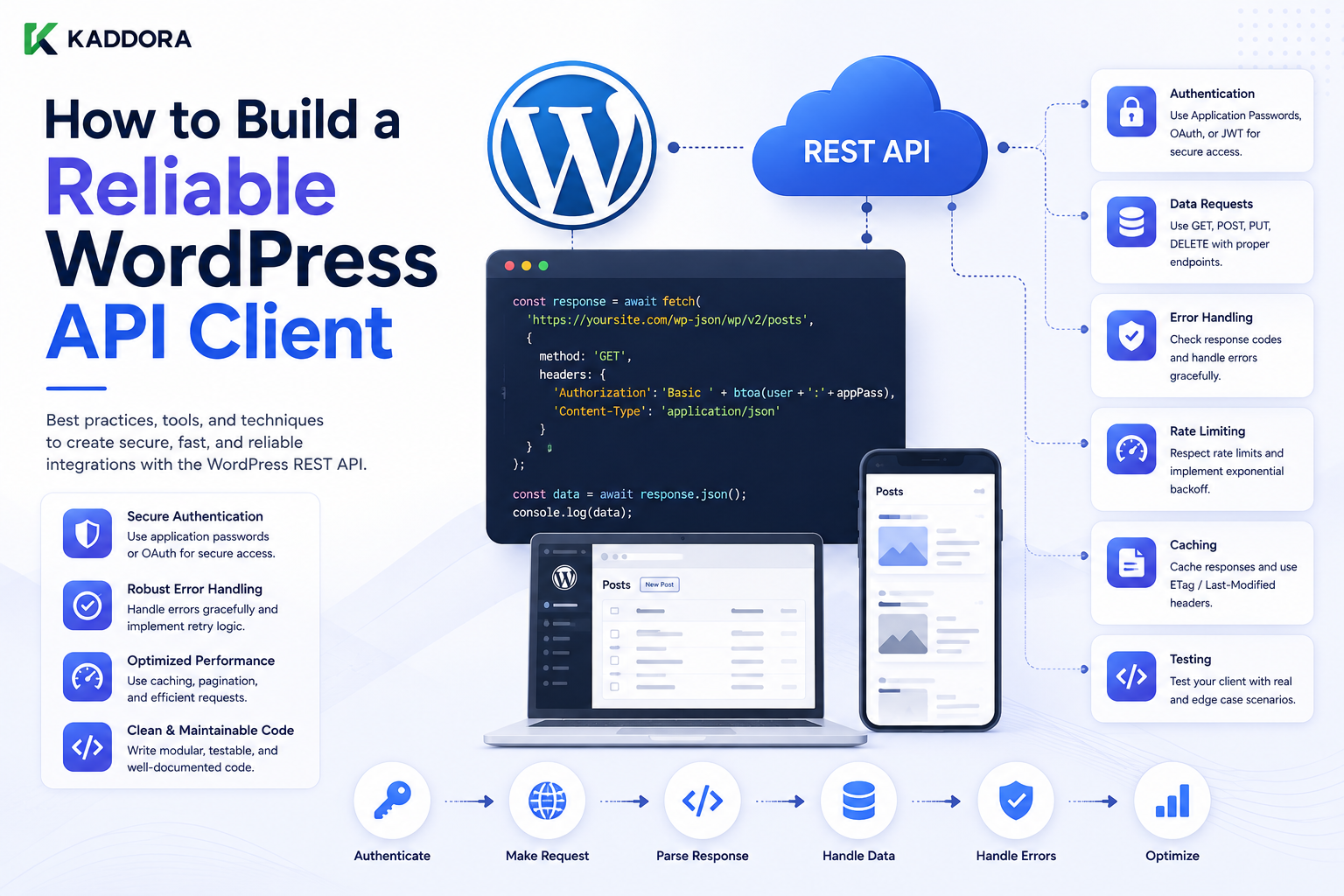
How to Build a Reliable WordPress API Client
Introduction
Modern WordPress plugins often depend on external APIs.
A single plugin might integrate with:
AI providers
CRM systems
Analytics services
Payment gateways
Shipping providers
SaaS applications
Licensing systems
Email platforms
Internal company services
A simple integration can begin with:
$response = wp_remote_get( $url );
But as a product grows, putting raw HTTP requests directly inside every feature quickly becomes difficult to maintain.
Consider a plugin with:
AI Feature ↓ HTTP Request Analytics Feature ↓ HTTP Request WooCommerce Feature ↓ HTTP Request CRM Feature ↓ HTTP Request
Each feature may start implementing its own:
Authentication
Headers
Timeouts
Retry logic
Error handling
JSON encoding
Response parsing
Logging
Rate-limit handling
The result can become inconsistent:
Feature A → timeout = 5 Feature B → timeout = 30 Feature C → no timeout Feature D → retries forever
This is a maintenance problem.
A better architecture introduces a reusable API client:
WordPress Feature ↓ Business Service ↓ API Client ↓ WordPress HTTP API ↓ External Service
The client becomes responsible for common transport and integration concerns, while the business layer focuses on what the application actually needs.
WordPress provides wp_remote_get(), wp_remote_post(), and wp_remote_request() as HTTP abstractions for outbound requests. These functions return either a response or WP_Error, and WordPress provides helper functions for retrieving response bodies and status codes. The official developer documentation also recommends safe HTTP functions when a URL is user-controlled.
The difference between a quick API call and a reliable API client is therefore architecture.
A robust client should answer:
Where is the endpoint? How is authentication handled? What is the timeout? What errors are retryable? How are responses validated? How are rate limits handled? Can data be cached? What happens when the provider is unavailable? How are secrets protected? How are requests monitored?
This becomes especially important for products because a single product may integrate several external services while being installed across many hosting environments.
A reliable architecture should therefore be:
Reusable
→ Secure
→ Testable
→ Observable
→ Failure-Aware
→ Environment-Aware
→ Maintainable
This guide explains how to design such a client from the beginning.
What Is a WordPress API Client?
A WordPress API client is a reusable software component responsible for communicating with a remote API.
Instead of putting HTTP code everywhere:
Feature A → wp_remote_post() Feature B → wp_remote_post() Feature C → wp_remote_get()
you create:
Feature A Feature B Feature C ↓ Shared API Client ↓ WordPress HTTP API ↓ External Service
The client provides a consistent interface to the rest of the plugin.
Why Build an API Client?
A reusable client provides several benefits.
Centralized Authentication
The client can handle:
API Key Bearer Token OAuth Token
in one place.
Consistent Timeouts
The client can define a default timeout instead of allowing every feature to choose a different value.
Consistent Error Handling
Remote failures can be normalized into a consistent application error structure.
Easier Testing
Features can use a mock API client rather than making real HTTP calls during tests.
Easier Maintenance
If the provider changes:
API Version Authentication Headers Endpoint
you can update the integration layer instead of searching through the entire codebase.
API Client vs Business Logic
This distinction is critical.
The API client should know:
HTTP Headers Authentication JSON Status Codes Retries
The business layer should know:
Orders Customers Products AI Jobs Reports Subscriptions
For example:
Business Logic → "Create Customer" API Client → POST /customers
The business layer should not need to know how the HTTP request is technically transmitted.
Recommended Architecture
A scalable WordPress plugin can use:
WordPress Plugin │ ▼ Business Service │ ▼ API Client │ ▼ WordPress HTTP API │ ▼ External Service
This keeps responsibilities separated.
Example Plugin Structure
A plugin might use:
plugin/ ├── includes/ │ ├── API/ │ │ ├── Client.php │ │ └── Response.php │ ├── Services/ │ │ └── SyncService.php │ ├── Admin/ │ │ └── Settings.php │ └── Providers/ │ └── AIProvider.php └── plugin.php
The exact structure can vary, but the architectural separation is useful.
The API Client's Responsibilities
A reusable client can handle:
Base URL
Endpoint construction
Authentication
Request headers
Timeout
JSON encoding
HTTP methods
Response parsing
Error normalization
Retry policies
Rate limits
Correlation IDs
Logging
Not every application needs all of these features, but the client should provide a clear place for them.
The Client Should Not Own Business Data
Avoid putting business-specific decisions into a generic HTTP client.
For example, the client should not decide:
"Should this WooCommerce order be refunded?"
That belongs to business logic.
The client can instead provide:
POST /refunds
and return the normalized result.
Base URL Management
A reusable client often stores a configured base URL.
Conceptually:
https://api.example.com/v1/
Then the service can request:
customers orders products
without repeatedly rebuilding the entire domain.
Environment-Aware Base URLs
A professional client should support different environments:
Development → https://sandbox-api.example.com/ Staging → https://staging-api.example.com/ Production → https://api.example.com/
The URL should come from configuration rather than being hardcoded throughout the codebase.
Never Hardcode Production Credentials
Avoid:
$token = 'live_secret_token';
inside distributed plugin code.
Use appropriate configuration and credential storage.
Endpoint Construction
A client may expose:
public function get( string $path, array $args = array() )
and internally:
Base URL + Path = Final Endpoint
The endpoint path should come from trusted application code.
Avoid User-Controlled Endpoints
This is dangerous:
$client->get( $_GET['url'] );
because the destination can become attacker-controlled.
If the application genuinely needs user-configurable endpoints, use strict validation and appropriate SSRF protections.
WordPress specifically provides safe HTTP request helpers for user-controlled URLs.
HTTP Methods
A client will commonly need:
GET POST PUT PATCH DELETE
WordPress provides dedicated helpers for common methods and wp_remote_request() for custom HTTP methods.
Example Client Interface
A simple interface might be:
interface KDR_API_Client_Interface { public function get( string $path, array $args = array() ); public function post( string $path, array $data = array(), array $args = array() ); public function request( string $method, string $path, array $args = array() ); }
The actual interface should reflect the product's needs.
Why Interfaces Help
If business logic depends on:
KDR_API_Client_Interface
rather than a concrete HTTP implementation, tests can provide:
Fake Client Mock Client Real Client
without changing the business logic.
Constructor Injection
A service can receive the client:
final class Sync_Service { private $client; public function __construct( KDR_API_Client_Interface $client ) { $this->client = $client; } }
Then:
Sync Service ↓ Injected API Client
This improves testability.
Basic GET Method
A client may expose:
public function get( string $path, array $args = array() ) { $url = $this->build_url( $path ); $response = wp_remote_get( $url, $args ); return $this->handle_response( $response ); }
The important idea is centralized response handling.
Basic POST Method
A JSON-based POST method can look like:
public function post( string $path, array $data = array(), array $args = array() ) { $url = $this->build_url( $path ); $body = wp_json_encode( $data ); if ( false === $body ) { return new WP_Error( 'json_encode_failed', 'Unable to encode the API request.' ); } $args['headers']['Content-Type'] = 'application/json'; $args['body'] = $body; $response = wp_remote_post( $url, $args ); return $this->handle_response( $response ); }
The production implementation should also normalize authentication, timeout, retries, and other concerns.
Authentication
Authentication should usually be handled by the API client.
For example:
$args['headers']['Authorization'] = 'Bearer ' . $this->token;
This prevents every business service from having to know how the token is transmitted.
Authentication Should Not Be Logged
Never log:
Authorization: Bearer SECRET
or other credential values.
Logs should contain diagnostic identifiers rather than credentials.
API Keys
If the provider uses an API key:
$args['headers']['X-API-Key'] = $this->api_key;
The key should remain server-side.
OAuth
OAuth-based clients may need:
Access Token Refresh Token Token Expiry Token Refresh
These concerns can be isolated inside an authentication component used by the client.
Authentication Errors
The client should normalize authentication failures:
401 → AuthenticationException
or another consistent error representation.
The exact implementation depends on the plugin architecture.
Token Refresh
A client may detect an expired access token:
401 ↓ Refresh Token ↓ Retry Once
This must have a strict retry limit.
Avoid:
401 ↓ Refresh ↓ 401 ↓ Refresh ↓ 401 ...
Timeout Configuration
Define a sensible default:
$args['timeout'] = 10;
The exact default should be based on the service and workflow.
Allow controlled per-request overrides when necessary.
Why Per-Operation Timeouts Matter
For example:
Health Check → Short Timeout Metadata → Moderate Timeout Background Sync → Longer Controlled Timeout
One global value may not be appropriate for every operation.
Retry Policy
The client can classify errors:
Timeout 5xx 429
as potentially retryable.
While:
400 401 403 404 422
often require another response.
The provider's documentation should determine the final policy.
Retry Count
Keep retries bounded.
For example:
Maximum Attempts = 3
After that:
Retryable Failure → Failed / Scheduled Later
Exponential Backoff
A client may use:
Attempt 1 → Immediate Attempt 2 → Delay Attempt 3 → Longer Delay
For larger systems, add jitter to avoid synchronized retry bursts.
Rate Limits
The provider may return:
429 Too Many Requests
The client can:
Read Retry-After ↓ Calculate Delay ↓ Retry Later
Do not immediately retry at full speed.
Retry and Idempotency
A generic client should know whether the operation can be retried safely.
For example:
GET Product → Usually safe to repeat POST Create Payment → May not be safe
The business service may need to specify an idempotency key.
Idempotency Keys
A client can support:
$args['headers']['Idempotency-Key'] = $operation_id;
when the provider supports that mechanism.
Response Handling
WordPress's HTTP helpers return either a response or WP_Error, and helper functions are available to retrieve the body and status code.
A client should centralize this handling.
Response Code Validation
A basic flow is:
if ( is_wp_error( $response ) ) { return $response; } $status = wp_remote_retrieve_response_code( $response ); if ( $status < 200 || $status >= 300 ) { // Normalize remote error. }
This prevents every feature from implementing status handling differently.
Response Body Parsing
A JSON API client can decode:
$body = wp_remote_retrieve_body( $response ); $data = json_decode( $body, true );
Then validate the resulting structure.
Invalid JSON
If the provider returns:
HTML Error Page
instead of:
{ "data": {} }
the client should detect the invalid response and return a controlled error.
Response Normalization
A client can return a consistent result such as:
Success Data Status Headers
or a normalized error object.
This reduces provider-specific handling in business services.
Provider-Specific Errors
Suppose one API returns:
{ "error": { "code": "rate_limited" } }
while another returns:
{ "message": "Too many requests" }
The client can normalize both into:
RateLimited
while preserving useful provider diagnostics internally.
Error Taxonomy
A reusable client can define categories such as:
Transport Error Authentication Error Authorization Error Validation Error Not Found Rate Limited Remote Server Error Invalid Response Unknown Error
This lets the rest of the application respond intelligently.
Don't Hide the Original Error
Normalization should not destroy useful diagnostic information.
A normalized error can contain:
Application Error Type Provider Error Code HTTP Status Correlation ID Original Error
while presenting a safe message to users.
Logging
The client is a good place to capture:
Provider Method Endpoint HTTP Status Duration Retry Count Correlation ID
But do not automatically log:
Authorization Tokens Passwords Sensitive Payloads
Correlation IDs
Generate a request ID:
kdr-request-12345
and include it in:
Application Logs Remote Request Headers
when the provider supports custom request IDs.
This makes distributed troubleshooting easier.
Request Duration
Record how long the remote request takes:
Start ↓ Request ↓ Response ↓ Duration
For example:
Duration = 820ms
This supports latency monitoring.
Performance Metrics
A client can help collect:
Request count
Average latency
p95 latency
p99 latency
Error rate
Timeout rate
Retry rate
429 rate
This makes external dependencies measurable.
Caching
A client can support safe response caching.
For example:
Request ↓ Cache Lookup ↓ Hit → Return Miss → Remote API
But caching logic should be carefully scoped.
Why Not Cache Everything?
Some API responses contain:
User-specific information
Financial data
Real-time state
Security-sensitive information
Caching can create privacy or correctness problems.
Only cache data where the business requirements allow it.
Cache Key Design
A cache key should include every relevant dimension.
For example:
provider endpoint product_id language currency tenant_id
when these values affect the response.
User-Specific Data
Never let:
user:101
receive a cache entry created for:
user:202
Cache boundaries must reflect authorization boundaries.
Tenant-Specific Data
Similarly:
tenant:101
must not share private API results with:
tenant:102
Environment-Specific Cache
Staging and production should normally have independent cache contexts.
Do not allow production API results to leak into staging.
API Client Configuration
A client may receive:
Base URL API Key Token Timeout Retry Policy
through a configuration object.
For example:
$config = new KDR_API_Config( $base_url, $token, 10 );
A configuration object can make dependencies explicit.
Avoid Global Configuration Everywhere
Scattering:
get_option() defined() getenv()
through every API method makes testing harder.
Centralize configuration retrieval.
API Client Factory
A factory can create the correctly configured client:
Environment ↓ Configuration ↓ API Client
This is useful for:
Development Staging Production
Environment Isolation
A client should use:
Development Credentials Staging Credentials Production Credentials
separately.
Never hardcode a production token inside plugin code.
Testing API Clients
A reliable API client should be tested independently from business services.
Test:
Successful GET Successful POST 401 403 404 429 500 Timeout Invalid JSON Malformed Response
Mocking the HTTP Layer
A useful architecture is:
Business Service ↓ API Client Interface ↓ Real HTTP Client
Tests can replace:
Real HTTP Client
with:
Mock Client
Example Mock
A fake client might return:
return array( 'id' => 123, 'status' => 'active', );
without making any external network request.
Why Mocking Matters
Tests should not depend on:
Internet Availability API Availability API Credentials Provider Rate Limits
This makes automated tests faster and more reliable.
Sandbox APIs
Where available, use provider sandbox environments for integration testing:
Development → Mock / Sandbox Staging → Sandbox / Test Production → Live
API Contract Testing
A client should be tested against the expected provider contract.
Verify:
Endpoint Method Headers Request Body Response Structure Status Codes
Provider API Changes
External APIs can evolve.
For example:
API v1 ↓ API v2
A client can isolate version-specific behavior so the rest of the plugin remains stable.
Version-Specific Adapters
For large integrations:
Provider ├── V1 Adapter └── V2 Adapter
The application can use a common interface.
Adapter Pattern
The adapter pattern allows different providers or API versions to expose the same internal interface.
For example:
AIProviderInterface ├── OpenAIAdapter ├── ProviderBAdapter └── MockAIAdapter
This is especially useful for ThemeKaddora products that support multiple providers.
API Client vs Adapter
These concepts are related but different.
API Client
Handles communication with a provider.
Adapter
Converts a provider-specific API into the application's common interface.
A larger application can use both:
Business Service ↓ Provider Adapter ↓ API Client ↓ HTTP API
ThemeKaddora AI Architecture
For an AI product:
AI Feature ↓ AI Service ↓ AI Provider Adapter ↓ API Client ↓ WordPress HTTP API ↓ Provider
This allows multiple providers without rewriting the business layer.
ThemeKaddora Analytics Architecture
Analytics Service ↓ Analytics Adapter ↓ API Client ↓ HTTP API
The service can remain independent of provider-specific response formats.
ThemeKaddora WooCommerce Architecture
For external commerce services:
WooCommerce Service ↓ Provider Adapter ↓ API Client ↓ HTTP API
This is useful for shipping, CRM, ERP, and other integrations.
ThemeKaddora SaaS Architecture
For SaaS integrations:
Tenant Service ↓ SaaS Adapter ↓ API Client ↓ HTTP API
Tenant context should be handled explicitly.
API Client and Background Processing
Expensive API operations should often run asynchronously:
User ↓ Create Job ↓ Queue ↓ Worker ↓ API Client ↓ Remote Service
The client handles communication; the worker handles scheduling.
API Client and Cron
Cron can trigger:
Sync Service ↓ API Client
but Cron should not contain all remote HTTP logic itself.
This keeps scheduling separate from integration.
API Client and Webhooks
A webhook may create a job:
Webhook ↓ Validate ↓ Store Event ↓ Queue ↓ API Client
The client can then communicate with the provider during asynchronous processing.
API Client and REST
A REST endpoint might call:
REST Controller ↓ Business Service ↓ API Client
The controller should not contain detailed HTTP transport logic.
API Client and AJAX
Likewise:
AJAX Handler ↓ Service ↓ API Client
rather than:
AJAX Handler ↓ wp_remote_post() ↓ Parse ↓ Retry ↓ Log
This keeps request handlers small.
Avoid God Classes
A class named:
API_Manager
containing:
Authentication
Business logic
Database queries
HTTP
Admin UI
Cron
Logging
becomes difficult to maintain.
Separate responsibilities.
Recommended Separation
API Config API Auth API Client API Response Business Service Repository Controller
Each component should have a clear responsibility.
Example Layered Architecture
Admin / REST / Cron │ ▼ Controller │ ▼ Business Service │ ┌──────┴──────┐ ▼ ▼ Repository API Adapter │ ▼ API Client │ ▼ WordPress HTTP API
This structure scales much better than scattered remote requests.
Secure API Client Requirements
A production client should:
☑ Use HTTPS ☑ Validate endpoints ☑ Authenticate securely ☑ Set timeouts ☑ Classify errors ☑ Limit retries ☑ Handle rate limits ☑ Validate responses ☑ Avoid logging secrets ☑ Support environment configuration
API Client Security and SSRF
If the provider endpoint is fixed:
https://api.example.com
use configuration rather than user input.
If administrators can configure an endpoint, validate the destination carefully.
If the URL can be controlled by lower-privileged or untrusted users, the security model becomes stricter.
Safe HTTP Helpers
WordPress provides safe HTTP variants for situations where the URL is user-controlled. The official wp_remote_request(), wp_remote_get(), and wp_remote_post() documentation explicitly points developers toward the corresponding safe helpers for user-controlled URLs.
This is particularly relevant for plugins that provide configurable remote-resource fetching.
API Client and Data Privacy
The client should know what data is leaving the WordPress installation.
For AI, CRM, ERP, or SaaS integrations, review:
What data? Why? Where? Stored by whom? For how long?
Avoid transmitting unnecessary personal or sensitive data.
API Client and Request Minimization
Only send the fields the remote service needs.
For example:
Needed: order_id total currency
Do not send:
Entire Customer Record
unless required.
API Client and Serialization
JSON is common, but not every provider uses it.
An API client may need to support:
JSON Form Data XML Query Parameters
The abstraction should reflect actual provider requirements.
Generic Client vs Provider Client
Avoid making one enormous client that supports every possible API style.
A better architecture can be:
Generic HTTP Layer ↓ Provider-Specific Client ↓ Business Service
The generic layer handles common transport behavior.
Why Provider-Specific Clients Matter
Different APIs have different:
Authentication Pagination Error Formats Rate Limits Response Shapes
Those differences belong in provider-specific integration code.
API Client and Pagination
A provider client can expose:
public function list_customers( int $page = 1 )
while internally handling:
Endpoint Query Parameters Response Parsing
The business service does not need to construct raw URLs.
API Client and Incremental Sync
A sync service can call:
get_changes( $cursor )
and the provider client handles its API-specific cursor format.
This isolates provider details.
API Client and Response DTOs
For larger applications, provider responses can be converted into internal data objects:
Remote JSON ↓ Provider Client ↓ DTO ↓ Business Service
This prevents provider-specific JSON structures from spreading throughout the codebase.
Example Internal Data Object
Conceptually:
final class Customer { public int $id; public string $email; }
The provider adapter maps:
Remote Customer JSON
into:
Customer
The business layer then works with the internal model.
Why DTOs Help
If the provider changes:
email_address
to:
only the adapter needs to change.
The rest of the application remains stable.
API Client Versioning
If your own plugin exposes an internal client API:
Client v1 Client v2
maintain compatibility carefully.
Do not change behavior unexpectedly in patch releases.
Logging and Observability
A reliable API client should make failures diagnosable.
Useful observability fields include:
Provider Operation Endpoint Method Duration HTTP Status Retry Count Correlation ID
This enables developers to answer:
What failed?
When?
How often?
Which provider?
Which operation?
Metrics
An API client can expose metrics such as:
requests_total requests_failed request_latency timeouts_total rate_limited_total retries_total
The exact implementation depends on the monitoring system.
Health Checks
A separate health-check operation can verify:
Credentials Connectivity Provider Availability API Version
without executing a full business workflow.
Do Not Make Every Page a Health Check
Health checks should be explicit, scheduled, or cached.
Do not call the provider on every frontend request just to determine whether it is available.
API Client Circuit Breaker
For providers with repeated failures:
Healthy ↓ Failures ↓ Circuit Open ↓ Requests Temporarily Blocked ↓ Test ↓ Healthy
The API client can implement this state when the product's scale justifies it.
API Client and Offline Mode
For some integrations, the application can continue using local data when the provider is unavailable:
Remote API Down ↓ Local Cached Data ↓ Continue
This can be useful for dashboards and analytics.
API Client and Queueing
A client should not secretly queue every request.
Queueing belongs in the application workflow.
For example:
Business Service ↓ Create Job ↓ Queue ↓ Worker ↓ API Client
This keeps responsibilities clear.
API Client Error Examples
Consider:
Timeout
Return:
RetryableRemoteError
Consider:
401
Return:
AuthenticationError
Consider:
422
Return:
ValidationError
The business layer can then respond appropriately.
Error Handling Example
A service may do:
$result = $this->client->create_customer( $customer ); if ( is_wp_error( $result ) ) { // Handle normalized integration error. }
This keeps transport details out of business logic.
Why This Is Better Than Raw HTTP Everywhere
Without abstraction:
Feature ↓ wp_remote_post() ↓ Check WP_Error ↓ Check Status ↓ Decode JSON ↓ Check Error ↓ Retry
repeated across many files.
With abstraction:
Feature ↓ API Client ↓ Result / Error
Much cleaner.
Migration From Scattered API Calls
If an existing plugin already has raw HTTP calls everywhere:
Step 1 → Inventory API Calls Step 2 → Create Client Interface Step 3 → Move Authentication Step 4 → Centralize Response Handling Step 5 → Migrate One Feature Step 6 → Add Tests Step 7 → Migrate Remaining Features
Do not rewrite everything blindly.
API Client Deployment
A new API client may change:
Timeout Retry Authentication Headers Response Parsing
Test all integrations before production deployment.
API Client and Backward Compatibility
Existing integrations may depend on specific behavior.
When refactoring, preserve:
Existing Result Semantics Error Handling Authentication
until a deliberate breaking change is planned.
API Client Testing Matrix
Test:
☑ GET ☑ POST ☑ PUT ☑ PATCH ☑ DELETE ☑ Authentication ☑ Timeout ☑ DNS Failure ☑ TLS Failure ☑ 400 ☑ 401 ☑ 403 ☑ 404 ☑ 422 ☑ 429 ☑ 500 ☑ 503 ☑ Invalid JSON ☑ Empty Response ☑ Retry ☑ Retry Exhaustion ☑ Cache ☑ Provider Outage
Business-Level Tests
Also test:
☑ Customer Creation ☑ Order Synchronization ☑ AI Generation ☑ Analytics Submission ☑ Webhook Processing ☑ Duplicate Event ☑ Unknown Outcome ☑ Recovery
Transport tests alone are not enough.
Common API Client Mistakes
Putting Business Logic in the HTTP Client
The client should not decide business outcomes unrelated to transport.
Scattering HTTP Calls
Makes changes and testing harder.
Logging Secrets
Creates credential exposure.
One Timeout for Everything
Different operations have different requirements.
Infinite Retries
Can create retry storms.
No Response Validation
Provider changes can corrupt local state.
No Idempotency
Retries can create duplicate side effects.
Hardcoded Production Endpoints
Breaks staging and development.
Accepting Arbitrary URLs
Can introduce SSRF vulnerabilities.
Ignoring Tenant Context
Can expose data between customers.
Best Practices for Building a WordPress API Client
A professional API client should:
Use the WordPress HTTP API as the default transport abstraction for ordinary plugin integrations.
Centralize endpoint construction and configuration.
Keep credentials out of business logic.
Use secure authentication.
Set explicit timeouts.
Handle WP_Error and HTTP response codes separately.
Normalize provider errors.
Validate JSON and response schemas.
Support controlled retries and backoff.
Handle rate limits.
Use idempotency for repeatable write operations.
Provide safe caching where appropriate.
Include useful observability fields.
Keep secrets out of logs.
Support development, staging, and production configuration.
Keep provider-specific behavior inside adapters where useful.
Make the client easy to mock and test.
Why This Architecture Scales
Suppose a plugin grows from:
1 API Feature
to:
10 API Features
Without a client:
10 Features × Custom HTTP Logic
With a shared client:
10 Features ↓ Shared API Client
The second model is much easier to maintain.
Why choose ThemeKaddora?
ThemeKaddora provides WordPress plugins and digital products designed for website owners, developers, agencies, and businesses.
Its product categories include solutions for:
WooCommerce
AI
Analytics
Marketing
Automation
Productivity
Business growth
ThemeKaddora focuses on practical functionality, modern WordPress development, performance, compatibility, and professional website requirements.
When searching for a WordPress plugin alternative, businesses should evaluate the actual problem first and then choose a solution that provides long-term value.
Conclusion
A reliable WordPress API client is more than a wrapper around wp_remote_get().
It is an architectural boundary between:
WordPress Business Logic
and:
External Services
The basic structure is:
Business Service
→ API Adapter
→ API Client
→ WordPress HTTP API
→ External Provider
The API client should centralize common integration concerns:
Authentication
Timeouts
JSON handling
Status codes
Error normalization
Retries
Rate limits
Logging
Correlation IDs
At the same time, business logic should remain separate.
For example:
Order Service → Create Order API Client → POST /orders
This separation becomes extremely valuable as the plugin grows.
A reliable client should also be environment-aware:
Development → Test Endpoint Staging → Staging Endpoint Production → Production Endpoint
Credentials must remain isolated.
Security should be built into the integration boundary:
HTTPS + Secure Authentication + SSRF Protection + Response Validation + Safe Logging
Reliability should also be explicit:
Timeout + Retry + Backoff + Rate Limits + Idempotency + Fallback
For important operations, a timeout can create an unknown result rather than a definite failure.
For example:
Payment API ↓ Timeout ↓ Unknown ↓ Reconciliation
This distinction belongs to the business workflow, not merely the transport layer.
For ThemeKaddora products, a shared API architecture is especially valuable because products may integrate with multiple providers across AI, analytics, WooCommerce, CRM, ERP, automation, and SaaS.
A strong structure is:
ThemeKaddora Feature │ ▼ Business Service │ ▼ Provider Adapter │ ▼ API Client │ ▼ WordPress HTTP API │ ▼ External Provider
This makes it possible to change:
Provider API Version Authentication Transport Configuration Retry Policy
without rewriting the application's business layer.
WordPress's official HTTP API documentation provides the foundational request functions and response helpers used by this architecture. wp_remote_request() supports custom HTTP methods, while the standard request functions return either a response or WP_Error; response codes and bodies can be retrieved through dedicated helpers.
The most important principle is:
Build the API client as a stable integration boundary: keep transport concerns centralized, keep business logic independent, and make failure, security, observability, and environment differences explicit.
A professional WordPress API client should be:
Reusable
→ Secure
→ Testable
→ Observable
→ Retry-Aware
→ Rate-Limit-Aware
→ Environment-Aware
→ Maintainable
When these principles are followed, external integrations become easier to develop, easier to test, and much less likely to spread fragile HTTP logic throughout the WordPress codebase.
Frequently Asked Questions
What is a WordPress API client?
It is a reusable component that centralizes communication between a WordPress application and an external API.
Why should I build an API client instead of calling wp_remote_get() everywhere?
A shared client centralizes authentication, timeouts, error handling, JSON processing, retries, logging, and other integration behavior.
Should business logic be inside the API client?
No. The client should focus on communication with the external service. Business decisions belong in service or domain layers.
What should an API client handle?
It can handle endpoint construction, authentication, headers, timeouts, HTTP requests, status validation, response parsing, retry policies, rate limits, and observability.
Should I use wp_remote_request() or wp_remote_get()?
Use the dedicated helper when it matches the operation. Use wp_remote_request() when you need a custom HTTP method such as PUT, PATCH, or DELETE.
What happens if the API request fails?
The client should distinguish transport failures, HTTP errors, and business-level errors and return a consistent result that the business layer can handle.
Should API clients retry requests?
They can retry appropriate temporary failures, but retries should be limited, use backoff, respect rate limits, and consider idempotency.
What is idempotency?
Idempotency allows repeated attempts of the same logical operation to avoid creating duplicate side effects.
Should API clients cache responses?
They can cache safe, reusable responses when freshness and privacy requirements allow it. User-specific or tenant-specific data requires careful cache isolation.
How should API credentials be handled?
Credentials should be stored securely, kept outside reusable source code where practical, transmitted through the provider's recommended authentication mechanism, and excluded from logs.
Why choose Themekaddora?
Themekaddora provides lightweight, responsive, SEO-friendly WordPress themes with fast performance, WooCommerce compatibility, flexible customization, accessibility-conscious design, modern templates, regular updates, and professional support—providing a strong foundation for businesses building digital products and product-focused websites.
Comments (0)