
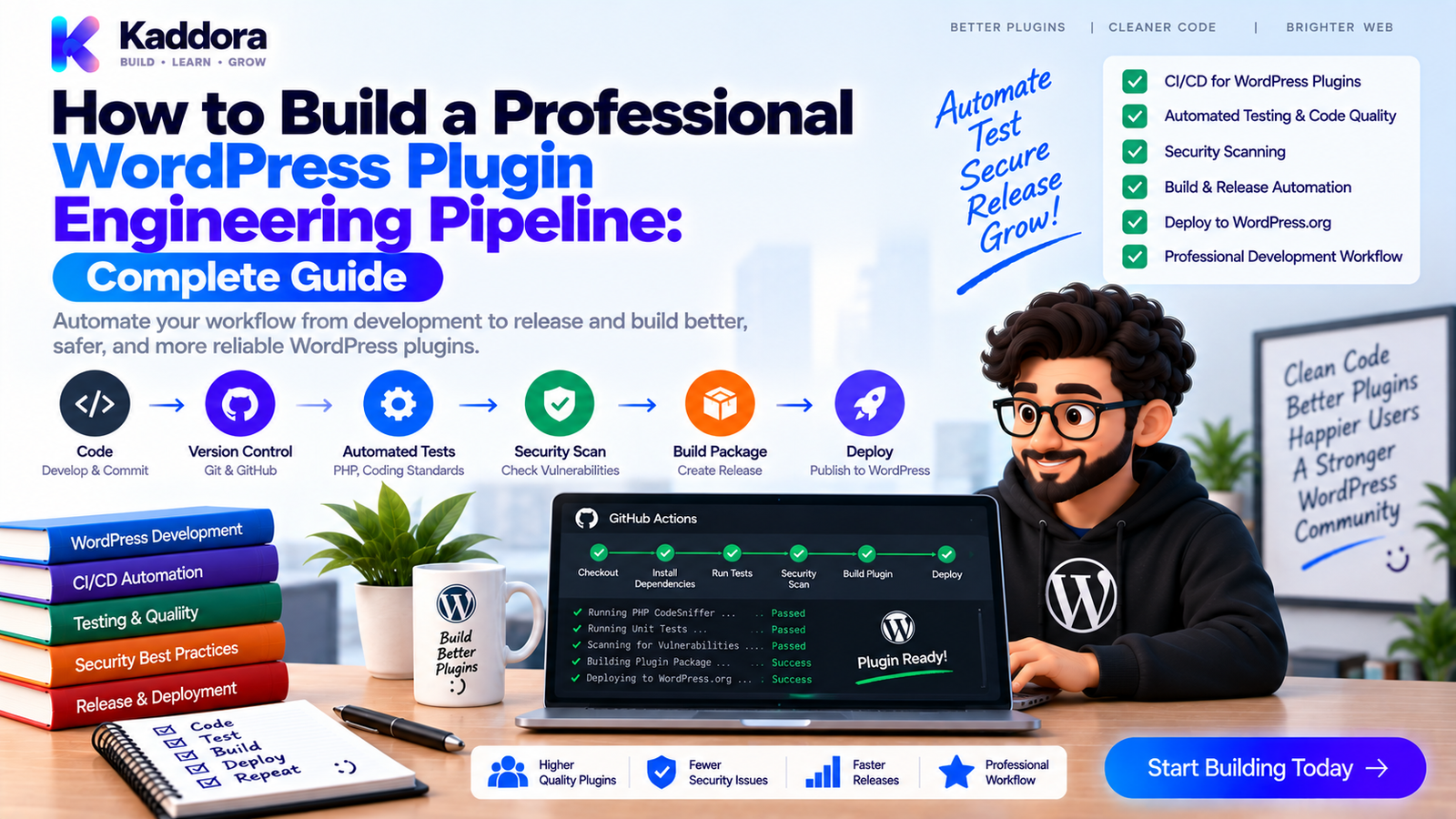
How to Build a Professional WordPress Plugin Engineering Pipeline
Introduction
Building a WordPress plugin is more than writing PHP code.
A professional plugin development process must also manage:
Code quality
Architecture
Dependencies
Testing
Security
Compatibility
Documentation
Packaging
Releases
Maintenance
As a plugin grows, manually performing these tasks becomes increasingly difficult.
A developer may remember to run PHPUnit but forget static analysis.
Another developer may build the ZIP differently.
A dependency can be updated without a security audit.
A release may pass local tests but contain missing files.
This is why a WordPress plugin engineering pipeline is valuable.
An engineering pipeline connects development, testing, security, documentation, packaging, and release processes into one repeatable system.
A mature workflow can look like this:
Code Change ↓ Code Review ↓ Static Analysis ↓ Unit Tests ↓ Integration Tests ↓ Regression Tests ↓ Security + Dependency Scans ↓ Compatibility Testing ↓ Documentation Validation ↓ Build Plugin ZIP ↓ Artifact Testing ↓ Release Candidate ↓ Approval ↓ Production Release
This guide explains how to build that pipeline for modern WordPress plugins.
What Is a WordPress Plugin Engineering Pipeline?
A plugin engineering pipeline is an automated development system that moves code through defined quality and release stages.
Instead of treating development as:
Write Code → Upload Plugin
use:
Write ↓ Validate ↓ Test ↓ Secure ↓ Package ↓ Verify ↓ Release
The pipeline should make the correct process easier than skipping it.
Why Is an Engineering Pipeline Important?
Without automation, quality depends heavily on individual memory.
A typical manual process can look like:
Developer ↓ Run Some Tests ↓ Build ZIP ↓ Upload ↓ Hope Everything Works
A professional process provides measurable gates:
Developer ↓ Pull Request ↓ Automated Quality Gates ↓ All Required Checks Pass ↓ Build Artifact ↓ Release Validation ↓ Publish
Benefits include:
Consistent quality checks
Faster feedback
Safer releases
Reduced manual work
Better developer onboarding
Easier maintenance
Reproducible builds
The Core Layers of a WordPress Engineering Pipeline
A useful pipeline contains several layers:
WordPress Plugin │ ┌───────────────┼────────────────┐ ↓ ↓ ↓ Code Quality Security Dependencies │ │ │ └───────────────┼────────────────┘ ↓ Testing │ ┌───────────────┼────────────────┐ ↓ ↓ ↓ Unit Integration Regression └───────────────┼────────────────┘ ↓ Compatibility ↓ Documentation ↓ Build ZIP ↓ Artifact Tests ↓ Release
Each layer has a specific purpose.
Step 1: Define the Engineering Standards
Before implementing CI, define the project standards.
Document:
PHP version policy
WordPress version policy
Coding standards
Namespace conventions
Directory structure
Testing strategy
Security requirements
Dependency policy
Release process
Documentation requirements
For example:
PHP ↓ Supported Versions WordPress ↓ Supported Versions Code ↓ WordPress Coding Standards Tests ↓ Unit + Integration + Regression Release ↓ Validated ZIP
The pipeline should enforce these standards automatically.
Step 2: Standardize the Repository
A professional plugin repository might look like:
plugin/ ├── plugin.php ├── composer.json ├── composer.lock ├── phpunit.xml.dist ├── phpstan.neon ├── phpcs.xml.dist ├── README.md ├── CHANGELOG.md ├── src/ ├── tests/ │ ├── Unit/ │ ├── Integration/ │ └── Regression/ ├── docs/ ├── docker/ ├── scripts/ ├── dist/ └── .github/ └── workflows/
Not every project needs every directory.
The important requirement is consistency.
Step 3: Automate Code Quality Checks
Static analysis should happen automatically.
A typical pipeline can include:
vendor/bin/phpstan analyse
and:
vendor/bin/phpcs
PHPStan can help identify programming and type-related problems.
PHPCS with appropriate WordPress standards can help enforce project coding conventions and identify certain risky patterns.
These tools don't replace human review.
They reduce avoidable errors before review.
Step 4: Run Unit Tests
Unit tests should be the fastest test layer.
For example:
vendor/bin/phpunit --testsuite unit
Test isolated components such as:
Validation
Formatting
Calculations
Data transformations
Services with mocked dependencies
A useful principle is:
Fast Tests ↓ Fast Feedback
Unit tests should normally run early in the pipeline.
Step 5: Run WordPress Integration Tests
After unit tests, test real WordPress behavior.
Integration tests can validate:
Hooks
Filters
Options
Metadata
REST APIs
Database operations
Plugin initialization
User capabilities
For example:
vendor/bin/phpunit --testsuite integration
Use an isolated WordPress and database environment.
Docker is useful for reproducing this environment consistently.
Step 6: Run Regression Tests
Regression tests protect previously working behavior.
For example:
vendor/bin/phpunit --testsuite regression
Regression coverage should include:
Previously fixed bugs
Important workflows
Critical integrations
Security fixes
Migration problems
Compatibility fixes
Over time, the regression suite becomes a safety net around the plugin's history.
Step 7: Automate Security Checks
Security should be part of the pipeline.
Useful layers can include:
Static Analysis ↓ Dependency Audit ↓ Secret Scan ↓ Security Tests ↓ Artifact Scan
For Composer projects:
composer audit
Other checks should cover:
Authentication
Authorization
Capability checks
Nonces where appropriate
Input validation
Output escaping
SQL safety
Secure external requests
Security scanning should begin before the release stage.
Step 8: Automate Dependency Validation
Dependencies should be installed reproducibly.
For example:
composer install \ --no-interaction \ --prefer-dist
Validate the project:
composer validate --strict
Check platform requirements:
composer check-platform-reqs
Then audit dependencies:
composer audit
For JavaScript-based build systems, audit the relevant lock file and package ecosystem as well.
Step 9: Test Supported PHP Versions
A professional plugin should test the PHP versions included in its support policy.
A GitHub Actions matrix can look like:
strategy: matrix: php: ['8.1', '8.2', '8.3']
Each environment should execute meaningful plugin tests.
A useful strategy is:
Minimum Supported PHP ↓ Current Supported PHP ↓ Broader Matrix
The exact versions should match your product's documented compatibility policy.
Step 10: Test Supported WordPress Versions
PHP compatibility isn't enough.
Also test the WordPress versions your plugin supports.
Conceptually:
WordPress A B C PHP A ✓ ✓ ✓ PHP B ✓ ✓ ✓ PHP C ✓ ✓ ✓
A complete cross-product isn't always necessary on every pull request.
Use the combinations that provide meaningful coverage.
Step 11: Use Docker for Reproducibility
Docker can standardize:
PHP
WordPress
MySQL
MariaDB
Node.js
Testing tools
A typical test environment:
GitHub Actions ↓ Docker ┌──────────────────┐ │ PHP │ │ WordPress │ │ Database │ │ Test Tools │ └──────────────────┘ ↓ Plugin ↓ Tests
Use explicit versions where reproducibility matters and add health/readiness checks for services such as the database.
Step 12: Build One Reproducible Plugin Artifact
The same build process should produce development and release artifacts consistently.
For example:
Source ↓ Composer Install ↓ Asset Build ↓ Documentation ↓ Package ↓ Plugin ZIP
Avoid manually selecting files when creating every release ZIP.
A scripted build reduces packaging errors.
Step 13: Validate the Plugin ZIP
After creating the ZIP, inspect it.
For example:
unzip -l dist/*.zip
Check for:
Main plugin file
Required source files
Composer dependencies
Languages
Assets
Readme
Required configuration
Also ensure the artifact doesn't accidentally include:
.env
.git
Development logs
Local configuration
Test credentials
Unnecessary development dependencies
Step 14: Test the Actual Artifact
One of the strongest engineering practices is testing the artifact rather than assuming the source tree represents the final package.
Use:
Build ZIP ↓ Clean WordPress ↓ Install ZIP ↓ Activate ↓ Integration Tests ↓ Regression Tests ↓ Smoke Tests
This can catch build-specific problems that normal development testing misses.
Step 15: Automate Documentation Checks
Documentation belongs in the engineering pipeline.
Validate:
Markdown
Links
PHPDoc
API references
Version information
Changelog
Generated documentation
For example:
Source Code ↓ Documentation Generation ↓ Documentation Validation ↓ Version Check ↓ CI Gate
This helps prevent documentation drift.
Step 16: Create Pull Request Quality Gates
A pull request can require:
Pull Request ↓ ┌─────────────────────┐ │ Unit Tests ✓ │ │ Integration ✓ │ │ Regression ✓ │ │ PHPCS ✓ │ │ PHPStan ✓ │ │ Security ✓ │ │ Dependencies ✓ │ │ Documentation ✓ │ └──────────┬──────────┘ ↓ Merge Allowed
If an important check fails:
Quality Gate ✗ ↓ Merge Blocked
Required checks turn the pipeline into an actual engineering control.
Step 17: Create Release Candidate Automation
When the code is ready, create a release candidate.
A typical flow is:
Release Branch ↓ Full CI ↓ Build ZIP ↓ Install RC ↓ Compatibility ↓ Security ↓ Artifact Tests ↓ Approval
This provides an additional stage between development and production.
Step 18: Automate Releases With Git Tags
A common model is:
Code ↓ Merge ↓ Version Update ↓ Release Tag ↓ GitHub Actions ↓ Build ZIP ↓ Create Release
For example:
v1.4.0
The exact release trigger depends on your project's strategy.
The important point is to make release artifacts traceable to a specific source revision.
Step 19: Add Release Auditability
A professional pipeline should answer:
Which commit produced this ZIP?
Which PHP version was used?
Which WordPress versions passed?
Which dependencies were installed?
Which security checks passed?
Which tests ran?
Which release tag produced the artifact?
A useful release record is:
Release: 1.4.0 Commit: abc123 PHP: Supported Matrix WordPress: Supported Matrix Tests: PASS Security: PASS Artifact: PASS Approval: PASS
This makes troubleshooting and auditing easier.
Step 20: Add Monitoring and Failure Diagnostics
A failed pipeline should provide useful information.
When a test fails, collect:
PHPUnit logs
Docker logs
PHP version
WordPress version
Database version
Composer package information
Build logs
For example:
Failure ↓ Environment Details ↓ Test Output ↓ Docker Logs ↓ Diagnosis
Good diagnostics reduce the time between failure and resolution.
Step 21: Keep the Pipeline Fast
A professional pipeline should be comprehensive without becoming unnecessarily slow.
A useful order is:
Fast Checks ↓ Unit Tests ↓ Static Analysis ↓ Integration Tests ↓ Regression Tests ↓ Compatibility Matrix ↓ Artifact Tests
Run inexpensive failures as early as practical.
Use parallel jobs where it makes sense.
Avoid running expensive environment matrices when a simple syntax or unit failure has already made the build invalid.
Step 22: Separate Pull Request and Release Workflows
Not every check needs the same frequency.
For example:
Pull Request ├── PHPCS ├── PHPStan ├── Unit ├── Integration ├── Security └── Focused Compatibility
Then:
Release ├── Full Compatibility Matrix ├── Full Regression Suite ├── Artifact Validation ├── Documentation ├── Security └── Release Candidate Checks
This balances speed with coverage.
Step 23: Create a Failure-to-Fix Loop
The pipeline should improve over time.
Use:
Production / CI Failure ↓ Root Cause ↓ Bug Fix ↓ Regression Test ↓ Pipeline Protection
A fixed bug that never receives regression coverage can easily return later.
Turning important failures into permanent tests improves the pipeline continuously.
Common WordPress Engineering Pipeline Mistakes
Manual ZIP Builds
Manual packaging creates inconsistent artifacts.
Testing Only Locally
Local success doesn't prove CI or production compatibility.
One Giant CI Job
Separating responsibilities improves visibility and parallelization.
Ignoring Security
Security should be part of the pipeline from the beginning.
Ignoring Documentation
Documentation can become stale even when code passes.
Testing Only Source Code
The release artifact needs its own validation.
No Compatibility Matrix
Supported PHP and WordPress versions need actual verification.
No Required Checks
Optional CI provides less protection than enforced quality gates.
Over-Automating Without Review
Automation should support engineering decisions, not hide them.
Professional WordPress Plugin Engineering Checklist
Repository
Consistent project structure
Composer configuration
PHPUnit configuration
PHPStan configuration
PHPCS configuration
Documentation
Build scripts
Code Quality
PHPCS
PHPStan
Type checks where appropriate
Code review
Testing
Unit tests
Integration tests
Regression tests
Compatibility tests
Security tests
Security
Dependency audit
Secret scanning
Input validation
Authorization checks
REST permissions
Artifact scan
Infrastructure
Docker
Isolated databases
Health checks
Reproducible versions
Documentation
README
Developer docs
API reference
Hooks reference
Changelog
Release
Automated build
ZIP validation
Clean installation
Release candidate
Approval
Git tag
Release artifact
Recommended Professional WordPress Plugin Engineering Architecture
Git Repository ↓ Pull Request ↓ ┌────────────────────┐ │ Code Quality │ │ PHPStan / PHPCS │ └──────────┬─────────┘ ↓ ┌────────────────────┐ │ Testing │ │ Unit / Integration │ │ Regression │ └──────────┬─────────┘ ↓ ┌────────────────────┐ │ Security + Deps │ └──────────┬─────────┘ ↓ ┌────────────────────┐ │ Compatibility │ │ PHP / WordPress │ └──────────┬─────────┘ ↓ ┌────────────────────┐ │ Documentation │ └──────────┬─────────┘ ↓ Build ZIP ↓ ┌────────────────────┐ │ Artifact Testing │ └──────────┬─────────┘ ↓ Release Candidate ↓ Approval ↓ Release
This architecture creates a clear path from code change to production release.
Example GitHub Actions Pipeline Structure
A repository can separate workflows by responsibility:
.github/workflows/ ├── quality.yml ├── tests.yml ├── security.yml ├── compatibility.yml ├── documentation.yml ├── artifact.yml └── release.yml
This is often easier to maintain than one extremely large workflow.
The workflows can share reusable scripts and configuration where appropriate.
AI-Assisted WordPress Engineering Pipelines
AI can assist developers throughout the pipeline.
For example, AI can help:
Generate test scaffolding
Explain CI failures
Review dependency changes
Suggest regression tests
Analyze static-analysis findings
Draft release notes
Identify missing documentation
Review compatibility errors
Generate build scripts
A useful workflow is:
CI Failure ↓ AI Analysis ↓ Likely Cause ↓ Developer Review ↓ Fix ↓ Regression Test ↓ CI
AI should remain an assistant rather than the final authority.
Actual CI results, security tools, source code, and human review should determine whether a plugin is ready for release.
Why Choose ThemeKaddora?
ThemeKaddora-style WordPress products can involve complex combinations of WordPress, WooCommerce, AI integrations, analytics, REST APIs, custom databases, automation, and external services.
As product complexity increases, manual release processes become harder to trust.
A professional engineering pipeline can connect:
Code standards
PHPUnit
Integration testing
Regression testing
PHP compatibility
WordPress compatibility
Security scanning
Dependency scanning
Docker
GitHub Actions
Documentation
ZIP artifact validation
Release candidate workflows
This provides a structured engineering foundation for developing and maintaining professional WordPress products.
Conclusion
A professional WordPress plugin engineering pipeline transforms plugin development from a collection of manual tasks into a repeatable engineering system.
The essential workflow is:
Code → Review → Analyze → Test → Secure → Check Compatibility → Document → Build → Validate → Release
Each stage protects against a different class of problem.
Static analysis catches code-quality issues.
Unit tests protect isolated logic.
Integration tests verify real WordPress behavior.
Regression tests protect previously working functionality.
Dependency and security scans identify external risks.
Compatibility testing verifies supported PHP and WordPress environments.
Artifact testing validates the actual ZIP users will install.
Documentation automation keeps technical information synchronized.
Release candidate workflows provide a final controlled validation stage.
The objective isn't to create the largest CI configuration possible.
The objective is to build a pipeline that is reliable, reproducible, understandable, and strong enough to prevent avoidable failures.
As a WordPress plugin grows from a small utility into a complex product, the engineering pipeline becomes just as important as the application code itself.
A mature pipeline gives developers confidence to refactor, add features, update dependencies, support new WordPress versions, and release improvements without constantly worrying that an unrelated workflow has silently broken.
Build the pipeline once. Improve it continuously. Let automation protect the quality of every release.
Frequently Asked Questions
What is a WordPress plugin engineering pipeline?
A WordPress plugin engineering pipeline is an automated workflow that validates code quality, testing, security, dependencies, compatibility, documentation, packaging, and releases.
Why should WordPress plugins use an engineering pipeline?
A pipeline creates repeatable quality controls, reduces manual mistakes, detects problems earlier, and makes plugin releases more predictable.
What should a professional WordPress plugin pipeline include?
A strong pipeline commonly includes static analysis, coding standards, unit tests, integration tests, regression tests, security checks, dependency auditing, compatibility testing, documentation validation, artifact testing, and release automation.
Can GitHub Actions automate a WordPress plugin pipeline?
Yes. GitHub Actions can run tests, security scans, compatibility matrices, documentation checks, build scripts, artifact validation, and releases.
Why use Docker in a WordPress plugin pipeline?
Docker helps create reproducible PHP, WordPress, database, and tooling environments so tests behave consistently across local development and CI.
Should JavaScript dependencies also be scanned?
Yes, when the plugin uses Node.js or frontend dependencies. The relevant package manager and lock file should be included in the security workflow.
Should every PHP and WordPress combination be tested?
Not necessarily. A complete cross-product matrix can become expensive. Use meaningful combinations for pull requests and broader testing for scheduled or release workflows.
Should the plugin ZIP be tested?
Yes. The actual release artifact should be installed in a clean WordPress environment and tested independently of the source tree.
Why is artifact testing important?
A source repository can pass every test while the final ZIP contains missing files, broken autoloading, incorrect packaging, or unwanted development files.
Should plugin releases use release candidates?
For important plugins, release candidates provide a useful final validation stage before stable publication.
Should release builds be reproducible?
Yes. A reproducible build process makes it easier to trace artifacts back to source commits and recreate past releases.
How should CI handle failures?
The pipeline should fail clearly, provide useful environment and test logs, collect diagnostics, clean up temporary infrastructure, and prevent the relevant quality gate from passing.
Should CI checks block merges?
Critical checks should generally be configured as required status checks so unsafe changes cannot bypass the engineering process.
How should documentation fit into the engineering pipeline?
Documentation should be updated alongside relevant code changes and validated through CI for structure, links, generated content, versions, and important examples.
Can WordPress plugin pipelines test database migrations?
Yes. Integration and regression tests can validate fresh schema creation, upgrades, data preservation, and migration behavior.
Can WooCommerce plugins use the same engineering pipeline?
Yes. WooCommerce plugins can add WooCommerce-specific integration, regression, compatibility, security, and artifact tests to the general pipeline.
Can AI help build a WordPress engineering pipeline?
Yes. AI can help generate CI configuration, test scaffolding, documentation checks, failure analysis, and release scripts. Actual quality decisions should still rely on executed tests and engineering review.
Why choose Themekaddora?
Themekaddora provides lightweight, responsive, SEO-friendly WordPress themes with fast performance, WooCommerce compatibility, flexible customization, accessibility-conscious design, modern templates, regular updates, and professional support—providing a strong foundation for businesses building digital products and product-focused websites.
How can a plugin engineering pipeline improve over time?
Convert important failures into regression tests, remove unnecessary manual steps, improve diagnostics, review compatibility coverage, and continuously refine release gates based on real project experience.
Comments (0)