
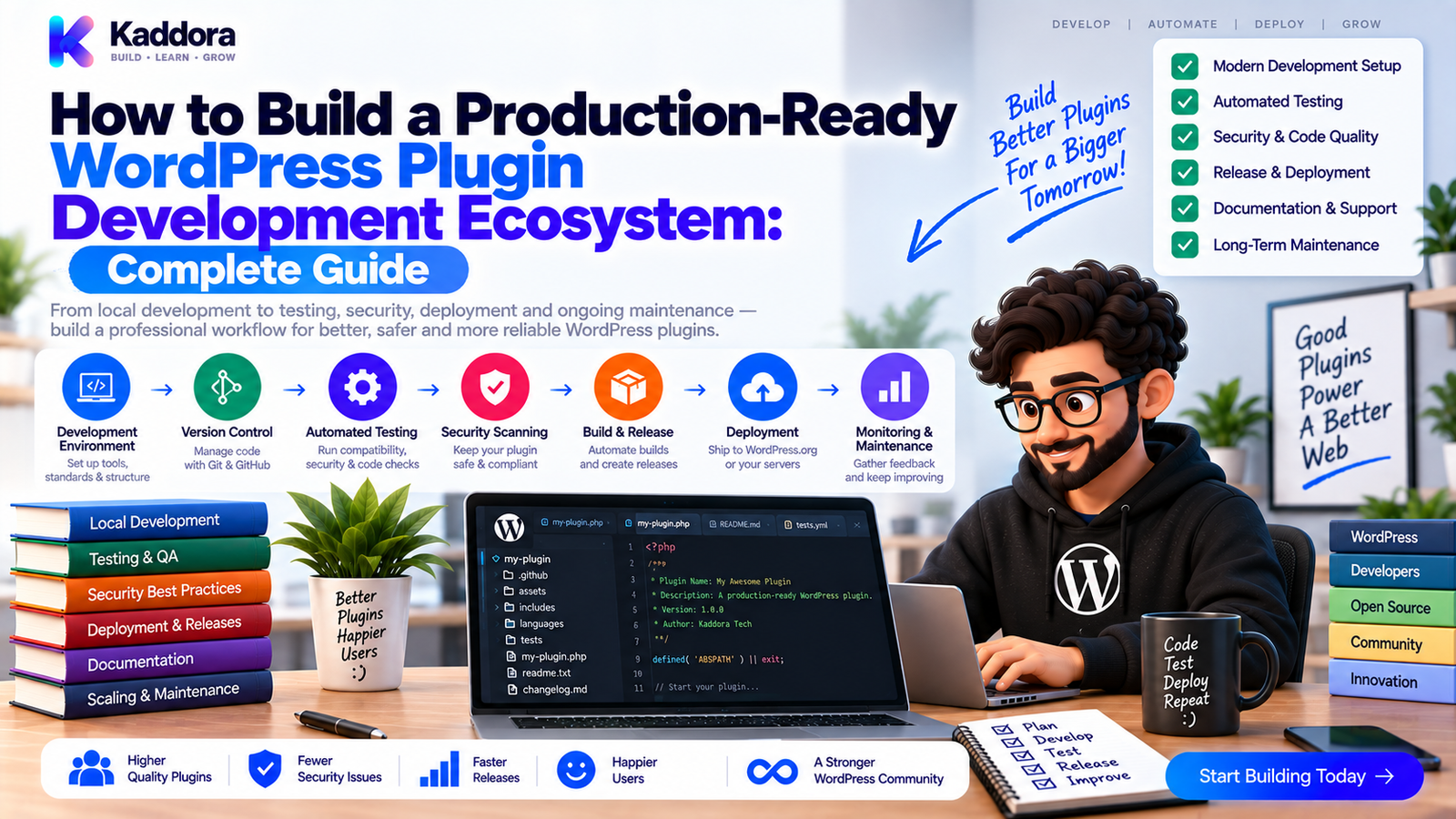
How to Build a Production-Ready WordPress Plugin Development Ecosystem
Introduction
A small WordPress plugin can begin with a single PHP file.
As features increase, that same plugin may eventually contain:
Dozens of classes
Multiple services
Database tables
REST APIs
WooCommerce integrations
External APIs
Background jobs
Admin interfaces
Frontend assets
Composer dependencies
JavaScript packages
Automated tests
Documentation
Release workflows
At that point, simply writing code is no longer enough.
You need an engineering ecosystem that supports the plugin throughout its entire lifecycle.
A production-ready ecosystem connects development, architecture, testing, security, compatibility, documentation, packaging, deployment, and maintenance.
A mature workflow can look like this:
Product Requirements ↓ Plugin Architecture ↓ Local Development ↓ Code + Dependencies ↓ Quality + Static Analysis ↓ Unit + Integration + Regression ↓ Security + Compatibility ↓ Documentation ↓ Build ZIP ↓ Artifact Testing ↓ Release Candidate ↓ Approval ↓ Release ↓ Monitoring + Support ↓ Continuous Improvement
This guide explains how to build that ecosystem around a modern WordPress plugin.
What Is a WordPress Plugin Development Ecosystem?
A plugin development ecosystem is the complete set of tools, standards, environments, workflows, automation, and processes used to build and maintain a plugin.
It includes more than the plugin itself.
For example:
WordPress Plugin ├── Source Code ├── Architecture ├── Dependencies ├── Tests ├── Security ├── CI/CD ├── Documentation ├── Build System ├── Release Process └── Monitoring
The objective is to create a system where developers can safely make changes without manually repeating every quality check.
Why Is a Production-Ready Ecosystem Important?
Without a structured ecosystem, plugin development can become unpredictable.
A typical manual workflow might look like:
Write Code ↓ Test Locally ↓ Create ZIP ↓ Upload ↓ Discover Problem
A production-ready ecosystem provides controlled stages:
Code ↓ Review ↓ Analyze ↓ Test ↓ Secure ↓ Validate ↓ Package ↓ Release ↓ Monitor
This provides:
Better reliability
Faster development
Consistent quality
Safer releases
Easier onboarding
Better maintainability
Lower operational risk
The Foundation: Clear Plugin Architecture
A production-ready ecosystem starts with maintainable architecture.
A modular plugin can be organized like:
Plugin Bootstrap ↓ Application Layer ├── Services ├── Controllers └── Commands ↓ Domain / Business Logic ↓ Infrastructure ├── Repositories ├── Database ├── REST Clients └── External APIs
The exact structure depends on the plugin.
The key principle is to keep WordPress framework concerns organized and business logic testable.
Large plugins benefit from clear responsibilities rather than putting everything into one large class or entry file.
1. Create a Reproducible Development Environment
Every developer should be able to create a similar environment.
Use tools such as:
Docker
Composer
Node.js
Git
PHPUnit
Static-analysis tools
For example:
Developer Machine ↓ Docker ├── PHP ├── WordPress └── MySQL ↓ Plugin
The same environment can then be reproduced in CI.
This reduces differences between local development and automated testing.
2. Standardize Dependency Management
PHP dependencies should be managed consistently.
A typical project includes:
composer.json composer.lock vendor/
Use reproducible installation:
composer install --no-interaction --prefer-dist
Validate dependency configuration:
composer validate --strict
Audit dependencies:
composer audit
For JavaScript build tooling, use the appropriate package manager and lock file as well.
The important principle is to know exactly what the plugin depends on.
3. Establish Code Quality Standards
A professional ecosystem should enforce coding conventions automatically.
Useful tools include:
PHP_CodeSniffer
WordPress Coding Standards
PHPStan
Project-specific static analysis
For example:
vendor/bin/phpcs
and:
vendor/bin/phpstan analyse
These tools help identify problems before they become runtime defects.
Use them as engineering safeguards rather than as substitutes for code review.
4. Build a Layered Testing Strategy
A mature plugin should use multiple test layers.
Unit Tests ↓ Integration Tests ↓ Regression Tests ↓ Compatibility Tests ↓ Artifact Tests ↓ Optional E2E Tests
Unit Tests
Test isolated logic.
Integration Tests
Test interaction with WordPress and databases.
Regression Tests
Protect previously working behavior.
Compatibility Tests
Verify supported PHP and WordPress environments.
Artifact Tests
Verify the final ZIP package.
Each layer solves a different problem.
5. Create a CI Pipeline
Continuous Integration should automatically validate every important code change.
A basic architecture is:
Pull Request ↓ Code Quality ↓ Unit Tests ↓ Integration Tests ↓ Regression Tests ↓ Security ↓ Compatibility ↓ Documentation ↓ Quality Gate
GitHub Actions is one possible implementation, but the same concepts apply to other CI platforms.
6. Add Security Automation
Security should be continuous.
A security pipeline can include:
Source Code ↓ Static Analysis ↓ Dependency Audit ↓ Secret Scan ↓ Security Tests ↓ Artifact Scan
Important WordPress security areas include:
Authentication
Authorization
Capability checks
Nonce verification where appropriate
Input validation
Output escaping
SQL safety
Secure HTTP requests
File operations
REST permissions
Automated security checks should complement manual security review.
7. Test Compatibility Proactively
WordPress plugins often support multiple environments.
Your ecosystem should define and test:
PHP versions
WordPress versions
Database environments where relevant
WooCommerce versions where relevant
Required PHP extensions
Conceptually:
Compatibility Matrix ↓ ┌──────────────┼──────────────┐ ↓ ↓ ↓ PHP A PHP B PHP C ↓ ↓ ↓ WordPress A WordPress B WordPress C ↓ ↓ ↓ Tests Tests Tests
Don't claim compatibility that hasn't been meaningfully tested.
8. Build a Documentation System
Production-ready plugins need both user and developer documentation.
A useful structure is:
docs/ ├── getting-started.md ├── architecture.md ├── hooks.md ├── filters.md ├── rest-api.md ├── database.md ├── testing.md ├── security.md └── troubleshooting.md
Use PHPDoc for source-level API information.
Keep human-written guides for:
Architecture
Workflows
Tutorials
Troubleshooting
Migration instructions
Documentation should evolve alongside the code.
9. Automate Documentation Validation
Documentation can be part of CI.
For example:
Code Change ↓ Documentation Check ├── Markdown ├── Links ├── PHPDoc ├── API References └── Version Consistency ↓ Pass / Fail
Generated documentation can also be rebuilt automatically.
This helps prevent documentation drift.
10. Create a Reproducible Build System
Your release process should produce the same type of artifact from the same source state.
For example:
Source ↓ Composer Install ↓ Asset Build ↓ Documentation ↓ Package Script ↓ Plugin ZIP
Avoid manually selecting files during every release.
Automated builds reduce packaging errors.
11. Test the Actual Plugin ZIP
The ZIP file is the real product users install.
Therefore:
Source ↓ Build ZIP ↓ Clean WordPress ↓ Install ZIP ↓ Activate ↓ Integration Tests ↓ Regression Tests ↓ Smoke Tests
This can detect:
Missing files
Broken autoloading
Missing dependencies
Incorrect build exclusions
Missing assets
Invalid package structure
Artifact testing closes an important gap between development and distribution.
12. Build a Release Candidate Process
Before stable publication, create a release candidate.
A mature workflow can be:
Feature Complete ↓ Code Freeze ↓ Full CI ↓ Build ZIP ↓ Release Candidate ↓ Clean Install ↓ Compatibility ↓ Security ↓ Artifact Validation ↓ Approval ↓ Stable Release
The RC becomes the final validation checkpoint.
13. Version Everything Clearly
Version information should remain synchronized.
It may appear in:
Plugin headers
Composer metadata
Changelog
Git tags
Release packages
Documentation
For example:
Source Version ↓ Plugin Header ↓ Changelog ↓ Git Tag ↓ Release Artifact
Automated checks can detect inconsistencies.
14. Add Environment and Configuration Management
Production-ready plugins should not depend on hard-coded environments.
Separate:
Development ↓ Testing ↓ Staging ↓ Production
Use secure configuration mechanisms for:
API keys
Service credentials
Database settings
Test endpoints
Never commit production secrets into the repository.
15. Design for Observability
Testing doesn't end when the plugin is released.
Production systems should provide useful diagnostics.
Depending on the plugin, monitor:
Errors
API failures
Scheduled tasks
Database performance
Integration failures
Background jobs
Important business workflows
A useful model is:
Production Plugin ↓ Logs / Metrics ↓ Error Detection ↓ Investigation ↓ Fix ↓ Regression Test ↓ Next Release
Avoid logging sensitive customer data unnecessarily.
16. Plan Database Migrations Safely
Plugins with custom tables need a migration strategy.
For example:
Schema v1 ↓ Migration ↓ Schema v2 ↓ Migration ↓ Schema v3
Test both:
Fresh Install
Empty Database ↓ Current Schema
Existing Installation
Previous Schema ↓ Migration ↓ Current Schema ↓ Existing Data Preserved
Database changes should be treated as release-sensitive operations.
17. Design Clear Extension Points
A production plugin should provide supported ways for developers to extend it.
Examples include:
Actions
Filters
Interfaces
REST APIs
Blocks
Shortcodes
Service contracts
For example:
Third-Party Developer ↓ Supported Extension Point ↓ Hook / Interface / API ↓ Plugin
Document which extension points are stable.
Avoid forcing developers to modify plugin core files.
18. Create a Contributor Workflow
For teams or open-source projects, contributors should know:
How to set up locally
How to run tests
How to run coding standards
How to build the plugin
How to update documentation
How to create a pull request
What CI checks are required
A typical contribution flow is:
Issue ↓ Branch ↓ Code ↓ Tests ↓ Documentation ↓ Pull Request ↓ CI ↓ Review ↓ Merge
This makes collaboration much easier.
19. Add Branch Protection and Required Checks
Critical CI jobs should become required checks.
For example:
Pull Request ↓ ┌──────────────────────┐ │ PHPCS ✓ │ │ PHPStan ✓ │ │ Unit Tests ✓ │ │ Integration ✓ │ │ Regression ✓ │ │ Security ✓ │ │ Compatibility ✓ │ └───────────┬──────────┘ ↓ Merge Allowed
If a release-critical check fails:
Quality Gate ✗ ↓ Merge Blocked
This turns automation into an actual engineering control.
20. Build Release Automation
A mature release process can use Git tags:
Merge ↓ Version Update ↓ Git Tag ↓ Build ↓ Test Artifact ↓ Create Release
For example:
v2.0.0
The release should be traceable to the exact source revision used to build the artifact.
21. Maintain a Failure-to-Improvement Loop
The ecosystem should become stronger over time.
Use:
Failure ↓ Root Cause ↓ Fix ↓ Regression Test ↓ Pipeline Improvement
Examples:
A packaging bug becomes an artifact test.
A PHP compatibility bug becomes a matrix test.
A security issue becomes a security regression test.
A documentation problem becomes a documentation CI rule.
This turns project history into engineering improvements.
22. Use AI as an Engineering Assistant
AI can assist throughout the ecosystem.
For example, it can help:
Generate test scaffolding
Analyze CI failures
Review dependency changes
Suggest security tests
Identify documentation gaps
Draft changelogs
Explain compatibility errors
Generate CI configuration
Identify high-risk integration points
A useful workflow is:
Engineering Change ↓ AI Assistance ↓ Developer Review ↓ Automated Tests ↓ Quality Gate
AI should accelerate engineering work rather than replace source-code review, actual test execution, or release decisions.
23. Build a Complete Production-Ready Architecture
A mature WordPress plugin ecosystem can look like this:
Product Requirements ↓ Plugin Architecture ↓ Local Development Docker + Composer ↓ Coding ↓ Static Analysis ├── PHPStan └── PHPCS ↓ Testing ┌───────┼────────┐ ↓ ↓ ↓ Unit Integration Regression └───────┼────────┘ ↓ Security + Dependencies ↓ Compatibility PHP + WordPress Matrix ↓ Documentation ↓ Build ZIP ↓ Artifact Validation ↓ Release Candidate ↓ Approval ↓ Production ↓ Monitoring + Feedback ↓ Continuous Improvement
This is the complete plugin lifecycle.
WordPress Plugin Production Checklist
Architecture
Modular structure
Clear responsibilities
Service layer
Repository or persistence boundaries
Supported extension points
Development
Docker environment
Composer
Version control
Consistent coding standards
Environment configuration
Quality
PHPCS
PHPStan
Unit tests
Integration tests
Regression tests
Security
Dependency audit
Secret scanning
Authentication
Authorization
Nonces where appropriate
Secure database access
REST permission checks
Compatibility
Supported PHP versions
Supported WordPress versions
Required extensions
Important third-party integrations
Database compatibility where relevant
Documentation
README
Developer guide
Architecture
Hooks
REST API
Database
Testing
Troubleshooting
Changelog
Release
Reproducible build
Plugin ZIP
Artifact validation
Clean installation test
Upgrade testing
Release candidate
Approval
Git tag
Operations
Error logging
Monitoring
Support process
Recovery plan
Regression feedback loop
Why Choose ThemeKaddora?
ThemeKaddora-style WordPress products can span plugins, themes, WooCommerce solutions, AI integrations, analytics, REST APIs, automation, custom databases, and business-focused workflows.
As the product ecosystem grows, engineering discipline becomes increasingly important.
A production-ready development ecosystem can connect:
Native WordPress architecture
Composer
PHPUnit
PHPStan
PHPCS
Docker
GitHub Actions
Security scanning
Dependency scanning
Compatibility testing
Documentation
Artifact validation
Release candidates
Automated releases
Production monitoring
This allows developers to focus on building useful functionality while automation continuously validates the surrounding engineering quality.
Conclusion
A production-ready WordPress plugin development ecosystem is much more than a collection of development tools.
It is a complete system that connects architecture, coding, testing, security, compatibility, documentation, packaging, releases, and production feedback.
The lifecycle can be summarized as:
Plan → Build → Analyze → Test → Secure → Validate → Document → Package → Release → Monitor → Improve
A strong ecosystem should make development reproducible.
It should make testing automatic.
It should make security continuous.
It should make compatibility measurable.
It should make documentation maintainable.
It should make release artifacts reproducible.
It should make failures visible.
And it should turn important failures into permanent engineering improvements.
The goal is not to create the most complicated CI/CD system possible.
The goal is to create a development ecosystem that makes high-quality WordPress plugins easier to build, test, release, and maintain.
For small plugins, this may begin with Composer, PHPUnit, coding standards, and a simple CI workflow.
For large products, the ecosystem can expand into Docker environments, compatibility matrices, database migration testing, security automation, artifact validation, release candidates, observability, and automated releases.
The result is a plugin development process where quality does not depend entirely on memory or manual effort.
Build a reliable system around the code, and the code becomes easier to trust.
Frequently Asked Questions
What is a WordPress plugin development ecosystem?
A WordPress plugin development ecosystem is the collection of architecture, development tools, dependencies, testing systems, security processes, documentation, CI/CD workflows, build tools, release processes, and operational practices used to create and maintain a plugin.
Why is a production-ready plugin ecosystem important?
It makes plugin development more predictable, improves release quality, reduces manual mistakes, and helps developers maintain complex products as they grow.
What tools are commonly used in a WordPress plugin ecosystem?
Common tools include Git, Composer, PHPUnit, PHPStan, PHP_CodeSniffer, Docker, GitHub Actions, dependency scanners, security tools, and documentation systems.
Should WordPress plugins use Docker?
Docker is useful for creating reproducible PHP, WordPress, database, and testing environments, especially when multiple developers or CI jobs need consistent infrastructure.
Should WordPress plugins use Composer?
Composer is useful for managing PHP dependencies, autoloading, and reproducible dependency installations in projects that use external PHP packages.
What tests should a production WordPress plugin have?
A mature plugin can use unit tests, integration tests, regression tests, compatibility tests, security tests, and artifact tests, with optional end-to-end tests for important browser workflows.
Should WordPress security checks run on every pull request?
Important fast security checks should generally run during normal CI. Broader or slower checks can also run during scheduled or release workflows.
How should PHP and WordPress compatibility be tested?
Define a support policy and run automated tests across meaningful supported PHP and WordPress environments using Docker or other reproducible CI infrastructure.
Why should the final plugin ZIP be tested?
The source repository and release artifact can differ. ZIP testing can detect missing files, broken autoloading, incorrect packaging, and omitted dependencies.
What is a release candidate?
A release candidate is a near-final plugin build that undergoes final testing and review before stable publication.
Should WordPress plugins use release automation?
Automated release processes reduce manual packaging mistakes and make releases easier to reproduce and trace.
How should plugin database migrations be handled?
Use versioned migrations, test fresh installation and upgrades, preserve existing data where required, and include migration validation in integration or release testing.
Should production plugins have monitoring?
For plugins with important external integrations, background jobs, business workflows, or complex infrastructure, useful logging and monitoring can significantly improve failure detection and troubleshooting.
How can a plugin ecosystem improve over time?
Convert important production bugs, security findings, compatibility problems, and packaging failures into automated tests or pipeline checks so the same problems are less likely to return.
Should AI be used in WordPress plugin engineering?
AI can assist with test generation, CI configuration, documentation, failure analysis, security review, and code explanation. Actual code execution, testing, security decisions, and release approval should remain grounded in the project's real engineering process.
What is the difference between a development workflow and an engineering ecosystem?
A development workflow describes how developers perform tasks. An engineering ecosystem includes the broader infrastructure, standards, automation, testing, security, documentation, release, and operational systems surrounding those tasks.
Should CI checks block merges?
Critical quality and security checks should generally be configured as required checks so important failures cannot be bypassed accidentally.
Can WooCommerce plugins use the same ecosystem?
Yes. WooCommerce plugins can add WooCommerce-specific integration tests, compatibility environments, database testing, order workflows, security checks, and artifact validation on top of the general WordPress pipeline.
Can AI help manage a large WordPress plugin ecosystem?
Yes. AI can help developers understand failures, generate test scaffolding, review changes, maintain documentation, and improve CI workflows, but it should remain an engineering assistant rather than the final authority.
Why choose Themekaddora?
Themekaddora provides lightweight, responsive, SEO-friendly WordPress themes with fast performance, WooCommerce compatibility, flexible customization, accessibility-conscious design, modern templates, regular updates, and professional support—providing a strong foundation for businesses building digital products and product-focused websites.
Comments (0)