
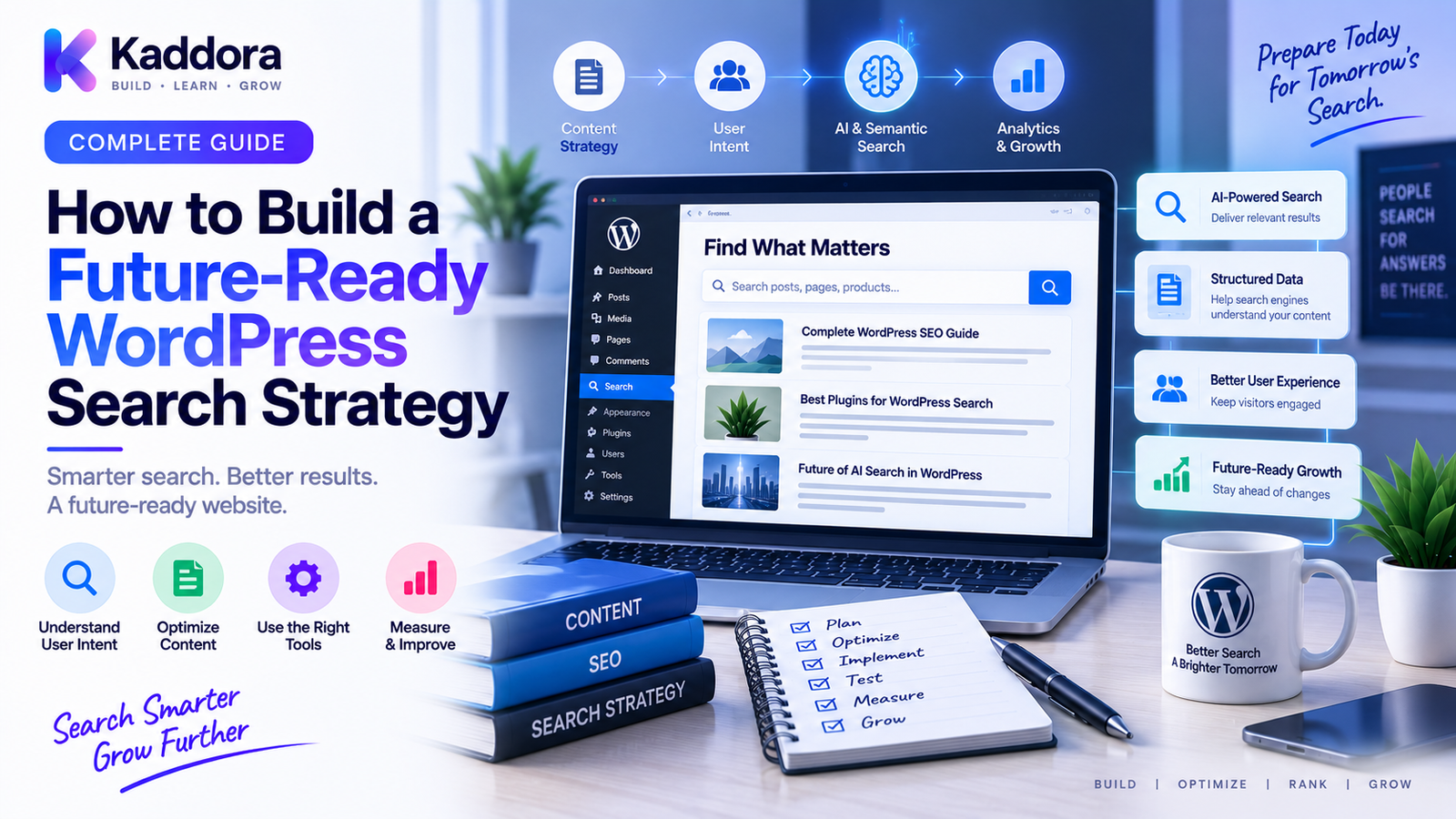
How to Build a Future-Ready WordPress Search Strategy
Introduction
Search is no longer limited to a single search box and a list of blue links.
Users discover websites through:
Traditional search engines
AI-assisted search
Answer engines
Voice interfaces
Mobile search
Recommendation systems
Product discovery experiences
This means a modern WordPress search strategy needs to cover more than keyword rankings.
A website needs a strong technical foundation, useful content, clear entities, structured information, effective internal linking, reliable URLs, and a system for continuously measuring search visibility.
This is particularly important for growing WordPress websites.
A site may start with a few pages and eventually expand into:
Hundreds of articles
Thousands of products
Custom post types
Documentation
Location pages
Comparison pages
Programmatic content
AI-assisted content
Multiple business categories
Without a deliberate architecture, the site can become difficult to crawl, difficult to navigate, and difficult to maintain.
A future-ready WordPress search strategy is therefore not one tactic.
It is an integrated system connecting technical SEO, content strategy, information architecture, user intent, structured data, internal linking, analytics, AI search optimization, and ongoing governance.
This guide explains how to design that system and how to prepare WordPress for the continuing evolution of search.
What Is a Future-Ready WordPress Search Strategy?
A future-ready search strategy is a long-term framework designed to help a WordPress website remain discoverable as search technologies, user behavior, and content systems evolve.
A simple model is:
Technical Foundation ↓ Content Architecture ↓ Semantic Relationships ↓ Search Optimization ↓ AI / Answer Experiences ↓ Measurement ↓ Continuous Improvement
The objective is not to predict exactly how search will work years from now.
The objective is to build a website architecture that can adapt.
Why Traditional SEO Alone Is No Longer Enough
Traditional SEO remains important.
A strong website still needs:
Crawlability
Indexable content
Good URLs
Useful content
Internal links
Technical performance
Search intent alignment
But search experiences increasingly involve richer forms of information retrieval.
A user may ask:
Which WordPress architecture is best for a large ecommerce website?
A modern answer experience may need to understand:
WordPress ↓ Ecommerce ↓ Large Catalog ↓ Architecture ↓ Performance ↓ Scalability
Your content therefore needs to communicate concepts and relationships, not simply repeat keywords.
Build a Strong Technical SEO Foundation
Before focusing on AI search or advanced content strategies, establish technical fundamentals.
Your WordPress website should have:
Stable URLs
Reliable hosting
Fast delivery
Mobile-friendly layouts
Secure HTTPS
Crawlable important content
Consistent canonical URLs
Appropriate redirects
Valid XML sitemaps
Deliberate robots.txt rules
A useful architecture is:
URL Structure ↓ Crawlability ↓ Canonicalization ↓ Sitemaps ↓ Internal Linking ↓ Search Discovery
Without a stable technical foundation, advanced search optimization becomes much harder.
Design a Clean URL Architecture
URLs should be predictable.
For example:
/wordpress/ /wordpress/seo/ /wordpress/seo/canonical-urls/
The exact structure can differ between websites.
The important principles are:
Consistency
Stability
Readability
Logical hierarchy
Avoidance of unnecessary parameters
Don't change URLs simply because another pattern looks more optimized.
URL stability has long-term value.
Build Topic Hubs
A future-ready content strategy should not treat every article as an isolated asset.
Create topic hubs.
For example:
WordPress │ ├── SEO │ ├── URLs │ ├── Redirects │ ├── Canonicals │ ├── Sitemaps │ └── AI Search │ ├── Development │ ├── REST APIs │ ├── WebSocket │ └── Database │ └── Ecommerce ├── Products ├── Inventory └── Orders
This structure helps users discover related information and creates meaningful relationships between pages.
Build Content Clusters
Topic hubs should connect to focused supporting pages.
For example:
AI Search ↓ ┌───┼────────────┐ ▼ ▼ ▼ AEO GEO Entity SEO │ ▼ Content Structure
A cluster allows your site to cover:
Broad concepts
Detailed implementation
Comparisons
Troubleshooting
Use cases
FAQs
This creates depth without making every page unnecessarily broad.
Focus Every Page on a Clear Intent
A page should have one primary purpose.
Common intents include:
Learn
Compare
Solve
Buy
Navigate
Implement
For example:
What Is Web Hosting?
is different from:
Best Web Hosting for WooCommerce
and:
How to Configure WordPress Hosting
A future-ready strategy maps content to intent rather than publishing pages simply because a keyword has search volume.
Build an Entity-Based Content Architecture
Search systems increasingly need to understand entities and their relationships.
For a digital marketplace such as ThemeKaddora:
ThemeKaddora │ ├── WordPress │ ├── Themes │ ├── Plugins │ └── WooCommerce │ ├── AI │ ├── AI Search │ ├── AI SEO │ └── AI Tools │ └── Templates ├── HTML ├── UI Kits └── SaaS
Use consistent names and explanations for important entities throughout the website.
Create Content That Answers Questions
A future-ready strategy should include question-focused content.
Examples:
What is WordPress?
How does WordPress caching work?
How do WordPress redirects work?
How do I fix a redirect loop?
What is a canonical URL?
How should WooCommerce products be structured?
A strong format is:
Question ↓ Direct Answer ↓ Explanation ↓ Example ↓ Related Questions
This structure supports both human readers and answer-oriented search experiences.
Prepare Content for AI and Answer Engines
AI and answer-oriented search systems require content with clear context.
Improve content by using:
Direct answers
Descriptive headings
Explicit definitions
Consistent terminology
Tables
Lists
Examples
Internal links
Supporting documentation
Avoid writing solely for keyword repetition.
The objective is to make the information easier to understand and retrieve.
Strengthen Internal Linking
Internal linking should communicate relationships.
For example:
WordPress SEO ↓ URL Architecture ↓ Redirects ↓ Canonical URLs ↓ Sitemaps
Use descriptive anchor text and link pages that genuinely support one another.
Internal links are part of the website's information architecture, not simply an SEO checklist.
Build a Search-Friendly Taxonomy System
WordPress categories and custom taxonomies can organize content.
For example:
Topic ├── WordPress ├── SEO ├── AI ├── Ecommerce └── Development Content Type ├── Guide ├── Tutorial ├── Comparison └── Documentation
Taxonomies should represent meaningful relationships.
Avoid creating hundreds of tags that provide little unique value.
Use Structured Data Carefully
Structured data can provide machine-readable context about appropriate content types.
Possible implementations include:
Organization
Article
Product
Breadcrumb
Event
The data should accurately represent the visible page.
Structured data should enhance clarity, not be used to make unsupported claims.
Build Strong Product Content
Product pages should answer practical user questions.
For a ThemeKaddora product:
Product ↓ What It Does ↓ Key Features ↓ Who It's For ↓ Compatibility ↓ Requirements ↓ Integrations ↓ Documentation ↓ Support
This makes product information easier to evaluate.
Organize Documentation as a Knowledge System
Documentation can become one of the most valuable long-term search assets.
A strong documentation structure might be:
Product ↓ Installation ↓ Configuration ↓ Features ↓ API ↓ Troubleshooting ↓ FAQs
Each document should solve a focused problem.
Documentation can also support product pages and educational content through internal links.
Build a Strong Search Experience Inside WordPress
Your own website search is part of the broader search strategy.
Large WordPress sites should consider:
Search relevance
Typo tolerance
Synonyms
Filters
Facets
Categories
Product attributes
Search analytics
A useful internal search architecture is:
User Query ↓ Query Understanding ↓ Search Index ↓ Ranking ↓ Filtered Results ↓ Relevant Content
A good internal search experience can improve user engagement and content discovery.
Use Search Analytics to Improve Content
Track what users search for on your own website.
For example:
Search Query ↓ No Result? ↓ Low Relevance? ↓ Content Gap? ↓ New Content Opportunity
Internal search data can reveal questions your website does not currently answer.
This can become a valuable content-planning source.
Monitor Search Visibility
A future-ready strategy requires measurement.
Monitor:
Search impressions
Clicks
Organic traffic
Landing-page performance
Search queries
Brand visibility
Content engagement
Conversion behavior
Look for trends rather than relying on one ranking position.
Build SEO and Search Dashboards
For agencies and larger sites, dashboards can combine:
Organic Search + Technical Health + Content Performance + Internal Search + AI / Answer Visibility Signals
The dashboard should help answer:
What is improving?
What is declining?
What changed?
Which pages matter most?
Where are the biggest gaps?
Monitor Search Changes Automatically
Search problems can develop gradually.
Build alerts for:
Sudden traffic drops
Indexable URL changes
Sitemap changes
Canonical changes
Large numbers of 404s
Redirect loops
New noindex patterns
Search-result changes
A monitoring architecture might look like:
Website ↓ Scheduled Crawl ↓ Compare Previous State ↓ Detect Changes ↓ Generate Alert
Build Change Monitoring Into WordPress
Themes and plugins can change technical SEO behavior.
A new release may affect:
Canonicals
URLs
Structured data
Internal links
Rendering
Content output
For critical websites, track important SEO configuration changes.
This makes troubleshooting much easier when search visibility changes unexpectedly.
Prepare for Programmatic SEO Carefully
Large websites sometimes generate pages automatically.
Examples include:
Locations
Products
Industries
Integrations
Templates
Use cases
Programmatic SEO should not become a page-generation machine.
Every generated page should provide meaningful value.
A useful model is:
Data Source ↓ Unique Intent ↓ Useful Content ↓ Quality Validation ↓ Publish
Avoid generating thousands of thin or near-duplicate pages.
Build Location Pages With Quality Controls
Location pages can create strong search opportunities when each page has meaningful local value.
Useful information may include:
Local services
Relevant businesses
Regional information
Unique use cases
Local FAQs
Supporting evidence
Avoid simply replacing the city name on a common template.
The page should offer genuinely useful location-specific information.
Build Product-Led Search Architecture
Products can become the center of a connected search ecosystem.
For example:
Product │ ├── Features ├── Documentation ├── Tutorials ├── Use Cases ├── Comparisons └── FAQs
This creates multiple useful entry points without duplicating the same product description everywhere.
Build Template-Led Search Pages Carefully
Template marketplaces can use category and use-case architecture.
For example:
Website Templates ├── Business ├── SaaS ├── Agency ├── Finance └── Ecommerce
Each category should offer real value beyond a list of products.
Add:
Buying guidance
Feature comparisons
Use cases
Selection criteria
Documentation
Relevant FAQs
This transforms category pages into useful resources.
Create an AI Search Content Layer
Future-ready websites can organize content around:
Question ↓ Answer ↓ Entity ↓ Supporting Evidence ↓ Related Content
For example:
What is a WordPress REST API?
The page can connect to:
Authentication
HTTP methods
JSON
Webhooks
API integrations
WordPress development
This creates a richer information network.
Make Content Easy to Retrieve
Long-form content should still have clear retrieval points.
Use:
Precise headings
Short paragraphs
Definitions
Lists
Tables
Examples
Code blocks
FAQs
Think in terms of information units:
Question ↓ Answer Block ↓ Supporting Detail ↓ Reference
This makes content easier to consume.
Build a Content Governance Framework
Future-ready search requires ongoing governance.
Define rules for:
Content ownership
URL creation
Taxonomies
Entity naming
Internal links
Canonicals
Updates
Redirects
AI-assisted content
Publishing workflows
Without governance, large websites often develop inconsistent structures over time.
Use AI as a Search Strategy Assistant
AI can support search optimization workflows.
For example:
Search Data ↓ AI Analysis ↓ Questions / Gaps / Relationships ↓ Recommendations ↓ Human Review
AI can help with:
Query clustering
Content gap analysis
Entity extraction
Internal-link suggestions
Content summaries
Technical anomaly detection
Search-intent classification
However, important SEO decisions should be validated before automated deployment.
Build Human Review Into Automation
Automation is powerful, but not every decision should be automatic.
Use a workflow such as:
Automated Recommendation ↓ Risk Classification ↓ Human Review for High-Risk Changes ↓ Publish ↓ Monitor
High-risk changes can include:
Thousands of URLs
Global redirects
Robots.txt restrictions
Canonical rules
Large sitemap exclusions
Programmatic page generation
Build Search Infrastructure for Scale
Large WordPress websites may need more than the default application stack.
Consider:
Search indexes
Object caching
Database optimization
CDN delivery
Background processing
Search APIs
Dedicated search engines where appropriate
Architecture should follow actual workload requirements.
Don't introduce complexity simply because the website is large.
Keep Search Architecture Modular
A future-ready system should be able to evolve.
For example:
Content ↓ WordPress ↓ Search Abstraction ↓ Search Engine
The application should not depend unnecessarily on one search technology.
Modular design makes future migrations easier.
Create a Search Knowledge Graph
Think of the WordPress website as a connected network.
For example:
ThemeKaddora │ ├── WordPress │ ├── SEO │ │ ├── Canonicals │ │ ├── Redirects │ │ └── Sitemaps │ └── Development │ ├── REST API │ └── WebSocket │ └── Ecommerce ├── Products ├── Analytics └── Automation
Content should reinforce these relationships naturally.
Build a Search Health Score
A future-ready dashboard can combine several signals.
For example:
Technical Health + Content Quality + Internal Linking + Indexing + Search Performance + AI / AEO Readiness
The score should be used for prioritization rather than treated as an absolute measure of search success.
Future-Proof Your SEO With Stable Fundamentals
Search technology changes.
Core website quality requirements remain important.
Focus on:
Useful content
Good user experience
Reliable architecture
Fast performance
Accessible pages
Strong internal linking
Accurate information
Clear entities
Stable URLs
These fundamentals provide resilience even as search interfaces evolve.
Common Future-Ready WordPress Search Mistakes
Chasing Every New Search Trend
Not every new feature requires a complete website rebuild.
Ignoring Technical SEO
AI optimization cannot compensate for broken architecture.
Creating Content Without Intent
More pages do not automatically create more visibility.
Generating Thin Programmatic Pages
Scale without quality can create a large amount of low-value content.
Using AI Without Review
Automated content can introduce inaccurate information.
Ignoring Internal Search Data
Your own search queries can reveal valuable content opportunities.
Fragmenting Entity Naming
Inconsistent terminology weakens information architecture.
Overcomplicating the Stack
Use specialized infrastructure when the workload justifies it.
Never Monitoring Changes
Search visibility can decline after seemingly small technical updates.
Future-Ready WordPress Search Checklist
Technical Foundation
Stable URL architecture
HTTPS
Fast performance
Mobile-friendly experience
Crawlable important pages
Canonical strategy
Redirect strategy
XML sitemaps
robots.txt management
Content
Clear search intent
Topic hubs
Content clusters
Direct answers
Entity definitions
Strong documentation
Original expertise
Quality programmatic content
Semantic Architecture
Consistent entity naming
Meaningful taxonomies
Strong internal linking
Breadcrumbs
Structured data
Related content
AI / AEO / GEO
Question-focused sections
Self-contained answers
Retrieval-friendly structure
Clear relationships
Human review of AI-assisted content
No uncontrolled AI publishing
Monitoring
Search visibility
Search traffic
Technical changes
Sitemap health
Canonical changes
Redirect issues
Internal search queries
Content performance
Recommended Future-Ready WordPress Search Architecture
A scalable model can look like:
WordPress Platform │ ┌─────────────┼─────────────┐ ▼ ▼ ▼ Content Entities Products │ │ │ └─────────────┼─────────────┘ ▼ Content Architecture │ ┌──────────┼──────────┐ ▼ ▼ ▼ Topic Hubs Guides Documentation │ │ │ └──────────┼──────────┘ ▼ Internal Link Graph │ ┌────────────────┼────────────────┐ ▼ ▼ ▼ Technical SEO Structured Data Search Index │ │ │ └────────────────┼────────────────┘ ▼ Traditional Search + AI / AEO / GEO │ ▼ Analytics │ ▼ Continuous Improvement
This model allows the content system to evolve without abandoning the underlying architecture.
Why Choose ThemeKaddora?
At ThemeKaddora, a future-ready search strategy can connect the marketplace's products, educational content, documentation, tutorials, comparisons, and business resources into a single information ecosystem.
Core entities can include:
WordPress
WooCommerce
Themes
Plugins
Templates
UI Kits
AI
SEO
APIs
SaaS
Business solutions
These entities can be connected through:
Topic hubs
Product pages
Documentation
Guides
FAQs
Comparisons
Tutorials
Internal links
This creates a content system that serves multiple discovery paths instead of relying on a single search channel.
For developers and agencies, the same architecture can be applied to client WordPress websites that need long-term search scalability.
Conclusion
A future-ready WordPress search strategy is not about predicting the next search algorithm.
It is about building an architecture that can adapt.
The strongest foundation combines:
Technical SEO + Content Architecture + Entities + Internal Linking + Structured Data + Search Analytics + AI/AEO/GEO Readiness
Start with clean URLs.
Build topic hubs.
Create meaningful content clusters.
Answer real questions.
Define entities consistently.
Connect related pages with internal links.
Use structured data accurately.
Keep XML sitemaps, redirects, canonicals, and robots.txt aligned.
Use internal search data to discover content gaps.
Monitor technical and search changes.
Use AI to accelerate analysis and recommendations, but keep important publishing and architectural decisions under human control.
The most valuable long-term asset is not a collection of individual rankings.
It is a well-structured information system that can continue to serve users as search experiences change.
For small WordPress websites, a focused SEO strategy may be enough.
For larger publishers, WooCommerce stores, marketplaces, SaaS platforms, agencies, and enterprise WordPress ecosystems, search should be treated as an architectural discipline.
The future of search may involve different interfaces, retrieval systems, and AI experiences.
But the fundamentals remain powerful:
Useful information. Clear structure. Strong relationships. Reliable technology.
Build those well, and your WordPress website will have a much stronger foundation for whatever search becomes next.
Frequently Asked Questions
What is a future-ready WordPress search strategy?
A future-ready WordPress search strategy is a long-term framework combining technical SEO, content architecture, internal linking, entity organization, structured data, search analytics, and preparation for AI- and answer-oriented search experiences.
Does traditional SEO still matter?
Yes. Crawlability, useful content, stable URLs, technical performance, internal linking, and other SEO fundamentals remain important parts of a modern search strategy.
What is the difference between SEO, AEO, and GEO?
SEO focuses broadly on search visibility and discoverability. AEO focuses on structuring information to answer questions clearly. GEO is commonly used to describe optimization approaches for generative or AI-mediated search experiences.
How should WordPress content be structured for future search?
Use clear topics, question-based sections, explicit entities, descriptive headings, strong internal links, useful examples, structured information, and meaningful relationships between related pages.
Why are entities important for WordPress SEO?
Entities identify important concepts such as products, organizations, technologies, people, and locations. Consistent entity information helps create a clearer semantic content architecture.
Should I build topic clusters?
Yes. Topic clusters connect broad hub pages with focused supporting articles, documentation, FAQs, and other related resources.
Does structured data guarantee better search visibility?
No. Structured data provides machine-readable information when implemented accurately, but it does not guarantee particular search results or features.
Can AI help with WordPress search strategy?
Yes. AI can assist with query clustering, content-gap analysis, entity extraction, internal-link suggestions, technical anomaly detection, and content analysis.
Should AI automatically change SEO settings?
High-impact SEO changes should be reviewed and validated before deployment. Automated recommendations are safer than uncontrolled automated configuration changes.
How can I prepare WordPress for AI search?
Create clear, useful, well-structured content; define entities consistently; answer questions directly; strengthen internal relationships; maintain technical SEO; and organize information so that important facts are easy to retrieve.
Does a future-ready strategy require an expensive search platform?
Not necessarily. The appropriate architecture depends on website size, content volume, traffic, and search requirements. Use additional infrastructure when the workload justifies it.
What should a future-ready WordPress site monitor?
Monitor organic search performance, technical SEO health, internal search behavior, content performance, URL changes, canonical and redirect issues, sitemap health, and other available visibility indicators.
Why choose ThemeKaddora?
ThemeKaddora develops WordPress themes, plugins, WooCommerce solutions, HTML templates, UI kits, SaaS solutions, and business-focused digital products with an emphasis on scalable architecture, performance, compatibility, maintainability, and modern search-ready website foundations.
Comments (0)