
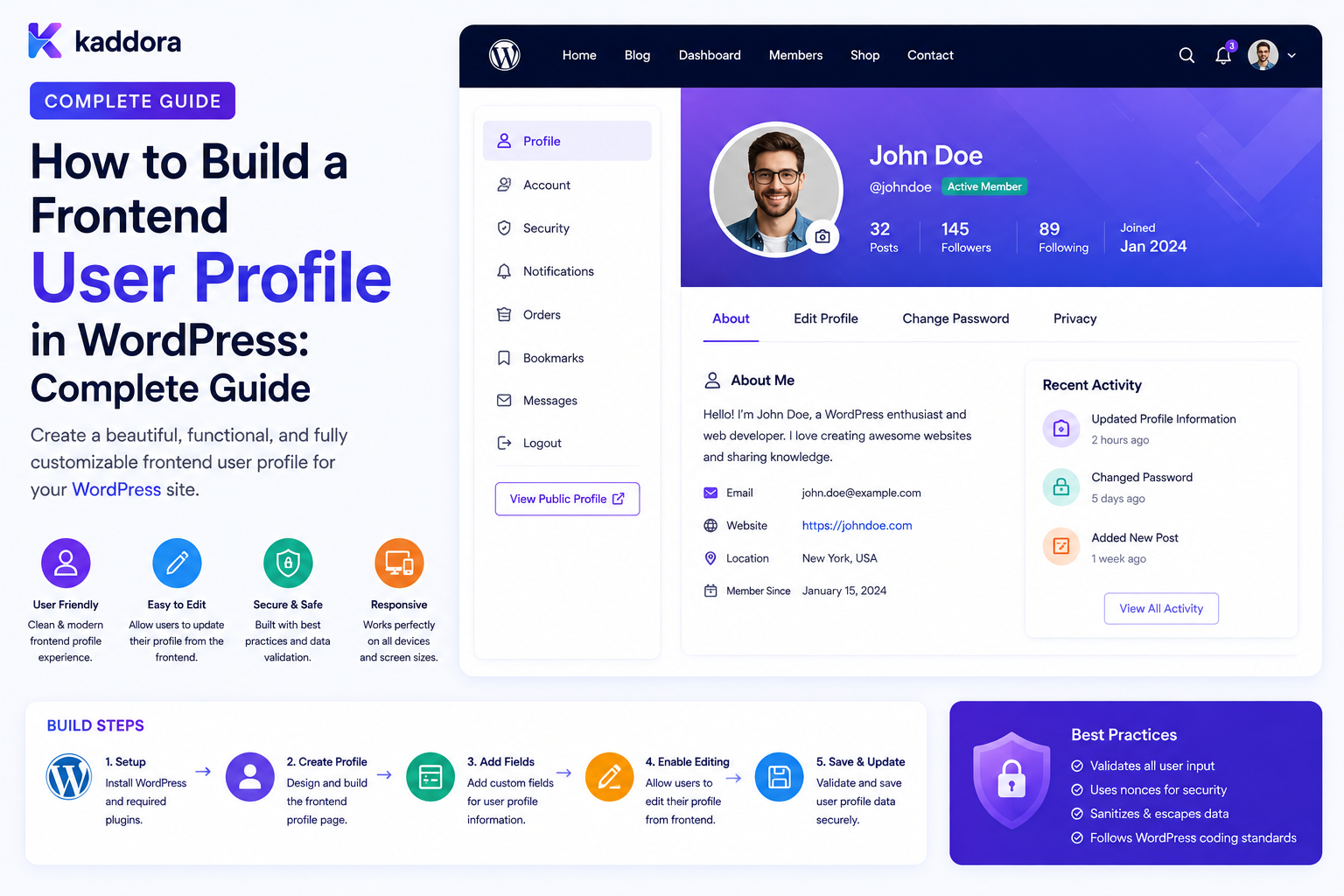
How to Build a Frontend User Profile in WordPress: Complete Guide
Introduction
WordPress provides a built-in profile management experience inside the administration area.
That works well for administrators, editors, and other backend users.
But many modern websites need users to manage their profiles directly from the frontend.
For example:
My Account ↓ Profile ├── Name ├── Email ├── Phone ├── Company ├── Avatar └── Preferences
A customer portal might provide:
Profile Orders Subscriptions Security Notifications Support
A SaaS application could provide:
Personal Profile Workspace Team Billing Security Integrations
The frontend profile appears simple, but a secure implementation must handle much more than displaying form fields.
It needs:
Authentication Authorization Ownership Validation Sanitization Output Escaping Email Verification File Upload Security Privacy CSRF Protection REST / AJAX Security Tenant Isolation Audit History
The core architecture should be:
Authenticated User ↓ Frontend Profile ↓ Server-Side Validation ↓ Authorization ↓ User Data Update ↓ Audit / Security Event
The key principle is:
A frontend WordPress profile should provide a convenient user-facing editing experience while treating the server as the authority for identity, permissions, validation, tenant access, and every account change.
What Is a Frontend User Profile?
A frontend user profile is a page that allows an authenticated WordPress user to view and manage selected account information without entering the WordPress administration interface.
Typical fields include:
First Name Last Name Display Name Email Phone Company Bio Avatar Timezone Language
The exact fields should depend on the website's requirements.
Why Build a Frontend User Profile?
A frontend profile can:
Improve user experience
Keep customers out of the WordPress admin
Support branded portals
Simplify account management
Work well on mobile devices
Support memberships and SaaS applications
Expose only relevant account settings
Frontend Profile vs WordPress Admin Profile
Admin Profile
Designed for backend users:
Dashboard Plugins Themes Posts Users Settings
Frontend Profile
Designed for end users:
My Profile Orders Security Billing Support Preferences
Both can use the same underlying WordPress user account.
Start With the Profile Data Model
Before building the page, decide what information belongs in the profile.
For example:
Identity - First Name - Last Name - Display Name Contact - Email - Phone Business - Company - Job Title Preferences - Language - Timezone
Avoid adding fields simply because WordPress can technically store them.
WordPress User Data
WordPress users have core account information and can also have custom metadata.
Common profile-related values include:
Username Email Display Name First Name Last Name Website Description
Custom plugins can maintain additional user metadata where appropriate.
User Meta
Additional profile information can be stored as user metadata, for example:
phone company job_title timezone
A plugin should define its own metadata keys consistently.
Do Not Store Everything in User Meta
User meta is useful, but it should not become a dumping ground for unrelated application data.
For large relational structures such as:
Teams Projects Orders Subscriptions Permissions
a dedicated data model may be more appropriate.
Current User Identification
The server should determine the current user from the authenticated WordPress request.
Conceptually:
$user = wp_get_current_user();
Do not trust:
?user_id=501
as proof that the current visitor is User 501.
Require Authentication
A private profile page should first confirm that the user is logged in:
if ( ! is_user_logged_in() ) { // Require authentication. }
Anonymous visitors should not receive private profile data.
Authentication Is Not Enough
Even after identifying the current user, sensitive operations should still use appropriate authorization.
For self-service profile editing, ownership generally means:
Current User = Profile Being Edited
Administrative interfaces require a different authorization model.
Never Let Users Choose Arbitrary User IDs
An insecure profile form might submit:
user_id = 501
The attacker changes it to:
user_id = 502
and attempts to update another account.
A secure frontend profile should derive the user from the authenticated session rather than trusting a client-provided ID.
Profile Page Structure
A practical account profile can look like:
My Profile Personal Information -------------------- First Name Last Name Display Name Contact Information ------------------- Email Phone Business Information -------------------- Company Job Title Preferences ----------- Timezone Language [Save Changes]
Read Mode vs Edit Mode
A profile can use:
View Profile ↓ Edit Profile ↓ Save
This can reduce accidental changes.
Editable Fields
Not every account field should necessarily be editable.
For example:
Editable: Phone Company Bio Restricted: Username Account ID Role Subscription Status
Sensitive fields may require dedicated flows.
Email Address Changes
Email is especially important because it may be used for:
Login Password Recovery Security Notifications Account Verification
Changing it should therefore receive more protection than changing a biography.
Email Change Verification
A safer email-change flow is:
User Enters New Email ↓ Validate ↓ Verification Email ↓ User Confirms ↓ Email Updated
This helps prove control of the new email address.
Do Not Immediately Trust a New Email
A user can accidentally enter:
someone-else@example.com
or an attacker may attempt to redirect account communications.
Verification provides an additional control.
Email Change Audit
Record a safe security event such as:
Profile Email Change Requested Profile Email Change Completed
Do not store verification credentials in ordinary audit logs.
Display Name
The profile can allow the user to change the display name.
For example:
Display Name: Kanchan
The application should still sanitize and escape the value correctly wherever it is displayed.
First and Last Name
These fields are commonly used by:
Orders Emails CRM Documents Invoices
Validate lengths and accepted characters according to the application's requirements.
Phone Number
Phone fields need an explicit format policy.
Depending on the application, it may be appropriate to normalize:
Country Code National Number
rather than accepting arbitrary strings.
Do not assume every phone number can be validated reliably using a simplistic regular expression.
Company Information
Business profiles may contain:
Company Job Title Department Website
For B2B systems, these may belong to the workspace or organization rather than the individual's personal profile.
Keep that distinction clear.
Personal Profile vs Organization Profile
A useful SaaS model is:
Personal Profile ├── Name ├── Phone └── Personal Preferences Organization ├── Company Name ├── Billing ├── Team └── Business Settings
This prevents company settings from being accidentally treated as personal user data.
User Bio
A frontend profile can include:
Short Bio
The application should define whether limited formatting is allowed.
Avoid allowing arbitrary HTML unless it is explicitly sanitized and intended.
Output Escaping
When displaying profile values in HTML, escape them for the correct output context.
Do not assume that because a value came from a WordPress user field it is automatically safe for every output context.
Sanitization vs Escaping
These solve different problems.
Sanitization
Cleans or normalizes incoming data.
Escaping
Makes data safe for a specific output context.
A secure profile system often needs both.
Server-Side Validation
For example:
Email: Valid Phone: Accepted Format Company: Maximum Length Timezone: Supported Value
Validation must happen on the server.
Client-Side Validation
JavaScript can improve the experience:
Invalid Email Please correct this field.
But the server must still validate the same data because client-side code can be bypassed.
Password Changes Are Separate
A frontend profile should not treat password editing like an ordinary text field.
Use a dedicated security flow:
Security ↓ Change Password
This makes the security boundary clearer.
Two-Step Verification
A profile dashboard may include:
Two-Step Verification Status: Enabled [Manage]
Enabling or disabling additional authentication factors should require appropriate security controls.
Active Sessions
Another useful section is:
Active Sessions Current: Chrome / Windows Other: Safari / iPhone
Users can revoke sessions they no longer trust.
Login Activity
Security-related profile pages may also display:
Login Activity Success Failure Logout Session Revoked
Do not expose authentication secrets.
Profile Picture / Avatar
A frontend profile often includes an avatar:
[Avatar] [Upload New Image]
File-upload security is critical here.
Secure Avatar Uploads
Validate:
File Size Actual MIME Type Image Format Upload Error Dimensions
Do not rely solely on the filename extension.
Restrict Upload Types
For an avatar, you might support only appropriate image formats.
There is rarely a legitimate reason for a profile image field to accept executable server-side files.
Image Processing
The application may:
Upload ↓ Validate ↓ Process / Resize ↓ Store ↓ Generate Thumbnail
This can standardize avatar dimensions.
Do Not Trust Image Extensions
A filename ending in:
.jpg
does not prove the underlying file is a valid image.
The server should inspect and validate the uploaded file.
Profile Image Privacy
Consider whether profile images are:
Public Team-Only Private
The storage and display architecture should match that requirement.
Secure Private Profile Images
If images are private, do not expose them through a publicly guessable file URL.
Use an authorized retrieval mechanism when necessary.
Profile Preferences
Useful preferences include:
Language Timezone Date Format Notification Preferences
These should be validated against supported values.
Timezone Handling
Store timestamps consistently and convert them for display.
For example:
Database: UTC Display: User Timezone
This avoids confusion when users operate across multiple regions.
Language Preference
A profile can allow:
English Hindi French
but only values supported by the application should be accepted.
Notification Preferences
Users may want to control:
Marketing Email Product Updates Task Notifications Newsletters
Security notifications should generally remain separately controlled.
Save Profile Changes
A secure update flow is:
Submit Form ↓ Authenticate ↓ Validate Request ↓ Check Ownership ↓ Validate Fields ↓ Sanitize ↓ Update User ↓ Audit Important Changes
Request Validation
State-changing frontend forms should use the appropriate WordPress request-validation mechanisms.
Do not rely only on login status.
AJAX Profile Updates
AJAX can provide smoother UX:
Edit Phone ↓ Save ↓ AJAX ↓ Success
The server-side AJAX handler must still authenticate, authorize, validate, and sanitize the request.
REST API Profile Updates
A modern frontend can use a REST endpoint:
PATCH /wp-json/kdr/v1/profile
The endpoint should derive the user from the authenticated context rather than trusting a submitted user ID.
API Response Minimization
A profile endpoint should return only required fields:
{ "first_name": "Kanchan", "display_name": "Kanchan", "phone": "..." }
Do not return:
Password Hash Session Tokens Internal Security Fields Private Admin Metadata
Profile Update Race Conditions
Two browser tabs could submit different profile updates:
Tab A: Phone = A Tab B: Phone = B
The last accepted update may overwrite the earlier one.
For important applications, consider version or concurrency checks where needed.
Optimistic Concurrency
A profile record can carry a version:
version = 7
The update expects:
version = 7
If the current version is already 8, the application can detect a concurrent modification.
This level of complexity is only necessary for applications where profile edits require strong consistency.
Profile Completion
A SaaS application may calculate:
Profile Completion: 80%
based on required profile fields.
Use server-side definitions of required fields rather than trusting the frontend calculation.
Conditional Profile Fields
Different user types may require different fields.
For example:
Customer → Company Optional Business Account → Company Required Employee → Department Required
The backend must enforce these rules as well.
Role-Specific Profile Fields
A profile system may show:
Customer: Shipping Preferences Employee: Department Partner: Company ID
Avoid exposing sensitive organization fields solely because a role-based UI can display them.
Team Membership
In a team system, profile data may include:
Team Role Department Manager
But these relationships should generally be managed by the appropriate administrative or team-management features rather than self-editable profile fields.
Do Not Let Users Change Their Own Privileged Role
A dangerous design is:
Role: Administrator
as an editable frontend field.
Role assignment must be controlled through dedicated authorization rules.
Department and Organization Fields
Employees may have:
Department Job Title Manager Location
Some of these may be editable by the employee, while others should be controlled by management.
Define ownership clearly.
Account Deletion
A frontend profile may offer:
Delete Account
This is a high-impact operation.
Consider:
Confirmation Authentication Re-authentication Data Retention Orders Subscriptions Legal Requirements Team Ownership
before implementing it.
Do Not Immediately Delete Business Records Blindly
A user deletion can affect:
Orders Invoices Support Tickets Team Membership Audit Logs Subscriptions
Often the user account and business records need separate lifecycle rules.
Profile Export
Privacy-oriented systems may allow users to export selected account information:
Profile Orders Preferences Activity
The export process should verify authorization and protect generated files.
Exported Files Need Protection
Do not create a public export URL that anyone can guess.
Use:
Authenticated Request ↓ Ownership Check ↓ Generate / Retrieve File
and appropriate expiration.
Profile Privacy
Not every field should necessarily be public.
For each field, define:
Private Team Only Organization Public
This prevents accidental exposure.
User Directory vs Private Profile
A public directory may display:
Name Role Avatar
while the private profile contains:
Email Phone Security Billing
Keep these models separate.
Profile Data in Email Templates
User profile fields may appear in:
Welcome Emails Order Emails Team Notifications
Escape values appropriately for the email format and do not expose sensitive fields unnecessarily.
Profile Data in REST and AJAX
The same authorization rules should apply across:
HTML REST AJAX Shortcodes Blocks
A user should not be able to access more data simply by switching interfaces.
Custom Profile Page Routing
Possible routes include:
/account/profile/ /account/security/ /account/preferences/
Use clear routing and authentication checks.
Account Navigation
A practical profile navigation can include:
Profile Security Preferences Sessions Notifications Logout
For SaaS:
Profile Workspace Team Billing Integrations
Keep personal and organizational settings separate.
Profile UI Accessibility
A good profile page should support:
Keyboard Navigation Proper Labels Focus Management Accessible Errors Readable Contrast Screen Readers
Avoid relying solely on color to indicate invalid fields.
Form Error Handling
An error should identify the relevant field:
Email: Please enter a valid email address.
rather than:
Something went wrong.
Technical details should remain out of the user-facing message.
Account Success Messages
After a successful update:
Profile updated successfully.
For sensitive changes, the system can also explain next steps:
We sent a verification message to your new email address.
Prevent Duplicate Submissions
Users may click:
Save Save Save
A frontend can disable the button temporarily, but the server should also make the operation safe against repeated requests where appropriate.
Profile Update Idempotency
A simple profile field update may naturally be idempotent:
Set phone = X
But side effects such as:
Send Notification Create Task
may require explicit idempotency handling.
Profile Change Notifications
For important changes:
Email Changed Password Changed Security Setting Changed
the system may send a security notification.
This provides visibility if an account is compromised.
Profile Change Audit Trail
An audit event can record:
Field: Email Actor: User #501 Time: Timestamp Action: Changed
Avoid storing both old and new sensitive values unless there is a clear requirement and appropriate protection.
Frontend Profile and CRM
A profile change might trigger:
Profile Updated ↓ Event ↓ CRM Sync
The CRM should not necessarily block the user's profile update if it is an optional downstream integration.
Frontend Profile and ERP
Business account changes may also synchronize:
Company Details ↓ ERP
but only fields needed by the ERP should be transferred.
Frontend Profile and Automation
A profile update can trigger:
profile.updated ↓ Automation ↓ Notification
Use event IDs and idempotency for repeated delivery.
Custom User Profile Architecture
A reusable architecture can be:
Frontend Profile ↓ Controller / Endpoint ↓ Authentication ↓ Authorization ↓ Validation ↓ Profile Service ↓ WordPress User / Metadata ↓ Audit Event ↓ Optional Integration Event
This keeps security rules centralized.
Common Frontend Profile Mistakes
Trusting a User ID From the Form
A malicious user can change it.
Allowing Self-Role Changes
Users may gain unauthorized privileges.
No Email Verification
Account ownership can be redirected to an unverified address.
No Output Escaping
Stored profile content can become an XSS vector.
Weak File Upload Validation
Profile image uploads can become an attack surface.
Returning Too Much API Data
Private fields can leak through REST or AJAX endpoints.
No Tenant Checks
A user can access another organization's data.
No CSRF Protection
State-changing requests can be forged.
Caching Private Profile Pages
One user's information can be served to another.
Heavy Dashboard Queries
Large profiles or related data make the account area slow.
Frontend User Profile Checklist
- [ ] Define profile fields - [ ] Define personal vs organization data - [ ] Require authentication - [ ] Derive current user server-side - [ ] Enforce ownership - [ ] Define capabilities - [ ] Enforce tenant scope - [ ] Validate fields server-side - [ ] Sanitize input - [ ] Escape output - [ ] Protect state-changing requests - [ ] Verify email changes - [ ] Secure avatar uploads - [ ] Protect REST / AJAX endpoints - [ ] Add session controls - [ ] Add audit events - [ ] Add privacy controls - [ ] Add pagination where needed - [ ] Protect private files - [ ] Avoid unsafe caching - [ ] Test IDOR - [ ] Test CSRF - [ ] Test XSS - [ ] Test file uploads - [ ] Test cross-tenant access
Best Practices for Frontend User Profiles in WordPress
A professional frontend profile system should:
Define which information is personal, organizational, public, team-visible, or private.
Use the authenticated WordPress user as the source of identity rather than accepting arbitrary user IDs from the browser.
Verify ownership and capabilities for every read and write operation.
Keep personal profile fields separate from organization, team, billing, and security settings.
Require additional verification for sensitive changes such as email changes where appropriate.
Validate and sanitize every submitted field on the server.
Escape user-controlled profile data correctly when rendering it.
Protect all state-changing forms and API requests against request forgery.
Validate avatar and document uploads using actual file characteristics rather than filenames alone.
Keep private account information out of shared caches.
Return only the minimum necessary information from REST and AJAX endpoints.
Use background synchronization for CRM, ERP, or external automation rather than making profile updates depend on third-party availability.
Record important account changes through protected audit events.
Support session management and security controls from the account area.
Enforce tenant and workspace boundaries independently of authentication.
Design for mobile accessibility and keyboard navigation.
Optimize related-data queries with pagination, aggregation, and appropriate caching.
Test IDOR, XSS, CSRF, unsafe uploads, cache leakage, privilege escalation, and cross-tenant access.
Why choose ThemeKaddora?
ThemeKaddora provides WordPress plugins and digital products designed for website owners, developers, agencies, and businesses.
Its product categories include solutions for:
WooCommerce
AI
Analytics
Marketing
Automation
Productivity
Business growth
ThemeKaddora focuses on practical functionality, modern WordPress development, performance, compatibility, and professional website requirements.
When searching for a WordPress plugin alternative, businesses should evaluate the actual problem first and then choose a solution that provides long-term value.
Conclusion
A frontend WordPress profile can provide a much better experience than sending customers or members into the WordPress administration area.
A simple profile might contain:
Name Email Phone
A complete account experience can provide:
Profile ├── Personal Information ├── Preferences ├── Security ├── Sessions ├── Notifications └── Support
The first principle is define what the profile owns.
Not every piece of user-related information belongs in the personal profile.
The second principle is derive identity from the authenticated session.
Never trust a browser-supplied user ID as proof of ownership.
The third principle is separate authentication from authorization.
Being logged in does not mean a user can modify every account or organization record.
The fourth principle is treat sensitive profile fields differently.
Email, password, security settings, roles, and account ownership require stronger controls than a simple biography field.
The fifth principle is validate everything on the server.
Client-side form validation is useful for usability but cannot provide security.
The sixth principle is protect uploads and private files.
An avatar or invoice upload can become a serious security risk if file validation and access control are weak.
The seventh principle is protect APIs and AJAX endpoints.
Hiding a button in the interface does not protect the underlying endpoint.
The eighth principle is keep personal and organization data separate.
This becomes essential for teams and SaaS platforms.
The ninth principle is design the profile for scale.
Large order histories, notifications, teams, and support records require pagination and efficient data access.
The tenth principle is make account security visible.
Users should have convenient access to:
Password Sessions Security Notifications
For ThemeKaddora, frontend user profiles can support:
Customers Employees Partners Members Team Users SaaS Accounts Workspace Users
The most important principle is:
A frontend profile is a presentation layer over a secure account model: the browser provides input, but the server remains authoritative for identity, ownership, permissions, validation, tenant access, and sensitive account operations.
A professional frontend WordPress profile should be:
User-Friendly
→ Authenticated
→ Authorized
→ Ownership-Aware
→ Tenant-Aware
→ Validated
→ Secure
→ Private
→ Accessible
→ Performant
→ Auditable
When these principles are applied, WordPress can support polished customer profiles, member portals, employee accounts, team workspaces, and SaaS account dashboards without sacrificing security or maintainability.
Frequently Asked Questions
What is a frontend user profile in WordPress?
It is a frontend page that lets authenticated users view and manage selected account information without using the WordPress administration area.
Can I create a custom WordPress profile page?
Yes. A plugin or theme can create a frontend profile using templates, shortcodes, blocks, REST APIs, AJAX, or custom routing.
Should users submit their own WordPress user ID?
No. The server should derive the current user from the authenticated request and apply ownership checks.
Can users edit their email address?
Yes, but email changes are security-sensitive and may require validation and confirmation through the new email address.
How should profile images be uploaded securely?
Validate the actual file type, size, MIME characteristics, upload errors, and image properties. Do not rely only on filename extensions.
Can a frontend profile include custom fields?
Yes. Custom profile information can be stored using user metadata or, for more complex business relationships, dedicated data structures.
Should profile fields include company information?
They can, but distinguish personal information from organization-level data in team and SaaS applications.
How do I protect frontend profile forms?
Use authentication, ownership and capability checks, server-side validation, sanitization, output escaping, and appropriate request-integrity protections.
Can frontend profiles use REST APIs?
Yes. REST APIs can provide a modern account interface, but every endpoint must independently enforce authentication, authorization, ownership, validation, and tenant rules.
Can profile changes trigger automation?
Yes. Events such as profile.updated can trigger CRM synchronization, notifications, or other workflows using queues and idempotent processing.
Should private profile pages be cached?
Shared public caching should not expose authenticated user content. Private profile data requires appropriately scoped cache behavior.
How should frontend profiles work in a multi-tenant SaaS?
Authentication identifies the user, while tenant membership, workspace permissions, and resource ownership determine which information and actions are available.
Why choose Themekaddora?
Themekaddora provides lightweight, responsive, SEO-friendly WordPress themes with fast performance, WooCommerce compatibility, flexible customization, accessibility-conscious design, modern templates, regular updates, and professional support—providing a strong foundation for businesses building digital products and product-focused websites.
Comments (0)