
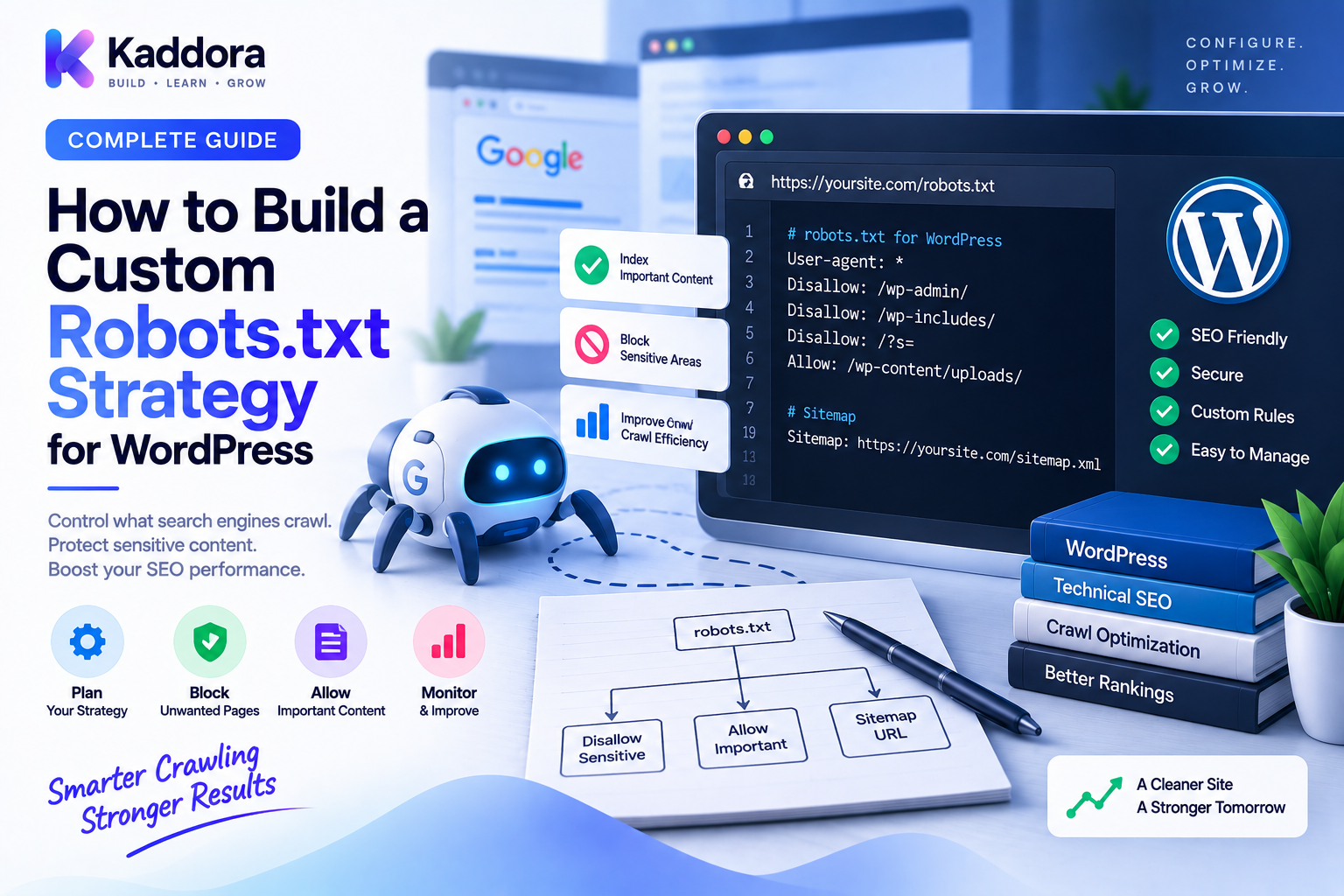
How to Build a Custom Robots.txt Strategy for WordPress
Introduction
A WordPress website can generate hundreds, thousands, or even millions of URLs.
Some URLs are valuable search destinations.
Others may be temporary, duplicated, parameterized, administrative, technical, or generated automatically by plugins and ecommerce systems.
As a website becomes larger, search-engine crawling needs to be managed deliberately.
This is where a custom robots.txt strategy can become useful.
The robots.txt file provides crawler instructions about which URL paths should generally be avoided by compliant crawlers.
But effective robots.txt management is not about blocking as many URLs as possible.
A strong strategy starts with the website's actual architecture and asks:
Which URLs should search engines crawl, and which URLs should they generally avoid requesting?
That distinction is important because crawl control, indexing control, canonicalization, redirects, and security are separate concerns.
In this guide, you'll learn how to build a custom robots.txt strategy for WordPress, how to identify URLs that may need crawl control, how to handle dynamic ecommerce and parameter URLs, how to avoid common mistakes, and how to maintain the configuration as your website grows.
What Is a Custom robots.txt Strategy?
A custom robots.txt strategy is a deliberate set of crawler-access rules designed around the specific URL architecture of a website.
Instead of using generic rules such as:
User-agent: * Disallow: /something/
without understanding their impact, a custom strategy evaluates:
URL structures
Content types
Crawl patterns
Dynamic parameters
Search functionality
Ecommerce filters
Application endpoints
Sitemaps
Indexing requirements
A simple architecture looks like:
Website URL Architecture ↓ Crawl Requirements ↓ Robots.txt Rules ↓ Validation ↓ Monitoring
The strategy should support the overall technical SEO architecture.
Why Do You Need a Custom Robots.txt Strategy?
A small brochure website may need very little crawler control.
A large WordPress platform can have many automatically generated URL patterns.
Examples include:
/shop/ /shop/?color=red /shop/?size=large /?s=wordpress /tag/example/ /author/example/ /wp-admin/
Some of these URLs may be useful.
Some may create unnecessary crawl paths.
A custom strategy helps distinguish between them.
Potential benefits include:
Better crawl management
Reduced unnecessary crawler requests
Clearer technical architecture
Better control over dynamic URLs
Easier maintenance
Improved alignment between crawl and indexing policies
Start With URL Inventory
Before writing robots.txt rules, understand your website.
Create an inventory of URL types.
For example:
Pages Posts Products Categories Tags Authors Search URLs Filters Parameters Archives APIs Administrative Paths
Then classify each group:
URL Type
Crawl
Index
Notes
Core pages
Yes
Usually
Primary content
Blog posts
Yes
Usually
Primary content
Product pages
Yes
Usually
Ecommerce content
Internal search
Case-dependent
Case-dependent
Review purpose
Admin paths
Generally restricted
Not a search target
Administrative
Temporary parameters
Usually unnecessary
Usually not desired
Depends on function
This prevents random rule creation.
Separate Crawl Control From Indexing Control
One of the most important principles is understanding that robots.txt does not perform every SEO function.
Think of the systems separately:
robots.txt ↓ Crawler access guidance noindex ↓ Indexing directive canonical ↓ Preferred URL signal redirect ↓ URL replacement authentication ↓ Access control
A custom robots.txt strategy should therefore complement these systems rather than attempt to replace them.
Identify URLs That Consume Crawl Resources
Large websites often generate URL variations that are useful for users but not necessarily useful as independent crawl targets.
Examples can include:
Tracking parameters
Session-related parameters
Sorting combinations
Large filter combinations
Internal search queries
Temporary URL states
For example:
/shop/?color=black&size=large&sort=price
If thousands of combinations can be generated, crawler activity can grow rapidly.
But the solution should be based on actual URL behavior.
Don't block an entire parameter family without understanding what content and functionality it represents.
Build Rules Around URL Patterns
Robots.txt works best when rules correspond to predictable paths.
For example:
User-agent: * Disallow: /wp-admin/
A custom strategy may add carefully selected paths based on the website's architecture.
For example:
User-agent: * Disallow: /internal-search/ Disallow: /private-tools/
Every rule should have a documented reason.
Avoid adding rules simply because a path looks technical.
Protect Important Content From Accidental Blocking
The most important part of robots.txt strategy is knowing what not to block.
Be especially careful with:
Main content
Product pages
Category pages
Important media
CSS
JavaScript
Images required for page understanding
Public APIs needed by the application
A broad path can unexpectedly block valuable resources.
For example, blindly using:
Disallow: /wp-content/
may affect assets used by themes and plugins.
Handle WordPress Administrative Paths
WordPress administrative areas are not usually intended to be search-engine content.
A commonly used crawl-management pattern is:
User-agent: * Disallow: /wp-admin/
However, this should be evaluated alongside the website's actual requirements.
Remember:
robots.txt does not secure /wp-admin/.
Real access control should still be provided by WordPress authentication, server configuration, network controls, or other appropriate security layers.
Control Internal Search URLs Carefully
WordPress search URLs can look like:
/?s=wordpress
Large sites can generate huge numbers of search queries.
Before creating a blocking strategy, determine:
Are search-result pages intended as landing pages?
Are they indexed?
Do they receive meaningful traffic?
Do they create large crawl volumes?
If they are strictly internal navigation states, crawl control may be useful.
But the decision should come from the site's content strategy rather than from the URL shape alone.
Build a Faceted Navigation Strategy
WooCommerce websites can generate many combinations of filters.
For example:
/shop/?brand=example /shop/?brand=example&color=red /shop/?brand=example&color=red&size=large
This can create a large crawl space.
A custom robots strategy should classify filters.
For example:
Filter URL ↓ Is this a strategic landing page? / \ Yes No ↓ ↓ Dedicated Crawl-control strategy strategy
The important point is that not every filter should automatically be treated the same way.
Some filtered pages can be valuable search destinations.
Handle Tracking Parameters
Marketing campaigns often generate URLs such as:
/product/example/?utm_source=newsletter
These parameters may not change the underlying content.
Your URL architecture should decide whether such parameters need special crawl handling.
The strategy may involve coordination between:
Canonical URLs
Internal links
Analytics
Application routing
Crawl controls
Avoid building giant collections of parameter-specific rules without a clear requirement.
Handle Pagination Carefully
Pagination can generate URLs like:
/blog/ /blog/page/2/ /blog/page/3/
Do not automatically block every paginated path.
Later pages can contain unique content and can be important for discovery.
Instead, evaluate:
Content architecture
Internal linking
Pagination structure
Canonical strategy
Indexing requirements
A custom robots.txt strategy should preserve useful crawl paths.
Handle Dynamic WordPress Parameters
WordPress plugins can add many different parameters.
Examples:
Search
Filtering
Sorting
Tracking
Session state
AJAX-related parameters
Create categories rather than guessing.
For example:
Parameter ↓ Tracking? ↓ Filter? ↓ Search? ↓ Application State? ↓ Content-changing?
Then determine the appropriate SEO and crawl behavior.
Manage Custom Post Types
Custom post types are common in advanced WordPress websites.
Examples include:
Events
Courses
Properties
Jobs
Documentation
Case studies
Portfolio items
Don't block a custom post type simply because it was created by a plugin.
First determine whether those URLs are important public content.
A useful rule is:
Content Type ↓ Public? ↓ Search value? ↓ Crawl strategy
Manage Taxonomy Archives
Taxonomies can include:
Categories
Tags
Custom taxonomies
Some taxonomy archives are valuable landing pages.
Others may provide little unique content.
The robots strategy should therefore be based on content quality and search strategy.
Do not blindly block all tags or all categories.
robots.txt and XML Sitemaps
A custom robots strategy should reference the appropriate sitemap locations.
For example:
User-agent: * Disallow: /private-tools/ Sitemap: https://example.com/sitemap.xml
Large websites may have multiple sitemaps:
Sitemap: https://example.com/post-sitemap.xml Sitemap: https://example.com/page-sitemap.xml Sitemap: https://example.com/product-sitemap.xml
Ensure the sitemap URLs are accessible and consistent with your preferred URL architecture.
robots.txt and Canonical URLs
Canonicalization and crawler control work at different levels.
For example:
Filtered URL ↓ Canonical → Main category
does not necessarily mean the filtered URL should always be blocked from crawling.
The correct choice depends on the purpose of the URL.
Avoid using robots.txt as a substitute for canonical strategy.
robots.txt and Redirects
Redirects and crawl rules should also be coordinated.
For example:
Old URL ↓ 301 New URL
Blocking the old URL unnecessarily can interfere with how crawlers process that redirect.
When a URL needs to communicate a permanent move, the crawler should generally be able to request it and receive the redirect.
This is why redirect architecture should be considered before adding broad robots exclusions.
robots.txt and Noindex
A common misconception is:
"Block a URL in robots.txt to remove it from search."
These are different functions.
If a crawler cannot fetch a page, it may not be able to process page-level directives such as a noindex instruction.
Therefore, define your indexing strategy separately.
Think in terms of:
Should crawler access URL? ↓ Should URL be indexable? ↓ Which URL is canonical? ↓ Does URL redirect?
Each question can have a different answer.
Create Rule Ownership
For large websites, robots.txt changes may come from:
SEO plugin
Custom plugin
Theme
Server
Deployment scripts
CDN
Developer changes
Define ownership.
For example:
Application-level rules ↓ SEO Configuration Infrastructure rules ↓ CDN / Server Environment protection ↓ Hosting / Access Controls
Without ownership, multiple systems can overwrite or conflict with one another.
Build a Structured robots.txt Registry
For advanced WordPress systems, rules can be stored in structured form.
Example:
rule_id user_agent directive path priority enabled reason owner created_at updated_at
This allows administrators to manage crawler rules from a controlled interface.
The generated file can then be produced from approved rules.
Add Validation Before Publishing
Before deploying a new robots rule, perform automated checks.
For example:
New Rule ↓ Pattern Validation ↓ Affected URLs ↓ Critical Content Check ↓ Sitemap Check ↓ Review ↓ Publish
A broad rule should generate a stronger warning than a narrow rule.
For example:
Disallow: /
should be considered extremely high risk on production.
Build a robots.txt Preview
Administrators should be able to see the generated result before publishing it.
Example:
User-agent: * Disallow: /private-tools/ Disallow: /internal-search/ Sitemap: https://example.com/sitemap.xml
The preview should also show:
Number of rules
Changed rules
Newly blocked paths
Removed rules
Affected URL groups
This makes configuration changes easier to review.
Test robots.txt Against Important URLs
Before deployment, test representative URLs.
For example:
Homepage Blog Post Product Category Search Filter Image CSS JavaScript Admin API
The question isn't simply:
"Does robots.txt look correct?"
The better question is:
"Does robots.txt produce the intended crawl behavior across important URL types?"
Create Automated Change Monitoring
A production monitoring system can fetch:
/robots.txt
periodically and compare it with the previous version.
Workflow:
Fetch ↓ Compare ↓ Detect Change ↓ Classify Change ↓ Alert if High Risk
High-risk examples include:
Disallow: /
or newly blocking an entire product path.
Use AI to Review Custom Robots Rules
AI can assist with robots.txt analysis.
For example:
robots.txt ↓ Analyze against URL inventory ↓ Identify suspicious broad rules ↓ Suggest possible conflicts ↓ Human review
AI can help identify:
Overly broad patterns
Duplicate rules
Unexpected changes
Missing sitemap references
Potentially blocked resources
However, crawler restrictions should not be blindly deployed based on AI output.
A recommendation can be reviewed.
A production crawl policy should be validated.
Robots.txt Strategy for Staging Environments
Staging websites often should not be crawled.
A common strategy can include:
User-agent: * Disallow: /
But this should be supported by actual access controls.
Staging environments should ideally use:
Authentication
Private hosting
Network restrictions
VPN or allowlisting
No public exposure where possible
Robots.txt is only crawler guidance.
It should never be the primary protection for unpublished or confidential environments.
Common Custom robots.txt Mistakes
Blocking the Entire Production Website
A single broad rule can affect the whole site.
Blocking Important Assets
CSS, JavaScript, and images can be important for search-engine rendering and understanding.
Blocking Redirect Sources
Redirecting URLs may need to remain crawlable so the redirect can be processed.
Blocking Valuable Filters
Some ecommerce filters may represent useful landing pages.
Blocking All Query Parameters
Not all parameters are useless.
Blocking All Taxonomies
Categories and other archives can contain valuable content.
Using robots.txt as Security
Private information requires real access control.
Managing Rules in Too Many Places
Multiple systems can conflict.
Never Monitoring Changes
A deployment mistake may remain unnoticed.
Custom robots.txt Strategy Checklist
Discovery
Inventory URL types
Identify dynamic parameters
Review ecommerce filters
Identify technical paths
Review search URLs
Strategy
Define crawl objectives
Separate crawl from indexing
Define content-type rules
Document exceptions
Define ownership
Safety
Protect important content
Avoid broad blocking
Avoid blocking redirects unnecessarily
Avoid blocking essential resources
Keep staging and production policies separate
SEO
Coordinate with canonicals
Coordinate with redirects
Coordinate with XML sitemaps
Review parameter handling
Review pagination
Review taxonomy pages
Monitoring
Version robots.txt
Compare changes
Alert on broad restrictions
Test representative URLs
Audit after migrations
Recommended Custom robots.txt Architecture
A scalable model can look like:
URL Inventory │ ▼ Crawl Classification │ ┌───────────┼───────────┐ ▼ ▼ ▼ Content Dynamic Technical │ │ │ └───────────┼───────────┘ ▼ Crawl Policy │ ▼ Rule Validation │ ▼ robots.txt Output │ ┌────────┴────────┐ ▼ ▼ Search Monitoring
This approach treats robots.txt as part of website architecture rather than as an isolated text file.
Best Practices for Custom robots.txt Strategy
Start with evidence.
Analyze actual URL patterns and crawl behavior before creating rules.
Keep rules as simple as possible.
Every rule should have a clear purpose.
Protect valuable content.
Avoid blocking important pages and resources.
Separate crawling from indexing.
Use the appropriate mechanism for each goal.
Coordinate with redirects and canonicals.
A crawler strategy should not conflict with URL migration or canonicalization.
Document every important rule.
Record what the rule does and why it exists.
Validate before deployment.
Test representative URLs and high-impact patterns.
Monitor continuously.
robots.txt can change unexpectedly after updates or deployments.
Why Choose ThemeKaddora?
At ThemeKaddora, modern WordPress themes, plugins, WooCommerce solutions, HTML templates, UI kits, and business-focused digital products should be designed with scalable technical SEO architecture in mind.
As WordPress products introduce:
Custom post types
Dynamic filters
Search functionality
API-driven content
Ecommerce catalogs
Multiple templates
their URL architectures can become increasingly complex.
A strong robots.txt strategy should therefore be designed alongside:
URL architecture
Canonical management
Redirect management
XML sitemap generation
Content indexing policy
Performance optimization
For developers and agencies, centralized crawler-policy management provides a cleaner foundation for maintaining large WordPress websites.
Conclusion
A custom robots.txt strategy should never begin with:
"Which URLs can I block?"
It should begin with:
"Which URLs should search engines reasonably crawl?"
That shift in thinking leads to a much better technical SEO architecture.
A reliable process is:
Inventory → Classify → Define → Validate → Deploy → Monitor
Before creating a rule, understand its relationship with:
Canonical URLs
Redirects
XML sitemaps
Internal links
Indexing directives
Security controls
For small websites, a simple robots.txt configuration may be sufficient.
For large WordPress websites, WooCommerce stores, multilingual platforms, publishers, SaaS applications, and enterprise systems, a customized crawler strategy can help manage complex URL environments more deliberately.
The objective is not to block the maximum number of URLs.
The objective is to give crawlers clear, intentional, and maintainable guidance while protecting access to valuable content and resources.
A well-designed robots.txt strategy becomes especially powerful when it is documented, validated, version-controlled, and monitored as part of the broader WordPress technical SEO architecture.
Frequently Asked Questions
What is a custom robots.txt strategy?
A custom robots.txt strategy is a website-specific set of crawler-access rules designed around the site's URL architecture, content types, dynamic URLs, and technical requirements.
Why customize robots.txt in WordPress?
Customization can help manage unnecessary crawler paths on larger websites, especially when they contain dynamic filters, parameters, search URLs, or other repetitive URL patterns.
Should I block all WordPress dynamic URLs?
No. Some dynamic URLs may provide useful content or functionality. Evaluate each URL type based on its actual purpose.
Does robots.txt control indexing?
Not directly. robots.txt primarily provides crawler instructions. Indexing decisions should be handled through the appropriate indexing and content signals.
Can robots.txt replace a noindex directive?
No. A crawl restriction and a noindex directive serve different purposes and should not be treated as interchangeable.
Should I block /wp-admin/?
Many WordPress sites restrict crawling of administrative paths, but the exact strategy should consider the site's requirements and necessary public endpoints.
Should /wp-content/ be blocked?
Avoid blindly blocking /wp-content/ because it can contain CSS, JavaScript, images, and other resources used by themes and plugins.
Should I block WooCommerce filters?
Not automatically. First determine whether the filtered URLs are valuable search landing pages, temporary navigation states, or unnecessary crawl combinations.
Can robots.txt improve SEO?
A carefully designed robots.txt strategy can help manage crawler access, but it is only one component of technical SEO and should work together with canonical URLs, redirects, indexing directives, sitemaps, and internal links.
Can robots.txt protect private files?
No. Robots.txt is not an access-control mechanism. Private files should be protected with authentication, authorization, server controls, or other security mechanisms.
How should I manage robots.txt on large WordPress websites?
Large websites can use a centralized policy, structured rule storage, validation, versioning, preview functionality, and automated monitoring.
Can AI help create robots.txt rules?
AI can analyze URL patterns and suggest crawler rules, but high-impact restrictions should be reviewed and validated before deployment.
What is the biggest robots.txt mistake?
One of the most serious mistakes is accidentally blocking important production content or the entire site with an overly broad rule.
How often should robots.txt be audited?
Audit frequency should depend on website activity. Large websites should monitor changes continuously and perform formal reviews after migrations, URL restructuring, major plugin changes, and infrastructure changes.
Why choose ThemeKaddora?
ThemeKaddora develops WordPress themes, plugins, WooCommerce solutions, HTML templates, UI kits, and business-focused digital products with an emphasis on scalable architecture, performance, compatibility, maintainability, responsive design, and professional website requirements.
Comments (0)