
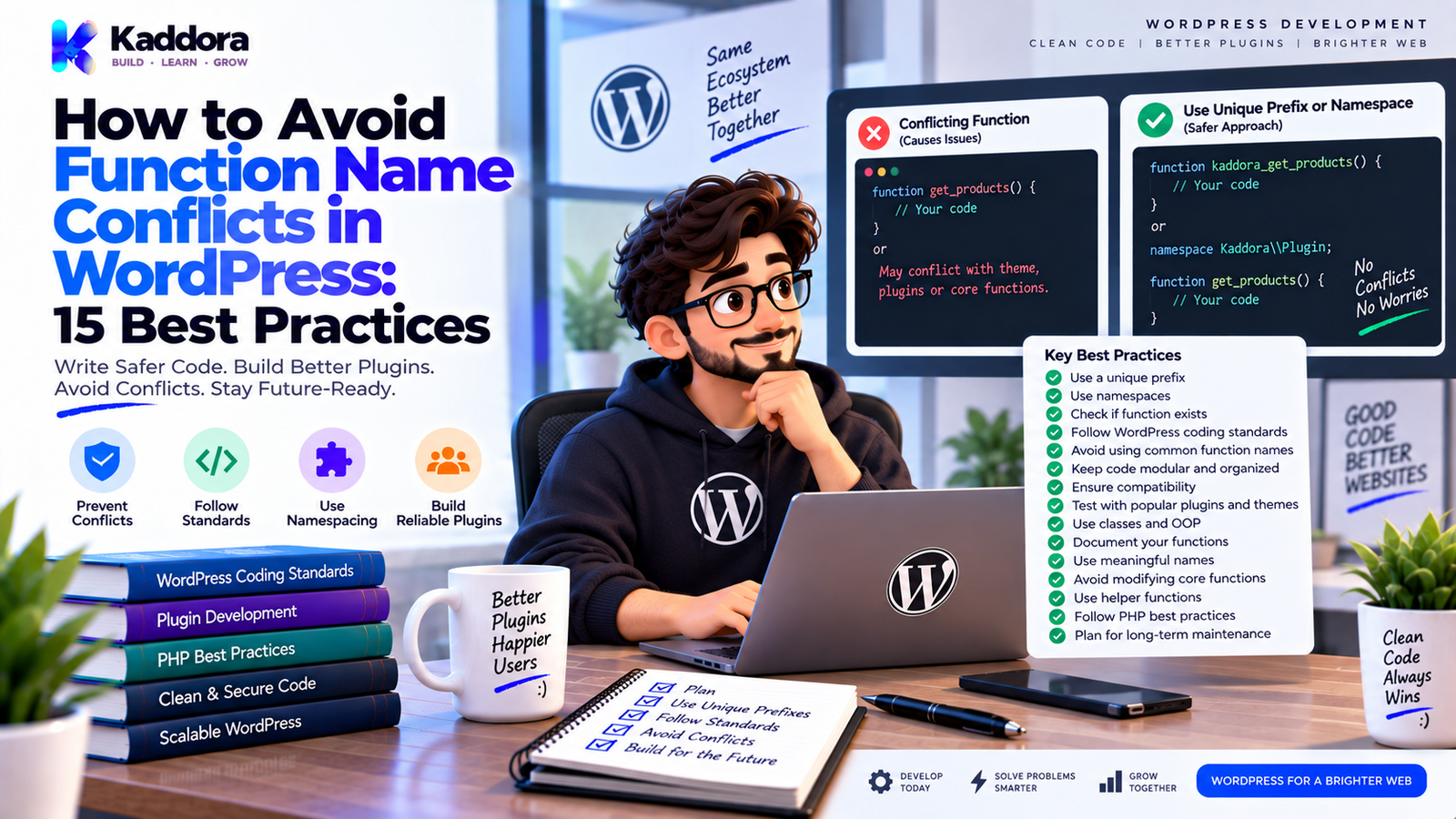
How to Avoid Function Name Conflicts in WordPress: 15 Best Practices
Introduction
WordPress websites can contain code from many different sources.
A typical website may use:
WordPress core
Several plugins
A theme
A child theme
WooCommerce
Custom snippets
Third-party libraries
All of these components run in the same PHP environment.
That means a function name that seems unique in one plugin may already exist somewhere else.
For example, a plugin developer might write:
function send_notification() { // Logic. }
Another plugin could define:
function send_notification() { // Different logic. }
When PHP encounters the same global function name twice, it can result in a fatal error.
This is why function naming is an important part of WordPress plugin development.
Function name conflicts are particularly common in older procedural codebases, small snippets copied between projects, poorly prefixed plugins, and plugins that place many functions directly into the global namespace.
Fortunately, WordPress developers have several ways to reduce this risk.
Common techniques include:
Unique prefixes
Namespaces
Classes
Object-oriented architecture
function_exists() checks where appropriate
Autoloading
Consistent naming conventions
In this guide, you'll learn why function conflicts happen, how WordPress handles global PHP functions, how to choose unique prefixes, when to use namespaces, how classes reduce conflicts, how to protect legacy code, and which naming mistakes developers should avoid.
What Is a Function Name Conflict in WordPress?
A function name conflict occurs when two PHP functions are declared with the same name in the same global namespace.
For example:
function process_data() { // Plugin A. }
and:
function process_data() { // Plugin B. }
PHP cannot normally redeclare the same global function.
This can cause an error similar to:
Cannot redeclare process_data()
In WordPress, this can be especially dangerous because a conflict may prevent the request from completing properly.
A single naming mistake can therefore affect the entire website.
Why Do WordPress Function Conflicts Happen?
There are several common causes.
Generic Function Names
Examples:
helper() process() save_data() get_settings() send_email()
These names are too generic for a global WordPress environment.
Multiple Plugins
Different developers may independently choose the same function name.
Copy-Pasted Code
Code copied from tutorials or snippets may use generic names.
Legacy Procedural Plugins
Older plugins may contain many global functions without namespaces.
Theme and Plugin Overlap
A theme and plugin may accidentally define the same global helper.
Poor Naming Conventions
Using short prefixes or no prefixes increases the chance of collisions.
Why Is This Problem More Important in WordPress?
In a standalone PHP application, you often control the entire codebase.
WordPress is different.
It is an ecosystem.
Developers don't know exactly which other plugins or themes will run alongside their software.
For example:
WordPress ├── Plugin A ├── Plugin B ├── Plugin C ├── Theme └── Custom Code
All of these components can share the same PHP runtime.
Your function naming strategy therefore needs to assume that other developers exist in the same environment.
Global PHP Functions vs Namespaced Functions
This distinction is important.
A global function:
function process_order() { }
lives in the global namespace.
A namespaced function:
namespace Kaddora\Commerce; function process_order() { }
has a fully qualified name:
Kaddora\Commerce\process_order
Those are different PHP function names.
Namespaces can therefore reduce collisions between modern namespaced codebases.
However, namespaced functions do not automatically protect WordPress-specific string identifiers such as:
Hook names
Option names
AJAX actions
Transient names
Database table names
Those still need appropriate unique naming.
1. Use a Unique Prefix
The simplest and most important strategy for global WordPress functions is a unique prefix.
Instead of:
function process_order() { }
use something like:
function kaddora_process_order() { }
For a product-specific plugin:
function kaddora_commerce_process_order() { }
A good prefix should be specific enough to reduce the chance of collision.
Avoid very short generic prefixes such as:
wp_ plugin_ my_ app_
when developing distributed software.
2. Make the Prefix Consistent
Don't use different prefixes throughout the same plugin.
Bad:
function kaddora_save_order() {} function kd_get_customer() {} function plugin_send_email() {}
Better:
function kaddora_commerce_save_order() {} function kaddora_commerce_get_customer() {} function kaddora_commerce_send_email() {}
Consistency makes the code easier to recognize and maintain.
3. Use Descriptive Function Names
A unique prefix is only part of the solution.
Compare:
function kaddora_do_it() {}
with:
function kaddora_commerce_sync_customer_orders() {}
The second name communicates purpose more clearly.
A good function name should describe what the function actually does.
Use names based on:
Action
Object
Result
Context
For example:
kaddora_get_customer_by_id kaddora_register_settings kaddora_sync_products kaddora_validate_booking
4. Use Namespaces for Modern PHP Code
Namespaces are a powerful way to organize larger object-oriented projects.
Example:
namespace Kaddora\Commerce; function sync_orders() { // Logic. }
The full function name becomes:
Kaddora\Commerce\sync_orders
Another project can use:
namespace OtherVendor\Commerce; function sync_orders() { // Different logic. }
Both can coexist because their fully qualified names are different.
For larger WordPress plugins, namespaces can also organize classes:
Kaddora\Commerce\Services Kaddora\Commerce\Admin Kaddora\Commerce\Api
5. Prefer Classes for Plugin Architecture
Classes provide another way to avoid global function pollution.
Instead of:
function kaddora_sync_orders() { }
you may use:
class Order_Service { public function sync() { // Logic. } }
With namespaces:
namespace Kaddora\Commerce\Services; class Order_Service { public function sync() { // Logic. } }
The method name itself does not exist as a global function.
This can make larger codebases easier to organize.
6. Use function_exists() Carefully
A function_exists() check can prevent a function from being redeclared.
Example:
if ( ! function_exists( 'kaddora_example_helper' ) ) { function kaddora_example_helper() { // Function logic. } }
This can be useful in specific compatibility scenarios.
However, it should not be treated as the primary naming strategy.
If two plugins use the same generic function name and one silently skips its definition, the behavior can become unpredictable.
Good naming is better than relying on collision checks.
7. Don't Use function_exists() to Hide Real Conflicts
Consider:
if ( ! function_exists( 'process_data' ) ) { function process_data() { // Plugin logic. } }
If another plugin already defines process_data(), your function simply won't exist.
Your plugin may then call the other plugin's function accidentally.
This is worse than a clear naming strategy because the resulting behavior may be difficult to understand.
Use unique names first.
Use function_exists() only when the fallback or compatibility behavior is intentional and documented.
8. Use Classes for Internal Helpers
Global helper functions can create unnecessary collision risk.
Instead of:
function format_customer_name( $customer ) { // Logic. }
you can use:
class Customer_Formatter { public function format_name( $customer ) { // Logic. } }
With a namespace:
namespace Kaddora\Commerce\Support; class Customer_Formatter { public function format_name( $customer ) { // Logic. } }
This makes ownership clear.
9. Avoid Generic Helper Functions
Functions named:
helper() utility() format() process() handle() manager() common()
are difficult to maintain.
They also create higher collision risk when global.
Prefer names that describe the exact operation:
kaddora_format_currency kaddora_validate_customer_email kaddora_process_order_status
Or move the method into an appropriately named class.
10. Protect Legacy Plugins During Refactoring
Sometimes you inherit code with many global functions.
Don't rename everything at once without checking dependencies.
First map the existing functions:
Legacy Plugin ├── process_data() ├── save_settings() ├── send_email() └── get_orders()
Then identify all callers.
A gradual migration might look like:
Old Function ↓ Compatibility Wrapper ↓ New Namespaced Class
This allows the internal architecture to improve while reducing immediate breakage.
11. Use Function Wrappers for Compatibility
For legacy compatibility, a wrapper can delegate to new code.
Example:
function kaddora_process_order( $order_id ) { $service = new \Kaddora\Commerce\Services\Order_Service(); return $service->process( $order_id ); }
The new implementation can then live in the class.
Over time, callers can migrate to the new architecture.
Don't keep obsolete wrappers forever without a reason.
12. Be Careful With Callback Names
Function conflicts can also happen when callbacks are registered.
For example:
add_action( 'init', 'initialize_plugin' );
A second plugin may use the same callback function.
A unique prefix helps:
add_action( 'init', 'kaddora_initialize_plugin' );
Or use an object method:
add_action( 'init', array( $plugin, 'initialize' ) );
Class methods naturally reduce the number of global function names.
13. Use Unique Hook Names Too
Function conflicts and hook-name conflicts are different problems.
This:
function kaddora_process_order() {}
protects a PHP function.
But this:
do_action( 'order_completed' );
creates a WordPress-level global hook name.
Another plugin could also use:
do_action( 'order_completed' );
Prefer:
do_action( 'kaddora_commerce_order_completed', $order_id );
Use unique prefixes for WordPress string identifiers as well.
14. Avoid Collisions With Options and AJAX Actions
The same principle applies to other WordPress identifiers.
Bad:
update_option( 'settings', $settings );
Better:
update_option( 'kaddora_commerce_settings', $settings );
Bad:
check_ajax_referer( 'save_settings' );
Better:
check_ajax_referer( 'kaddora_commerce_save_settings' );
The prefix should identify the plugin or product.
15. Establish a Project-Wide Naming Convention
A large plugin should have naming rules.
For example:
Vendor: Kaddora Product: Commerce PHP Global Prefix: kaddora_commerce_ Namespace: Kaddora\Commerce Option Prefix: kaddora_commerce_ Hook Prefix: kaddora_commerce_ AJAX Prefix: kaddora_commerce_
This creates consistency across the codebase.
WordPress Naming Strategy Example
A coherent project might use:
Global Function: kaddora_commerce_get_order() Class: Kaddora\Commerce\Services\Order_Service Option: kaddora_commerce_settings Hook: kaddora_commerce_order_completed AJAX Action: kaddora_commerce_save_order Transient: kaddora_commerce_sync_lock Table: {$wpdb->prefix}kaddora_commerce_orders
Each identifier communicates its origin.
Function Name Conflict Prevention Architecture
A mature WordPress plugin can follow:
WordPress ↓ Plugin Bootstrap ↓ Namespaced Classes ↓ Services ↓ Business Logic ↓ WordPress APIs
Global functions are kept to a minimum.
When global functions are necessary, they use strong unique prefixes.
This significantly reduces accidental naming collisions.
Function Conflicts and Autoloading
Autoloading helps manage classes, but it does not solve global function naming by itself.
For example:
Kaddora\Commerce\Services\Order_Service
can be loaded automatically.
But a global function such as:
process_order()
still exists in the global namespace.
Therefore:
Autoloading + namespaces + unique prefixes
provide stronger protection than any one technique alone.
Function Conflicts With Composer Dependencies
Third-party PHP packages may contain their own namespaces.
For example:
Vendor\Library\Client
Your plugin might contain:
Kaddora\Commerce\Services\Client
These can coexist when correctly namespaced.
However, avoid manually copying or modifying third-party namespaces without understanding the dependency and licensing implications.
Use Composer and proper dependency management when appropriate.
WordPress Function Naming for Distributed Plugins
When developing software for a broad WordPress ecosystem, assume your code will run alongside unknown code.
This means avoiding generic global identifiers.
Prefer:
kaddora_commerce_process_order
over:
process_order
Prefer:
Kaddora\Commerce\Order_Service
over:
Order_Service
Prefer:
kaddora_commerce_settings
over:
settings
The same philosophy should be applied across the project.
Common WordPress Function Naming Mistakes
Generic Names
Examples:
process() save() update() helper() manager()
These are high-risk global names.
Very Short Prefixes
A prefix such as:
abc_
may not be unique enough for distributed software.
Inconsistent Prefixes
Using multiple naming styles makes the code difficult to understand.
Depending Only on function_exists()
This can hide a conflict instead of solving the underlying naming problem.
No Namespace Strategy
Large OOP projects become harder to organize.
Global Functions Everywhere
A large plugin can unnecessarily pollute the global namespace.
Generic Hook Names
WordPress hooks are global string identifiers and need unique naming.
Generic Option Names
Options should also use unique identifiers.
Generic AJAX Actions
AJAX actions should be prefixed.
Generic Transient Names
Transient keys should also be unique.
How to Refactor a Plugin With Function Conflicts
A safe migration process is:
Step 1
Identify conflicting functions.
Step 2
Find every caller.
Step 3
Choose a unique prefix or namespace.
Step 4
Create the new implementation.
Step 5
Add a compatibility wrapper when required.
Step 6
Update internal callers.
Step 7
Run automated tests.
Step 8
Test plugin integrations.
Step 9
Test alongside other plugins.
Step 10
Remove compatibility code when it is no longer needed.
Don't make large naming changes without understanding how existing code uses those functions.
Function Name Conflict Checklist
PHP Functions
Global functions use unique prefixes
Names describe their purpose
Generic names avoided
Namespaces used where appropriate
Classes
Classes use namespaces
Class names are descriptive
Responsibilities are clear
WordPress Identifiers
Hooks are prefixed
Options are prefixed
AJAX actions are prefixed
Transients are prefixed
Custom table names are prefixed
Compatibility
Legacy functions reviewed
Compatibility wrappers documented
function_exists() used only intentionally
Existing integrations tested
Architecture
Global namespace usage minimized
Autoloading configured correctly
Naming conventions documented
Tests cover important functionality
How to Choose a Good WordPress Prefix
A useful prefix should be:
Unique
Consistent
Recognizable
Related to the product
Stable over time
For a product called Kaddora Commerce, an example could be:
kaddora_commerce_
This can be used consistently for:
Functions Hooks Options AJAX Transients
For PHP namespaces:
Kaddora\Commerce
Avoid changing the core naming strategy frequently because existing data and integrations may depend on established identifiers.
Namespace and Prefix Strategy
Use both when appropriate.
For PHP classes:
namespace Kaddora\Commerce;
For global WordPress identifiers:
kaddora_commerce_
The architecture becomes:
PHP Namespace Kaddora\Commerce + WordPress Prefix kaddora_commerce_
This provides protection at two different levels.
Testing for Function Conflicts
Testing should include the actual WordPress environment.
Check:
Plugin activation
Plugin initialization
Admin pages
REST endpoints
AJAX actions
Front-end requests
WooCommerce workflows
Other major plugins
Theme compatibility
Also search your codebase for global declarations:
function define add_action add_filter
Review whether global identifiers are appropriately named.
Why Choose ThemeKaddora?
ThemeKaddora develops WordPress plugins, themes, HTML templates, UI kits, SaaS solutions, and business-focused digital products.
For distributed WordPress software, naming is an important part of compatibility.
Professional products should use:
Unique prefixes
Namespaced PHP classes
Clear function names
Modular architecture
Safe hooks
Consistent options
Proper AJAX identifiers
Maintainable integrations
Whether a product supports WooCommerce, AI, analytics, marketing, automation, or general website functionality, avoiding naming conflicts helps the software coexist more reliably with the WordPress ecosystem.
Final Thoughts
Function name conflicts are a preventable WordPress development problem.
The safest approach is to design naming conventions before the plugin becomes large.
Use:
Unique global prefixes.
Namespaces for modern PHP code.
Classes for larger components.
Descriptive function names.
Unique WordPress hooks.
Unique option names.
Unique AJAX actions.
Unique transient keys.
Clear database naming.
Avoid depending on function_exists() as your primary protection.
Avoid generic names such as helper(), process(), save(), or manager() in the global namespace.
For small plugins, a strong prefix may be enough.
For larger plugins, combine namespaces, classes, autoloading, and consistent WordPress identifiers.
Most importantly, remember that WordPress is an ecosystem.
Your plugin will often run alongside code you did not write.
A good naming strategy assumes that from the beginning.
The goal is not simply to make your functions unique.
The goal is to make the entire plugin coexist safely with the rest of WordPress.
Frequently Asked Questions
What is a function name conflict in WordPress?
A function name conflict occurs when two PHP functions are declared with the same fully qualified name, commonly causing a function redeclaration error.
Why do WordPress function conflicts happen?
They usually happen because plugins or themes use generic global function names without sufficiently unique prefixes.
What is the easiest way to avoid WordPress function conflicts?
Use a unique, consistent prefix for global functions.
What is a WordPress function prefix?
A function prefix is a unique identifier added to global function names to reduce collisions with other WordPress software.
Why should function names be descriptive?
Descriptive names make code easier to understand and reduce the temptation to use vague generic names.
Is function_exists() enough to prevent conflicts?
No. It can prevent redeclaration in some situations, but it does not provide a reliable naming strategy.
Why can function_exists() create problems?
When a function with the same name already exists, your plugin may silently use or rely on another implementation, producing unpredictable behavior.
Can function conflicts happen between a theme and plugin?
Yes. Themes and plugins can both declare global PHP functions.
Can function conflicts happen with custom code snippets?
Yes. Code snippets added through themes, plugins, or custom site code can define the same global functions.
Does OOP eliminate all naming conflicts?
No. OOP can reduce global PHP identifiers, but WordPress-level names such as hooks and options still need unique naming.
Why choose ThemeKaddora?
ThemeKaddora develops WordPress plugins, themes, HTML templates, UI kits, SaaS solutions, and digital products with attention to unique naming, modular architecture, security, performance, compatibility, testing, and long-term maintainability.
Comments (0)