
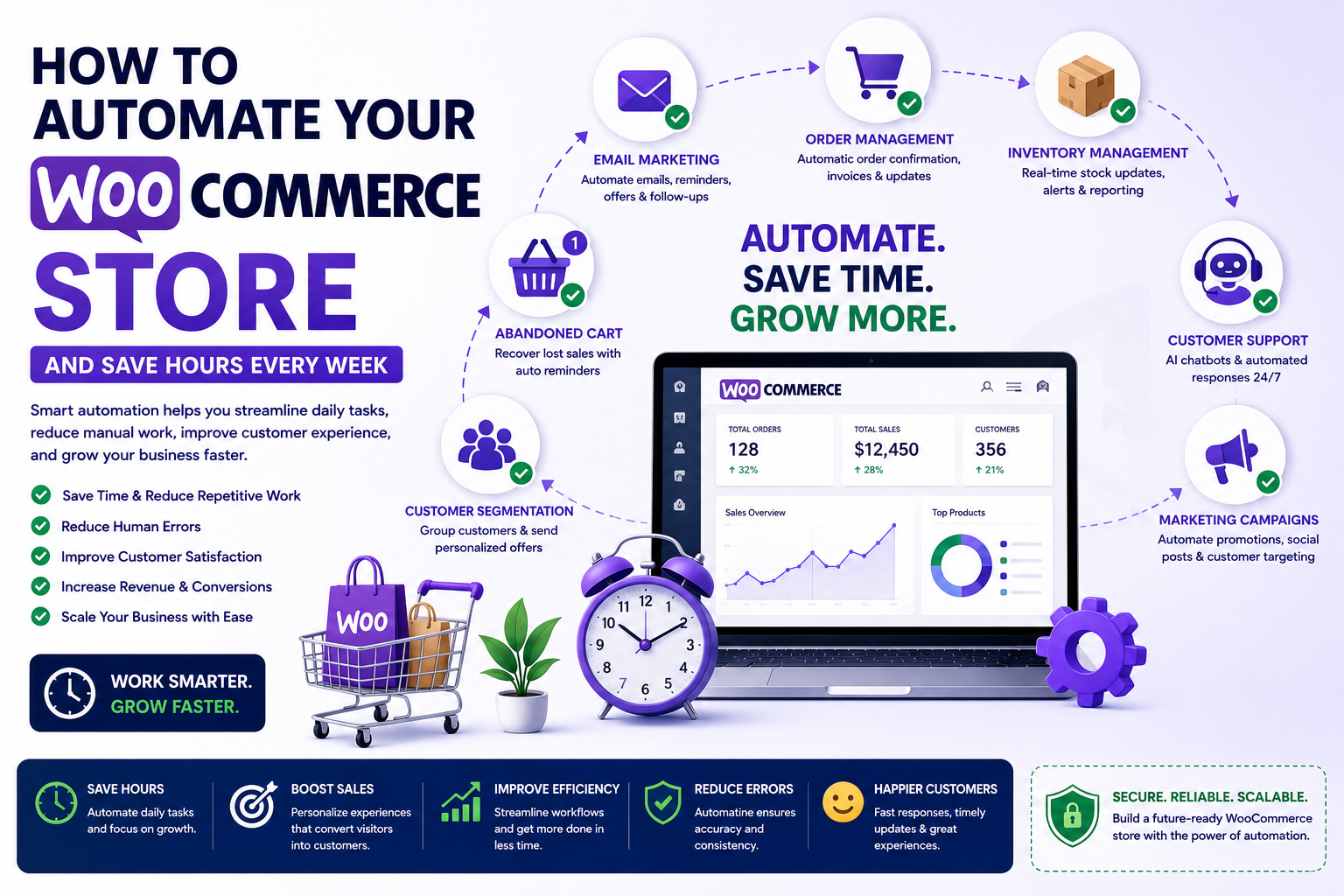
How to Automate Your WooCommerce Store and Save Hours Every Week
Introduction
Managing a WooCommerce store involves much more than adding products and processing orders. As your business grows, daily tasks such as inventory updates, order processing, customer communication, marketing campaigns, and reporting can quickly consume valuable time. Performing these tasks manually not only reduces productivity but also increases the risk of human error.
Automation helps eliminate repetitive work by allowing software to handle routine processes automatically. Instead of spending hours on administrative tasks, you can focus on improving customer experiences, developing new products, and growing your business.
Modern WooCommerce automation tools make it possible to streamline workflows without requiring advanced technical skills. From automated emails and inventory management to AI-powered customer support and marketing campaigns, automation enables businesses of all sizes to operate more efficiently.
In this guide, you'll learn how to automate your WooCommerce store, save hours every week, and build a scalable business that delivers a better experience for both you and your customers.
1. What Is WooCommerce Automation?
WooCommerce automation is the process of using software, plugins, and AI-powered tools to perform repetitive business tasks automatically.
Instead of manually completing every action, automated workflows are triggered based on predefined conditions or customer activities.
Common examples include:
Sending order confirmation emails
Updating inventory after purchases
Recovering abandoned carts
Generating invoices
Sending shipping notifications
Assigning customer tags
Creating reports
Recommending products
Automation reduces repetitive work while improving speed, consistency, and accuracy.
2. Why Automation Matters
As your WooCommerce store grows, manual processes become increasingly difficult to manage.
Automation offers several important benefits:
Saves valuable time
Reduces manual errors
Improves customer satisfaction
Increases operational efficiency
Supports business growth
Provides faster response times
Creates consistent customer experiences
Allows teams to focus on strategic work
Rather than replacing people, automation allows your team to spend more time on activities that require creativity, problem-solving, and customer relationships.
3. Automate Order Management
Order processing is one of the most time-consuming tasks for online stores. Automating repetitive order-related activities helps reduce delays and improve customer satisfaction.
You can automate:
Order confirmations
Invoice generation
Shipping notifications
Status updates
Customer notifications
Delivery confirmations
Refund acknowledgments
Automated order management keeps customers informed throughout the purchasing journey while reducing administrative workload.
4. Automate Inventory Management
Keeping inventory accurate is essential for maintaining customer trust and avoiding overselling.
Automation helps by:
Updating stock levels automatically
Sending low-stock alerts
Managing backorders
Tracking inventory movements
Synchronizing inventory across multiple sales channels
Forecasting future inventory requirements
Accurate inventory management improves operational efficiency and reduces costly stock-related issues.
5. Automate Email Marketing
Email automation allows you to communicate with customers at the right time without manually sending every message.
Popular automated email workflows include:
Welcome emails
Order confirmations
Shipping updates
Abandoned cart reminders
Product recommendations
Review requests
Reorder reminders
Loyalty rewards
Birthday offers
Automated email campaigns help maintain customer engagement while increasing repeat purchases and customer lifetime value.
6. Automate Customer Support
Providing quick customer support is essential for building trust, but responding manually to every inquiry can become overwhelming.
Automation can assist by:
Answering frequently asked questions
Providing order status updates
Recommending products
Routing support requests
Scheduling callbacks
Collecting customer feedback
AI-powered chatbots and automated support systems improve response times while allowing support teams to focus on more complex issues.7. Automate Marketing Campaigns
Marketing is essential for attracting customers and increasing sales, but manually managing every campaign can quickly become overwhelming. Automation allows you to deliver timely, relevant messages while reducing repetitive work.
Marketing tasks you can automate include:
Email campaigns
Social media scheduling
Promotional announcements
Customer segmentation
Coupon distribution
Product launch notifications
Seasonal campaigns
Personalized offers
Automation ensures customers receive the right message at the right time, improving engagement and increasing conversion rates.
8. Automate Analytics and Reporting
Tracking store performance manually can be time-consuming, especially as your business grows.
Automation helps generate reports that provide valuable insights into:
Sales performance
Revenue trends
Customer behavior
Best-selling products
Inventory levels
Marketing campaign performance
Conversion rates
Customer Lifetime Value (CLV)
Automated reports allow business owners to make faster, data-driven decisions without spending hours collecting information.
9. Common WooCommerce Automation Mistakes
Automation improves efficiency, but poor planning can create unnecessary problems.
Avoid these common mistakes:
Automating every task without evaluating business needs.
Sending excessive automated emails.
Ignoring workflow testing.
Failing to monitor automated processes.
Using conflicting automation plugins.
Forgetting to personalize customer communications.
Neglecting regular updates and maintenance.
Automation should improve the customer experience—not make interactions feel robotic or impersonal.
10. Best Practices for WooCommerce Automation
To get the best results, implement automation gradually and review performance regularly.
Recommended best practices include:
Start with repetitive, time-consuming tasks.
Test every workflow before deploying it.
Monitor automation performance regularly.
Keep customer communication personalized.
Review reports and optimize workflows.
Maintain updated plugins and integrations.
Combine automation with human oversight where needed.
Following these practices ensures automation supports business growth while maintaining excellent customer service.
Why Choose ThemeKaddora?
At ThemeKaddora, we develop modern WordPress themes and WooCommerce solutions that help businesses automate operations, improve efficiency, and scale confidently.
Our products are built with:
Lightweight, optimized code
AI-ready architecture
WooCommerce compatibility
Fast loading performance
SEO-friendly development
Mobile-first responsive design
Secure coding practices
Easy customization
Business automation features
Whether you're managing a startup or a large online business, ThemeKaddora provides reliable solutions that simplify daily operations and help you focus on sustainable growth.
Conclusion
WooCommerce automation is no longer just a convenience—it's an essential strategy for running an efficient and scalable online store. By automating order processing, inventory management, email marketing, customer support, reporting, and marketing campaigns, you can reduce manual work while delivering a better customer experience.
The key to successful automation is choosing workflows that genuinely improve efficiency without sacrificing personalization. Start small, measure results, and continuously optimize your processes as your business grows.
Combined with ThemeKaddora's performance-focused WordPress themes and WooCommerce solutions, automation becomes a powerful tool for saving time, increasing productivity, and building a successful online business.
Frequently Asked Questions
1. What is WooCommerce automation?
WooCommerce automation uses software, plugins, and AI-powered tools to perform repetitive business tasks automatically, reducing manual work and improving efficiency.
2. Which WooCommerce tasks should I automate first?
Begin with order confirmations, inventory updates, email marketing, shipping notifications, abandoned cart recovery, and customer support workflows.
3. Is WooCommerce automation suitable for small businesses?
Yes. Even small stores benefit from automation by saving time, reducing errors, and improving customer service without increasing staffing costs.
4. Can AI automate WooCommerce tasks?
Yes. AI can assist with customer support, product recommendations, content creation, demand forecasting, customer segmentation, and marketing automation.
5. Does automation improve customer satisfaction?
Absolutely. Faster responses, timely notifications, and personalized communication create a smoother shopping experience.
6. Which automation tools work with WooCommerce?
Many WooCommerce-compatible plugins and third-party services support email automation, CRM integration, inventory management, analytics, and workflow automation.
7. Can automation increase sales?
Yes. Automated product recommendations, abandoned cart recovery, personalized emails, and marketing campaigns can improve conversions and encourage repeat purchases.
8. How often should I review automated workflows?
Review your workflows regularly to ensure they continue meeting business goals and delivering the best possible customer experience.
9. Can automation reduce human errors?
Yes. Automated workflows minimize repetitive manual tasks, reducing mistakes related to order processing, inventory updates, and customer communication.
10. Why choose ThemeKaddora?
ThemeKaddora develops fast, secure, SEO-friendly WordPress themes and WooCommerce solutions that help businesses automate operations, improve efficiency, and achieve long-term growth.
Comments (0)