
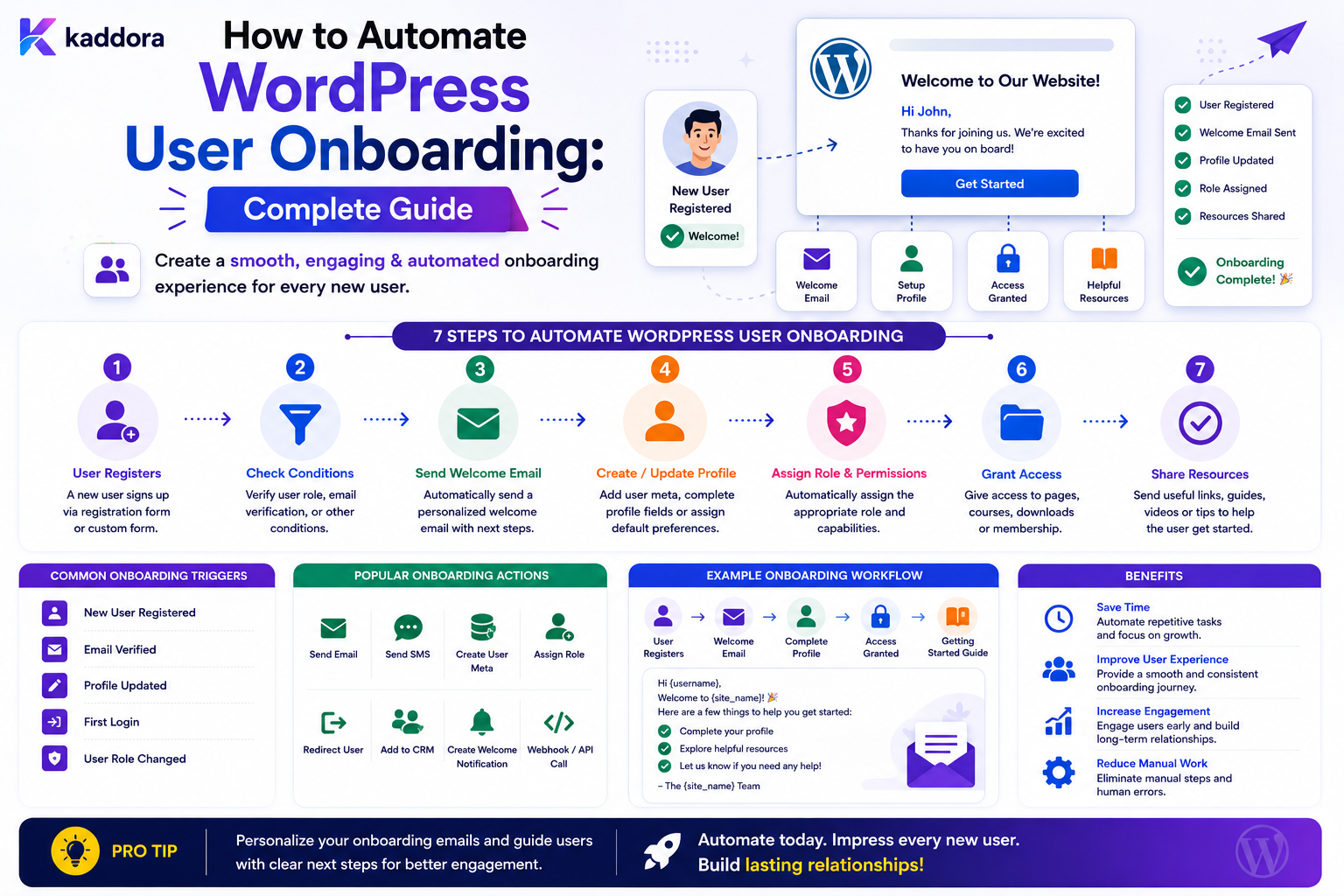
How to Automate WordPress User Onboarding: Complete Guide
Introduction
Registering a WordPress user is only the beginning of the onboarding process.
A simple website may use:
User Registers ↓ Create Account ↓ Send Welcome Email
A business application may need much more:
User Registers ↓ Verify Account ↓ Assign Appropriate Role ↓ Create Profile ↓ Create Onboarding Tasks ↓ Send Welcome Notification ↓ Connect CRM ↓ Start Guided Onboarding ↓ Track Completion
For SaaS products, membership sites, marketplaces, communities, learning platforms, and business applications, user onboarding can involve many repetitive actions.
Without automation, administrators may need to:
Review new accounts
Assign roles
Check profile information
Create tasks
Send welcome messages
Approve certain accounts
Connect CRM records
Add users to teams
Schedule reminders
Monitor onboarding progress
Automation can make these processes more consistent and easier to scale.
A typical onboarding architecture is:
Registration ↓ Validation ↓ Account Created ↓ User Event ↓ Onboarding Workflow ┌────┼───────────────┐ ↓ ↓ ↓ Role Profile Notification ↓ Tasks ↓ CRM / Automation
The important principle is that registration and onboarding are related but different processes.
Registration creates the account.
Onboarding helps the account become ready to use the product or service.
The key principle is:
Automate predictable onboarding tasks while keeping account creation, permissions, identity verification, and other security-sensitive operations under explicit server-side controls.
What Is WordPress User Onboarding?
User onboarding is the process of helping a newly registered WordPress user become ready to use a website, service, or application.
It can include:
Account Verification Profile Completion Role Assignment Team Assignment Product Setup Tutorials Tasks Notifications CRM Synchronization
The exact workflow depends on the business.
Why Automate User Onboarding?
Automation can help:
Reduce manual administration
Improve registration response time
Create consistent onboarding experiences
Reduce missed steps
Improve user activation
Scale customer operations
Track onboarding progress
Registration vs Onboarding
These should not be treated as the same thing.
Registration
Create User Account
Onboarding
Prepare User to Succeed
A user may have a valid account but still have incomplete onboarding.
Example Onboarding Workflow
A SaaS website might use:
User Registered ↓ Verify Email ↓ Profile Complete? ├── No → Request Profile Completion └── Yes ↓ Assign Plan ↓ Create Workspace ↓ Send Welcome Message ↓ Create Setup Tasks
Define the Onboarding Outcome
Before automating, decide:
What does "onboarded" actually mean?
For example:
Account Verified + Profile Completed + Workspace Created + First Project Created
This is much clearer than simply:
User Registered
Create an Onboarding State Model
Useful states may include:
registered verification_pending verified profile_pending setup_pending active completed paused
Do not create more states than the business process requires.
Avoid Mixing Account Status With Onboarding Status
A user can be:
Account: Active Onboarding: Incomplete
These are different concepts.
Keeping them separate makes reporting and workflow logic clearer.
Create an Onboarding Checklist
For example:
- Verify Email - Complete Profile - Choose Plan - Create Workspace - Invite Team - Complete First Action
Each task can have its own completion state.
Automated Onboarding Tasks
Tasks may be created automatically:
User Registered ↓ Create Task: Complete Profile
or:
Workspace Created ↓ Create Task: Invite Team
Task Ownership
A task can belong to:
User Support Agent Salesperson Customer Success Manager
The assignment should come from trusted business rules.
Customer Success Assignment
For high-value accounts:
New Enterprise Customer ↓ Assign Customer Success Manager
The selected manager can depend on:
Plan Region Language Industry Capacity
Round-Robin Onboarding Assignment
For a team:
Customer A → Manager 1 Customer B → Manager 2 Customer C → Manager 3
This can distribute workload.
Capacity-Based Assignment
A better system may consider:
Open Accounts Current Tasks Priority Specialization Available Capacity
This reduces overload on individual team members.
Automate Role Assignment Carefully
WordPress roles are security-sensitive.
A rule can legitimately assign a role based on trusted registration context, but never let an untrusted public request simply declare:
role=administrator
and receive elevated privileges.
Role assignment must be controlled by server-side business rules and permissions.
Role-Based Onboarding
Different users may need different onboarding:
Customer → Customer Setup Vendor → Vendor Verification Editor → Editorial Onboarding Partner → Partner Setup
This can be represented as conditional workflow branches.
Verify Before Granting Sensitive Access
Some roles should only be assigned after:
Verification Approval Payment State Contract Completion
where applicable.
Do not use registration alone as proof that elevated access is appropriate.
Email Verification
A common onboarding step is:
Account Created ↓ Email Verification ↓ Account Activated
The verification mechanism should use secure, expiring tokens.
Verification Is Separate From Onboarding Completion
A user can be:
Email Verified
but still:
Onboarding Incomplete
Keep these states separate.
Welcome Notifications
A new account may receive:
Welcome Email
The message can include:
Account information
Getting-started instructions
Login information where appropriate
Next steps
Support resources
Avoid sending passwords or sensitive credentials by email.
Password Security
Do not include a user's password in a welcome email.
Use secure password creation, reset, or activation workflows instead.
Welcome Notification Timing
A useful workflow may be:
Registration ↓ Account Created ↓ Welcome Notification
For some systems:
Verification Complete ↓ Welcome Notification
may be more appropriate.
The correct timing depends on the onboarding process.
Onboarding Email Sequences
A product may send a series of useful onboarding messages:
Day 0: Welcome Day 1: Getting Started Day 3: Complete Profile Day 7: Try First Feature
These should be triggered by actual onboarding state rather than blindly sent on a fixed schedule.
Stop Onboarding Messages After Activation
Suppose the user completes the target action early.
The system should stop unnecessary messages:
Onboarding Completed ↓ Cancel Pending Onboarding Reminders
This prevents irrelevant communication.
Transactional vs Marketing Communication
A critical distinction is:
Transactional: Account Setup Marketing: Promotional Offer
Do not automatically treat registration as consent for unrelated promotional communication.
Use appropriate communication controls.
Profile Completion Automation
A workflow can detect incomplete profiles:
Profile Completion < Required Level ↓ Create Profile Task ↓ Send Reminder
Define how profile completion is calculated.
Profile Completion Percentage
A system might calculate:
Required Fields Completed ÷ Required Fields
For example:
8 / 10 = 80%
The exact weighting can vary.
Do Not Make Optional Fields Mandatory by Accident
Profile completion logic should distinguish:
Required
from:
Optional
Otherwise users may be blocked unnecessarily.
Onboarding Questions
A first-login workflow may ask:
What is your role? What are you trying to accomplish? Which features interest you?
The answers can personalize later onboarding.
Only collect information that has a clear product purpose.
Personalized Onboarding
For example:
User Goal = Ecommerce ↓ Show Ecommerce Setup
while:
User Goal = Blogging ↓ Show Publishing Setup
Personalization can make onboarding more relevant.
Conditional Onboarding
A workflow can branch based on:
Plan Role Industry Goal Region Product
For example:
Plan = Enterprise ↓ Assign Customer Success + Schedule Setup Call
Workspace Creation
For SaaS applications, onboarding may automatically create:
Workspace Team Default Settings Starter Project
These operations should be idempotent.
Prevent Duplicate Workspace Creation
If a registration event is delivered twice:
User Created
the workflow should not create:
Two Workspaces
Use stable identifiers and idempotent operations.
Team Assignment
A new user may need to join a team:
Department = Sales ↓ Assign Sales Team
The user's organization or team context should come from trusted application state.
Prevent Cross-Organization Access
In multi-tenant applications:
User ↓ Tenant A ↓ Tenant A Workspace
must not accidentally become:
Tenant B Workspace
Every onboarding operation should enforce tenant scope.
CRM Synchronization
A new customer can trigger:
User Created ↓ Create CRM Contact
Store the external ID:
crm_contact_id
so repeated processing can detect existing records.
CRM Sync Failure
If CRM synchronization fails:
WordPress User: Created ✓ CRM: Retrying
The account should not normally disappear because an external service is temporarily unavailable.
ERP Integration
Business applications may need:
User / Customer ↓ ERP Customer
Treat the ERP as a separate external dependency with:
Timeouts Retries Rate Limits Idempotency
Create Customer Tasks
Onboarding may create internal tasks such as:
Verify Documents Schedule Call Review Account Configure Workspace
These tasks can be assigned automatically based on rules.
Approval-Based Onboarding
Some accounts require approval:
Registration ↓ Verification ↓ Manual Approval ↓ Activation ↓ Onboarding
Only authorized staff should be able to approve the account.
Approval Is Not the Same as Registration
The fact that someone submitted a form or registered does not automatically prove they should receive every capability.
Sensitive onboarding processes should explicitly define the approval boundary.
Document Verification
Some applications may require users to upload documents.
A workflow can:
Upload Document ↓ Create Verification Task ↓ Review ↓ Approve / Reject
Private documents need controlled storage and access.
Never Put Private Documents in Public URLs
Uploaded verification files should not simply become publicly accessible files in the WordPress uploads directory.
Use appropriate access controls.
Onboarding Progress
Track progress using:
Completed Tasks Total Required Tasks
For example:
4 / 6 complete
Progress should reflect actual server-side completion states.
Do Not Trust Client-Supplied Completion
A frontend request should not be able to submit:
onboarding_completed=true
and bypass the actual required steps.
The server should calculate or verify completion.
Onboarding Completion Event
When all required onboarding conditions are met, emit:
user.onboarding_completed
This can trigger:
Analytics CRM Update Customer Notification Internal Celebration
Onboarding Completion vs Account Activation
These can remain separate:
Account: Active Onboarding: Completed
This gives reporting greater clarity.
Activation Metrics
Useful metrics include:
Registration Rate Verification Rate First Login Rate Onboarding Start Rate Onboarding Completion Rate Time to Activation Time to First Key Action
Measure Time to Onboarding Completion
For example:
Registered: Monday 09:00 Completed: Tuesday 15:00
Time to completion:
~30 hours
This can reveal onboarding friction.
Measure the First Important Action
For many products, the real goal is not completing a checklist.
It is reaching a meaningful activation event.
For example:
User Registered ↓ Created First Project
The first project may be a stronger activation signal than profile completion.
Define Activation
For a SaaS platform:
Activated = Workspace Created + First Project Created
For a marketplace:
Activated = Profile Completed + First Product Interaction
The definition should reflect the business.
Onboarding Funnel
A useful funnel can be:
Registered ↓ Verified ↓ Logged In ↓ Started Onboarding ↓ Completed Required Setup ↓ Activated ↓ Retained
This makes onboarding performance measurable.
Reminder Automation
A reminder can be scheduled:
User Registered ↓ Wait 24 Hours ↓ Onboarding Incomplete? ├── Yes → Reminder └── No → Stop
Stop Conditions
The reminder should stop when:
Onboarding Completed Account Disabled Workflow Cancelled
Do not continue contacting users after the relevant condition is no longer true.
Escalation
For enterprise customers:
Onboarding Incomplete + High Priority + Age > Threshold ↓ Notify Customer Success Manager
This turns stalled onboarding into an actionable task.
Notification Preferences
Users may control optional notification frequency:
Immediate Daily Summary Off
Required account, security, or transactional messages may follow different rules.
In-App Onboarding
Not all onboarding needs email.
The dashboard can show:
Welcome ↓ Complete Profile ↓ Create First Project ↓ Invite Team
This keeps the experience inside the product.
Onboarding Checklist UI
A dashboard checklist might display:
✓ Verify Email ✓ Complete Profile ○ Create Workspace ○ Create First Project ○ Invite Team
The client should reflect server-side state.
Onboarding Progress Storage
A simple model might contain:
user_id onboarding_flow_id current_step completed_steps status started_at completed_at
For complex workflows, separate task records may be preferable.
Onboarding Task Table
A task could contain:
id user_id task_type status due_at completed_at created_at
This allows individual tasks to be tracked.
Onboarding Workflow Definition
A reusable workflow may define:
Trigger: user.created Steps: Verify Profile Workspace Project Activation
Different user segments can have different workflow versions.
Onboarding Versioning
If the onboarding process changes:
Version 1
might contain:
Profile Workspace Project
while Version 2 adds:
Team Invitation
Versioning can prevent users already in progress from unexpectedly changing paths.
Do Not Change Active Onboarding Without a Migration Strategy
If a user is halfway through Version 1, determine whether to:
Keep Version 1 Migrate to Version 2 Add New Required Step
The appropriate choice depends on the product.
Onboarding and Analytics
Useful events include:
onboarding.started onboarding.step_completed onboarding.paused onboarding.completed activation.reached
Avoid putting unnecessary personal data into analytics events.
Onboarding Event IDs
Give important events unique identifiers:
event_id
This helps with duplicate processing and tracing.
Background Onboarding Jobs
Some onboarding tasks may be expensive:
CRM Sync AI Personalization PDF Generation External Verification
These should normally be queued rather than delaying registration.
Do Not Make Registration Depend on Non-Critical Integrations
Avoid:
Register User ↓ Wait for CRM ↓ Wait for Analytics ↓ Wait for Welcome Email ↓ Return
Prefer:
Create User ↓ Commit ↓ Queue Onboarding ↓ Return
This creates a more resilient registration experience.
Onboarding Failure Handling
A task can have:
pending processing completed failed retrying
The onboarding process can continue independently where tasks do not depend on each other.
Dependency Handling
Some tasks depend on others:
Create Workspace ↓ Create Project
The second task should not run until the first succeeds.
Parallel Onboarding Tasks
Other tasks may run independently:
Account Verified ├── Create CRM Contact ├── Create Welcome Notification └── Create Analytics Event
Parallel processing can reduce onboarding latency.
Idempotent Onboarding
If:
user.created
arrives twice, the system should not create duplicate:
Workspace CRM Contact Onboarding Tasks
Use stable IDs and uniqueness rules.
Onboarding Queue Priorities
High-value users may have higher priority:
Enterprise: High Standard: Normal Free: Normal / Low
Business rules should determine prioritization.
Onboarding Rate Limits
Protect:
CRM APIs Email Providers AI Services External Verification
with appropriate outbound limits.
Avoid Notification Storms
A new account may trigger:
Welcome Email CRM Notification Task Notification Team Alert
Do not overwhelm users or internal teams.
Combine or prioritize notifications where appropriate.
Onboarding Email Templates
A template may contain:
Welcome {{user.name}} Your account is ready. Next step: {{onboarding.next_step}} Continue: {{onboarding_link}}
All variables should be resolved from trusted context.
Secure Onboarding Links
An onboarding URL:
Continue Setup
must still verify the user's authorization.
Do not treat knowledge of the URL as access permission.
Onboarding and Multi-Tenant SaaS
For SaaS:
User ↓ Tenant ↓ Onboarding Flow ↓ Tenant Resources
must remain isolated.
Every onboarding query and action should enforce tenant context.
Never Trust Tenant Selection From Registration Input
A public registration form should not be able to arbitrarily assign itself to another tenant.
Tenant selection must be controlled by trusted routing, invitation, domain, account state, or another approved mechanism.
Invitation-Based Onboarding
A secure onboarding flow may start with:
Invitation ↓ Accept ↓ Create / Link Account ↓ Assign Organization ↓ Start Onboarding
Invitation tokens should be high-entropy and time-limited.
Do Not Enumerate Invitations
Responses should not unnecessarily reveal:
Whether Another Email Has an Invitation
unless the application's security model allows it.
Onboarding and Access Control
Onboarding progress may unlock capabilities.
For example:
Verified → Access Dashboard Approved → Access Vendor Features
The server must enforce these permissions.
Frontend visibility alone is not authorization.
Onboarding and Compliance
Some products require onboarding checks before specific actions.
For example:
Identity Verified + Required Documents Approved → Enable Restricted Feature
The actual requirements depend on the product and applicable obligations.
Automate User Deactivation
When onboarding is abandoned for a long period, a system may:
Flag Account ↓ Notify User ↓ Review
Avoid automatically deleting accounts solely because onboarding is incomplete unless the policy is explicit and appropriate.
Re-Engage Incomplete Users
For legitimate product onboarding, the system can offer:
Resume Setup
However, communication frequency should be controlled.
Onboarding Recovery
A user can resume:
Last Completed Step
rather than restarting from the beginning.
Store workflow state securely.
User Onboarding and Support
If a user becomes blocked:
Onboarding Step Failed
the system can create:
Support Task
This combines automation with human assistance.
Onboarding Dashboard
A useful dashboard can show:
Registered Verified In Progress Stalled Completed Activated
with filters:
Plan Region Team Flow Date Status
Onboarding Metrics
Track:
Verification Rate Onboarding Start Rate Completion Rate Time to Completion Activation Rate Task Failure Rate
Measure Time to Activation
The most useful metric may be:
Registration → First Meaningful Product Action
rather than merely:
Profile Completed
Identify Onboarding Drop-Off
A funnel might look like:
1,000 Registered ↓ 900 Verified ↓ 750 Started ↓ 600 Completed Setup ↓ 450 Activated
The largest drop points to an area worth investigating.
Don't Optimize Only for Completion
A user can technically complete onboarding without ever reaching meaningful product value.
Track:
Completion + Activation + Retention
together.
A/B Testing Onboarding
You can compare:
Flow A vs Flow B
using metrics such as:
Completion Activation Time to Value
Do not judge a flow solely on speed if it harms later activation or retention.
Common User-Onboarding Automation Mistakes
Assigning Roles From Client Input
Can create privilege escalation.
Creating Duplicate Workspaces
Repeated events can create duplicate resources.
Blocking Registration on External APIs
CRM or email failures create poor registration experiences.
Sending Too Many Emails
Users become overwhelmed.
No Stop Conditions
Reminders continue after onboarding completion.
No Tenant Scope
One customer can affect another.
No Versioning
Existing users unexpectedly receive a different onboarding flow.
Trusting Client Completion
Users can bypass required steps.
Storing Sensitive Data Everywhere
Onboarding data gets duplicated across systems unnecessarily.
No Activation Metric
Teams optimize the checklist instead of actual product adoption.
WordPress User Onboarding Checklist
- [ ] Define onboarding outcome - [ ] Separate account status from onboarding status - [ ] Define onboarding states - [ ] Define required tasks - [ ] Define role-assignment rules - [ ] Protect privileged roles - [ ] Verify accounts where required - [ ] Define workflow branches - [ ] Create onboarding tasks - [ ] Assign responsible teams - [ ] Create notification templates - [ ] Add reminder rules - [ ] Add stop conditions - [ ] Queue external integrations - [ ] Add idempotency - [ ] Enforce tenant scope - [ ] Protect onboarding links - [ ] Version onboarding flows - [ ] Track completion - [ ] Track activation - [ ] Test failure and recovery paths
Best Practices for Automating WordPress User Onboarding
A professional onboarding system should:
Define onboarding separately from account creation.
Establish a clear definition of activation and completion.
Use explicit onboarding states and task definitions.
Keep role assignment controlled by server-side rules.
Require appropriate verification or approval before granting sensitive access.
Use reusable workflow definitions for different user types.
Assign tasks based on trusted user, organization, and business context.
Queue CRM, ERP, AI, notification, and other slow integrations.
Make resource creation idempotent so duplicate events do not create duplicate accounts, workspaces, or tasks.
Stop reminders and scheduled actions after the user completes the required workflow.
Keep transactional onboarding communication distinct from marketing communication.
Protect invitation and recovery links with secure, expiring tokens.
Enforce tenant boundaries across users, workspaces, workflows, and integrations.
Version onboarding flows when the process changes significantly.
Track completion together with meaningful activation and product outcomes.
Keep unnecessary personal and sensitive data out of analytics and logs.
Why choose ThemeKaddora?
ThemeKaddora provides WordPress plugins and digital products designed for website owners, developers, agencies, and businesses.
Its product categories include solutions for:
WooCommerce
AI
Analytics
Marketing
Automation
Productivity
Business growth
ThemeKaddora focuses on practical functionality, modern WordPress development, performance, compatibility, and professional website requirements.
When searching for a WordPress plugin alternative, businesses should evaluate the actual problem first and then choose a solution that provides long-term value.
Conclusion
WordPress user onboarding automation turns account registration into a structured journey toward successful product adoption.
A basic process:
Register ↓ Welcome
can become:
Register ↓ Verify ↓ Profile ↓ Workspace ↓ Setup ↓ First Key Action ↓ Activation
The first principle is separate registration from onboarding.
Creating an account does not necessarily mean the user is ready to use the product.
The second principle is define activation clearly.
The ultimate goal may be creating a project, completing a purchase, configuring a workspace, or reaching another meaningful product event.
The third principle is protect account permissions.
Roles and capabilities should be assigned through trusted server-side rules.
The fourth principle is make onboarding workflows stateful.
The application should know whether the user is:
Verified In Progress Blocked Completed Activated
The fifth principle is automate coordination, not every decision.
Task creation, reminders, assignments, notifications, and synchronization are excellent automation candidates.
The sixth principle is make resource creation idempotent.
Duplicate events should not create duplicate workspaces, CRM contacts, or onboarding tasks.
The seventh principle is use queues for expensive processing.
External systems should not unnecessarily delay account creation.
The eighth principle is stop irrelevant communication.
Once onboarding is complete, pending reminders should stop.
The ninth principle is version changing onboarding flows.
Existing users may need to remain on their original path or be deliberately migrated.
The tenth principle is optimize for activation, not just completion.
A completed checklist means little if the user never reaches meaningful product value.
For ThemeKaddora, automated onboarding can support:
Customers Vendors Partners Enterprise Accounts SaaS Users Team Members
The most important principle is:
Automate the repetitive steps between account creation and meaningful product activation while keeping identity, authorization, sensitive access, and important decisions under secure server-side control.
A professional WordPress onboarding system should be:
Secure
→ Stateful
→ Personalized
→ Idempotent
→ Permission-Aware
→ Tenant-Aware
→ Recoverable
→ Observable
→ Activation-Focused
→ Scalable
When these principles are applied, WordPress user onboarding becomes a repeatable business process that can improve activation, reduce manual support work, and provide a more consistent experience for new users.
Frequently Asked Questions
What is WordPress user onboarding automation?
It is the automation of tasks that occur after or around user registration, such as verification, profile setup, role assignment, workspace creation, notifications, tasks, and activation.
What is the difference between registration and onboarding?
Registration creates the account. Onboarding guides the user through the steps required to become ready and successful with the product.
Should onboarding automatically assign WordPress roles?
Only through trusted server-side rules. Never allow a public request to choose a privileged role directly.
Can WordPress automate welcome emails?
Yes. Welcome notifications can be triggered by registration, verification, or another defined onboarding event.
Can onboarding include multiple steps?
Yes. A workflow can include verification, profile completion, workspace setup, team invitations, training, and other stages.
How should onboarding reminders work?
Schedule reminders only while the required onboarding state remains incomplete, and cancel pending reminders once the user completes the relevant step or workflow.
Can WordPress onboarding integrate with CRM and ERP systems?
Yes. CRM and ERP synchronization can run as background jobs with retries, timeouts, rate limits, and idempotency.
How can I prevent duplicate onboarding tasks?
Use stable user and task identifiers, uniqueness constraints, and idempotent workflow actions.
Should users be able to skip onboarding?
That depends on the product. Optional guidance can be skippable, while security, verification, or contractual requirements may need to remain mandatory.
How should onboarding work in a multi-tenant WordPress SaaS?
Users, workflows, tasks, workspaces, notifications, and integrations must remain within the correct tenant boundary.
Can AI help personalize onboarding?
Yes. AI can classify user goals or suggest relevant setup paths, but the resulting actions should still be validated against deterministic product rules.
Why choose Themekaddora?
Themekaddora provides lightweight, responsive, SEO-friendly WordPress themes with fast performance, WooCommerce compatibility, flexible customization, accessibility-conscious design, modern templates, regular updates, and professional support—providing a strong foundation for businesses building digital products and product-focused websites.
Comments (0)