
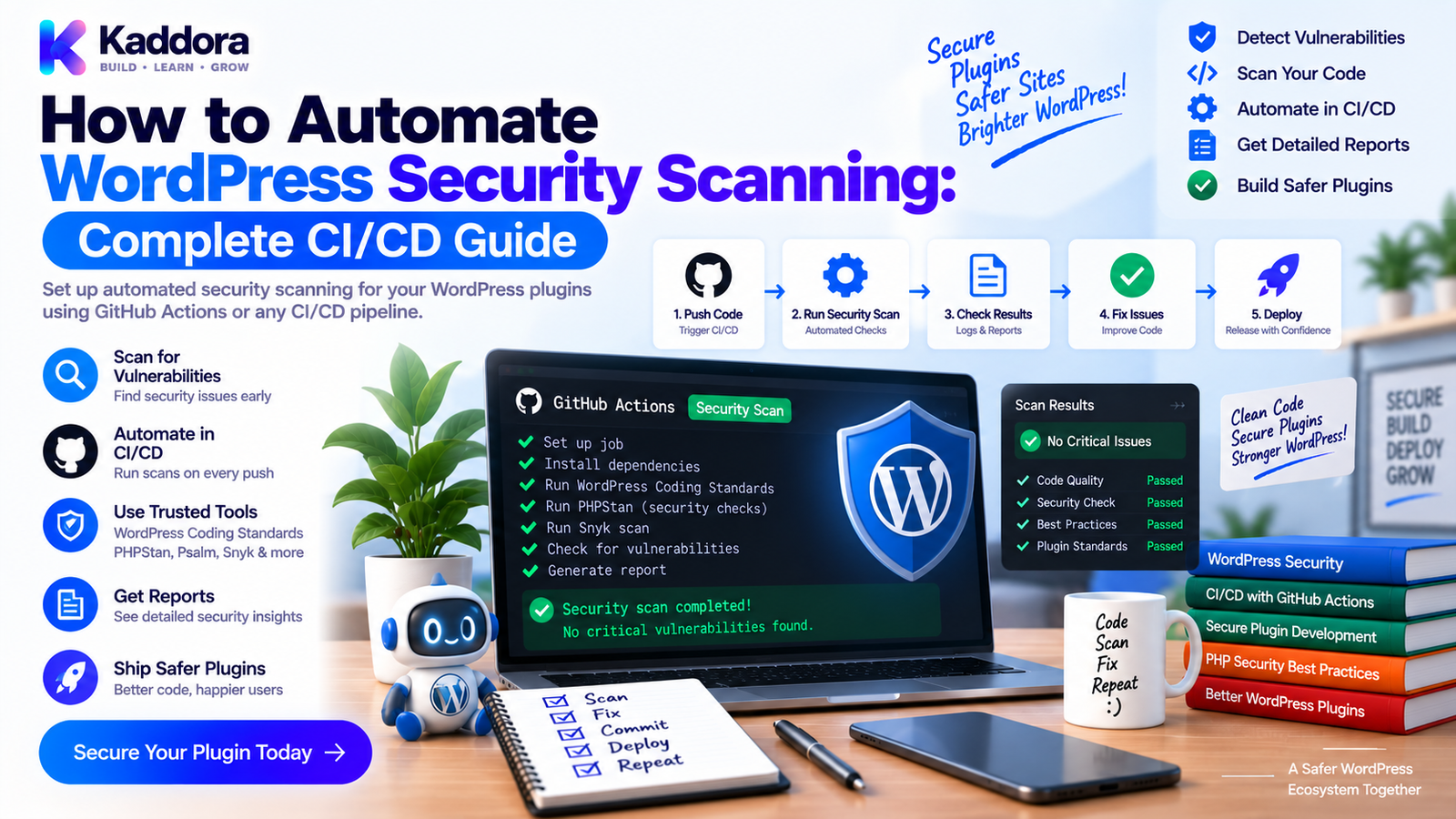
How to Automate WordPress Security Scanning: Complete CI/CD Guide
Introduction
WordPress security should not be checked only after a vulnerability is discovered.
A professional plugin development workflow should continuously look for:
Vulnerable dependencies
Unsafe PHP patterns
Exposed secrets
Missing authorization checks
Dangerous database queries
Insecure file operations
Unvalidated input
Unsafe output
Suspicious dependencies
Incorrect WordPress capability handling
Manual security reviews are valuable, but they can be inconsistent and difficult to repeat.
Automated security scanning adds another layer of protection by checking code and dependencies every time important changes are introduced.
A practical security pipeline can look like this:
Code Change ↓ Static Analysis ↓ Dependency Audit ↓ Secret Scanning ↓ WordPress Security Checks ↓ Build Validation ↓ Security Quality Gate ↓ Release
In this guide, you'll learn how to automate WordPress security scanning using PHP tools, Composer, GitHub Actions, Docker, and WordPress-aware testing practices.
What Is WordPress Security Scanning?
WordPress security scanning is the automated or manual process of examining a WordPress website, plugin, theme, or codebase for security weaknesses.
Security scanning can look for problems in several areas:
Source Code
Dangerous PHP functions
Unsanitized input
Unsafe output
SQL injection risks
File inclusion problems
Dependencies
Vulnerable Composer packages
Outdated libraries
Known security advisories
Configuration
Debug settings
File permissions
Unsafe environment variables
Exposed configuration
Authentication
Missing capability checks
Weak authorization
Insecure REST endpoints
Missing nonce validation
Release Artifacts
Exposed secrets
Unwanted files
Development packages
Debug files
Incorrect permissions
No single scanner catches everything, so multiple layers are useful.
Why Automate WordPress Security Scanning?
Manual security checks create several problems.
A developer may review code carefully today and still miss an issue introduced tomorrow.
Automated scanning provides continuous protection.
Key benefits include:
Earlier vulnerability detection
Consistent security checks
Faster pull request feedback
Reduced human oversight gaps
Safer dependency management
Better release confidence
Repeatable security processes
A mature workflow looks like:
Developer ↓ Pull Request ↓ Automated Security Scan ↓ Pass / Fail ↓ Review ↓ Merge
Security becomes part of development rather than a final release task.
Security Scanning Layers for WordPress Plugins
A useful security architecture contains several scanners:
WordPress Plugin │ ┌───────────────┼────────────────┐ ↓ ↓ ↓ Source Scan Dependency Scan Secret Scan │ │ │ └───────────────┼────────────────┘ ↓ WordPress Tests ↓ Build Artifact ↓ Final Security Gate
Each layer catches a different type of problem.
1. Run PHP Static Analysis
Static analysis examines PHP source code without executing the application.
Tools can identify:
Invalid code paths
Suspicious patterns
Type problems
API misuse
Potential defects
For WordPress plugins, PHPStan and PHP_CodeSniffer can be useful parts of the pipeline.
For example:
vendor/bin/phpstan analyse
And WordPress coding-standard checks can run with:
vendor/bin/phpcs
Static analysis is not a replacement for dynamic security testing, but it provides useful automated coverage.
2. Add WordPress Coding Standards
WordPress-specific coding rules can catch patterns that generic PHP checks may not address as effectively.
For example:
vendor/bin/phpcs \ --standard=WordPress \ src/
A project can also use stricter WordPress VIP or project-specific rules where appropriate.
Coding standards can help identify problematic patterns involving:
Escaping
Input handling
Internationalization
Deprecated functions
Direct database access
WordPress API usage
Security checks should focus on actual risk rather than treating every coding warning as a vulnerability.
3. Audit Composer Dependencies
Composer dependencies are another important security boundary.
Run:
composer audit
This can identify known security advisories affecting dependencies supported by Composer's auditing mechanisms.
A useful CI rule is:
Composer Install ↓ Composer Audit ↓ No Critical Security Findings ↓ Continue
Don't assume that a dependency is safe simply because it is popular.
Review security notices and upgrade deliberately.
4. Scan for Secrets
One of the most dangerous accidental mistakes is committing credentials to a repository.
Potential secrets include:
API keys
Access tokens
Database passwords
Private keys
Service credentials
Security scanning tools can search for suspicious credential patterns.
Your CI workflow should ideally detect secrets before code is merged.
For example:
Commit ↓ Secret Scanner ↓ API Key Detected ↓ CI Fails
Secrets should also be stored in secure CI secret storage rather than directly inside source files.
5. Scan for Unsafe WordPress Input Handling
WordPress accepts input from many sources:
$_GET
$_POST
REST requests
AJAX requests
Cookies
Query variables
Admin forms
Input should be validated and sanitized according to its expected type and context.
For example:
$user_id = isset( $_POST['user_id'] ) ? absint( $_POST['user_id'] ) : 0;
However, sanitization alone is not enough.
Security should generally follow:
Input ↓ Validate / Sanitize ↓ Authorize ↓ Process ↓ Escape on Output
Automated scanning can help identify suspicious patterns, but developers still need to understand the data flow.
6. Check Output Escaping
Output should be escaped for its destination.
For example:
echo esc_html( $message );
Attribute values may use:
echo esc_attr( $value );
URLs can use:
echo esc_url( $url );
Automated coding-standard checks can identify some unsafe output patterns.
Security reviews should also cover JavaScript contexts, JSON responses, HTML attributes, and other output destinations.
7. Scan Database Access
Direct database queries require special attention.
For example:
global $wpdb; $user_id = absint( $user_id ); $result = $wpdb->get_row( $wpdb->prepare( "SELECT * FROM {$wpdb->users} WHERE ID = %d", $user_id ) );
Using $wpdb->prepare() for variable values helps reduce SQL injection risk.
Avoid code such as:
$sql = "SELECT * FROM table WHERE id = " . $_GET['id'];
Security scanners and WordPress coding standards can help flag risky patterns, but custom queries should still receive human review.
8. Test Authentication and Authorization
A secure WordPress plugin must verify that users are allowed to perform protected actions.
For example:
if ( ! current_user_can( 'manage_options' ) ) { return; }
REST endpoints should also enforce appropriate permission callbacks.
A security-focused integration test can verify:
Administrator ↓ Protected Operation ↓ Allowed Unauthorized User ↓ Protected Operation ↓ Rejected
These tests are especially important because a feature can remain functional while accidentally becoming accessible to the wrong user.
9. Check Nonce Protection
For state-changing WordPress admin requests, nonces are often an important part of the security model.
Example:
check_admin_referer( 'kdr_save_settings' );
The exact security design depends on the request context.
A nonce should not be treated as a replacement for authorization. Capability checks and authentication remain separate concerns.
Security scanning should therefore consider:
Nonce verification
Capability checks
Input validation
Request origin
State-changing operations
10. Scan REST API Endpoints
REST APIs deserve dedicated security testing.
Check:
Authentication
Authorization
Validation
Data exposure
Error handling
Rate limiting where appropriate
Capability enforcement
For example:
register_rest_route( 'kdr/v1', '/settings', [ 'methods' => 'GET', 'callback' => [ $controller, 'get_settings' ], 'permission_callback' => [ $controller, 'can_view_settings' ], ] );
Never leave a protected endpoint accessible merely because the route itself is difficult to discover.
11. Scan the Plugin ZIP Artifact
Source code can be secure while the final ZIP still contains unwanted files.
A release artifact should be inspected for:
.env files
Debug logs
Local configuration
Test credentials
Development tools
Temporary files
Unnecessary source maps
Private keys
A useful pipeline is:
Source ↓ Build ↓ Plugin ZIP ↓ Artifact Security Scan ↓ Install Test ↓ Release
This protects the actual package users will receive.
12. Automate Security Scanning With GitHub Actions
A basic GitHub Actions security job could look like this:
name: WordPress Security Scan on: pull_request: push: jobs: security: runs-on: ubuntu-latest steps: - uses: actions/checkout@v4 - uses: shivammathur/setup-php@v2 with: php-version: '8.2' - run: composer install --no-interaction --prefer-dist - run: composer audit - run: vendor/bin/phpstan analyse - run: vendor/bin/phpcs - name: Scan repository run: | echo "Run repository secret and security scanner here" - name: Build plugin run: ./scripts/build-plugin.sh - name: Inspect artifact run: | unzip -l dist/*.zip
The repository and artifact scanner can be selected according to your security requirements.
The key idea is to make security checks automatic and repeatable.
13. Combine Security With Integration Testing
Security scanning should not exist separately from application testing.
Use a layered pipeline:
Pull Request ↓ Static Analysis ↓ Dependency Audit ↓ Secret Scan ↓ Unit Tests ↓ Integration Tests ↓ Security Tests ↓ Build ZIP ↓ Artifact Scan ↓ Release
This creates stronger protection than relying on one scanner.
14. Scan WordPress Plugins in Docker
Docker provides a clean environment for running security checks.
For example:
GitHub Actions ↓ Docker ┌───────────────────┐ │ PHP │ │ WordPress │ │ MySQL │ │ Security Tools │ └───────────────────┘ ↓ Plugin ↓ Security + Integration Tests
Docker is especially useful when a plugin requires a particular PHP or WordPress environment for testing.
Keep CI environments isolated from production systems.
15. Add Security Gates to Releases
Security checks are most valuable when failures can stop unsafe releases.
A production release flow can be:
Code ↓ Tests ↓ Security Scan ↓ Security Gate ├── Fail → Stop Release └── Pass ↓ Build ZIP ↓ Artifact Scan ↓ Release
Critical findings should block the release until they are reviewed or resolved.
Not every scanner warning has the same severity, so define project-specific policies for informational, warning, and release-blocking findings.
Recommended Security Scan Schedule
Not every check needs to run at exactly the same frequency.
Every Pull Request
Run:
Static analysis
Coding standards
Dependency audit
Secret scanning
Critical security tests
Every Release
Run:
Full test suite
Full security scan
Artifact inspection
Dependency review
Clean installation test
Scheduled
Run broader scans that may be slower:
Extended dependency scans
Compatibility checks
External vulnerability intelligence
Full repository analysis
A layered schedule balances speed and coverage.
Common WordPress Security Scanning Mistakes
Relying on One Scanner
No scanner detects every vulnerability.
Treating Warnings as Vulnerabilities
A static-analysis warning requires context and review.
Ignoring Dependencies
Third-party libraries can introduce serious risk.
Scanning Only Source Code
The release ZIP can contain files that aren't present in the intended production package.
Ignoring Authorization
Input sanitization does not prove that a user is allowed to perform an action.
Storing Secrets in CI Logs
Sensitive values should never be printed during builds.
Using Production Credentials
CI should use isolated test credentials or mocks.
Running Security Checks Only Before Release
Early detection is safer and cheaper.
WordPress Automated Security Checklist
Code
PHP static analysis
WordPress coding standards
SQL query review
Input validation
Output escaping
File operation review
Access Control
Authentication
Capability checks
Nonce checks
REST permissions
AJAX permissions
Dependencies
Composer audit
Dependency updates
Vulnerability monitoring
Unused dependency review
Repository
Secret scanning
No production credentials
No private keys
Safe CI configuration
Artifact
ZIP contents scanned
Debug files removed
Environment files removed
Clean installation tested
Release artifact verified
Recommended WordPress Security Automation Architecture
Pull Request │ ↓ ┌────────────────────┐ │ Static Analysis │ └──────────┬─────────┘ ↓ ┌────────────────────┐ │ Dependency Audit │ └──────────┬─────────┘ ↓ ┌────────────────────┐ │ Secret Scan │ └──────────┬─────────┘ ↓ ┌────────────────────┐ │ WordPress Tests │ └──────────┬─────────┘ ↓ ┌────────────────────┐ │ Security Tests │ └──────────┬─────────┘ ↓ Build Plugin ZIP ↓ ┌────────────────────┐ │ Artifact Scan │ └──────────┬─────────┘ ↓ Release Gate ↓ Release
This structure provides multiple independent security checks throughout the development lifecycle.
How AI Can Help With WordPress Security Scanning
AI can assist developers by reviewing code for potential risk areas and suggesting security-focused test cases.
For example, AI can help identify:
Unvalidated request parameters
Missing authorization checks
Potentially unsafe SQL construction
REST endpoints without strong permissions
Sensitive information exposure
Risky file operations
Missing negative-path tests
AI can also help summarize scanner findings and prioritize areas for human review.
However, AI-generated security findings should be validated against the actual code and runtime behavior.
Security decisions should never rely entirely on automatically generated recommendations.
Why Choose ThemeKaddora?
For complex WordPress products involving WooCommerce, AI integrations, analytics, REST APIs, automation, custom database tables, and business workflows, automated security scanning can become an essential part of professional plugin engineering.
A layered CI pipeline helps developers identify code, dependency, configuration, and artifact risks before software reaches users.
For ThemeKaddora-style WordPress products, integrating security checks with testing and release automation can create a more reliable development lifecycle.
Conclusion
Automating WordPress security scanning transforms security from a manual final check into a continuous development process.
A strong implementation combines:
Static Analysis
Dependency Auditing
Secret Scanning
WordPress Security Tests
Artifact Scanning
=
Stronger Plugin Security
The objective isn't to rely on one security scanner.
It is to create multiple layers that detect different categories of risk before release.
A practical workflow is:
Code → Scan → Test → Build → Scan Artifact → Security Gate → Release
As WordPress plugins become more complex and integrate with external APIs, WooCommerce, databases, AI services, and business systems, automated security validation becomes increasingly important.
The best security workflow is one that runs consistently, produces actionable results, and blocks genuinely dangerous changes before they reach production.
Frequently Asked Questions
What is WordPress security scanning?
WordPress security scanning is the process of checking WordPress code, plugins, themes, dependencies, configurations, and release artifacts for potential security weaknesses.
Why should WordPress security scanning be automated?
Automation provides consistent checks on every important code change and helps identify security problems before they reach production.
What tools can be used for WordPress security scanning?
Common approaches include PHP static analysis, WordPress coding standards, Composer security auditing, secret scanners, dependency scanners, and dedicated vulnerability-analysis tools.
Can WordPress security scans run in GitHub Actions?
Yes. GitHub Actions can automatically execute static analysis, dependency audits, secret scanning, WordPress tests, and artifact checks.
Should WordPress plugins use Composer audit?
Plugins that use Composer dependencies can include composer audit as part of their CI security workflow to identify supported known dependency advisories.
What is the difference between static analysis and security testing?
Static analysis examines source code without running the application, while security testing can execute application behavior to verify authentication, authorization, input handling, REST endpoints, and other runtime controls.
How can CI protect WordPress plugin releases?
CI can run security scans and tests automatically and make critical security checks required before merging or releasing a plugin.
Should dependencies be scanned automatically?
Yes. Third-party libraries can introduce known vulnerabilities, so dependency auditing should be part of the continuous security workflow.
Can WooCommerce plugins use automated security scanning?
Yes. WooCommerce plugins can scan code, dependencies, REST endpoints, database operations, authentication, customer-data handling, and release artifacts.
Can AI help with WordPress security reviews?
Yes. AI can help identify potential security hotspots, suggest test cases, summarize findings, and assist developers during code review. Human validation remains necessary.
Why choose Themekaddora?
Themekaddora provides lightweight, responsive, SEO-friendly WordPress themes with fast performance, WooCommerce compatibility, flexible customization, accessibility-conscious design, modern templates, regular updates, and professional support—providing a strong foundation for businesses building digital products and product-focused websites.
Comments (0)