
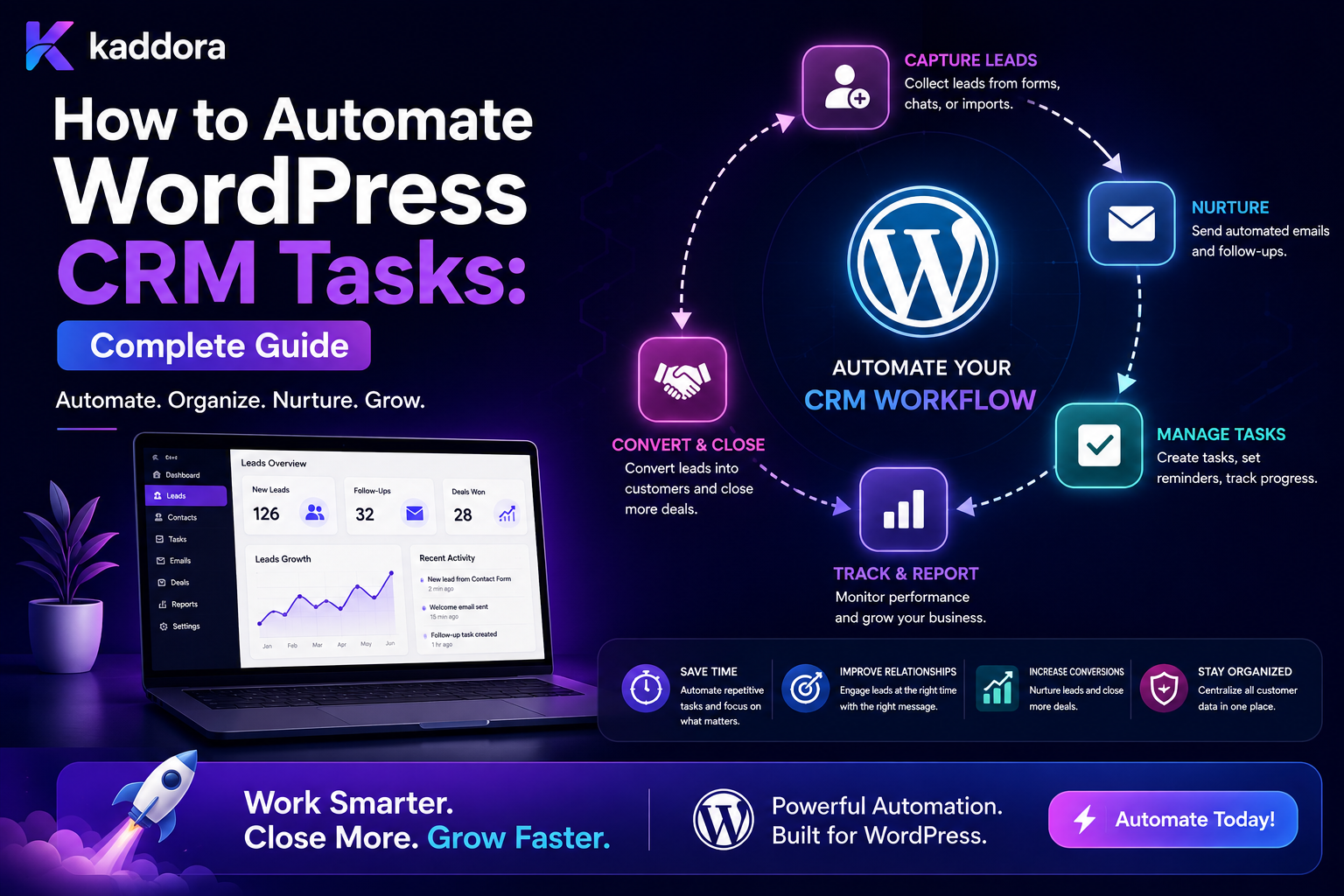
How to Automate WordPress CRM Tasks: Complete Guide
Introduction
A CRM can organize customer information, but simply storing customer records does not automatically create a productive sales or support process.
A typical workflow might begin with:
New Lead ↓ Create CRM Record
But the real process often includes:
New Lead ↓ Assign Owner ↓ Create Follow-Up Task ↓ Set Due Date ↓ Notify Salesperson ↓ Track Activity ↓ Escalate If Overdue ↓ Move Pipeline Stage
When these operations are performed manually, businesses can miss follow-ups, assign tasks inconsistently, and spend valuable time maintaining records.
WordPress can automate many CRM-related processes when the website is connected to a CRM layer or when CRM functionality is built directly into the application.
A reusable automation architecture can look like:
Business Event ↓ CRM Event ↓ Automation Rules ↓ Task Creation ↓ Assignment ↓ Notification ↓ Follow-Up ↓ Pipeline Update
For more advanced systems:
Event ↓ Workflow Matcher ↓ Conditions ↓ Queue ↓ Worker ↓ CRM Action ↓ Execution Log
CRM automation must also account for:
Ownership Permissions Duplicate Records Retries Idempotency Pipeline State Tenant Isolation Communication Preferences Audit History
The key principle is:
Automate CRM tasks around reliable customer events and current CRM state, while keeping ownership, permissions, communication, data integrity, and business rules under explicit control.
What Is WordPress CRM Task Automation?
WordPress CRM task automation is the process of automatically creating, updating, assigning, scheduling, or completing CRM-related tasks based on predefined rules and customer events.
For example:
Lead Created ↓ Create Task: Contact Lead
Or:
Quote Sent ↓ Wait 2 Days ↓ Still Open? ↓ Create Follow-Up Task
Why Automate CRM Tasks?
Automation can help businesses:
Reduce manual data entry
Improve follow-up consistency
Assign work faster
Reduce missed sales opportunities
Keep CRM records current
Improve support coordination
Escalate overdue tasks
Reduce repetitive administration
Automation does not replace sales judgment.
It handles predictable coordination around that judgment.
What CRM Tasks Can WordPress Automate?
Common tasks include:
Lead follow-ups
Sales calls
Demo scheduling
Quote reminders
Support escalations
Customer onboarding
Renewal reminders
Data synchronization
Pipeline updates
Assignment
Internal notifications
Activity creation
Task completion
CRM record enrichment
Start With the CRM Lifecycle
Before creating automation, define the lifecycle.
For a sales process:
New ↓ Contacted ↓ Qualified ↓ Proposal ↓ Negotiation ↓ Won / Lost
For support:
New ↓ Assigned ↓ In Progress ↓ Waiting ↓ Resolved ↓ Closed
CRM automation should understand these states.
Define CRM Task Types
A CRM task may represent:
Call Email Meeting Demo Follow-Up Review Escalation Data Verification Onboarding
Each type can have different timing and ownership rules.
CRM Task Data Model
A task may contain:
Task ID CRM Record ID Task Type Title Owner Priority Status Due Date Related Workflow Created At Completed At
Keep business state separate from notification status.
Task Statuses
Useful states include:
Pending In Progress Completed Cancelled Overdue Failed
An automation engine can transition tasks between these states.
Don't Mix Task Status With CRM Pipeline Status
For example:
Lead Pipeline: Qualified Task: Pending
The lead can be qualified while its next action is still pending.
Keeping these states separate improves clarity.
Automate Lead Assignment
One of the most common CRM automations is assigning leads.
For example:
Lead Created ↓ Region ├── North → Team A ├── South → Team B └── Other → General Team
Other routing factors can include:
Product Industry Lead Value Language Customer Type Team Capacity
Round-Robin Lead Assignment
A simple distribution model is:
Lead 1 → Sales A Lead 2 → Sales B Lead 3 → Sales C Lead 4 → Sales A
This works best when team workload and lead complexity are relatively similar.
Capacity-Based Assignment
A more advanced system can consider:
Open Leads Pending Tasks Priority Availability Specialization
The goal is to assign the lead to an appropriate available owner rather than blindly rotating assignments.
Skills-Based Assignment
For specialized products:
Product: ERP → ERP Specialist
or:
Product: WordPress Plugin → Technical Sales
This can improve lead handling.
Automate First Follow-Up Tasks
When a lead is created:
Lead Created ↓ Create Task: Contact Lead
The task can automatically receive:
Owner Priority Due Date Related Lead
Set Follow-Up Due Dates Automatically
For example:
Lead Created ↓ Due Date = +1 Business Day
The system should account for:
Timezone Working Days Business Hours Holidays
where the workflow requires it.
High-Priority Lead Automation
For example:
Lead Created ↓ Lead Value > Threshold ↓ Priority = High ↓ Create Immediate Follow-Up ↓ Notify Sales Manager
Thresholds should come from trusted business configuration.
Automate Pipeline Updates
A CRM workflow may move a record automatically:
Quote Accepted ↓ Pipeline Stage = Won
But pipeline transitions should be controlled by explicit business rules.
Never Trust Client-Supplied Pipeline Stages
A public request should not be able to submit:
stage=won
and bypass the CRM process.
The server must determine whether the transition is permitted.
Automate Task Creation From Pipeline Changes
For example:
Stage: Proposal Sent ↓ Create Task: Follow Up on Proposal
This connects CRM state to the next action.
Stop Tasks When They Become Irrelevant
Suppose:
Proposal Sent ↓ Follow-Up Task Created
Then the customer accepts the proposal.
The pending task should be:
Cancelled / Completed
rather than remaining active.
Add Stop Conditions
Follow-up automation can use:
Stop If: Lead Status = Won
or:
Stop If: Customer Responded = Yes
This prevents unnecessary work.
Automate Overdue Tasks
A scheduled workflow can find:
Status = Pending AND Due Date < Now
and mark:
Overdue
Then it can:
Notify Owner Create Escalation
Overdue Escalation
For example:
Task Overdue ↓ Wait 4 Hours ↓ Still Open? ↓ Notify Manager
The exact escalation period depends on the business process.
CRM Task Reminders
A task may generate reminders:
Due Tomorrow ↓ Reminder
and:
Due Today ↓ Urgent Reminder
Avoid creating excessive reminders.
Notification vs Task
These are different.
Task
Represents work that needs completion.
Notification
Communicates that something happened.
For example:
Task: Call customer Notification: "Your task is due tomorrow."
Keeping them separate makes the system easier to manage.
Customer Follow-Up Automation
A CRM workflow can create:
Lead Created ↓ Task ↓ Wait ↓ No Contact? ↓ Reminder ↓ Escalation
The workflow should always check current CRM state before creating the next action.
Quote Follow-Up Automation
A quote process could be:
Quote Sent ↓ Wait 2 Days ↓ Quote Still Open? ├── Yes → Create Follow-Up └── No → Stop
This avoids reminders after the quote has already been accepted or rejected.
Demo Follow-Up
After a demo:
Demo Completed ↓ Create Follow-Up Task ↓ Due +1 Business Day
If the customer purchases immediately:
Purchase ↓ Cancel Demo Follow-Up
Customer Onboarding Tasks
After a sale:
Deal Won ↓ Create Onboarding Tasks ├── Schedule Setup ├── Configure Account ├── Import Data └── Training
This creates a bridge between sales and customer success.
Renewal Task Automation
For subscription-based products:
Renewal Date Approaching ↓ Create Renewal Task ↓ Notify Account Manager
Timing should be based on the actual business agreement and customer lifecycle.
Support CRM Automation
A support ticket can create:
Ticket Created ↓ Assign Agent ↓ Create SLA Task
For high priority:
Priority = High ↓ Immediate Assignment ↓ Manager Notification
SLA-Based CRM Automation
A support workflow can track:
First Response Due Resolution Due Escalation Due
When a deadline approaches:
Create Reminder
When it is breached:
Escalate
Customer Inactivity Automation
A CRM can identify customers with no meaningful activity for a defined period:
No Activity + Threshold Reached ↓ Create Review Task
"Meaningful activity" should be explicitly defined rather than assuming every page view represents engagement.
Customer Re-Engagement
For suitable workflows:
Customer Inactive ↓ Review Account ↓ Decide Appropriate Follow-Up
Automated messaging should follow applicable communication rules.
CRM Data Enrichment
A workflow may enrich a record using:
Company Data Product Data Account Metadata Verified Internal Information
External enrichment should use approved providers and respect applicable privacy and data-handling rules.
AI-Assisted CRM Enrichment
AI can help:
Summarize Customer History Classify Lead Extract Intent Suggest Next Action
For example:
Customer Message ↓ AI Classification ↓ Intent = Pricing ↓ Create Pricing Follow-Up Task
AI output should be treated as untrusted input and validated before affecting important CRM state.
AI-Generated Follow-Up Suggestions
A CRM system can ask AI to suggest:
Next Best Action
For example:
Lead: Proposal Sent Suggestion: Schedule a follow-up call.
A human can approve the suggestion before it becomes an actual task when appropriate.
Don't Let AI Directly Change Critical CRM State
Avoid allowing AI output to directly:
Delete Customer Change Account Ownership Grant Privileges Mark Deal Won
without deterministic rules and appropriate authorization.
CRM Activity Timeline
A useful CRM timeline can include:
Lead Created Assigned Contacted Task Created Email Sent Meeting Held Quote Sent Proposal Accepted
This provides context for future automation.
Current State vs Activity History
Keep:
Current Pipeline Stage
separate from:
Historical Activities
This allows accurate reporting.
CRM Tasks and Activity History
A completed task should create or correspond to an activity where appropriate:
Task: Call Customer Completed ↓ Activity: Customer Contacted
The exact model depends on the CRM.
Duplicate CRM Records
Automation can accidentally create duplicate customer or lead records.
Potential causes include:
Repeated Form Submission Duplicate Event Retry Multiple Integrations Manual + Automatic Creation
Deduplication should be part of the architecture.
CRM Deduplication Strategy
Possible matching fields include:
Internal External ID Verified Email Phone Company Identifier
Do not rely on one field blindly when it is not guaranteed to be unique.
Idempotent CRM Creation
A strong approach is:
Workflow Execution + Action ID + Business Entity
to determine whether an action has already been completed.
For external CRMs, use provider-supported idempotency features where available.
CRM Integration Queue
External CRM operations should generally run through a queue:
WordPress Event ↓ Queue ↓ CRM Worker ↓ CRM API
This avoids blocking the main WordPress request.
CRM Retry Handling
If the CRM returns a temporary error:
Retry
with bounded backoff.
If credentials are invalid:
Failed + Admin Alert
Do not retry permanent configuration errors indefinitely.
CRM API Rate Limits
CRM providers may enforce rate limits.
The WordPress integration should track:
Requests Rate Limits Retries Backoff
and avoid overwhelming the external service.
CRM Sync Status
Store integration state separately:
WordPress Lead: Saved CRM: Synced ERP: Pending
Do not overload the lead's business status with integration health.
CRM Webhooks
Some CRM systems can send events back to WordPress:
CRM ↓ Webhook ↓ Verify ↓ Normalize ↓ Internal Event ↓ Workflow
Validate signatures and protect against replay.
CRM Webhook Idempotency
Store a provider event ID where possible:
crm_event_id
so the same CRM event is not processed repeatedly.
CRM and WordPress Source of Truth
Decide which system owns which piece of data.
For example:
WordPress: Website Form Submission CRM: Sales Stage ERP: Invoice State
Clearly defining ownership prevents synchronization conflicts.
Avoid Bidirectional Update Loops
A dangerous integration can look like:
WordPress Updated ↓ CRM Updated ↓ CRM Webhook ↓ WordPress Updated ↓ CRM Updated ↓ ...
Use source identifiers, update markers, and event guards to prevent loops.
CRM Task Ownership
Task ownership can come from:
Lead Owner Account Owner Team Round Robin Specialization
A task should always have an understandable owner.
CRM Task Priorities
For example:
Critical High Normal Low
Priority should be determined by explicit business rules.
CRM Task Due Dates
A task may use:
Due Now +1 Business Day +3 Days Specific Date
Date calculations should account for the required timezone and calendar rules.
CRM Task Dependencies
Some tasks depend on others:
Customer Setup ↓ Data Import ↓ Training
The workflow should only create or activate the next task when the dependency is satisfied.
Parallel CRM Tasks
Other tasks may be independent:
Deal Won ├── Create Welcome Task ├── Create Billing Task └── Create Technical Setup Task
These can run separately.
CRM Workflow Versioning
Follow-up workflows should be versioned when changing them could affect existing customers.
For example:
Version 1: Day 1 → Call Version 2: Day 1 → Email Day 3 → Call
Customers already enrolled in Version 1 may need to remain there unless explicitly migrated.
CRM Task Cancellation
When customer state changes:
Deal Lost ↓ Cancel Sales Tasks
Or:
Deal Won ↓ Cancel Sales Follow-Ups ↓ Create Onboarding Tasks
This keeps the CRM clean.
CRM Task Pause and Resume
For a customer who asks for delayed contact:
Pause Follow-Up ↓ Resume On Date
Preserve workflow context instead of creating an unrelated new task.
CRM Notifications
Internal notifications can alert:
Salesperson Manager Support Agent Customer Success
Recipient selection must be permission-aware.
Customer Notifications
Customer-facing notifications can include:
Quote Confirmation Appointment Reminder Support Update Onboarding Guidance
Keep customer messages separate from internal CRM alerts.
CRM Task Automation and Email
A single event may create:
Task + Internal Notification
but the task remains the authoritative operational item.
Follow-Up Email After Task Creation
For example:
Task Created ↓ Notify Owner
If the owner completes the task before the email is processed, the notification should reflect the current state where appropriate.
CRM and Calendar Integration
A follow-up task can potentially create:
Calendar Event
if the workflow requires scheduling.
External calendar integrations should have their own:
Permissions Retries Idempotency Timezones
CRM and Forms
A WordPress form can trigger:
Form Submitted ↓ Validate ↓ Create / Update CRM Lead ↓ Create Follow-Up Task ↓ Notify Owner
This is a common WordPress-to-CRM workflow.
CRM and WooCommerce
An order can trigger:
Order Completed ↓ Update Customer Profile ↓ Create Customer Success Task
The CRM should not become confused with the WooCommerce order itself.
Each system should retain its authoritative business state.
CRM and Content
A content download or inquiry can create:
Lead Event ↓ CRM ↓ Follow-Up Task
The exact behavior depends on the product and communication policy.
CRM Automation Dashboard
A useful admin dashboard can show:
Tasks Due Today Overdue New Leads Unassigned Pending CRM Sync Failed Integrations
This gives operations teams visibility.
CRM Automation Metrics
Useful metrics include:
Task Completion Rate Overdue Rate Average Response Time Lead Assignment Time CRM Sync Success Follow-Up Conversion
Measure Time to First Action
For a lead:
Lead Created ↓ First Sales Action
This can be more useful than the number of tasks created.
Measure Task Completion
For example:
100 Follow-Up Tasks 80 Completed 20 Overdue
The business can investigate why the remaining tasks were not completed.
Don't Optimize for Task Volume
Creating more CRM tasks does not necessarily improve performance.
A better metric is:
Meaningful Tasks Completed + Business Outcomes
CRM Automation and Privacy
CRM tasks often contain customer information.
Avoid sending unnecessary personal data into:
Analytics Logs AI Emails External Integrations
Data minimization should be part of the architecture.
CRM Access Control
Different users may need different visibility:
Salesperson: Own Leads Manager: Team Leads Administrator: Broader Access
The exact model depends on the CRM.
Do Not Rely Only on Frontend Filtering
A dashboard that hides another user's leads is not sufficient security.
The server must enforce ownership and permission boundaries.
Multi-Tenant CRM Automation
For SaaS:
Tenant A ↓ CRM Records ↓ Tenant A Tasks
must remain isolated from:
Tenant B
Every workflow and query should enforce tenant scope.
Common WordPress CRM Automation Mistakes
Creating Tasks Without Owners
Work gets created but nobody is responsible.
Duplicate CRM Records
Retries and repeated submissions create duplicates.
No Stop Conditions
Follow-ups continue after conversion.
Mixing CRM State With Integration State
A CRM record becomes unclear because "status" means too many things.
Running CRM APIs Synchronously
Admin pages become slow or unreliable.
No Idempotency
Retries create duplicate customers or tasks.
No Permission Enforcement
Users see or modify records they should not access.
No Tenant Scope
SaaS data can cross customer boundaries.
Overusing AI
AI directly controls high-impact CRM operations.
No Audit Trail
Managers cannot determine why records changed.
WordPress CRM Task Automation Checklist
- [ ] Define CRM lifecycle states - [ ] Define task types - [ ] Define task owners - [ ] Define task priorities - [ ] Define task due-date rules - [ ] Define lead-routing rules - [ ] Define follow-up triggers - [ ] Add stop conditions - [ ] Add overdue escalation - [ ] Add idempotency - [ ] Prevent duplicate CRM records - [ ] Separate CRM state from integration state - [ ] Queue external CRM operations - [ ] Add retries and timeouts - [ ] Add API rate limits - [ ] Add CRM webhook validation - [ ] Prevent bidirectional loops - [ ] Version workflows - [ ] Enforce permissions - [ ] Enforce tenant scope - [ ] Add audit logs - [ ] Track meaningful business outcomes
Best Practices for Automating WordPress CRM Tasks
A professional CRM automation system should:
Define the CRM lifecycle before creating automation.
Create tasks only when a clear business action is required.
Give every task a clear owner, priority, due date, and related record.
Use deterministic rules for lead assignment and routing.
Check current CRM state before executing delayed follow-ups.
Cancel or close obsolete tasks when the customer state changes.
Use background queues for CRM APIs, webhooks, and other external services.
Make CRM creation and updates idempotent.
Track external integration status separately from business state.
Use retries only for appropriate transient failures.
Apply API timeouts and provider rate limits.
Prevent WordPress ↔ CRM update loops.
Keep workflow versions stable for customers already inside a sequence when necessary.
Enforce record-level permissions and tenant isolation on the server.
Maintain audit history for important CRM mutations.
Measure response time, task completion, lead qualification, and revenue outcomes rather than task volume alone.
Treat AI output as untrusted data and keep critical CRM changes behind deterministic business rules.
Why choose ThemeKaddora?
ThemeKaddora provides WordPress plugins and digital products designed for website owners, developers, agencies, and businesses.
Its product categories include solutions for:
WooCommerce
AI
Analytics
Marketing
Automation
Productivity
Business growth
ThemeKaddora focuses on practical functionality, modern WordPress development, performance, compatibility, and professional website requirements.
When searching for a WordPress plugin alternative, businesses should evaluate the actual problem first and then choose a solution that provides long-term value.
Conclusion
WordPress CRM task automation turns customer management from a collection of manually created reminders into a structured operational workflow.
A simple process:
Lead Created ↓ Task
can become:
Lead Created ↓ Route Lead ↓ Assign Owner ↓ Create Task ↓ Schedule Follow-Up ↓ Check Current State ↓ Escalate or Stop ↓ Track Outcome
The first principle is define the CRM state clearly.
Automation should understand whether a lead is:
New Contacted Qualified Proposal Won Lost
The second principle is give every task an owner.
Automation without ownership creates administrative clutter rather than productivity.
The third principle is use current state before acting.
A follow-up that made sense yesterday may no longer be relevant today.
The fourth principle is make CRM operations idempotent.
Duplicate events and retries should not create duplicate records or tasks.
The fifth principle is separate CRM state from integration state.
A lead can be qualified while its CRM synchronization is temporarily retrying.
The sixth principle is use asynchronous processing.
External CRM APIs should not make WordPress admin pages wait unnecessarily.
The seventh principle is define stop conditions.
When a deal is won or lost, obsolete sales tasks should stop.
The eighth principle is protect customer data.
CRM records are often sensitive and require strict server-side authorization.
The ninth principle is measure business outcomes.
Track:
Response Time Qualification Conversion Revenue Customer Success
rather than simply counting the number of tasks created.
The tenth principle is use AI carefully.
AI can summarize, classify, and recommend.
Critical CRM mutations should remain governed by deterministic rules and appropriate permissions.
For ThemeKaddora, CRM task automation can support:
Lead Management Quotes Customer Onboarding Support WooCommerce CRM ERP Customer Success
The most important principle is:
Automate CRM tasks around reliable customer events and current lifecycle state, while keeping ownership, permissions, integration reliability, duplicate prevention, and stop conditions explicit.
A professional WordPress CRM automation system should be:
State-Aware
→ Task-Focused
→ Idempotent
→ Queue-Based
→ Permission-Aware
→ Tenant-Aware
→ Observable
→ Recoverable
→ Outcome-Focused
→ Scalable
When these principles are applied, WordPress can become a reliable CRM automation layer that coordinates leads, follow-ups, sales tasks, customer success, support, and external CRM systems without turning business operations into a collection of disconnected manual reminders.
Frequently Asked Questions
What is WordPress CRM task automation?
It is the automatic creation, assignment, scheduling, updating, and completion of CRM tasks based on customer events and lifecycle rules.
What CRM tasks can WordPress automate?
Common examples include lead follow-ups, sales calls, quote reminders, demos, support escalations, onboarding tasks, renewals, and CRM synchronization.
How can I prevent duplicate CRM tasks?
Use event IDs, workflow execution IDs, idempotency keys, uniqueness rules, and current-state checks.
Should CRM tasks be created synchronously?
Simple local tasks can be. CRM API calls, long-running workflows, and external integrations should generally be processed asynchronously.
How can I automatically assign leads?
Use deterministic rules based on factors such as region, product, customer type, specialization, priority, or team capacity.
How do I stop follow-up tasks after a deal is won?
Add a stop condition that checks the current pipeline state and cancels or completes obsolete pending follow-up workflows.
Can WordPress synchronize CRM records?
Yes. WordPress can create and update CRM records using APIs or webhooks, with retries, timeouts, rate limits, and idempotency.
How should CRM integration failures be handled?
Keep the WordPress business record intact, mark the integration as pending or failed, retry transient errors, and alert administrators for permanent configuration problems.
Can AI help automate CRM tasks?
Yes. AI can classify leads, summarize customer history, extract intent, or recommend next actions. High-impact CRM changes should remain behind deterministic rules and authorization.
How should CRM automation work in a multi-tenant WordPress SaaS?
Customer records, tasks, workflows, integrations, and CRM executions must all remain within the correct tenant boundary.
Why choose Themekaddora?
Themekaddora provides lightweight, responsive, SEO-friendly WordPress themes with fast performance, WooCommerce compatibility, flexible customization, accessibility-conscious design, modern templates, regular updates, and professional support—providing a strong foundation for businesses building digital products and product-focused websites.
Comments (0)