
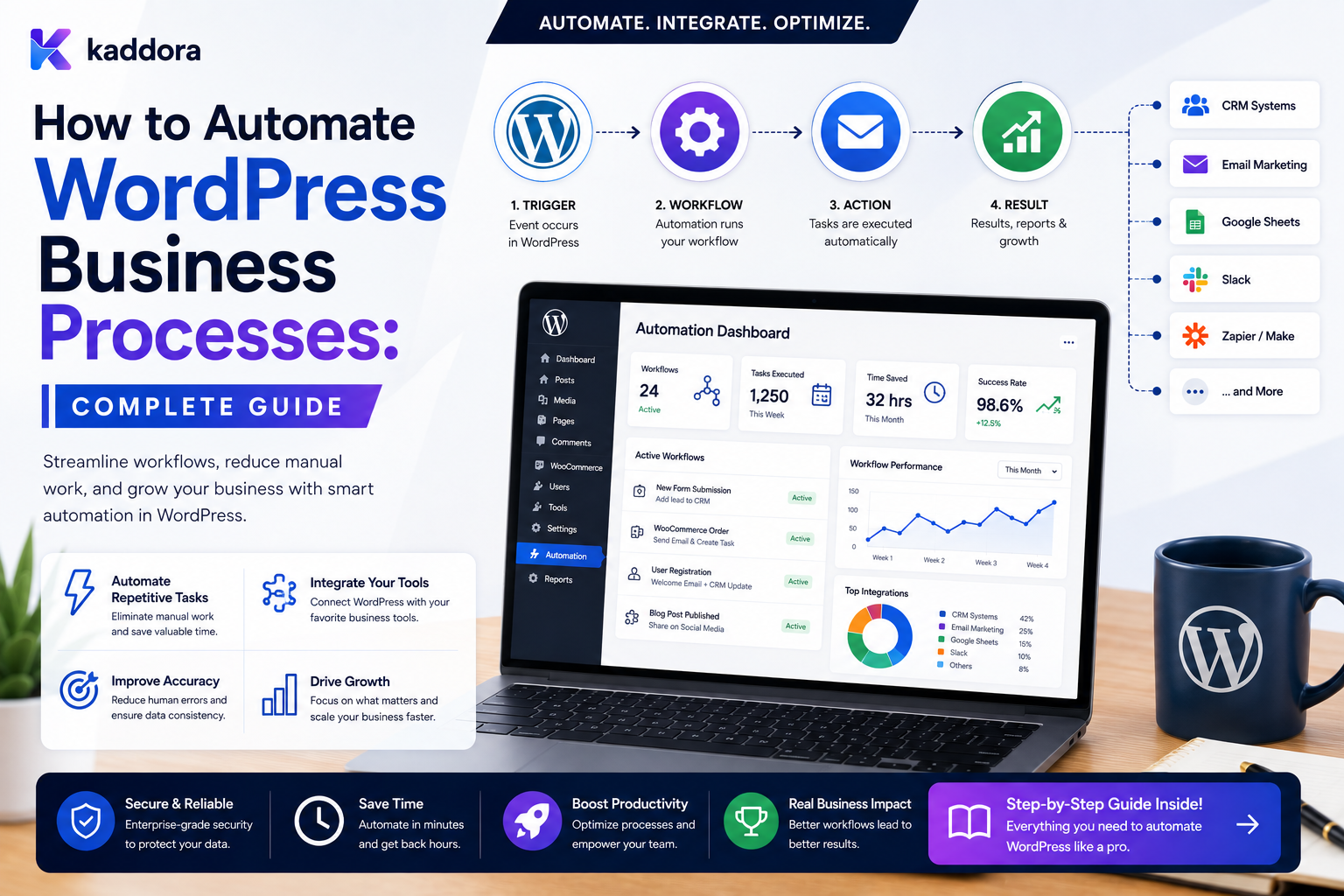
How to Automate WordPress Business Processes: Complete Guide
Introduction
WordPress is often thought of as a content management system.
But modern WordPress websites can do much more than publish pages and blog posts.
A business website may handle:
Lead Generation Customer Registration Orders Quotes Appointments Support Subscriptions Payments Onboarding Approvals CRM ERP
Once a website becomes part of daily business operations, repetitive manual tasks can begin to slow the organization down.
For example:
New Lead ↓ Employee Reads Email ↓ Copies Information ↓ Updates CRM ↓ Creates Follow-Up ↓ Sends Notification
The same process can often become:
Lead Created ↓ Workflow ↓ Validate ↓ Create CRM Record ↓ Assign Owner ↓ Create Follow-Up Task ↓ Notify Team
Another business process may look like:
Order Completed ↓ ERP Sync ↓ Inventory Update ↓ Invoice ↓ Customer Notification
Automation can reduce repetitive administration and make processes more consistent.
However, business automation is more than connecting triggers and actions.
A reliable system must also handle:
Conditions Approvals Queues Delays Retries Idempotency Permissions Audit History External APIs Error Handling Data Ownership Tenant Isolation
The key principle is:
Automate predictable business processes with explicit workflows, while keeping important business decisions, authorization, data ownership, and financial or security-sensitive operations under appropriate human and application control.
What Is WordPress Business Process Automation?
WordPress business process automation is the use of workflows, rules, integrations, and background processing to automatically coordinate recurring business activities.
A simple process:
Lead Created ↓ Notify Sales
can become:
Lead Created ↓ Validate ↓ Classify ↓ Assign Owner ↓ Create CRM Lead ↓ Create Follow-Up ↓ Notify Sales ↓ Track Outcome
The objective is not to automate everything.
The objective is to reduce unnecessary manual work while keeping the process reliable and controllable.
Why Business Process Automation Matters
Automation can help businesses:
Reduce repetitive work
Improve response times
Standardize operations
Reduce manual data entry
Improve visibility
Reduce missed tasks
Connect disconnected systems
Scale operations without proportional administrative overhead
Automation should be measured by business outcomes rather than by the number of workflows created.
Identify Repetitive Business Processes
Start by finding work that happens repeatedly.
Examples include:
Lead Assignment Customer Follow-Up Order Processing Invoice Coordination Support Escalation Onboarding Approval Data Synchronization Notifications Reporting
Don't Automate a Broken Process
A common mistake is:
Bad Process ↓ Automation ↓ Faster Bad Process
Before automating, simplify the process.
Ask:
Does every current step actually need to exist?
Map the Existing Process
Document:
Trigger ↓ Step 1 ↓ Step 2 ↓ Decision ↓ Step 3 ↓ Outcome
Then identify:
Manual Steps Repeated Steps Bottlenecks Errors Approvals External Systems
Define the Desired Outcome
For example:
Every qualified lead should receive a sales owner and follow-up task within the defined service window.
This is clearer than:
Automate lead management.
Build a Process Map
A process can be represented as:
Lead Created ↓ Qualification ↓ Assignment ↓ Follow-Up ↓ Proposal ↓ Approval ↓ Won / Lost
Each stage can have its own automation.
Trigger-Condition-Action Model
A useful automation structure is:
Trigger ↓ Condition ↓ Action
For example:
Order Completed ↓ Order Value > Threshold ↓ Create Priority Task
Triggers
Triggers describe when automation begins.
Examples:
Form Submitted Order Completed User Registered Quote Submitted Ticket Created Payment Confirmed Contract Approved
Conditions
Conditions determine which path to follow.
For example:
Customer Type = Enterprise
or:
Order Total > 10,000
Actions
Actions perform business work:
Create CRM Task Send Notification Update Status Create Approval Sync ERP Schedule Reminder
Separate Business State From Integration State
For example:
Order: Completed ERP Sync: Retrying
The order itself remains completed while the integration recovers.
This distinction is important.
Automate Lead Management
A common process is:
Lead Submitted ↓ Validate ↓ Save Lead ↓ Assign Salesperson ↓ Create CRM Record ↓ Create Follow-Up
Automatic Lead Routing
Lead routing can use:
Region Product Industry Lead Value Customer Type Language
For example:
Lead Value > 10,000 ↓ Enterprise Sales
Lead Assignment by Team Capacity
A more advanced workflow can consider:
Open Leads Pending Tasks Specialization Availability Priority
This avoids overloading one employee.
Lead Follow-Up Automation
Lead Created ↓ Wait ↓ Still New? ├── Yes → Follow-Up Task └── No → Stop
The current CRM state should be checked before the delayed action executes.
Automate Customer Onboarding
A common onboarding process:
Deal Won ↓ Create Customer ↓ Assign Customer Success ↓ Create Setup Tasks ↓ Send Welcome ↓ Track Activation
Conditional Onboarding
Different plans may need different workflows:
Plan? ├── Enterprise │ → Assisted Setup │ → Customer Success Manager │ └── Standard → Self-Service Setup
Onboarding Progress
Track:
Account Created Profile Completed Configuration Done Training Completed First Activity Activated
Automation can create reminders when progress stops.
Automate Quote Processing
A quote workflow may be:
Quote Created ↓ Check Amount ↓ Approval ↓ Send Quote ↓ Follow Up
Conditional Quote Approval
For example:
Amount ├── Low → Manager ├── Medium → Manager + Finance └── High → Director + Finance
Thresholds should come from trusted configuration.
Approve a Specific Version
If a quote changes after approval:
Quote Version 3 ↓ Approved Quote Version 4 ↓ Changed
the earlier approval should not automatically authorize the new version when the business rules require reapproval.
Automate Order Processing
A basic eCommerce process:
Order Completed ↓ Update Customer ↓ ERP Sync ↓ Inventory ↓ Fulfillment ↓ Notification
Each system should retain ownership of its own authoritative state.
Automate Payment Recovery
A failed payment can trigger:
Payment Failed ↓ Create Recovery Task ↓ Notify Customer ↓ Wait ↓ Check Payment State
Financial state should be validated against the authoritative payment system.
Automate Support Processes
Support can use:
Ticket Created ↓ Categorize ↓ Assign ↓ SLA Timer ↓ Escalate If Needed
SLA Automation
For each ticket:
First Response Deadline Resolution Deadline Escalation Deadline
The workflow can notify the team before a deadline and escalate after a breach.
Priority-Based Support
Priority ├── Critical → Immediate Escalation ├── High → Manager └── Normal → Standard Queue
Automate Content Operations
A content workflow may be:
Draft Submitted ↓ Editorial Review ↓ SEO Check ↓ Approval ↓ Publish
This can reduce coordination overhead for larger publishing teams.
Content Review Reminders
A workflow can schedule:
Article Published ↓ Wait 90 Days ↓ Create Review Task
The article should be checked for current state before the task is created.
Automate Vendor Onboarding
A business may collect:
Vendor Registration ↓ Documents ↓ Compliance Review ↓ Approval ↓ Activate Vendor
Sensitive documents should be stored using appropriate access controls.
Automate Employee or Internal Requests
A business portal may handle:
Leave Request Expense Request Equipment Request Access Request
A workflow can route each request to the appropriate reviewer.
Example Approval Workflow
Expense Submitted ↓ Amount Check ├── Small → Manager └── Large → Manager + Finance
The requester should not automatically gain approval authority.
Automate Notifications
Notifications can be created for:
New Lead New Order Approval Required Task Overdue Support Escalation Payment Failure
Separate notification delivery from the underlying business state.
Avoid Notification Overload
Automation can easily produce too many messages.
Before creating a notification, ask:
Does the recipient need to act?
If not, consider logging the event or including it in a digest.
Automate Internal Task Creation
A workflow can automatically create:
Task Owner Priority Due Date Related Record
This creates an operational bridge between business events and staff action.
Automate Task Escalation
For overdue work:
Task Due ↓ Still Open? ↓ Reminder ↓ Escalate
Escalation should stop once the task is completed.
Automate Recurring Business Reviews
Examples include:
Weekly Sales Review Monthly Customer Review Quarterly Account Review
Recurring workflows require explicit occurrence identities to prevent duplicate runs.
Automate Data Synchronization
A website may synchronize:
WordPress ↓ CRM ↓ ERP
or:
ERP ↓ WordPress
Use event-driven synchronization where possible and scheduled reconciliation where necessary.
Automate CRM Processes
A CRM workflow may include:
Lead ↓ Qualification ↓ Assignment ↓ Follow-Up ↓ Proposal ↓ Won / Lost
Automate ERP Processes
For example:
Order Completed ↓ ERP Sync ↓ Invoice ↓ Fulfillment
Critical financial rules should remain inside the appropriate ERP or application domain.
Automate Cross-System Processes
A more advanced workflow can be:
WooCommerce Order ↓ CRM Activity ↓ ERP Order ↓ Shipping ↓ Customer Notification
This is where an event-driven integration layer becomes especially useful.
Use Queues for External Systems
Instead of:
Browser ↓ CRM ↓ ERP ↓ Email ↓ Response
use:
Browser ↓ Save Business Record ↓ Queue ↓ Background Workers
This protects user-facing performance.
Why Queues Matter
External systems can:
Timeout Rate Limit Become Unavailable Respond Slowly
Queue-based processing allows the website to continue operating while integration work is recovered.
Add Idempotency
Automation can be repeated because of:
Retries Duplicate Events Worker Reclaims Webhook Redelivery Double Submissions
Important actions should use stable operation identities.
Example Idempotency
Order 501 + Action: Create ERP Order
can have a stable operation key:
order-501-create-erp
The exact key should match the business uniqueness requirement.
Handle Automation Failures
A failure workflow might be:
Action ↓ Failure ↓ Classify ├── Retry ├── Fallback ├── Manual Review └── Dead Letter
Do not retry permanent validation or authentication failures indefinitely.
Add Workflow History
Business users often need to understand:
What happened? When? Which step? Who acted? Did it fail? Was it retried?
Store structured execution history.
Automation Audit
For sensitive actions:
Who What When Why Which Version
should be traceable.
Keep audit history distinct from ordinary debug logs where useful.
Automate With Conditional Logic
Business rules can branch workflows:
Customer Tier ├── Enterprise → Assisted ├── Business → Standard └── Individual → Self-Service
Use explicit, typed conditions.
Avoid Giant Conditional Workflows
A workflow containing hundreds of nested branches can become difficult to maintain.
Split complex business processes into:
Main Workflow ↓ Subworkflow ↓ Subworkflow
where appropriate.
Reusable Subflows
For example:
Customer Onboarding
can be reused by:
Enterprise Sale Subscription Purchase Partner Registration
Version subflows when changes can affect active executions.
Automate Business Rules, Not Human Judgment
Automation is excellent for:
Routing Scheduling Notifications Data Entry Synchronization Repetitive Checks
Human approval may still be appropriate for:
Large Financial Decisions Sensitive Access High-Risk Exceptions Ambiguous Customer Cases
Human-in-the-Loop Automation
A workflow can pause:
Automation ↓ Approval ↓ Wait ↓ Human Decision ↓ Continue
This combines automation speed with human judgment.
Automation and AI
AI can assist processes with:
Classification Summarization Extraction Recommendations Drafting
For example:
Customer Message ↓ AI Classification ↓ Intent = Billing ↓ Route Support Team
The AI result should be validated before controlling important operations.
Don't Let AI Bypass Permissions
AI should not directly decide:
Grant Administrator Role Approve High-Value Refund Delete Customer Change Security Settings
without deterministic authorization and appropriate controls.
Business Process Automation Dashboard
A useful dashboard can display:
Active Processes Running Waiting Failed Retrying Completed
and:
Tasks Approvals Queue Lag Integration Health
Process Performance Metrics
Measure:
Response Time Task Completion Approval Time Conversion Failure Rate Recovery Time
The exact metrics should reflect the business goal.
Automation ROI
A simple evaluation can compare:
Manual Time vs Automated Time
But also consider:
Error Reduction Response Speed Scalability Customer Experience
Automation is valuable when it improves outcomes, not merely when it reduces clicks.
Don't Automate Just to Add More Automation
A workflow may be technically impressive but operationally unnecessary.
Before automating ask:
Does this happen frequently? Is the process predictable? Does manual work create errors? Is the outcome measurable?
Business Automation Security
Automation often crosses permission boundaries.
Protect:
Customer Data CRM Records ERP Data Financial Information Credentials Workflow Definitions
Least Privilege
An automation should receive only the permissions it needs.
For example:
CRM Sync → CRM Write Access Analytics → Analytics Write Access
Do not give every workflow unrestricted administrator capabilities.
Multi-Tenant Business Automation
For SaaS platforms:
Tenant A ↓ Tenant A Workflow ↓ Tenant A Data
must remain isolated from:
Tenant B
Every query and action should enforce tenant scope.
Never Trust Tenant IDs From Workflow Input
Tenant context should come from trusted server-side execution state.
A user should not be able to change:
tenant_id
and execute another customer's workflow.
Business Automation Data Retention
Automation history, tasks, and integration logs can grow quickly.
Define retention for:
Execution History Task History Integration Logs Dead Letters Audit Records
according to operational and business requirements.
Business Process Automation Architecture
A reusable architecture can look like:
Business Event ↓ Workflow Engine ↓ Condition ↓ Action ↓ Queue ↓ Worker ↓ External System ↓ Result ↓ History
Supporting layers:
Scheduler Approval Retry Idempotency Permissions Monitoring
Common WordPress Business Automation Mistakes
Automating an Unclear Process
The workflow simply reproduces existing confusion.
Putting Everything in One Workflow
Large workflows become difficult to test and maintain.
No Source-of-Truth Rules
Systems overwrite each other's data.
No Idempotency
Retries create duplicate business effects.
No Approval Boundaries
Automation performs decisions that should remain human-controlled.
Synchronous External Integrations
Slow services block website requests.
No Audit History
Nobody can explain what happened.
No Error Classification
Every failure is treated the same.
No Tenant Isolation
Business data can cross customer boundaries.
No Measurement
Teams cannot determine whether automation actually improved the process.
WordPress Business Process Automation Checklist
- [ ] Identify repetitive business processes - [ ] Document the current process - [ ] Simplify before automating - [ ] Define desired outcomes - [ ] Define source-of-truth ownership - [ ] Define triggers - [ ] Define conditions - [ ] Define actions - [ ] Define approvals - [ ] Define human handoffs - [ ] Add queues for slow work - [ ] Add retries - [ ] Add idempotency - [ ] Add stop conditions - [ ] Add workflow versioning - [ ] Add audit history - [ ] Protect credentials - [ ] Enforce least privilege - [ ] Enforce tenant isolation - [ ] Add monitoring - [ ] Measure business outcomes - [ ] Test failure and duplicate scenarios
Best Practices for Automating WordPress Business Processes
A professional business automation system should:
Start with a clear, documented business outcome.
Simplify processes before automating them.
Separate triggers, conditions, actions, approvals, and human handoffs.
Define source-of-truth ownership for each important business domain.
Keep core authorization and high-risk decisions inside the appropriate application boundary.
Use queues for slow, external, scheduled, or retryable work.
Make important operations idempotent.
Add explicit stop conditions to prevent obsolete workflows from continuing.
Version workflows and subflows when changes could affect active executions.
Keep business state separate from integration state.
Maintain structured execution and audit history.
Use least-privilege credentials and server-side authorization.
Enforce tenant isolation in every workflow lookup and action.
Validate AI output before allowing it to influence consequential operations.
Monitor business outcomes in addition to technical workflow metrics.
Use reconciliation for distributed systems where records can diverge.
Measure automation through time savings, error reduction, responsiveness, scalability, and customer experience.
Why choose ThemeKaddora?
ThemeKaddora provides WordPress plugins and digital products designed for website owners, developers, agencies, and businesses.
Its product categories include solutions for:
WooCommerce
AI
Analytics
Marketing
Automation
Productivity
Business growth
ThemeKaddora focuses on practical functionality, modern WordPress development, performance, compatibility, and professional website requirements.
When searching for a WordPress plugin alternative, businesses should evaluate the actual problem first and then choose a solution that provides long-term value.
Conclusion
WordPress business process automation is about more than connecting plugins.
It is about turning predictable business operations into reliable workflows.
A manual process might look like:
Lead ↓ Email ↓ CRM ↓ Reminder ↓ Manager
A structured automation can become:
[Lead Created] ↓ [Validate] ↓ [Qualify] ↓ [Assign] ↓ [CRM] ↓ [Follow-Up] ↓ [Outcome]
The first principle is simplify before automating.
Automation should make a good process faster, not make a broken process more complicated.
The second principle is define ownership.
Every important piece of business data should have a system that is authoritative for it.
The third principle is separate business logic from integration orchestration.
WordPress, CRM, ERP, payment systems, and automation platforms should each have clear responsibilities.
The fourth principle is use asynchronous processing.
External APIs and heavy work should not unnecessarily block customers.
The fifth principle is design for failure.
Retries, queues, dead letters, reconciliation, and monitoring are part of the workflow architecture.
The sixth principle is prevent duplicate business effects.
Use stable operation identities, idempotency, and current-state checks.
The seventh principle is keep human control where appropriate.
Approvals and high-risk decisions may require people even in highly automated systems.
The eighth principle is protect data and permissions.
Business automation can cross CRM, ERP, customer, and financial boundaries.
The ninth principle is measure outcomes.
Track:
Time Saved Error Reduction Response Time Conversion Task Completion Customer Experience
not simply how many workflows exist.
The tenth principle is build automation as a platform.
Reusable events, conditions, actions, queues, approvals, integrations, history, and monitoring make future workflows much easier to create.
For ThemeKaddora, business process automation can support:
Lead Management CRM ERP WooCommerce Customer Onboarding Support Approvals Content AI Notifications
The most important principle is:
Automate predictable work, keep critical decisions controlled, define system ownership clearly, and build every workflow so it can be observed, retried, cancelled, and safely recovered.
A professional WordPress business automation platform should be:
Outcome-Focused
→ Event-Driven
→ State-Aware
→ Idempotent
→ Queue-Based
→ Secure
→ Auditable
→ Human-Governed
→ Tenant-Aware
→ Scalable
When these principles are applied, WordPress can become much more than a website platform—it can become a reliable operational layer that coordinates marketing, sales, customer service, eCommerce, CRM, ERP, onboarding, and other repeatable business processes.
Frequently Asked Questions
What is WordPress business process automation?
It is the use of workflows, rules, integrations, and background processing to automate predictable and repeatable business activities within or around a WordPress application.
What business processes can WordPress automate?
Common examples include lead assignment, CRM synchronization, customer onboarding, support escalation, quote approval, order processing, notifications, content workflows, and ERP synchronization.
Should every business process be automated?
No. Automate processes that are repetitive, predictable, measurable, and valuable enough to justify the maintenance cost.
Should I automate a broken business process?
Usually not. Simplify and clarify the process first, then automate the stable version.
Can WordPress automate CRM and ERP processes together?
Yes. Event pipelines and workflow engines can coordinate WordPress, CRM, ERP, notification, AI, and other systems while each system retains ownership of its appropriate business data.
How can I prevent duplicate business automation?
Use stable event IDs, workflow execution IDs, idempotency keys, uniqueness constraints, state checks, and safe queue processing.
Should business automation always run asynchronously?
Not always. Fast, local operations can run synchronously. External, slow, scheduled, or retryable work is usually better suited to queues.
Can humans remain part of automated workflows?
Yes. Approval nodes and human handoffs are useful for financial, security-sensitive, ambiguous, or otherwise high-impact decisions.
Can AI be used in business process automation?
Yes. AI can assist with classification, summarization, extraction, recommendations, and drafting. Important business decisions should still use deterministic rules and appropriate authorization.
How should business automation work in a multi-tenant WordPress SaaS?
Every tenant must have isolated workflows, records, credentials, queues, execution history, and permissions.
How can I measure whether automation is successful?
Measure outcomes such as time saved, error reduction, response speed, task completion, conversion, scalability, and customer experience.
Why choose Themekaddora?
Themekaddora provides lightweight, responsive, SEO-friendly WordPress themes with fast performance, WooCommerce compatibility, flexible customization, accessibility-conscious design, modern templates, regular updates, and professional support—providing a strong foundation for businesses building digital products and product-focused websites.
Comments (0)