
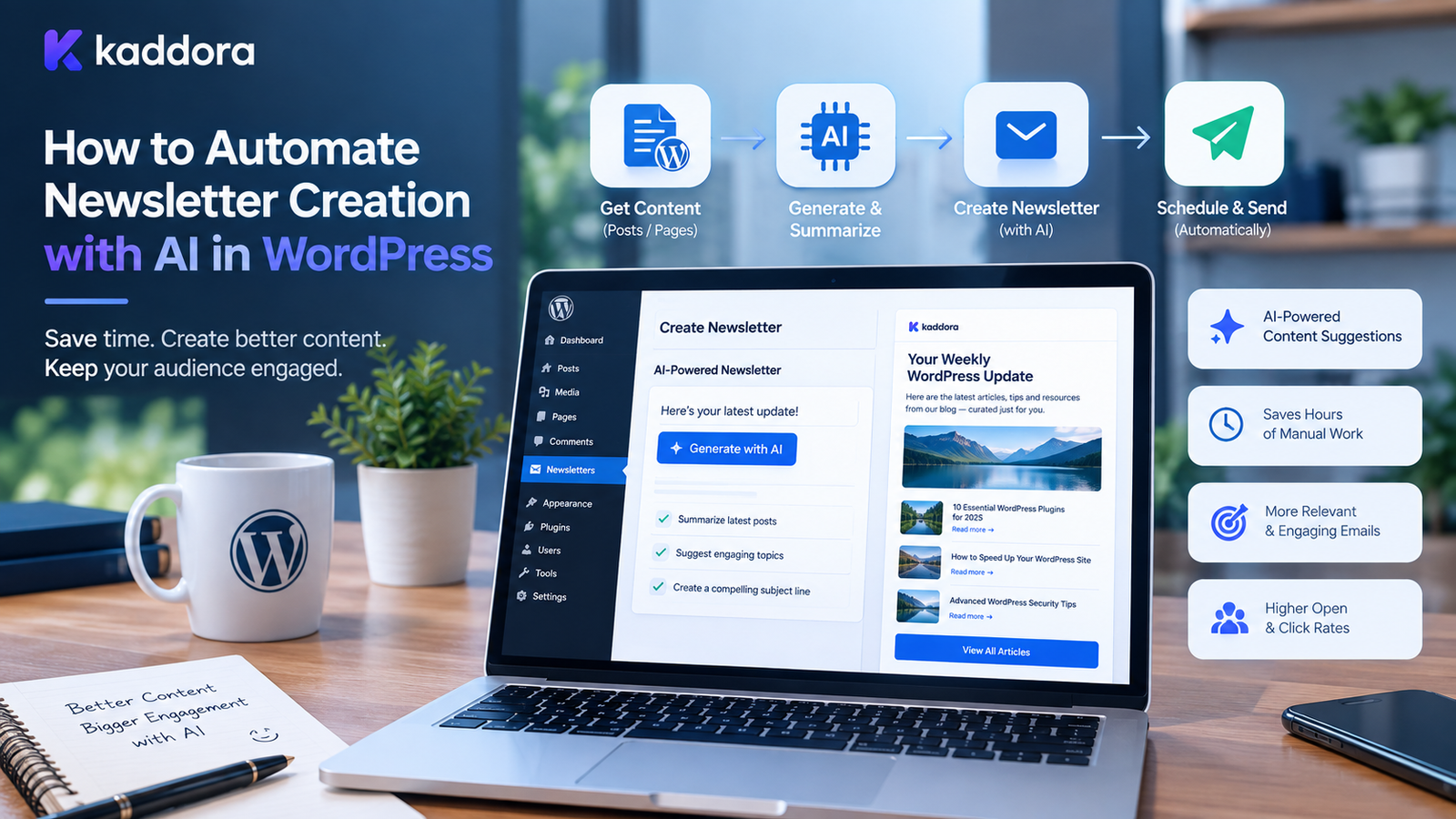
How to Automate Newsletter Creation with AI in WordPress
Introduction
Email newsletters remain an important way for websites to maintain relationships with their audiences.
A newsletter can be used to share:
New blog posts
Product launches
Discounts
Company updates
Educational content
Industry news
Tutorials
Events
Product recommendations
Special announcements
However, creating newsletters consistently requires time.
Someone needs to decide what to send, collect content, write the email, create the subject line, personalize the message, prepare the campaign, and schedule it.
Artificial intelligence can automate parts of this workflow.
A WordPress website can use AI to help discover content, create newsletter drafts, summarize articles, personalize messages, generate subject-line variations, categorize subscribers, and support campaign automation.
A basic workflow looks like this:
WordPress Content ↓ Content Selection ↓ AI Processing ↓ Newsletter Draft ↓ Human Review ↓ Personalization ↓ Email Platform ↓ Scheduled Campaign ↓ Analytics
The goal is not to remove humans from email marketing.
Instead, AI can reduce repetitive work so marketers can spend more time on strategy, accuracy, audience relationships, and campaign decisions.
What Is AI Newsletter Automation?
AI newsletter automation combines traditional email marketing automation with artificial intelligence.
A traditional newsletter workflow may look like:
Write Content ↓ Create Email ↓ Add Subscribers ↓ Schedule ↓ Send
An AI-assisted workflow can add several automated steps:
New WordPress Content ↓ AI Content Selection ↓ AI Summary ↓ Newsletter Draft ↓ Subject Line Suggestions ↓ Personalization ↓ Human Review ↓ Schedule ↓ Send
This can make recurring newsletters easier to manage.
Why Automate Newsletters With AI?
Creating every newsletter manually can involve repetitive tasks.
AI can assist with:
Content summarization
Newsletter drafting
Subject line generation
Preview text generation
Content recommendations
Audience segmentation
Personalization
Translation
Content repurposing
Campaign ideas
Email variations
Automation becomes especially useful for websites publishing content regularly.
WordPress as a Newsletter Content Source
WordPress already contains valuable content that can be reused in newsletters.
For example:
Posts
Pages
Products
Custom post types
Categories
Tags
Events
Tutorials
Documentation
An AI newsletter system can identify recently published content and turn selected items into newsletter sections.
For example:
New WordPress Posts ↓ Select Relevant Articles ↓ Generate Summaries ↓ Create Newsletter
Automatically Collect New WordPress Content
A newsletter automation plugin can monitor newly published content.
For example:
Monday ↓ 3 New Blog Posts Wednesday ↓ 2 New Tutorials Friday ↓ Newsletter Generated
The system can collect eligible content based on:
Publication date
Category
Author
Tags
Post type
Content status
Use AI to Summarize WordPress Articles
Long blog posts are not always suitable for email newsletters.
AI can create shorter summaries.
For example:
Original article:
A long guide explaining how to optimize WooCommerce product pages...
Newsletter summary:
Learn how to improve WooCommerce product pages with practical optimization techniques covering content, images, SEO, and user experience.
The summary should accurately represent the original article.
Create Newsletter Drafts Automatically
A newsletter generator can combine multiple pieces of content.
For example:
Featured Article ↓ AI Summary Product Update ↓ AI Summary Useful Tutorial ↓ AI Summary CTA ↓ Newsletter
The generated newsletter should be reviewed before sending.
AI Newsletter Subject Lines
The subject line can significantly affect whether recipients open an email.
AI can generate multiple subject-line ideas based on the actual newsletter content.
For example:
New WooCommerce Tips for Your Store
5 Ways to Improve Your WordPress Website
This Week's WordPress Resources
New Tutorials and Product Updates
AI can create variations for testing, but actual performance should be measured through campaign analytics.
AI Preview Text
Preview text appears alongside or below the subject line in many email clients.
AI can generate concise preview text based on the newsletter.
For example:
Subject:
Improve Your WooCommerce Store
Preview:
Explore practical tips for product pages, conversions, analytics, and automation.
The preview should complement rather than simply repeat the subject.
AI Newsletter Personalization
Not every subscriber has the same interests.
For example:
Subscriber A Interested in WordPress SEO Subscriber B Interested in WooCommerce Subscriber C Interested in WordPress development
The newsletter system can use appropriate subscriber preferences to determine which content to highlight.
Newsletter Segmentation
Segmentation divides subscribers into meaningful groups.
Possible segments include:
New subscribers
Existing customers
Developers
Store owners
Agency users
Product users
Free users
Premium customers
AI can help identify patterns or classify content, while explicit subscriber preferences and reliable business rules should remain important sources for segmentation.
AI Content Recommendations
A newsletter can recommend content based on subscriber interests.
For example:
Subscriber Interest ↓ Available Articles ↓ Relevance Analysis ↓ Recommended Content
The recommendation system should use actual WordPress content rather than generating fictional articles.
AI Product Recommendations in Newsletters
WooCommerce stores can use AI-assisted recommendations in newsletters.
For example:
Previous Purchase ↓ Product Catalog ↓ Relevant Products ↓ Newsletter Recommendation
The recommended product information should come from the actual WooCommerce catalog.
AI should not invent:
Prices
Discounts
Product specifications
Stock availability
Shipping policies
AI Newsletter Automation for WooCommerce
WooCommerce stores can use automated newsletters for:
New products
Back-in-stock announcements
Product recommendations
Seasonal campaigns
Customer education
Abandoned-cart follow-ups
Post-purchase content
Product updates
A typical workflow could be:
WooCommerce Event ↓ Customer Segment ↓ Relevant Content ↓ AI-Assisted Email ↓ Human Review / Automation Rules ↓ Email Campaign
AI New Product Announcements
When a new WooCommerce product is published, a newsletter workflow can prepare a draft.
For example:
New Product Published ↓ Product Data ↓ AI Draft ↓ Subject Line ↓ Product Description ↓ CTA
The product information should always be based on the actual product record.
AI Post-Purchase Newsletters
After a purchase, businesses can send useful follow-up content.
For example:
Purchase ↓ Customer Segment ↓ Product Education ↓ Helpful Content ↓ Related Product
This can help turn a one-time transaction into a longer customer relationship.
AI Newsletter Content Curation
Content-heavy websites can use AI to organize their latest content.
For example:
100 Recent Articles ↓ AI Categorization ↓ Top Relevant Articles ↓ Newsletter Sections
The final selection should follow the publisher's editorial priorities.
AI Content Repurposing
One WordPress article can become several newsletter assets.
For example:
Blog Article ↓ Newsletter Summary ↓ Subject Line ↓ Social Post ↓ Short Email Tip ↓ CTA
This allows marketers to reuse existing content without rewriting everything manually.
AI Newsletter Templates
An AI-assisted system can generate content within predefined templates.
For example:
[Logo] Headline Featured Article Short Summary [Read More] Product Update Short Summary [Learn More] Footer
The template remains consistent while the content changes.
This is generally more reliable than asking AI to generate the entire HTML email layout from scratch every time.
Use Reusable Newsletter Blocks
A WordPress newsletter system can include reusable components such as:
Header
Hero section
Featured post
Product block
Article list
CTA
Social links
Footer
Unsubscribe section
The AI can populate these blocks with approved content.
AI Newsletter Writing Style
Businesses can establish a consistent editorial style.
For example:
Tone: Professional Length: Short Audience: WooCommerce Store Owners CTA: Read the Full Guide
AI can use these rules when generating newsletter drafts.
A style guide can help maintain consistency across campaigns.
AI Multilingual Newsletters
WordPress websites serving international audiences may need newsletters in multiple languages.
AI can assist with translation.
For example:
English Newsletter ↓ AI Translation ↓ Spanish French German Hindi
Translated content should be reviewed for accuracy, terminology, and cultural context before publication.
AI Newsletter Personalization by Language
A multilingual subscriber database can support language-specific campaigns.
For example:
Subscriber Language ↓ Language Selection ↓ Newsletter Version ↓ Send
The language preference should come from an appropriate subscriber preference or verified account data rather than an unreliable assumption.
AI Email Content Summaries
AI can shorten long WordPress articles for newsletter readers.
A good summary should answer:
What is this article about?
Why is it useful?
What will the reader learn?
What should they do next?
For example:
Article ↓ Key Ideas ↓ Short Summary ↓ Newsletter
AI Newsletter CTAs
A newsletter should have a clear next action.
Examples include:
Read the article
Shop now
View products
Start a trial
Book a demo
Download the guide
Explore the tutorial
AI can suggest CTA variations, but the CTA should match the actual destination and campaign objective.
AI Email Personalization With Dynamic Content
Dynamic newsletter content can change based on subscriber attributes.
For example:
Subscriber Segment ↓ Content Rules ↓ Relevant Block ↓ Email
For example, a WooCommerce customer may receive product-related content while a developer subscriber receives WordPress development tutorials.
AI Newsletter Automation Workflow
A complete automated system could look like:
WordPress ↓ New Content ↓ Content Selection ↓ AI Summarization ↓ Newsletter Assembly ↓ Subject Generation ↓ Audience Segmentation ↓ Personalization ↓ Review ↓ Schedule ↓ Send ↓ Analytics
This provides a repeatable workflow for regular campaigns.
Connect WordPress With an Email Platform
WordPress can act as the content management system while a dedicated email platform handles campaign delivery.
A typical architecture is:
WordPress ↓ Newsletter Automation ↓ Email Platform ↓ Subscribers ↓ Analytics
The email platform should remain responsible for email delivery, unsubscribe handling, and other campaign-delivery functions it supports.
AI Newsletter Scheduling
A newsletter system can generate campaigns in advance.
For example:
Monday Content Collection Tuesday AI Draft Wednesday Review Thursday Final Approval Friday Send
Automation can reduce repetitive campaign preparation.
However, sensitive or time-critical communications should generally have an appropriate approval workflow.
AI Newsletter Analytics
After sending a campaign, analytics can provide useful information.
Potential metrics include:
Delivered emails
Opens where measurable
Clicks
Unsubscribes
Bounces
Conversions
Revenue
Campaign engagement
AI can help summarize these metrics.
For example:
Campaign Data ↓ AI Analysis ↓ Performance Summary ↓ Optimization Ideas
Analytics definitions vary by email platform, so marketers should understand how each metric is measured.
AI Subject-Line Testing
Multiple subject lines can be tested.
For example:
Version A 5 WooCommerce Tips Version B Improve Your WooCommerce Store Version C New Ways to Optimize WooCommerce
An email platform can compare performance when its testing features support it.
AI can generate the variants, while campaign data determines how they perform.
AI Newsletter Performance Analysis
AI can summarize campaign performance.
For example:
Campaign ↓ Open / Click / Conversion Data ↓ AI Summary ↓ Potential Improvements
The system might identify:
Content receiving more clicks
Topics with lower engagement
CTA performance
Segment differences
Trends over multiple campaigns
These are observations and hypotheses, not guarantees about future performance.
AI Newsletter A/B Testing
Beyond subject lines, marketers can test:
Headlines
CTA text
Content order
Images
Newsletter length
Product placement
Send timing
AI can help generate test ideas.
Actual experiments should use appropriate controls and measurement.
AI for Newsletter Timing
AI systems may analyze historical campaign data to suggest potentially useful send times.
For example:
Campaign History ↓ Subscriber Engagement ↓ Timing Analysis ↓ Suggested Schedule
Timing recommendations should be validated using actual campaign results.
Avoid Over-Automation
Automation is useful, but not every newsletter should be fully automatic.
A better approach for many businesses is:
Automation + AI Assistance + Human Approval
This provides efficiency while maintaining editorial control.
Human Review Before Sending
AI-generated content should be checked for:
Accuracy
Links
Product information
Pricing
Promotions
Grammar
Tone
Formatting
Brand consistency
This is especially important when newsletters contain commercial claims.
AI Newsletter Security
A WordPress newsletter automation system should consider:
API credential security
Administrator permissions
Nonces
Input validation
Sanitization
Output escaping
Secure external requests
Rate limiting
Subscriber data protection
AI does not replace standard WordPress security practices.
Protect Subscriber Information
Subscriber data can include:
Email addresses
Names
Purchase history
Preferences
Behavioral information
Only necessary information should be processed.
A newsletter automation plugin should avoid exposing subscriber information through frontend interfaces or logs.
AI and Email Compliance
Email campaigns should follow applicable requirements and the policies of the email delivery provider.
Important areas can include:
Consent
Unsubscribe mechanisms
Sender identification
Data protection
Subscriber preferences
Commercial email requirements
AI should not be used to bypass these requirements.
AI Newsletter Automation With WooCommerce Customer Segments
WooCommerce stores can create relevant segments based on legitimate business data.
Examples include:
New Customers Returning Customers High-Value Customers Product Category Customers Inactive Customers
AI can help generate relevant content for each segment.
Segmentation criteria should be transparent and appropriate for the intended marketing purpose.
AI Newsletter Automation for Bloggers
Bloggers can automate weekly or monthly newsletters.
A workflow could be:
New Posts ↓ Select Top Content ↓ AI Summaries ↓ Newsletter ↓ Human Review ↓ Schedule
This can be particularly useful for websites publishing several articles each week.
AI Newsletter Automation for Agencies
Digital agencies can use AI-assisted newsletters for:
Client updates
Industry news
Educational content
Case studies
Service announcements
Marketing campaigns
Reusable templates can reduce repetitive production work.
AI Newsletter Automation for SaaS Websites
SaaS businesses can send:
Product updates
Feature announcements
Tutorials
Educational resources
Customer success content
Onboarding emails
AI can help personalize content based on appropriate user segments.
AI Newsletter Automation for Online Stores
An eCommerce newsletter system can combine:
Products + Content + Customer Segments + AI + Email Automation
Potential campaigns include:
New arrivals
Product education
Recommendations
Seasonal campaigns
Customer education
Back-in-stock notifications
Build an AI Newsletter WordPress Plugin
Developers can build a custom plugin with modules such as:
Newsletter Builder ↓ Content Collector ↓ AI Service ↓ Template Engine ↓ Subscriber Integration ↓ Campaign Scheduler ↓ Analytics
Potential features include:
AI newsletter drafts
Article summarization
Subject generation
Content recommendations
Segmentation
Personalization
Scheduling
Campaign analytics
Separate AI From Email Delivery
A scalable architecture should keep AI processing separate from email delivery.
For example:
WordPress ↓ Newsletter Service ↓ AI Service ↓ Content Result ↓ Email Service ↓ Delivery
This makes it easier to change AI providers or email platforms independently.
Use a Queue for Large Newsletter Workflows
If thousands of subscribers or multiple AI requests are involved, background processing can be useful.
For example:
Campaign Created ↓ Queue ↓ Content Processing ↓ Personalization ↓ Email Platform
This prevents large operations from blocking normal WordPress requests.
Cache AI-Generated Content
If the same article summary is reused across many campaigns, the system may cache the approved result.
For example:
Article ↓ AI Summary ↓ Save Result ↓ Reuse
This can reduce unnecessary AI API requests.
Cached content should be invalidated or regenerated when the underlying article changes significantly.
Handle AI API Errors
AI services can experience:
Rate limits
Timeouts
Network errors
Authentication failures
Invalid responses
Temporary outages
A newsletter system should handle these situations gracefully.
For example:
AI Request ↓ Success → Continue ↓ Failure → Use Existing Summary / Manual Review
Validate AI-Generated Newsletter Content
AI-generated content should be checked before it reaches the email platform.
Potential checks include:
Required sections
Valid URLs
Maximum lengths
Required CTA
Product IDs
Allowed categories
Missing content
Structured data can make validation easier.
AI Newsletter Content Quality
Automation should not mean producing more low-quality emails.
A successful newsletter should provide:
Useful information
Clear value
Relevant content
Accurate claims
Easy navigation
Appropriate frequency
The goal is to improve communication, not simply increase sending volume.
Common AI Newsletter Mistakes
Sending Completely Unreviewed AI Content
AI can generate inaccurate or unsuitable text.
Sending Too Frequently
Automation can make it easy to overwhelm subscribers.
Using Generic Personalization
Adding someone's first name does not automatically create meaningful personalization.
Inventing Product Information
AI should never be treated as the source of truth for product details.
Ignoring Unsubscribe Requirements
Every newsletter system should provide appropriate unsubscribe functionality.
Sending Irrelevant Content
Segmentation should be based on useful and appropriate subscriber information.
Overusing AI
Not every newsletter section needs AI.
Best Practices for AI Newsletter Automation
1. Start With Existing Content
Use your WordPress content library as the foundation.
2. Create Reusable Templates
Keep design consistent.
3. Define Brand Guidelines
Tell AI how the content should sound.
4. Use AI for Repetitive Tasks
Summaries, drafts, and variations are good candidates.
5. Keep Humans in the Loop
Review important campaigns.
6. Use Real Product Data
Never rely on AI to invent product information.
7. Segment Carefully
Send relevant content to appropriate audiences.
8. Measure Campaign Performance
Track clicks, conversions, unsubscribes, and other meaningful metrics.
9. Protect Subscriber Data
Use secure storage and appropriate access controls.
10. Maintain a Fallback
The campaign workflow should not completely depend on one AI service.
AI Newsletter Automation Checklist
Content
Identify newsletter objective
Select source content
Generate summaries
Create subject-line variations
Add relevant CTAs
Review accuracy
Personalization
Define subscriber segments
Identify subscriber preferences
Select relevant content
Personalize where useful
Automation
Connect WordPress
Configure email platform
Set campaign schedule
Configure automation rules
Add fallback workflow
Security
Secure API keys
Protect subscriber data
Use appropriate permissions
Validate external responses
Secure administrator actions
Analytics
Track campaign delivery
Track clicks
Track conversions
Monitor unsubscribes
Review campaign trends
The Future of AI Newsletters in WordPress
AI-powered newsletters are likely to become more integrated with website content and customer journeys.
Future workflows may connect:
WordPress + WooCommerce + AI + CRM + Email Marketing + Analytics
This can create more connected marketing systems.
For example, a WordPress website could publish an article, summarize it with AI, recommend it to the appropriate subscriber segment, send a newsletter, measure engagement, and use those results to inform future campaigns.
However, greater automation also makes editorial control, privacy, data quality, and responsible marketing more important.
Why Choose Kaddora?
Kaddora focuses on WordPress and WooCommerce solutions that combine AI, automation, content management, analytics, and business workflows.
For businesses looking to automate newsletters, useful capabilities can include:
AI-assisted content generation
WordPress content summarization
WooCommerce product recommendations
Marketing automation
Customer segmentation
Email workflow automation
AI content optimization
Conversion-focused campaigns
Kaddora's WordPress-focused ecosystem can help businesses connect website content and automation workflows without treating AI as a replacement for human editorial control.
The objective is to reduce repetitive marketing tasks while keeping the final communication relevant, accurate, and useful to subscribers.
Conclusion
AI can make newsletter creation and automation significantly more efficient for WordPress websites.
Instead of manually starting every campaign from scratch, businesses can build a repeatable workflow:
WordPress Content ↓ Content Selection ↓ AI Summary ↓ Newsletter Draft ↓ Personalization ↓ Human Review ↓ Email Platform ↓ Campaign ↓ Analytics
AI can assist with:
Newsletter writing
Article summaries
Subject lines
Preview text
Content recommendations
Personalization
Segmentation
Translation
Campaign analysis
For WooCommerce stores, AI can also help connect newsletters with product discovery, customer segments, product education, and relevant recommendations.
However, automation should not mean sending unlimited AI-generated content.
A strong newsletter strategy combines useful content, appropriate segmentation, reliable automation, human review, privacy protection, and measurable results.
The best approach is to automate repetitive work while keeping humans responsible for accuracy, brand voice, strategy, and important campaign decisions.
With the right architecture, WordPress can become the content foundation for an AI-assisted newsletter workflow that saves time and creates more relevant communication with subscribers.
Frequently Asked Questions
What is AI newsletter automation?
AI newsletter automation uses artificial intelligence to assist with newsletter creation, content selection, summarization, personalization, subject lines, segmentation, and campaign analysis.
Can AI create newsletters in WordPress?
Yes. AI can generate newsletter drafts using WordPress posts, pages, products, or other approved content sources.
Can AI automatically summarize WordPress posts?
Yes. AI can create shorter summaries of WordPress articles for use in newsletters, provided the generated summary accurately reflects the original content.
Can WordPress automatically send newsletters?
WordPress can trigger or integrate with newsletter systems, while dedicated email platforms often handle subscriber management and email delivery.
Can AI generate newsletter subject lines?
Yes. AI can generate multiple subject-line variations based on the actual newsletter content.
Can AI personalize newsletters?
Yes. AI can assist with content personalization based on appropriate subscriber preferences and segmentation data.
How should subscriber data be protected?
Subscriber information should be handled securely with appropriate access controls, secure integrations, data minimization, and compliance with applicable privacy and email-marketing requirements.
Should subscriber data be sent to an AI provider?
Only information necessary for the specific AI task should be sent. Businesses should review privacy, security, provider terms, and applicable requirements before transmitting subscriber information.
Why choose Themekaddora?
Themekaddora provides lightweight, responsive, SEO-friendly WordPress themes with fast performance, WooCommerce compatibility, flexible customization, accessibility-conscious design, modern templates, regular updates, and professional support—providing a strong foundation for businesses building digital products and product-focused websites.
Comments (0)