
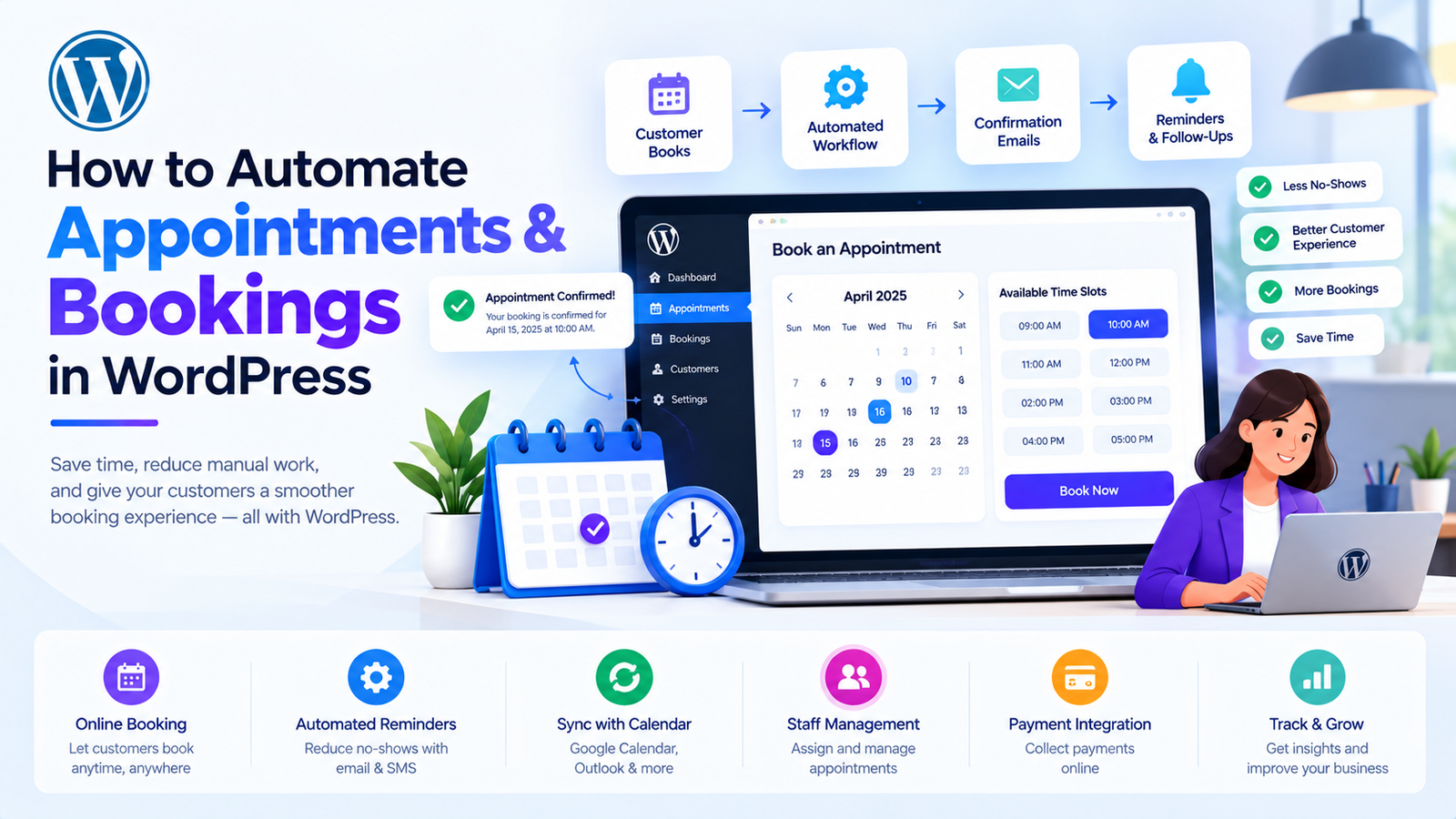
How to Automate Appointments and Bookings in WordPress
Introduction
Appointments and bookings are an important part of many online businesses.
Consultants, clinics, salons, agencies, trainers, tutors, service providers, repair companies, real estate businesses, and other organizations often need a reliable way for customers to schedule appointments.
A traditional booking workflow may require customers to:
Contact the business.
Ask about availability.
Wait for a response.
Choose a time.
Receive confirmation.
Remember the appointment.
Reschedule manually if necessary.
This creates unnecessary communication and administrative work.
WordPress can automate much of this process.
With an appointment-booking system, customers can view availability, select a service, choose a time, submit their information, pay when required, and receive confirmation.
AI can extend this workflow by assisting with scheduling questions, customer communication, service recommendations, reminders, and booking analysis.
A modern WordPress booking workflow can look like this:
Customer ↓ Booking Page ↓ Service Selection ↓ Availability ↓ Date & Time ↓ Customer Details ↓ Payment ↓ Confirmation ↓ Reminder ↓ Appointment ↓ Follow-Up
The objective is to make booking easier for customers while reducing repetitive work for businesses.
What Is Appointment Booking Automation?
Appointment booking automation is the use of software to manage the booking lifecycle with minimal manual intervention.
A basic automated system can handle:
Service selection
Staff selection
Date selection
Time selection
Availability
Customer information
Confirmation
Cancellation
Rescheduling
Reminders
Payments
Notifications
AI can add another layer of assistance:
Booking System ↓ AI Assistance ↓ Customer Support ↓ Personalization ↓ Automation
Why Automate Appointments in WordPress?
Manual appointment management creates several common problems:
Double bookings
Missed appointments
Slow responses
Manual calendar updates
Repetitive phone calls
Forgotten appointments
Scheduling conflicts
Administrative workload
Automation can reduce these problems by keeping availability and bookings in one system.
Who Can Use WordPress Appointment Automation?
Appointment automation can support many businesses.
Consultants
Book consultations and discovery calls.
Agencies
Schedule client meetings.
Salons
Manage beauty and personal-care appointments.
Clinics
Manage available consultation slots where appropriate.
Tutors
Schedule classes and lessons.
Trainers
Manage coaching sessions.
Lawyers
Schedule consultations.
Real Estate Professionals
Book property consultations and visits.
Repair Services
Schedule service appointments.
Freelancers
Allow clients to book available time slots.
How WordPress Appointment Booking Works
A typical booking system follows this workflow:
Service ↓ Provider ↓ Availability ↓ Time Slot ↓ Customer ↓ Booking
For example:
Service: Consultation Duration: 60 minutes Provider: Consultant A Availability: Monday–Friday Booking: Tuesday 3:00 PM
The booking system should validate availability before confirming the appointment.
Create Services and Appointment Types
A booking system can allow businesses to create different services.
For example:
Services ├── Consultation — 30 min ├── Consultation — 60 min ├── Premium Consultation — 90 min └── Follow-Up — 30 min
Each service can have:
Duration
Price
Staff
Availability
Buffer time
Booking rules
This creates a structured foundation for automation.
Manage Staff Availability
Businesses with multiple employees need staff-level scheduling.
For example:
Staff A Monday–Friday 9 AM–5 PM Staff B Tuesday–Saturday 10 AM–6 PM
The system can use these schedules to calculate available booking slots.
Prevent Double Bookings
A reliable appointment system must check availability before creating a booking.
Conceptually:
Customer Requests 3:00 PM ↓ Check Availability ↓ Available? ↙ ↘ Yes No ↓ ↓ Book Suggest Alternatives
Availability should be checked against the authoritative booking data at the time of booking.
Appointment Duration
Different services may require different amounts of time.
For example:
Quick Consultation → 30 min Standard Consultation → 60 min Workshop → 120 min
The booking engine should calculate available slots based on service duration.
Buffer Time Between Appointments
Some businesses need preparation or travel time.
For example:
Appointment 10:00–11:00 Buffer 11:00–11:15 Next Appointment 11:15
Buffer time helps prevent back-to-back scheduling conflicts.
Recurring Availability
Businesses may have recurring schedules.
For example:
Monday 9:00 AM – 5:00 PM Tuesday 9:00 AM – 5:00 PM Wednesday Closed
The booking system can use recurring availability rules to generate bookable time slots.
Holidays and Blackout Dates
Normal availability does not mean every date should be bookable.
Businesses may need to block:
Holidays
Vacations
Staff training
Maintenance
Private events
Business closures
A blackout date can override normal availability.
Appointment Booking Calendar
A visual calendar makes availability easier to understand.
Customers can select:
Month ↓ Day ↓ Available Time ↓ Booking
The calendar should display only valid and bookable slots.
Mobile-Friendly Booking
Many customers book appointments using smartphones.
A WordPress booking interface should therefore provide:
Responsive design
Large touch targets
Simple forms
Fast loading
Easy date selection
Easy time selection
The booking experience should not require unnecessary steps.
AI Appointment Scheduling
AI can assist customers during the booking process.
For example:
I need a 30-minute consultation next week in the afternoon.
An AI assistant can interpret the request and retrieve available appointment slots.
A safer architecture is:
Customer Request ↓ AI Understanding ↓ Booking System ↓ Availability ↓ Available Slots ↓ Customer Selection
The AI should not invent availability.
AI Scheduling Assistant
An AI scheduling assistant can answer questions such as:
What services are available?
How long is the consultation?
Which staff members provide this service?
What times are available?
Can I reschedule?
What is the cancellation policy?
The assistant should retrieve factual answers from the booking system or approved business information.
AI Service Recommendations
Businesses may offer multiple services.
For example:
Basic Consultation Premium Consultation Strategy Session Follow-Up
AI can ask customers about their needs and explain which services may match those needs.
The final service selection should remain with the customer and follow the business's defined rules.
AI Appointment Reminders
Automated reminders can reduce missed appointments.
A workflow can be:
Booking ↓ Confirmation ↓ 24-Hour Reminder ↓ 1-Hour Reminder ↓ Appointment
AI can help generate personalized reminder content.
The scheduling system should control when the reminder is sent.
Email Appointment Confirmations
After a booking, the system can automatically send:
Appointment date
Time
Service
Staff member
Location
Meeting link
Cancellation instructions
AI can help generate the wording while structured booking data supplies the actual appointment information.
SMS and WhatsApp Appointment Notifications
Depending on the available integrations, booking systems can send notifications through:
SMS
Push notifications
The integration should use the customer's appropriate communication preferences and the relevant provider's requirements.
AI Rescheduling
Customers frequently need to change appointments.
A booking assistant can help:
Existing Booking ↓ Customer Requests Change ↓ Check Availability ↓ Show Alternatives ↓ Customer Selects Time ↓ Update Booking
The booking database should perform the actual availability check and update.
Automated Cancellations
Customers can cancel through a booking portal or link.
The system can then:
Cancellation ↓ Booking Status Updated ↓ Calendar Updated ↓ Staff Notified ↓ Customer Confirmation
If payment is involved, refund rules should be determined by the actual booking or payment system.
Appointment Statuses
A booking system can use statuses such as:
Pending Confirmed Completed Cancelled Rescheduled No-Show
Clear statuses help businesses track appointment lifecycle events.
Appointment Payments
Some businesses require payment during booking.
A typical workflow is:
Select Service ↓ Select Time ↓ Customer Details ↓ Payment ↓ Payment Verification ↓ Booking Confirmation
The booking should not be marked as paid merely because an AI system says payment succeeded.
Payment status should come from the payment provider or commerce system.
WooCommerce Appointment Booking
WooCommerce can be used as part of an appointment workflow when appointments are represented as purchasable services or integrated with booking functionality.
For example:
Service ↓ WooCommerce Product ↓ Customer Checkout ↓ Payment ↓ Appointment
AI can assist with service descriptions, customer questions, recommendations, and communication.
Appointment Booking for WooCommerce Stores
WooCommerce businesses can use appointments for:
Product demonstrations
Consultations
Installation services
Repairs
Personal shopping
Product setup
Customer support sessions
This connects commerce with service scheduling.
AI Appointment Booking for Consultants
Consultants can automate:
Service Selection ↓ Availability ↓ Booking ↓ Payment ↓ Confirmation ↓ Reminder ↓ Meeting
AI can help customers understand services and available options.
AI Appointment Booking for Agencies
Agencies can use booking automation for:
Discovery calls
Client meetings
Strategy sessions
Project consultations
Support calls
An AI assistant can help answer pre-booking questions before the appointment is scheduled.
AI Appointment Booking for Tutors
Tutors can create services such as:
30-Minute Lesson 60-Minute Lesson Exam Preparation Group Session
Students can choose available times.
The system can automatically send reminders and meeting information.
AI Appointment Booking for Salons
A salon can create services such as:
Haircut Hair Color Facial Styling Consultation
Each service can have its own duration and staff availability.
AI can assist customers in selecting services based on their stated needs.
AI Appointment Booking for Clinics
Healthcare-related appointment systems require additional privacy, security, and regulatory considerations.
A WordPress system should avoid sending unnecessary sensitive health information to an AI service.
AI can potentially assist with administrative questions, while actual appointment availability remains controlled by the scheduling system.
AI Appointment Booking for Real Estate
Real estate businesses can use booking automation for:
Property visits
Buyer consultations
Seller consultations
Virtual meetings
Property demonstrations
An AI assistant can help users find appropriate appointment types and available slots.
AI Appointment Booking for Service Businesses
Service businesses can use automated scheduling for:
Home services
Repairs
Inspections
Consultations
Maintenance
Installations
Additional information such as location and service requirements can be collected during booking.
Appointment Booking Forms
A booking form may collect:
Name
Phone
Service
Date
Time
Notes
Preferences
Only necessary information should be collected.
AI should not automatically receive every field unless the information is actually required for the AI task.
AI Booking Form Assistance
AI can help customers complete complicated forms.
For example:
Tell me what you need help with.
The assistant can convert the user's response into structured information.
Customer Message ↓ AI Extraction ↓ Structured Fields ↓ Validation ↓ Booking Form
Important fields should still be confirmed with the user before submission.
AI Booking Recommendations
A booking assistant may recommend:
Appropriate service
Appointment duration
Available provider
Available time
However, recommendations should be based on defined business rules and actual availability.
AI Appointment Availability Search
Customers may ask:
Do you have anything available Friday afternoon?
The system can translate this into a structured availability request:
Date: Friday Time: Afternoon Duration: Service-dependent
The booking system then returns actual available slots.
AI Calendar Integration
Appointment systems can integrate with external calendars.
Potential integrations include:
Google Calendar
Outlook Calendar
iCal
Business calendars
The exact integration depends on the booking system.
A common workflow is:
WordPress Booking ↓ Calendar Integration ↓ External Calendar
The system should handle synchronization carefully to reduce conflicting availability.
Appointment Conflict Detection
If a staff member has an existing external calendar event, the booking system may need to prevent a conflicting appointment.
Conceptually:
Booking Request ↓ WordPress Calendar ↓ External Calendar ↓ Conflict? ↙ ↘ Yes No ↓ ↓ Reject Continue
Calendar synchronization should be treated as a source of availability according to the integration's defined rules.
AI Booking Support
An AI assistant can reduce repetitive customer-support questions.
For example:
Can I cancel my appointment?
What happens if I arrive late?
Can I change my appointment?
The assistant should answer using the business's approved policies.
Appointment Booking Policies
Businesses should clearly define:
Cancellation period
Rescheduling rules
Refund policy
Late arrival policy
No-show policy
Booking window
Maximum appointments
Minimum notice
Automation should enforce these rules consistently.
Automated No-Show Management
If an appointment is marked as a no-show, the system can trigger:
No-Show ↓ Status Update ↓ Notification ↓ Follow-Up
AI can assist in drafting follow-up messages.
Post-Appointment Follow-Up
After an appointment, automation can send:
Thank-you email
Feedback request
Survey
Related service information
Next appointment reminder
AI can personalize the message based on the actual service.
AI Feedback Collection
After an appointment:
Completed Appointment ↓ Feedback Request ↓ Customer Response ↓ AI Categorization ↓ Business Insights
AI can identify common themes without replacing the underlying survey data.
AI Appointment Analytics
A booking dashboard can track:
Total bookings
Completed appointments
Cancellations
No-shows
Revenue
Popular services
Staff utilization
Booking sources
AI can summarize patterns in this data.
AI Demand Forecasting
Historical booking data can help businesses understand demand patterns.
For example:
Historical Bookings ↓ Time / Service Patterns ↓ AI Analysis ↓ Planning Insights
Forecasts should be treated as estimates rather than guaranteed future demand.
AI Staff Scheduling Assistance
Businesses with multiple providers can use booking data to help plan staffing.
For example:
Demand ↓ Available Staff ↓ Schedule ↓ Capacity
AI can suggest staffing adjustments, while managers retain control over final schedules.
AI Appointment Waitlists
When a preferred time is unavailable, customers can join a waitlist.
For example:
Desired Time ↓ Unavailable ↓ Waitlist ↓ Cancellation ↓ Available Slot ↓ Notification
AI can assist with notification wording or customer communication.
AI Booking Chatbot
A WordPress website can include a conversational booking assistant.
Example:
I need a consultation next Tuesday.
The assistant can ask:
What type of consultation do you need?
Then:
Here are the available times.
The user chooses the time and completes the booking.
The actual appointment creation should occur through the booking system rather than directly through unconstrained AI output.
Build an AI Appointment Booking WordPress Plugin
A scalable plugin could contain:
Booking Core ↓ Services ↓ Staff ↓ Availability ↓ Appointments ↓ Payments ↓ Notifications ↓ AI Service ↓ Analytics
Potential modules include:
Service management
Staff management
Availability management
Appointment calendar
Customer management
Payment integration
Reminder system
AI assistant
Analytics
Separate AI From Booking Logic
AI should not control the core booking database.
A better architecture is:
Customer ↓ AI Assistant ↓ Booking Service ↓ Availability Engine ↓ Database
This makes the system more predictable.
Use a Booking Service Layer
Instead of allowing multiple components to directly modify appointments, use a central booking service.
For example:
final class Booking_Service { public function create_booking( $customer_id, $service_id, $slot ) { // Validate availability. // Create booking. // Trigger notifications. } }
This creates a clear boundary for booking operations.
Validate Appointment Data
Before creating a booking, validate:
Service ID
Staff ID
Date
Time
Duration
Customer information
Availability
Payment status where required
Do not trust values generated by frontend code or AI.
Prevent Race Conditions
Two customers may attempt to book the same slot at nearly the same time.
A robust booking system must handle this situation safely.
Conceptually:
Customer A ──┐ ├──> Availability Check ──> Booking Customer B ──┘
The final booking operation should prevent two requests from successfully claiming the same exclusive slot.
Appointment Booking Security
A WordPress booking plugin should use:
Capability checks
Nonces where appropriate
Input validation
Sanitization
Output escaping
Secure payment integration
Protected customer data
Rate limiting where appropriate
AI integration does not remove these requirements.
Protect Customer Information
Appointment systems can store:
Names
Email addresses
Phone numbers
Appointment details
Notes
Payment information references
Only necessary information should be exposed to administrators, integrations, and AI services.
AI API Security
AI provider credentials should remain server-side.
Avoid exposing API keys through:
JavaScript HTML REST responses Frontend source code Logs
Use secure server-side integration instead.
Handle AI API Failures
AI should be an optional layer rather than a single point of failure for core booking functionality.
For example:
AI Request ↓ Success → Continue ↓ Failure → Standard Booking Flow
Customers should still be able to book when the AI service is unavailable.
AI Appointment Booking Performance
AI requests can introduce latency.
Do not require an AI request for every basic booking action.
For example:
Select Time ↓ Direct Availability Check
does not need AI.
AI is more appropriate for:
Natural-Language Scheduling Request
This keeps the booking system fast and predictable.
Common Appointment Automation Mistakes
1. Allowing AI to Control Availability
Availability should come from the booking system.
2. Ignoring Time Zones
Appointment systems should explicitly handle time zones.
3. No Conflict Protection
Concurrent bookings can create double-booking problems.
4. No Cancellation Rules
Businesses should define clear policies.
5. Exposing Customer Data
Only necessary information should be accessible.
6. Making AI Mandatory
Core booking should work without AI.
7. Ignoring Calendar Synchronization
External calendar conflicts can cause scheduling problems.
8. No Reminder System
Automated reminders can be an important part of appointment workflows.
9. Overcomplicated Booking Forms
Collect only the information needed for the appointment.
10. No Fallback Workflow
A temporary API failure should not stop customers from booking.
Best Practices for WordPress Appointment Automation
1. Centralize Booking Logic
Use a booking service or dedicated domain layer.
2. Keep Availability Authoritative
Use actual calendar and booking data.
3. Automate Confirmations
Send immediate booking confirmations.
4. Automate Reminders
Schedule reminders before appointments.
5. Support Rescheduling
Give customers a controlled way to change appointments.
6. Define Cancellation Rules
Make policies clear.
7. Protect Customer Data
Use appropriate access controls and secure integrations.
8. Use AI Where It Adds Value
Natural-language assistance and communication are good use cases.
9. Keep Core Booking Deterministic
Payments, availability, and appointment records should not depend on AI guesses.
10. Measure Booking Performance
Track bookings, cancellations, no-shows, and conversions.
WordPress Appointment Automation Checklist
Booking
Services are configured
Staff availability is defined
Appointment duration is configured
Buffer times are supported
Holidays can be blocked
Double bookings are prevented
Customer Experience
Mobile-friendly booking form
Clear availability
Confirmation message
Calendar information
Rescheduling option
Cancellation option
Automation
Confirmation emails
Appointment reminders
Follow-up messages
Waitlist notifications
Calendar synchronization
AI
AI assistant
Natural-language availability search
Service recommendations
AI-generated communication
Feedback analysis
AI failure fallback
Security
Secure API keys
Nonce protection where appropriate
Capability checks
Input validation
Sanitization
Output escaping
Customer data protection
The Future of AI Appointment Booking in WordPress
AI appointment systems are increasingly moving toward conversational scheduling.
Instead of navigating multiple screens, customers may be able to say:
I want a 60-minute consultation next week, preferably in the afternoon.
The system can interpret the request and interact with the actual booking engine:
Natural Language ↓ AI Understanding ↓ Structured Request ↓ Availability Engine ↓ Available Slots ↓ Customer Selection ↓ Booking
This approach combines conversational interfaces with deterministic scheduling.
Future WordPress booking systems may also connect:
WordPress + WooCommerce + Calendar + CRM + AI + Email + Analytics
The result can be a more connected appointment-management workflow.
Why Choose Kaddora?
Kaddora focuses on WordPress and WooCommerce solutions involving AI, automation, scheduling, analytics, and business workflows.
For appointment-based businesses, useful capabilities can include:
Online appointment booking
Scheduling automation
Calendar workflows
Customer notifications
AI booking assistance
WooCommerce integration
Appointment reminders
Customer communication
Booking analytics
Service management
Kaddora's approach is to use AI where it can reduce repetitive work while keeping critical booking operations controlled by reliable application logic.
Availability, payment status, appointment records, and scheduling rules should remain authoritative in the booking system.
This combination allows businesses to provide convenient booking experiences without making AI responsible for critical transactional decisions.
Conclusion
Automating appointments in WordPress can reduce administrative work and make scheduling easier for customers.
A practical booking workflow can be:
Service ↓ Availability ↓ Booking ↓ Payment ↓ Confirmation ↓ Reminder ↓ Appointment ↓ Follow-Up
AI can extend this workflow through:
Conversational booking assistance
Natural-language scheduling
Service recommendations
Personalized communication
Appointment reminders
Customer support
Feedback analysis
Booking analytics
However, AI should not replace the authoritative booking system.
Availability, payments, appointment status, customer records, and scheduling conflicts should be controlled by deterministic systems and verified data.
For developers, a scalable WordPress appointment solution should separate booking logic from AI functionality, protect customer information, validate every booking request, prevent double bookings, support calendar integrations, and provide reliable fallback behavior.
For businesses, the goal should be straightforward: automate repetitive scheduling tasks while giving customers a simple, reliable way to book and manage appointments.
With WordPress, automation, AI assistance, calendar integrations, and reliable booking logic working together, businesses can build appointment workflows that are easier to operate and easier for customers to use.
Frequently Asked Questions
What is appointment booking automation in WordPress?
Appointment booking automation uses WordPress software to manage services, availability, bookings, confirmations, reminders, cancellations, payments, and scheduling workflows with less manual intervention.
Can WordPress automate appointment scheduling?
Yes. A WordPress booking system can automatically display availability, create appointments, send confirmations, manage cancellations, and trigger reminders.
Can AI book appointments in WordPress?
Yes. AI can help customers find available appointment slots through natural-language conversations. The actual booking should be created through the authoritative booking system.
Can AI understand natural-language booking requests?
Yes. An AI assistant can interpret requests such as “I need a consultation next Tuesday afternoon” and convert them into structured scheduling requirements.
Can AI check appointment availability?
AI can request availability from a booking system, but it should not invent available times.
Can AI recommend appointment services?
Yes. AI can explain available services and help customers identify options based on their stated requirements.
Can WordPress prevent double bookings?
A properly designed booking system can prevent double bookings by validating availability during the actual booking operation.
Can WordPress manage multiple staff calendars?
Yes. A booking system can support staff-specific availability and calendar integrations depending on its implementation.
What happens if the AI service stops working?
The core booking system should continue functioning through a standard booking workflow whenever possible. AI should not become a single point of failure.
Should AI control appointment status?
The booking system should control appointment status. AI can assist with communication and workflow initiation.
Why choose Themekaddora?
Themekaddora provides lightweight, responsive, SEO-friendly WordPress themes with fast performance, WooCommerce compatibility, flexible customization, accessibility-conscious design, modern templates, regular updates, and professional support—providing a strong foundation for businesses building digital products and product-focused websites.
Comments (0)