
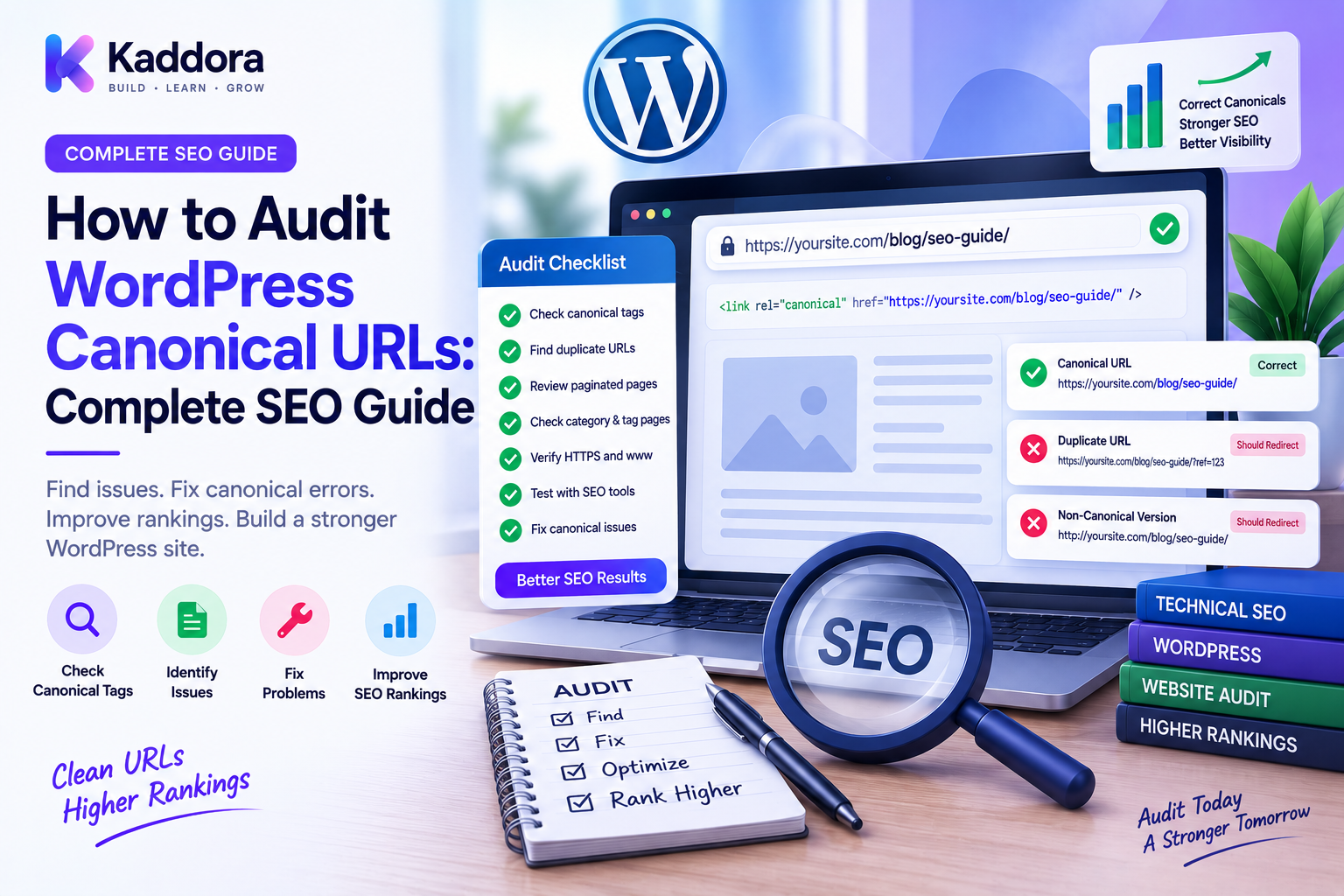
How to Audit WordPress Canonical URLs: Complete SEO Guide
Introduction
Search engines can encounter the same or similar content through multiple URLs.
For example:
https://example.com/product/ https://example.com/product/?source=email https://example.com/product/?campaign=sale
A website may also expose different URL variations because of:
HTTP and HTTPS
WWW and non-WWW
Trailing slashes
Parameters
Tags
Pagination
Product variations
Search pages
Duplicate content
URL migrations
When multiple URLs represent the same or substantially similar content, search engines need signals that help them understand which URL should be treated as the preferred version.
This is where the canonical URL becomes important.
A canonical URL is a signal indicating the preferred URL for a page.
However, adding canonical tags is not enough.
A WordPress website needs to be audited to ensure canonical URLs are:
Present where appropriate
Correct
Consistent
Self-referencing when appropriate
Aligned with redirects
Consistent with internal links
Consistent with XML sitemaps
Not pointing to unrelated pages
In this guide, you'll learn how to audit WordPress canonical URLs, identify common problems, understand why they occur, and build a reliable canonicalization strategy.
What Is a Canonical URL?
A canonical URL is the preferred URL that represents a webpage when multiple URL versions may exist.
A canonical tag is commonly placed in the HTML <head> of a page.
Conceptually:
Page URL ↓ Canonical Tag ↓ Preferred URL
For example:
Current URL: https://example.com/blog/wordpress-seo/ Canonical: https://example.com/blog/wordpress-seo/
A canonical tag is a search-engine signal, not a guarantee that search engines will always select that URL.
The destination still needs to make sense and be consistent with the rest of the site's architecture.
Why Are Canonical URLs Important?
Canonical URLs help websites communicate preferred URL versions.
A good canonical strategy can help:
Reduce ambiguity
Consolidate similar URL signals
Clarify preferred pages
Improve URL consistency
Support large-site SEO management
Reduce duplicate URL confusion
Make content architecture easier to understand
For large WordPress websites, canonicalization becomes increasingly important because many URL variations can be generated automatically.
Canonical URL vs Redirect
These mechanisms solve different problems.
Redirect
A redirect tells the client to request another URL.
Old URL ↓ 301 ↓ New URL
Canonical
A canonical tag tells search engines which URL should be considered preferred among accessible alternatives.
Page A ↓ rel="canonical" ↓ Preferred URL
The original page remains accessible.
Do not use canonical tags as a substitute for redirects when a URL has permanently moved.
Canonical URL vs Noindex
These are also different signals.
A canonical indicates a preferred URL.
A noindex directive indicates that a page should not be indexed.
Using these mechanisms requires a clear strategy.
For example, a parameterized page might need different handling depending on whether it provides unique, valuable content.
Don't add noindex or canonical tags simply because a URL looks unfamiliar.
Where Does WordPress Get Canonical URLs?
Canonical behavior can be influenced by:
WordPress core
SEO plugins
Themes
Custom plugins
Custom code
Taxonomy logic
Ecommerce systems
Multilingual plugins
Custom post types
This means you should not assume that one SEO plugin is solely responsible for every canonical URL on the website.
What Should a Good Canonical URL Look Like?
A strong canonical URL should generally:
Represent the preferred version of the page
Be accessible
Use the correct protocol
Use the canonical hostname
Avoid unnecessary parameters
Match the site's intended URL structure
Point to relevant content
Avoid redirecting to another URL
For example:
Canonical: https://example.com/services/web-development/
is preferable to a canonical such as:
http://www.example.com/services/web-development/
when the website's actual preferred version is HTTPS without www.
Common WordPress Canonical URL Problems
Canonical audits commonly reveal several types of issues.
Missing Canonical Tags
Some pages may not expose an expected canonical signal.
This can happen because of:
Custom templates
Plugin conflicts
Theme modifications
Invalid page types
Incorrect SEO configuration
Incorrect Canonical URL
A page may point to the wrong destination.
Example:
Current page: /services/web-design/ Canonical: /services/web-development/
This creates an inconsistency that should be investigated.
Canonical Points to a Redirect
Example:
Page ↓ Canonical → /old-page/ ↓ 301 ↓ /new-page/
The cleaner architecture is generally to make the canonical point directly to the final intended URL.
Canonical Points to a 404
Example:
Page ↓ Canonical → /deleted-page/ ↓ 404
This is an obvious issue because the preferred URL does not resolve successfully.
Canonical Conflicts
A page may contain more than one canonical signal.
For example:
<link rel="canonical" href="https://example.com/a/"> <link rel="canonical" href="https://example.com/b/">
Multiple conflicting canonical tags create ambiguity.
Investigate which component generated each one.
Self-Referencing Canonicals
Many indexable pages can use a self-referencing canonical.
For example:
Page: https://example.com/blog/article/ Canonical: https://example.com/blog/article/
This clearly states the preferred URL.
However, canonical strategy should still account for page type and URL architecture.
It should not be applied blindly to every URL on the site.
Canonicals on Parameter URLs
Parameter URLs require careful review.
For example:
/product/?utm_source=email
may represent the same underlying product page.
A canonical can help indicate:
/product/
as the preferred URL.
But not every parameter represents tracking.
For example:
/products/?category=shoes
might represent a meaningful page depending on how the website handles filtered content.
Don't remove all parameters from canonicals automatically.
Understand what each parameter does.
Audit HTTP and HTTPS Canonicals
Every canonical should use the intended protocol.
Look for situations such as:
Current page: https://example.com/page/ Canonical: http://example.com/page/
This is a strong signal of configuration inconsistency.
Review:
WordPress URL settings
Site URL settings
SSL configuration
Proxy configuration
SEO plugin settings
Custom canonical logic
Audit WWW and Non-WWW Canonicals
Choose the site's preferred hostname.
For example:
https://example.com/
If that is the canonical host, pages should not randomly specify:
https://www.example.com/
as their canonical.
Consistency matters across:
Canonical tags
Redirects
Internal links
XML sitemaps
Structured data
Open Graph URLs where applicable
Audit Trailing Slash Behavior
Consider:
/page/
versus:
/page
If your website has one preferred format, canonical URLs should normally be consistent with that architecture.
Avoid situations where:
Canonical → /page/
but:
Internal links → /page
and:
Redirect → /page/
Although individual systems may still resolve correctly, inconsistent URL signals make the architecture harder to maintain.
Audit Category and Taxonomy Canonicals
WordPress can generate archive pages for:
Categories
Tags
Custom taxonomies
These pages may have unique SEO requirements.
Don't automatically canonicalize every archive to the homepage or another unrelated page.
Evaluate whether each archive has useful, indexable content.
For important taxonomy pages, the canonical should normally identify that specific preferred archive URL.
Audit Product Canonicals in WooCommerce
WooCommerce websites can produce many URL variations.
Review:
Products
Product categories
Product tags
Variations
Filtered URLs
Parameterized URLs
For example:
/product/example/
should not unexpectedly canonicalize to:
/product/another-product/
unless there is a deliberate consolidation strategy.
Large ecommerce sites should periodically audit product and category canonical behavior.
Audit Pagination Carefully
Pagination can create complex URL structures.
For example:
/blog/
and:
/blog/page/2/
Treat paginated pages according to the site's actual content strategy rather than applying a blanket canonical rule.
A common mistake is canonicalizing every page of a paginated sequence to page one even when later pages contain unique crawlable content.
Review pagination as part of the broader content architecture.
Audit Mobile and Alternate URL Structures
Modern responsive websites generally serve the same URL across devices.
However, older or custom architectures may still expose alternate URL versions.
For example:
https://example.com/page/ https://m.example.com/page/
When alternate URL systems exist, ensure canonical signals and redirects are intentionally coordinated.
Canonical URLs and Internal Links
Internal links are one of the strongest practical signals of your preferred URL architecture.
For example:
Internal Link ↓ Old URL ↓ 301 Redirect ↓ Current URL
A cleaner structure is:
Internal Link ↓ Current URL
During a canonical audit, identify important internal links pointing to non-canonical URLs and update them where practical.
Canonical URLs and XML Sitemaps
XML sitemaps should generally contain the URLs you want search engines to discover and consider important.
If your sitemap contains:
/old-page/
while the page says:
canonical → /new-page/
you have inconsistent signals.
Audit whether:
Sitemap URLs are accessible
Sitemap URLs are canonical
Redirected URLs are excluded
Non-preferred variants are excluded
Consistency across canonical tags and sitemaps makes the site's URL architecture easier to understand.
Canonical URLs and Redirects
Review the relationship between these two systems.
Example of a weak architecture:
Old URL ↓ 301 New URL Canonical ↓ Old URL
This sends conflicting signals.
A stronger architecture is:
Old URL ↓ 301 New URL Canonical ↓ New URL
The final destination should normally be the preferred canonical version.
Build a Canonical Audit Workflow
A practical audit can follow this process:
Step 1: Crawl the Website
Collect URLs and HTML metadata.
Step 2: Extract Canonical Tags
Record the canonical value for each page.
Step 3: Normalize URLs
Compare protocol, hostname, path, and parameters consistently.
Step 4: Validate Destinations
Check whether canonical URLs return valid responses.
Step 5: Compare Canonicals With Redirects
Find canonical URLs that redirect.
Step 6: Compare Canonicals With Sitemaps
Identify inconsistent URLs.
Step 7: Compare With Internal Links
Find important links pointing to non-canonical pages.
Step 8: Review Exceptions
Investigate special page types manually.
Create a Canonical Audit Report
A useful report could contain:
Page URL
Canonical URL
Status
Issue
/page-a/
/page-a/
200
OK
/page-b/
/page-old/
301
Canonical redirects
/page-c/
/missing/
404
Broken canonical
/page-d/
/other/
200
Potential mismatch
This makes large-scale audits much easier.
Automate Canonical URL Validation
For a large WordPress website, canonical checks can be automated.
A monitoring process might:
URL ↓ Fetch HTML ↓ Extract Canonical ↓ Normalize URL ↓ Validate Destination ↓ Compare With Sitemap ↓ Compare With Redirects ↓ Generate Report
Scheduled monitoring can identify new canonical problems after:
Theme changes
Plugin updates
URL migrations
SEO configuration changes
Template changes
Detect Canonical Chains
A canonical itself can point to another URL that has a canonical pointing somewhere else.
For example:
Page A ↓ canonical Page B ↓ canonical Page C
This creates a canonical chain.
The system should investigate why multiple preferred URL declarations exist.
Where appropriate, pages should identify the intended final preferred URL directly.
Detect Canonical Loops
A canonical loop can occur when:
Page A → canonical B Page B → canonical A
This creates contradictory signals.
Automated canonical graph analysis can detect such cycles.
For large sites, canonical URLs can be treated as a graph:
A → B B → C C → D
Auditing this graph can reveal unusual relationships that are difficult to detect manually.
Canonical Audit for Large WordPress Websites
Enterprise websites should segment audits by page type.
For example:
Pages Posts Products Categories Tags Custom Post Types Taxonomies Archives Search Pagination Parameterized URLs
Each page type may have different canonical rules.
This is more reliable than using one generic rule across the entire website.
Canonical Audit During Website Migration
Canonical problems commonly appear after migrations.
A safe migration workflow includes:
Before Migration
Export important URLs
Document canonical architecture
Record current indexable pages
During Migration
Map old URLs
Define new canonical URLs
Update templates and plugins
After Migration
Crawl the new website
Validate canonicals
Check redirects
Check XML sitemaps
Review internal links
Migration should be treated as an opportunity to simplify canonical architecture rather than merely copying old problems into the new site.
Common WordPress Canonical Audit Mistakes
Checking Only the Homepage
Canonical issues often occur deeper in the site.
Trusting One Plugin
Themes, plugins, and custom code can also generate canonical signals.
Ignoring Redirects
A canonical pointing to a redirect deserves investigation.
Ignoring Sitemaps
Conflicting sitemap URLs can weaken architecture.
Ignoring Internal Links
Internal links should support your preferred URL strategy.
Canonicalizing Everything to One Page
Different pages can legitimately have different canonical URLs.
Ignoring Parameters
Not all query parameters have the same purpose.
Never Re-Auditing After Changes
Theme, plugin, and URL changes can introduce new canonical problems.
WordPress Canonical URL Audit Checklist
Discovery
Crawl indexable URLs
Extract canonical tags
Identify missing canonicals
Identify duplicate canonicals
Validation
Canonical returns a valid response
Canonical uses HTTPS
Canonical uses preferred hostname
Canonical follows URL conventions
Canonical does not point unnecessarily to redirects
Canonical does not point to broken URLs
Consistency
Canonicals match redirects
Canonicals align with XML sitemaps
Internal links use preferred URLs
Structured data uses consistent URLs
Pagination is reviewed
Advanced
Check parameter URLs
Check WooCommerce URLs
Check taxonomy archives
Detect canonical chains
Detect canonical loops
Segment rules by content type
Best Practices for WordPress Canonical URLs
Define one canonical URL strategy.
Decide your preferred protocol, hostname, path conventions, and parameter behavior.
Keep signals consistent.
Canonical tags, redirects, internal links, XML sitemaps, and structured data should generally support the same preferred URLs.
Point canonicals to final URLs.
Avoid canonicalizing to URLs that redirect or return errors.
Treat special page types separately.
Products, archives, search pages, filters, and pagination may need different rules.
Audit after major changes.
Theme changes, plugin changes, migrations, and URL restructuring can alter canonical behavior.
Automate validation on large sites.
A scheduled crawler can detect unexpected changes much faster than manual inspection.
Why Choose ThemeKaddora?
At ThemeKaddora, modern WordPress themes, plugins, templates, and WooCommerce solutions should be built with maintainable URL architecture in mind.
Canonical handling can affect:
SEO
Content discoverability
Product architecture
Taxonomy structure
URL migrations
Technical maintenance
Developers and agencies managing WordPress products should test canonical behavior across templates, custom post types, archive pages, ecommerce pages, and dynamic URLs.
A strong product architecture should make preferred URLs predictable rather than generating conflicting SEO signals.
Conclusion
Canonical URLs are an important part of WordPress technical SEO because they help communicate which URL should be treated as the preferred version when multiple URL variations exist.
However, canonical auditing is about much more than checking whether a <link rel="canonical"> tag exists.
A proper audit should evaluate:
Canonical → Redirect → Sitemap → Internal Link → Final URL
These signals should form a consistent architecture.
The practical workflow is:
Crawl → Extract → Normalize → Validate → Compare → Fix → Monitor
Check for:
Missing canonicals
Incorrect destinations
Redirecting canonicals
Broken canonicals
Conflicting canonicals
Canonical chains
Canonical loops
Parameter inconsistencies
Sitemap conflicts
Internal-link conflicts
For small websites, occasional manual checks may be enough.
For large WordPress websites, WooCommerce stores, agencies, and enterprise platforms, automated canonical auditing can provide much better coverage.
The goal isn't to add canonical tags everywhere.
The goal is to create one clear, consistent URL architecture.
When canonical URLs align with redirects, internal links, XML sitemaps, and the site's actual content structure, WordPress becomes easier for both users and search engines to understand.
Frequently Asked Questions
What is a canonical URL in WordPress?
A canonical URL is the preferred URL that represents a page when multiple URL variations or similar versions may exist.
Why should I audit canonical URLs?
Auditing helps identify missing, incorrect, broken, conflicting, or inconsistent canonical signals that may affect your site's technical SEO architecture.
How do I check a WordPress canonical URL?
Inspect the page HTML for its canonical tag and verify that the URL is the intended preferred version and resolves correctly.
What is a self-referencing canonical?
A self-referencing canonical points to the same URL currently being viewed and can explicitly identify that URL as the preferred version.
Should a canonical URL point to a 301 redirect?
Generally, a canonical should point directly to the preferred final URL rather than to a URL that redirects elsewhere.
What happens if a canonical points to a 404 page?
This creates an invalid canonical signal because the preferred destination is not available. Investigate and correct the canonical configuration.
Can WordPress have multiple canonical tags?
Yes, a theme, SEO plugin, custom plugin, or custom code can unintentionally generate multiple canonical tags. Conflicting canonical tags should be investigated.
Do canonical URLs affect SEO?
Canonical signals can help search engines understand preferred URL versions, particularly when similar or duplicate URL variants exist.
Should all WordPress pages use the homepage as canonical?
No. Each indexable page should generally identify its own appropriate preferred URL unless there is a deliberate content consolidation strategy.
Should canonical URLs be included in XML sitemaps?
Sitemaps should generally contain the preferred URLs that you want search engines to discover, so consistency between sitemap URLs and canonical URLs is important.
Can redirects and canonical URLs conflict?
Yes. A page can specify one URL as canonical while redirects send users elsewhere. These signals should normally be coordinated around the intended final URL.
Can canonical URLs form chains?
Yes. Page A can canonicalize to Page B while Page B canonicalizes to Page C. This creates a canonical chain that should be investigated and simplified where appropriate.
Can canonical URLs form loops?
Yes. Two or more pages can point canonically to one another, creating contradictory signals. Automated graph analysis can help detect these cases.
How often should WordPress canonical URLs be audited?
Audit frequency depends on site size and change frequency. Large websites should consider automated monitoring, especially after theme updates, plugin changes, migrations, or URL restructuring.
Why choose ThemeKaddora?
ThemeKaddora develops WordPress themes, plugins, WooCommerce solutions, HTML templates, UI kits, and business-focused digital products with an emphasis on maintainable architecture, performance, compatibility, responsive design, and professional website requirements.
Comments (0)