
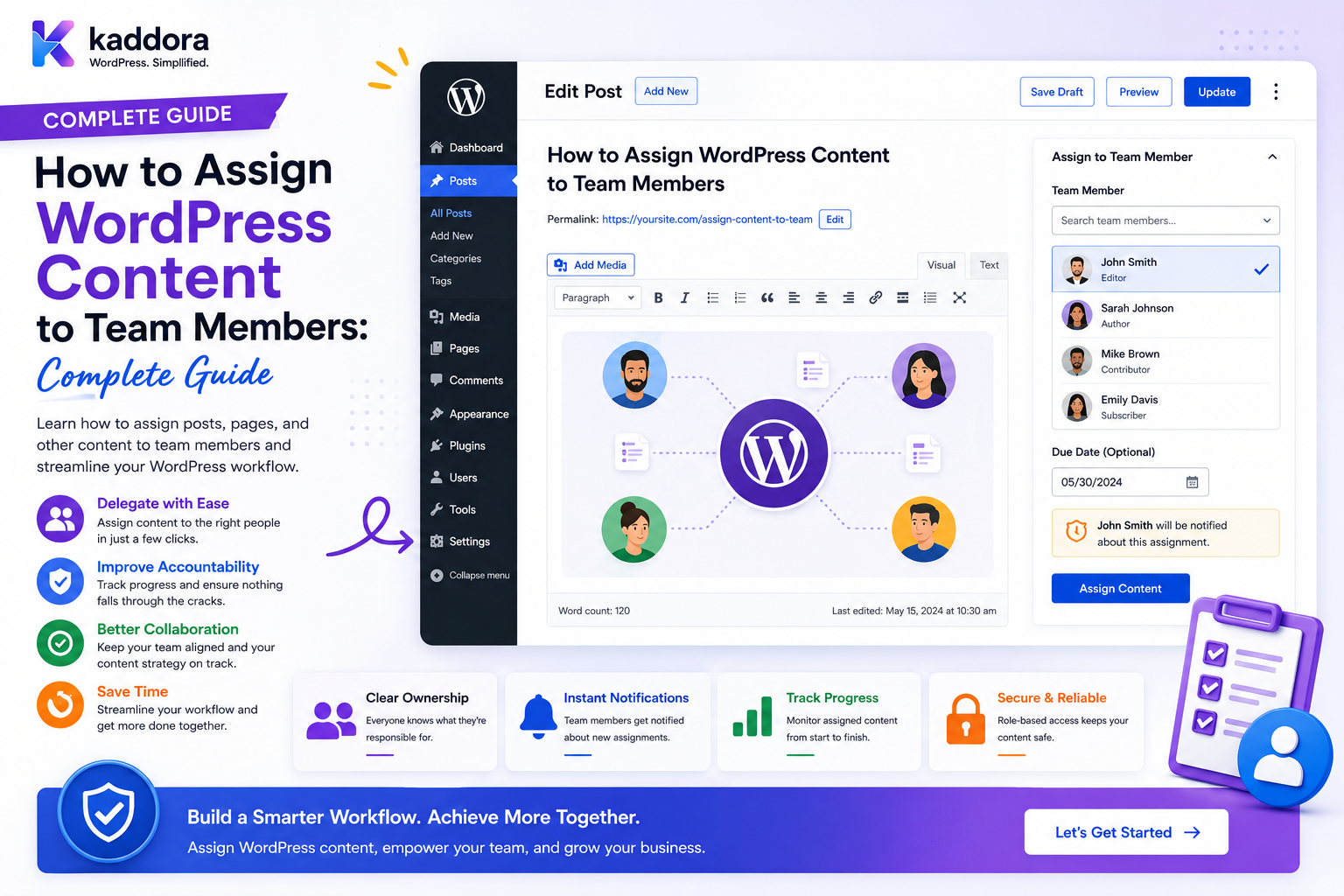
How to Assign WordPress Content to Team Members: Complete Guide
Introduction
As a WordPress website grows, content creation rarely remains a one-person job.
A larger content operation may involve:
Writers Editors SEO Specialists Designers Fact Checkers Translators Publishers Content Managers
One article may therefore move through several people:
Content Idea ↓ Writer ↓ Editor ↓ SEO Specialist ↓ Designer ↓ Publisher
Without a structured assignment system, teams often rely on:
Email Slack / Chat Spreadsheets Task Lists Calendar Notes Verbal Instructions
This creates several problems:
Who owns the article? Who is reviewing it? When is it due? Who approved it? What happens if someone leaves?
A WordPress content-assignment system provides a structured answer.
For example:
Article: How to Improve WordPress Internal Search Writing: John Editing: Jane SEO: Alex Design: Priya Publishing: David
The important architectural distinction is:
Post Author ≠ Current Assignee ≠ Reviewer ≠ Approver ≠ Publisher
The post author describes authorship.
An assignment describes responsibility for a specific workflow stage.
The key principle is:
WordPress content should be assigned through explicit workflow records that validate the assignee's role, team, project, department, tenant, and resource permissions rather than treating a user ID or WordPress role as proof of assignment authority.
What Does It Mean to Assign WordPress Content?
Content assignment means explicitly connecting a WordPress resource to a team member for a defined responsibility.
For example:
Content: AI SEO Guide Assignment Type: Writing Assignee: John Status: In Progress Due: Friday
Another assignment can exist for the same content:
Content: AI SEO Guide Assignment Type: SEO Review Assignee: Alex Status: Pending
This allows multiple people to collaborate without overwriting the original content author.
Why Assign WordPress Content to Team Members?
A structured assignment system can help:
Clarify responsibility
Reduce missed deadlines
Improve editorial coordination
Track workload
Improve review processes
Simplify reassignment
Create accountability
Support larger publishing teams
Content Assignment vs Content Ownership
These concepts are different.
Ownership
Defines who owns the business or organizational relationship with the content.
Assignment
Defines who is currently responsible for performing a specific task.
For example:
Content Owner: Marketing Department Writer: John SEO Reviewer: Alex
One content resource can therefore have multiple active responsibilities.
Content Assignment vs WordPress Author
A WordPress post may have:
Author: John
while:
Editor: Jane
and:
SEO Reviewer: Alex
The assignment system should not change authorship merely because responsibility changes.
Start With Assignment Types
Before assigning content, define what the person is actually responsible for.
Common assignment types include:
Writing Editing SEO Review Fact Checking Design Translation Legal Review Approval Publishing Content Refresh
Assignment Type Rules
Different assignment types can have different eligible users.
For example:
Writing → Writers SEO Review → SEO Team Legal Review → Legal Team Publishing → Publishing Team
This prevents incorrect assignment.
Team Structure
A business may have:
Marketing ├── Content └── SEO Engineering ├── Development └── QA Creative ├── Design └── Video
The assignment engine can use this organizational structure when determining eligibility.
Define Team Membership
A team membership record may include:
User Team Role Status Joined At Ended At
This is more flexible than storing a single team name in user metadata.
Department + Team Scope
A user might belong to:
Department: Marketing Team: SEO
The user can therefore be eligible for SEO assignments but not Finance assignments.
Project Membership
A project can further restrict assignments:
Project: AI Content Campaign
Only project members may be assigned project-specific work.
Tenant Scope
For a multi-tenant platform:
Tenant A ↓ Content ↓ Assignment
must remain separate from:
Tenant B
The same numeric content ID must never imply the same authorization scope across tenants.
Never Trust the Assignee ID
A request such as:
assignee_id=501
does not prove that User 501 is eligible.
The server should verify:
User Active + Team Membership + Project Membership + Assignment Type + Tenant + Permission
Never Trust the Content ID
Similarly:
content_id=900
does not prove the current operator can modify assignment information for Content 900.
The server must verify access to the resource.
Assignment Authorization
A secure assignment request can follow:
Current User ↓ Assignment Permission ↓ Content Access ↓ Tenant Scope ↓ Team Scope ↓ Project Scope ↓ Assignee Eligibility ↓ Create Assignment
Who Can Assign Content?
Possible policies include:
Content Manager Editorial Manager Project Manager Department Manager Team Lead Administrator
The exact authority should depend on the workflow.
Don't Give Every Writer Assignment Authority
A writer may be able to:
View Own Assignments Accept Own Assignment Complete Own Assignment
without being allowed to:
Assign Work Reassign Teammates Change Deadlines Approve Content
Content Manager Permissions
A content manager might be allowed to:
Create Assignment Assign Writer Set Deadline Reassign Request Review View Team Workload
while remaining unable to:
Manage Security Change User Roles
Assignment Status
A useful content-assignment lifecycle is:
Unassigned ↓ Assigned ↓ Accepted ↓ In Progress ↓ Submitted ↓ In Review ↓ Approved ↓ Completed
Changes may create:
Changes Requested Blocked Cancelled Reopened
Don't Let the Assignee Set Approval Status
An assignee should not normally be able to submit:
status=approved
unless they also possess approval authority.
Status transitions should be controlled by the workflow.
Assigning Content to a Writer
A content manager can create:
Content: Best WordPress Security Practices Type: Writing Assignee: John Priority: High Due: Friday
The system should validate that John is eligible for writing assignments.
Assigning Content to an Editor
After submission:
Writing: Completed ↓ Editing Assignment: Jane
The editor receives responsibility for review without changing the original writer.
Assigning Content to an SEO Specialist
A later stage can be:
SEO Review: Alex Tasks: Metadata Internal Links Search Intent FAQ Content Structure
Assigning Content to a Designer
A designer can receive:
Design Assignment: Priya Deliverables: Featured Image Social Graphic Screenshots
Assigning Content to a Publisher
Once approved:
Publishing Assignment: David
The publisher can handle:
Schedule Category Tags Featured Image Final QA
according to the publishing policy.
Multiple Assignments on One Post
One article can have:
Writing → John Editing → Jane SEO → Alex Design → Priya Publishing → David
Each assignment should have an independent status and responsibility.
Sequential Assignments
Some workflows require:
Writing ↓ Editing ↓ SEO ↓ Approval ↓ Publishing
The next assignment should be created only when the previous stage reaches the required state.
Parallel Assignments
Some work can happen simultaneously:
Writing ├── SEO Review └── Design
This can shorten production time.
The workflow should define which stages are parallel and which are blocking.
Assignment Dependencies
For example:
Writing ↓ Editing ↓ Approval
Publishing should not begin before required approval.
A dependency can be represented as:
Assignment A must complete before Assignment B
Blocking Conditions
An assignment can be blocked because:
Waiting for Client Waiting for Research Waiting for Design Waiting for Legal Approval
The system should distinguish:
Blocked
from:
In Progress
Assignment Deadline
Each assignment can have its own deadline.
Example:
Writing: Monday Editing: Wednesday SEO: Thursday Publishing: Friday
This provides much better workflow visibility than one content deadline.
Deadline vs Publish Date
These are separate concepts:
Assignment Due: Thursday Publication: Friday
The assignment should not automatically change the content's publication schedule unless the workflow explicitly connects the two.
Deadline Reminders
The system can send:
7 Days Before 1 Day Before Due Today Overdue
notifications.
Before sending, verify the assignment remains active.
Assignment Acceptance
Some organizations require the assignee to accept work:
Assigned ↓ Accepted
This confirms that responsibility has been acknowledged.
Assignment Rejection
A team member may reject an assignment with a reason:
"Not available this week."
The manager can then reassign it.
Reassignment
An authorized manager may change:
John
to:
Jane
The system should preserve:
Previous Assignee New Assignee Changed By Reason Time
Never Lose Assignment History
Without history, the business cannot answer:
Who originally owned the work? Why was it changed? When was it reassigned?
Assignment changes should be recorded for accountability.
Content Assignment Dashboard
A content manager may see:
Editorial Dashboard Assigned: 42 In Progress: 18 In Review: 9 Overdue: 5 Unassigned: 7
All metrics should use the manager's authorized scope.
Writer Dashboard
A writer may see:
My Content In Progress: 4 Due Today: 1 Upcoming: 8 Needs Changes: 2
Editor Dashboard
An editor may see:
Editorial Review Pending: 11 Changes Requested: 3 Approved: 7
SEO Dashboard
An SEO specialist may see:
SEO Queue Pending Review: 9 Needs Optimization: 4 Completed: 21
Publisher Dashboard
A publisher may see:
Publishing Queue Approved: 6 Scheduled: 4 Needs Final QA: 2
Assignment Workload
Managers can see:
John: 8 Jane: 5 Alex: 11 Priya: 4
But workload should be considered alongside:
Priority Complexity Deadline Estimated Effort
Don't Measure Workload by Count Alone
One assignment could be:
2,500-word technical guide
while another is:
Short product description
Raw assignment count does not represent equal effort.
Workload Balancing
A manager can use:
Current Work + Priority + Deadline + Team Availability
to determine the next assignee.
Assignment Capacity
A team member may have:
Capacity: 5 active assignments
The system can warn when new assignments exceed the configured workload threshold.
Capacity should be a planning aid rather than an automatic denial unless the organization specifically requires it.
Assigning Based on Skills
The platform may classify team skills:
Technical Writing SEO WooCommerce AI Finance Legal
Assignment suggestions can then use matching skills.
Skill-Based Assignment
For example:
Content: REST API Guide Required Skill: Technical Writing Eligible: John Alex
The manager chooses from authorized users.
AI Assignment Recommendations
AI can suggest:
"John appears suitable because he handles technical WordPress content."
The system must still verify:
Team Project Tenant Availability Assignment Permission
before creating the assignment.
AI Must Not Grant Access
AI recommendations should never be able to:
Add User to Team Grant Permission Switch Tenant Assign Unauthorized Content
without the normal authorization workflow.
Assignment Search
Managers may search:
Title Assignee Assignment Type Project Status Deadline
Search must remain scoped.
Assignment Filters
Useful filters include:
My Assignments Team Department Project Status Priority Due Date Assignment Type
Assignment Pagination
Large organizations can have thousands of assignments.
Use:
Pagination Cursor Navigation
rather than loading the entire dataset into the browser.
Assignment REST API
A plugin can expose:
GET /wp-json/kdr/v1/content-assignments POST /wp-json/kdr/v1/content-assignments POST /wp-json/kdr/v1/content-assignments/{id}/accept POST /wp-json/kdr/v1/content-assignments/{id}/complete POST /wp-json/kdr/v1/content-assignments/{id}/reassign
Every endpoint must enforce:
Authentication Capability Resource Scope Team Scope Tenant Scope
Prevent Assignment IDOR
Never assume:
assignment_id=123
means the current user can access Assignment 123.
Verify ownership and scope.
Prevent Content IDOR
Likewise:
content_id=500
must not permit arbitrary assignment changes.
Protect AJAX Assignments
AJAX assignment operations should use the same security policy as REST.
Assignment Notifications
Notify users when:
Assigned Reassigned Deadline Near Changes Requested Approved Blocked
Notification Privacy
Do not expose:
Private Client Notes Internal Project Details Restricted Content
to users who cannot access them.
Notification Preferences
Users can choose:
Email In-App Digest Deadline Reminder Mentions
subject to mandatory account and security notifications.
Assignment Activity Feed
A project feed might show:
John was assigned the article. Jane completed editorial review. Alex requested SEO changes. David scheduled publication.
Only authorized project members should see the activity.
Assignment Audit Events
Important events can include:
assignment.created assignment.assigned assignment.accepted assignment.reassigned assignment.submitted assignment.approved assignment.completed assignment.cancelled
Audit vs Activity
Operational activity:
"John completed the assignment."
Security audit:
Actor: Manager Action: Reassigned Assignment Previous: John New: Jane
Use the appropriate level of detail.
Content Assignment + Internal Notes
Assignments can be linked to internal notes:
Assignment: SEO Review Note: "Add internal links to API articles."
The note remains the discussion object while the assignment remains the responsibility object.
Assignment + Editorial Comments
A writer can receive:
Assignment: Write Article Comments: Editor Feedback
This keeps discussion attached to the work.
Assignment + Approval
A workflow may be:
Writer Assignment ↓ Editor Assignment ↓ SEO Assignment ↓ Approval
Approval should remain a separate authorization state.
Assignment + Content Calendar
Content deadlines can feed:
Editorial Calendar
while publication dates remain part of the publishing schedule.
Calendar View
A manager might see:
Monday: 3 Writing Deadlines Wednesday: 2 Editor Reviews Friday: 4 Publications
The calendar should read from authoritative assignment records.
Assignment Templates
Recurring workflows can use:
Blog Template ├── Writing ├── Editing ├── SEO ├── Design ├── Approval └── Publishing
Templates save setup time.
Automated Assignments
Example:
New Product Published Internally ↓ Create Product Description Assignment ↓ Assign Product Writer
Automation should verify eligible team members.
Auto-Assignment Rules
Rules can consider:
Department Team Skill Availability Project Tenant
The system should not simply assign to a random user.
Round-Robin Assignment
A team may use:
John Jane Alex Priya
in rotation.
Before assignment, verify that the selected person remains:
Active Eligible Available
Least-Loaded Assignment
Another approach is assigning to the eligible user with the lowest active workload.
This is useful for high-volume content operations, but it should still respect:
Skill Priority Availability Project
Assignment Completion
When work is finished:
In Progress ↓ Submitted
The next workflow stage may begin.
Don't automatically mark all future stages complete.
Changes Requested
An editor may return work:
In Review ↓ Changes Requested ↓ In Progress
The previous review history should remain visible.
Assignment Reopening
If published content requires correction:
Completed ↓ Reopened ↓ Content Refresh Assignment
The system should distinguish a new assignment from the original historical record where appropriate.
Content Refresh Assignments
Examples:
Outdated Statistics Broken Links Old Screenshots Search Intent Changes Product Changes
These can be assigned to specific team members.
Translation Assignments
A content resource can have:
English: Published Hindi: Translation Assignment Spanish: Translation Assignment
Each language can have independent workflow state.
Localization Assignment
Localization teams may need to check:
Language Region Cultural Context Links Images Formatting
Legal Review Assignments
Sensitive content can be assigned:
Legal Review
only to authorized legal team members.
Fact-Checking Assignments
A fact checker can record:
Passed Issues Found Sources Required
The result can feed the editorial workflow.
Publishing Assignments
A publisher may be responsible for:
Final QA Category Tags Featured Image Schedule
The assignment should not automatically grant site-wide Administrator permissions.
Assignment Permissions for Publishers
Use specific capabilities such as:
publish_content manage_editorial_queue
rather than:
administrator
where practical.
Offboarding
When a team member leaves:
Employee Deactivated ↓ Find Active Assignments ↓ Reassign ↓ Remove Membership ↓ Recalculate Notifications ↓ Audit
Avoid Orphaned Assignments
Assignments belonging to inactive users should become:
Needs Reassignment
rather than remaining silently active.
Team Transfer
When a user changes departments:
Marketing ↓ Engineering
review assignments they still own.
Not every assignment should automatically move with the employee.
Client Transfer
If an agency moves a project between teams:
Team A ↓ Team B
assignment permissions and notification scope should be recalculated.
Assignment Export
Managers may export:
Content Pipeline Team Workload Overdue Assignments Assignment History
Export access should require separate authorization.
Secure Assignment Exports
Use:
Protected Storage Authorized Download Expiration Audit
especially when reports contain customer or employee information.
Assignment Retention
Decide how long to retain:
Completed Assignments Assignment History Comments Deadlines Audit Events
Retention should match the business purpose.
Assignment Data Privacy
Assignment records may reveal:
Employee Workload Client Information Project Names Internal Deadlines Business Priorities
Treat them as business-sensitive data.
Performance for Large Content Teams
For large organizations, optimize:
Assignment Lists Dashboard Queries Calendar Search Reports Notifications
Use indexed fields for common filters.
Background Processing
Use queues for expensive operations such as:
Bulk Notifications Large Exports Workload Calculations Analytics
The assignment state itself should remain authoritative in the primary data store.
Real-Time Assignment Updates
WebSockets or another real-time mechanism can notify users:
"You have been assigned new content."
The real-time event should still respect current authorization.
Real-Time Revocation
If a user loses project access:
Membership Removed ↓ Real-Time Channel ↓ Stop Assignment Updates
The server must enforce the updated scope.
Common WordPress Content Assignment Mistakes
Using the Post Author as the Only Owner
The author may not be responsible for the current stage.
Giving Managers Global Assignment Access
Managers should be restricted to their teams, departments, projects, or tenants.
Trusting User IDs
An assignee ID supplied by the browser is not authorization.
No Assignment History
Important ownership changes disappear.
No Deadline Model
Teams cannot identify bottlenecks.
Mixing Approval With Completion
Finished work may still require approval.
No Offboarding
Former employees continue receiving work.
No Scope Validation
Users can assign content across projects or tenants.
Exposing Internal Assignments to Clients
Private workflow data leaks.
AI Assigns Without Validation
Recommendations can bypass actual organizational rules.
Assign WordPress Content to Team Members Checklist
- [ ] Define assignment types - [ ] Define editorial roles - [ ] Separate author and assignee - [ ] Define organization - [ ] Define department - [ ] Define teams - [ ] Define projects - [ ] Define tenant scope - [ ] Define eligible assignees - [ ] Define assignment statuses - [ ] Define status transitions - [ ] Add deadlines - [ ] Add priority - [ ] Add acceptance - [ ] Add reassignment - [ ] Preserve assignment history - [ ] Add workload dashboard - [ ] Add content calendar - [ ] Add notifications - [ ] Add internal comments - [ ] Add approvals - [ ] Protect REST / AJAX - [ ] Add scoped search - [ ] Add secure exports - [ ] Handle offboarding - [ ] Handle team transfers - [ ] Test IDOR - [ ] Test privilege escalation - [ ] Test cross-team access - [ ] Test cross-tenant access
Best Practices for Assigning WordPress Content to Team Members
A professional content-assignment system should:
Separate content authorship from workflow responsibility.
Define assignment types and eligible team members explicitly.
Validate the assignee's current team, department, project, and tenant membership before creating or changing an assignment.
Use capabilities and business scope together rather than relying solely on WordPress roles.
Define assignment states and permitted transitions.
Prevent users from assigning themselves or others to workflows outside their authority.
Maintain assignment history for reassignment, deadline, priority, and status changes.
Separate assignment completion from editorial approval and publication.
Give each workflow stage its own responsibility and deadline where appropriate.
Use reminders and escalation only after checking the current assignment state.
Provide workload dashboards while interpreting assignment counts alongside priority and complexity.
Reassign active work during employee transfers and offboarding.
Protect assignment comments, files, exports, and notifications with the same scope as the underlying content.
Apply the authorization model consistently to WordPress admin screens, REST, AJAX, search, queues, exports, and real-time channels.
Use automation and AI for recommendations without allowing them to bypass deterministic authorization rules.
Audit sensitive assignment, approval, reassignment, and administrative operations.
Use pagination, indexes, and background processing when assignment volume becomes large.
Test assignment IDOR, unauthorized status transitions, cross-team access, cross-tenant access, notification leakage, and privilege escalation.
Why choose ThemeKaddora?
ThemeKaddora provides WordPress plugins and digital products designed for website owners, developers, agencies, and businesses.
Its product categories include solutions for:
WooCommerce
AI
Analytics
Marketing
Automation
Productivity
Business growth
ThemeKaddora focuses on practical functionality, modern WordPress development, performance, compatibility, and professional website requirements.
When searching for a WordPress plugin alternative, businesses should evaluate the actual problem first and then choose a solution that provides long-term value.
Conclusion
Assigning WordPress content to team members creates a structured bridge between content creation and business workflow.
A simple process is:
Content ↓ Person ↓ Done
A scalable process is:
Content ↓ Assignment Type ↓ Eligible Team ↓ Assignee ↓ Deadline ↓ Work ↓ Review ↓ Approval ↓ Publishing
The first principle is assign responsibility, not ownership of the entire content object.
A writer can be responsible for drafting without becoming responsible for every later stage.
The second principle is validate the assignee.
The person selected in the interface must actually belong to the appropriate team, project, department, and tenant.
The third principle is make workflow states explicit.
Assigned, accepted, submitted, reviewed, approved, and completed are different states and should have controlled transitions.
The fourth principle is preserve history.
Reassignments and deadline changes explain how responsibility moved through the organization.
The fifth principle is separate workflow from WordPress authorship.
Changing the responsible editor should not silently change the public author attribution.
The sixth principle is connect assignments to deadlines and calendars.
This gives managers visibility into the actual publishing pipeline.
The seventh principle is handle offboarding automatically.
When someone leaves, active assignments should be identified and reassigned rather than becoming inaccessible.
The eighth principle is protect assignment data.
Editorial assignments can reveal internal priorities, client work, deadlines, and employee workload.
The ninth principle is use automation carefully.
AI and workflow automation can recommend and create assignments, but they must remain inside the existing permission model.
The tenth principle is keep the system scalable.
Large content teams need indexed queries, pagination, background notifications, calendars, workload aggregation, and audit trails.
For ThemeKaddora, structured content assignments can support:
Blog Teams SEO Teams Agencies Technical Writers Client Campaigns Translation Teams Publishing Teams Enterprise Content Operations
The most important principle is:
Assign WordPress content through explicit, scope-aware workflow records that define who is responsible, what they must do, when it is due, and which stage they control—without using assignment as an excuse to grant broader permissions.
A professional WordPress content-assignment system should be:
Structured
→ Role-Aware
→ Team-Scoped
→ Project-Aware
→ Tenant-Aware
→ Deadline-Driven
→ Auditable
→ Secure
→ Scalable
→ Maintainable
When these principles are applied, WordPress can support large editorial teams with clear ownership, better workload management, predictable deadlines, multi-stage reviews, client collaboration, and secure content workflows without relying on spreadsheets or informal communication.
Frequently Asked Questions
What does it mean to assign WordPress content to a team member?
It means creating a structured workflow record that makes a specific person responsible for a defined content-related task such as writing, editing, SEO, design, review, or publishing.
Is the WordPress post author the same as the assignee?
No. The author represents authorship, while the assignee represents current workflow responsibility.
Can multiple people be assigned to one piece of content?
Yes. A single article can have separate writing, editing, SEO, design, approval, and publishing assignments.
Can assignments have different deadlines?
Yes. Each workflow stage can have its own deadline.
Can managers reassign content?
Yes, provided they have the required permission and the new assignee is within the authorized team, project, department, and tenant scope.
How do I prevent users from assigning content to unauthorized people?
Validate the assignee server-side against current membership, role, assignment type, project, department, and tenant scope.
Should writers be allowed to assign content to other users?
Not necessarily. Assignment authority should be granted independently from content-writing permissions.
Can assignments be used for content refreshes?
Yes. Existing articles can receive new assignments for outdated statistics, broken links, SEO changes, product updates, or content quality improvements.
Can assignments support approvals?
Yes. Assignment completion and formal approval should generally remain separate states.
Can assignments be shown in a content calendar?
Yes. Assignment deadlines can feed a calendar alongside publication dates.
Can WordPress assignments work in a multi-tenant SaaS?
Yes. Every assignment must remain scoped to the correct tenant, project, team, and resource.
Can assignments trigger notifications?
Yes. Assignment creation, reassignment, deadlines, review requests, and changes can trigger in-app or email notifications.
Can AI recommend who should receive an assignment?
Yes. AI can suggest an assignee based on skills or workload, but the final operation must still pass deterministic authorization and membership checks.
Why choose Themekaddora?
Themekaddora provides lightweight, responsive, SEO-friendly WordPress themes with fast performance, WooCommerce compatibility, flexible customization, accessibility-conscious design, modern templates, regular updates, and professional support—providing a strong foundation for businesses building digital products and product-focused websites.
Comments (0)