
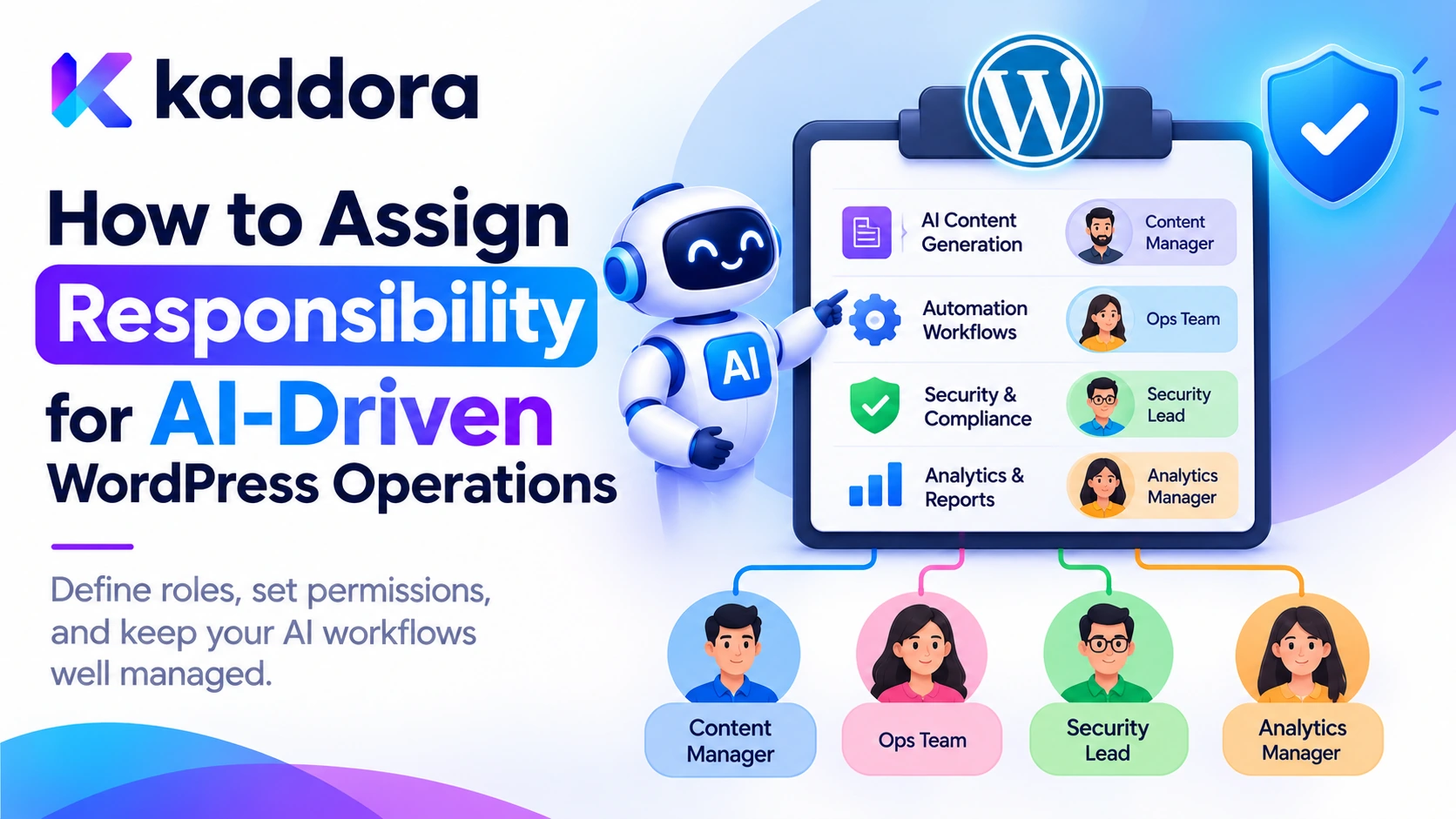
Introduction
Artificial intelligence is transforming WordPress plugins from conventional website tools into intelligent systems that can perform business operations with limited human intervention.
Modern AI-powered plugins can generate and publish content, manage products, retrieve customer information, classify support requests, send notifications, update records, analyze documents, and automate complex workflows.
These capabilities improve productivity, but they introduce an important operational question: Who is responsible when an AI-powered WordPress feature performs an action, makes an incorrect decision, or causes an unexpected result?
Consider a WordPress website where an AI assistant automatically updates WooCommerce product information. The assistant receives a request, retrieves product data, generates updated descriptions, and sends changes to the application.
If an incorrect description is published or important product information is accidentally removed, someone must be responsible for reviewing the action, correcting the information, and preventing the problem from happening again.
The AI model cannot take organizational responsibility for the operation. Responsibility must remain with identifiable people and teams who design, configure, authorize, monitor, and maintain the system.
This becomes even more important when several people participate in an AI workflow, including plugin developers, website administrators, content managers, business owners, reviewers, and external AI providers.
Without clear responsibility assignments, important activities may go unmanaged. Developers may assume administrators are monitoring AI behavior, administrators may assume developers are responsible for incorrect outputs, and users may believe AI-generated decisions have already received human approval.
Assigning responsibility means defining who owns each AI operation, who can authorize it, who reviews its results, and who responds when something goes wrong.
This guide explains how to establish a practical responsibility framework for AI-driven WordPress operations using role definitions, accountability matrices, permission controls, human approval, audit records, incident management, and continuous operational monitoring.
Understand Responsibility in AI-Driven WordPress Operations
Responsibility in an AI-powered application refers to the ownership of activities, decisions, risks, and outcomes throughout the system's lifecycle.
It is not enough to identify the person who developed the AI integration. Different people may be responsible for different parts of its operation.
For example:
A developer maintains the AI integration.
A website administrator controls its configuration.
A content manager reviews generated articles.
A business owner approves important automated workflows.
A security specialist investigates unauthorized operations.
An external provider maintains the AI service infrastructure.
Each participant has a different responsibility.
Distinguish Responsibility, Authority, and Accountability
These concepts should not be confused.
Responsibility describes who performs a particular task.
Authority describes who has permission to approve or execute an operation.
Accountability identifies who is answerable for the overall outcome and ensures that corrective action is taken when required.
For example, a content editor may be responsible for reviewing an AI-generated article, while an authorized publisher has the authority to approve publication.
The organization operating the website remains accountable for the content workflow and its consequences.
An AI model may recommend an action, but it should not become the accountable owner of that operation.
Identify All AI-Driven WordPress Operations
Before assigning responsibility, create an inventory of the AI operations available in the plugin.
A chatbot, article generator, document processor, and automated customer-management feature may have completely different operational risks.
Classify operations according to what they do and how much impact they can have.
AI operation
Example
Responsibility requirement
Content generation
Generate blog articles
Content owner and reviewer
Content publishing
Publish generated articles
Authorized publisher
Product management
Update product descriptions
Shop manager or authorized product owner
Customer support
Generate support responses
Support team
Document analysis
Summarize business documents
Authorized document owner
Marketing automation
Send campaign messages
Marketing manager
User management
Modify account permissions
Authorized administrator
Financial automation
Initiate refunds
Authorized financial operator
Security monitoring
Flag suspicious activities
Security administrator
The inventory should also record whether an operation is informational, creates or modifies data, or performs a high-impact action.
An AI feature that recommends a product description requires different oversight from one that changes customer account permissions.
Map the Complete Operation Lifecycle
Responsibility should be assigned across all stages of an AI operation:
Configuration.
Request submission.
Data retrieval.
AI processing.
Recommendation generation.
Approval.
Execution.
Result verification.
Monitoring.
Incident response.
Maintenance and retirement.
This prevents important tasks from falling between different teams.
Establish Clear Roles and Responsibilities
A practical responsibility framework begins by assigning identifiable roles to the AI system.
A small WordPress website may have one person performing several roles. Larger applications may distribute these responsibilities across development, operations, security, and business teams.
The objective is not to create unnecessary organizational complexity. It is to ensure that every important activity has an identifiable owner.
AI System Owner
The AI system owner is responsible for the overall purpose and operational performance of an AI feature.
Typical responsibilities include:
Defining the feature's intended purpose.
Establishing acceptable use policies.
Approving its operational scope.
Assigning responsible users.
Reviewing major performance issues.
Deciding whether the feature should remain active.
For example, the owner of a WordPress customer support assistant may be responsible for its intended support functions and escalation policies.
Plugin Developer
The developer is responsible for implementing and maintaining the technical controls.
Typical responsibilities include:
Integrating AI providers.
Implementing authorization.
Validating AI responses.
Managing prompt templates.
Protecting API credentials.
Maintaining tool execution controls.
Fixing software vulnerabilities.
Supporting version updates.
Developers should ensure that application security does not depend entirely on an AI model following its instructions.
WordPress Administrator
The website administrator manages the plugin's operational configuration and access permissions.
Responsibilities may include:
Enabling or disabling AI features.
Managing provider credentials.
Assigning appropriate capabilities.
Configuring usage limits.
Reviewing system health.
Managing authorized prompt configurations.
Responding to administrative security alerts.
Administrator access should not automatically mean that every AI operation is approved for unrestricted execution.
Operational Reviewer
The reviewer checks AI-generated recommendations and actions when human approval is required.
Responsibilities include:
Reviewing proposed changes.
Checking supporting information.
Rejecting inaccurate recommendations.
Approving permitted operations.
Requesting corrections.
Escalating suspicious behavior.
For high-impact decisions, the reviewer should have sufficient expertise and authority to make an independent judgment.
Security Owner
The security owner oversees the protection of the AI integration and responds to incidents.
Responsibilities include:
Reviewing access-control policies.
Monitoring suspicious operations.
Investigating unauthorized tool execution.
Coordinating vulnerability fixes.
Reviewing external service risks.
Managing security incidents.
Verifying corrective measures.
Business or Data Owner
The business or data owner determines which information may be used for AI processing and who can access it.
This role is important when a plugin processes confidential documents, customer information, employee records, or financial information.
The data owner should define permitted use, sensitivity classifications, access requirements, and retention expectations.
Create a Responsibility Assignment Matrix
A responsibility assignment matrix helps identify who performs, approves, advises on, and receives updates about important AI operations.
One useful approach is the RACI model:
Responsible: Performs the activity.
Accountable: Owns the final outcome.
Consulted: Provides relevant expertise or advice.
Informed: Receives information about the activity.
A simple matrix for a WordPress AI plugin might look like this:
Activity
Developer
Administrator
Business owner
Reviewer
AI integration development
Responsible
Informed
Accountable
Consulted
Provider configuration
Consulted
Responsible
Accountable
Informed
Access permissions
Consulted
Responsible
Accountable
Informed
Prompt template approval
Responsible
Consulted
Accountable
Consulted
Content review
Informed
Consulted
Accountable
Responsible
High-impact action approval
Informed
Consulted
Accountable
Responsible
Security incident response
Responsible
Responsible
Accountable
Informed
AI performance monitoring
Responsible
Responsible
Accountable
Consulted
This is an illustrative assignment. Actual ownership should reflect the organization's structure, available staff, and regulatory obligations.
For each activity, define one clear accountable owner, even when several people participate.
The matrix should be documented rather than existing only as an informal understanding between team members.
Connect Operational Responsibilities to WordPress Capabilities
A responsibility framework must be supported by technical access controls.
Assigning someone the responsibility to review AI operations does not automatically mean that their WordPress account can access the required functionality.
WordPress uses roles and capabilities to determine which operations users can perform.
Developers should map operational responsibilities to appropriate capabilities.
For example:
Operational responsibility
Possible WordPress capability
Edit content
edit_posts
Publish posts
publish_posts
Manage website options
manage_options
Upload media
upload_files
Manage WooCommerce products
Relevant product capabilities
Review custom AI operations
Plugin-specific capability
The appropriate capability depends on the operation and resource involved.
Create a Dedicated Capability for AI Management
A plugin may introduce a custom capability for managing AI configurations.
For example:
function kaddora_ai_add_management_capability() { $role = get_role( 'administrator' ); if ( $role ) { $role->add_cap( 'manage_kaddora_ai' ); } }
This example demonstrates adding a plugin-specific capability to the administrator role.
In production, manage the capability through a versioned activation or migration process. Also consider custom administrator roles and multisite behavior.
The plugin can then check:
if ( ! current_user_can( 'manage_kaddora_ai' ) ) { return new WP_Error( 'kaddora_ai_permission_denied', 'You cannot manage AI configuration.' ); }
For operations involving particular records, use object-specific checks such as:
if ( ! current_user_can( 'edit_post', $post_id ) ) { return new WP_Error( 'kaddora_ai_resource_access_denied', 'You cannot modify this post.' ); }
A user may be responsible for content review but should not automatically receive access to administrator settings.
Responsibility assignment and authorization should work together.
Assign an Owner to Every Automated AI Workflow
Every automated workflow should have an identifiable owner.
For example, consider a WordPress AI marketing workflow:
The AI generates promotional content.
The plugin checks the response.
The content is stored as a draft.
A marketing reviewer checks the message.
An authorized user approves the campaign.
The application sends the approved communication.
The result is recorded.
Assign responsibility at each stage.
Workflow stage
Assigned responsibility
Content requirements
Marketing owner
AI configuration
Plugin administrator
Content generation
AI application
Quality review
Marketing reviewer
Campaign approval
Authorized marketing manager
Sending execution
Application service
Result monitoring
Marketing operations owner
The AI application performs the generation, but a human owner remains accountable for the workflow.
Define What Happens When No Owner Is Available
A responsibility framework should also define what happens when a reviewer leaves the organization, changes roles, or becomes unavailable.
For sensitive workflows:
Suspend pending approvals when the responsible person loses authorization.
Reassign ownership to an authorized replacement.
Preserve the original decision history.
Verify the replacement's permissions.
Avoid automatically approving an operation because no reviewer is available.
Unassigned work should not become unrestricted automation.
Separate AI Recommendations From Authorized Execution
One of the most important responsibility controls is separating the AI model's output from the action performed by WordPress.
The model may recommend that a post should be published, a product description should be changed, or a customer account should be reviewed.
However, the model should not independently decide that the operation is authorized.
A secure workflow contains separate stages:
AI recommendation: The model proposes the operation and supplies relevant information.
Application validation: WordPress validates the tool, arguments, target resource, and business rules.
Authorization: The application checks whether the initiating user has permission.
Approval: An authorized person approves the action when required.
Execution: A dedicated WordPress function performs the approved operation.
Verification: The application checks whether the operation completed successfully.
This ensures that the AI model is not confused with the person who has operational authority.
Example: Assign Responsibility to a Post-Publishing Workflow
function kaddora_ai_publish_post( $post_id ) { $post_id = absint( $post_id ); if ( ! $post_id ) { return new WP_Error( 'kaddora_ai_invalid_post', 'A valid post is required.' ); } $post = get_post( $post_id ); if ( ! $post || 'draft' !== $post->post_status ) { return new WP_Error( 'kaddora_ai_invalid_status', 'The post is not available for publishing.' ); } if ( ! current_user_can( 'publish_post', $post_id ) ) { return new WP_Error( 'kaddora_ai_publish_denied', 'You cannot publish this post.' ); } return wp_update_post( array( 'ID' => $post_id, 'post_status' => 'publish', ), true ); }
This example checks the target post and the current user's publishing capability before changing its status.
In a production AI workflow, the function should also verify that any required human approval is valid and linked to the exact post and operation.
If the workflow uses background processing, preserve the initiating user's identity and recheck authorization when the job executes.
Introduce Human Approval for High-Impact Operations
Not every AI-generated operation requires human intervention.
Automatically generating a draft or categorizing an ordinary support ticket may be appropriate when the feature has been tested and the consequences are limited.
However, certain actions should involve explicit approval.
Examples include:
Publishing sensitive business announcements.
Deleting important records.
Modifying customer permissions.
Sending bulk marketing campaigns.
Issuing refunds.
Changing payment settings.
Restricting customer accounts.
Modifying security configurations.
Build an Approval Responsibility Structure
An approval request should identify:
Who initiated the operation.
Which AI feature generated it.
Which resource is affected.
What action is proposed.
Why the action is required.
Who is authorized to approve it.
Whether additional review is necessary.
When the approval expires.
An approval should be linked to the exact operation and its validated arguments.
For example, approving the publication of one particular post should not authorize the AI agent to publish other posts.
Make Review Meaningful
Human reviewers should not simply press an approval button without understanding the consequences.
Provide relevant information about the proposed action, supporting evidence, affected records, and potential impact.
The reviewer must be able to reject, modify, or escalate the recommendation.
The organization should also identify a replacement reviewer or escalation owner when the primary approver is unavailable.
Maintain Accountability for Background AI Operations
AI workflows often run through scheduled events, queues, or background workers.
This creates a responsibility challenge because the person who initiated the operation may no longer be available when the task executes.
For example, an employee might request an AI-assisted update to several products. The job is placed in a queue and executes several minutes later.
The system must preserve the identity and responsibility context of that task.
A background job should record:
Job identifier.
Initiating user ID.
Assigned operational owner.
Target resource.
Requested operation.
Approval reference.
Creation timestamp.
Expiration time.
Execution status.
Final result.
Before execution, verify that the initiating user still has the required permissions and that any required approval remains valid.
If ownership or authorization has changed, the operation should be paused, rejected, or sent for review.
Do not execute an old task using a background worker's broader permissions merely because the original user is no longer authorized.
Assign Ownership to Failed Jobs
Failed AI jobs should also have an identifiable owner.
For example:
Provider timeout: AI operations owner.
Invalid generated content: Feature owner or reviewer.
Authorization failure: Security or application administrator.
Data-processing error: Development team.
Unexpected financial operation: Relevant business owner.
A failure should not remain indefinitely in a queue without an assigned person or defined recovery procedure.
Establish Incident Ownership for AI Operations
A responsibility framework must address situations where an AI workflow produces harmful or unauthorized results.
Examples include:
Confidential information is disclosed.
A user receives another customer's data.
An AI agent modifies unauthorized records.
A bulk communication is sent incorrectly.
Provider credentials are exposed.
A security restriction is bypassed.
AI processing creates unexpected financial costs.
Define an incident-response process before these events occur.
Assign Incident Responsibilities
A useful incident structure can include:
Incident owner: Coordinates the response and ensures that the issue is resolved.
Technical investigator: Examines plugin logs, execution records, and application behavior.
Security owner: Evaluates the impact and coordinates containment.
Business owner: Determines the operational effect on customers and business processes.
Communications owner: Handles appropriate notifications and stakeholder communication.
In a small organization, one person may perform several of these functions.
Define Containment and Recovery Actions
Depending on the incident, appropriate actions may include:
Temporarily disabling the affected AI feature.
Revoking compromised provider credentials.
Suspending suspicious tool execution.
Restricting access to affected records.
Cancelling pending background operations.
Reversing incorrect changes where possible.
Preserving relevant audit records.
Investigating the original cause.
Testing corrective measures before reactivation.
The person responsible for restoring the feature should verify that the original security weakness has been addressed.
Create an AI Operations Audit Trail
Accountability requires reliable evidence of what happened.
An AI operations audit trail should record important events across the workflow.
Useful information includes:
Operation identifier.
AI feature name.
Initiating user.
Assigned owner.
Target resource.
Model and prompt version.
Approval reference.
Execution status.
Final outcome.
Timestamp.
Error category.
Avoid unnecessarily storing complete private prompts, confidential documents, customer records, API keys, or authentication headers.
Audit records should be protected against unauthorized access and modification.
For sensitive operations, preserve both the original proposal and the final approved action so that reviewers can distinguish what the AI recommended from what the application executed.
A clear audit trail makes it easier to investigate errors and identify gaps in operational responsibility.
Establish Performance and Responsibility Reviews
Assigning responsibility is not a one-time exercise.
AI features can change when developers update models, prompts, providers, business rules, or data sources.
These changes may affect the quality and consequences of automated operations.
Each AI system should have a defined review schedule based on its risk and business purpose.
Monitor:
AI operation success rates.
Incorrect recommendations.
Human rejection and correction rates.
Unauthorized operation attempts.
Approval delays.
Background-job failures.
Provider performance.
Resource consumption.
Customer complaints.
Security incidents.
The accountable owner should review these metrics and determine whether changes are required.
When a feature repeatedly produces incorrect or harmful results, reduce its automation level, introduce additional approval requirements, or suspend it until the problem is resolved.
Build a Practical AI Responsibility Register
A responsibility register provides a central record of who owns each AI feature and which controls apply.
A useful register may contain:
Field
Information
AI feature
Name of the WordPress functionality
Business purpose
Why the feature exists
Risk category
Low, moderate, or high
Accountable owner
Person responsible for outcomes
Technical owner
Developer or maintenance team
Operational reviewer
Person responsible for review
Approval authority
Person authorized to approve sensitive actions
Required capabilities
WordPress permissions
Data scope
Information the feature may process
Automation level
Manual, assisted, or automated
Audit requirement
Events that must be recorded
Incident contact
Person responsible for escalation
Review date
Next scheduled assessment
The register should be updated whenever a feature changes, a responsible person leaves, or new AI capabilities are introduced.
It can also serve as the starting point for security assessments and operational audits.
Common Mistakes to Avoid
Assuming the AI model is responsible for its actions: Responsibility must remain with identifiable people and organizations.
Assigning ownership to an entire department without naming an owner: Every important workflow should have an identifiable accountable person.
Mixing technical and business responsibilities: Developers maintain technical controls, while business owners determine operational policies.
Giving reviewers unrestricted administrative access: Grant only the permissions required to perform the review.
Allowing AI recommendations to execute automatically: Separate recommendations from authorization and execution.
Ignoring background operations: Assign ownership and preserve the initiating user's security context for queued tasks.
Keeping no audit records: Without traceability, investigating incorrect or unauthorized operations becomes difficult.
Using approval without meaningful review: Reviewers need enough information and authority to challenge AI recommendations.
Failing to assign incident owners: Every important AI feature needs a defined escalation and recovery process.
Ignoring responsibility changes: Reassign ownership and review access when employees or administrators change roles.
Best Practices Checklist
Inventory every AI-driven WordPress operation.
Classify operations by risk and impact.
Assign one accountable owner to each AI feature.
Document developer, administrator, reviewer, and business responsibilities.
Create a responsibility assignment matrix.
Map responsibilities to appropriate WordPress capabilities.
Separate AI recommendations from application authorization.
Require approval for high-impact operations.
Bind approvals to specific actions and resources.
Preserve responsibility context in background jobs.
Assign owners to failed and pending operations.
Create an AI incident-response process.
Maintain protected audit records.
Monitor decision quality and operational outcomes.
Review responsibility assignments periodically.
Update the register when features or personnel change.
Why Choose Kaddora?
Kaddora focuses on practical WordPress development, AI integration, and business workflow automation. Building dependable AI-powered solutions requires more than technical integration; it requires clearly defined ownership, secure permissions, meaningful human oversight, and reliable operational processes. A structured responsibility framework helps developers, administrators, and business teams work together while keeping AI operations controlled and accountable.
Conclusion
Assigning responsibility for AI-driven WordPress operations is essential for managing the risks of intelligent automation.
AI-powered plugins can perform useful tasks, but every operation needs an identifiable owner, appropriate authority, and a defined process for review and recovery.
Developers should begin by identifying all AI operations and classifying their potential impact. They should then assign responsibilities across development, configuration, approval, monitoring, and incident response.
WordPress capabilities should enforce the technical permissions associated with each role, while approval workflows and audit records provide accountability for sensitive actions.
Background jobs, external integrations, and automated workflows must preserve the same responsibility and authorization boundaries as ordinary user requests.
Most importantly, responsibility cannot be delegated to an AI model. The organization operating the website must retain control over how AI recommendations become real actions.
By defining ownership, authority, review requirements, and corrective procedures, WordPress developers can build AI integrations that are more transparent, maintainable, and responsible.
Frequently Asked Questions
How can Kaddora help with AI-driven WordPress operations?
Kaddora's focus on WordPress development and AI integration provides a practical foundation for understanding workflow ownership, capability management, secure automation, and AI operational governance.
What does assigning responsibility for AI operations mean?
It means identifying who owns, manages, authorizes, reviews, monitors, and responds to each AI-driven operation. It ensures that automated activities remain under identifiable human and organizational oversight.
Who is responsible when a WordPress AI plugin makes an incorrect decision?
Responsibility depends on the organization's established operating model and the specific task involved. The designated operational owner should coordinate the response, while technical, security, and business teams address their respective responsibilities.
What is a RACI matrix for AI operations?
A RACI matrix identifies who is Responsible for performing a task, Accountable for its outcome, Consulted for advice, and Informed about its progress or completion.
Should WordPress AI operations always require human approval?
No. Low-impact and well-tested activities may be automated under appropriate controls. High-impact, sensitive, or difficult-to-reverse operations should generally have stronger review and approval requirements.
How can WordPress capabilities support operational responsibility?
WordPress capabilities determine which users can perform specific operations. Developers can map operational responsibilities to capabilities such as edit_posts, publish_posts, and custom plugin-specific permissions.
Why are audit trails important for AI-driven operations?
Audit trails provide evidence of who initiated an operation, which AI feature was involved, who approved it, and what the application executed. They support investigations, operational reviews, and corrective actions.
How often should AI responsibility assignments be reviewed?
Review them whenever AI functionality, business processes, personnel, permissions, or external integrations change. High-impact AI workflows should also have scheduled operational and risk reviews.
Why choose ThemeKaddora?
ThemeKaddora provides WordPress plugins, themes, and templates for developers, agencies, and website owners. Its practical approach to digital product development supports building maintainable solutions with attention to functionality, operational control, and security.
Comments (0)