
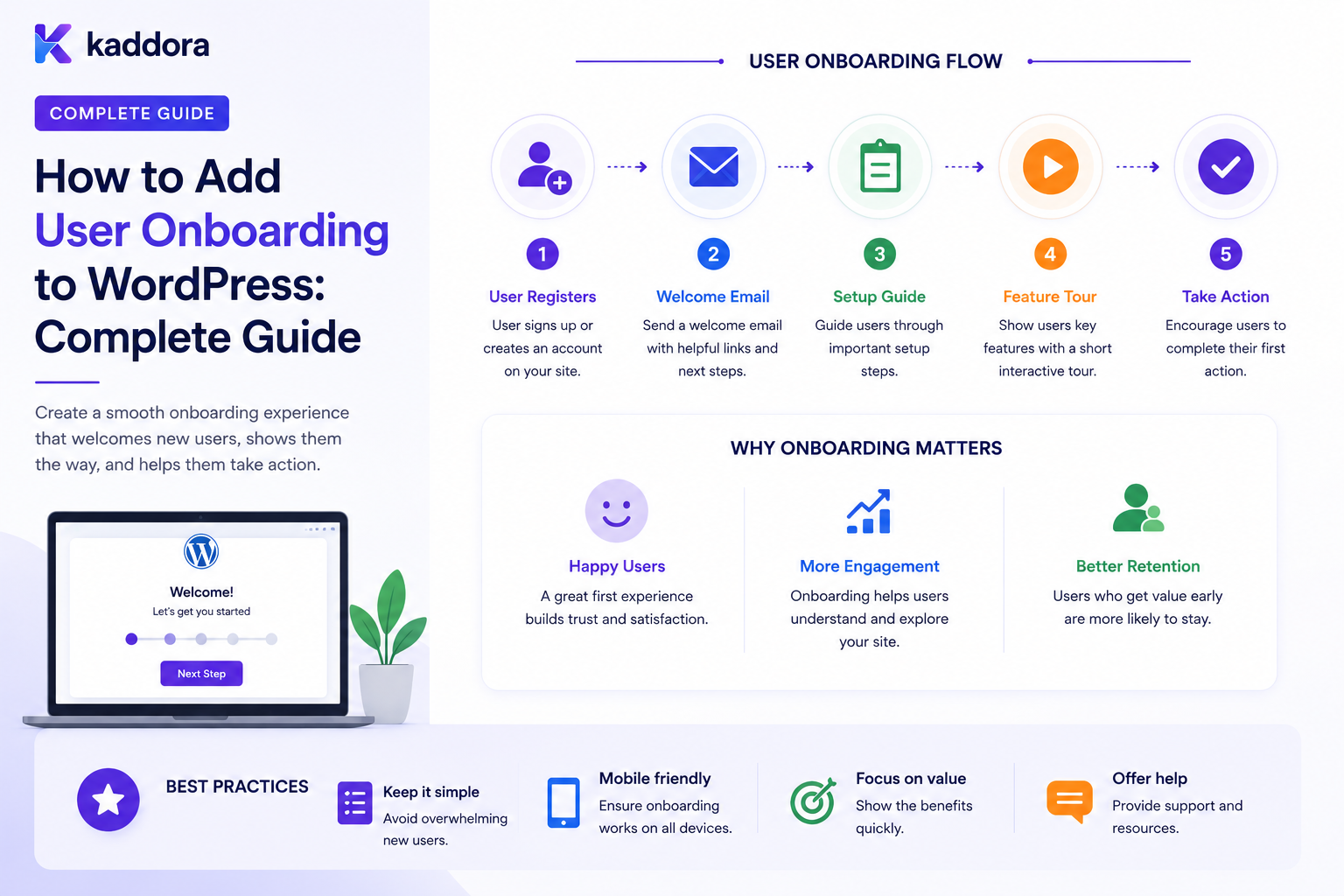
How to Add User Onboarding to WordPress: Complete Guide
Introduction
Creating a WordPress user account is only the beginning of the user journey.
After registration, many websites still need users to:
Verify Email Complete Profile Choose Preferences Join Workspace Accept Terms Connect Services Complete Setup Take First Action
Without a structured onboarding process, users may register successfully and then become inactive.
A basic registration flow looks like:
Register ↓ Login ↓ Dashboard
A better onboarding experience can look like:
Register ↓ Verify Email ↓ Complete Profile ↓ Choose Account Type ↓ Join / Create Workspace ↓ Configure Preferences ↓ Complete First Task ↓ Activated
For SaaS and business applications, onboarding can become even more sophisticated:
User Registered ↓ Verification ↓ Profile ↓ Plan / Role ↓ Workspace ↓ Setup Tasks ↓ Integration ↓ First Successful Action ↓ Activated
A production onboarding system needs to manage much more than a progress bar.
It may involve:
Authentication Verification Permissions Forms Workflow State Tasks Emails Notifications Delays Reminders Approvals CRM Analytics AI Multi-Tenancy
The key principle is:
User onboarding should guide a user toward a clearly defined activation outcome through a sequence of validated, resumable, and permission-aware steps rather than simply presenting a collection of registration forms.
What Is User Onboarding in WordPress?
User onboarding is the structured process of helping a newly registered user reach the point where they can successfully use the product, service, or website.
For example:
New User ↓ Verify ↓ Complete Profile ↓ Configure Account ↓ First Successful Action
The definition of "activated" depends on the business.
For a SaaS application, activation might mean:
Created Workspace + Invited Team Member + Completed First Workflow
For an eCommerce customer:
Account Created + First Purchase
Why User Onboarding Matters
A structured onboarding flow can help:
Reduce user confusion
Improve activation
Reduce support requests
Guide users toward important features
Collect necessary account information
Encourage first-use behavior
Improve retention
The goal is not to make onboarding longer.
The goal is to make the path to value clearer.
Registration Is Not Onboarding
These concepts are different.
Registration
Creates the account.
User ↓ Account Created
Onboarding
Helps the user become productive.
Account ↓ Setup ↓ First Value
A user can complete registration without ever reaching activation.
Define the Activation Event
Before building onboarding, determine:
What must the user accomplish before we consider onboarding successful?
Examples:
Customer: First Order SaaS User: First Workflow Created Employee: First Required Task Completed Member: Profile Completed + First Resource Viewed
This becomes the foundation for onboarding measurement.
Map the User Journey
A useful onboarding map is:
Registration ↓ Verification ↓ Profile ↓ Setup ↓ First Action ↓ Activation
Identify:
Required Steps Optional Steps Blocked States Human Approvals External Dependencies
Required vs Optional Onboarding Steps
Not every step needs to block the user.
For example:
Required: Email Verification Optional: Profile Photo
The system should distinguish between:
Must Complete
and:
Recommended
Create an Onboarding State Machine
A simple state model could be:
Registered ↓ Verification Pending ↓ Verified ↓ Profile Incomplete ↓ Setup ↓ Activated
Alternative states may include:
Paused Blocked Rejected Completed
Explicit states make automation more predictable.
Avoid Using a Single Boolean
A field such as:
onboarding_complete = true
can be useful as a summary value, but it may not be sufficient for a complex onboarding process.
A richer model may need:
Current Step Step Status Started At Completed At Attempt Count
Onboarding Step Model
A step can contain:
step_key title description required status position completed_at
The exact fields depend on the implementation.
Example Onboarding Steps
1. Verify Email 2. Complete Profile 3. Choose Preferences 4. Create Workspace 5. Connect Integration 6. Complete First Action
Step Progress
The UI can show:
Onboarding Progress ✓ Verify Email ✓ Complete Profile → Create Workspace ○ Connect Integration ○ First Action
The backend should remain the source of truth for completed steps.
Do Not Trust Client-Side Completion
A browser could submit:
step=first_action completed=true
without actually performing the required action.
The server should verify completion conditions.
Event-Based Step Completion
Instead of relying only on button clicks, onboarding can observe actual business events.
For example:
Workspace Created ↓ Step Completed
or:
First Workflow Executed Successfully ↓ Activation Step Completed
This is more reliable than trusting a "Done" button.
Email Verification
A common first step is:
Register ↓ Verification Email ↓ Verify ↓ Continue Onboarding
Email verification helps establish control of the provided email address.
Do Not Treat Verification as Full Activation
Verification means:
Email Controlled
It does not necessarily mean:
User Is Fully Onboarded
These states should remain separate.
Profile Completion
A common onboarding step is:
Complete Your Profile
Fields may include:
Name Phone Company Job Title Timezone Preferences
Only collect information that the business actually needs.
Avoid Collecting Too Much Information Up Front
Long registration forms can create unnecessary friction.
A useful principle is:
Collect information when it becomes useful.
For example:
At Registration: Email + Password Later: Company Details
This can make the initial account creation simpler.
Progressive Profiling
Progressive profiling means gathering information over time.
For example:
Registration ↓ Basic Profile ↓ First Workflow ↓ Business Details
The user gradually provides information as the value of doing so becomes clearer.
Account Type Selection
Some products serve multiple user types:
Individual Business Agency Enterprise
Onboarding can branch accordingly.
For example:
Account Type ↙ ↘ Business Individual ↓ ↓ Company Preferences Setup Setup
Branching Onboarding
An onboarding workflow can use conditions:
Plan? ├── Enterprise → Assisted Onboarding └── Standard → Self-Service
This allows the experience to match the user's needs.
SaaS Workspace Creation
For a SaaS platform:
User Verified ↓ Create Workspace ↓ Choose Name ↓ Configure Settings
The workspace should be created only after validating that the user has permission to create it.
Workspace vs User Profile
Keep these concepts separate:
User ├── Name ├── Email └── Preferences Workspace ├── Company Name ├── Team ├── Billing └── Integrations
This becomes important when multiple users belong to one organization.
Team Invitation
An onboarding workflow may invite colleagues:
Create Workspace ↓ Invite Team ↓ Team Member Joins
Invitation credentials should be separate from ordinary login credentials and should have appropriate expiration and security controls.
Team Onboarding
A new organization may need:
Admin ↓ Invite Members ↓ Assign Roles ↓ Configure Workspace ↓ Start Work
Do not automatically grant elevated roles based solely on self-selected form data.
Onboarding Tasks
The system can create tasks:
Task: Connect CRM Status: Pending
Tasks make longer onboarding processes easier to manage.
Required vs Optional Tasks
For example:
Required: Verify Email Optional: Upload Avatar Recommended: Invite Team
The onboarding engine should know which tasks block activation.
Onboarding Checklist
A user may see:
Getting Started ✓ Verify Email ✓ Complete Profile → Create Workspace ○ Invite Team ○ Connect CRM
This gives users a clear path.
Progress Percentage
A simple progress indicator might show:
60% Complete
But percentage alone can be misleading.
If five optional tasks and one required task remain, a user may appear "90% complete" while still blocked.
Track required completion separately.
Activation vs Progress
For example:
Progress: 90% Activation: Blocked
because a required integration is incomplete.
This distinction helps teams understand onboarding performance.
First-Value Action
A strong onboarding flow gets users to a meaningful action quickly.
Examples:
Create First Workflow Send First Campaign Publish First Article Create First Order Invite First Team Member
The specific activation event depends on the product.
Avoid Feature Tours That Delay Value
An onboarding process can become:
Step 1: Read About Feature Step 2: Watch Video Step 3: Read Another Guide
before the user performs any meaningful work.
Education should support activation rather than replace it.
Contextual Help
Instead of explaining everything upfront:
First Use ↓ Need Help? ↓ Contextual Guidance
This reduces cognitive overload.
Onboarding Email Sequence
A business can send:
Day 0: Welcome Day 1: Complete Setup Day 3: Try First Workflow
These should be driven by actual onboarding state rather than sent blindly to every user.
Event-Based Onboarding Emails
For example:
Profile Completed ↓ Send: "Next, create your first workflow."
rather than:
Day 2: Send Generic Email
State-based communication is often more relevant.
Avoid Emailing Completed Steps
If a user already completed:
Connect CRM
the next message should not ask them to connect it again.
Always evaluate current state before sending reminders.
Onboarding Reminders
A reminder workflow can be:
Step Pending ↓ Wait 24 Hours ↓ Still Pending? ├── Yes → Reminder └── No → Stop
The "still pending" check is essential.
Delayed Onboarding
Some tasks should occur after a delay:
Account Created ↓ Wait ↓ Check Activation ↓ Send Relevant Guidance
Use queues or scheduled jobs rather than blocking the request.
Abandoned Onboarding
Users may begin onboarding and stop.
Track:
Last Step Last Activity Started At
Then create recovery workflows.
Abandoned Onboarding Recovery
For example:
Profile Started ↓ No Activity for 3 Days ↓ Send Reminder
Avoid sending reminders after the user has already completed onboarding.
Onboarding Resumption
Users should be able to leave and return:
Step 3 ↓ Close Browser ↓ Return Later ↓ Continue Step 3
This requires persisted onboarding state rather than relying on browser memory alone.
Save Partial Progress Carefully
A multi-step onboarding form may save partial progress.
Store only the required information and protect sensitive fields appropriately.
Onboarding and Account Security
Onboarding often creates important account state.
For example:
Email Verified ↓ Workspace Created ↓ Admin Assigned
Each transition should be authorized and auditable.
Do Not Let Onboarding Grant Arbitrary Privileges
A dangerous workflow would allow:
Choose Role: Administrator
during self-service registration.
Role assignment must use server-side business rules and authorization.
Onboarding Approval Workflows
Some businesses require manual approval:
Registration ↓ Verification ↓ Admin Review ↓ Approved ↓ Continue
This is useful for:
Partners Vendors Employees Enterprise Customers Restricted Memberships
Rejected Onboarding
An application may have:
Pending Approved Rejected
A rejected user should not be able to bypass the decision by changing a frontend field.
Onboarding with CRM
A new user can trigger:
User Verified ↓ CRM Contact Created ↓ Customer Success Task
The CRM should be treated as a downstream system.
If CRM synchronization fails, onboarding should follow a defined retry policy.
Onboarding with ERP
For business accounts:
Organization Approved ↓ ERP Customer Created ↓ Account Ready
Financial or operational states should remain controlled by the ERP where appropriate.
Onboarding with WooCommerce
For a store:
Account Created ↓ Preferences ↓ First Order ↓ Customer Activation
The order system remains authoritative for order state.
Onboarding With AI
AI can assist with:
Profile Classification Recommended Setup Content Suggestions Industry Detection Next-Step Recommendations
For example:
Company Description ↓ AI Classification ↓ Industry: Agency ↓ Recommended Setup
AI output should be validated before controlling consequential actions.
Don't Let AI Decide Sensitive Permissions
AI should not independently decide:
User Is Administrator Account Is Approved Financial Limit Security Permission
without deterministic rules and appropriate human authorization.
Onboarding Analytics
Track:
Registration Verification Profile Completion Workspace Creation First Action Activation
These events create an onboarding funnel.
Onboarding Funnel
A funnel might look like:
1,000 Registered ↓ 800 Verified ↓ 650 Profile Complete ↓ 500 Workspace Created ↓ 350 First Action
This identifies where users are dropping out.
Step Completion Rate
For each onboarding step:
Completed Users ÷ Users Reaching Step
This provides a more useful metric than simply looking at overall completion.
Time to Activation
Measure:
Activation Time = Activation Timestamp - Registration Timestamp
This helps teams understand onboarding friction.
Activation Cohorts
Compare users by:
Signup Source Plan User Type Industry Device Region
to identify which onboarding paths perform better.
Onboarding Event Architecture
A robust system can emit:
user.registered user.verified profile.completed workspace.created team.invited integration.connected activation.completed
These events can drive automation and analytics.
Onboarding Workflow Engine
A reusable workflow might be:
Trigger: user.verified ↓ Condition: Account Type ↓ Action: Create Onboarding Tasks ↓ Delay ↓ Check Progress ↓ Reminder / Completion
Onboarding State vs Workflow State
Keep these separate.
For example:
User Onboarding: Profile Complete Workflow: Reminder Job Retrying
The onboarding state should not become invalid merely because a notification failed.
Onboarding Idempotency
Repeated events can occur:
user.verified user.verified
The system should not create duplicate:
Workspaces CRM Contacts Welcome Tasks
Use event IDs and idempotent operations.
Onboarding Queues
Background tasks such as:
Send Email Create CRM Record Sync ERP Generate Setup Data
can use queues.
This prevents onboarding requests from becoming slow and fragile.
Onboarding Retry Handling
A failed external operation can move through:
Pending ↓ Retrying ↓ Completed
or:
Retrying ↓ Failed ↓ Manual Review
Do not treat every error as permanently fatal.
Onboarding Error Handling
Classify failures:
Validation Authentication Rate Limit Timeout External Service Configuration
Use different recovery policies.
Onboarding Pause and Resume
Administrators may need:
Pause Onboarding ↓ Fix Issue ↓ Resume
Users should not lose their progress when a temporary external dependency fails.
Onboarding Cancellation
Some accounts may be abandoned or rejected.
The system should define what happens to:
Pending Tasks Scheduled Reminders External Integrations Invitations
when onboarding is cancelled.
Onboarding Data Retention
Onboarding records can contain:
Profile Information Activity Task Status Invitations Verification State Integration Data
Define appropriate retention policies.
Privacy During Onboarding
Collect only information necessary for the current onboarding purpose.
Avoid:
Collect Everything
just because the system can technically store it.
Onboarding Invitations
Invitation links should be:
Short-Lived Single-Purpose Bound to Intended Context
Do not treat an invitation token as a permanent credential.
Invitation vs Login
An invitation proves access to the invitation mechanism.
A completed login establishes an authenticated account session.
These are separate states:
Invitation ↓ Account Setup ↓ Authentication
Onboarding for Imported Users
Bulk-imported users may need a special activation process:
Import User ↓ Send Activation ↓ Set Password ↓ Complete Profile
Do not import plain-text passwords.
Onboarding for Employees
An employee workflow might be:
Invite ↓ Accept ↓ Verify ↓ Profile ↓ Department ↓ Training ↓ Access
Security-sensitive access should require explicit authorization.
Onboarding for Partners
A partner workflow could include:
Application ↓ Review ↓ Approval ↓ Company Details ↓ Agreement ↓ Portal Access
Onboarding for Enterprise Customers
Enterprise onboarding may require:
Contract ↓ Account Setup ↓ Workspace ↓ Team ↓ Integrations ↓ Training ↓ Activation
This may combine automation with customer-success personnel.
Onboarding and Human Tasks
Not everything should be automated.
For example:
Enterprise Setup ↓ Customer Success Review ↓ Human Completion ↓ Continue Automation
The system should support explicit human handoffs.
Onboarding Dashboard for Administrators
An internal dashboard can show:
New Users Pending Verification Incomplete Stuck Activated Rejected
This helps support teams identify bottlenecks.
Stuck Onboarding Detection
A user may remain in:
Profile Incomplete
for 14 days.
A monitoring process can identify:
Stuck User
and create a support task.
Onboarding Health Metrics
Monitor:
Activation Rate Time to Activation Step Completion Rate Drop-Off Rate Reminder Rate Support Interventions
Common WordPress User Onboarding Mistakes
Treating Registration as Onboarding
Creating an account does not mean the user has reached value.
Too Many Required Fields
Long onboarding forms increase friction.
No Activation Definition
The team cannot tell when a user is actually successful.
Trusting Client-Side Completion
Users can manipulate frontend state.
No Resume Support
Users lose progress when they leave.
Reminder Spam
Users receive messages for steps they already completed.
No Idempotency
Repeated events create duplicate workspaces or tasks.
Making External Services Blocking
CRM or ERP outages break onboarding.
No Human Handoff
Complex customer processes get stuck.
No Analytics
Teams cannot identify onboarding drop-off.
WordPress User Onboarding Checklist
- [ ] Define activation outcome - [ ] Map onboarding journey - [ ] Define required steps - [ ] Define optional steps - [ ] Define onboarding states - [ ] Add email verification - [ ] Add profile completion - [ ] Add account-type branching - [ ] Add workspace setup where needed - [ ] Add team invitations - [ ] Add onboarding tasks - [ ] Add progress tracking - [ ] Add resume support - [ ] Add reminders - [ ] Add cancellation rules - [ ] Add queues - [ ] Add retries - [ ] Add idempotency - [ ] Add human approvals - [ ] Add onboarding analytics - [ ] Add stuck-user detection - [ ] Enforce tenant isolation - [ ] Add audit history - [ ] Test duplicate and failure scenarios
Best Practices for WordPress User Onboarding
A professional onboarding system should:
Define the user's desired activation outcome before designing individual steps.
Distinguish account registration, verification, onboarding, and activation as separate states.
Keep required onboarding steps minimal and move optional information to progressive profiling where possible.
Use server-side state rather than trusting frontend progress indicators.
Allow users to pause and resume onboarding without losing valid progress.
Use business events to determine whether meaningful onboarding milestones actually occurred.
Branch onboarding according to verified account type, plan, or business requirements.
Keep personal profile information separate from organization and workspace configuration.
Use queues for email, CRM, ERP, AI, and other slow external actions.
Make onboarding operations idempotent so duplicate events do not create duplicate accounts, workspaces, or tasks.
Check current state before sending delayed reminders or follow-up messages.
Support human approval and customer-success handoffs for complex onboarding.
Protect invitation and verification credentials with appropriate expiration and single-use semantics.
Never allow onboarding input to grant unauthorized roles or capabilities.
Enforce tenant and workspace membership server-side.
Track activation, drop-off, time to activation, and step completion metrics.
Detect stuck users and provide support or recovery workflows.
Maintain audit history for sensitive account and onboarding transitions.
Why choose ThemeKaddora?
ThemeKaddora provides WordPress plugins and digital products designed for website owners, developers, agencies, and businesses.
Its product categories include solutions for:
WooCommerce
AI
Analytics
Marketing
Automation
Productivity
Business growth
ThemeKaddora focuses on practical functionality, modern WordPress development, performance, compatibility, and professional website requirements.
When searching for a WordPress plugin alternative, businesses should evaluate the actual problem first and then choose a solution that provides long-term value.
Conclusion
User onboarding is the bridge between account creation and meaningful product use.
A basic process is:
Register ↓ Login
A successful onboarding journey is:
Register ↓ Verify ↓ Setup ↓ First Value ↓ Activation
The first principle is define activation before building steps.
Without a clear definition of success, onboarding becomes a collection of forms rather than a path toward value.
The second principle is separate registration from onboarding.
An account can exist while onboarding remains incomplete.
The third principle is keep required steps minimal.
Collect only the information needed to move the user forward and use progressive profiling for additional data.
The fourth principle is make progress persistent.
Users should be able to leave and return without starting again.
The fifth principle is verify milestones on the server.
A frontend "completed" flag is not proof that the required business action actually happened.
The sixth principle is automate around current state.
Before sending reminders or creating tasks, check whether the user already completed the relevant step.
The seventh principle is design for failure.
CRM, ERP, email, and other integrations can fail without meaning that the user's onboarding itself failed.
The eighth principle is keep security boundaries explicit.
Verification, account ownership, tenant membership, role assignment, and activation are different concepts.
The ninth principle is support human intervention.
Enterprise, partner, employee, and high-value customer onboarding may require people in the workflow.
The tenth principle is measure outcomes.
Track:
Activation Drop-Off Step Completion Time to Activation Support Intervention
For ThemeKaddora, user onboarding can support:
Customers Members Employees Partners SaaS Users Teams Enterprise Accounts
The most important principle is:
Design onboarding around the user's first meaningful success, not around the number of setup screens the user completes.
A professional WordPress onboarding system should be:
Outcome-Focused
→ Resumable
→ State-Aware
→ Secure
→ Idempotent
→ Personalized
→ Automated
→ Human-Governed
→ Tenant-Aware
→ Measurable
When these principles are applied, WordPress can provide onboarding experiences that guide new users from registration to activation while reducing friction, improving consistency, and creating a stronger foundation for long-term engagement.
Frequently Asked Questions
What is WordPress user onboarding?
User onboarding is the structured process of helping a newly registered WordPress user verify their account, configure necessary settings, complete important setup steps, and reach a defined activation outcome.
Is registration the same as onboarding?
No. Registration creates the account. Onboarding guides the user toward successful use of the product, service, or website.
What is an activation event?
It is a meaningful action that indicates the user has successfully reached the intended value point, such as creating a first workflow, making a first purchase, or completing required setup.
Should every onboarding step be required?
No. Keep only genuinely necessary steps mandatory and use progressive profiling for optional information.
Can WordPress onboarding be automated?
Yes. Workflows can automate verification, reminders, CRM synchronization, task creation, notifications, workspace setup, and other predictable activities.
How do I prevent users from falsely completing onboarding steps?
Store onboarding state server-side and verify meaningful milestones using actual business events or authoritative application state.
Can onboarding be resumed later?
Yes. Persist each step's state so users can leave and return without restarting the entire process.
How should onboarding reminders work?
Use delayed jobs that re-check the user's current state before sending a reminder. This prevents reminders for steps the user has already completed.
Can onboarding use CRM or ERP systems?
Yes. External integrations can create CRM contacts, customer-success tasks, ERP records, or other business operations through asynchronous and retryable workflows.
Should AI control onboarding permissions?
No. AI can recommend setup paths or classify users, but sensitive roles, approvals, access, and security decisions should remain governed by deterministic rules and authorized humans where appropriate.
How should onboarding work in a multi-tenant WordPress SaaS?
Each user's onboarding state, workspace, tasks, credentials, integrations, and history must remain scoped to the correct tenant.
Why choose Themekaddora?
Themekaddora provides lightweight, responsive, SEO-friendly WordPress themes with fast performance, WooCommerce compatibility, flexible customization, accessibility-conscious design, modern templates, regular updates, and professional support—providing a strong foundation for businesses building digital products and product-focused websites.
Comments (0)