
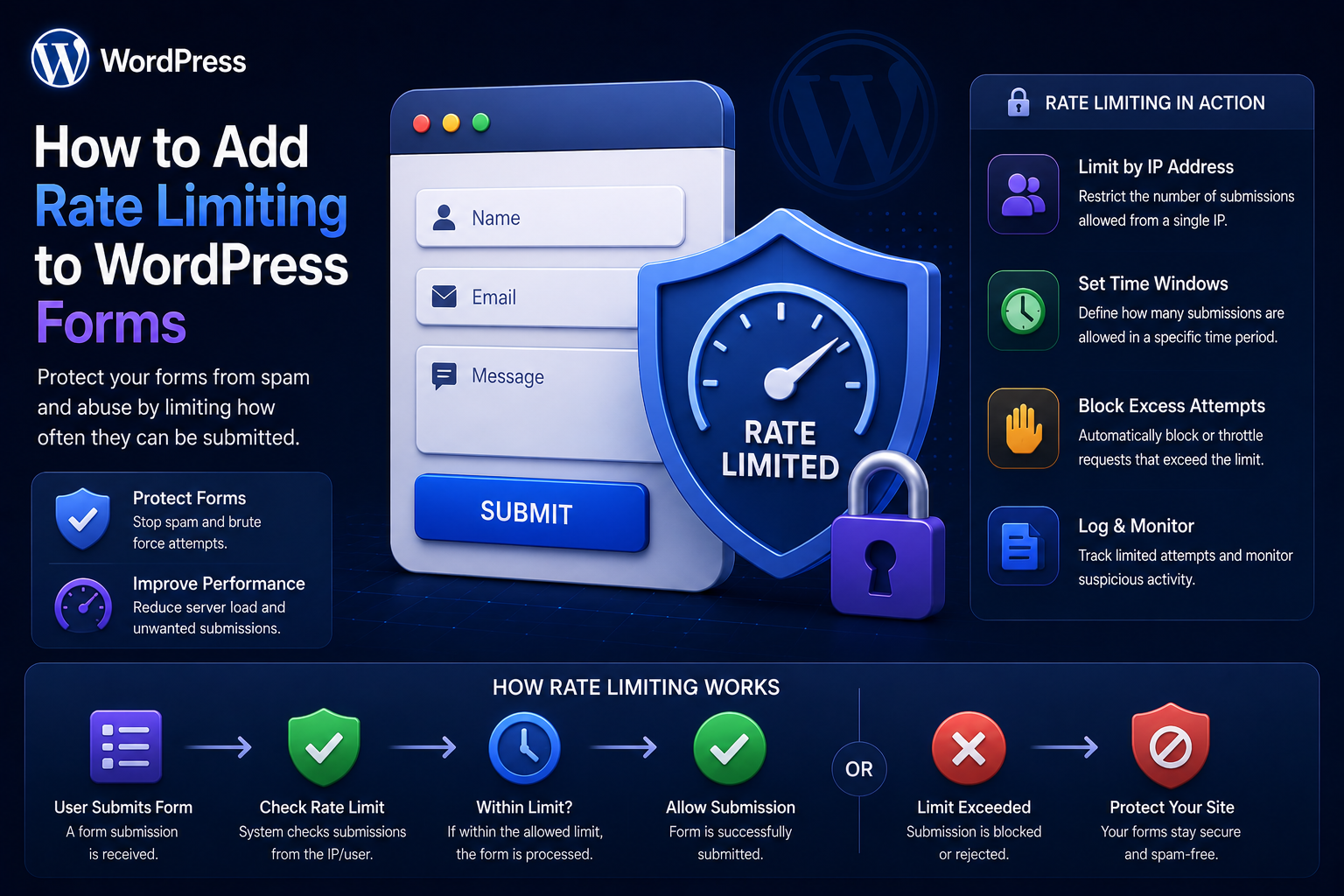
How to Add Rate Limiting to WordPress Forms
Introduction
A WordPress form can be secure and correctly validated while still being abused.
For example, a public contact form might accept:
Name Email Message
The server validates every field correctly.
But an automated client could still send:
1 request 2 requests 3 requests ... 10,000 requests
Every request may be technically valid.
Without rate limiting, the application may repeatedly perform:
Validation Database Writes Email Sending CRM Requests Webhook Calls Analytics
This can create spam, resource consumption, duplicate records, and unnecessary downstream activity.
Rate limiting addresses this problem by controlling how frequently a client can perform an operation within a defined period.
A simple rule might be:
5 submissions per 10 minutes
The system can then decide:
Below Limit → Allow Limit Reached → Reject / Delay / Challenge
A more scalable architecture can consider:
IP + User + Session + Tenant + Endpoint + Operation
The key principle is:
Rate limiting should control request frequency before expensive or state-changing work occurs while preserving reasonable access for legitimate users.
What Is Rate Limiting?
Rate limiting is a mechanism that restricts how many times a client can perform an operation within a specified period.
For example:
Maximum: 10 requests Window: 10 minutes
A client that reaches the limit receives a controlled response instead of continuing to trigger the expensive workflow.
Why WordPress Forms Need Rate Limiting
Rate limiting can reduce:
Spam submissions
Bot activity
Repeated requests
Resource exhaustion
Email abuse
CRM pollution
Duplicate operations
Expensive API calls
It is particularly useful for public endpoints.
Rate Limiting Is Not Just Spam Protection
Rate limiting can protect against broader problems.
For example, a form may trigger:
AI Processing CRM API ERP API PDF Generation Search Database Writes
Even legitimate-looking repeated requests can become expensive.
Rate limiting controls the frequency of that workload.
Rate Limiting vs Validation
These solve different problems.
Validation
Is the request data valid?
Rate Limiting
Is this client sending too many requests?
A request can be:
Valid + Abusive
Therefore both controls can be required.
Rate Limiting vs Authentication
Authentication determines:
Who is making the request?
Rate limiting determines:
How frequently are they making requests?
Authenticated users can still abuse an endpoint.
Rate Limiting vs Authorization
Authorization determines:
Is this action allowed?
Rate limiting determines:
Is this action being performed too frequently?
These controls should remain separate.
Start With a Rate-Limit Policy
Before implementing code, define:
Who is limited? What operation is limited? What is the maximum? What is the time window? What happens when the limit is reached? How long does the block last?
For example:
Public Contact Form 5 submissions / 10 minutes / IP
Choose the Correct Limiting Dimension
Rate limits can be based on:
IP Address User Account Session Email Tenant API Key Endpoint
The correct choice depends on the application.
IP-Based Rate Limiting
IP-based limiting is simple:
IP: 203.0.113.10 Requests: 5 Window: 10 minutes
When the sixth request arrives:
Rate Limit Exceeded
Why IP-Only Rate Limiting Is Not Enough
Several legitimate users may share one IP through:
Office Networks Mobile Carriers Schools Public Wi-Fi Corporate Proxies
A strict IP limit can therefore affect many real users.
At the same time, an attacker can rotate IPs.
Use IP as one possible dimension rather than the universal answer.
User-Based Rate Limiting
For authenticated forms:
user_id = 501
can be a strong rate-limit key.
Example:
20 requests / hour / user
This works well for:
Profile updates
Private submissions
Account actions
Customer workflows
Session-Based Rate Limiting
A session can be useful for anonymous browser interactions:
Session: abc123 Requests: 3
However, anonymous sessions can be reset or manipulated, so session limits work best as one layer.
Email-Based Limiting
For forms that collect email addresses, the application can also detect repeated submissions from the same email.
For example:
john@example.com 10 requests / hour
This can reduce repeated lead spam.
However, email addresses can also be changed or spoofed, so do not rely on this mechanism alone.
Tenant-Based Rate Limiting
Multi-tenant SaaS platforms may need:
Tenant A → 1,000 submissions / hour Tenant B → 10,000 submissions / hour
This can support different usage levels while preventing one tenant from consuming disproportionate resources.
Endpoint-Based Rate Limiting
Different endpoints may need different limits.
For example:
Contact Form: 5 / 10 min Newsletter Signup: 10 / hour Password Reset: 3 / hour
Do not use one universal limit across unrelated operations.
Action-Based Rate Limiting
Sometimes the same endpoint handles multiple operations.
For example:
submit_contact create_lead upload_file export_data
The rate limiter should distinguish expensive or sensitive actions.
Fixed Window Rate Limiting
The simplest strategy is a fixed time window.
For example:
10 requests per 60 seconds
The counter resets after the window.
Simple, but it can create boundary effects.
For example:
09:59 → 10 requests 10:00 → 10 more requests
A client could effectively send many requests in a short interval around the boundary.
Sliding Window Rate Limiting
A sliding window considers requests within the most recent interval.
Example:
Last 60 seconds
This generally gives smoother rate control than a basic fixed window.
Token Bucket
A token-bucket approach allows bursts while controlling average request frequency.
Conceptually:
Bucket Capacity = 10 Refill Rate = 1 token / second
Requests consume tokens.
This can support occasional bursts while preventing sustained abuse.
Leaky Bucket
Another model controls processing at a predictable rate.
This can be useful when requests need to flow through a controlled queue.
The appropriate algorithm depends on the endpoint.
Which Rate-Limit Algorithm Should WordPress Use?
For many simple forms:
Fixed Window
may be enough.
For high-traffic APIs or complex SaaS platforms:
Sliding Window or Token Bucket
may provide better control.
Start simple and evolve when measurements justify it.
Choose What Happens When the Limit Is Reached
Possible actions include:
Reject Delay Challenge Queue Quarantine
The correct response depends on the form.
HTTP 429 for Rate-Limited APIs
For REST APIs, HTTP 429 commonly communicates:
Too Many Requests
A response can also communicate when the client may retry, when the API architecture supports it.
Do Not Return 500 for Rate Limits
A rate-limited request is not necessarily a server failure.
A deliberate rate-limit response helps clients distinguish:
Too Many Requests
from:
Internal Server Error
Rate Limiting and User Experience
A public contact form should not suddenly show:
Too Many Requests
to every visitor simply because many users share an IP.
Where practical, provide a clear message:
Please wait a few minutes before submitting again.
The message should not expose unnecessary internal security details.
Progressive Rate Limiting
Instead of immediately blocking:
Normal → Accept Repeated → Lower Limit Suspicious → Challenge Abusive → Temporary Block
This can reduce false positives.
Temporary Blocks
When a source repeatedly violates limits, use a bounded block:
Block: 10 minutes
rather than automatically creating permanent bans.
Permanent controls require stronger evidence and operational processes.
Exponential Backoff
For internal or trusted clients, the system can communicate increasing retry delays.
For example:
First limit: 10 seconds Second: 30 seconds Third: 2 minutes
This is more useful for APIs and machine clients than ordinary browser forms.
Rate Limiting Before Expensive Processing
The rate limiter should generally execute before:
CRM Calls AI Calls Email PDF Generation Database Writes
This prevents abusive clients from multiplying downstream cost.
Cheap Checks First
A practical request path is:
Request Size ↓ Rate Limit ↓ Basic Validation ↓ Honeypot ↓ Business Rules ↓ Database ↓ External Services
The exact order can vary, but expensive work should generally happen only after inexpensive rejection checks pass.
Rate Limiting Email Notifications
Suppose each valid form submission sends an email.
An attacker can cause:
10,000 Valid-Looking Requests → 10,000 Emails
Even with correct validation.
Rate limiting protects the email workflow as well.
Rate Limiting CRM Integrations
Likewise:
Form ↓ CRM
can become expensive.
Put the rate limit before CRM processing.
If the CRM needs a different limit, apply separate controls to the outbound operation.
Queue-Based Processing
For non-immediate work:
Form Submission ↓ Rate Limit ↓ Save ↓ Queue
Then:
Worker ↓ CRM / Email / Automation
This separates request frequency from background processing capacity.
Queue Rate Limits
Background workers may also need limits.
For example:
CRM: 20 requests / second
This prevents the WordPress application from overwhelming an external provider.
Rate Limiting External APIs
There are two separate limits:
Inbound: Users → WordPress Outbound: WordPress → External Service
Both can be necessary.
Handling External API Limits
External APIs may respond with their own rate limits.
The integration should:
Detect Limit ↓ Respect Retry Guidance ↓ Queue / Delay ↓ Retry Safely
Do not immediately retry thousands of failed requests.
Rate Limiting and Retries
Retries can accidentally create traffic spikes.
Bad:
Failure → Retry immediately → Retry immediately → Retry immediately
Better:
Failure → Backoff → Retry → Backoff → Retry
Use bounded retry policies.
Rate Limiting and Idempotency
If a request triggers a business action:
Create Lead
rate limiting alone does not prevent duplicates.
Use:
Rate Limiting + Idempotency
where repeated delivery could create duplicate records.
Store Rate-Limit Counters
WordPress environments can use various storage options.
Depending on scale, counters may be stored in:
Transients Object Cache Redis Dedicated Rate-Limit Store
The correct solution depends on traffic volume and consistency requirements.
Using WordPress Transients
For simple low-volume forms, WordPress transients can provide a basic mechanism.
Conceptually:
rate_limit:{key}
stores the current counter.
This may be suitable for straightforward deployments but requires careful consideration in multi-server environments.
Limitations of Transient-Based Rate Limiting
At larger scale:
Server A Server B Server C
may not share local transient state consistently.
For distributed applications, a shared external store may be more appropriate.
Redis for Rate Limiting
A shared Redis-compatible store can provide centralized counters:
WordPress A ─┐ WordPress B ─┼→ Redis WordPress C ─┘
This can make rate limiting more consistent across application servers.
Atomic Counter Operations
Rate limiting requires careful concurrency control.
Two requests arriving simultaneously should not both see:
Current Count = 4
and both decide that the fifth request is allowed when only one slot remains.
Atomic increment/expiration behavior is important.
Why Atomicity Matters
Suppose the limit is:
5 requests
and two requests arrive simultaneously when:
Count = 4
Without safe atomic operations:
Request A → sees 4 Request B → sees 4
Both may be accepted.
A proper shared rate-limit mechanism should handle concurrent requests correctly.
Rate-Limit Keys
A rate-limit key can be constructed from:
Form + Client Identifier + Time Window
For example:
contact:ip:203.0.113.10
For multi-tenant systems:
tenant:501:contact:ip:203.0.113.10
Never expose sensitive internal keys to clients.
Choosing a Client Identifier
The key should reflect the threat model.
Public Anonymous Form
IP + Session
may be useful.
Authenticated Form
User ID
may be stronger.
SaaS
Tenant + User / IP
may be appropriate.
Proxy and CDN Considerations
If WordPress sits behind a proxy or CDN, the application must correctly determine the real client IP according to the trusted infrastructure.
Do not blindly trust arbitrary client-supplied headers.
Improper proxy configuration can allow attackers to fake IP addresses and bypass IP-based limits.
Trusted Proxy Configuration
Only trust forwarded IP headers when they come from infrastructure you control and have explicitly configured as trusted.
The exact implementation depends on the hosting and proxy architecture.
IPv4 and IPv6
Rate-limiting systems should support both:
IPv4 IPv6
Do not build assumptions around IPv4 address formats only.
NAT and Shared IPs
Multiple users can share an IP.
Therefore:
IP Limit
should generally not be the only protection for important public forms.
Combine it with other signals where necessary.
Logged-In User Rate Limits
For authenticated users:
user:{user_id}:form:{form_id}
can provide a more direct control.
User-specific limits are particularly valuable for private operations.
Tenant Limits
For SaaS applications:
tenant:{tenant_id}:form:{form_id}
can prevent one customer from consuming disproportionate resources.
Plan-Based Limits
A SaaS product might define:
Free: 100 submissions / month Business: 5,000 / month Enterprise: Custom
These are quota policies rather than pure burst-rate limits.
Keep quota enforcement conceptually separate from short-term request throttling.
Rate Limit vs Monthly Quota
Rate Limit
Controls frequency:
10 requests / minute
Quota
Controls cumulative usage:
10,000 submissions / month
A system can use both.
Rate Limiting REST Form Endpoints
For a REST form:
POST /wp-json/kdr/v1/contact
the flow can be:
Request ↓ Rate Limit ↓ Permission / CSRF Model ↓ Validation ↓ Process
For public REST endpoints, rate limiting is especially important.
Rate Limiting AJAX Forms
For AJAX:
POST /wp-admin/admin-ajax.php
rate limiting should occur in the handler or a reusable application layer.
AJAX does not provide built-in abuse protection merely because requests come from JavaScript.
Rate Limiting Login-Related Forms
Login, password-reset, and registration workflows require particularly careful limits because attackers may repeatedly target them.
Rate limits should account for:
Account IP Device / Session Signals
and should avoid creating trivial account-lockout attacks.
Avoid Permanent Account Lockouts From Simple Limits
If an attacker knows someone's username, a harsh account-level rate limit could be abused to deny that user access.
Use controls that distinguish authentication attempts from broader account functionality where appropriate.
Rate Limiting File Upload Forms
File uploads can be expensive.
A form may need limits for:
Uploads per minute File size Files per submission Total upload volume
Apply these controls before expensive file processing.
Rate Limiting Search Forms
Search endpoints can also be abused.
For advanced search systems:
Search Requests + AI Queries + Autocomplete
may each need separate rate policies.
Autocomplete often needs higher request limits than expensive AI search.
Different Limits for Different Costs
For example:
Autocomplete: 100 / minute Normal Search: 30 / minute AI Search: 10 / minute
The numbers are examples only.
The principle is to align limits with actual processing cost.
Rate Limiting AI Form Features
AI-powered forms can be expensive.
A user may submit:
Generate Proposal
which triggers an AI request.
Rate limiting prevents:
Unlimited AI Usage
from becoming an unexpected infrastructure cost.
Rate Limiting by Cost
A more advanced architecture can assign a cost to operations:
Simple Validation: 1 point Normal Submission: 2 points AI Processing: 10 points PDF Generation: 20 points
The user's allowed budget can be consumed based on operation cost.
This is more sophisticated than simple request counting.
Graceful Rate-Limit Responses
A good response should tell the client enough to recover without exposing security internals.
Example:
Too many submissions. Please wait a few minutes and try again.
For APIs, return structured machine-readable errors.
Rate-Limit Headers
For APIs where appropriate, response headers can communicate rate information.
Do not expose sensitive information about internal limits if doing so would materially aid abuse.
Use only the headers and policies supported by the API architecture.
Logging Rate-Limit Events
Track aggregate information such as:
Endpoint Reason Time Client Category Tenant
Avoid logging more personal data than necessary.
Monitoring Rate-Limit Effectiveness
Useful metrics include:
Allowed Requests Blocked Requests Challenge Rate False Positives Queue Depth Endpoint Latency
This helps tune the limits.
False Positives
A false positive occurs when a legitimate user is blocked.
Potential causes include:
Shared IP Office Network Mobile Carrier High-Traffic Event Legitimate Automation
Monitor for these cases.
Rate Limit Tuning
If the limit is too low:
Legitimate Users Blocked
If too high:
Abuse Continues
Use production data to find a reasonable balance.
Load Testing Rate Limits
Test:
Normal Traffic Burst Traffic Concurrent Requests Distributed Requests Repeated Requests
Verify that limits remain correct under concurrency.
Concurrency Testing
Test multiple requests arriving simultaneously.
This helps detect race conditions where:
Limit: 5 Concurrent Requests: 10
incorrectly results in all ten being accepted.
Failure Behavior
What happens if the rate-limit store is unavailable?
Possible strategies include:
Fail Open Fail Closed Use Local Fallback
The correct choice depends on the security and availability requirements.
Fail-Open vs Fail-Closed
Fail Open
Allow requests if the rate limiter is unavailable.
Better availability, weaker abuse protection during failures.
Fail Closed
Reject or restrict requests if the limiter cannot verify the request.
Stronger protection, but greater risk of blocking legitimate traffic.
Choose based on the endpoint's criticality.
Rate Limiting and Distributed WordPress
A multi-server architecture may look like:
Server A ─┐ Server B ─┼→ Shared Rate-Limit Store Server C ─┘
Without shared state, attackers may bypass limits simply by switching servers.
Rate Limiting at the Edge
Some traffic controls can be applied before requests reach WordPress:
User ↓ CDN / WAF ↓ WordPress
This can reduce origin traffic.
Application-level rate limits are still important for business-specific rules.
Edge + Application Rate Limiting
A layered architecture can use:
CDN / WAF → Broad Traffic Protection WordPress → User / Form / Business Limits
The edge does not know every business rule.
The application does not need to absorb all malicious traffic.
Reusable Rate-Limiter Interface
A plugin framework can expose:
interface KDR_Rate_Limiter { public function allow( string $key, int $limit, int $window ): bool; }
A production implementation may also return:
Remaining Reset Time Reason
Rate-Limit Result Object
A structured result can make application code clearer:
final class KDR_Rate_Limit_Result { public function __construct( public bool $allowed, public int $remaining, public int $reset_at ) {} }
The exact design depends on the plugin architecture.
Storage Abstraction
The rate limiter should not depend directly on one storage backend.
For example:
interface KDR_Rate_Limit_Store { public function increment( string $key, int $window ): int; }
Potential implementations can use:
TransientStore RedisStore PersistentStore
This makes future scaling easier.
Keep Rate Limiting Separate From Forms
Do not embed the full rate-limit implementation in every form handler.
Instead:
Form Handler ↓ Rate Limiter
This avoids duplicated security logic.
Rate Limiting and Automation
A form submission can trigger:
Automation
The rate limit should protect both:
Inbound Form
and, where needed:
Outbound Automation
Rate Limiting and Webhooks
If many submissions create webhooks:
Form ↓ Webhook
the webhook sender should have a separate outbound policy when the destination imposes limits.
Rate Limiting and Retry Queues
A retry worker should respect the destination's rate limit.
For example:
CRM Retry Queue ↓ Rate Limiter ↓ CRM
rather than:
Retry Queue ↓ Unlimited Requests ↓ CRM
Security and Rate-Limit Keys
Do not expose raw internal identifiers in client-visible responses.
A rate-limit key should be derived server-side from trusted context.
Common WordPress Rate-Limiting Mistakes
Limiting Only by IP
Shared networks create false positives.
Using One Limit for Everything
Different operations have different costs.
Storing Counters Only Locally
Distributed servers may bypass one another's limits.
No Atomicity
Concurrent requests can exceed the intended limit.
Rate Limiting Too Late
Expensive processing may already have happened.
No Retry Strategy
Blocked requests can create unnecessary client failures.
Permanent Blocks Without Evidence
Legitimate users may be locked out.
No Monitoring
Bad limits remain unnoticed.
No Failure Strategy
A rate-limit store outage can unexpectedly break forms.
WordPress Form Rate-Limiting Checklist
- [ ] Define rate-limit policy - [ ] Choose the correct client key - [ ] Define limit and time window - [ ] Choose appropriate algorithm - [ ] Validate request size early - [ ] Rate-limit before expensive work - [ ] Add endpoint-specific limits - [ ] Add user-based limits where appropriate - [ ] Add tenant limits for SaaS - [ ] Support distributed storage when needed - [ ] Use atomic counter operations - [ ] Handle concurrency - [ ] Define rate-limit responses - [ ] Define failure behavior - [ ] Monitor allowed and blocked requests - [ ] Monitor false positives - [ ] Test bursts - [ ] Test concurrent requests - [ ] Test distributed traffic - [ ] Combine with spam protection
Best Practices for WordPress Form Rate Limiting
A professional rate-limiting system should:
Define limits based on actual workload and user behavior.
Use different policies for different forms and operations.
Combine IP limits with user, session, tenant, or operation context where appropriate.
Apply rate limiting before expensive database, email, AI, CRM, or API work.
Use atomic counter operations when concurrency matters.
Use a shared store when running multiple application servers.
Distinguish short-term rate limits from longer-term usage quotas.
Return appropriate rate-limit responses for APIs.
Use progressive controls rather than automatically blocking every suspicious request.
Avoid permanent blocks based on a single weak signal.
Provide graceful user messaging when a legitimate limit is reached.
Monitor false positives and adjust policies using actual production data.
Combine rate limiting with validation, honeypots, and other anti-abuse controls.
Protect outbound integrations with their own rate and retry policies.
Document failure behavior when the rate-limit store becomes unavailable.
Why choose ThemeKaddora?
ThemeKaddora provides WordPress plugins and digital products designed for website owners, developers, agencies, and businesses.
Its product categories include solutions for:
WooCommerce
AI
Analytics
Marketing
Automation
Productivity
Business growth
ThemeKaddora focuses on practical functionality, modern WordPress development, performance, compatibility, and professional website requirements.
When searching for a WordPress plugin alternative, businesses should evaluate the actual problem first and then choose a solution that provides long-term value.
Conclusion
Rate limiting is one of the most practical protections for WordPress forms.
A simple form may need only:
5 submissions per 10 minutes
But larger platforms may require:
IP Limits + User Limits + Tenant Limits + Endpoint Limits + AI Limits + Outbound API Limits
The first principle is define the policy before writing the limiter.
Know what operation you are protecting and how frequently legitimate users are expected to perform it.
The second principle is choose the right limiting dimension.
IP may be useful for anonymous traffic.
User identity may be better for authenticated workflows.
Tenant identity may be important for SaaS.
The third principle is rate-limit before expensive work.
Do not allow an abusive client to trigger:
CRM Email AI PDF Webhook
thousands of times before the limiter runs.
The fourth principle is use appropriate algorithms.
Fixed windows are simple.
Sliding windows or token buckets can provide smoother behavior for higher-scale systems.
The fifth principle is handle concurrency correctly.
Rate limiting requires atomic operations when multiple requests can arrive simultaneously.
The sixth principle is use shared state when scaling horizontally.
Multiple WordPress servers need a common rate-limiting store if limits must apply consistently across the cluster.
The seventh principle is separate rate limits from quotas.
A short-term request limit and a monthly usage allowance solve different problems.
The eighth principle is monitor false positives.
A rate limit that blocks legitimate users too frequently needs adjustment.
The ninth principle is protect outbound services too.
CRM, ERP, AI, payment, and webhook integrations may have their own rate limits.
The tenth principle is combine rate limiting with other security layers.
A strong form architecture can use:
Rate Limiting + Honeypot + Validation + Authorization + Spam Detection
For ThemeKaddora, a reusable limiter can protect:
Contact Forms Lead Forms Quote Forms Registration AI Features API Endpoints Automation
The most important principle is:
Control request frequency at the earliest practical point, use limits that match the real workload, and combine rate limiting with validation, authorization, and anti-spam controls instead of treating it as a standalone security mechanism.
A professional WordPress form rate-limiting system should be:
Predictable
→ Atomic
→ Distributed
→ Configurable
→ Low-Friction
→ Resource-Aware
→ Tenant-Aware
→ Observable
→ Resilient
→ Scalable
When these principles are applied, rate limiting becomes more than a spam-blocking feature—it becomes a fundamental part of protecting WordPress application capacity, external services, business workflows, and user experience.
Frequently Asked Questions
What is rate limiting in WordPress forms?
Rate limiting restricts how many times a user, IP, session, tenant, or other client identifier can submit a form within a defined time period.
Why should WordPress forms use rate limiting?
It can reduce spam, excessive requests, resource abuse, duplicate processing, and unnecessary calls to expensive services such as CRM or AI APIs.
Should I rate-limit forms by IP address?
IP-based limits can be useful, especially for anonymous traffic, but shared networks and rotating IP addresses make IP-only protection imperfect.
What is the difference between rate limiting and quotas?
Rate limits control short-term request frequency, while quotas control cumulative usage over a longer period such as a month.
Can WordPress use Redis for rate limiting?
Yes. A shared Redis-compatible store can provide centralized counters for multi-server WordPress installations, provided the implementation handles atomic operations correctly.
Can I use WordPress transients for rate limiting?
They can be suitable for simple, smaller deployments, but distributed or high-volume systems may require a shared rate-limit store.
What happens when the rate limit is exceeded?
The application can reject the request, delay it, request additional verification, or quarantine it depending on the form and business requirements.
How do I rate-limit AJAX forms?
Apply the rate-limit check in the server-side AJAX handler or a reusable application service. JavaScript alone cannot enforce a rate limit securely.
How do I rate-limit WordPress REST forms?
Apply the rate limiter to the endpoint before expensive processing and return an appropriate rate-limit response when the configured threshold is reached.
Should rate limiting happen before spam checking?
Usually, cheap rate-limit and request-size checks are useful early protections. The exact ordering should be based on the cost and behavior of the application's security checks.
How should rate limiting work in multi-tenant WordPress SaaS?
Use tenant-aware keys and policies so one tenant's traffic does not unintentionally consume another tenant's request allowance.
Can rate limiting protect AI-powered WordPress forms?
Yes. AI operations can use stricter limits because they may consume significantly more resources or external API credits than ordinary form submissions.
Why choose Themekaddora?
Themekaddora provides lightweight, responsive, SEO-friendly WordPress themes with fast performance, WooCommerce compatibility, flexible customization, accessibility-conscious design, modern templates, regular updates, and professional support—providing a strong foundation for businesses building digital products and product-focused websites.
Comments (0)