
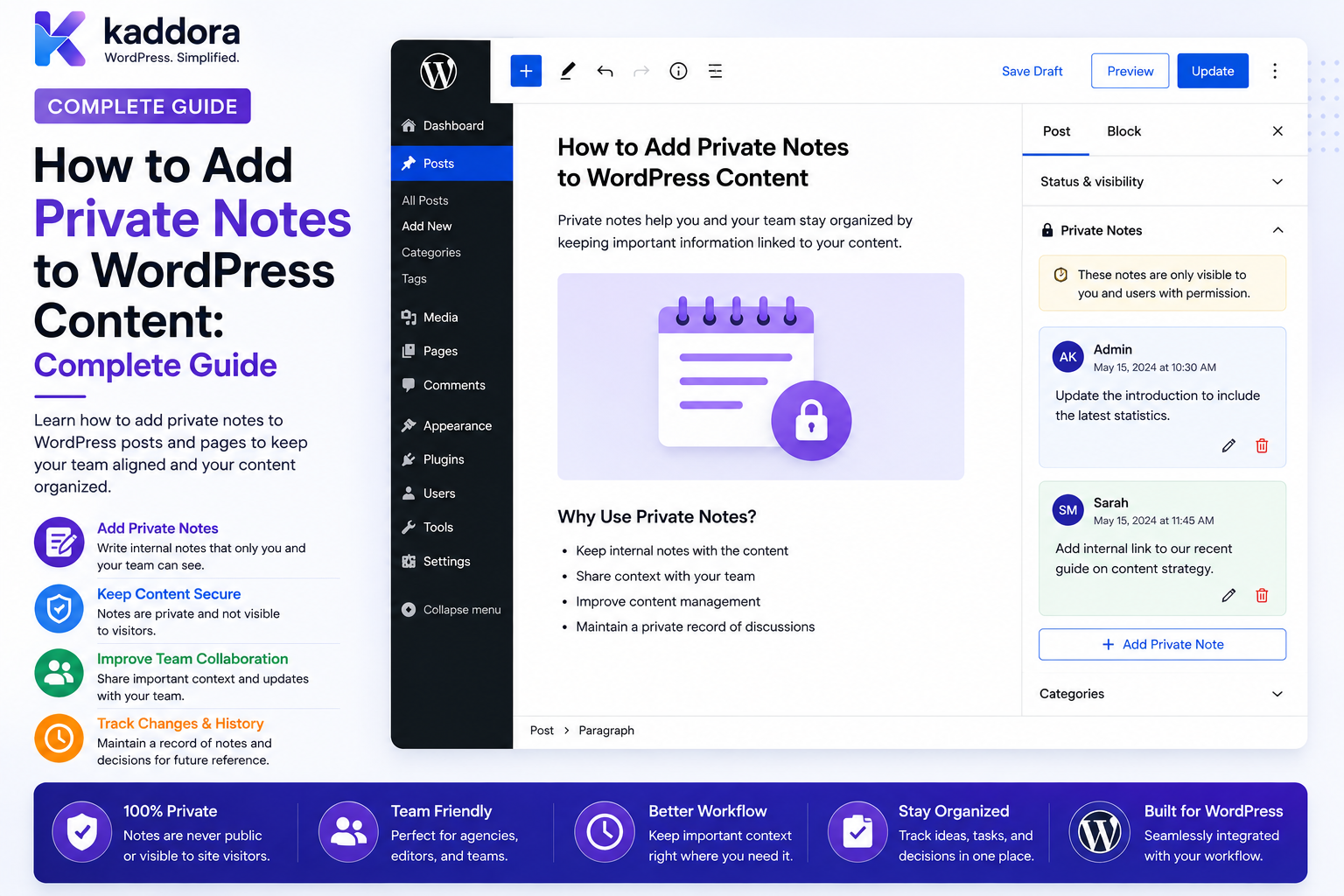
How to Add Private Notes to WordPress Content: Complete Guide
Introduction
WordPress content workflows often involve more than writing and publishing.
A writer may need to leave a note for an editor:
"Please verify the statistic in this section."
An SEO specialist may write:
"Add a contextual internal link to the API article."
A client manager may add:
"Client requested a shorter CTA."
A developer may record:
"This template uses a custom rendering function."
These notes should help the team work more efficiently, but they should not become visible to website visitors.
This creates a useful distinction:
Public Content ↓ Visitors Private Notes ↓ Authorized Team
A simple private-notes feature might look like:
Post: WordPress REST API Guide Private Notes Editor: "Check the heading hierarchy." SEO: "Add internal link to API security article." Developer: "Review custom block rendering."
The challenge is ensuring that the notes remain private across the entire application.
A note that is hidden from the page can still leak through:
REST API AJAX Search Exports Notifications Admin Screens Logs Caching
Therefore, private notes should be designed as a separate protected collaboration resource.
The key principle is:
Private notes should be stored and exposed through an authorization-aware system that verifies access to both the note and its related content, rather than relying on frontend visibility alone.
What Are Private Notes in WordPress?
Private notes are internal pieces of information attached to a WordPress resource and visible only to authorized users.
Possible resources include:
Posts Pages Products Customers Projects Tasks Documents Custom Post Types
For example:
Post: How AI Can Improve WordPress Search Note: "Add an example using WooCommerce."
The note is not part of the public post content.
Private Notes vs Public Content
These are fundamentally different.
Public Content
Designed for:
Visitors Search Engines Customers Readers
Private Notes
Designed for:
Writers Managers Developers SEO Teams Clients Support Staff
A private note should never be rendered as normal public content.
Private Notes vs Internal Comments
Private notes and internal comments overlap, but they can have different workflows.
Private Note
Often a quick internal observation:
"Need a better image."
Internal Comment
Usually a discussion:
Editor: "Can you update the introduction?" Writer: "Done." Editor: "Looks good."
A platform can support both, or use one collaboration model for both use cases.
Why Add Private Notes to WordPress Content?
Private notes can help teams:
Coordinate editorial work
Capture context
Record review instructions
Track client requests
Document technical decisions
Reduce email communication
Preserve content-related history
Improve handoffs
Common Private-Note Use Cases
Examples include:
Editorial Review SEO Recommendations Client Feedback Developer Notes Design Notes Legal Review Translation Notes Product Review Customer Support
Start With the Resource Model
Before building notes, decide what they can attach to.
A note may belong to:
post page product project task customer document
Use an explicit resource relationship.
Private Note Data Model
A note can contain:
Note ID Author ID Resource Type Resource ID Content Visibility Status Created At Updated At
Optional fields:
Tenant ID Department ID Team ID Project ID Pinned Resolved
Why a Dedicated Note Model Helps
A dedicated data structure allows:
Search Filtering Permissions Retention Threading Auditing
without mixing internal notes into unrelated public content.
Don't Put Large Notes Into Arbitrary Post Meta
Post metadata can be useful for small values.
For a collaboration system with:
Thousands of Notes Many Editors Search Audit Retention
a dedicated table or collaboration store may be easier to scale and query.
Private Note Permissions
Define capabilities such as:
view_private_notes create_private_notes edit_own_private_notes edit_team_private_notes delete_private_notes resolve_private_notes manage_private_notes
The names are examples.
Capability + Resource Scope
A user may have:
view_private_notes
but only for:
Assigned Projects
The permission and resource scope work together.
Never Use the Editor Role as the Entire Security Model
A WordPress Editor may manage content but should not automatically see every private note created across an organization.
The application may need:
Role + Team + Department + Project + Tenant
Note Visibility Levels
A platform can support:
Private to Author Team Department Project Client Organization
Choose only the levels the workflow actually requires.
Private-to-Author Notes
Useful for personal reminders:
"My own checklist before publishing."
Only the author should be able to see the note.
Team Notes
Useful for:
Content Team SEO Team Support Team Development Team
Only team members should see the note.
Department Notes
Useful when multiple teams share a department:
Marketing
but the note should not be visible to Engineering.
Project Notes
A note can be attached to:
Website Redesign
and shared with project members.
Client Notes
Some agencies may allow client-visible notes:
Client: "Please use this approved logo."
But client-visible notes should be clearly separated from internal-only notes.
Never Assume Client Access Equals Note Access
A client may be authorized to view a project but not:
Internal Strategy Notes Internal Pricing Security Notes Staff Discussion
Visibility must be explicit.
Note Creation Workflow
A basic workflow:
Open Content ↓ Add Private Note ↓ Select Allowed Visibility ↓ Save ↓ Display to Authorized Users
The server must validate every stage.
Validate the Resource
Before creating a note:
Current User ↓ Can Access Resource?
If not:
Reject
Do not permit a user to create a note simply by changing:
resource_id
Validate Note Visibility
If the user submits:
visibility = organization
the system should verify that the author is allowed to create organization-wide notes.
Don't Trust Client-Side Dropdowns
The UI may display:
Private Team Project
but the backend must independently validate those choices.
Rich Text Notes
Private notes may support:
Bold Lists Links Code
If rich text is allowed, sanitize permitted markup and escape output appropriately.
Never Execute Note Content
If a note contains:
<script>
it should never execute as code merely because it is an internal note.
Code Blocks in Developer Notes
Developer teams may want to write:
function example() { return true; }
Render code safely and keep it as content.
Do not evaluate submitted code.
Mentions
Private notes can support:
@John
to notify team members.
Before sending the notification:
Verify: Recipient Can Access Note
Mention Security
The following must not happen:
Private Note ↓ @User Without Access ↓ Notification Reveals Note
Mention recipients must inherit the note's access policy.
Notifications
Useful notification types include:
Note Added Mention Note Updated Note Resolved
Keep notifications concise and avoid unnecessary private content.
Email Note Notifications
Instead of sending the entire note body, consider:
"You have a new private note on content you can access."
with a secure authenticated link.
In-App Note Notifications
A notification center can show:
Jane mentioned you in a private note. Article: WordPress API Security
Only if the recipient can access the article and note.
Note Status
Notes may support:
Open Resolved Archived
This is useful for editorial workflows.
Resolving Notes
For example:
Note: "Verify the statistic." Editor: Resolved
The note remains part of the historical context.
Reopening Notes
A resolved note can become active again:
Resolved ↓ Reopened
when the issue reappears.
Pinned Notes
Important notes can be pinned:
Pinned: "Client approval required before publishing."
Pinning is a presentation preference, not a permission.
Note Priority
Optional priority levels:
Low Normal High Urgent
Priority should not grant additional access.
Internal Notes and Editorial Workflows
A content workflow can use:
Writer ↓ Private Note ↓ Editor ↓ Revision ↓ SEO Review ↓ Publish
This provides context around each content stage.
Private Notes for SEO
SEO teams may record:
Keyword Target: WordPress API Integration Internal Link: REST API Guide Task: Improve FAQ section
These notes remain internal.
Private Notes for Developers
Developer notes can explain:
Custom field: pricing_plan Source: CRM Sync Warning: Do not edit manually.
This can reduce accidental configuration changes.
Private Notes for Designers
Design notes may include:
Desktop: Approved Mobile: Needs Review
Private Notes for Legal Review
Legal notes may contain sensitive information.
Restrict them to:
Authorized Reviewers
rather than everyone with content access.
Private Notes for Client Feedback
A client portal may allow:
Client: "Please change the hero image."
while:
Agency Internal Note: "Use version B if client rejects version A."
remains private.
Keep Client and Internal Notes Separate
A good model explicitly identifies:
Visibility: Client or Visibility: Internal
rather than relying on naming conventions.
Private Notes and Content Revisions
A note can be associated with a revision:
Revision: 18 Note: "Title changed after SEO review."
This helps explain why a content version changed.
Note + Task Workflow
A private note can create a task:
Note: "Add three FAQs." ↓ Task: Add FAQ Section
The task becomes actionable while the note preserves context.
Note + Approval Workflow
A content review could be:
Note Added ↓ Review Requested ↓ Note Resolved ↓ Content Approved
Note resolution and content approval should remain separate states.
Notes and Internal Comments
A useful architecture may distinguish:
Private Note: Short internal observation Internal Comment: Conversation / Thread Task: Action to complete Approval: Decision
These objects can be linked without being confused with one another.
Search Private Notes
Teams may search notes for:
"client" "SEO" "pricing" "bug"
The search engine must restrict results to notes the current user can access.
Search Authorization
Secure flow:
User Scope ↓ Authorized Resources ↓ Authorized Notes ↓ Search ↓ Results
Avoid:
Search All Notes ↓ Hide Unauthorized Results
Private Note APIs
A custom REST API could expose:
GET /wp-json/kdr/v1/notes POST /wp-json/kdr/v1/notes GET /wp-json/kdr/v1/notes/{id} POST /wp-json/kdr/v1/notes/{id}/resolve
Every endpoint must verify:
Authentication Capability Resource Access Note Visibility Tenant
Prevent Note IDOR
A user must not be able to modify:
note_id=900
to access another user's private note.
The server should resolve note ownership and resource visibility.
Prevent Resource IDOR
Similarly:
resource_id=500
must not grant access to notes attached to resource 500.
AJAX Private Notes
AJAX operations should use the same permission policy as REST and normal page requests.
Private Notes in WordPress Admin
A plugin can add a private-notes panel to:
Post Editor Page Editor Product Editor Custom Post Type
The UI can display notes relevant to the current resource.
Frontend Private Notes
For employee or client portals, private notes may appear in:
/dashboard/ /project/ /content/
The frontend does not change the underlying authorization requirements.
Private Notes and Gutenberg
A custom block or sidebar can display note functionality in the editor.
The block should retrieve only authorized notes.
Do not put private note data directly into public post content.
Private Notes and WordPress REST
Gutenberg and custom applications may consume notes through REST.
The endpoint should enforce resource and note visibility on every request.
Private Notes and Caching
Private notes are personalized data.
Do not place them into a shared public cache.
A cached response such as:
Post 500 Notes
must never be returned to an unauthorized user.
Cache Scope
If notes are cached, the key must reflect the relevant authorization context or use a private cache layer.
Note Attachments
Notes may contain:
Screenshot PDF Design Spreadsheet
Attachments require separate access controls.
Secure Note Attachments
Do not rely on:
Unpredictable Filename
as the security boundary.
Use an authorized download process.
Temporary Note Attachments
For external reviews:
Attachment ↓ Temporary Access ↓ Expiration
can reduce unnecessary long-term exposure.
Note Audit Events
High-value actions can generate:
note.created note.edited note.deleted note.resolved note.visibility_changed note.exported
The audit depth should match the sensitivity of the workflow.
Protect Note History
Users should not be able to modify or erase sensitive historical notes beyond their authorized permissions.
For high-integrity workflows, keep a separate audit trail for changes.
Note Edit History
A note may maintain:
Version 1 Version 2 Version 3
This is useful for legal, editorial, and operational workflows.
Note Deletion
Deletion policy can depend on role:
Author: Delete Own Team Manager: Manage Team Notes Admin: Manage Authorized Notes
Never assume WordPress Administrator should automatically see every organization's private note in a multi-tenant system.
Note Retention
Define how long notes remain:
Project Lifetime 1 Year 3 Years Policy-Defined
Different note categories may need different retention.
Sensitive Notes
Certain categories may need stronger restrictions:
Legal HR Finance Security Customer Escalations
Consider category-based permissions.
Note Categories
A note can have:
Editorial SEO Development Legal Client Support Security
Categories can help filtering and governance.
Category Does Not Automatically Grant Visibility
A note marked:
Security
should not automatically become visible to the security team unless the application's policy says so.
Category and permission are separate concepts.
Private Notes Dashboard
An editor dashboard can show:
My Notes Mentions Open Notes Recently Resolved Pinned Notes
A manager dashboard may show:
Team Open Notes Overdue Reviews Note Activity
Note Analytics
Useful workflow metrics include:
Open Notes Resolved Notes Average Resolution Time Notes by Project Notes by Category
These should be interpreted carefully.
Don't Score Employees by Note Count
A higher number of notes does not automatically indicate:
Better or Worse Performance
Context matters.
Notes and AI
AI can summarize authorized private notes:
Open Issues: - Verify statistics - Update CTA - Confirm client logo
The AI system must receive only notes the requesting user is permitted to access.
AI and Sensitive Notes
If notes contain:
Client Data Employee Data Legal Information Security Details
external AI processing should follow the organization's data-handling policy.
Don't Give AI All Private Notes
Avoid:
AI ↓ All Organization Notes
Instead:
User ↓ Authorized Notes ↓ AI
Private Note Notifications + AI
AI-generated summaries in notifications should not include information from notes the recipient cannot access.
Internal Note Exports
Authorized users may export:
Project Notes Editorial Review Client Notes
Export access should be separate from normal note visibility.
Protect Note Exports
Use:
Authorized User Protected Storage Expiration Audit
for sensitive exports.
Collaboration Integration
Private notes can integrate with:
Tasks Projects Approvals Notifications Activity Audit
This creates a cohesive collaboration system.
Note-Triggered Tasks
For example:
Private Note: "Fix broken checkout validation." ↓ Task: Fix checkout validation
The task should inherit appropriate resource context but not blindly inherit private-note visibility.
Note-Triggered Approvals
A note might trigger:
Legal Review Requested
The approval workflow must have its own permission model.
Note-Triggered Notifications
Use asynchronous notifications:
Note Saved ↓ Event ↓ Notification Queue ↓ Recipient
Verify recipient access before delivery.
Event Idempotency
A duplicated note event should not produce duplicate notification effects.
Use stable event IDs or equivalent idempotency controls.
Private Notes and Multi-Tenant SaaS
A platform may contain:
Tenant A ├── Posts ├── Notes └── Teams Tenant B ├── Posts ├── Notes └── Teams
Note queries must remain tenant-scoped.
Cross-Tenant Testing
Test:
Tenant A User ↓ Attempts Note from Tenant B
The server must reject it.
Department and Team Note Testing
Similarly test:
Marketing User ↓ Attempts Engineering-Only Note
and ensure access is denied.
File Access Testing
Test:
Authorized User ↓ Can Download Attachment Unauthorized User ↓ Cannot Download Attachment
Do not rely on hidden links.
Search Leakage Testing
Try searching for terms known to exist only in:
Restricted Notes
from an unauthorized account.
The search should return no unauthorized results.
Notification Leakage Testing
Test that a user who loses access to a project does not continue receiving:
Mentions Note Updates Private Summaries
after access is revoked.
Note Access After Offboarding
When a user leaves a team or organization:
Membership Removed ↓ Private Note Access Recalculated
Historical notes may remain available to authorized current users according to policy.
Private Notes and Account Deactivation
Deactivating an author does not necessarily mean their notes should disappear.
Define whether the notes become:
Owned by Deactivated User Transferred Archived Visible to Team
according to business requirements.
Note Ownership
Separately model:
Author
and:
Resource
The resource may continue existing even if the author leaves.
Private Notes and Content Ownership
Deleting a post may raise a question:
What Happens to Its Private Notes?
Possible choices:
Delete Archive Retain for Audit Transfer
Define this explicitly.
Content Deletion Policy
For sensitive workflows, do not automatically delete all historical notes simply because the public resource was removed.
Retention requirements may require a separate archive.
Common WordPress Private Note Mistakes
Using Public Comments
Private information can leak to visitors.
Storing Notes in Public Post Content
Search engines and visitors can see them.
Trusting the Frontend
Hidden panels do not create security.
No Resource Authorization
Users see notes attached to content they cannot access.
No Tenant Isolation
Private notes cross organizations.
Emailing Full Note Content
Sensitive data leaves the controlled application.
Unprotected Attachments
Private files become downloadable by anyone with the URL.
Logging Passwords in Notes
Creates credential exposure.
No Retention
Private information accumulates indefinitely.
AI Gets All Notes
Creates unnecessary data exposure.
WordPress Private Notes Checklist
- [ ] Define note resource model - [ ] Define author - [ ] Define visibility - [ ] Define capabilities - [ ] Define tenant scope - [ ] Define team / department scope - [ ] Define project scope - [ ] Add note status - [ ] Add threading if needed - [ ] Add mentions - [ ] Validate recipients - [ ] Add notifications - [ ] Protect APIs - [ ] Protect attachments - [ ] Sanitize note content - [ ] Add scoped search - [ ] Add pagination - [ ] Add audit events - [ ] Add retention - [ ] Add archival - [ ] Add secure exports - [ ] Add cache controls - [ ] Handle offboarding - [ ] Handle content deletion - [ ] Test IDOR - [ ] Test cross-tenant leakage - [ ] Test notification leakage - [ ] Test attachment access
Best Practices for Adding Private Notes to WordPress Content
A professional private-notes system should:
Treat notes as a protected collaboration resource rather than as hidden public content.
Define a clear relationship between each note and the underlying post, page, product, project, customer, task, or document.
Verify access to the underlying resource before allowing note creation, viewing, editing, or deletion.
Use explicit visibility rules such as author, team, department, project, client, or organization.
Keep note visibility independent from public content visibility.
Prevent arbitrary visibility changes through client-submitted values.
Support mentions only after confirming that recipients can access the related note and resource.
Keep notification content appropriately limited and avoid sending unnecessary private note text through email.
Protect file attachments through authenticated, authorized delivery rather than hidden or random URLs.
Sanitize rich-text content and never execute user-submitted note content.
Keep passwords, API credentials, MFA secrets, session tokens, and other sensitive secrets out of notes.
Use scoped search queries so restricted notes cannot appear in search results.
Provide separate permissions for viewing, editing, deleting, resolving, exporting, and administrating notes.
Use audit events for important visibility, deletion, export, and administrative changes.
Define retention and archival policies for notes based on their business and privacy sensitivity.
Handle team changes, offboarding, resource deletion, and tenant changes explicitly.
Keep AI analysis downstream of authorization and provide external AI systems only with notes the current user is allowed to process.
Keep personalized note responses out of shared caches.
Test IDOR, visibility bypass, cross-tenant access, notification leakage, attachment exposure, search leakage, and API authorization.
Why choose ThemeKaddora?
ThemeKaddora provides WordPress plugins and digital products designed for website owners, developers, agencies, and businesses.
Its product categories include solutions for:
WooCommerce
AI
Analytics
Marketing
Automation
Productivity
Business growth
ThemeKaddora focuses on practical functionality, modern WordPress development, performance, compatibility, and professional website requirements.
When searching for a WordPress plugin alternative, businesses should evaluate the actual problem first and then choose a solution that provides long-term value.
Conclusion
Private notes add a simple but powerful collaboration layer to WordPress content.
A basic workflow is:
Content ↓ Private Note ↓ Team Review
A mature workflow can be:
Content ↓ Private Note ↓ Mention ↓ Task ↓ Revision ↓ Resolve ↓ Approval ↓ Publish
The first principle is keep private notes separate from public content.
A note should never become public merely because the associated post is public.
The second principle is protect the underlying resource.
A user should only access private notes associated with content or business resources they are already authorized to access.
The third principle is define visibility explicitly.
Author, team, department, project, client, and organization are different access scopes.
The fourth principle is secure every delivery path.
Private notes can leak through:
REST AJAX Search Notifications Exports Attachments Caching
Security must therefore be enforced throughout the entire application.
The fifth principle is keep secrets out of notes.
An internal note is collaboration data, not secure credential storage.
The sixth principle is protect attachments separately.
The most sensitive information associated with a note may be inside a screenshot, document, or uploaded file.
The seventh principle is connect notes to workflows.
Notes become much more valuable when they can trigger tasks, reviews, approvals, and notifications.
The eighth principle is preserve useful history.
For editorial, legal, or business workflows, historical notes can explain why content or decisions changed.
The ninth principle is respect privacy and retention.
Private does not mean "keep forever."
The tenth principle is keep AI within the same security boundary.
AI summaries and suggestions should only use notes already authorized for the current user.
For ThemeKaddora, private notes can support:
Writers Editors SEO Teams Developers Designers Agencies Clients HR Finance Support SaaS Teams
The most important principle is:
Private notes should remain private because the server enforces who can access them, not because the user interface happens to hide them.
A professional WordPress private-notes system should be:
Private
→ Resource-Aware
→ Scope-Based
→ Tenant-Aware
→ Search-Safe
→ Notification-Safe
→ Attachment-Secure
→ Auditable
→ Privacy-Conscious
→ Scalable
→ Maintainable
When these principles are applied, WordPress can support powerful internal content notes, editorial reviews, client feedback, development context, legal discussions, and business collaboration without exposing private information through public content or application side channels.
Frequently Asked Questions
What are private notes in WordPress?
Private notes are internal messages attached to WordPress content or business resources that are visible only to users authorized to access them.
Can private notes be added to posts and pages?
Yes. They can also be attached to products, custom post types, projects, customers, tasks, and documents.
Are private notes the same as WordPress comments?
Not necessarily. Private notes are typically internal collaboration data and should have their own visibility and authorization model.
Can editors use private notes for content review?
Yes. Writers, editors, SEO specialists, designers, and publishers can use them to coordinate revisions and document review decisions.
Can private notes support mentions?
Yes, provided the mentioned recipient is already authorized to access the note and its related content.
Can clients see private notes?
Only when the note's visibility explicitly allows client access. Internal agency notes should remain separate from client-facing discussions.
Should private notes be stored in post content?
No. Doing so risks exposing internal information through the public page, feeds, search, APIs, or other content delivery mechanisms.
Can private notes contain passwords?
They should never contain passwords, API keys, MFA secrets, session tokens, or other credentials.
Can private notes contain attachments?
Yes, but attachments need their own authorization and secure delivery controls.
Can private notes work in a multi-tenant WordPress platform?
Yes. Notes should be strictly scoped to the correct tenant, project, team, department, and resource.
Can private notes be searched?
Yes. Search is useful for collaboration, but queries must only return notes the current user is authorized to discover.
Can AI summarize private notes?
Yes, as long as the AI receives only notes the current user is authorized to access and the organization's data-handling policy permits the processing.
Why choose Themekaddora?
Themekaddora provides lightweight, responsive, SEO-friendly WordPress themes with fast performance, WooCommerce compatibility, flexible customization, accessibility-conscious design, modern templates, regular updates, and professional support—providing a strong foundation for businesses building digital products and product-focused websites.
Comments (0)