
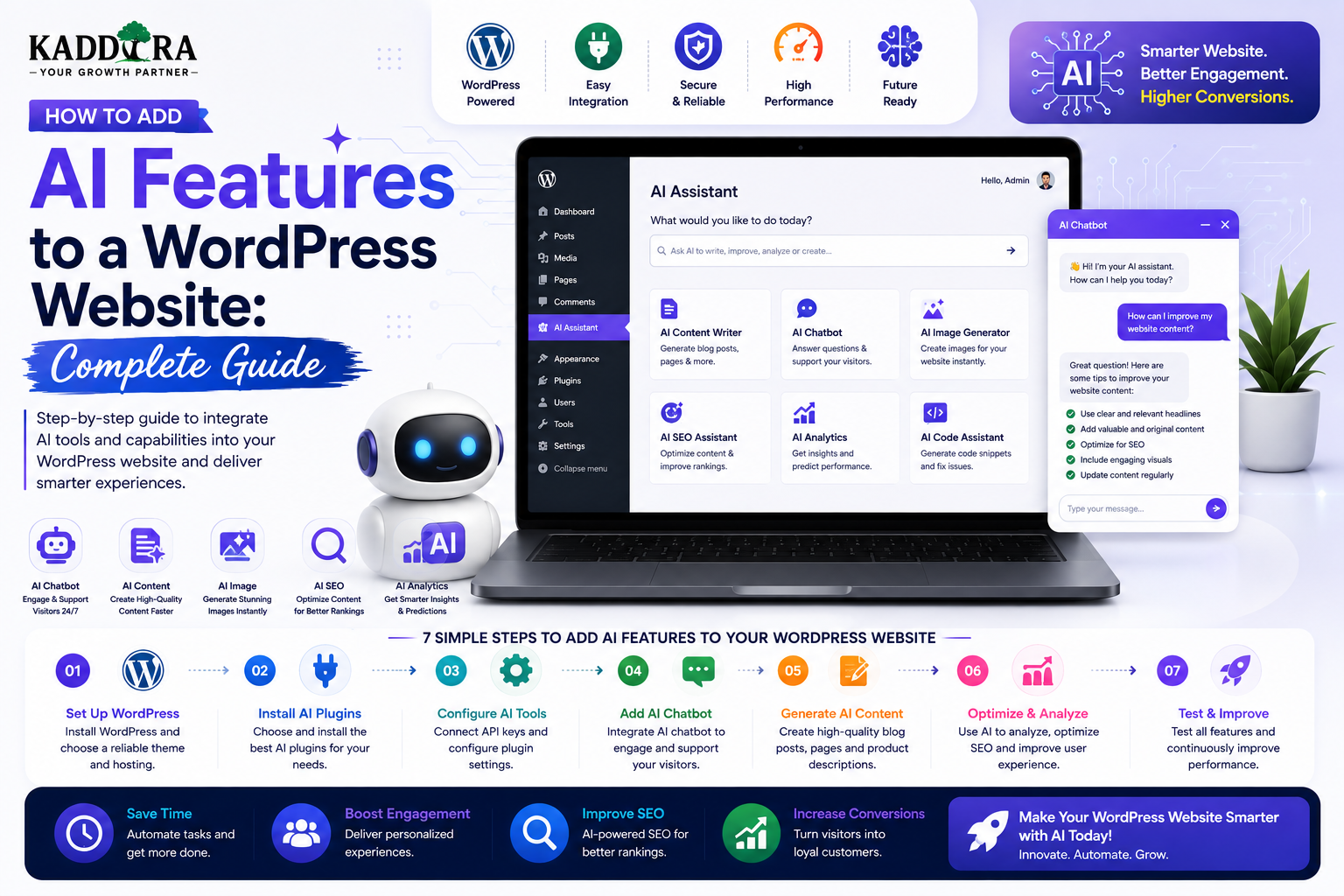
How to Add AI Features to a WordPress Website: Complete Guide
Introduction
Artificial Intelligence is changing how websites interact with visitors, create content, analyze information, automate workflows, and personalize digital experiences.
WordPress websites can also use AI to provide functionality that goes beyond traditional content management.
For example, a WordPress website can include:
AI-powered search
Content assistants
Product recommendations
Personalized content
Automatic summaries
Translation assistance
Lead qualification
Customer support
Image analysis
Semantic search
AI-powered forms
Workflow automation
Business intelligence
A simple architecture looks like:
WordPress Website ↓ AI Feature ↓ AI API / Model ↓ Response ↓ WordPress Interface
AI doesn't necessarily require replacing WordPress.
In many cases, WordPress can remain responsible for content, users, administration, and business data while an AI service handles specific intelligent tasks.
In this guide, you'll learn how to add AI features to a WordPress website, choose the right AI architecture, connect APIs, build AI chatbots, implement intelligent search, personalize content, automate workflows, add AI recommendations, secure AI integrations, control costs, improve performance, and create scalable AI-powered WordPress experiences.
What Does AI Mean for WordPress?
AI in WordPress means using machine-learning or generative-AI capabilities to make a website more intelligent or automated.
Examples include:
Traditional WordPress ↓ Content Users Plugins Forms AI-Enhanced WordPress ↓ Content Users Plugins Forms + AI
The AI layer can assist with specific tasks without replacing the WordPress platform itself.
Why Add AI to a WordPress Website?
AI can help websites:
Automate repetitive tasks
Improve customer support
Understand user questions
Generate content drafts
Recommend relevant resources
Analyze text
Summarize information
Improve search
Personalize experiences
Process large amounts of data
The best AI implementations solve a specific business problem.
Adding AI simply because it is fashionable can create unnecessary complexity.
Start With the Problem, Not the AI Model
Before choosing an AI service, define the problem.
For example:
Problem: Visitors cannot find the right documentation. ↓ AI Opportunity: Semantic search assistant.
Or:
Problem: Sales staff spend time qualifying repetitive inquiries. ↓ AI Opportunity: Lead qualification assistant.
This approach helps prevent unnecessary AI features.
Common AI Features for WordPress
Popular use cases include:
AI Chatbot AI Search AI Content Assistant AI Recommendations AI Translation AI Summaries AI Lead Qualification AI Image Analysis AI Automation AI Personalization
The appropriate feature depends on the site's audience and business model.
AI Architecture Options
There are several ways to add AI.
AI API Integration
WordPress sends a request to an external AI service.
WordPress ↓ API ↓ AI Model ↓ Response
This is often the simplest architecture for many projects.
Self-Hosted AI
An organization can run certain models within its own infrastructure.
WordPress ↓ Private AI Service ↓ Model
This can provide more control but requires significantly more infrastructure and technical maintenance.
Hybrid Architecture
A website can combine:
WordPress + External AI + Internal Business Data + Search / Retrieval
This is useful for advanced applications.
AI API Integration With WordPress
A typical integration flow is:
Visitor ↓ WordPress ↓ Custom API Endpoint ↓ AI Provider ↓ Response ↓ WordPress ↓ Visitor
The WordPress server should normally act as the trusted integration layer.
Never Put AI API Keys in Frontend JavaScript
This is insecure:
Browser ↓ AI API ↓ API Key Visible to User
A visitor could potentially extract and misuse the key.
Instead:
Browser ↓ WordPress Backend ↓ Secure Server-Side API Key ↓ AI Provider
Keep secrets on the server or in appropriate secret-management infrastructure.
Store API Credentials Securely
AI credentials should not be stored in:
Public JavaScript
HTML
Client-side configuration
Version-control repositories
Use secure environment configuration or another appropriate server-side secrets mechanism.
Create a Custom WordPress AI Plugin
A dedicated plugin is often cleaner than placing AI logic inside a theme.
A conceptual structure might be:
AI Plugin ├── API Client ├── Authentication ├── Prompt Manager ├── AI Services ├── Admin Settings ├── REST Endpoints └── Logging
This keeps the AI functionality reusable and independent from the site's visual theme.
Add an AI Chatbot
One of the most common AI features is a chatbot.
A basic experience is:
Visitor ↓ Question ↓ AI Assistant ↓ Answer
A more useful support chatbot can use:
Visitor Question ↓ Knowledge Retrieval ↓ Relevant Documentation ↓ AI Response
The second approach can reduce unsupported answers when the knowledge base is strong.
AI Chatbot for Customer Support
A support chatbot can answer questions about:
Products
Documentation
Features
Setup
Troubleshooting
Policies
FAQs
For example:
Customer: "How do I configure the plugin?" ↓ AI Assistant ↓ "Follow these setup steps..."
Answers should link to authoritative documentation whenever appropriate.
Ground AI Responses in Your Knowledge Base
A general AI model may not know your current product information.
A better architecture is:
User Question ↓ Search Relevant Content ↓ Retrieve Documents ↓ AI Generates Answer ↓ Show Sources
This pattern is commonly called retrieval-augmented generation.
The knowledge base remains the source of truth.
Build AI-Powered WordPress Search
Traditional search often depends heavily on exact keywords.
For example:
"invoice"
may match articles containing "invoice."
An AI-powered search system can understand related intent.
For example:
"Where can I download my payment receipt?"
could find content about:
Invoices Receipts Billing Payment History
Semantic Search
Semantic search focuses on meaning rather than exact word matches.
A typical architecture is:
WordPress Content ↓ Embedding Generation ↓ Vector Index ↓ User Query ↓ Relevant Results
This is useful for:
Documentation
Product catalogs
Support content
Knowledge bases
Large article libraries
AI-Powered Product Recommendations
A WordPress store can recommend products based on:
Product category
User preferences
Search behavior
Previous purchases
Product similarity
For example:
Customer ↓ Purchased WooCommerce Theme ↓ AI Recommendation ↓ Analytics Plugin
Recommendations should be based on relevant product data rather than arbitrary promotion.
AI Recommendations for WooCommerce
WooCommerce can provide product information such as:
Categories
Attributes
Prices
Orders
Product relationships
AI can help interpret these signals and produce useful recommendations.
The recommendation engine should still respect inventory, pricing, permissions, and business rules.
AI-Powered Content Recommendations
A content website can recommend:
Current Article ↓ Related Topics ↓ Recommended Articles
AI can identify semantic relationships between articles that keyword-only systems may miss.
AI Personalization
AI can personalize content based on legitimate signals such as:
User-selected interests
Previous content interactions
Purchase history
Membership level
For example:
User Interest: WordPress Development ↓ Recommended: Plugin Development REST APIs Security
Personalization should be useful and privacy-conscious.
AI Content Generation
AI can assist with:
Blog outlines
Drafts
Product descriptions
FAQ suggestions
Social posts
Email drafts
Summaries
AI should be treated as an assistant rather than an automatic publishing system.
Use AI for Content Assistance, Not Blind Publishing
A responsible workflow is:
Research ↓ AI Draft ↓ Human Review ↓ Fact Check ↓ SEO Review ↓ Publish
Review is especially important for technical, financial, legal, health, or otherwise high-impact information.
AI Product Description Assistant
A WordPress admin interface could provide:
Product Information ↓ Generate Description ↓ Review ↓ Edit ↓ Save
The AI should use actual product data rather than inventing specifications.
AI SEO Assistant
AI can help suggest:
Titles
Meta descriptions
Search-intent ideas
Content structure
Internal-link opportunities
FAQ questions
But SEO suggestions should be reviewed for accuracy and relevance.
AI should not automatically generate large amounts of low-value content simply to increase page count.
AI FAQ Generation
A support or product page could identify likely questions from:
Existing support tickets
Product documentation
User queries
Search data
Then:
Questions ↓ AI Draft Answers ↓ Human Review ↓ FAQ
This can improve customer self-service.
AI Summarization
AI can summarize:
Long documentation
Customer tickets
Reports
Articles
Meeting notes
Product information
For example:
Long Support Ticket ↓ AI Summary ↓ Support Agent
Summaries should remain clearly distinguishable from the original source.
AI Lead Qualification
A lead-generation website can use AI to summarize and classify incoming requests.
For example:
Lead Form ↓ AI Analysis ↓ Lead Summary ↓ CRM
The summary could identify:
Service requested
Business size
Timeline
Main requirement
AI should not fabricate information that was not provided.
AI Chat for Lead Generation
A chatbot can ask visitors basic questions and direct them toward:
Services Pricing Demo Consultation Documentation
A controlled workflow can look like:
Visitor ↓ Question ↓ AI Guidance ↓ Qualification ↓ Lead Form
The bot should clearly identify itself as an AI assistant where appropriate.
AI Email Assistance
WordPress administrators can use AI to draft:
Support responses
Follow-up emails
Product announcements
Newsletter content
Review responses
Human review is particularly useful for customer-facing communication.
AI Translation for WordPress
AI translation can help create drafts for multilingual content.
A workflow could be:
Original Content ↓ AI Translation ↓ Human Review ↓ Localized Version
Automatic translation should be reviewed for terminology, tone, and culturally appropriate wording.
AI Image Analysis
Some websites may use AI to analyze images.
For example:
Uploaded Image ↓ AI Vision Model ↓ Labels / Description
Possible uses include:
Image descriptions
Accessibility assistance
Product categorization
Content moderation
Sensitive images require appropriate privacy safeguards.
AI Image Generation
AI can assist with generating visual assets for:
Marketing concepts
Illustrations
Backgrounds
Product mockups
Generated images should be reviewed for accuracy, licensing considerations, brand consistency, and misleading presentation.
AI Content Moderation
AI can help identify potentially problematic submissions:
Spam
Abusive content
Unsafe material
Duplicate text
Suspicious reviews
A useful workflow is:
User Submission ↓ Automated Screening ↓ Flagged / Approved ↓ Human Review Where Needed
AI moderation should not be treated as infallible.
AI Review Analysis
A marketplace could summarize review themes.
For example:
500 Reviews ↓ AI Analysis ↓ Common Strengths Common Complaints
The underlying individual reviews should remain available where appropriate.
AI summaries should not distort or fabricate customer feedback.
AI-Powered Knowledge Base
A WordPress knowledge base can combine:
Articles FAQs Documentation Tutorials ↓ Search ↓ AI Assistant
When answering important questions, the AI should cite or link to the relevant source article.
AI and WordPress REST API
A custom plugin can expose controlled REST endpoints.
For example:
/wp-json/kaddora-ai/v1/chat /wp-json/kaddora-ai/v1/search /wp-json/kaddora-ai/v1/recommend
Every endpoint should have an appropriate permission check.
Public endpoints should still use rate limiting and abuse controls when appropriate.
Example Secure REST Endpoint
A conceptual endpoint might look like:
register_rest_route( 'kaddora-ai/v1', '/ask', array( 'methods' => 'POST', 'callback' => 'kaddora_ai_ask', 'permission_callback' => '__return_true', ) );
For a public endpoint, permission_callback being permissive does not mean the endpoint needs no security.
The implementation should still include:
Input validation
Rate limiting
Request limits
Abuse prevention
Secure API calls
Appropriate logging
Private AI functionality should require authentication and authorization.
Validate AI Inputs
Don't send arbitrary user data directly into prompts without validation.
A controlled pipeline can be:
User Input ↓ Validate ↓ Sanitize / Normalize ↓ Apply Limits ↓ AI Request
Limits can include:
Maximum characters
Allowed fields
File restrictions
Request frequency
Prevent Prompt Injection
When AI processes external or user-provided content, attackers may attempt to manipulate instructions.
For example:
User Content ↓ Retrieved Document ↓ AI Prompt
The retrieved content should be treated as data, not as trusted instructions.
Use clear system boundaries and don't expose secrets through model prompts.
Don't Put Secrets in Prompts
Never include:
API keys
Passwords
Private credentials
Encryption secrets
Internal authentication tokens
AI models should not become a secret-management system.
Protect Personal Information
AI features may process:
Names
Emails
Support conversations
Orders
Documents
User behavior
Only send necessary data to external AI services.
Consider:
Collect Less ↓ Process Only What Is Needed ↓ Limit Retention ↓ Control Access
Applicable privacy obligations vary by jurisdiction and use case.
AI and Customer Data
For account-specific AI assistants:
Customer ↓ Authenticate ↓ Determine Authorized Data ↓ Retrieve Data ↓ AI ↓ Response
Never allow the model to retrieve arbitrary customer records.
Authorization must happen before data reaches the AI.
AI Cost Management
AI API usage can become expensive.
Control costs through:
Request limits
Token limits
Caching
Model selection
Prompt optimization
Response limits
Usage quotas
For example:
Free User → Limited AI Requests Premium User → Higher Limit
Limits must be enforced server-side.
Cache Reusable AI Responses
If many users ask identical public questions, caching may reduce repeated AI requests.
For example:
Question ↓ Cache Check ↓ Existing Answer? ├── Yes → Return └── No → AI Request
Do not cache personalized answers in a way that could expose one user's private information to another.
Use the Right AI Model
Not every task needs the largest or most expensive model.
For example:
Simple Classification → Smaller / Faster Model Complex Reasoning → More Capable Model
Choose based on:
Accuracy
Latency
Cost
Context requirements
Privacy needs
Model names, pricing, availability, and capabilities change over time, so validate the current provider documentation before implementation.
AI Response Streaming
For interactive chat, streaming can make the interface feel more responsive.
Instead of:
Send Question ↓ Wait ↓ Complete Answer
the interface can show:
Send Question ↓ Generating... ↓ Answer Appears Progressively
The exact implementation depends on the AI provider and WordPress architecture.
AI Error Handling
AI requests can fail.
Handle:
Timeout
Provider errors
Rate limits
Invalid responses
Network failure
Content filtering
Quota exhaustion
Show useful user-facing messages rather than exposing internal API errors.
AI Fallbacks
A good support system can have a fallback:
AI ↓ Failure / Low Confidence ↓ Knowledge Base ↓ Human Support
This is especially useful for customer-service systems.
AI Confidence and Human Review
Don't assume every AI answer is correct.
For high-impact workflows, provide a human-review path.
For example:
AI Draft ↓ Human Review ↓ Approve ↓ Publish
This is appropriate for:
Legal content
Financial content
Medical information
Important business decisions
Customer disputes
AI and WordPress Admin
AI can assist administrators with:
Content summaries
Bulk categorization
Draft generation
Search
Analytics summaries
Product recommendations
Support triage
A dedicated admin interface can make these capabilities easier to manage.
Build an AI Admin Dashboard
For example:
AI Usage ├── Requests ├── Cost ├── Top Features ├── Errors └── User Usage
This helps the site owner monitor AI operations.
AI Usage Tracking
Track events such as:
User Feature Model Request Time Token / Usage Information Response Status
Avoid storing sensitive prompt content unnecessarily.
AI Audit Logs
For business-critical AI workflows, record important actions such as:
AI Request Created AI Response Generated Human Edited Approved Published
This can be useful for troubleshooting and accountability.
AI-Powered WordPress Search Architecture
A more advanced search system may look like:
WordPress Content ↓ Chunking ↓ Embeddings ↓ Vector Database ↓ User Query ↓ Query Embedding ↓ Similarity Search ↓ Relevant Content ↓ AI Response
This architecture is particularly useful for large knowledge bases.
Store Embeddings Outside the Main WordPress Options Table
Large-scale vector data generally should not be dumped into ordinary WordPress options.
Depending on the architecture, use an appropriate vector-capable database or search service.
WordPress can remain the source of the original content.
AI and WooCommerce
AI can improve a WooCommerce website through:
Product recommendations
Shopping assistants
Search
Customer support
Product description assistance
Review summaries
Personalized discovery
The commerce backend should remain authoritative for:
Price
Stock
Order state
Refunds
Customer permissions
AI should not invent these values.
AI Shopping Assistant
A shopping assistant can help users discover products conversationally:
Customer: "I need a lightweight theme for a WooCommerce fashion store." ↓ AI Assistant ↓ Relevant Products
The assistant should retrieve actual catalog data before making recommendations.
AI Product Search and Filters
Natural language can supplement traditional filters.
For example:
"Show premium WooCommerce themes with RTL support."
The system can translate this into structured product requirements.
The final results should be based on actual product metadata.
AI Theme and Plugin Recommendation
A recommendation system can ask:
Website Type Business Niche Platform Required Features Budget Technical Skill
Then:
Requirements ↓ Product Catalog ↓ Matching ↓ Recommended Products
Recommendations should explain why a product matches.
AI WordPress Plugin Architecture
A reusable AI plugin could be structured as:
kaddora-ai/ ├── includes/ │ ├── API/ │ ├── AI/ │ ├── Security/ │ ├── Admin/ │ └── REST/ ├── assets/ ├── templates/ └── kaddora-ai.php
The exact folder structure depends on the plugin's size and architecture.
Separate AI Provider Logic
Don't hardcode every AI call throughout the plugin.
Use an abstraction such as:
AI Service ↓ Provider Adapter ├── Provider A ├── Provider B └── Self-Hosted Model
This makes switching providers easier.
Prompt Management
Store reusable prompts in a structured system.
For example:
Prompt ↓ Task ↓ Context ↓ Output Schema
Prompt versions can be tracked so changes can be evaluated.
Structured AI Outputs
Whenever possible, request structured outputs for machine-readable tasks.
For example:
{ "category": "WooCommerce", "confidence": 0.91, "recommendation": "product-123" }
The exact response format depends on the AI provider and application architecture.
Always validate model output before using it in business logic.
Never Trust AI Output as Executable Instructions
AI output should not automatically become:
SQL
PHP
Shell commands
HTML containing unsafe scripts
Administrative actions
without strong validation and safe execution controls.
Treat model output as untrusted input unless verified.
AI and WordPress Automation
AI can help classify events:
New Form Submission ↓ AI Categorization ↓ CRM ↓ Workflow
For example:
Lead Type: Enterprise CRM Inquiry
The automation layer can then route it to the appropriate team.
AI for Support Ticket Summaries
A support team may receive long conversations.
AI can produce:
Issue Impact Steps Tried Next Action
This helps agents understand the case more quickly.
The original ticket should remain available for verification.
AI for Content Personalization
A website can adapt recommendations:
Visitor Interests ↓ Content Model ↓ Relevant Articles
Personalization should avoid making users feel watched or exposing hidden profile information.
Provide appropriate privacy controls.
AI and Accessibility
AI can assist with:
Image descriptions
Content summaries
Simplified explanations
Translation
Voice interfaces
However, automated accessibility output should still be reviewed where accuracy matters.
Performance Considerations
AI requests add network and processing time.
A page should not make several AI API calls before displaying basic content.
Better:
Page Load ↓ Essential Content ↓ Optional AI Feature
Use asynchronous loading where appropriate.
Queue Long-Running AI Tasks
For large jobs such as:
Processing thousands of products
Generating summaries
Creating embeddings
Analyzing documents
avoid blocking a normal web request for too long.
A background workflow can be:
Job Created ↓ Queue ↓ Worker ↓ AI Processing ↓ Save Result
This is more reliable for large workloads.
AI and WordPress Cron
WordPress scheduled tasks can handle smaller background AI operations.
For high-volume processing, dedicated queues and workers may be more predictable.
The appropriate approach depends on traffic and workload.
AI Error Monitoring
Monitor:
API Errors Timeouts Rate Limits Token Usage Failed Jobs User Feedback
A failed AI call should not silently break a critical business workflow.
Common AI + WordPress Mistakes
Exposing API Keys
Never put AI secrets in frontend code.
Sending All Customer Data to AI
Only send necessary information.
Treating AI as a Source of Truth
Use authoritative business data for critical facts.
No Rate Limiting
Public AI features can become expensive quickly.
No Output Validation
AI output can contain unexpected content.
No Human Review
Important content and decisions may require oversight.
Making AI Mandatory
Allow core website functionality to work when the AI service is unavailable when practical.
Building AI Before Defining the Problem
Start with a genuine user or business need.
Best Practices for Adding AI to WordPress
A professional AI integration should:
Start with a clear business problem.
Choose an appropriate AI architecture.
Keep API secrets server-side.
Validate user inputs.
Limit request size and frequency.
Protect personal data.
Ground important answers in trusted content.
Validate AI outputs.
Handle provider failures gracefully.
Monitor usage and cost.
Separate AI logic from theme code.
Use background processing for long tasks.
Maintain human review for important workflows.
Keep normal website functionality available when AI is unavailable where possible.
A Professional WordPress AI Architecture
A scalable architecture can look like:
User │ ▼ WordPress UI │ Custom API │ Authentication │ Authorization │ AI Service Layer ┌────────┼────────┐ ▼ ▼ ▼ Search AI Model Business Data │ │ │ └────────┼────────┘ ▼ Validated Result │ ▼ User
External infrastructure can provide:
Vector Search Model Provider Queue Cache Storage Analytics
AI Feature Rollout Strategy
Don't launch ten AI features simultaneously.
A practical process is:
Problem ↓ Single AI Feature ↓ Pilot ↓ Measure ↓ Improve ↓ Expand
For example:
Phase 1
AI support search.
Phase 2
AI recommendations.
Phase 3
AI content assistant.
Phase 4
Personalized AI workflows.
This allows the business to validate value before increasing complexity.
Measure AI Feature Success
Metrics should reflect the feature.
AI Chatbot
Questions answered
Escalations
Resolution rate
User satisfaction
AI Search
Search success
Result clicks
Zero-result rate
AI Recommendations
Recommendation clicks
Conversion
Revenue influenced
AI Content Assistant
Draft acceptance
Editing time saved
Publishing quality
Cost should also be tracked.
AI ROI
A simple conceptual model is:
AI-Generated Value - AI Costs = AI ROI Contribution
Value could come from:
Time saved
More conversions
Lower support costs
Higher retention
Better user experience
Not every AI feature needs direct revenue to be valuable, but the business should understand why it exists.
Why choose ThemeKaddora?
ThemeKaddora provides WordPress plugins and digital products designed for website owners, developers, agencies, and businesses.
Its product categories include solutions for:
WooCommerce
AI
Analytics
Marketing
Automation
Productivity
Business growth
ThemeKaddora focuses on practical functionality, modern WordPress development, performance, compatibility, and professional website requirements.
When searching for a WordPress plugin alternative, businesses should evaluate the actual problem first and then choose a solution that provides long-term value.
Conclusion
Adding AI to a WordPress website can transform a traditional content-management system into a more intelligent digital platform.
The opportunities include:
AI Chatbots
→ Semantic Search
→ Recommendations
→ Content Assistance
→ Personalization
→ Lead Qualification
→ Summarization
→ Automation
But successful AI integration requires more than connecting an API.
A professional architecture needs:
Secure API Credentials
→ Input Validation
→ Authorization
→ Privacy Controls
→ Output Validation
→ Cost Management
→ Monitoring
→ Human Oversight
WordPress can remain the foundation for content, users, administration, products, and business data while specialized AI services provide intelligent capabilities.
For ThemeKaddora, AI can become a major layer across its marketplace and product ecosystem—from AI-powered product discovery and support to documentation assistants, recommendations, SEO tools, developer utilities, and SaaS features.
The most important principle is:
Use AI where it solves a real problem better, faster, or more intelligently than the existing process.
Don't add AI simply because it is available.
Start with the problem, choose the right architecture, protect the data, measure the result, and expand only when the feature proves its value.
Frequently Asked Questions
Can I add AI to an existing WordPress website?
Yes. AI can be added through plugins, custom development, REST APIs, external AI services, or hybrid architectures.
What AI features can WordPress support?
WordPress can support chatbots, semantic search, recommendations, content assistants, summaries, personalization, lead qualification, translation, image analysis, and automation.
Do I need to replace WordPress to use AI?
No. WordPress can remain the CMS and business backend while AI services handle intelligent tasks.
Can I connect WordPress to an AI API?
Yes. A custom plugin or server-side integration can send requests to an AI provider and process the response.
Where should I store an AI API key?
Keep it server-side using secure environment configuration or an appropriate secret-management solution. Never expose it in browser JavaScript.
Can an AI chatbot answer questions about my WordPress product?
Yes. The chatbot can retrieve information from documentation, FAQs, knowledge bases, or product data before generating an answer.
How do I prevent AI from inventing product information?
Use authoritative product data and retrieval-based architecture, validate outputs, and provide source links where appropriate.
Can AI improve WordPress search?
Yes. Semantic search can understand the meaning behind queries and identify relevant content beyond exact keyword matches.
Can AI recommend WooCommerce products?
Yes. AI can help analyze product information and customer intent, while WooCommerce remains authoritative for price, inventory, orders, and permissions.
Can AI automate WordPress customer support?
Yes. AI can handle common questions and retrieve relevant documentation, with human escalation for cases it cannot reliably resolve.
Can AI access private customer information?
Only when the user is authenticated and the backend explicitly authorizes the requested information. AI should never bypass normal permission checks.
Can AI be used inside a WordPress plugin?
Yes. A plugin can provide AI settings, API integrations, chat interfaces, recommendations, content tools, or automation features.
Why choose Themekaddora?
Themekaddora provides lightweight, responsive, SEO-friendly WordPress themes with fast performance, WooCommerce compatibility, flexible customization, accessibility-conscious design, modern templates, regular updates, and professional support—providing a strong foundation for businesses building digital products and product-focused websites.
Comments (0)