
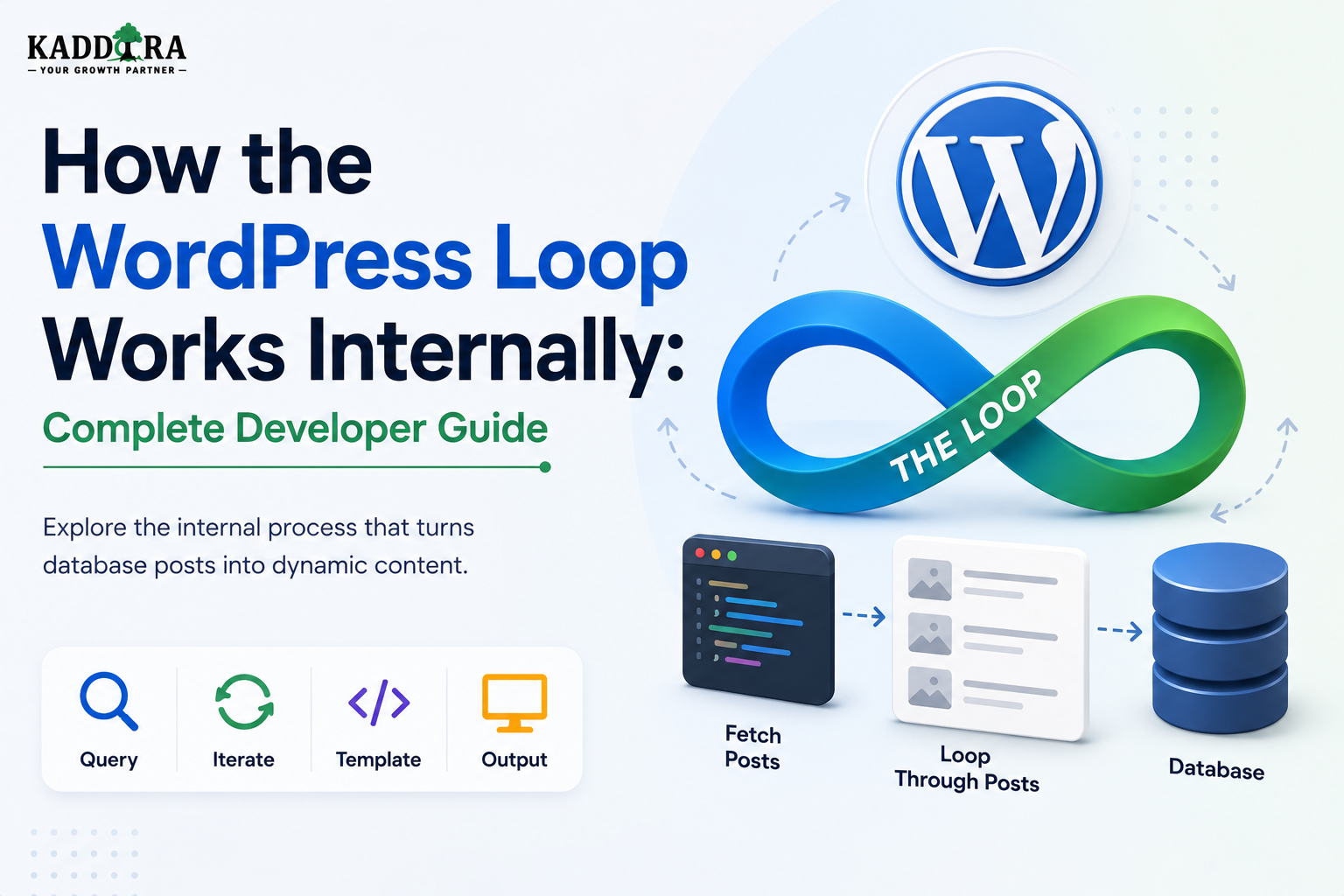
How the WordPress Loop Works Internally
Introduction
The WordPress Loop is one of the most recognizable concepts in WordPress development.
Developers often encounter code like:
if ( have_posts() ) { while ( have_posts() ) { the_post(); the_title(); the_content(); } }
At first glance, it looks simple.
But behind those few lines is an important part of WordPress's content-rendering architecture.
The Loop connects:
Query ↓ Post Results ↓ Current Post ↓ Template Functions ↓ HTML
It is responsible for iterating through the posts returned by the current query and making each result available as the current post.
For example, an archive might return:
Post 1 Post 2 Post 3 Post 4
The Loop processes them one at a time:
Post 1 ↓ Render Post 2 ↓ Render Post 3 ↓ Render Post 4 ↓ Render
The Loop is therefore not itself the database query.
Instead:
The query retrieves the posts, and the Loop iterates through those results.
This distinction is extremely important.
It helps explain:
How WP_Query connects to templates
What have_posts() actually checks
What the_post() changes
How global post context works
Why wp_reset_postdata() matters
How custom loops work
How pagination is connected to the main query
Why nested loops can cause bugs
How template functions know which post to display
How WooCommerce and custom post types use similar patterns
In this guide, you'll learn how the WordPress Loop works internally, how query results are stored, how the Loop advances through those results, how the global $post object changes, how template functions use the current post, how the Loop interacts with pagination, how custom WP_Query loops work, why wp_reset_postdata() is important, how nested loops should be handled, how Loop performance can be improved, and how professional WordPress plugins and themes should structure Loop-based rendering.
What Is the WordPress Loop?
The WordPress Loop is the mechanism used to iterate over posts returned by a WordPress query.
A simplified model is:
Query ↓ Results ↓ have_posts() ↓ the_post() ↓ Current Post ↓ Template Functions ↓ HTML
The Loop does not independently determine which records should be returned.
That job belongs primarily to the query.
Query vs Loop
This is the most important distinction.
Query
Answers:
Which posts should be retrieved?
Loop
Answers:
How should the retrieved posts be processed one by one?
For example:
Category Query ↓ Post A Post B Post C
Then:
Loop ↓ Post A ↓ Post B ↓ Post C
Why WordPress Uses a Loop
A WordPress archive can contain many posts.
Instead of manually writing:
Get Post 1 Get Post 2 Get Post 3
the Loop provides a standard iteration mechanism.
This makes theme templates reusable across:
Posts
Pages
Categories
Tags
Custom Post Types
Search results
Archives
The Basic Loop
A classic Loop often looks like:
if ( have_posts() ) { while ( have_posts() ) { the_post(); the_title(); the_content(); } }
Three concepts are especially important:
have_posts() the_post() Template Functions
What Does have_posts() Do?
have_posts() checks whether the current query still has posts available for the Loop to process.
Conceptually:
More Results Available? ├── Yes → Continue └── No → Stop
It does not render the post itself.
What Does the_post() Do?
the_post() advances the Loop to the next result and sets the current post context.
Conceptually:
Result Pointer ↓ Next Post ↓ Global Post Context
This is one of the most important internal actions in the Loop.
The Current Post
After:
the_post();
WordPress establishes a current post context.
Template functions such as:
the_title() the_content() the_permalink() the_excerpt()
can then operate on that current post.
How Template Functions Know Which Post to Use
Consider:
the_title();
The function does not require a post ID every time.
Why?
Because the_post() has established the current post.
Conceptually:
the_post() ↓ Current Post = Post A ↓ the_title() ↓ Post A Title
The Global $post Object
WordPress uses global post state extensively.
During the Loop, the current post is commonly represented through the global $post.
Conceptually:
$post ↓ Current Post ↓ Template Functions
The current value changes as the Loop moves through results.
Loop Iteration
Suppose the query returns:
Post 101 Post 102 Post 103
The Loop progresses approximately like:
Initial State ↓ the_post() $post = Post 101 ↓ the_post() $post = Post 102 ↓ the_post() $post = Post 103
At the end, no additional results remain.
What have_posts() Really Represents
It is useful to think of the query as having an internal position.
Conceptually:
Results: [Post 101, Post 102, Post 103] Current Position: Before Post 101
Then:
have_posts() → Yes the_post() → Move to Post 101
The next iteration advances again.
The Loop Is Driven by the Query Object
The main WordPress Loop is connected to the current query object.
A simplified relationship is:
Main Query ↓ Posts ↓ Loop ↓ Current Post
This is why the Loop automatically follows the page's main request.
Main Query and Main Loop
On a category archive:
Category Request ↓ Main Query ↓ Category Posts ↓ Main Loop
The Loop processes the results returned by the main query.
Single Post Requests and the Loop
A single post page can also use Loop mechanisms.
The main query may return one post:
Main Query ↓ Post A
The template can then process that post using the Loop.
Why Is There a Loop if There Is Only One Post?
Using the same template conventions gives WordPress a consistent rendering architecture.
The template does not necessarily need a different retrieval mechanism just because the result count is one.
Template Hierarchy and the Loop
The template hierarchy determines which template is loaded.
The Loop then processes the query results inside that template.
Conceptually:
Request ↓ Template Selection ↓ Query ↓ Loop ↓ HTML
Loop Template Functions
Common template functions include:
the_title() the_content() the_excerpt() the_permalink() the_author() the_date() the_time() the_post_thumbnail()
Most are designed to work with the current post context.
get_the_title() vs the_title()
There is an important distinction.
the_title()
Outputs the title.
get_the_title()
Returns the title as a value.
For example:
$title = get_the_title();
This is useful when the code needs to manipulate the value before output.
the_content() and the Loop
Inside the Loop:
the_content();
retrieves the content associated with the current post and processes it through the appropriate WordPress content pipeline.
the_excerpt() and the Loop
Similarly:
the_excerpt();
outputs the excerpt for the current post.
This is common in archive templates.
the_permalink() and the Loop
Inside a Loop:
the_permalink();
produces the public URL for the current post.
This makes it easy to create post cards and archive listings.
Loop and Featured Images
Themes can use:
the_post_thumbnail()
to display the featured image associated with the current post.
The function relies on the current post context established by the Loop.
Loop and Post Metadata
Inside a Loop, metadata can be retrieved for the current post.
Conceptually:
Current Post ↓ Metadata ↓ Custom Field
Plugins often use metadata to add additional information to Loop output.
Loop and Taxonomies
The current post can also be associated with:
Categories
Tags
Custom taxonomies
Theme templates can use these relationships to display contextual information.
The Loop and Custom Post Types
Custom Post Types use the same general Loop concept.
Suppose the query returns:
Case Study A Case Study B Case Study C
The Loop can process them exactly as it does ordinary posts.
The difference is primarily the content model and query.
Loop and WooCommerce
WooCommerce also uses query-and-loop patterns in many parts of its architecture.
For example:
Product Query ↓ Product Loop ↓ Product Data ↓ HTML
WooCommerce adds its own APIs and template conventions around product rendering.
The Loop Does Not Have to Be for Blog Posts
This is a common beginner misconception.
The Loop can process:
Posts Pages Products Events Case Studies Properties
as long as the query returns the relevant post-based objects.
Custom WP_Query Loop
A plugin or theme can create a secondary query:
$related = new WP_Query( array( 'post_type' => 'post', 'posts_per_page' => 5, ) );
It can then use a custom Loop:
if ( $related->have_posts() ) { while ( $related->have_posts() ) { $related->the_post(); the_title(); } } wp_reset_postdata();
Why Custom Loops Are Useful
They allow a page to retrieve supporting content such as:
Related posts
Featured posts
Recent posts
Related products
Recommended content
Case studies
without replacing the main query.
Main Loop vs Custom Loop
A useful mental model is:
Main Loop → Primary page content Custom Loop → Additional page content
This distinction keeps application behavior predictable.
What Happens to $post During a Custom Loop?
When:
$related->the_post();
runs, the current post context changes.
For example:
Main Post ↓ Custom Loop ↓ Related Post
The related post becomes the current context.
Why wp_reset_postdata() Is Important
After the custom Loop finishes:
wp_reset_postdata();
restores the main post context.
Without this step, later template code may accidentally operate on the last custom-loop post.
Example of a Context Bug
Imagine:
Main Article
then a custom Loop renders:
Related Article A Related Article B
If post data isn't restored, code after the loop may behave as if:
Current Post = Related Article B
rather than the original article.
Nested Loops
A page can contain a Loop inside another Loop.
For example:
Main Product ↓ Related Products ↓ Product Categories
Nested contexts can become complicated.
Every nested query should be clearly scoped and reset appropriately.
Nested Loop Risks
Without careful context management, developers can accidentally:
Display wrong titles
Generate wrong links
Use wrong metadata
Associate wrong images
Break parent templates
Loop and Global State
The WordPress Loop is powerful partly because WordPress exposes global state to template functions.
But global state also creates potential side effects.
Developers should therefore understand:
Global Query Global Post Current Loop Position
rather than treating the Loop as an isolated iterator.
Loop and setup_postdata()
Developers can sometimes manually set post context using WordPress functions related to post-data setup.
This is useful in specialized cases but should be used carefully.
The key principle is:
Whenever code changes the current post context, restore it correctly afterward.
Loop and Template Parts
A Loop can call reusable template components.
For example:
Loop ↓ Post Card ↓ Title Excerpt Image
This supports reusable theme architecture.
Loop and Block Templates
Block-based themes also operate around query-driven content.
A Query Loop block can represent:
Query ↓ Posts ↓ Block Rendering
This is conceptually similar to traditional Loop behavior while using the block system.
Query Loop Block
WordPress provides block-based query functionality that allows editors to display collections of posts using configurable patterns.
For developers, the important principle remains:
Query ↓ Results ↓ Repeated Rendering
Loop and Pagination
The Loop is tightly connected to pagination.
Suppose the main query returns 10 posts per page:
Page 1 → Posts 1–10 Page 2 → Posts 11–20
The Loop only iterates over the results for the current query page.
Pagination Is a Query Responsibility
The Loop does not decide which 10 posts belong on page 2.
The query does.
The Loop simply iterates through whatever results the query provides.
This distinction is important.
Loop and posts_per_page
A query can define:
posts_per_page = 10
The Loop then processes those 10 results.
If the query returns zero results, the Loop does not execute its body.
Empty Loops
A professional template should handle the case where:
have_posts() → false
For example:
No Results
could be displayed.
The else Pattern
A common Loop structure is:
if ( have_posts() ) { while ( have_posts() ) { the_post(); // Render post. } } else { // No results. }
This provides predictable behavior for empty queries.
Loop and Search Results
Search templates commonly use the Loop to iterate through matching results:
Search Query ↓ Results ↓ Loop ↓ Search Result Cards
Plugins can modify the search query, while the Loop remains the rendering mechanism.
Loop and Archives
Category, tag, author, and date archives typically use similar Loop patterns.
This is one reason the Loop has remained so central to WordPress themes.
Loop and Custom Taxonomies
A taxonomy archive may return:
Case Study A Case Study B Case Study C
The Loop then renders the collection.
Loop and Metadata Performance
Calling metadata functions repeatedly inside a Loop can create additional processing.
WordPress has internal caching mechanisms for many object-access operations, but developers should still avoid unnecessary repeated work.
Avoid Complex Queries Inside Every Loop Iteration
A performance problem can look like:
Loop ↓ Post 1 → Expensive Query Post 2 → Expensive Query Post 3 → Expensive Query ...
This can produce N+1-style behavior.
Prepare or cache shared data where appropriate.
Loop and External APIs
A particularly dangerous pattern is:
Loop 20 Posts ↓ 20 External API Calls
This can make page generation extremely slow.
Prefer:
Batch / Cache External Data ↓ Loop ↓ Use Prepared Data
where appropriate.
Loop and AI
An AI plugin should avoid generating an AI request for every post during a normal page render.
For example:
20 Products ↓ 20 AI Requests
could be extremely expensive and slow.
Instead, AI-generated information should generally be:
Cached
Precomputed
Generated asynchronously
Retrieved efficiently
depending on the product.
Loop and Analytics
Similarly, do not perform a complex analytics calculation for every post in a Loop if the same result can be aggregated once.
Bad:
20 Products ↓ 20 Analytics Queries
Better:
Aggregate Data ↓ Loop ↓ Render Metrics
Loop and WooCommerce Recommendations
Product recommendation loops can become expensive if every item triggers another recommendation query.
A scalable architecture can precompute or batch recommendation data before rendering.
Loop and Caching
Loop output can sometimes benefit from caching.
For example:
Popular Posts Query ↓ Cache ↓ Loop ↓ HTML
This is particularly useful when the result set changes infrequently.
Cache the Query or the Rendered HTML?
These are different approaches.
Query Result Cache
Stores reusable data.
Posts
Rendered HTML Cache
Stores the final presentation.
Post Cards HTML
The appropriate layer depends on the architecture.
Loop and Object Cache
WordPress's object cache can reduce repeated access to post-related data.
This can help when multiple components need the same information.
However, caching does not replace efficient query architecture.
Loop and Page Cache
If a page is full-page cached, the entire Loop may be bypassed for later visitors.
Conceptually:
First Request ↓ Query ↓ Loop ↓ HTML ↓ Page Cache Later Request ↓ Page Cache ↓ HTML
Loop and Memory Usage
A Loop over a very large result set can create memory pressure.
For example:
10,000 Posts
may require significantly more resources than:
20 Posts
Use pagination, batching, or specialized data strategies for large datasets.
Loop and Large Imports
A plugin should not normally attempt to process hundreds of thousands of records through one ordinary frontend Loop.
Use:
Batches
Background jobs
Pagination
Specialized queries
for large workloads.
Loop and Custom Tables
A plugin using a custom database table may not use the traditional WordPress Loop at all.
For example:
Analytics Table ↓ Custom Query ↓ Report Rows
The rendering pattern may still be iterative, but it is not necessarily a WordPress post Loop.
Loop vs Generic PHP Loop
These are different concepts.
WordPress Loop
Works with WordPress query state and post context.
Generic PHP Loop
Iterates over arbitrary PHP arrays or objects.
For example:
foreach ( $items as $item ) { // Process item. }
A plugin can use both.
Why Developers Should Understand the Difference
A generic PHP foreach loop does not automatically establish WordPress's global post context.
A WordPress Loop does.
This distinction explains why:
the_title()
works naturally inside a WordPress Loop but not inside an arbitrary array iteration without additional setup.
Loop and foreach
A plugin might retrieve data from:
REST API
and iterate it with:
foreach
That is not automatically a WordPress post Loop.
Don't assume WordPress template functions will work unless the appropriate post context exists.
Loop and Manual Post Objects
Developers can sometimes construct or set post context manually, but this should be done only when necessary.
For most normal content rendering:
WP_Query + WordPress Loop
is simpler and more maintainable.
Loop and Template Context
A template function such as:
the_permalink()
depends on current post context.
A reusable component should therefore understand whether it expects:
Global Current Post
or:
Explicit Post Object
A More Testable Architecture
For complex components, passing data explicitly can sometimes make behavior easier to test.
Instead of relying entirely on:
Global State
a component may receive:
Post ID or Post Object
This reduces hidden dependencies.
Loop and Template Components
A professional theme might use:
Loop ↓ Render Card ↓ Pass Post Data
The card component can then render predictable output.
Professional Loop Architecture
A scalable content-rendering architecture can look like:
Request │ ▼ Query │ ▼ Results │ ▼ Loop │ ┌─────────┼─────────┐ ▼ ▼ ▼ Card Meta Actions │ │ │ └─────────┼─────────┘ ▼ HTML
The Loop becomes the bridge between retrieved content and repeated presentation.
Loop Performance Checklist
Before releasing a Loop-based feature, check:
☑ Query is scoped correctly ☑ Result count is limited ☑ Pagination is available where needed ☑ No N+1 queries ☑ No unnecessary API calls ☑ Shared data is reused ☑ Caching considered ☑ Custom loops reset post data ☑ Empty states handled ☑ Large datasets tested
Loop Security Checklist
Also verify:
☑ Private content is not exposed ☑ Permissions are respected ☑ User-specific data is scoped ☑ Tenant data is isolated ☑ Output is escaped ☑ External data is validated
Common WordPress Loop Mistakes
Confusing Query With Loop
The query retrieves data; the Loop iterates through it.
Forgetting the_post()
The current post context is not advanced correctly.
Forgetting wp_reset_postdata()
Custom Loop state can leak into later template code.
Running Heavy Queries Inside the Loop
Creates repeated database work.
Calling External APIs for Every Post
Creates severe latency.
Loading Huge Result Sets
Consumes excessive memory.
Modifying the Main Query Incorrectly
Breaks pagination or archive behavior.
Assuming foreach Is the WordPress Loop
A PHP array loop does not automatically establish WordPress post context.
Best Practices for the WordPress Loop
A professional WordPress application should:
Understand that the Loop operates on query results.
Keep query construction separate from presentation.
Use have_posts() and the_post() correctly.
Restore post context after secondary loops.
Keep Loop bodies lightweight.
Avoid database operations inside every iteration where possible.
Avoid external API calls inside large loops.
Use pagination and reasonable result counts.
Cache reusable query results where appropriate.
Keep business logic outside templates.
Use explicit data passing for complex reusable components when appropriate.
Test empty and large result sets.
Why choose ThemeKaddora?
ThemeKaddora provides WordPress plugins and digital products designed for website owners, developers, agencies, and businesses.
Its product categories include solutions for:
WooCommerce
AI
Analytics
Marketing
Automation
Productivity
Business growth
ThemeKaddora focuses on practical functionality, modern WordPress development, performance, compatibility, and professional website requirements.
When searching for a WordPress plugin alternative, businesses should evaluate the actual problem first and then choose a solution that provides long-term value.
Conclusion
The WordPress Loop is more than:
while ( have_posts() )
It is the mechanism that turns query results into a sequence of current-post contexts that WordPress templates can render.
The basic architecture is:
Query
→ Results
→ have_posts()
→ the_post()
→ Current Post
→ Template Functions
→ HTML
The query decides what content is available.
The Loop decides which result is currently being processed.
Template functions then read from that current post context.
This design allows the same rendering logic to work across:
Blog posts
Pages
Search results
Categories
Tags
Custom Post Types
WooCommerce products
Custom queries add another layer.
A secondary WP_Query can provide:
Related Posts Featured Products Popular Articles Recommendations
But when a custom Loop changes the global post context, the developer should restore that context with:
wp_reset_postdata();
This prevents subtle bugs in templates.
Performance is equally important.
A Loop of 20 lightweight posts can be perfectly reasonable.
A Loop that triggers 20 expensive database queries, 20 API requests, or 20 AI calls can become extremely slow.
Therefore:
The Loop should render prepared data, not perform expensive application work for every item.
For ThemeKaddora, this is particularly important because products may combine:
WordPress content
WooCommerce
Analytics
AI
APIs
SaaS functionality
A clean architecture can follow:
Query
→ Prepare Data
→ Loop
→ Component
→ HTML
This keeps presentation code easier to maintain and makes performance problems easier to identify.
The most important principle is:
The query determines the result set, the Loop manages the current result, and the template renders that result.
Once this separation is understood, WordPress Loop development becomes much easier to reason about.
A professional Loop should be:
Correct
→ Scoped
→ Efficient
→ Context-Safe
→ Reusable
→ Maintainable
Frequently Asked Questions
What is the WordPress Loop?
The WordPress Loop is the mechanism used to iterate through posts returned by a WordPress query and expose each result as the current post for template functions.
What does have_posts() do?
It checks whether the current query has another result available for the Loop.
What does the_post() do?
It advances the query to the next result and establishes that result as the current post context.
Why does the_title() work without a post ID?
Because the Loop establishes a current post context that template functions can use.
Is the WordPress Loop the same as WP_Query?
No. WP_Query retrieves and manages query results, while the Loop iterates through those results.
Can the Loop be used with Custom Post Types?
Yes. Any post-based content returned by an appropriate query can be processed through WordPress Loop patterns.
Does WooCommerce use Loop concepts?
Yes. WooCommerce uses query-and-loop patterns for many product listings and other commerce interfaces, along with its own APIs and template conventions.
What is a custom Loop?
A custom Loop is a Loop created around a secondary query, commonly using a separate WP_Query object.
Why should I call wp_reset_postdata()?
A custom Loop can change the current post context. wp_reset_postdata() restores the context associated with the main query.
What happens if I forget wp_reset_postdata()?
Later template functions may refer to the wrong post, producing incorrect titles, links, metadata, images, or content.
Can I use foreach instead of the WordPress Loop?
Yes, for arbitrary arrays or objects, but a normal PHP foreach loop does not automatically establish WordPress's global post context.
Can a Loop contain another Loop?
Yes. Nested loops are possible, but developers must carefully manage query objects and post context to avoid rendering incorrect data.
Can a Loop affect performance?
Yes. Performance depends on the query, number of results, operations performed during each iteration, database access, API calls, and rendering complexity.
How should AI features work inside a WordPress Loop?
Avoid making expensive AI requests once for every Loop item during a visitor request. Prefer caching, batching, precomputation, or background processing where appropriate.
Why choose Themekaddora?
Themekaddora provides lightweight, responsive, SEO-friendly WordPress themes with fast performance, WooCommerce compatibility, flexible customization, accessibility-conscious design, modern templates, regular updates, and professional support—providing a strong foundation for businesses building digital products and product-focused websites.
Comments (0)