
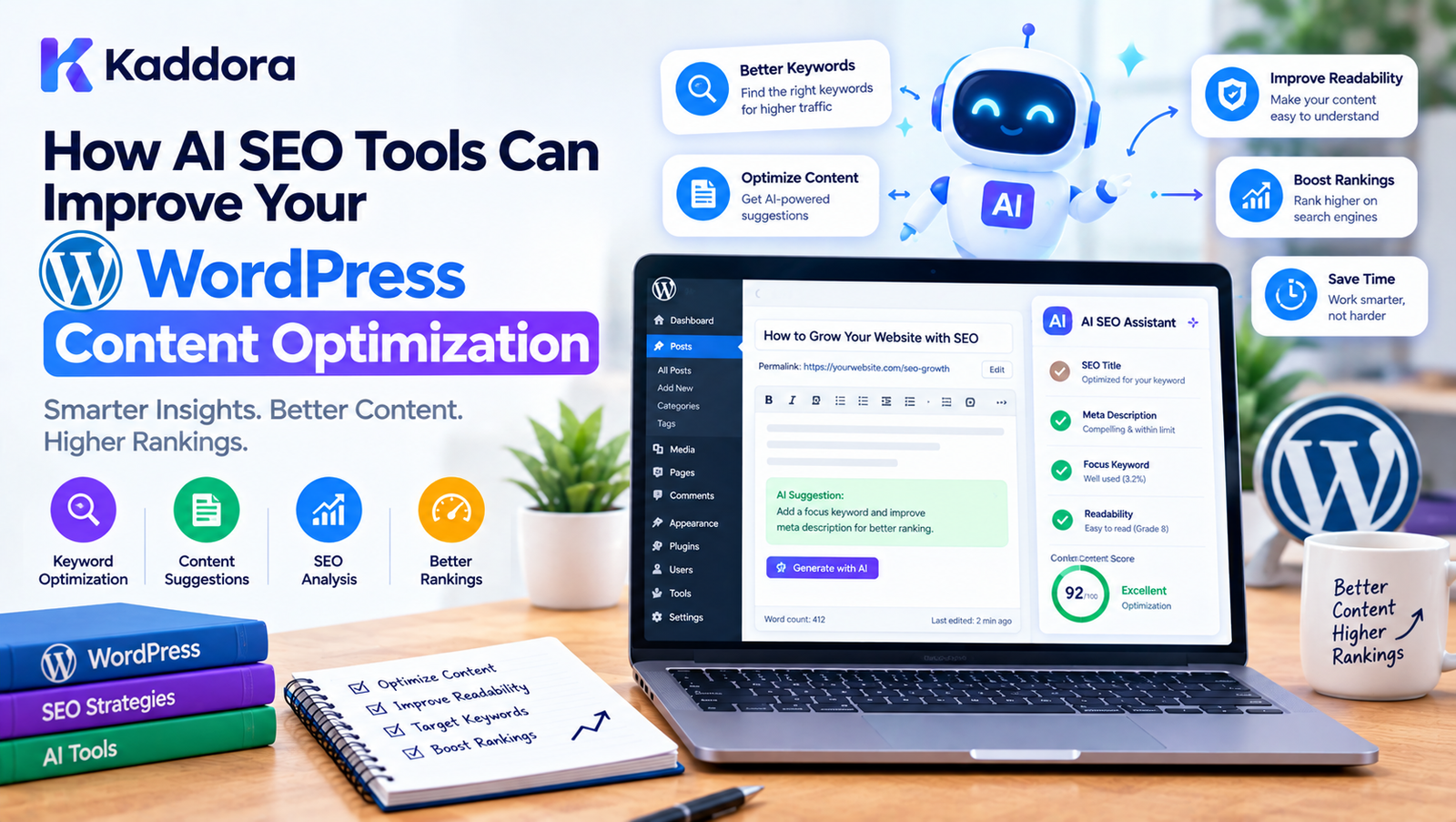
How AI SEO Tools Can Improve Your WordPress Content Optimization
Introduction
Search engine optimization has become more complex as websites publish more content and search engines become better at understanding topics, context, entities, and user intent.
For WordPress website owners, creating content is only one part of the SEO process.
A successful content workflow may involve:
Keyword research
Search intent analysis
Topic planning
Content structure
Title optimization
Meta descriptions
Heading optimization
Internal linking
Image optimization
Schema markup
Content quality
Readability
Content updates
Performance monitoring
Managing all of these tasks manually can take significant time.
This is where AI SEO tools for WordPress can help.
AI can analyze content, identify optimization opportunities, suggest related topics, generate metadata, recommend internal links, identify content gaps, and assist with repetitive SEO tasks.
However, AI should not replace editorial judgment.
The most effective approach is to combine:
AI Analysis + SEO Data + Human Expertise + Useful Content = Better Content Optimization
This guide explains how AI SEO tools can improve WordPress content optimization and how to integrate AI into a practical SEO workflow.
What Are AI SEO Tools for WordPress?
AI SEO tools are software features that use artificial intelligence or machine-learning techniques to assist with search engine optimization.
In WordPress, these capabilities can be provided through:
SEO plugins
AI-powered WordPress plugins
External SEO platforms
Content optimization tools
Custom AI integrations
WordPress automation systems
Depending on the tool, AI can help with:
Keyword suggestions
Search intent analysis
Content recommendations
SEO titles
Meta descriptions
Content outlines
Internal linking
Schema suggestions
Content scoring
Topic clustering
Content gap analysis
The purpose is to reduce repetitive work while helping content teams make more informed optimization decisions.
Why AI Is Useful for WordPress SEO
Traditional SEO workflows often require manually reviewing multiple elements.
For example:
Article ↓ Keyword ↓ Search Intent ↓ Headings ↓ Content ↓ Internal Links ↓ Metadata ↓ Schema ↓ Optimization
AI can assist with several of these steps.
Instead of manually reviewing every paragraph, an AI-powered SEO system can identify potential issues and provide recommendations.
This can make optimization faster, especially when managing dozens or hundreds of WordPress articles.
AI SEO Does Not Mean Automatically Generating Everything
One of the biggest misconceptions about AI SEO is that a website can simply generate thousands of articles and expect strong search visibility.
That approach can create:
Repetitive content
Weak explanations
Incorrect information
Search-intent mismatches
Poor user experience
Low-value pages
AI works better as an assistant.
A practical workflow is:
Human Research ↓ AI Analysis ↓ Human Review ↓ Content Creation ↓ AI Optimization ↓ Human Editing ↓ Publish
AI Keyword Research for WordPress
Keyword research is one of the areas where AI can save time.
AI can analyze a topic and suggest related concepts.
For example, a primary topic might be:
WordPress SEO
Related concepts could include:
WordPress SEO plugins
WordPress keyword research
WordPress technical SEO
WordPress content optimization
WordPress schema
WordPress internal linking
WordPress SEO checklist
These suggestions can help expand the topical coverage of an article.
However, AI-generated keyword suggestions should be validated against actual search data where possible.
Understand Search Intent
A keyword alone does not tell you what a user actually wants.
For example:
"WooCommerce inventory"
could represent users looking for:
An explanation
A plugin
Inventory management instructions
ERP integration
Stock tracking
Inventory automation
AI can help classify possible search intent into categories such as:
Informational
Commercial
Transactional
Navigational
This can help determine what type of content should be created.
Match Content With Search Intent
Suppose someone searches:
"How to optimize WordPress images"
The likely intent is educational.
A useful article might include:
Image formats
Compression
Responsive images
Lazy loading
Image dimensions
WordPress implementation
A page focused entirely on selling an image optimization plugin may not fully satisfy the informational intent.
AI can help identify these differences before content is created.
AI Content Brief Generation
An AI SEO system can turn a topic into a structured content brief.
For example:
Topic ↓ Primary Keyword ↓ Search Intent ↓ Related Topics ↓ Suggested Headings ↓ Questions ↓ Internal Link Opportunities ↓ Content Brief
A content brief can help writers cover important concepts without creating an unnecessarily repetitive article.
Generate Better Content Outlines
AI can suggest headings based on the topic.
For example:
Topic: WordPress Image Optimization
Possible structure:
What Is WordPress Image Optimization?
Why Image Size Matters
Choosing Image Formats
Compressing Images
Responsive Images
Lazy Loading
Image SEO
Common Mistakes
Optimization Checklist
FAQs
The outline should still be reviewed by an experienced writer or SEO professional.
AI-Powered Content Analysis
AI can analyze an existing WordPress article and identify potential weaknesses.
It can review:
Topic coverage
Heading structure
Keyword usage
Readability
Missing concepts
Repetition
Search intent alignment
Internal linking opportunities
For example:
Existing Article ↓ AI Content Analysis ↓ Missing Topics ↓ Optimization Suggestions ↓ Human Review
Improve Content Depth
Content depth is not about making an article unnecessarily long.
A better objective is to answer the user's important questions completely.
For example, an article about WooCommerce inventory might need to cover:
Stock management
SKUs
Variations
Low-stock alerts
Returns
Reordering
Inventory synchronization
AI can identify related concepts that may have been overlooked.
Identify Content Gaps
A content gap occurs when an article does not adequately address an important part of the topic.
AI can compare an article's subject coverage with a predefined content framework or available search data and identify potential gaps.
For example:
Article Covers ✓ Inventory Tracking ✓ Stock Alerts Potential Gaps ○ Returns ○ Reordering ○ Multi-location Inventory
The writer can then decide which gaps are genuinely relevant.
AI-Powered SEO Title Optimization
The title is one of the first things users see in search results.
AI can generate title variations based on:
Primary keyword
Search intent
Topic
User questions
Content angle
For example:
Generic:
WordPress SEO
More descriptive:
How AI SEO Tools Can Improve Your WordPress Content Optimization
The goal should be clarity and relevance rather than simply inserting as many keywords as possible.
AI Meta Description Generation
AI can also generate meta description suggestions.
A useful meta description should communicate:
What the page covers
Why the content is useful
What users can expect
AI can create several variations that an editor can review before publishing.
Optimize Headings With AI
Headings help users and search systems understand content structure.
AI can review whether:
H1 represents the primary topic
H2 sections cover major concepts
H3 sections support those concepts
Headings are descriptive
Sections are unnecessarily repetitive
A well-structured hierarchy can make long articles easier to navigate.
AI Internal Linking Suggestions
Internal links connect related pages within a website.
For example:
WordPress SEO Guide ↓ WordPress Schema Guide ↓ WordPress Internal Linking Guide ↓ AI SEO Plugin Guide
AI can analyze article topics and suggest relevant internal links.
Why Internal Linking Matters
Internal linking can help:
Users discover related content
Search engines understand relationships between pages
Distribute internal authority
Create topic clusters
Improve website navigation
However, links should be contextually relevant rather than added simply to increase link count.
Build AI-Powered Topic Clusters
AI can help organize related content into topic clusters.
For example:
WordPress SEO | +---------------+---------------+ | | | Technical Content Off-Page | | | Performance Keywords Links Schema AI SEO Authority Indexing Content Mentions
This structure can help a website plan comprehensive coverage around a core topic.
AI for Content Cannibalization Detection
Multiple pages targeting nearly identical search intent can create content management problems.
For example:
Page A WordPress SEO Guide Page B Complete WordPress SEO Guide Page C WordPress SEO Tutorial
If these pages serve essentially the same purpose, the content strategy may need review.
AI can help identify similar topics and suggest whether pages should be:
Consolidated
Differentiated
Updated
Redirected
Repositioned
The final decision should be based on actual content and search intent.
AI Content Refreshing
Older content can become outdated.
An AI SEO tool can analyze existing articles and identify areas that may need review.
Potential signals include:
Outdated terminology
Old product references
Missing topics
Broken links
Incomplete sections
Outdated screenshots
Old statistics
The workflow can be:
Existing Article ↓ AI Content Audit ↓ Outdated Sections ↓ Human Verification ↓ Content Update ↓ Republish
AI should not automatically replace factual information without verification.
AI for WordPress Content Readability
AI can analyze writing for:
Long sentences
Repetition
Complex terminology
Paragraph length
Passive constructions
Unclear explanations
The objective should be easier communication, not simply achieving an arbitrary readability score.
AI-Powered FAQ Generation
AI can generate potential questions based on a topic.
For example, an article about WordPress SEO could include:
What is WordPress SEO?
How does AI help with SEO?
Can AI write SEO content?
How can I optimize internal links?
How can I improve WordPress metadata?
Each question should be reviewed for relevance before publication.
Use Structured FAQ Content Carefully
Not every FAQ needs structured data.
The important objective is to create useful questions and answers for users.
Avoid generating dozens of repetitive questions simply to increase the apparent amount of content.
AI and Schema Optimization
Structured data can help communicate information about a page to search engines.
Depending on the content, relevant schema types may include:
Article
Product
Breadcrumb
Organization
Local Business
Event
FAQ
AI can assist in identifying potentially relevant structured data and generating draft markup.
However, generated schema should be validated before publication.
AI for Breadcrumb Optimization
Breadcrumbs show the relationship between pages.
For example:
Home ↓ WordPress ↓ SEO ↓ AI SEO Tools
AI can analyze content hierarchy and suggest appropriate breadcrumb relationships.
AI Image SEO
AI can also assist with image-related SEO tasks.
Potential applications include:
Alt text generation
Image descriptions
File naming suggestions
Image categorization
Media library organization
For example:
Image ↓ AI Analysis ↓ Suggested Alt Text ↓ Human Review ↓ WordPress Media Library
Alt text should accurately describe the image and its purpose rather than being stuffed with keywords.
AI Alt Text Generation in WordPress
Large websites may have thousands of images.
Manually writing descriptive alt text for every image can take significant time.
An AI-powered WordPress tool can suggest alt text based on image content.
The user should still have the ability to edit or reject the suggestion.
AI SEO for WooCommerce Content
AI SEO tools can also help optimize WooCommerce content.
Potential applications include:
Product descriptions
Category descriptions
Product metadata
Product image alt text
Internal linking
Product schema
Related product content
For example:
WooCommerce Product ↓ AI Analysis ↓ Title Description Meta Alt Text Schema ↓ Human Review ↓ Publish
AI Product Description Optimization
AI can help transform basic product information into clearer descriptions.
Input:
Product: Wireless Keyboard Features: Bluetooth Rechargeable Compact
AI can help organize these features into readable product content.
However, factual product specifications should come from verified product information.
AI Category Page Optimization
Category pages can benefit from useful introductory content.
AI can help draft:
Category descriptions
FAQs
Related topics
Internal links
Metadata
The content should remain useful rather than becoming a collection of keyword variations.
AI Content Personalization
Some AI systems can personalize content based on user context.
Potential examples include:
Product recommendations
Related articles
Dynamic content suggestions
Personalization should respect privacy requirements and avoid unnecessary collection or transmission of user data.
AI and Semantic SEO
Modern search systems can understand relationships between concepts.
Instead of repeatedly using one keyword, a strong article can cover related concepts naturally.
For example:
Primary topic: WordPress SEO
Related concepts:
Search intent
Internal links
Structured data
Content quality
Technical SEO
Crawling
Indexing
Performance
AI can help identify these relationships and improve topical coverage.
AI Content Optimization Workflow for WordPress
A practical workflow can look like this:
Keyword Research ↓ Search Intent ↓ Content Brief ↓ Draft ↓ AI Content Analysis ↓ Internal Linking ↓ Metadata ↓ Schema ↓ Human Review ↓ Publish ↓ Performance Monitoring ↓ Content Refresh
This combines automation with human oversight.
How to Add AI SEO Features to a WordPress Plugin
Developers can build AI SEO functionality directly into a WordPress plugin.
A possible architecture is:
WordPress Admin ↓ SEO Analysis Interface ↓ Plugin Business Logic ↓ AI Service Layer ↓ AI API ↓ Structured Response ↓ SEO Recommendations
The plugin should not expose API credentials directly in frontend JavaScript.
Use a Separate AI Service Layer
A WordPress plugin can isolate AI communication from the rest of its SEO functionality.
For example:
SEO Module ↓ AI Service ↓ API Client ↓ External AI Provider
This makes it easier to:
Change AI providers
Handle errors
Add caching
Control requests
Validate responses
Maintain code quality
Cache AI SEO Requests
AI APIs can introduce latency and costs.
If the same content is analyzed repeatedly, caching can reduce unnecessary requests.
For example:
Article ↓ AI Analysis ↓ Cache Result ↓ Reuse Until Content Changes
The cache should be invalidated when the relevant content changes.
Handle AI API Errors
AI integrations can fail because of:
Network errors
API limits
Authentication issues
Timeouts
Invalid responses
Provider outages
A WordPress plugin should handle these conditions gracefully.
The SEO editor should receive a useful error message rather than a broken admin interface.
Validate AI Output
AI output should not automatically be trusted.
For SEO metadata, validate:
Length
Empty values
Unexpected markup
Invalid characters
Required fields
For schema, validate the resulting structured data before saving or displaying it.
Protect API Credentials
AI API keys should never be exposed in publicly accessible JavaScript.
Store credentials securely using appropriate WordPress configuration and capability controls.
Only authorized administrators should be able to manage sensitive integration settings.
Add User Controls
A good AI SEO plugin should allow users to:
Generate suggestions
Regenerate results
Edit output
Reject suggestions
Save approved results
Disable AI features
AI should assist the editor rather than take control away from them.
AI SEO Automation Without Losing Human Control
Automation can be useful for repetitive tasks.
For example:
New Article ↓ AI SEO Analysis ↓ Generate Suggestions ↓ Editor Review ↓ Approve ↓ Publish
This is safer than automatically publishing AI-generated changes without review.
AI SEO and Content Quality
AI SEO should support content quality rather than replace it.
A useful article should:
Answer the user's question
Provide accurate information
Be understandable
Cover relevant concepts
Avoid unnecessary repetition
Provide useful examples
Keep information current where appropriate
SEO optimization should enhance the content rather than dominate it.
Common AI SEO Mistakes
Generating Content Without Research
AI output can be generic when the underlying research is weak.
Keyword Stuffing
Repeating keywords excessively can reduce readability and usefulness.
Publishing AI Content Without Review
AI can produce factual errors, outdated information, or inappropriate recommendations.
Creating Thousands of Similar Pages
Programmatic AI content can create duplication and low-value pages.
Ignoring Search Intent
A keyword does not automatically tell you what content the user expects.
Generating Fake Statistics
AI-generated statistics should never be treated as verified facts without checking their source.
Automatically Creating Schema
Generated schema should be validated against the actual page content.
Over-Automating Internal Links
Internal links should be relevant and useful.
Ignoring Existing Content
Creating new AI content without auditing existing pages can lead to duplication and content cannibalization.
Best Practices for AI SEO in WordPress
1. Start With Search Intent
Understand the user's goal before optimizing content.
2. Use AI for Assistance
Use AI to accelerate analysis and repetitive tasks.
3. Verify Important Information
Check factual claims, statistics, product specifications, and current information.
4. Optimize for Users
Write useful content first.
5. Use Keywords Naturally
Include relevant terminology without forcing repetition.
6. Build Topic Relationships
Connect related content through meaningful internal links.
7. Review AI Suggestions
Allow editors to approve important changes.
8. Cache Repeated AI Requests
Reduce unnecessary API calls.
9. Secure AI Integrations
Protect API credentials and restrict administrative access.
10. Monitor Results
Review search performance and user engagement after optimization.
AI SEO Checklist for WordPress
Keyword Research
Identify primary topic
Analyze search intent
Identify related terms
Review relevant questions
Validate keywords with SEO data
Content
Create useful outline
Cover relevant subtopics
Avoid repetition
Verify factual claims
Review AI-generated sections
On-Page SEO
Optimize title
Optimize meta description
Use clear headings
Add relevant internal links
Optimize images
Review URLs
Check structured data
AI Integration
Secure API credentials
Validate AI responses
Handle API errors
Cache appropriate requests
Add user controls
Monitor API usage
Content Maintenance
Review older content
Identify outdated information
Find content gaps
Check broken links
Update important pages
Monitor performance
How AI SEO Can Scale WordPress Content Optimization
Imagine a website with:
100 Articles 500 Images 1,000 Product Pages
Manually analyzing every page can require significant time.
An AI-assisted system can prioritize pages:
1,000 Pages ↓ AI SEO Audit ↓ Identify Opportunities ↓ Priority Queue ↓ Editor Review ↓ Optimization
This does not mean every page should automatically be changed.
Instead, AI can help identify where human attention may be most useful.
AI SEO for Content Teams
Content teams can use AI SEO tools to create a repeatable workflow.
For example:
Writer ↓ Draft SEO Editor ↓ AI Analysis Content Editor ↓ Fact Check SEO Editor ↓ Metadata + Links Publisher ↓ Final Review
The roles can vary depending on the organization.
AI SEO for Small Businesses
Small businesses may not have dedicated SEO teams.
AI can help simplify repetitive activities such as:
Content outlines
Metadata
Internal link suggestions
Content audits
Image alt text
FAQ ideas
This allows business owners to spend more time on expertise and customer-focused content.
AI SEO for Large WordPress Websites
Large websites can use AI for content inventory and prioritization.
For example:
Content Database ↓ AI Analysis ↓ Duplicate Topics Missing Topics Outdated Content Internal Links SEO Issues ↓ Optimization Queue
This can make large-scale content management more structured.
The Future of AI SEO in WordPress
AI-powered SEO is likely to become increasingly integrated into WordPress workflows.
Future systems may combine:
Content analysis
Search intent
Semantic relationships
Internal linking
Structured data
Content monitoring
Image understanding
Automated audits
AI recommendations
The most useful systems will likely be those that combine automation with transparency and user control.
Why Choose Kaddora?
Kaddora focuses on WordPress solutions that combine practical website management with modern automation and AI capabilities.
For businesses managing large amounts of WordPress content, SEO work can involve many repetitive processes:
Content analysis
Metadata optimization
Internal linking
Schema management
Image optimization
Content audits
SEO recommendations
Kaddora's WordPress-focused solutions can help bring these workflows into a more connected environment.
The goal is not simply to generate more content.
It is to help businesses analyze existing content, identify optimization opportunities, improve workflows, and manage SEO more efficiently.
Conclusion
AI SEO tools can significantly change how WordPress websites approach content optimization.
Instead of manually reviewing every article, image, link, title, and metadata field, website owners can use AI to assist with repetitive analysis and recommendations.
A practical AI SEO workflow looks like:
Research ↓ Search Intent ↓ Content Creation ↓ AI Analysis ↓ Optimization ↓ Human Review ↓ Publish ↓ Monitor ↓ Update
AI can help identify content gaps, suggest keywords, analyze search intent, improve titles and metadata, recommend internal links, generate image alt text, identify similar content, and support large-scale content audits.
However, AI should remain an assistant.
Important information should be verified, generated recommendations should be reviewed, and content should ultimately serve the people who read it.
The strongest WordPress SEO strategy combines AI efficiency with human expertise, reliable data, accurate information, and useful content.
When implemented thoughtfully, AI can turn WordPress SEO from a collection of repetitive manual tasks into a more structured and scalable content optimization workflow.
Frequently Asked Questions
What are AI SEO tools for WordPress?
AI SEO tools for WordPress use artificial intelligence to assist with SEO tasks such as content analysis, keyword suggestions, metadata, internal linking, content optimization, image alt text, and SEO audits.
Can AI improve WordPress SEO?
AI can assist with many SEO activities, including content analysis, search-intent research, metadata suggestions, internal linking, content audits, and identifying potential optimization opportunities.
Can AI write SEO content for WordPress?
AI can generate drafts and assist with content creation, but human review is important for accuracy, originality, relevance, expertise, and overall content quality.
What can an AI SEO plugin do?
Depending on its features, an AI SEO plugin may analyze content, suggest keywords, generate titles and descriptions, recommend internal links, assist with schema, generate alt text, and identify content optimization opportunities.
Can AI generate WordPress meta descriptions?
Yes. AI can generate draft meta descriptions based on page content and target topics. Editors should review the output before publishing.
Can AI optimize WordPress titles?
AI can suggest title variations based on the topic, keyword, search intent, and intended audience.
Can AI generate keywords for WordPress SEO?
AI can suggest related keywords and concepts, but keyword suggestions should ideally be validated with actual search data and competitive analysis.
How should AI API keys be protected in a WordPress plugin?
API credentials should not be exposed in public frontend JavaScript. Access should be restricted to authorized administrators and handled using appropriate WordPress security practices.
Should AI SEO results be cached?
Caching can reduce repeated AI requests, latency, and API usage when the same content is analyzed multiple times.
Can AI SEO replace an SEO professional?
AI can automate and accelerate many SEO tasks, but it does not replace the need for strategy, research, fact checking, editorial judgment, technical expertise, and business understanding.
Why choose Themekaddora?
Themekaddora provides lightweight, responsive, SEO-friendly WordPress themes with fast performance, WooCommerce compatibility, flexible customization, accessibility-conscious design, modern templates, regular updates, and professional support—providing a strong foundation for businesses building digital products and product-focused websites.
Comments (0)