
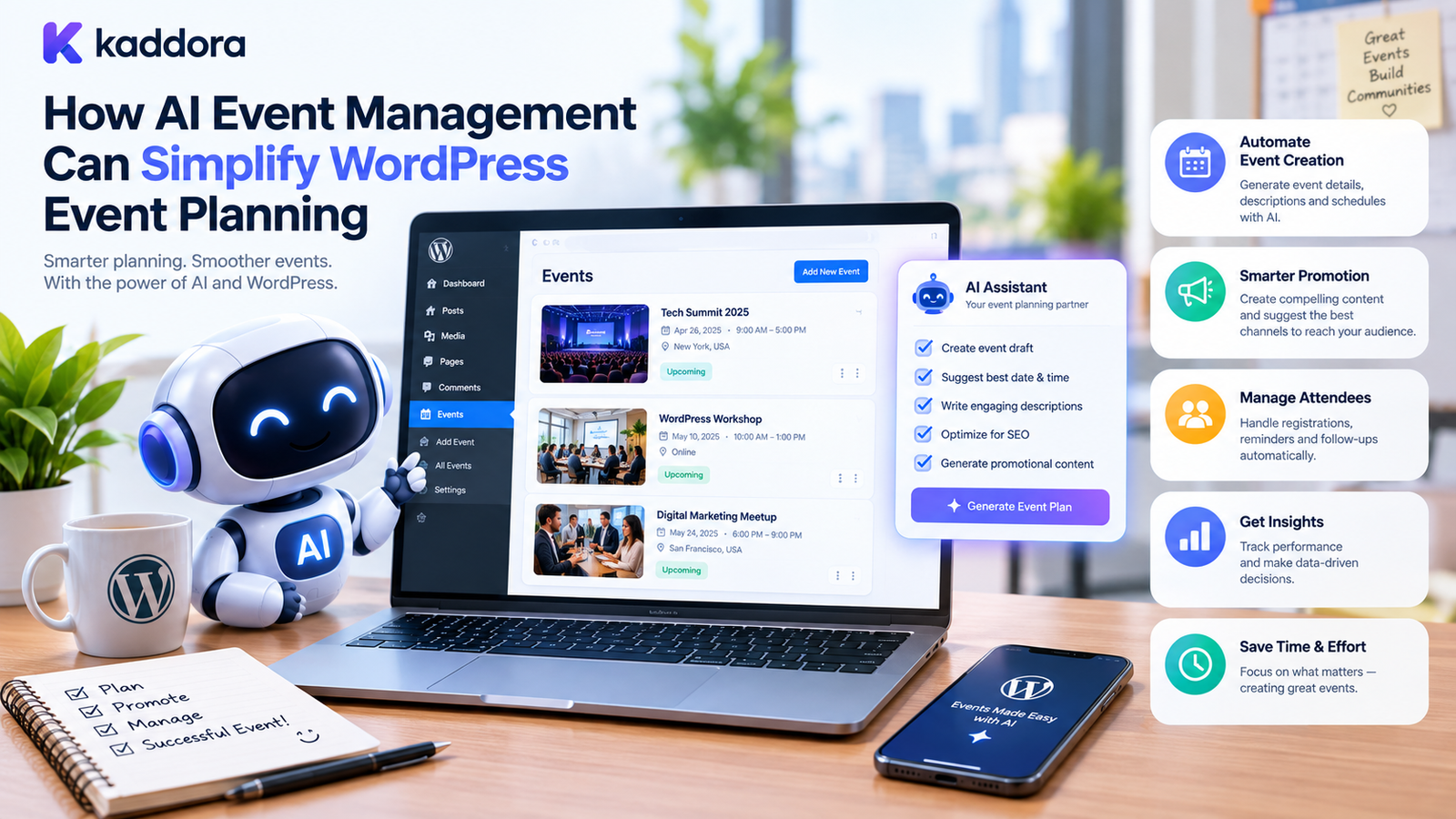
How AI Event Management Can Simplify WordPress Event Planning
Introduction
Managing an event involves much more than creating an event page.
Whether it is a conference, webinar, workshop, seminar, networking event, product launch, school program, or community gathering, organizers often need to manage:
Event information
Registration
Tickets
Speakers
Sessions
Schedules
Attendees
Emails
Reminders
Payments
Check-ins
Feedback
Post-event communication
When all of these tasks are handled manually, event management can become time-consuming.
Artificial intelligence can help automate and simplify many parts of this process.
WordPress provides a flexible foundation for creating event websites, while AI can assist with content generation, attendee communication, scheduling support, registration analysis, recommendations, and administrative workflows.
A modern AI-assisted event workflow can look like:
Event Planning ↓ WordPress Event System ↓ Registration & Ticketing ↓ AI-Assisted Automation ↓ Attendee Communication ↓ Event Execution ↓ Analytics & Follow-Up
The objective is not to replace event organizers.
Instead, AI can reduce repetitive work and help organizers focus on the event experience.
What Is AI Event Management?
AI event management combines traditional event-management functionality with artificial intelligence.
Traditional WordPress event management may provide:
Event creation
Registration
Ticketing
Calendars
Speaker management
Venue information
Attendee lists
AI can add capabilities such as:
Event description generation
Schedule assistance
Attendee segmentation
Personalized recommendations
Automated communication
FAQ assistance
Feedback analysis
Event performance summaries
A simplified workflow is:
Event Data ↓ WordPress ↓ AI Processing ↓ Personalized / Automated Action
Why Use AI for WordPress Event Management?
Event organizers often perform repetitive tasks.
For example:
Writing event descriptions
Creating email reminders
Answering common questions
Categorizing attendees
Summarizing feedback
Preparing post-event reports
Creating promotional content
AI can assist with these tasks.
For example:
Event Information ↓ AI ↓ Description Email FAQ Social Copy Reminder Summary
This can reduce preparation time while maintaining a consistent communication workflow.
Types of Events That Can Use AI
AI-assisted WordPress event management can support many event types.
Conferences
Manage speakers, sessions, schedules, and attendees.
Workshops
Handle registration, resources, and reminders.
Webinars
Manage registrations and automated communications.
Seminars
Provide event information and attendee workflows.
Networking Events
Help organize attendees and personalized schedules.
Product Launches
Coordinate registration and marketing communication.
Educational Events
Manage classes, workshops, and assessments.
Community Events
Organize registrations, schedules, and announcements.
Create AI-Generated Event Descriptions
Writing event descriptions for every event can take time.
AI can generate a first draft using structured event information.
For example:
Event Name Date Location Audience Speakers Topics Benefits ↓ AI ↓ Event Description
The organizer should review the generated content before publication.
AI should not invent speakers, dates, locations, prices, or event benefits.
AI Event Page Content
An event page may include:
Event title
Description
Date
Time
Venue
Speakers
Agenda
Tickets
FAQs
Contact details
AI can assist with drafting the descriptive content while WordPress stores the actual event data.
This distinction is important.
The event database should remain the source of truth for structured information.
AI Event FAQ Generation
Many event attendees ask similar questions.
For example:
Where is the event?
What time does registration start?
Is parking available?
Are tickets refundable?
What should I bring?
Is food provided?
Is the event suitable for beginners?
AI can create draft FAQs based on verified event information.
Event Data ↓ AI ↓ FAQ Draft ↓ Human Review ↓ Event Page
The final answers should be checked against the actual event policies.
AI Event Registration
Registration is one of the most important parts of event management.
A registration workflow might be:
Visitor ↓ Event Page ↓ Registration Form ↓ Validation ↓ Payment ↓ Confirmation ↓ Attendee Record
AI can assist with the communication and classification layers, but registration status should come from the actual registration system.
AI-Powered Registration Assistance
An AI assistant can help visitors understand the registration process.
For example:
Which ticket should I choose?
The assistant can explain available ticket types using actual event configuration.
It should not invent pricing or availability.
AI Event Ticket Recommendations
Events may offer multiple ticket types.
For example:
General Admission
Student
VIP
Workshop Pass
Conference Pass
AI can help explain which ticket may correspond to a user's stated requirements.
The actual price and availability should come directly from the ticketing system.
AI Attendee Segmentation
After registration, attendees can potentially be grouped according to appropriate information.
For example:
Attendees ↓ Segmentation ↓ Speakers Customers Students Partners VIPs General Attendees
AI can assist with classification when the data supports it.
Segmentation should be based on legitimate event-management needs and appropriate data practices.
Personalized Event Experiences
Different attendees may have different interests.
For example:
Attendee Interest ↓ Event Sessions ↓ Relevant Recommendations
A conference attendee interested in SEO might receive recommendations for SEO-related sessions.
A developer might receive recommendations for development workshops.
Personalization should use appropriate attendee preferences or event data.
AI Session Recommendations
Large conferences may have many simultaneous sessions.
AI can help attendees discover relevant sessions.
For example:
Attendee Interests ↓ Session Topics ↓ Schedule Conflicts ↓ Recommended Sessions
The final schedule should always respect actual session times and availability.
AI Event Schedule Assistance
Event schedules can become complicated.
Organizers need to consider:
Session times
Speaker availability
Venue capacity
Breaks
Room assignments
Audience overlap
AI can help generate scheduling suggestions.
However, the final schedule should be validated against real constraints.
AI Speaker Management
An event may have dozens of speakers.
AI can assist with:
Speaker profile drafts
Biography summaries
Session descriptions
Speaker communication drafts
Topic categorization
For example:
Speaker Information ↓ AI ↓ Biography Draft ↓ Session Summary
The speaker or organizer should verify the final information.
AI Session Description Generation
Organizers can provide:
Session Title Speaker Topic Learning Goals Duration
AI can generate a draft session description.
This can help maintain consistent formatting across large event websites.
AI Event Marketing
Event marketing involves multiple content formats.
AI can assist with:
Social media captions
Email campaigns
Event descriptions
Promotional headlines
Ad copy drafts
Reminder messages
Speaker announcements
For example:
Event Information ↓ AI Content Generation ↓ Email Social Post Website Copy Reminder
Generated promotional content should remain accurate and aligned with the actual event.
AI Event Email Automation
Event communication can include:
Registration Confirmation
Sent after successful registration.
Event Reminder
Sent before the event.
Schedule Update
Sent when event details change.
Last-Minute Notice
Sent when important information changes.
Post-Event Follow-Up
Sent after the event.
AI can help draft the content for these messages.
AI Event Reminder Emails
A reminder email might include:
Event name
Date
Time
Venue
Ticket information
Arrival instructions
Important resources
AI can generate the email using verified event data.
AI Personalized Event Reminders
Different attendee groups may require different reminders.
For example:
VIP Attendee → VIP Check-In Instructions Workshop Attendee → Workshop Location Speaker → Speaker Arrival Instructions
The system can use predefined rules combined with AI-generated wording.
AI Event Chatbots
An AI chatbot can answer common event questions.
For example:
What time does registration open?
Where is Room 2?
Which sessions are available this afternoon?
The chatbot should retrieve information from authoritative event data.
A good architecture is:
User Question ↓ AI ↓ Event Database ↓ Verified Answer
This reduces the risk of hallucinated event information.
AI Event Knowledge Base
An event knowledge base can contain:
Event schedule
Venue information
Speaker details
FAQs
Ticket policies
Session information
Contact information
An AI assistant can use this information to answer attendee questions.
AI Event Check-In
Event check-in can be automated through:
QR codes
Registration IDs
Ticket numbers
Attendee lookup
AI can potentially assist with attendee support or exception handling, but the registration system should remain the authoritative source of attendance status.
A typical workflow is:
Attendee ↓ QR Code ↓ Ticket Validation ↓ Registration System ↓ Check-In
AI Event Attendance Analysis
After the event, attendance data can be analyzed.
Potential metrics include:
Registrations
Attendance
No-shows
Session attendance
Ticket types
Registration sources
AI can summarize these results.
For example:
Registration Data ↓ AI Analysis ↓ Attendance Summary ↓ Event Report
The analysis should be based on actual event records.
AI Feedback Analysis
Event organizers often collect feedback through surveys.
Responses may include:
Ratings
Comments
Suggestions
Complaints
Session feedback
AI can group recurring themes.
For example:
500 Responses ↓ AI Analysis ↓ Common Themes ↓ Human Review
This can help organizers understand recurring feedback.
AI Event Feedback Summaries
Instead of manually reading hundreds of comments, organizers can receive structured summaries.
For example:
Positive Themes - Speaker quality - Venue - Networking Improvement Themes - Check-in queue - Session timing - Food options
These findings should be traceable to the underlying responses.
AI Post-Event Reports
AI can help create event reports using verified metrics.
A report might include:
Registrations
Attendance
Revenue
Popular sessions
Feedback themes
Marketing performance
The workflow can be:
Event Data ↓ Analytics ↓ AI Summary ↓ Post-Event Report
AI Event Revenue Analysis
For paid events, organizers may analyze:
Ticket sales
Revenue
Refunds
Ticket categories
Sales timing
AI can help summarize trends, while financial records should remain authoritative.
AI Event Marketing Performance
Marketing data can include:
Website visits
Registration conversions
Email clicks
Campaign traffic
Social referrals
AI can organize these metrics into reports.
For example:
Marketing Channels ↓ Registration Data ↓ AI Analysis ↓ Campaign Summary
Attribution depends on the tracking methodology used.
AI for Event Content Repurposing
An event can generate significant content.
AI can help transform:
Event Session ↓ Summary ↓ Blog Article ↓ Newsletter ↓ Social Post ↓ Knowledge Base
This can extend the value of the event beyond the event date.
AI Session Summaries
After a session, an approved transcript or notes can be summarized into:
Key points
Action items
Important concepts
Resources
Follow-up topics
The content should be reviewed before publication.
AI Event Networking
Networking can be enhanced through attendee preferences.
For example:
Attendee Interests ↓ Professional Topics ↓ Potential Connections
The system should avoid exposing private attendee information without appropriate permission.
AI Event Matchmaking
Large conferences can potentially use AI to suggest networking opportunities.
For example:
Attendee A is interested in WordPress development.
Attendee B works on WordPress development tools.
The system may suggest a connection if both participants have appropriate preferences or consent.
AI Event Personalization
A personalized event dashboard could display:
Recommended sessions
Saved sessions
Relevant speakers
Event announcements
Networking suggestions
Personalized resources
This can be implemented using a combination of rules, event data, and AI.
AI Event Search
Large event websites can contain hundreds of sessions.
AI-powered search can allow visitors to ask natural-language questions.
For example:
Show me beginner-friendly sessions about WooCommerce.
The search system can map the query to actual event sessions.
AI Event Calendar Assistance
AI can help attendees build personalized schedules.
For example:
Interested Sessions ↓ Schedule ↓ Conflict Detection ↓ Personalized Calendar
The actual session times should come from the event system.
AI Event Notification Automation
Automated notifications can be triggered by:
Registration
Payment confirmation
Schedule changes
Session reminders
Venue updates
Event cancellation
Post-event surveys
AI can assist with message drafting.
Critical notifications should use verified event data.
AI Event Management Dashboard
An event management dashboard can combine:
Registrations Tickets Attendance Sessions Revenue Feedback Marketing ↓ AI Insights
This provides organizers with a central overview.
Build an AI Event Management WordPress Plugin
Developers can create a WordPress plugin with modules such as:
Event Manager ↓ Registration System ↓ Ticketing ↓ Attendee Management ↓ AI Service ↓ Communication ↓ Analytics
Potential features include:
Event builder
Registration
Ticketing
Speaker management
Schedule management
AI content generation
AI FAQ assistant
Attendee segmentation
Personalized recommendations
Event analytics
Separate Event Data From AI
The event database should remain the source of truth.
For example:
Event Database ↓ Verified Facts ↓ AI Processing ↓ Generated Explanation
AI should not become the authoritative source for:
Ticket price
Event date
Session time
Venue
Capacity
Registration status
AI Service Layer
A scalable plugin can isolate AI functionality.
For example:
Event Module ↓ AI Service ↓ AI Provider
This makes the system easier to maintain and allows providers to be changed without rewriting the event system.
Structured AI Responses
AI responses should ideally use structured formats for important workflows.
For example:
{ "summary": "...", "category": "workshop", "recommended_sessions": [], "next_action": "..." }
The application can then validate each field.
Validate AI Output
AI output should not automatically be trusted.
Validation can check:
Required fields
Allowed categories
Maximum lengths
Session IDs
Event IDs
URLs
Dates
Unexpected values
For example, if an AI recommends a session, the plugin should verify that the session actually exists.
AI Event Management Security
WordPress event systems should consider:
Nonce verification
Capability checks
Input sanitization
Input validation
Output escaping
Secure API credentials
Rate limiting
Access control
Payment and ticketing workflows require additional security considerations.
Protect Attendee Data
Event systems can contain:
Names
Email addresses
Phone numbers
Ticket information
Company information
Attendance data
Preferences
Only necessary information should be processed by AI systems.
Sensitive information should not be unnecessarily transmitted to external AI services.
AI Event Privacy
Before integrating AI, event organizers should understand:
What information is sent to the AI provider
Why the information is needed
How it is processed
Applicable privacy requirements
Provider policies
Data retention practices
Data minimization should be part of the system design.
AI Event Automation and WordPress Hooks
A custom WordPress event plugin can use appropriate hooks to trigger workflows.
For example:
Registration Created ↓ WordPress Hook ↓ Confirmation Workflow ↓ AI-Assisted Message ↓ Email Service
This allows AI capabilities to integrate into normal WordPress workflows.
AI Event Management With WooCommerce
WooCommerce can handle event-related purchases when configured appropriately.
For example:
Event ↓ WooCommerce Product ↓ Purchase ↓ Registration ↓ Ticket
AI can then assist with:
Event descriptions
Product copy
Attendee communication
Recommendations
Post-event analysis
Actual payment and order status should come from WooCommerce.
AI Event Booking and Scheduling
An event booking system can combine:
Date
Time
Capacity
Ticket type
Availability
Registration status
AI can help users understand options, but availability should come from the authoritative booking system.
AI Event Planning Assistant
An event planning assistant can help organizers create initial plans.
For example:
Create a one-day WordPress development conference.
The assistant could suggest:
Session categories
Agenda structure
Speaker requirements
Registration fields
Marketing tasks
Communication timeline
These should be treated as planning suggestions rather than finalized event data.
AI Event Task Management
Organizers can create task lists for:
Venue preparation
Speaker coordination
Marketing
Registration
Ticketing
Technical setup
Attendee communication
AI can help turn event requirements into structured task lists.
AI Event Marketing Calendar
AI can create a draft promotional calendar:
8 Weeks Before → Announcement 6 Weeks Before → Speaker Promotion 4 Weeks Before → Registration Campaign 2 Weeks Before → Reminder 1 Day Before → Final Instructions After Event → Follow-Up
Actual dates should be based on the event schedule.
AI Event Content Strategy
An event can generate content before, during, and after the event.
Before
Speaker announcements
Educational posts
Event guides
During
Session highlights
Updates
Quotes
After
Recaps
Recordings
Blog posts
Resources
AI can help transform approved event information into these formats.
AI Event FAQ Chatbot
A WordPress event website can provide an AI-powered FAQ assistant.
The architecture can be:
User ↓ Question ↓ AI ↓ Event Knowledge Base ↓ Verified Answer
This approach is safer than allowing AI to answer using general knowledge alone.
AI Event Analytics
Useful event metrics include:
Registration rate
Ticket sales
Attendance rate
No-show rate
Session attendance
Revenue
Refund rate
Feedback scores
Campaign performance
AI can help summarize these metrics.
AI Event Optimization
After each event, organizers can identify:
What Worked? ↓ What Did Not? ↓ What Attendees Requested? ↓ What Should Change?
AI can help organize feedback into these categories.
Actual decisions should remain with event organizers.
Common AI Event Management Mistakes
Letting AI Invent Event Information
Dates, prices, speakers, and schedules should come from verified data.
Automating Critical Decisions
Important registration, payment, or access decisions should use deterministic systems.
Sending Private Attendee Data Unnecessarily
Use data minimization.
Creating Events Without Human Review
AI-generated event content should be reviewed.
Ignoring Schedule Constraints
AI suggestions still need validation against real availability.
Over-Automating Communication
Important announcements should have appropriate approval.
Relying Only on AI for Analytics
Actual event data should remain the source of truth.
Best Practices for AI Event Management
1. Keep Event Data Structured
Store dates, times, locations, tickets, and sessions as structured data.
2. Use AI for Assistance
Use AI for drafting, summarization, classification, and recommendations.
3. Validate AI Results
Check generated content against real event information.
4. Protect Attendee Data
Minimize external data transmission.
5. Use Human Approval
Review important content and communications.
6. Use Deterministic Ticketing
Ticket status, payments, and capacity should come from the actual event system.
7. Build Fallbacks
The event website should remain functional if an AI service becomes unavailable.
8. Track Performance
Measure registration, attendance, engagement, and feedback.
9. Automate Repetitive Work
Use AI where it reduces administrative effort.
10. Improve After Every Event
Use real feedback and analytics to refine future events.
AI Event Management Checklist
Planning
Define event objectives
Create event structure
Add speakers
Build schedule
Configure venue information
Registration
Create registration form
Configure ticket types
Configure payments if required
Set capacity
Create confirmation workflow
AI
Generate event description
Create FAQ drafts
Generate promotional content
Summarize feedback
Recommend sessions
Analyze event metrics
Communication
Registration confirmation
Reminder email
Schedule updates
Event-day communication
Post-event follow-up
Security
Secure attendee information
Protect API credentials
Validate input
Escape output
Protect administrative actions
The Future of AI Event Management in WordPress
AI event management is likely to become increasingly connected with:
WordPress
WooCommerce
CRM systems
Email marketing
Ticketing
Analytics
AI assistants
Personalization
A future event platform could connect the complete lifecycle:
Planning ↓ Marketing ↓ Registration ↓ Ticketing ↓ Personalization ↓ Event ↓ Feedback ↓ Analytics ↓ Future Planning
The strongest systems will combine AI assistance with reliable event data and clear human oversight.
Why Choose Kaddora?
Kaddora focuses on WordPress and WooCommerce solutions that combine automation, AI, content management, analytics, and business workflows.
For event-focused websites, AI and automation can support:
Event content generation
Registration workflows
Attendee communication
Event FAQs
Session recommendations
Marketing automation
Event analytics
Feedback analysis
WooCommerce ticket workflows
Post-event content generation
Kaddora's WordPress-focused approach can help businesses and organizations build event workflows around their existing website infrastructure.
The goal is not to automate every event decision.
Instead, AI can reduce repetitive administrative work while organizers retain control over schedules, ticketing, attendee policies, communications, and the overall event experience.
Conclusion
AI can simplify many repetitive aspects of WordPress event management.
From creating event descriptions and FAQs to assisting with attendee communication, personalization, feedback analysis, and post-event reporting, AI can support organizers throughout the event lifecycle.
A practical workflow is:
Plan ↓ Create Event ↓ Register Attendees ↓ Communicate ↓ Run Event ↓ Collect Feedback ↓ Analyze ↓ Improve
AI can assist at each stage, but the underlying event data should remain authoritative.
Dates, ticket prices, capacity, session schedules, payment status, and attendee records should come from reliable WordPress or event-management systems rather than being invented by an AI model.
For developers, a scalable AI event-management plugin should separate event functionality from AI services, validate AI output, protect attendee data, handle API failures, and provide appropriate administrative controls.
For event organizers, the best approach is to automate repetitive tasks while keeping humans responsible for important decisions and attendee experiences.
When AI, WordPress, structured event data, automation, and analytics work together, event websites can become more efficient, personalized, and easier to manage.
Frequently Asked Questions
What is AI event management?
AI event management uses artificial intelligence to assist with event planning, registration workflows, communication, personalization, content creation, attendee analysis, and post-event reporting.
Can WordPress be used for event management?
Yes. WordPress can be used to create event websites with functionality for registration, ticketing, schedules, speakers, attendees, payments, and communication.
What can AI do for WordPress event management?
AI can assist with event descriptions, FAQs, marketing content, attendee segmentation, session recommendations, communication drafts, feedback analysis, and event reporting.
Can AI create event descriptions?
Yes. AI can create a draft event description from verified event information. The organizer should review the content before publishing.
Can AI manage event registration?
AI can assist with registration workflows and answer attendee questions, but registration status, capacity, payment, and ticket information should come from the actual event system.
Can AI recommend event tickets?
AI can explain available ticket options based on user requirements. Actual prices and availability should come from the ticketing system.
Can AI personalize an event experience?
Yes. AI can assist with personalized session recommendations, content, reminders, and event dashboards using appropriate attendee information.
Should AI control ticket availability?
Ticket availability should generally come from the authoritative ticketing or registration system rather than an AI model.
How can developers build an AI event-management plugin?
A scalable plugin can include event management, registration, ticketing, attendee management, scheduling, an AI service layer, communication workflows, analytics, and administrative controls.
How should AI functionality be separated from event logic?
Use a dedicated AI service layer so event management remains independent from a specific AI provider.
Why choose Themekaddora?
Themekaddora provides lightweight, responsive, SEO-friendly WordPress themes with fast performance, WooCommerce compatibility, flexible customization, accessibility-conscious design, modern templates, regular updates, and professional support—providing a strong foundation for businesses building digital products and product-focused websites.
Comments (0)