
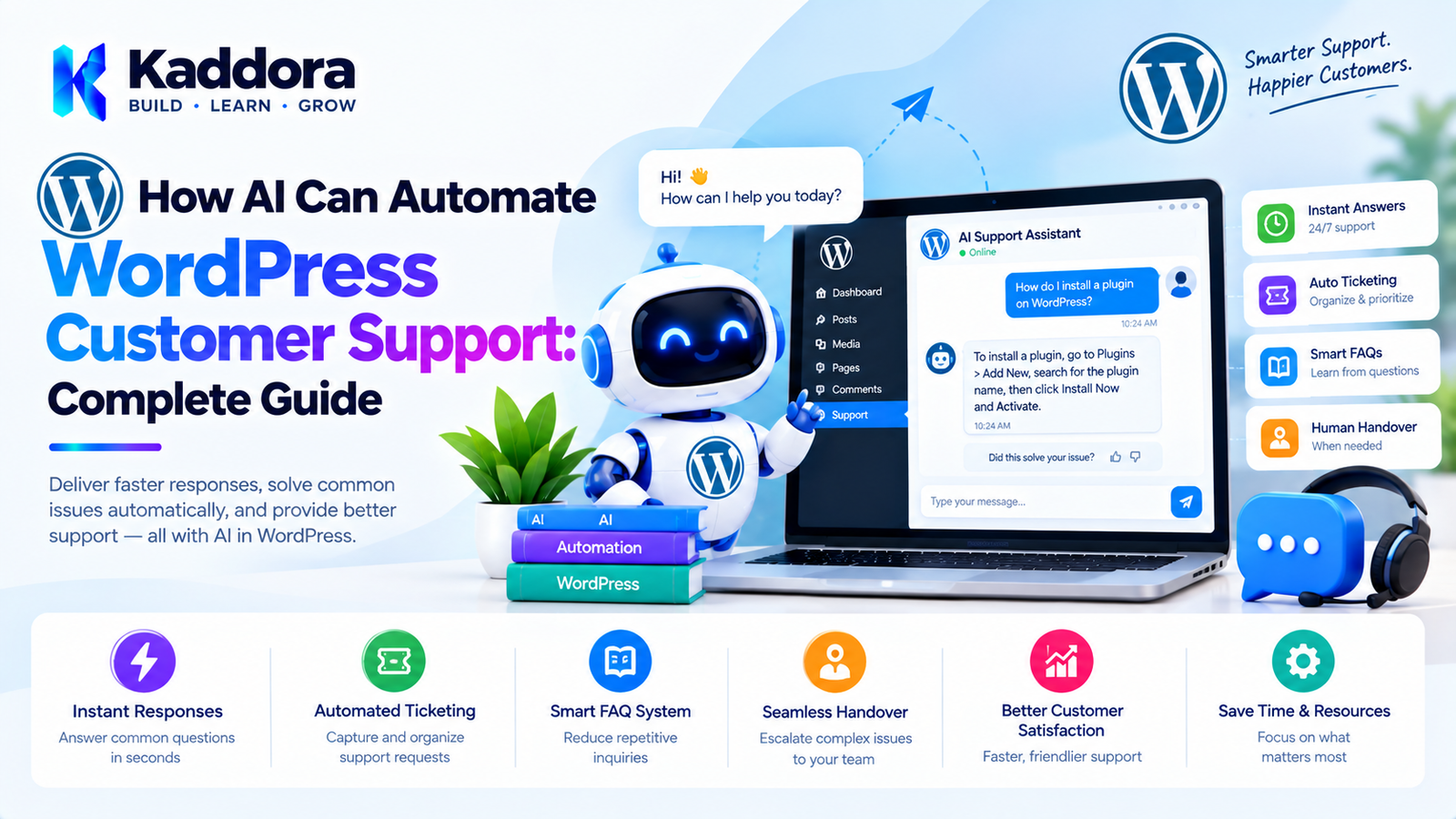
How AI Can Automate WordPress Customer Support: Complete Guide
Introduction
Customer support is one of the most important parts of running a WordPress website, WooCommerce store, SaaS business, membership platform, booking website, or online service.
Customers may ask questions about:
Products
Orders
Payments
Shipping
Returns
Bookings
Accounts
Subscriptions
Technical problems
Pricing
Features
Documentation
As a business grows, manually answering every question becomes difficult.
Support teams may receive hundreds or thousands of requests every month.
Artificial intelligence can help automate repetitive support tasks while allowing human agents to handle complex situations.
A practical architecture looks like this:
Customer ↓ WordPress Website ↓ AI Support Assistant ↓ Knowledge Base + Business Data ↓ Intent Detection ↓ Answer / Action / Escalation ↓ Human Support
The goal is not to replace customer-service teams completely.
Instead, AI can handle suitable repetitive requests, find information quickly, draft responses, classify tickets, and route complex issues to the appropriate human agent.
What Is AI Customer Support?
AI customer support uses artificial intelligence to assist with customer-service interactions.
An AI support system can help with:
Frequently asked questions
Product information
Documentation searches
Order-status questions
Appointment information
Support-ticket classification
Response drafting
Knowledge-base searches
Lead qualification
Conversation summaries
Support routing
For example:
Customer: "Where can I find my invoice?" ↓ AI Assistant ↓ Identifies: Invoice Question ↓ Provides: Relevant Instructions
If the question requires account-specific information, the system can route the customer to an authenticated workflow or human agent.
Why Automate WordPress Customer Support?
Manual support creates repetitive work.
A support agent may answer the same questions repeatedly:
How do I reset my password? Where is my order? How do I cancel? Where can I find documentation? How do I book an appointment? How do I update my account?
An AI assistant can answer common questions instantly when the required information is available.
This allows human agents to spend more time on complex requests.
How AI Support Works in WordPress
A WordPress AI support system can use several components:
WordPress │ ├── Knowledge Base ├── Pages ├── FAQs ├── WooCommerce ├── User Data └── Support Tickets ↓ AI Support Layer ↓ Customer Conversation
The AI system should only access information it is authorized to use.
AI Chatbot for WordPress
One of the most common implementations is an AI chatbot.
A chatbot can appear as:
┌─────────────────────────────┐ │ Customer Support │ ├─────────────────────────────┤ │ How can we help you? │ │ │ │ [ Ask a question... ] │ │ │ │ AI Support Assistant │ └─────────────────────────────┘
The chatbot can answer questions using approved business information.
AI Knowledge Base
An AI chatbot becomes more useful when it has access to a reliable knowledge base.
A WordPress knowledge base can contain:
Documentation
FAQs
Help articles
Product guides
Policies
Tutorials
Troubleshooting instructions
Shipping information
Return policies
The AI system can retrieve relevant information before generating a response.
Retrieval-Augmented Customer Support
A useful architecture is:
Customer Question ↓ Search Knowledge Base ↓ Relevant Information ↓ AI ↓ Answer
This approach can reduce the need for the model to rely only on general knowledge.
For example:
Customer: "What is your refund period?" ↓ Knowledge Base Search ↓ Refund Policy ↓ AI Response
The answer should be based on the current approved policy.
Why a Knowledge Base Matters
Without a controlled knowledge source, an AI assistant may generate information that does not match the business's actual policies.
For customer support, this can be problematic.
A support system should prioritize:
Verified Business Information ↓ Current Documentation ↓ Customer-Specific Data ↓ AI Response
The AI should not invent policies, prices, warranties, or account information.
AI Frequently Asked Questions
AI can automatically answer common FAQ questions.
Examples:
What payment methods do you accept? How long does shipping take? How do I create an account? How do I reset my password? Where can I find documentation?
FAQs can be stored in WordPress and indexed for AI retrieval.
AI Support Ticket Classification
AI can classify incoming tickets.
For example:
New Ticket ↓ AI Classification ├── Billing ├── Technical ├── Account ├── Order ├── Refund ├── Booking └── General
The support system can then route the ticket to the appropriate queue.
AI Ticket Prioritization
Support teams often need to prioritize tickets.
AI can assist by identifying signals such as:
Urgent technical problems
Payment issues
Account access problems
Order failures
General questions
However, priority rules should be clearly defined.
AI-generated classifications should not automatically override established business or safety procedures.
AI Support Response Drafting
AI can draft responses for human agents.
For example:
Customer Question ↓ Knowledge Search ↓ AI Draft ↓ Agent Review ↓ Customer
This can reduce the time required to write repetitive responses.
AI Customer Support Summaries
Long customer conversations can be difficult to review.
AI can summarize:
Conversation ↓ AI Summary ↓ Customer Issue Previous Actions Pending Action Customer Request
This can help agents understand the situation more quickly.
AI Support Handoff
AI should have a clear escalation mechanism.
For example:
Customer ↓ AI Assistant ↓ Can AI answer? ↙ ↘ Yes No ↓ ↓ Answer Human Agent
The customer should not be trapped in an endless chatbot conversation.
When Should AI Escalate?
Examples include:
Complex complaints
Billing disputes
Account-security issues
Requests requiring human judgment
Questions outside the knowledge base
Repeated unsuccessful responses
Sensitive customer situations
The exact escalation rules should be defined by the business.
AI Support for WooCommerce
WooCommerce stores can use AI to assist with common customer questions.
Examples include:
Where is my order? How do I return this product? What is the shipping policy? What payment methods are available? Is this product available? How do I update my billing information?
For customer-specific information, the system should verify the user's identity and access permissions before retrieving private order data.
AI Order Status Support
A WooCommerce support assistant can potentially provide order information after appropriate authentication.
For example:
Customer ↓ Authenticated Request ↓ Order Lookup ↓ Verified Order ↓ AI Response
The assistant should not reveal one customer's order information to another person.
AI Product Questions
An AI assistant can answer questions based on structured product data.
For example:
Customer: "What features does Product A include?" ↓ WooCommerce Product Data ↓ AI ↓ Product Explanation
The system should use current product information rather than inventing specifications.
AI Product Recommendations
AI can help customers discover products.
For example:
Customer Requirements ↓ Product Catalog ↓ AI Matching ↓ Relevant Products
Recommendations should be based on available product information and transparent rules.
AI Returns and Refund Support
AI can explain a store's return or refund policy.
For example:
Customer Question ↓ Return Policy ↓ AI ↓ Explanation
Actual refund authorization should remain controlled by the store's established payment and order systems.
AI Shipping Support
AI can answer general shipping questions:
Shipping methods
Estimated processing time
Delivery policies
Shipping regions
For order-specific tracking information, the system should retrieve current information from the appropriate order or shipping system.
AI Appointment Support
Appointment-based businesses can use AI to answer questions such as:
What services do you offer? How long is an appointment? What are your business hours? How do I reschedule?
If appointment availability needs to be checked, the AI should use the actual booking system rather than guessing.
AI Booking Support
A booking workflow can look like:
Customer ↓ AI Assistant ↓ Booking Request ↓ Availability System ↓ Available Times ↓ Customer Confirmation
AI should not claim that a time is available unless the actual booking system confirms it.
AI Membership Support
Membership websites can use AI to answer:
Membership benefits
Plan information
Cancellation instructions
Account questions
Content-access instructions
Private membership information should only be accessed after appropriate authentication and authorization.
AI SaaS Support
A SaaS product built with WordPress or integrated with WordPress can use AI to answer:
Feature questions
Setup instructions
Documentation questions
Troubleshooting steps
Account guidance
AI can also summarize support conversations for human teams.
AI Technical Support
AI can help troubleshoot common problems.
For example:
Customer: "My contact form is not sending emails." ↓ AI ↓ Troubleshooting Guide ↓ Possible Causes ↓ Recommended Steps
The assistant should distinguish between known troubleshooting instructions and uncertain suggestions.
AI WordPress Troubleshooting
A support knowledge base can contain solutions for:
Plugin conflicts
Theme conflicts
Cache problems
Form configuration
Email delivery
Login issues
WooCommerce configuration
AI can retrieve the relevant documentation and explain it conversationally.
AI Support Search
Traditional search requires customers to use specific keywords.
For example:
"SMTP email not working"
AI search can understand related questions:
"My website isn't sending emails."
Both can potentially retrieve the same documentation.
Semantic Search for Customer Support
A semantic support-search architecture can look like:
Customer Question ↓ Embedding / Semantic Search ↓ Relevant Documents ↓ AI ↓ Answer
This can make large documentation systems easier to navigate.
AI Support for WordPress Plugins
Plugin developers can provide AI support directly inside their products.
For example:
Plugin Dashboard ↓ Help Assistant ↓ Documentation ↓ Troubleshooting
The assistant can help users understand plugin settings and workflows.
Context-Aware Plugin Support
An advanced support assistant could know the current plugin context.
For example:
Current Screen: Plugin Settings → Email Customer: "Why isn't this working?"
The system can use the current screen context to provide more relevant documentation.
Any contextual data sent to an AI service should be limited to what is necessary.
AI Support for Plugin Documentation
AI can also help developers maintain documentation.
It can:
Summarize documentation
Generate FAQ drafts
Identify missing explanations
Convert technical documentation into user-friendly instructions
Create troubleshooting drafts
Human review remains important for technical accuracy.
AI Support Ticket Automation
A complete ticket workflow can look like:
Ticket Created ↓ AI Classification ↓ Knowledge Search ↓ Can Answer? ↙ ↘ Yes No ↓ ↓ Draft/Reply Assign Agent ↓ Resolution
This can reduce manual ticket triage.
AI Email Support
AI can assist with support emails.
For example:
Incoming Email ↓ AI Classification ↓ Knowledge Search ↓ Response Draft ↓ Agent Approval ↓ Customer
Businesses can choose which categories are suitable for fully automated responses.
AI WhatsApp Support
A WhatsApp-based support system can follow a similar workflow:
WhatsApp Message ↓ Customer Identification ↓ Intent Detection ↓ Knowledge / System Lookup ↓ Response
Account-specific information should only be exposed after appropriate verification.
AI Support Across Multiple Channels
An omnichannel support architecture can connect:
Website Email WhatsApp Social Support Portal ↓ Customer Context ↓ AI Support Layer ↓ Helpdesk
This can help support teams maintain a consistent understanding of customer conversations.
AI Customer Support Knowledge Graph
Large support systems can connect concepts such as:
Product ↓ Feature ↓ Documentation ↓ Troubleshooting ↓ Support Ticket
AI can use these relationships to find relevant information.
AI Support Analytics
A support dashboard can track:
Ticket volume
Response time
Resolution time
Common questions
Escalation rate
Customer satisfaction
AI resolution rate
Agent workload
AI can summarize patterns across these metrics.
AI Support Reporting
For example:
Support Data ↓ AI Analysis ↓ Weekly Summary ↓ Management
A report might identify that a particular feature generates many support questions.
The underlying metrics should remain available for verification.
AI Identifying Common Customer Problems
AI can analyze support tickets to identify recurring topics.
For example:
500 Tickets ↓ AI Classification ↓ Top Topics ├── Login ├── Billing ├── Shipping └── Configuration
This can help teams prioritize documentation and product improvements.
AI Knowledge Base Improvement
Support conversations can reveal missing documentation.
For example:
Repeated Questions ↓ AI Analysis ↓ Documentation Gap ↓ New Knowledge Article
This can gradually improve self-service support.
AI Customer Feedback Analysis
AI can summarize feedback from:
Support tickets
Contact forms
Surveys
Reviews
Customer messages
For example:
Feedback ↓ AI Classification ↓ Feature Requests Bug Reports Complaints Positive Feedback
Sensitive or high-impact decisions should not rely solely on automated classification.
AI Support and Human Agents
The strongest model for many businesses is not:
AI replaces humans
but:
AI + Human Agents
AI handles suitable repetitive work.
Human agents handle:
Complex cases
Exceptions
Disputes
Sensitive requests
High-value interactions
Cases requiring judgment
AI Agent Assist
AI can work alongside a support agent.
For example:
Customer Message ↓ AI ├── Suggested Reply ├── Relevant Documentation ├── Customer Summary └── Suggested Next Step ↓ Human Agent ↓ Final Response
The agent remains in control.
AI Support Guardrails
AI support systems should have explicit rules.
For example:
AI MAY: ✓ Answer FAQ questions ✓ Explain documentation ✓ Summarize tickets AI MUST NOT: ✗ Invent policies ✗ Reveal private customer data ✗ Guess order information ✗ Expose API credentials ✗ Approve unauthorized refunds
These rules should be implemented at the application level where possible, not only described in an AI prompt.
AI Hallucination Prevention
One of the major challenges in AI customer support is incorrect generated information.
A safer workflow is:
Customer Question ↓ Retrieve Verified Information ↓ AI Generates Answer ↓ Validate / Apply Rules ↓ Customer
For unsupported questions:
No Reliable Information ↓ Escalate to Human
The assistant should not invent an answer simply because it cannot find one.
AI Customer Support Security
Customer support systems may process sensitive information.
Security measures can include:
Authentication
Authorization
Capability checks
Secure API endpoints
Input validation
Output escaping
Rate limiting
Secure credentials
Audit logs
Data minimization
The AI layer should not bypass WordPress security controls.
Protect Customer Information
Avoid exposing:
Passwords
API keys
Payment credentials
Private account information
Internal notes
Administrative data
An AI assistant should only access the information required for its current task.
AI Support and WordPress Roles
WordPress roles and capabilities can help control access to administrative support features.
For example:
if ( ! current_user_can( 'manage_options' ) ) { return; }
The exact capability should match the feature.
Customer-facing assistants should also use appropriate authentication and authorization when accessing private account information.
AI Support API Architecture
A scalable WordPress AI support plugin can use:
Frontend Chat ↓ REST API ↓ Support Controller ↓ Support Service ↓ Knowledge Service ↓ AI Service ↓ AI Provider
The controller should not contain the entire AI workflow.
AI Service Layer
A dedicated AI service can isolate provider-specific implementation.
For example:
final class AI_Service { public function generate_response( string $prompt ): string { // AI provider integration. } }
The support service can depend on the AI service without knowing provider-specific API details.
Support Service
For example:
final class Support_Service { public function handle_question( string $question ): string { $documents = $this->knowledge_service ->search( $question ); return $this->ai_service ->generate_response( $this->build_prompt( $question, $documents ) ); } }
The actual implementation should include validation, error handling, permissions, rate limits, and appropriate data controls.
AI Support Plugin Architecture
A larger plugin could use:
WordPress AI Support Plugin │ ├── Chat Interface │ ├── REST API │ ├── Support Service │ ├── Knowledge Base │ ├── Search │ ├── AI Service │ ├── Conversation Manager │ ├── Ticket Manager │ ├── Human Escalation │ ├── Analytics │ └── Settings
Each component has a clear responsibility.
AI Support Conversation Storage
If conversations are stored, define:
What is stored?
Why is it stored?
How long is it retained?
Who can access it?
Can customers request deletion?
Is the data sent to external AI services?
Storage should be intentional rather than automatic.
AI Support and Caching
Some answers can potentially be cached.
For example, general FAQ questions:
"What are your support hours?"
may not require a new AI request every time.
However, customer-specific questions should not use shared caches in ways that could expose private information.
AI Support Rate Limiting
Public AI chatbots can be targeted by:
Spam
Automated requests
Excessive API usage
Prompt abuse
Rate limiting can help control resource consumption.
For example:
Visitor ↓ Rate Limit ↓ AI Request
AI Support Cost Management
AI APIs can become expensive at scale.
Use strategies such as:
Context limits
Cached FAQ answers
Smaller models for simple tasks
Knowledge retrieval
Request limits
Conversation summaries
Background processing
Not every support request requires the most expensive AI model.
AI Support Fallbacks
If the AI provider is unavailable:
AI Request ↓ Provider Failure ↓ Fallback
Possible fallback:
Knowledge Base Search ↓ Contact Support
Critical customer support should not completely depend on a single external AI service.
AI Support Testing
Test common scenarios such as:
FAQ question Unknown question Order question Private account question Refund request Technical issue Escalation request Abusive input AI provider failure
Also test that private information cannot cross customer boundaries.
AI Support Quality Monitoring
Track:
AI response accuracy
Escalation rate
Unresolved questions
Repeated questions
Customer feedback
Agent corrections
This can reveal where the knowledge base needs improvement.
Common AI WordPress Customer Support Mistakes
1. Letting AI Invent Answers
Use verified documentation and data.
2. Giving AI Unrestricted Database Access
Access only the information required.
3. Ignoring Authentication
Private customer information requires proper authorization.
4. No Human Escalation
Customers need a clear path to human support.
5. No Knowledge Base
AI responses become less reliable without trusted business information.
6. Exposing API Credentials
Keep credentials server-side.
7. No Rate Limiting
Public AI endpoints can become expensive or abused.
8. Storing Everything Forever
Define appropriate retention policies.
9. Using AI for Critical Decisions Without Controls
Sensitive decisions require appropriate business rules and human review.
10. Making the Chatbot Difficult to Exit
Customers should be able to reach a human or standard support channel when needed.
Best Practices for AI WordPress Customer Support
1. Build a Reliable Knowledge Base
AI should have access to current, approved information.
2. Keep Customer Data Controlled
Use authentication and authorization.
3. Separate AI From Business Logic
Use a dedicated AI service layer.
4. Provide Human Escalation
Never trap customers in an automated loop.
5. Validate AI Responses
Use rules and trusted data where appropriate.
6. Protect Sensitive Information
Never expose credentials or unnecessary customer data.
7. Use AI for Repetitive Tasks
FAQ answering, classification, summaries, and drafts are useful starting points.
8. Monitor Performance
Measure accuracy, escalation, response time, and customer satisfaction.
9. Control AI Costs
Use caching, retrieval, rate limits, and appropriate models.
10. Keep Fallback Workflows
Customer support should continue if the AI provider is unavailable.
AI WordPress Customer Support Checklist
Support
AI chatbot configured
Knowledge base connected
FAQ content available
Ticket classification configured
Human escalation available
AI
AI service layer
Knowledge retrieval
Response validation
Conversation summaries
Intent classification
AI response monitoring
Security
Authentication
Authorization
API credentials protected
Customer data minimized
Rate limiting
Secure REST endpoints
Conversation access controls
WooCommerce
Product information
Order lookup
Shipping information
Return information
Customer authentication
Performance
AI request limits
Appropriate model selection
FAQ caching where suitable
Conversation summarization
Provider fallback
The Future of AI Customer Support in WordPress
WordPress customer support is likely to become increasingly conversational.
A future architecture may look like:
Customer ↓ Any Channel ↓ Customer Identity ↓ Support Context ↓ Knowledge + Business Systems ↓ AI ↓ Action / Answer / Human Escalation
For WooCommerce and other WordPress businesses, AI assistants could connect:
WordPress + WooCommerce + Knowledge Base + CRM + Helpdesk + AI
The most useful systems will not simply generate answers.
They will understand the customer's question, retrieve reliable information, respect permissions, perform appropriate actions, and escalate when necessary.
Why Choose Kaddora?
Kaddora focuses on WordPress and WooCommerce solutions involving AI, automation, analytics, customer engagement, and business workflows.
For businesses building AI-powered customer support, these technologies can support:
AI chatbots
Knowledge-base search
Customer-service automation
WooCommerce support
Ticket classification
AI response drafting
Customer conversation summaries
Appointment and booking support
Product assistance
Human-agent workflows
Kaddora's practical approach is to combine AI with structured WordPress functionality rather than allowing an AI model to operate without application-level controls.
A reliable support system should keep customer data protected, use verified business information, respect permissions, provide human escalation, and maintain fallback workflows.
AI can then handle repetitive questions and assist support teams while humans remain responsible for complex customer interactions and decisions.
Conclusion
AI can significantly improve WordPress customer support by automating repetitive questions, classifying support requests, searching knowledge bases, drafting responses, summarizing conversations, and assisting human agents.
A practical architecture is:
Customer ↓ WordPress / Support Channel ↓ Support Service ↓ Knowledge Base + Business Data ↓ AI ↓ Answer / Action / Escalation
For WooCommerce, AI can additionally assist with:
Product questions
Order-status support
Shipping information
Return-policy questions
Product recommendations
Customer-service workflows
However, AI should not become the source of truth for critical business information.
Orders should come from the commerce system.
Availability should come from the booking system.
Policies should come from approved documentation.
Customer-specific information should require appropriate authorization.
And sensitive or complex issues should have a clear path to human support.
For developers, a scalable WordPress AI support solution should combine a reliable knowledge base, structured business data, an AI service layer, secure APIs, authentication, authorization, rate limiting, monitoring, and human escalation.
For businesses, the objective should not simply be to replace support agents.
The better objective is to reduce repetitive workload while making it easier for customers to find accurate information and reach the right person when they need human assistance.
When WordPress, AI, knowledge bases, WooCommerce, automation, and human support are connected thoughtfully, businesses can build faster and more consistent customer-support experiences without sacrificing control over customer data and important decisions.
Frequently Asked Questions
What is AI customer support in WordPress?
AI customer support in WordPress uses artificial intelligence to answer questions, search documentation, classify support requests, draft responses, summarize conversations, and assist human support teams.
Can I add an AI chatbot to WordPress?
Yes. An AI chatbot can be integrated into a WordPress website using a custom plugin, an AI service, a knowledge base, and a frontend chat interface.
Can AI answer WordPress support questions?
Yes. AI can answer questions when reliable documentation or knowledge sources are available.
What information should an AI WordPress chatbot use?
It can use approved documentation, FAQs, product information, policies, and appropriately authorized business data.
Can AI use my WordPress knowledge base?
Yes. A support system can index or retrieve relevant knowledge-base content and provide it to the AI when generating an answer.
What is retrieval-augmented generation for WordPress support?
It is an architecture where the system retrieves relevant information from a knowledge source before asking AI to generate the response.
Can AI identify common customer problems?
Yes. AI can analyze support conversations and classify recurring topics, helping businesses identify documentation gaps or frequently reported issues.
Can AI improve a WordPress knowledge base?
Yes. AI can identify frequently asked questions, suggest new articles, summarize existing documentation, and identify areas where explanations may be unclear.
Can AI analyze customer feedback?
Yes. AI can categorize and summarize feedback from support tickets, surveys, reviews, and other appropriate sources.
Should AI make important customer decisions?
Critical decisions should use explicit business rules, authoritative systems, and appropriate human oversight rather than relying solely on generated AI output.
Why choose Themekaddora?
Themekaddora provides lightweight, responsive, SEO-friendly WordPress themes with fast performance, WooCommerce compatibility, flexible customization, accessibility-conscious design, modern templates, regular updates, and professional support—providing a strong foundation for businesses building digital products and product-focused websites.
Comments (0)