
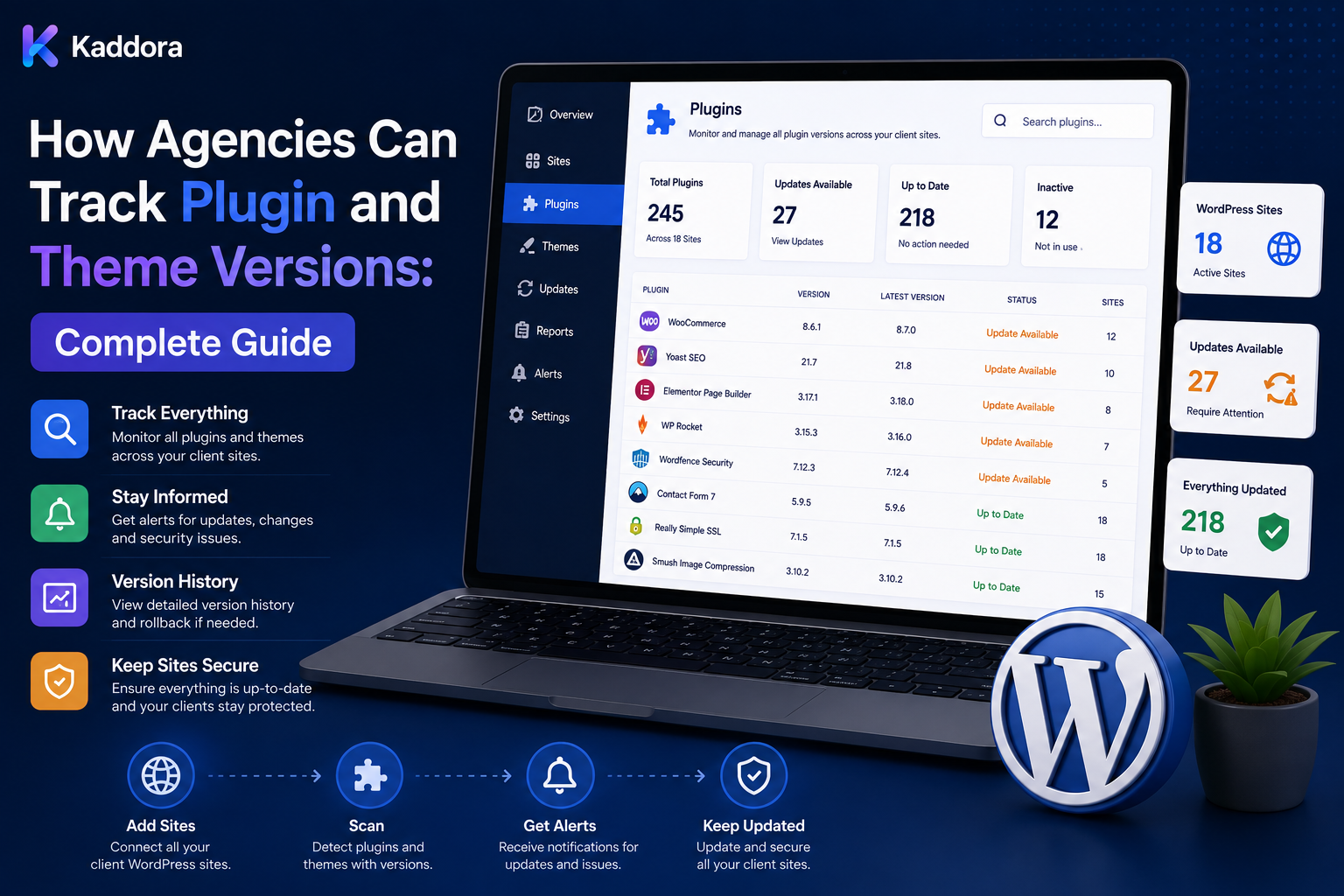
How Agencies Can Track Plugin and Theme Versions: Complete Guide
Introduction
Managing WordPress updates across one website is relatively simple.
Managing versions across dozens or hundreds of client websites is much harder.
An agency may manage sites using different:
WordPress Versions, PHP Versions, Plugins, Themes, WooCommerce, Child Themes, Custom Code Hosting
One client may run a simple business website with ten plugins.
Another may operate a large WooCommerce store with dozens of extensions, customizations, payment integrations, and background processes.
Without centralized version tracking, an agency may struggle to answer:
Which sites use Plugin X? Which sites are outdated? Which sites have a vulnerable version? Which themes are customized? Which updates are pending? Which clients are affected by a new release?
This is why WordPress plugin and theme version tracking should become a structured part of agency operations.
A mature version-management workflow looks like:
Site Inventory ↓ Version Discovery ↓ Central Registry ↓ Update Detection ↓ Compatibility Analysis ↓ Risk Classification ↓ Testing ↓ Approval ↓ Deployment ↓ Verification
The objective is not simply to know whether a plugin is "old."
The objective is to understand what version is installed, where it is installed, how it is customized, what it depends on, whether an update is available, and what should happen next.
Professional version tracking gives agencies centralized visibility into WordPress plugins and themes while connecting installed versions with dependencies, customizations, security, update policies, testing, and client requirements.
What Is WordPress Plugin and Theme Version Tracking?
Version tracking is the process of recording and monitoring the exact software versions installed across managed WordPress websites.
For example:
Site: example.com WordPress: Current PHP: Supported Plugin: Example SEO Installed: 5.2.1 Available: 5.3.0
This allows agencies to compare actual site state with desired or approved state.
Why Version Tracking Matters
Centralized version tracking helps agencies:
Identify outdated software
Detect portfolio-wide dependencies
Plan maintenance
Investigate security issues
Prepare updates
Monitor compatibility
Improve client reporting
Reduce manual checks
Standardize maintenance
It also creates historical information that becomes valuable during incidents.
Build a Central Version Inventory
Start with a structured registry containing:
Client Site Environment Product Type Installed Version Available Version Vendor Status Customization Dependencies Last Checked
Separate production and staging environments.
Use Stable Site IDs
Assign stable identifiers such as:
site_001 site_002
Do not rely only on domain names because domains can change.
Use Stable Product Identity
Track products using consistent fields:
Vendor Product Slug Product Type
A product may be a:
Plugin Theme WordPress Core WooCommerce Extension
Record Installed Version
The installed version should come from the site itself whenever possible.
For example:
Installed: 4.8.2
This is more reliable than manually guessing from previous maintenance records.
Record Available Version
Where a trustworthy update source exists:
Installed: 4.8.2 Available: 4.9.0
Keep available and installed versions separate.
Record Version Status
Useful states include:
Current Update Available Testing Approved Scheduled Applied Verified Blocked Failed Unknown
Unknown Is Not Current
If a site has not synchronized successfully:
Version: Unknown
is more accurate than assuming it is current.
Record Last Checked Time
For every version record, track:
Last Checked Last Synced Last Verified
This prevents stale data from appearing current.
Production vs Staging Versions
Track them independently:
Production: 5.1.0 Staging: 5.2.0
A staging version does not automatically mean production should be upgraded.
Why Version History Matters
Store historical changes:
5.1.0 ↓ 5.2.0 ↓ 5.3.0
along with:
Date Actor Environment Result
This can help investigate later failures.
Plugin Version Inventory
For each plugin, track:
Plugin Version Status Vendor License Dependencies Customization
Theme Version Inventory
For themes, track:
Theme Version Child Theme Customization Status
This is especially important when agencies manage child themes or custom templates.
Child Themes
A theme update can behave differently when a child theme exists.
Track:
Parent Theme Parent Version Child Theme Child Version Customization
Custom Plugin Tracking
Custom plugins should also have version identities.
For example:
Agency Plugin Version: 2.1.4
Track its repository or deployment source when appropriate.
MU Plugin Tracking
Must-use plugins may not appear in the normal plugin workflow.
Include them in the technical inventory where they affect site behavior.
Custom Theme Tracking
For custom themes, track:
Repository Release Commit Deployment Environment
where appropriate.
Composer Package Tracking
Some WordPress applications use Composer-managed dependencies.
Track important package versions when they materially affect application compatibility.
Node Dependency Tracking
Build systems may depend on:
Node npm Packages Build Tools
These do not always belong in the same public plugin inventory, but they can matter to the agency's technical version model.
WordPress Core Version
Track:
Installed Available Policy
separately from plugin and theme versions.
PHP Version
PHP should also be included because plugin and theme compatibility can depend on it.
WooCommerce Version
For stores, track WooCommerce independently:
WooCommerce Version Extensions Theme Custom Code
Dependency Mapping
A version registry becomes much more useful when dependencies are explicit.
For example:
Plugin A ↓ WooCommerce ↓ Payment Extension
or:
Child Theme ↓ Parent Theme
Why Dependencies Matter
Updating one component may require updating or reviewing another.
Version tracking should therefore support dependency-aware analysis.
Compatibility Matrix
Maintain compatibility information such as:
Component
Version
WordPress
PHP
WooCommerce
Theme
Risk
Plugin A
5.2
Current
Supported
Current
Custom
Medium
Plugin B
3.1
Current
Supported
Current
Store
High
Use actual supported environments.
Version Compatibility Rules
Rules can identify conditions such as:
Plugin A 5.x + PHP Legacy → Review Required
or:
Theme X + WooCommerce Y → Known Conflict
Known Conflict Database
Track:
Component A Component B Versions Environment Failure Workaround
This prevents repeated incidents.
Security Version Tracking
Version inventory can support security response.
For example:
Plugin X Affected: 12 Sites
This gives the agency a starting point for investigation when a security issue affects a specific release.
Version data alone does not establish that a site is vulnerable; confirm the relevant advisory and environment.
Vulnerability Mapping
Where reliable security intelligence is available, map:
Product Affected Versions Fixed Version Installed Version
Do Not Guess Vulnerabilities
Never label an installed version as vulnerable merely because it is old.
Use verified security information.
Portfolio-Wide Impact Analysis
If a product has a known issue:
Affected Plugin ↓ Search Version Inventory ↓ Identify Matching Sites ↓ Prioritize
This is one of the strongest benefits of centralized version tracking.
Version Search
Agencies should be able to search:
Plugin Theme Version Client Domain
Version Filters
Useful filters include:
Outdated Current Unknown Blocked Critical WooCommerce Custom Theme
Product-Centric View
Select a product:
Plugin X
and see:
5.1: 40 Sites 5.0: 12 Sites 4.x: 3 Sites
This helps plan updates.
Site-Centric View
Select a site:
example.com
and see:
WordPress PHP Theme Plugins WooCommerce
Client-Centric View
Select a client:
Client A
and see all managed sites and installed technology.
Environment-Centric View
Select:
Production
or:
Staging
to compare environments.
Version Drift
Version drift occurs when environments that should be aligned have different versions.
For example:
Production: 3.2 Staging: 3.5
Drift can reduce confidence in staging results.
Detect Version Drift
Automated comparison can flag:
Version Drift
for review.
Desired State
An agency can define a desired state:
Production Plugin X: 5.3.0
The installed site state can then be compared with that target.
Desired State vs Actual State
This creates:
Desired: 5.3.0 Actual: 5.2.0 Result: Drift
Don't Force One Global Desired State
Different clients may intentionally use different versions.
Desired state should be client- and environment-aware.
Version Policies
Possible policies:
Supported Preferred Approved Blocked Legacy
Legacy Versions
A client may temporarily remain on an older version because of compatibility constraints.
Document the reason.
Update Exceptions
Track:
Site Component Current Version Reason Owner Review Date
Exception Expiration
Temporary exceptions should have review or expiry dates where practical.
Version Discovery
There are several ways to discover installed versions:
WordPress API Site Connector Database Filesystem WP-CLI
The exact method depends on the environment and access model.
Secure Site Connector
A managed site can expose limited inventory information:
WordPress Version Plugin Versions Theme Versions PHP Version Health
Use strong authentication and authorization.
Avoid Arbitrary Remote Commands
Do not create an inventory connector that provides unrestricted:
PHP Execution SQL Execution Shell Execution
Version tracking should use explicit operations.
Version Synchronization
A scalable system can use:
Scheduler ↓ Queue ↓ Worker ↓ Site ↓ Collect Versions ↓ Validate ↓ Store
Sync Frequency
Choose a frequency appropriate to the maintenance service.
For example:
Daily Weekly On Demand
The correct schedule depends on the portfolio and risk.
Sync Failure
If a site cannot be reached:
Version: Stale / Unknown
Do not silently preserve old data as if it were current.
Retry Logic
Transient failures can use:
Bounded Retry Backoff
Permanent authentication errors require investigation.
Sync Queue
Queue states can include:
Pending Running Succeeded Failed Retrying Dead-Letter
Rate Limiting
Central systems should respect:
Hosting API Site Monitoring
limits.
Background Processing
Use background jobs for large-scale:
Discovery Synchronization Version Comparison Reporting
Deduplication
Avoid duplicate synchronization jobs:
Site + Environment + Sync Type
can identify a unique operation where appropriate.
Idempotency
A repeated synchronization should not create duplicate history records or inconsistent state.
Version Normalization
Different systems may represent versions differently.
Normalize values carefully:
5.3 5.3.0 v5.3.0
Do not assume all strings represent identical releases without understanding the source.
SemVer Considerations
Some products use semantic versioning.
Others may use different release formats.
Don't impose semantic-version rules where the vendor does not use them.
Version Comparison
Use product-aware comparison where possible.
For example:
5.10
should not be treated as older than:
5.9
through naive string comparison.
Release Channels
Some products may have:
Stable Beta Development
channels.
Track release channel when it affects deployment decisions.
Version Availability
An update source may report:
Available Unavailable Unknown
Do not assume unavailable means no update exists.
Update Detection vs Version Tracking
Version tracking answers:
What is installed?
Update detection answers:
What could be installed?
Keep them separate.
Version Tracking vs Update Management
Version tracking provides inventory.
Update management decides what to do with that inventory.
Version Tracking vs Testing
Testing determines whether a target version works in a specific environment.
All three systems should work together.
Version Tracking vs Security
Version tracking helps identify potentially affected installations but should be connected to verified security advisories.
Version Reporting
Agencies can generate:
Monthly Version Report
containing:
Current Outdated Unknown Blocked
Client Reports
Client-facing reporting can show:
WordPress: Current Plugins: 3 Updates Pending Theme: Current
Only show information relevant to the service.
Internal Reports
Internal staff may need:
Version Dependency Conflict Risk Update Policy
Security Reports
Security-focused reports can identify:
Potentially Affected Sites Installed Version Fixed Version Status
Use verified advisory data.
Portfolio Version Dashboard
A dashboard can show:
Total Sites Current Outdated Unknown Blocked
Version Distribution Charts
Show:
Plugin X 5.3: 80 Sites 5.2: 15 Sites 5.1: 5 Sites
This can reveal upgrade fragmentation.
Fragmentation
A product deployed across many versions is harder to maintain.
Reduce fragmentation where the client's requirements permit.
Standard Version Policies
An agency can define preferred versions:
Preferred Approved Supported Blocked
This reduces unnecessary variation.
Do Not Force Versions Blindly
Client-specific compatibility can justify different approved versions.
Update Approval Integration
Version data should feed:
Update Available ↓ Compatibility ↓ Testing ↓ Approval
Update Testing Integration
The testing system can use the version inventory to create:
Target: Plugin X 5.3.0
for staging.
Production Verification
After deployment:
Installed Version = Target Version
should be verified.
Version Drift After Deployment
If deployment says:
5.3.0
but the site reports:
5.2.0
the system should flag the mismatch.
Rollback Tracking
If an update fails:
5.2.0 → 5.3.0 → Failure → 5.2.0
Record the recovery event.
Don't Treat Rollback as Normal Version State
A rollback should be a deployment or recovery event, not simply a version overwrite with no history.
Version Audit Trail
Track:
Old Version New Version Actor Date Environment Reason Result
Version Change Approval
For production updates:
Target Version + Approval
should be recorded.
Version Change Notifications
Notify relevant staff when important version changes occur.
Avoid alerting everyone about every routine update.
Update Freeze
During important business periods:
Freeze
can prevent unplanned version changes.
Critical Security Update
Security incidents may justify expedited action:
Identify ↓ Assess ↓ Fast Test ↓ Approve ↓ Deploy ↓ Verify
Version-Based Incident Search
If an incident begins, search:
Which sites use this version?
This can accelerate impact assessment.
Incident Correlation
Compare:
Version Change + Incident Timeline
but do not assume timing proves causation.
Version History During Troubleshooting
Historical version data can answer:
What Was Installed Before? When Did It Change? Did Multiple Sites Change?
Multi-Client Impact Analysis
If several sites show the same failure after a shared component update:
Common Component ↓ Common Version ↓ Common Failure
This can indicate a portfolio-wide issue requiring investigation.
Version Search by Product
An agency can quickly identify:
All sites using Plugin X 4.x
and prioritize them according to the verified issue.
Version Search by Client
Account managers can identify a client's technology stack quickly.
Version Search by Site
Support staff can quickly understand what a specific site is running.
Version Search by Environment
Technical teams can compare:
Production vs Staging
for drift.
Version Inventory API
Possible endpoints:
GET /sites/{id}/versions GET /products/{id}/installations GET /versions GET /version-drift
Secure every endpoint.
API Authorization
Verify:
User Tenant Site Environment Product
before returning data.
Never Trust Browser-Supplied Site IDs
A request such as:
site_id=123
does not prove the requester can access site 123.
Tenant Isolation
For multi-client systems:
Client A → A Version Data Client B → B Version Data
must remain isolated.
Version Data Privacy
Version information can reveal:
Technology Stack Legacy Components Security Exposure
Protect internal portfolio data appropriately.
Export Controls
Version inventories can be exported to:
CSV JSON PDF
but client scope and permissions should be enforced.
Don't Include Secrets in Version Exports
Version reports should never contain:
Passwords API Keys Private Tokens
Version Data Quality
Monitor:
Unknown Versions Stale Records Duplicates Conflicts Missing Products
Version Completeness
A useful internal metric:
Sites with Verified Version Data ÷ Managed Sites
Version Freshness
Measure how recently version data was successfully collected.
Data Reconciliation
Compare:
Central Inventory vs Site Inventory
and flag disagreements.
Version Conflict Resolution
If the inventory says:
5.3
but the site reports:
5.2
perform a fresh synchronization before making a maintenance decision.
Customization Tracking
If a ThemeKaddora product has agency customizations, track:
Hooks Filters Child Theme Custom Plugin Overrides
This helps prevent unexpected update issues.
Don't Overwrite Customizations
Version tracking should highlight that an installed product is customized, not automatically overwrite those modifications.
Third-Party Product Ownership
Track who is responsible for:
License Update Customization Support
License Integration
Version tracking should connect to license information when licensing affects update availability.
Version and License Relationship
For example:
Product: 5.3.0 License: Active Update: Available
Do not assume an active license guarantees compatibility.
Common Version Tracking Mistakes
Avoid:
Tracking versions manually in spreadsheets.
Treating unknown versions as current.
Mixing production and staging versions.
Using domain names as permanent identifiers.
Ignoring child themes.
Ignoring custom plugins and MU plugins.
Ignoring WooCommerce dependencies.
Ignoring PHP compatibility.
Using naive string comparison for versions.
Assuming semantic versioning applies to every product.
Treating update availability as proof of safety.
Treating old versions as automatically vulnerable.
Failing to record version history.
Overwriting history after rollback.
Ignoring version drift.
Forcing one version across incompatible clients.
Failing to track update exceptions.
Letting exceptions remain indefinitely.
Running synchronization without rate limits.
Retrying invalid credentials forever.
Allowing duplicate synchronization jobs.
Returning thousands of records without pagination.
Trusting browser-supplied site or tenant IDs.
Mixing client version data.
Exposing version inventory to unauthorized clients.
Including credentials in reports.
Sending version data with secrets to AI.
Letting AI make unverified update decisions.
Best Practices for Tracking WordPress Plugin and Theme Versions
A professional agency should:
Maintain a centralized version inventory covering every managed production and staging website.
Assign stable site and environment IDs rather than relying only on domains.
Use stable product identities based on vendor, product name, slug, and product type where possible.
Track WordPress core, PHP, plugins, themes, child themes, custom plugins, must-use plugins, WooCommerce, and other relevant dependencies.
Record installed and available versions separately.
Treat update availability as a separate concept from update approval, testing, and deployment.
Maintain explicit version states such as current, update available, testing, approved, scheduled, applied, verified, blocked, failed, and unknown.
Use an Unknown state when version information cannot be verified.
Never interpret missing or stale synchronization as proof that a component is current.
Record last checked, last synchronized, and last verified timestamps.
Maintain historical version changes with old version, new version, actor, environment, timestamp, reason, and result.
Keep production and staging version histories separate.
Track parent themes and child themes together because parent-theme updates can affect customized child themes.
Record custom plugins, MU plugins, overrides, hooks, filters, repositories, and other customizations that can affect update compatibility.
Track WooCommerce separately and include relevant extensions and custom checkout or product functionality.
Include Composer and build dependencies where they materially affect the website's deployable software state.
Maintain dependency relationships between plugins, themes, WooCommerce, PHP, WordPress, custom code, APIs, and external services.
Use compatibility matrices to identify important version combinations rather than evaluating components in isolation.
Maintain a known-conflict database containing components, versions, environments, symptoms, workarounds, and testing requirements.
Use verified security advisories to identify affected versions when possible.
Never label a component vulnerable merely because its version is old.
Distinguish version inventory from vulnerability intelligence.
Use portfolio-wide version search to identify every site running a potentially affected product or version after a verified security issue.
Use product-centric views to understand version distribution across the portfolio.
Use client-, site-, and environment-centric views to support troubleshooting and account management.
Detect version drift between environments that are expected to be reasonably aligned.
Define desired state per client and environment instead of forcing one global version across incompatible websites.
Maintain preferred, approved, supported, blocked, and legacy version policies where these classifications add operational value.
Document legacy installations that cannot immediately be upgraded because of known dependencies or contractual constraints.
Give exceptions a reason, owner, review date, and expiry where practical.
Never let temporary version exceptions become invisible permanent states.
Use secure, limited site connectors to collect version information.
Avoid remote-management interfaces that expose arbitrary PHP, SQL, shell, or command execution simply to perform version discovery.
Use explicit inventory operations such as version collection, health collection, or approved update execution.
Schedule synchronization according to agency service requirements and portfolio risk.
Use background queues for large-scale version discovery and synchronization.
Respect hosting, provider, API, and site resource limits.
Apply bounded retries and backoff for transient synchronization failures.
Treat invalid authentication and permanent authorization errors as investigation states rather than endlessly retrying them.
Use dead-letter handling for repeatedly failed synchronization jobs.
Deduplicate synchronization jobs so the same site, environment, and collection operation is not redundantly executed.
Design synchronization operations to be idempotent where appropriate.
Normalize version strings carefully and preserve the original source representation when auditability requires it.
Use product-aware version comparison rather than naive string comparison.
Do not assume every product follows semantic versioning.
Account for products that use dates, build numbers, vendor-specific release labels, beta channels, or other versioning schemes.
Track release channel where stable, beta, development, or other channels affect deployment policy.
Keep update unavailable, not checked, and unknown distinct when the data source cannot establish update availability.
Integrate version inventory with update-management workflows so installed versions can be compared against approved targets.
Integrate version inventory with staging and regression testing so test environments use explicit target versions.
Verify the installed production version after deployment rather than assuming deployment success.
Record rollbacks as version-change events with their own history rather than overwriting the original installation record.
Re-evaluate dependencies when rolling a component back to a previous version.
Use maintenance freezes where clients or business conditions require controlled change periods.
Support expedited security-update workflows while still using the fastest safe testing and authorization process available.
Use version history during incidents to identify what changed before a failure.
Compare deployment timing and incident timing as investigation context without claiming correlation proves causation.
Search the portfolio by product and version to identify potentially affected sites quickly.
Use shared-component analysis to determine whether a failure could affect many clients.
Enforce pagination and server-side filtering in large version-management APIs.
Enforce object-level authorization for client, site, environment, product, and version data.
Enforce strict tenant isolation so one client cannot view another client's technology stack.
Never trust browser-supplied site IDs, tenant IDs, product IDs, or version-record IDs without server-side authorization.
Protect version data because technology inventories can reveal legacy components and other security-relevant information.
Restrict version exports to authorized users and keep client scope explicit.
Never include passwords, API keys, private keys, session tokens, or other secrets in version exports.
Maintain data-quality metrics covering unknown versions, stale records, duplicates, conflicts, missing products, and incomplete inventories.
Measure version completeness across the managed portfolio.
Measure data freshness and synchronization success rates.
Reconcile centralized inventory against the live site when records disagree.
Before acting on a version conflict, perform a fresh verification where practical.
Track ThemeKaddora themes and plugins using product, version, site, license, dependencies, customization, and update status.
Include ThemeKaddora products in portfolio-wide version searches and dependency analysis where applicable.
Verify ThemeKaddora product version information from trusted site or product sources rather than assumptions.
Track ThemeKaddora license status separately from version status when licensing affects update availability.
Do not assume an active license proves that a particular new version is compatible with every managed site.
Record customization of ThemeKaddora products through hooks, filters, child themes, custom plugins, or other supported mechanisms when relevant.
Avoid direct modifications to third-party product core files because updates can overwrite them.
Keep third-party ownership and licensing information accurate in internal inventory records.
Use version data to support maintenance reports, security reviews, client communication, incident response, and update planning.
Provide clients with simplified version information appropriate to their service agreement rather than exposing internal technical data unnecessarily.
Maintain internal technical reports containing deeper dependency and compatibility information for authorized staff.
Use version distribution dashboards to identify fragmentation and opportunities for standardization.
Reduce version fragmentation where client requirements and compatibility permit, but do not force uniformity blindly.
Keep desired-state policies client-aware so legitimate legacy versions can remain supported while they are being remediated.
Track version changes in audit logs without recording credentials.
Use role-based permissions so technical staff, account managers, and clients see only appropriate version information.
Use AI only for non-secret analysis such as summarizing version distributions, explaining dependency relationships, drafting maintenance reports, and identifying records for review.
Never send passwords, API keys, private keys, or session credentials to AI for version analysis.
Do not allow AI to bypass tenant, client, site, or role permissions.
Treat AI-generated compatibility or upgrade recommendations as suggestions that must be validated against actual product documentation, environment information, and testing.
Never allow AI to independently force versions across production sites.
Require controlled authorization for high-impact update actions.
Keep authoritative installed-version data tied to the actual site or deployment system.
Keep authoritative security information tied to verified advisories or trusted security sources.
Regularly review version policies, compatibility matrices, known conflicts, exceptions, and desired states as the managed portfolio changes.
Why choose ThemeKaddora?
ThemeKaddora provides WordPress plugins and digital products designed for website owners, developers, agencies, and businesses.
Its product categories include solutions for:
WooCommerce
AI
Analytics
Marketing
Automation
Productivity
Business growth
ThemeKaddora focuses on practical functionality, modern WordPress development, performance, compatibility, and professional website requirements.
When searching for a WordPress plugin alternative, businesses should evaluate the actual problem first and then choose a solution that provides long-term value.
Conclusion
Tracking WordPress plugin and theme versions across multiple clients is the foundation of scalable WordPress maintenance.
The wrong approach is:
Client Spreadsheet ↓ Plugin Names ↓ Old Version Numbers ↓ Manual Checking
The better approach is:
Site Inventory ↓ Version Discovery ↓ Central Registry ↓ Dependency Mapping ↓ Update Detection ↓ Testing ↓ Approval ↓ Deployment ↓ Verification
The first principle is know what is actually installed.
Version information should come from the website or trusted deployment source whenever practical.
The second principle is separate installed version from available version.
A product can have an update available without that update being tested or approved.
The third principle is track production and staging separately.
A staging update is not automatically a production deployment.
The fourth principle is maintain version history.
Knowing that a site currently runs version 5.3 is useful.
Knowing that it changed from 5.2 to 5.3 yesterday is even more useful during incident investigation.
The fifth principle is map dependencies.
Plugins, themes, WooCommerce, PHP, WordPress, custom code, and external services can affect one another.
The sixth principle is avoid blind standardization.
A consistent version policy is valuable, but client-specific compatibility can justify different approved versions.
The seventh principle is make exceptions visible.
A legacy version should have a reason, owner, and review date rather than simply being forgotten.
The eighth principle is use version data for security response.
When a verified advisory affects a specific release, a centralized inventory can quickly identify potentially affected sites.
The ninth principle is protect the inventory itself.
A portfolio-wide technology inventory can reveal security-relevant information, so tenant isolation, object-level authorization, role-based access, and secure exports are important.
The tenth principle is use AI carefully.
AI can summarize version data and help identify patterns, but it should not replace authoritative version discovery or independently force production updates.
For ThemeKaddora-based websites, agencies can track:
Product Version Site License Dependencies Customization Update Status
alongside every other third-party WordPress component.
A mature version-management architecture can look like:
Client Registry ↓ Site Inventory ↓ Environment Registry ↓ Version Discovery ↓ Plugin / Theme Inventory ↓ Dependency Graph ↓ Compatibility Matrix ↓ Security Intelligence ↓ Update Management ↓ Testing ↓ Approval ↓ Deployment ↓ Verification ↓ Audit / Reporting
A professional WordPress version-tracking system should be:
Accurate
→ Current
→ Historical
→ Dependency-Aware
→ Security-Aware
→ Tenant-Isolated
→ Auditable
→ Testable
→ Automatable
→ Scalable
The most important principle is:
Track the actual installed versions of WordPress, plugins, themes, and dependencies across every client environment, then connect that information to compatibility, security, testing, approval, deployment, and verification workflows.
When agencies implement this approach, they can identify outdated software faster, understand portfolio-wide exposure, investigate incidents more effectively, reduce version fragmentation, improve maintenance reporting, respond more quickly to verified security issues, and manage large WordPress portfolios with far greater confidence.
Frequently Asked Questions
What is WordPress plugin and theme version tracking?
It is the process of recording, monitoring, comparing, and auditing the versions of WordPress plugins and themes installed across managed websites.
Why do agencies need centralized version tracking?
It allows agencies to identify outdated sites, shared dependencies, possible security exposure, version drift, update requirements, and portfolio-wide impact from one system.
What should a version inventory contain?
Client, site, environment, product, installed version, available version, vendor, status, dependencies, customization, and freshness information are useful fields.
Should installed and available versions be separate?
Yes. An available version has not necessarily been tested or approved.
What does Unknown mean?
The agency does not have sufficiently reliable current information about the installed version.
Should unknown versions be treated as current?
No.
Why track Last Checked?
It shows how fresh the version information is.
Should production and staging versions be separate?
Yes. Each environment has its own software state.
Should child themes be tracked?
Yes. Parent and child theme relationships can affect update safety.
Should MU plugins be tracked?
Yes, when they materially affect website behavior.
Why choose Themekaddora?
Themekaddora provides lightweight, responsive, SEO-friendly WordPress themes with fast performance, WooCommerce compatibility, flexible customization, accessibility-conscious design, modern templates, regular updates, and professional support—providing a strong foundation for businesses building digital products and product-focused websites.
Comments (0)