
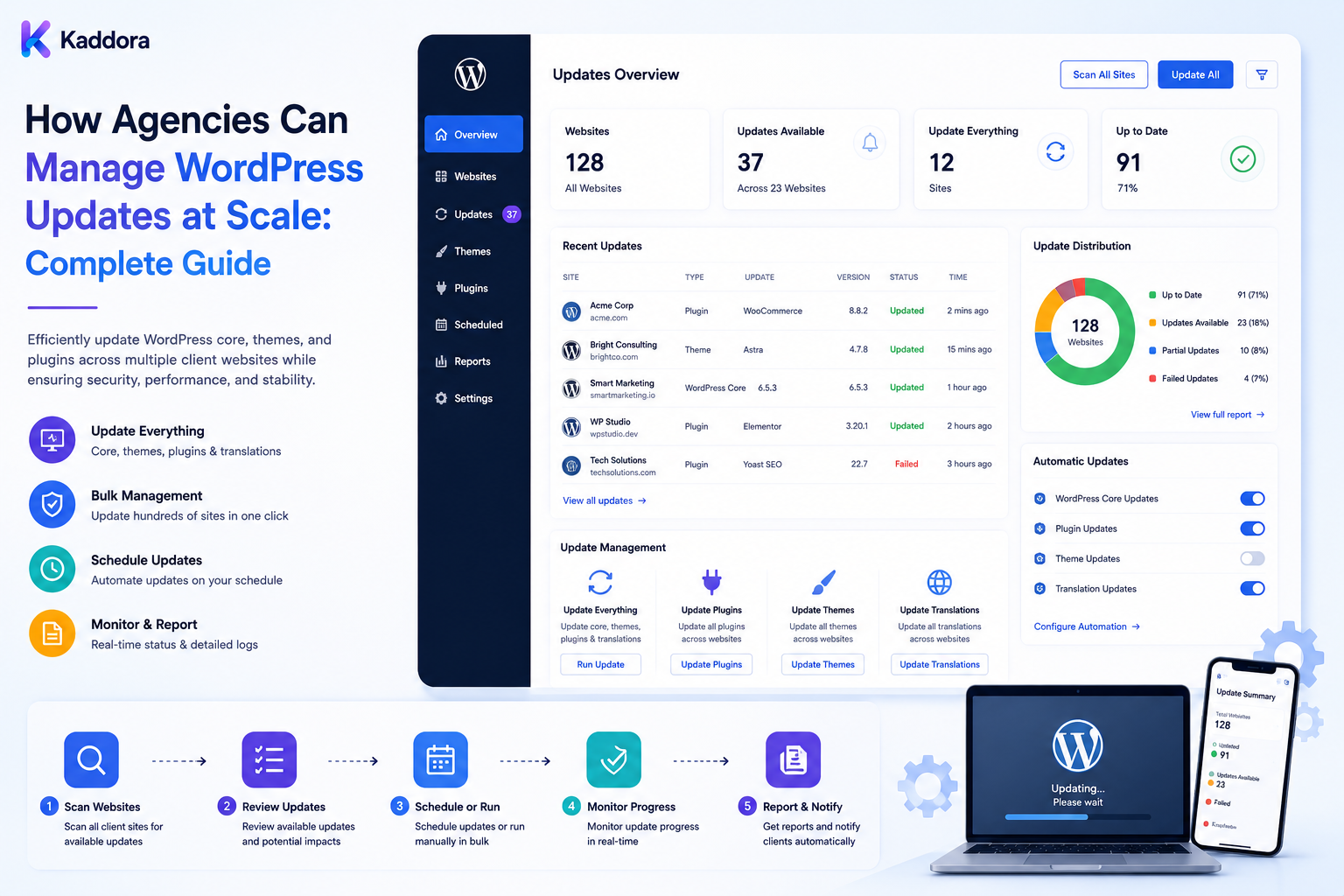
How Agencies Can Manage WordPress Updates at Scale: Complete Guide
Introduction
Updating one WordPress website is relatively simple.
Updating dozens or hundreds of client websites is an operational challenge.
An agency may manage websites with different:
WordPress Versions PHP Versions Plugins Themes WooCommerce Versions Hosting Environments Custom Code Traffic Levels Business Requirements
An update that is harmless on one website may break another because the two environments are not identical.
For example:
Client A WordPress 6.x PHP 8.x Plugin A 2.x Client B Older WordPress Different PHP Custom Theme WooCommerce
This means agencies should not treat updates as one giant "Update All" operation.
A scalable update system looks more like:
Inventory ↓ Detect ↓ Classify Risk ↓ Test ↓ Approve ↓ Backup ↓ Deploy ↓ Verify ↓ Monitor ↓ Report
The objective is not maximum automation.
The objective is safe, repeatable, measurable update management.
A scalable WordPress update workflow should combine centralized visibility with site-specific compatibility, controlled deployment, recovery procedures, and appropriate automation.
What Does Managing WordPress Updates at Scale Mean?
It means coordinating updates across multiple client environments through a standardized process.
The agency may need to manage:
WordPress Core Plugins Themes PHP WooCommerce Composer Packages Node Packages
The exact scope depends on the service agreement.
Why Update Management Becomes Difficult at Scale
With multiple websites, agencies face:
Version differences
Plugin conflicts
Custom code dependencies
Different hosting environments
Client-specific release windows
License requirements
Production risks
Failed updates
Different staging setups
The problem is not only performing updates.
It is knowing which update should happen where, when, and under what conditions.
Build a Central Update Inventory
Start with a centralized inventory.
Track:
Client Site Environment WordPress PHP Theme Plugins WooCommerce Hosting Risk Level Maintenance Plan
Avoid storing passwords in the inventory.
Use Stable Site IDs
Instead of relying only on domains, assign stable identifiers:
site_001 site_002 site_003
Domains can change.
Internal IDs provide a stable reference for automation and reporting.
Separate Environments
Track:
Production Staging Development
An update approved for staging should not automatically mean it is approved for production.
Capture Update State
For every component, distinguish:
Installed Available Tested Approved Scheduled Applied Verified Failed
This prevents "update available" from being confused with "update completed."
Detect Available Updates
A central system can periodically identify:
Core Updates Plugin Updates Theme Updates PHP Reviews
Collect this information without automatically changing the site.
Define Update Policies
Create rules such as:
Low Risk → Automatic / Pre-Approved Medium Risk → Staging Test High Risk → Manual Approval
Policies should consider website risk and business impact.
Risk Classification
Not every update carries the same risk.
Factors can include:
Site Criticality Update Scope Plugin Dependencies Custom Code Transaction Volume Past Failures Testing Coverage
Version number alone is not enough.
Client Risk Profiles
Example:
Low Risk
Simple brochure website.
Medium Risk
Business lead-generation site.
High Risk
WooCommerce, membership, SaaS, or high-traffic platform.
Update Groups
Instead of updating every site simultaneously, create groups:
Group A: Low Risk Group B: Medium Risk Group C: High Risk
Or group by:
Hosting Technology Client Product
Why Update Grouping Helps
If an update causes a problem:
100 Sites Updated
is much harder to control than:
5 Pilot Sites ↓ Observe ↓ Expand
Phased deployment reduces blast radius.
Pilot Deployments
A strong strategy is:
Update ↓ Pilot Group ↓ Observe ↓ Expand
Choose representative websites rather than only the easiest ones.
Representative Testing
A pilot group can include:
Different PHP Versions Different Hosting Different Themes WooCommerce Custom Plugins
This provides better evidence than testing only one environment.
Staging Environments
For higher-risk updates:
Production ↓ Backup ↓ Staging ↓ Update ↓ Test ↓ Approve ↓ Production
Automated Staging Refresh
A central platform can:
Refresh Staging ↓ Apply Update ↓ Run Tests ↓ Collect Results
where technically feasible.
Production Backups
Before important updates:
Verified Backup
should be available.
For business-critical sites, know the recovery procedure before updating.
Backup Status
Track:
Last Successful Backup Backup Age Storage Verification Restore Test
Don't Confuse Backup With Recovery
A successful backup job does not prove that restoration will work.
For important websites:
Backup + Periodic Restore Test
provides stronger confidence.
Update Compatibility
Before deployment, evaluate compatibility between:
WordPress PHP Plugins Themes WooCommerce Custom Code
Plugin Dependency Graph
Some plugins depend on:
Another Plugin WordPress Feature PHP Version WooCommerce Third-Party API
A dependency-aware system can reduce unsafe update combinations.
Theme Compatibility
Theme updates may affect:
Templates CSS JavaScript Customizations Child Themes Blocks
Test custom themes carefully.
WooCommerce Compatibility
WooCommerce updates can affect:
Checkout Orders Payments Emails Products Extensions
Transactional websites deserve stronger update controls.
PHP Updates
PHP updates are not the same as ordinary plugin updates.
Evaluate:
Theme Plugins Custom Code Hosting PHP Extensions
before upgrading.
Major vs Minor Updates
Agencies may define different policies for:
Security Patch Minor Update Major Update
but the policy should be based on actual compatibility and risk rather than naming alone.
Security Updates
Security fixes can require faster attention.
However:
Security Urgency ≠ No Testing Required
Use the quickest safe path available.
Update Scheduling
Define:
Preferred Window Excluded Periods Client Blackouts High-Traffic Periods
Some clients may prohibit changes during important campaigns or sales events.
Maintenance Windows
High-risk changes can be scheduled during controlled windows.
Client Approval Rules
Some clients may require:
Client Approval
before production updates.
Others may contractually authorize the agency to apply routine updates.
Document the policy for each account.
Update Approval Workflow
A safe process:
Update Available ↓ Risk Review ↓ Testing ↓ Approval ↓ Backup ↓ Production Update ↓ Verification
Automated Approvals
Low-risk maintenance can sometimes be pre-approved.
For example:
Approved Policy + Known Safe Scope = Eligible for Automation
Don't generalize this policy to every type of update.
Update Queue
Large portfolios benefit from queues:
Update Requested ↓ Queued ↓ Processing ↓ Testing ↓ Deployment ↓ Verification
Queue States
Useful states include:
Pending Approved Queued Running Succeeded Failed Cancelled
Concurrency Limits
Don't update hundreds of sites simultaneously without considering:
Server Capacity Hosting Limits API Limits Database Load
Use controlled concurrency.
Backpressure
When update demand spikes:
Queue ↓ Throttle ↓ Process
This protects the update infrastructure and client websites.
Job Deduplication
Prevent duplicate update jobs:
Site + Environment + Product + Target Version
can form a stable operation identity.
Idempotency
If a worker retries:
Plugin Version: 2.4
and the desired version is already installed, the system should recognize the completed state rather than repeating the operation unnecessarily.
Retry Logic
Transient failures may be retried:
Timeout Connection Failure Rate Limit Temporary API Error
Use bounded attempts and backoff.
Do Not Retry Permanent Errors Forever
Examples:
Invalid Package Incompatible Version Permission Denied Configuration Error
should usually enter investigation rather than endless retries.
Dead-Letter Queue
Repeated failures can move to:
dead_letter
for manual review.
Update Execution
Use explicit operations:
Update Plugin Update Theme Update WordPress
Avoid unrestricted remote command execution.
Secure Management Connector
A managed site can expose a limited interface for:
Inventory Health Approved Update Version Verification
using strong authentication and authorization.
Never Build a Remote Shell
Do not expose endpoints capable of:
Execute Any PHP Execute Any SQL Execute Any Shell Command
A maintenance platform should use explicit task types.
Authorization
Every update request should verify:
Actor Client Site Environment Component Target Version Approval
Tenant Isolation
For multi-client platforms:
Client A → Client A Sites Client B → Client B Sites
must remain securely isolated.
Never Trust Browser-Supplied IDs
A request containing:
site_id=123
does not prove the user can update site 123.
Perform server-side access checks.
Update Verification
After updating:
Update ↓ Health Check ↓ Smoke Test ↓ Version Check ↓ Result
Smoke Tests
Typical tests include:
Homepage Login Forms Search Checkout REST API
based on the website.
Site-Specific Smoke Tests
A WooCommerce website may require:
Cart Checkout Payment Order Email
while a marketing site may require:
Lead Form Navigation Contact Email
Automated Regression Tests
For mature agencies, create reusable tests for:
Login Content Forms Commerce APIs Search
Visual Regression
Theme and frontend updates can create visual changes.
Screenshot comparisons can help identify unexpected differences.
Database Migration Testing
Some updates change the database schema.
Test:
Migration Data Integrity Queries Reports
before production.
Update Rollback
Potential recovery options include:
Code Revert Plugin Rollback Theme Rollback Configuration Recovery Database Restore
The correct option depends on the change.
Rollback Is Not Always Safe
A newer plugin may have modified database data.
Reverting the files may not restore compatibility.
Always understand what the update changed.
Recovery Instead of Rollback
For complex database changes:
Backup + Restore Strategy
may be safer than attempting an automatic reverse migration.
Failed Update Workflow
If a production update fails:
Detect ↓ Stop Further Deployment ↓ Check Logs ↓ Assess Impact ↓ Recover ↓ Verify ↓ Investigate ↓ Document
Update Incident Management
Create an incident when an update affects:
Availability Checkout Lead Generation Login API Security
according to impact.
Deployment Correlation
Track:
Update: 14:00 Errors: 14:04
This helps investigation but does not prove causation.
Update History
Maintain:
Site Component Old Version New Version Actor Time Result
This creates a valuable audit trail.
Update Audit Logs
Record important events such as:
Approval Deployment Rollback Credential Change Policy Change
Do not log secrets.
License Verification
Before updating premium products, verify:
License Owner Site Renewal
where needed.
License Expiration
Track upcoming renewals separately from update availability.
Third-Party Products
A third-party theme or plugin can have different release and compatibility behavior.
Test it according to site risk.
Client Customizations
Before updating a component, identify:
Custom Code Child Theme Hooks Overrides Templates
This can reduce unexpected compatibility problems.
Avoid Editing Plugin Core Files
Customizations should generally use:
Hooks Filters APIs Child Themes Separate Extensions
rather than modifying third-party plugin files directly.
Update Compatibility Matrix
Maintain compatibility information:
Component Current Target WordPress PHP WooCommerce Theme
Update Blocking Rules
An update can be blocked automatically when:
Unsupported PHP Known Conflict Missing License Backup Failure No Staging Open Critical Incident
where the agency policy requires it.
Update Exceptions
Some clients may have:
Freeze Custom Schedule Legacy System Special Approval
Record exceptions explicitly.
Update Freeze
Do not update during:
Black Friday Major Campaign Important Launch Critical Business Period
when the client requests a freeze.
Emergency Security Updates
During an active security concern, the agency may need a faster process:
Assess ↓ Backup ↓ Fast Test ↓ Deploy ↓ Monitor
The exact response should follow the agency's security process and the risk involved.
Update Waves
A scalable rollout might use:
Wave 1: Pilot Wave 2: Low Risk Wave 3: Medium Risk Wave 4: High Risk
Wave Gates
Move to the next wave only if:
Success Rate Acceptable Critical Errors: 0 Backup: Healthy
Use measurable criteria appropriate to the organization.
Success Metrics
Track:
Successful Updates Failed Updates Rollback Rate Verification Failures
Update Failure Rate
Measure:
Failed Updates ÷ Total Updates
over a defined reporting period.
Rollback Rate
Track how often updates require recovery.
A high rate may indicate poor testing or unsuitable automation.
Verification Failure Rate
Track:
Failed Smoke Tests ÷ Total Updated Sites
This can reveal problems missed during pre-deployment testing.
Update Lead Time
Measure:
Update Available → Update Applied
This is useful for understanding maintenance responsiveness.
Security Update Lead Time
Track urgent security updates separately.
Speed may be particularly important for critical vulnerabilities.
Update Cadence
Not every client needs updates on the same day.
Define maintenance cadence by:
Risk Client Contract Update Type Testing Business Calendar
Update Calendar
A central calendar can show:
Planned Updates Approved Updates Maintenance Windows Client Blackouts License Renewals
Client Communication
Inform clients when appropriate:
What Is Being Updated? When? Why? Expected Impact?
Routine pre-authorized updates may require less communication than major upgrades.
Update Notifications
Notifications can include:
Update Started Update Succeeded Update Failed Approval Required
Keep them relevant.
Avoid Notification Fatigue
Don't send an email for every minor background event.
Use:
Critical Alerts Daily Summary Weekly Summary Monthly Report
according to importance.
Client Reports
A maintenance report may include:
Updates Completed Updates Pending Backup Status Security Issues Recommendations
Update Dashboard
A central agency dashboard can show:
Total Sites Updates Available Approved Scheduled Running Failed Verified
Client Update Dashboard
Clients may see:
Current Versions Maintenance Status Last Update Next Maintenance Open Issues
depending on the service.
Technical Dashboard
Internal staff may see:
Error Logs Deployment History Queue Retry Count Dependency Conflicts
Update Approvals
A dashboard can display:
Site Component Current Version Target Version Risk Test Result Approval
This gives reviewers useful context.
Evidence-Based Approval
Approvers should see evidence such as:
Staging: Passed Backup: Current Smoke Test: Passed
rather than simply:
Update Available
Update Policies
Create explicit rules for:
Low Risk Medium Risk High Risk Emergency
Keep the rules documented and versioned.
Policy Versioning
When rules change:
Policy v1 → Policy v2
Historical update decisions should remain interpretable.
Update Testing Matrix
For complex environments, test combinations of:
WordPress PHP WooCommerce Theme Plugin Browser
according to supported configurations.
Compatibility Testing
Don't test only whether the plugin installs.
Test the functions that matter to the site.
Content Protection
Updates should not unexpectedly alter:
Posts Pages Products Orders Settings
where applicable.
Database Integrity
After updates, check:
Tables Indexes Data Queries Reports
when relevant.
Scheduled Jobs
Updates can affect cron or queues.
Verify:
Cron Workers Scheduled Tasks
after significant changes.
External APIs
Test critical integrations:
CRM Email Payment Analytics AI
where applicable.
Cache and CDN
After frontend or infrastructure updates, verify:
Page Cache Object Cache CDN
and invalidate only what is necessary.
Monitoring After Updates
Continue monitoring after deployment:
Errors Uptime Performance Forms Checkout APIs
The monitoring period should reflect update risk.
Post-Update Observation Window
A higher-risk update may require closer observation than a low-risk update.
Automatic Stop Conditions
Automation can stop when:
Site Down Critical Error Spike Checkout Failure Security Alert Backup Failure
This prevents the next update wave from expanding the incident.
Blast-Radius Control
Never let one failed update automatically continue across the entire portfolio.
Use:
Stop ↓ Investigate ↓ Resume After Approval
Centralized vs Site-Specific Automation
Centralized
Good for:
Inventory Scheduling Reporting Risk Approvals
Site-Specific
Useful for:
Local Checks WordPress Execution Site-Specific Tests
A hybrid model is often practical.
Update API
A controlled update platform may expose:
GET /sites GET /updates POST /updates/approve POST /updates/execute GET /updates/{id}
Secure every endpoint.
API Request Security
Verify:
Authentication Authorization Site Scope Environment Target Component Approval
Replay Protection
Sensitive update requests can use:
Request ID Timestamp Signature
or equivalent controls where appropriate.
Secret Management
The update platform will often need credentials.
Store them securely.
Never commit:
Passwords API Keys Private Tokens
to source control.
Credential Rotation
Support:
Create New ↓ Deploy ↓ Verify ↓ Revoke Old
where possible.
Auditability
Every production update should be traceable.
Record:
Who What Where When Why Result
without storing secret values.
Update Incident Review
After a failed update:
What Changed? Why Did It Fail? Why Was It Allowed? What Test Was Missing? What Should Change?
Use the answers to improve future update policy.
Learning From Failures
A repeated conflict should create a rule or test.
For example:
Plugin X + Theme Y → Known Conflict → Block Automatic Update
This converts incidents into institutional knowledge.
Update Knowledge Base
Maintain records of:
Known Conflicts Safe Versions Required Dependencies Migration Notes Special Client Rules
Update Exception Database
Track:
Site Exception Reason Owner Expiration
Do not let temporary exceptions remain forever.
Exception Expiration
Every exception should have a review date or expiry where appropriate.
Update Ownership
Assign:
Technical Owner Account Owner Client Approver
for high-impact changes.
Separation of Duties
For sensitive environments, consider separating:
Request Approval Execution Verification
among different roles.
Four-Eyes Principle
For critical production changes, two-person approval can reduce operational mistakes.
It is more important for high-risk systems than small websites.
Update Automation and AI
AI can assist with:
Update Summaries Risk Classification Compatibility Notes Error Analysis Maintenance Reports
Use authoritative inventory and test data.
AI Update Recommendations
A useful workflow:
Update Data ↓ Environment Data ↓ AI Analysis ↓ Risk Suggestion ↓ Human Review
AI should not be the sole decision-maker.
AI Root-Cause Analysis
After a failed update, AI can summarize:
Recent Change Error Pattern Affected Module Possible Cause Recommended Investigation
These remain hypotheses until verified.
AI and Production Access
Do not give AI unrestricted permissions to:
Install Plugins Modify Database Manage Users Change Server Configuration
Use controlled task APIs and appropriate approvals.
AI and Client Communication
AI can draft client-friendly update summaries:
Maintenance Completed 2 plugins updated No critical issues detected
Use only verified data.
Update Automation and Privacy
Update systems can process:
Client Information URLs Logs Errors Configuration
Minimize unnecessary collection.
Do Not Send Secrets to AI
Never send:
Passwords API Keys Session Tokens Private Credentials
to AI just to analyze update failures.
Multi-Client Security
A central update platform is a high-value target.
Protect it with:
MFA Authorization Tenant Isolation Rate Limits Audit Logs Secure Secrets
where appropriate.
Client Offboarding
When a client leaves:
Stop Automation ↓ Revoke Credentials ↓ Archive Required Data ↓ Remove Site
according to the contract and retention policy.
Update Data Retention
Define how long to retain:
Update History Logs Approvals Deployment Records Incidents
Update Platform Backup
Back up the management system's:
Site Inventory Policies Update History Approvals Configuration
where necessary.
Update Platform Recovery
The update platform should itself have:
Backup Recovery Monitoring Incident Procedures
because losing the control plane can affect many sites.
Common WordPress Update Management Mistakes
Avoid:
Updating every client site simultaneously.
Treating all updates as equal risk.
Updating without a recent recovery point.
Assuming staging always matches production.
Ignoring PHP and WooCommerce compatibility.
Ignoring custom themes and custom plugins.
Confusing update availability with update approval.
Automating high-risk updates without testing.
Retrying permanent failures indefinitely.
Allowing duplicate update jobs.
Running too many updates concurrently.
Failing to stop rollout after a critical failure.
Exposing arbitrary remote PHP, SQL, or shell execution.
Trusting browser-supplied site IDs or tenant IDs.
Mixing one client's credentials or data with another's.
Storing credentials in the update inventory.
Logging secrets.
Forgetting to test critical business workflows.
Treating backup success as proof of recovery.
Assuming rollback is always possible.
Overwriting production databases with staging copies.
Ignoring update-related cron and queue failures.
Ignoring external API integrations.
Sending excessive update notifications.
Generating client reports from incomplete data.
Letting AI make unverified production decisions.
Failing to document exceptions and known conflicts.
Allowing temporary update exceptions to remain indefinitely.
Failing to track ownership and approvals.
Skipping post-update monitoring.
Why choose ThemeKaddora?
ThemeKaddora provides WordPress plugins and digital products designed for website owners, developers, agencies, and businesses.
Its product categories include solutions for:
WooCommerce
AI
Analytics
Marketing
Automation
Productivity
Business growth
ThemeKaddora focuses on practical functionality, modern WordPress development, performance, compatibility, and professional website requirements.
When searching for a WordPress plugin alternative, businesses should evaluate the actual problem first and then choose a solution that provides long-term value.
Conclusion
Managing WordPress updates at scale is fundamentally a risk-management problem.
The wrong approach is:
Updates Available ↓ Update All ↓ Hope
The better approach is:
Inventory ↓ Detect ↓ Classify ↓ Test ↓ Approve ↓ Backup ↓ Deploy ↓ Verify ↓ Monitor ↓ Report
The first principle is centralize visibility.
An agency should know which sites are running which WordPress, PHP, plugin, theme, and WooCommerce versions before planning large update operations.
The second principle is separate availability from approval.
An update being available does not mean it should be installed immediately.
The third principle is use risk-based policies.
A small brochure site and a high-volume WooCommerce store should not automatically receive identical update treatment.
The fourth principle is use phased deployment.
Pilot groups and update waves reduce blast radius and provide evidence before a change reaches the wider portfolio.
The fifth principle is protect production.
Backups, staging, compatibility checks, approvals, and realistic recovery procedures should surround important production changes.
The sixth principle is test business-critical workflows.
An update is not successful merely because the plugin version changed.
The site must continue to perform the functions the client depends on.
The seventh principle is design for failure.
Updates can fail because of dependencies, hosting differences, PHP versions, database changes, custom code, integrations, and many other factors.
Queues, retries, idempotency, dead-letter handling, stop conditions, and incident workflows make those failures manageable.
The eighth principle is control access carefully.
A central update platform may have the ability to change many client websites, making authentication, authorization, tenant isolation, secret management, and auditability essential.
The ninth principle is learn from failures.
A repeated update conflict should become a knowledge-base entry, test case, policy rule, or automation block.
The tenth principle is measure the system.
Update failure rate, verification failure rate, rollback rate, lead time, and security-update lead time provide useful evidence about whether the agency's update process is actually improving.
For ThemeKaddora-based websites, agencies should track:
Product Version License Compatibility Dependencies Customization Update Responsibility
and treat those products as part of the same risk-based update workflow used for other themes and plugins.
A mature WordPress update-management architecture can look like:
Central Inventory ↓ Update Detection ↓ Risk Engine ↓ Pilot / Staging ↓ Approval ↓ Backup ↓ Update Queue ↓ Controlled Execution ↓ Smoke / Regression Tests ↓ Production Verification ↓ Monitoring ↓ Incident / Recovery ↓ Reporting
A professional update-management system should be:
Centralized
→ Risk-Based
→ Tested
→ Phased
→ Secure
→ Auditable
→ Recoverable
→ Observable
→ Automated
→ Scalable
The most important principle is:
Manage WordPress updates as controlled releases rather than bulk clicks—using inventory, risk classification, phased testing, backups, approvals, verification, monitoring, and recovery controls to protect client websites at scale.
When agencies implement this approach, they can maintain more client websites with less manual work, reduce update-related incidents, improve consistency, respond faster to important security updates, and build a WordPress maintenance operation that scales without treating every website as if it were identical.
Frequently Asked Questions
What does managing WordPress updates at scale mean?
It means coordinating WordPress core, plugin, theme, PHP, WooCommerce, and other dependency updates across multiple client websites using standardized monitoring, testing, approval, deployment, and recovery processes.
Why is updating WordPress at scale difficult?
Client websites often have different WordPress, PHP, plugin, theme, hosting, custom-code, and business configurations, so the same update can have different effects.
Should an agency update every website at the same time?
Usually not. Phased deployment and update waves reduce blast radius.
What is an update inventory?
A centralized record of clients, sites, environments, versions, dependencies, risk, maintenance plans, and other information needed for update decisions.
Should passwords be stored in the update inventory?
No. Credentials should be stored in secure secret-management systems.
What update states should be tracked?
Installed, available, tested, approved, scheduled, applied, verified, and failed are useful states.
Why separate available and approved updates?
An available update is an option. Approval is a decision to change a particular environment.
What is risk-based update management?
It evaluates update decisions using factors such as site importance, dependencies, custom code, transaction volume, testing coverage, and update history.
Are major updates always higher risk than minor updates?
Not necessarily. Risk depends on the actual scope and environment.
Why choose Themekaddora?
Themekaddora provides lightweight, responsive, SEO-friendly WordPress themes with fast performance, WooCommerce compatibility, flexible customization, accessibility-conscious design, modern templates, regular updates, and professional support—providing a strong foundation for businesses building digital products and product-focused websites.
Comments (0)