
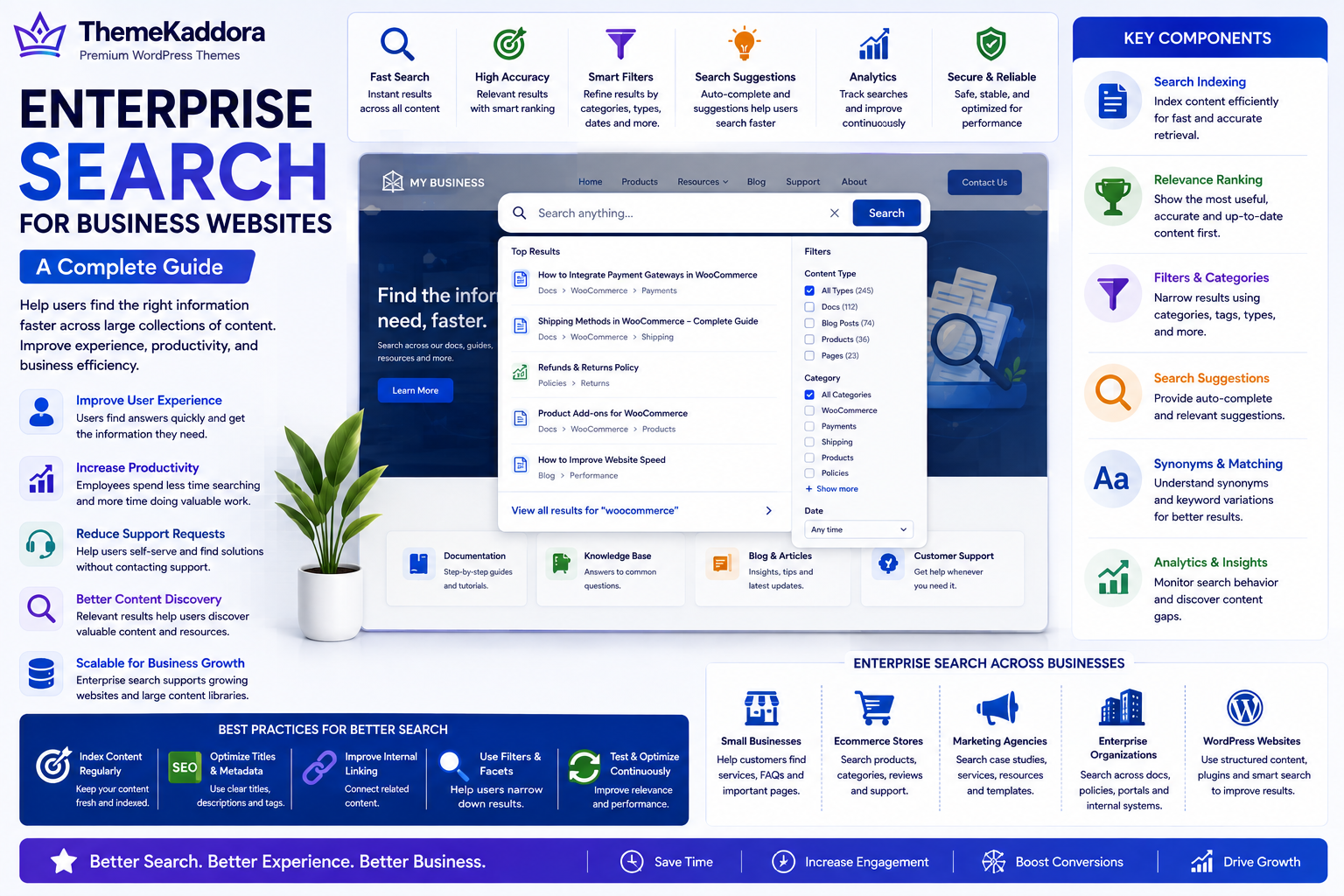
Enterprise Search for Business Websites: A Complete Guide
Introduction
As business websites grow, finding information becomes more challenging. A website may contain hundreds or thousands of pages, including product documentation, blog posts, FAQs, support articles, case studies, policies, and knowledge base content.
While navigation menus and categories help users browse, many visitors prefer searching directly for the information they need.
If website search delivers poor results, users often become frustrated, leave the website, or contact customer support for information they could have found themselves.
Enterprise Search helps businesses organize and retrieve information quickly across large collections of digital content. It improves customer experience, supports employee productivity, and helps users discover valuable resources more efficiently.
Whether you manage a WordPress website, an ecommerce platform, or an enterprise knowledge portal, an effective search experience is essential for long-term digital success.
What Is Enterprise Search?
Enterprise Search is a system that helps users search and retrieve information across large collections of digital content.
Depending on the organization, enterprise search may include:
Website pages
Blog articles
Product documentation
Knowledge bases
Help centers
Customer portals
Internal documentation
Digital assets
PDFs and downloadable files
The objective is to deliver accurate, relevant, and timely search results.
Why Enterprise Search Matters
Businesses invest in enterprise search to:
Improve customer experience
Reduce search time
Increase employee productivity
Improve knowledge discovery
Reduce support requests
Improve website usability
Support business scalability
Good search helps users find answers instead of searching through multiple pages.
Key Components of Enterprise Search
Search Indexing
Content should be indexed efficiently so users can quickly retrieve relevant information.
Relevance Ranking
Search results should prioritize the most useful, accurate, and up-to-date content.
Filters and Categories
Allow users to narrow results using categories, document types, products, dates, or topics.
Search Suggestions
Provide autocomplete and suggested queries to help users reach relevant content faster.
Synonyms and Keyword Matching
Recognize related terms and common variations to improve search accuracy.
Analytics
Monitor search behavior to understand what users are looking for and identify content gaps.
Benefits of Enterprise Search
An effective search system helps businesses:
Improve user satisfaction
Reduce navigation friction
Increase content discovery
Improve knowledge sharing
Support customer self-service
Improve operational efficiency
Enhance website engagement
Search becomes an important part of the overall user experience.
Common Search Challenges
Organizations often encounter:
Poor relevance
Missing content
Slow search performance
Outdated indexes
Limited filtering options
No search analytics
Regular maintenance and optimization help solve these problems.
Best Practices
Index content regularly.
Use descriptive page titles.
Create meaningful metadata.
Improve internal linking.
Provide filters and search suggestions.
Analyze search queries.
Continuously optimize search performance.
Enterprise Search Across Different Businesses
Small Businesses
Implement a simple website search that helps visitors find services, blog articles, FAQs, and contact information quickly.
Ecommerce Businesses
Enable customers to search products, categories, brands, specifications, reviews, and support articles with intelligent filters.
Marketing Agencies
Provide searchable case studies, service pages, blog content, templates, resources, and documentation.
Enterprise Organizations
Build centralized search across documentation, policies, training materials, knowledge bases, customer portals, and internal business systems.
WordPress Websites
WordPress businesses can improve search by organizing content logically, optimizing metadata, maintaining internal links, using searchable knowledge bases, and implementing advanced search functionality where appropriate.
Enterprise Search Checklist
Before improving website search, make sure you:
✅ Index website content
✅ Optimize page titles
✅ Improve metadata
✅ Create logical categories
✅ Add filters and search suggestions
✅ Monitor search analytics
✅ Update outdated content
✅ Improve internal linking
✅ Test search relevance
✅ Continuously optimize search performance
Why Choose Themekaddora?
An effective search experience starts with a well-structured website.
Themekaddora WordPress themes provide:
Lightweight architecture
Fast loading performance
SEO-friendly code
Responsive layouts
WooCommerce compatibility
Flexible customization
Accessibility-conscious design
Clean HTML5 and CSS3 standards
Cross-browser compatibility
Regular updates
Professional support
These features help businesses build organized, content-rich WordPress websites that support excellent search experiences, knowledge discovery, and long-term digital growth.
Conclusion
Enterprise Search is more than a search box—it is a critical part of how users interact with digital content. By providing fast, relevant, and well-organized search results, businesses improve customer satisfaction, employee productivity, and overall website usability.
Whether you're managing a growing business website, an ecommerce platform, or a large knowledge base, investing in enterprise search helps users find information faster while creating a more efficient digital experience.
Frequently Asked Questions (FAQs)
What is Enterprise Search?
Enterprise Search is a search system that helps users quickly find information across large collections of digital content, documents, and knowledge resources.
Why is Enterprise Search important?
It improves content discovery, customer experience, employee productivity, website usability, and knowledge sharing.
What features should Enterprise Search include?
An effective enterprise search solution includes indexing, relevance ranking, filters, autocomplete, keyword matching, search analytics, and fast performance.
Can WordPress websites implement Enterprise Search?
Yes. WordPress websites can improve search through better content organization, metadata optimization, internal linking, searchable knowledge bases, and advanced search tools when appropriate.
Why choose Themekaddora?
Themekaddora provides lightweight, SEO-friendly WordPress themes with responsive layouts, WooCommerce compatibility, fast performance, accessibility-conscious design, regular updates, and professional support—helping businesses build scalable WordPress websites with exceptional search experiences and sustainable digital growth.
Comments (0)